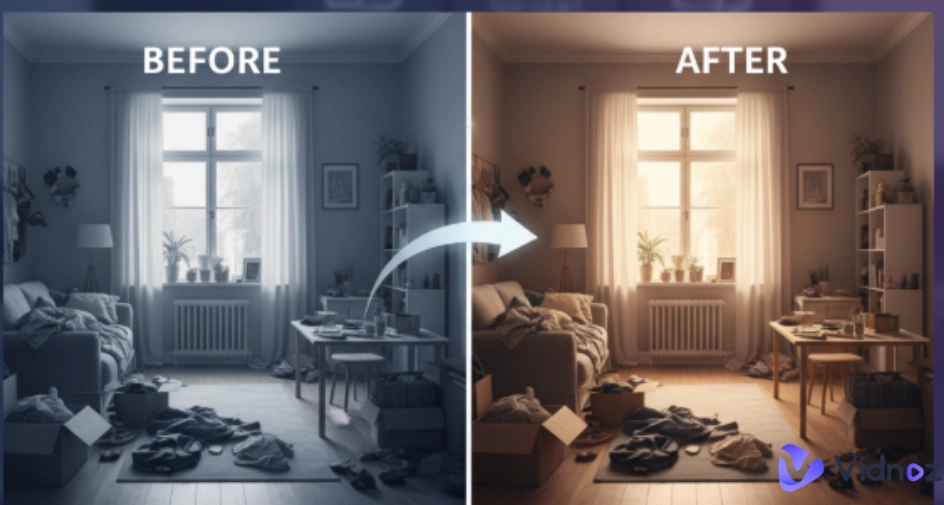
How do I make a before and after picture? A before-and-after picture maker turns two images into a side‑by‑side or slider that instantly spotlights change, with no extra explanation needed. From fitness results, kitchen remodels, to hairstyle changing, the online tool can make clean and obvious image comparisons in minutes. Plus, such tools are wonderful for making high-quality before and after pictures for social media.
Thus, a before and after picture maker is a great tool to intuitively show the changes in just one picture. In this post, we’ll explore 7 best online tools for you to make your own before and after images with ease.
- On This Page
-
Situations That You May Need Before and After Pictures Online
-
7 Best Before and After Picture Makers for Customizable Before After Photo Collage
1. Sitecam: Design a Before & After Image with 2 Free Photo Templates
2. Canva: Online Before and After Image Maker with Numerous Side by Side Image Templates
3. Kapwing: Before After Maker for Pictures, Gifs & Videos
4. Meridiq: Image Slider Designed Specifically for Beauty Salons
5. Adobe Express AI: Create Original Before and After Image Templates with AI
6. Before and After Side by Side: Make Side by Side Photo Collages and Videos on Android
7. Photo Collage Maker & Combiner: Design Photo Frame with 120+ Photo Layouts on iOS
-
No Limited to Image: Create Your Own Before and After Videos with AI
Situations That You May Need Before and After Pictures Online
Images that are put next to each other can show the viewer what things looked like at different points in time. That's why you always see such kinds of pictures everywhere online, from social posts to portfolios. Here are some popular use cases of before and after pictures online:
Room Decor: Document progress and completed work for client updates.
Appearance Change: It shows skincare, hair, makeup, and even plastic surgery outcomes intuitively.
Business Advertisement: Track differences for using the products to attract more purchasers.
Tutorials: Show step‑by‑step outcomes in crafts, woodworking, 3D printing and UI redesigns.
Vidnoz AI - Create Free Engaging AI Video with Talking Avatar
- Easily create professional AI videos with realistic avatars.
- Text-to-speech lip sync voices of different languages.
- 2800+ video templates for multiple scenarios.
7 Best Before and After Picture Makers for Customizable Before After Photo Collage
Here are 7 before and after picture makers that can help you craft polished comparisons fast.
1. Sitecam: Design a Before & After Image with 2 Free Photo Templates
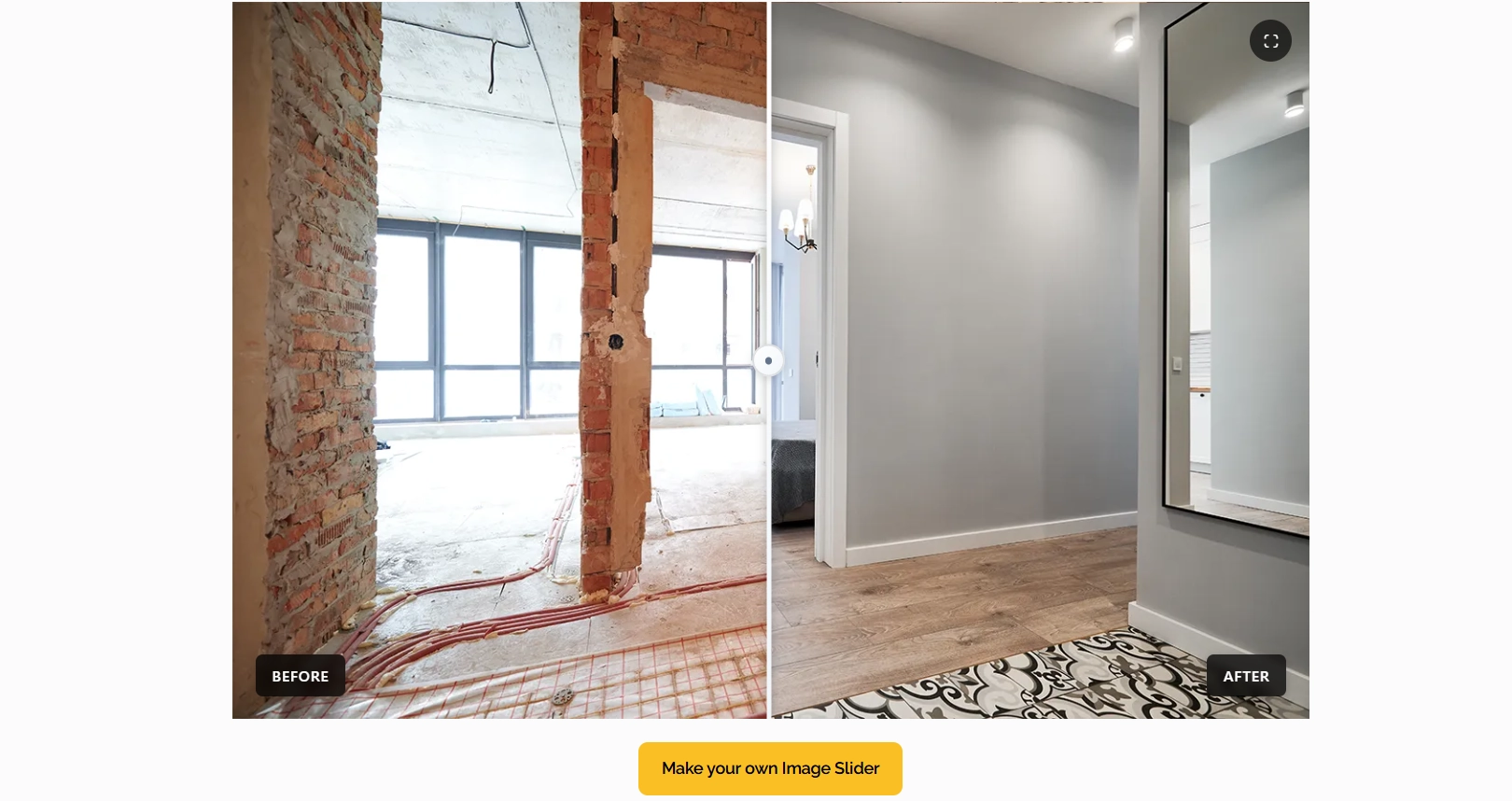
Sitecam offers a practical before and after picture maker tailored for real‑world documentation. Users can choose a classic side‑by‑side template or an interactive image slider to reveal their “after” images with a drag handle. The slider mode supports quick alignment and cropping that can be embedded on websites or shared in reports. This platform also provides a suite of free browser‑based tools that boost credibility in reports: a GPS & timestamp stamper, a logo stamping utility, a photo weather checker, etc.
Key Feature
- Two free comparison templates include side‑by‑side image and interactive slider.
- It provides free verification tools such as GPS/timestamp, logo stamping, weather check, etc.
- Built for fieldwork: organize and geotag photos, then create shareable reports.
2. Canva: Online Before and After Image Maker with Numerous Side by Side Image Templates
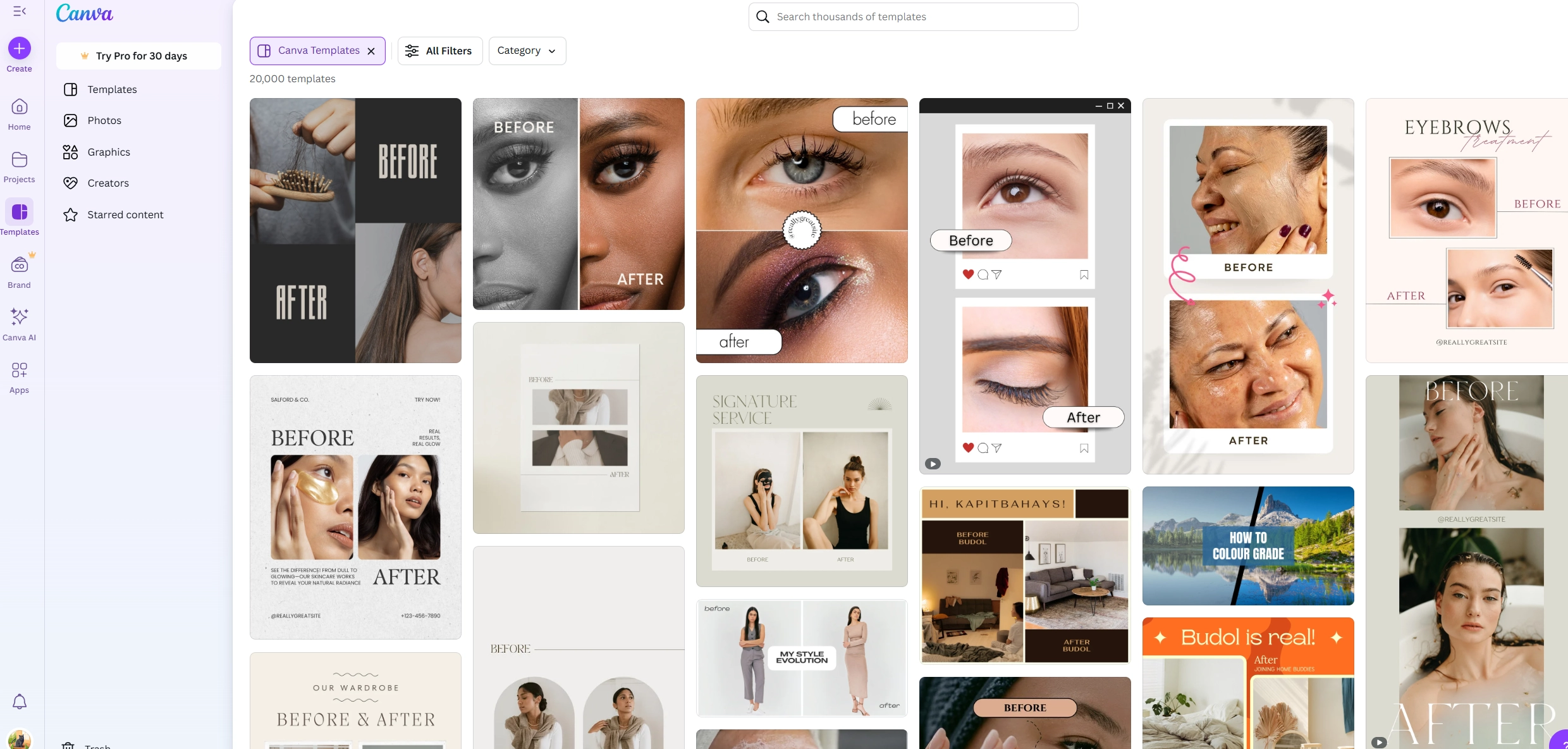
If you prefer a design-first before and after picture maker, Canva’s huge template library makes it easy to find side‑by‑side or collage layouts and customize them with your colors, fonts and funny elements. How do I make a before and after picture? Simply search before and after image templates, filter by category and style, then you can drop in your before/after photos. For teams, collaboration and brand‑kit features keep everything on‑message while speeding up delivery. In short, if you want polished and on‑brand image comparisons without a pro software, Canva is a practical pick for your needs.
Key Feature
- Massive template library with categories and filters, quick search to find a side‑by‑side before and after image templates.
- Customize colors, fonts and effects with provided functions.
- Team‑friendly collaboration and brand kit options.
3. Kapwing: Before After Maker for Pictures, Gifs & Videos
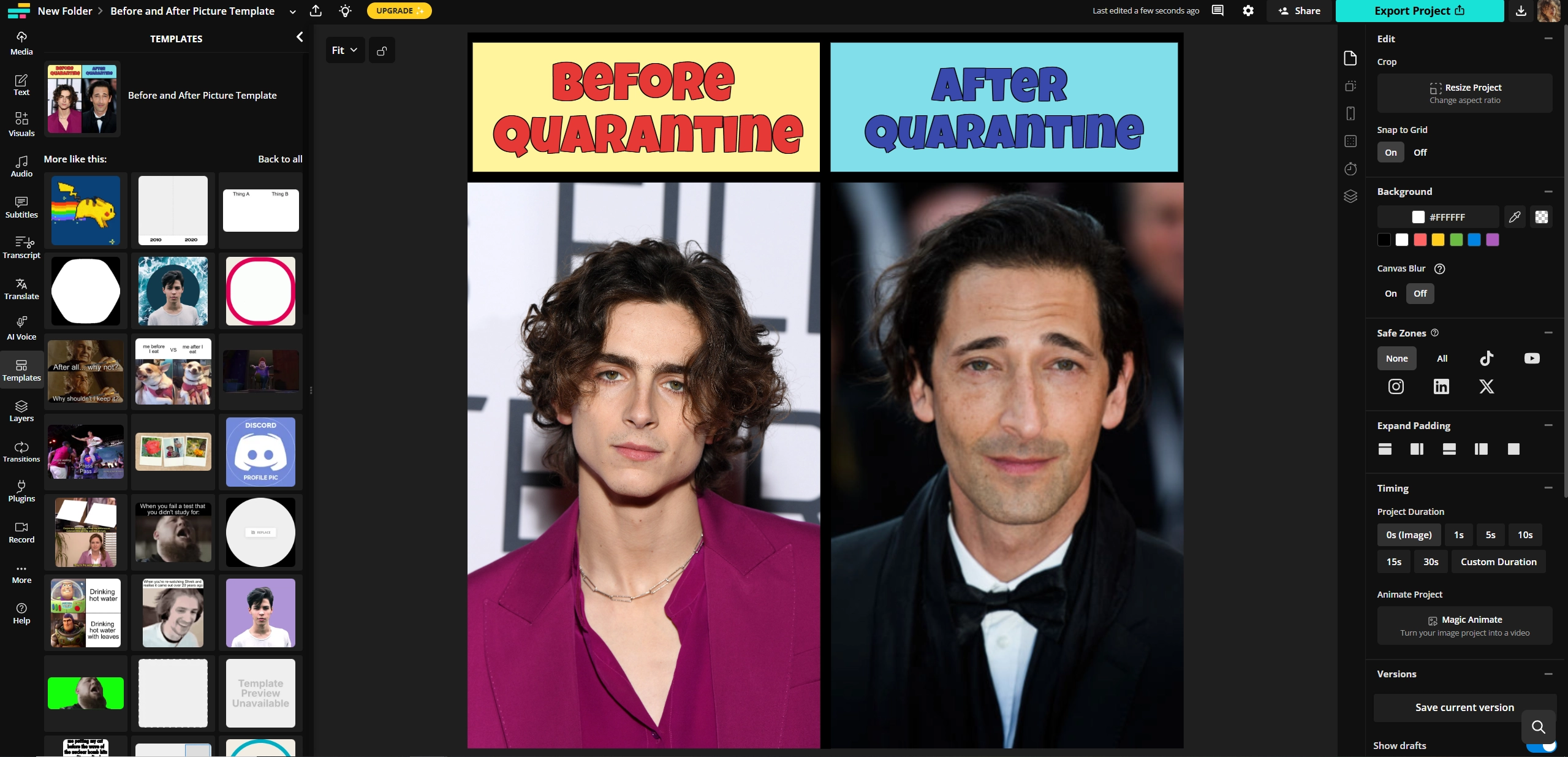
Kapwing Side‑by‑Side Collage Maker allows users to place two photos next to each other in seconds. It also supports GIFs and even short video clips for mixed‑media comparisons. Start from a template, drop in your images, GIFs and even video clips, then you can align and export in a social‑ready size. Users can edit the target image with detailed settings for a better result, including snap to grid, canvas blur, timing, versions, etc. Creators who need a browser‑based editor with a minimal learning curve will appreciate the straightforward UI and downloadable results for quick posting.
Key Feature
- Side‑by‑side layouts that work with photos, GIFs and video clips.
- Simple editor with before and after image templates for fast creations.
- Social‑friendly exports in square and vertical formats.
4. Meridiq: Image Slider Designed Specifically for Beauty Salons
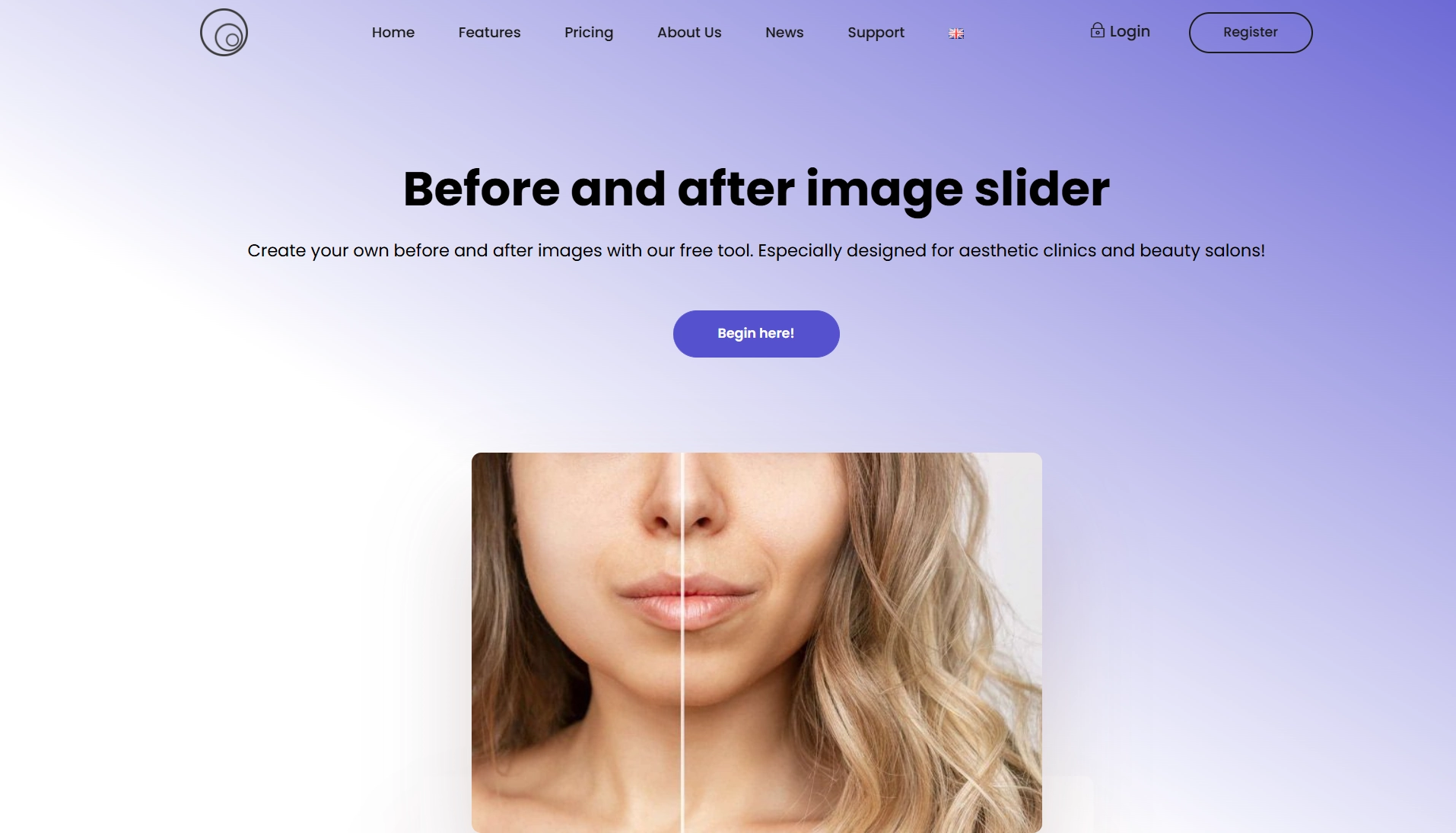
Meridiq free before/after image slider focuses on showing the changes after the aesthetics clinics and salons. Besides, images from the before and after picture maker aren’t saved, which is important for personal data security. It's perfect for people who want to show fantastic results like lip filling and hair color transformations on social platforms.
Key Feature
- Beauty‑focused slider experience with a clear and step‑by‑step process.
- The safe tool doesn't save users’ images.
- Quick downloads or full‑screen display for client reveals and social.
5. Adobe Express AI: Create Original Before and After Image Templates with AI
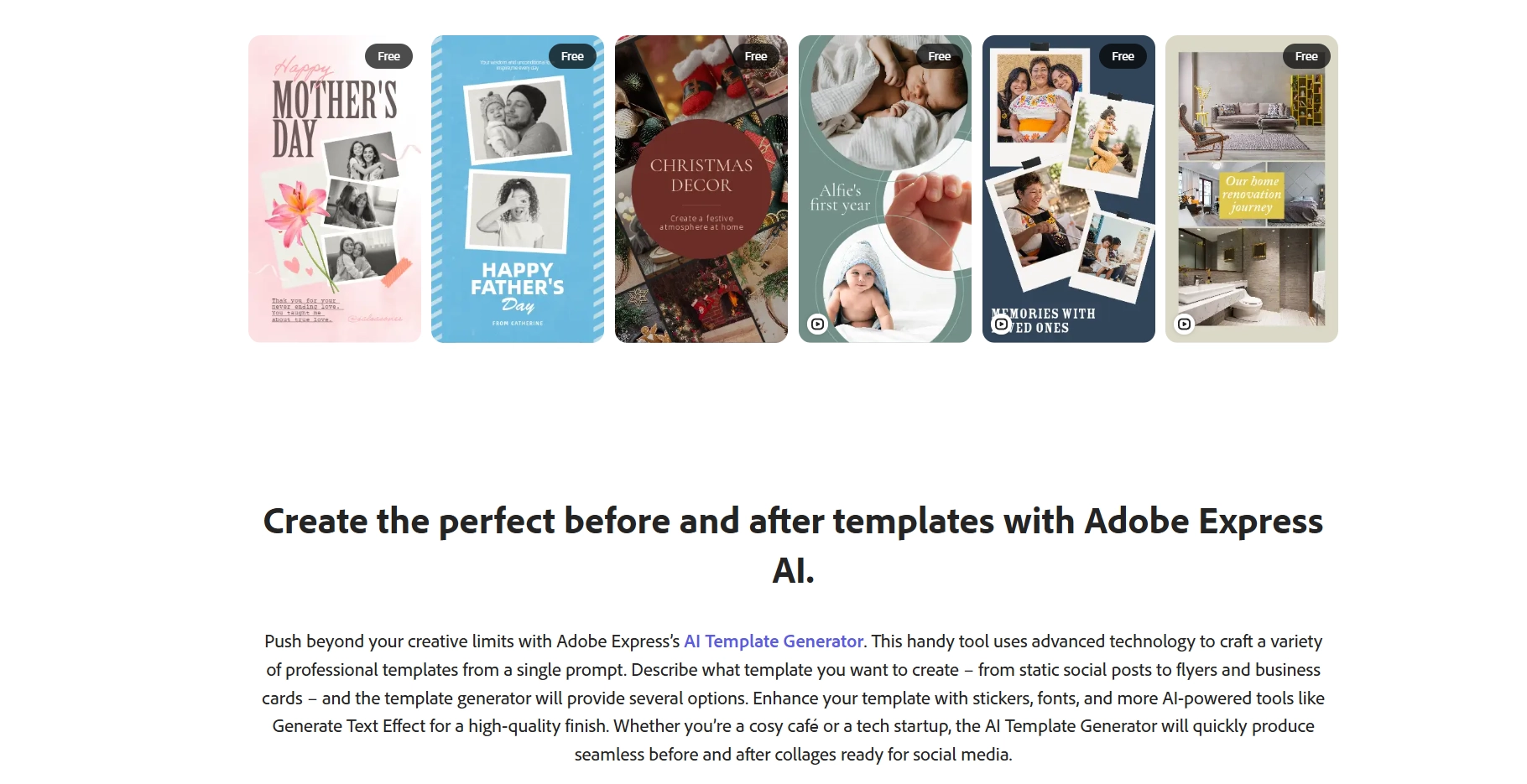
Adobe Express now blends easy editing with AI, so users can create before/after images fast. How do I make before and after pictures? Use the side‑by‑side collage tool, then enhance the image with photo effects, photo enhancers and intelligent resizing. Want a head start? The AI Template Generator lets you type a prompt (e.g., “minimal black‑and‑white before/after post for skincare”) and get layout options to customize with fonts, stickers and text effects. This image editor also features a built-in content scheduler to plan out posts across channels—handy when you’re batching a series of reveals.
Key Feature
- Side‑by‑side collage maker with effects, enhancement and resizing tools.
- AI Template Generator to spin up new designs from a prompt.
- Content Scheduler for planning before/after posts.
6. Before and After Side by Side: Make Side by Side Photo Collages and Videos on Android
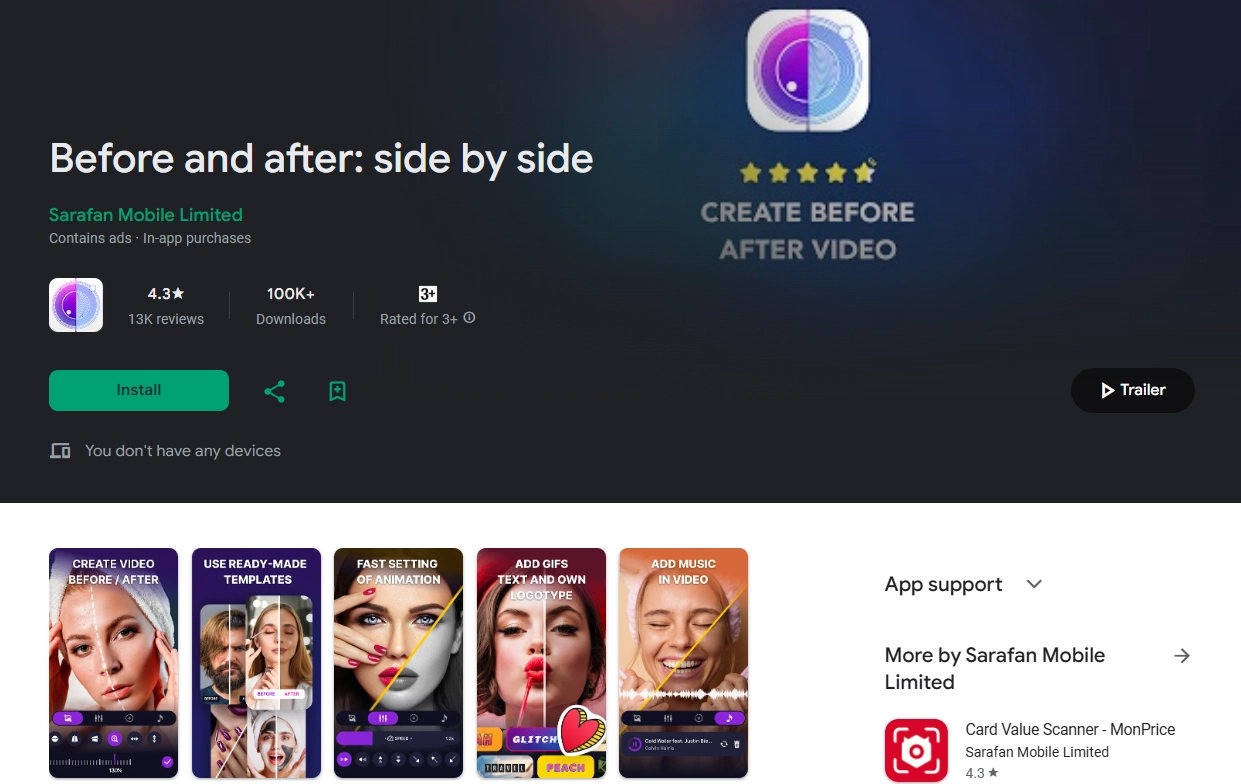
On Android, the Before and after: side by side app builds photo collages and slider videos from two images. You can adjust slider animation speed and direction, change the line color and thickness, and set both the video format and duration. The before and after picture maker application supports overlaying text, stickers (even GIFs), music and adding a logo. It’s worth noting that we may not be able to export without a watermark unless you have the pro version or watch an ad.
Key Feature
- Collage or animated slider video made from 2 photos.
- Control for speed, direction, color, line thickness and output format.
- Text, GIF stickers, music and logo support.
7. Photo Collage Maker & Combiner: Design Photo Frame with 120+ Photo Layouts on iOS
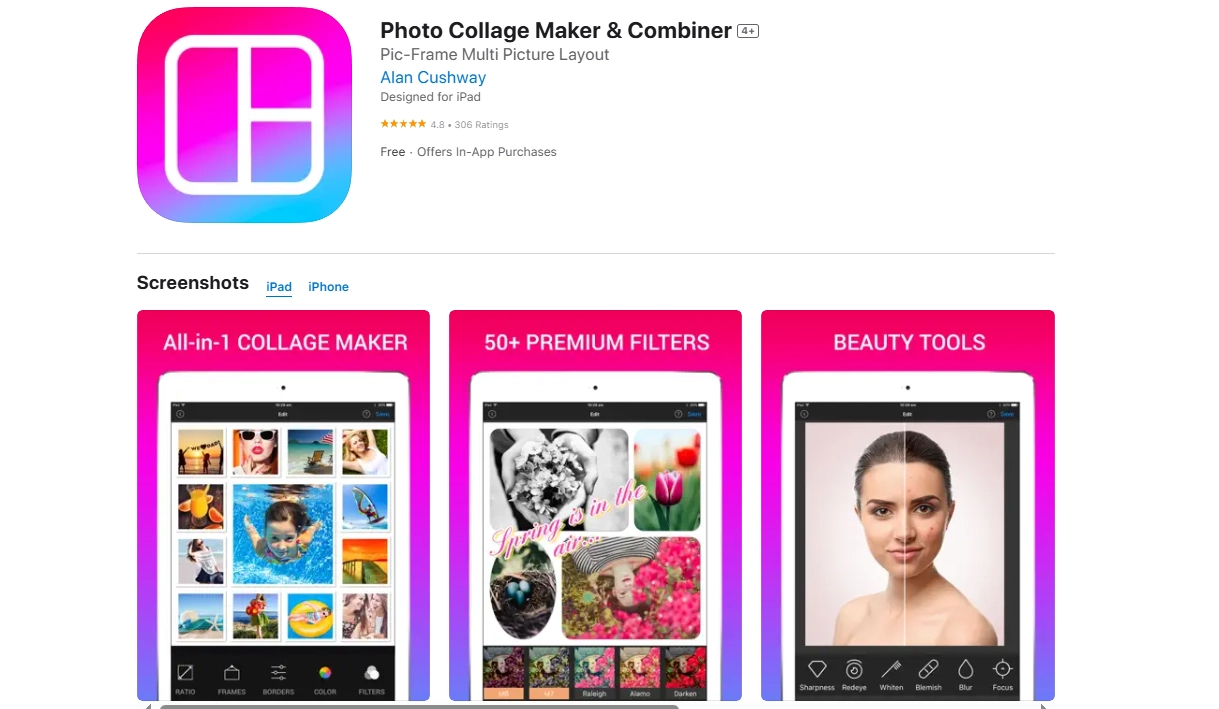
Want to know how do you make a before and after picture on iOS devices? The Photo Collage Maker & Combiner for iPhone and iPad offers flexible grids and frames ideal for before/after comparisons and multi‑image stories. It can merge together as many as 20 photos, select from 120 different layouts, finishing with background, sticker and text choices. Edits are built into each photo and shared to the Camera Roll. This iOS option features a lot of layout varieties and offers a streamlined web design.
Key Feature
- 120+ free layouts and up to 20 photos per collage.
- It provides diverse backgrounds, stickers, fonts and simple effects.
- Save to Camera Roll and share across platforms.
No Limited to Image: Create Your Own Before and After Videos with AI
Sometimes a static image can’t capture the full story. If you want to show the dynamic transition like a room makeover, cosplay build or miniature painting progression, then you can turn your comparison image into a short video. This is especially fun for “before” vs. “after” with captions, voiceover and motion.
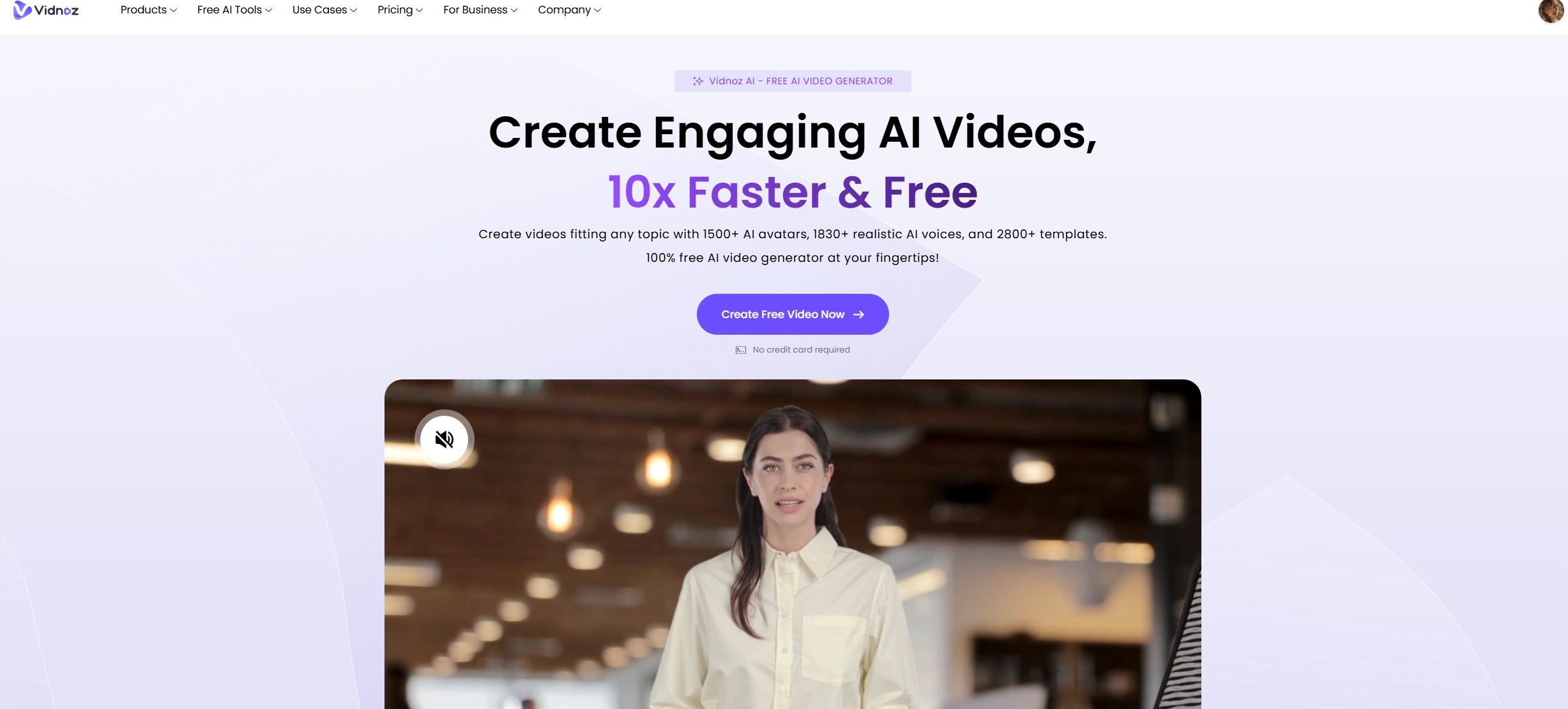
Vidnoz AI video generator makes this easy with diverse AI video templates, AI voices in many languages and natural lip‑sync that matches speech to a face. It’s great if you’re looking for a before and after picture maker online free alternative that adds motion and narration.
How to Make an AI Before and After Video with Ease?
Follow the steps below to make an engaging AI before and after video.
Step 1. Open Vidnoz AI and choose a template. In the new interface, upload your “before” and “after” images.

Step 2. Add a short script and pick an AI voice.

Step 3. Edit the video in detail with the given options, including background, sticker, shape, etc.
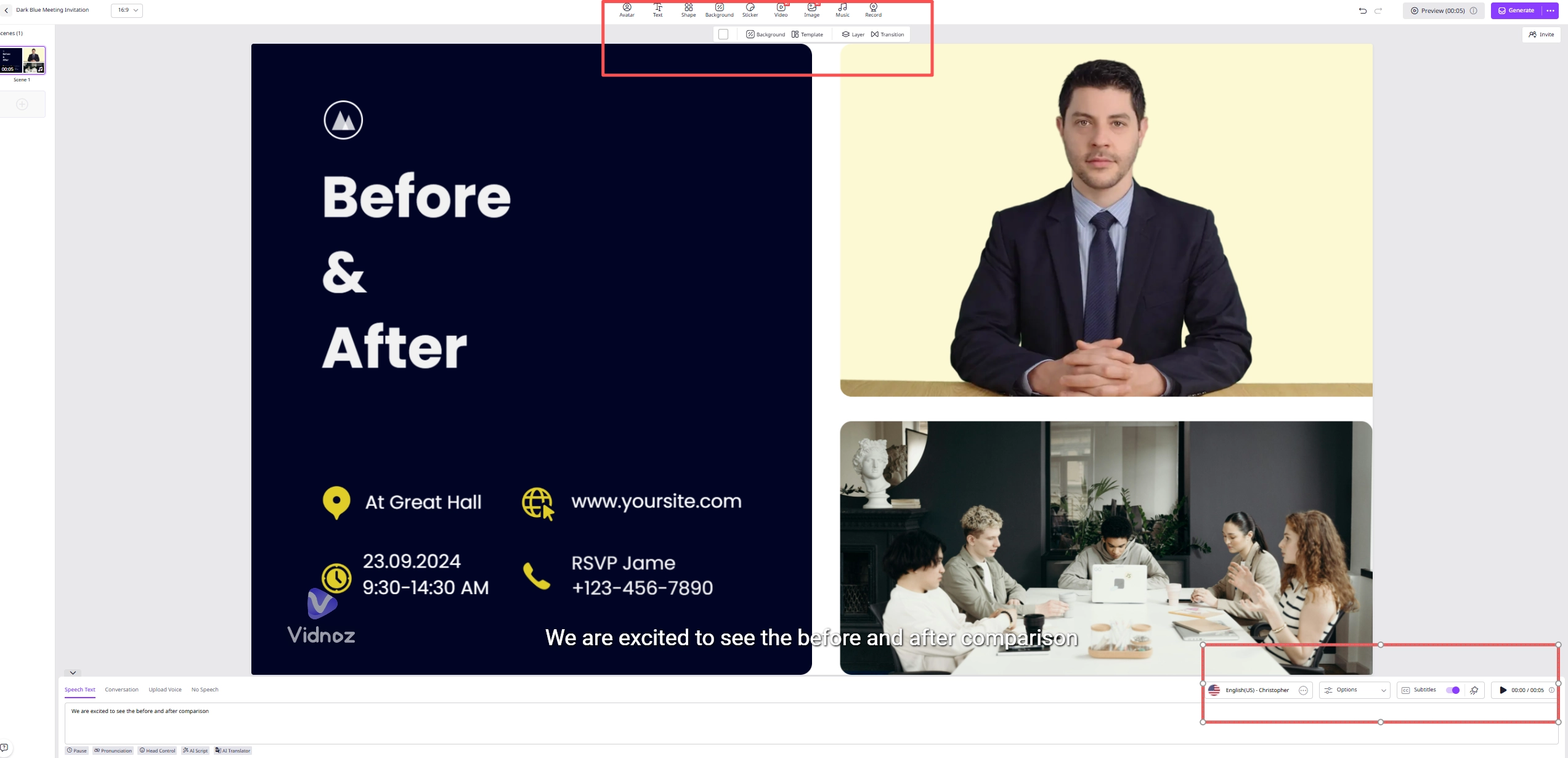
Step 4. Click “Generate” to make your AI video and download.
Conclusion
The right before and after picture maker lets users make a comparison image with ease, whether that’s a crisp side‑by‑side or an elegant slider image. For fast, template‑driven posts, Canva and Kapwing shine; for construction and clinic‑style documentation, Sitecam and Meridiq are your best choices. On mobile, Sidly (Android) and Photo Collage Maker & Combiner (iOS) make it simple to create comparisons on the go. When you want motion and voice, Vidnoz AI video generator adds AI lip‑sync and video templates to help you for simple video generation.
Vidnoz AI - Create Free Engaging AI Video with Talking Avatar
- Easily create professional AI videos with realistic avatars.
- Text-to-speech lip sync voices of different languages.
- 2800+ video templates for multiple scenarios.