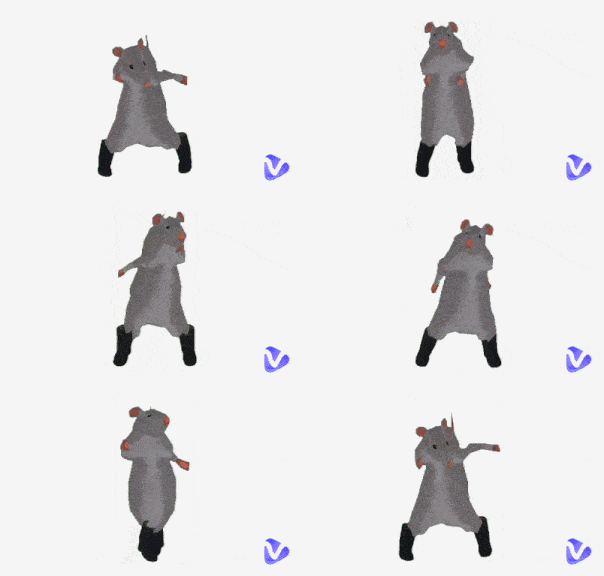
Ever took a stunning picture and felt excited to post it on your IG, but found its dimensions did not match the platform? You may have tried stretching it by changing its width and height, but it became distorted. Well, it is time to turn to the smart AI image stretcher, which can stretch images without deformation.
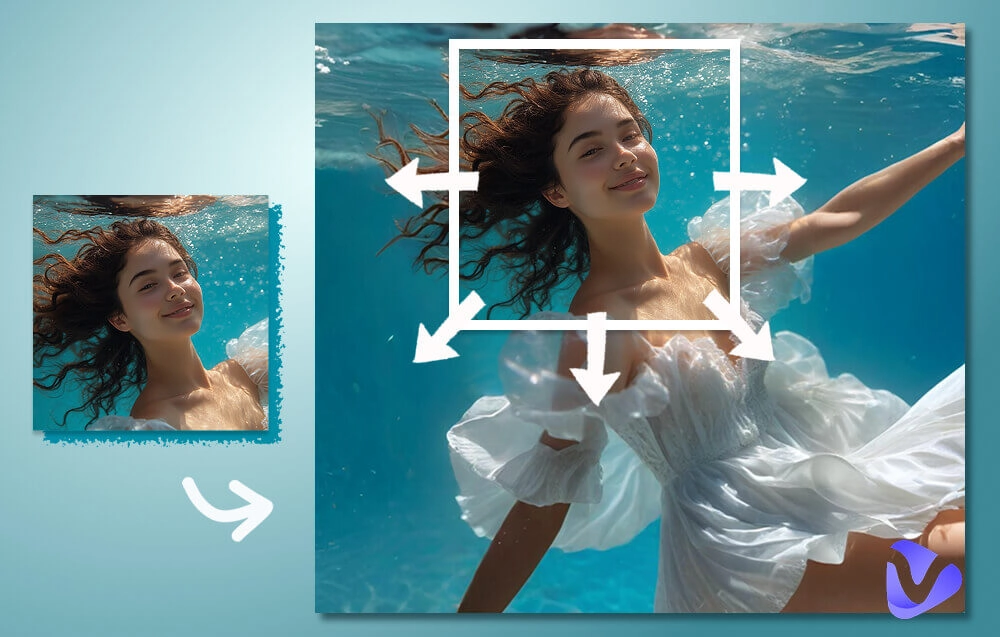
How does it work? Is it really that helpful? What picture stretchers can I use? Don’t worry; stay tuned, and you will find answers to all these questions.
- On This Page
-
Showcases Go First: Visuals after Image Stretcher
-
How Does AI Stretch Images?
-
The Best AI Image Stretcher You Must Try
1. Vidnoz AI Image Extender: Content-Aware AI Image Stretcher
2. Pixelcut: Stretch Images Online & Further Edit
3. YouCam Online Editor: Stretch Image Directly to Social Media Size
4. Fotor Image Stretcher: Output 2 Versions in 1 Go
5. insMind: Stretch Images to High Quality Outputs
-
How to Stretch Image Online for Free Without Deformation
-
Next Level: Animate the Stretched Images with Vivid Motions
Showcases Go First: Visuals after Image Stretcher
How good can AI stretch your images? Imagination alone does not depict it perfectly; let’s just rely on your visual organs.
Example 1: Uncrop an image using AI image stretcher
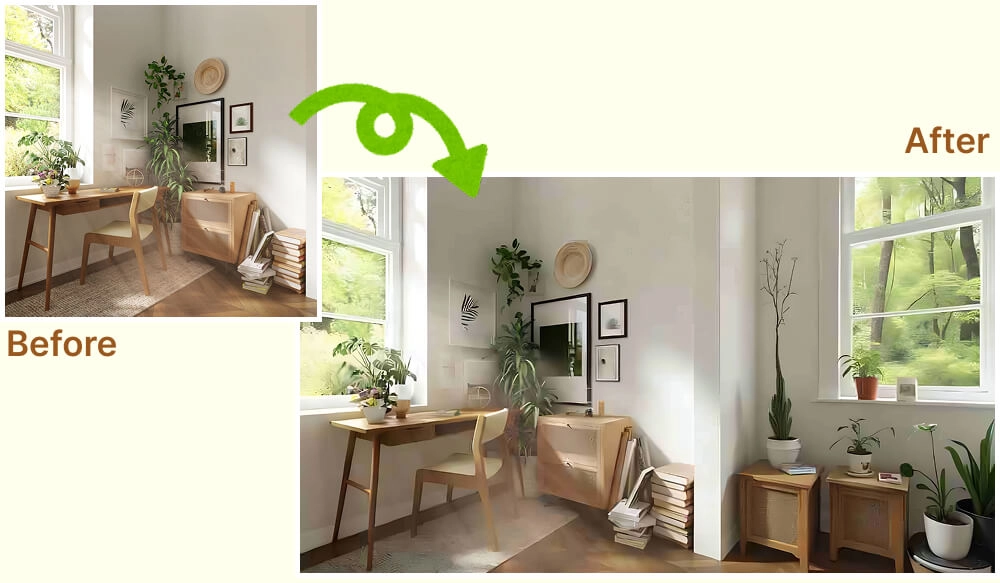
Original Picture by Spacejoy on Unsplash
Example 2: Stretch image for product display
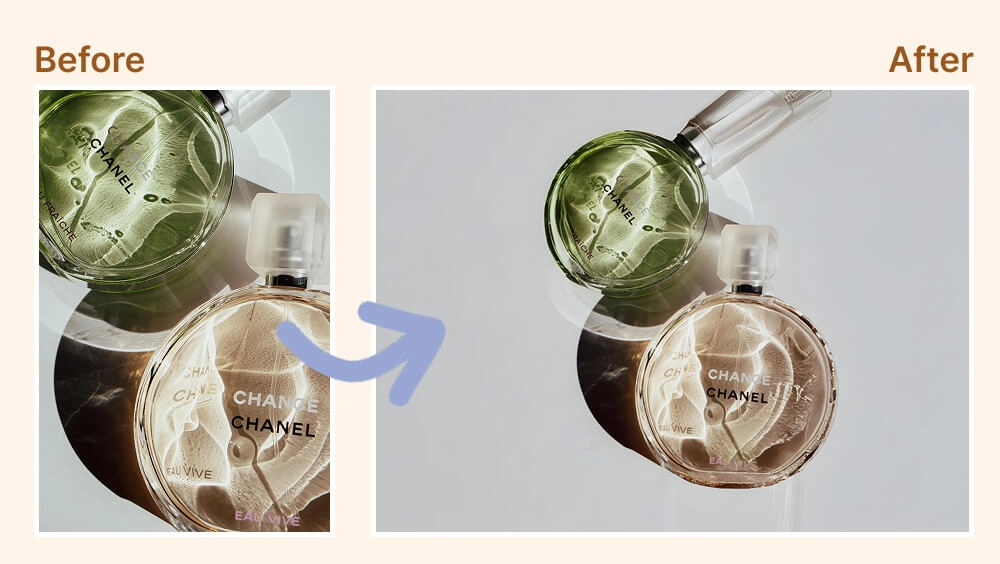
Original Picture by Yulia H. from pexels.com
Example 3: Stretch picture online to fit the social media picture size requirements
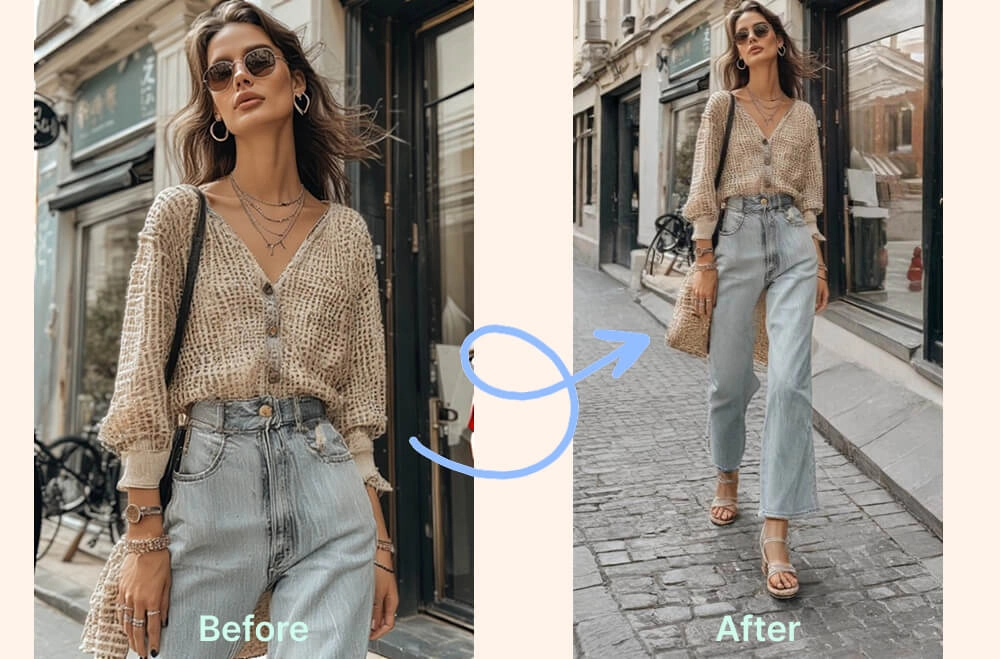
How Does AI Stretch Images?
Having checked the above images stretched by AI, how do you like them? How can AI expand these pictures in such a natural manner?
When you stretch an image manually, you change the dimensions, i.e., width and height, not proportionately. In such a case, the picture will be distorted/deformed. However, based on content recognition tech, generative AI models, and blending, an AI image stretcher can expand your picture without distortion. This is the magic behind an AI online image stretcher that can create from 0 to 1.
The Best AI Image Stretcher You Must Try
Without further ado, let’s go straight to the online image stretcher apps that will stun you. In the following sections, all of them will line up one by one, with the introductions and features of each.
1. Vidnoz AI Image Extender: Content-Aware AI Image Stretcher
Navigation: Vidnoz AI Image Stretcher
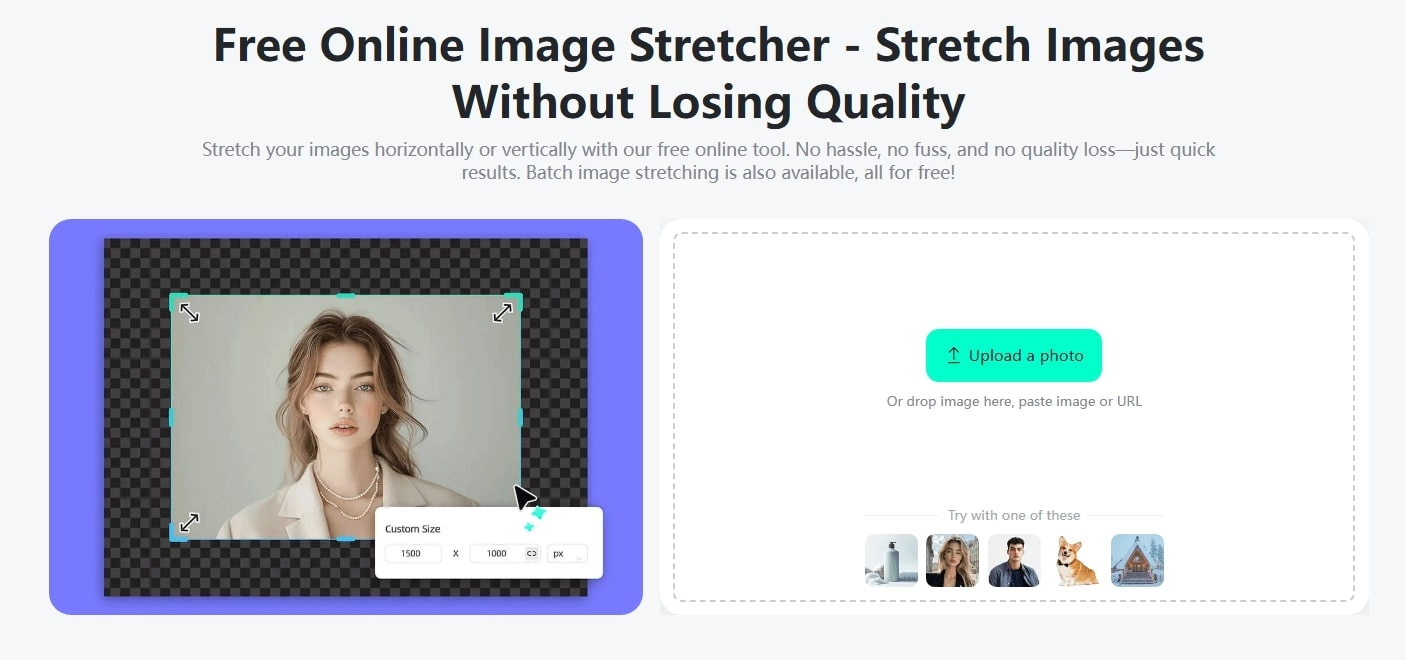
The first one that comes to our sight is the AI Image Extender by Vidnoz, which features free converting, seamless expanding, and customization. No matter whether you want to expand your image to any aspect ratio, size, in any direction, you will get a satisfying result.

Features:
- Content-Aware: Vidnoz AI Image Extender is an online image stretcher with auto content detection without deformity.
- Seamless: It seamlessly blends picture pixels in a natural way, and you won’t find any sense of disharmony.
- Customization: It comes with preset and auto aspect ratio options: Custom, Original, 1:1, 16:9, 9:16, 4:3, 3:2, etc.
- Free: Free to download your stretched pictures.
- Easy: Easy and tidy design in the interface as well as the process/operation.
Shortcomings:
- Sometimes the lighting may get slightly changed.
Price:
- Free; sign up to download files and get cloud storage space.
Before vs After:
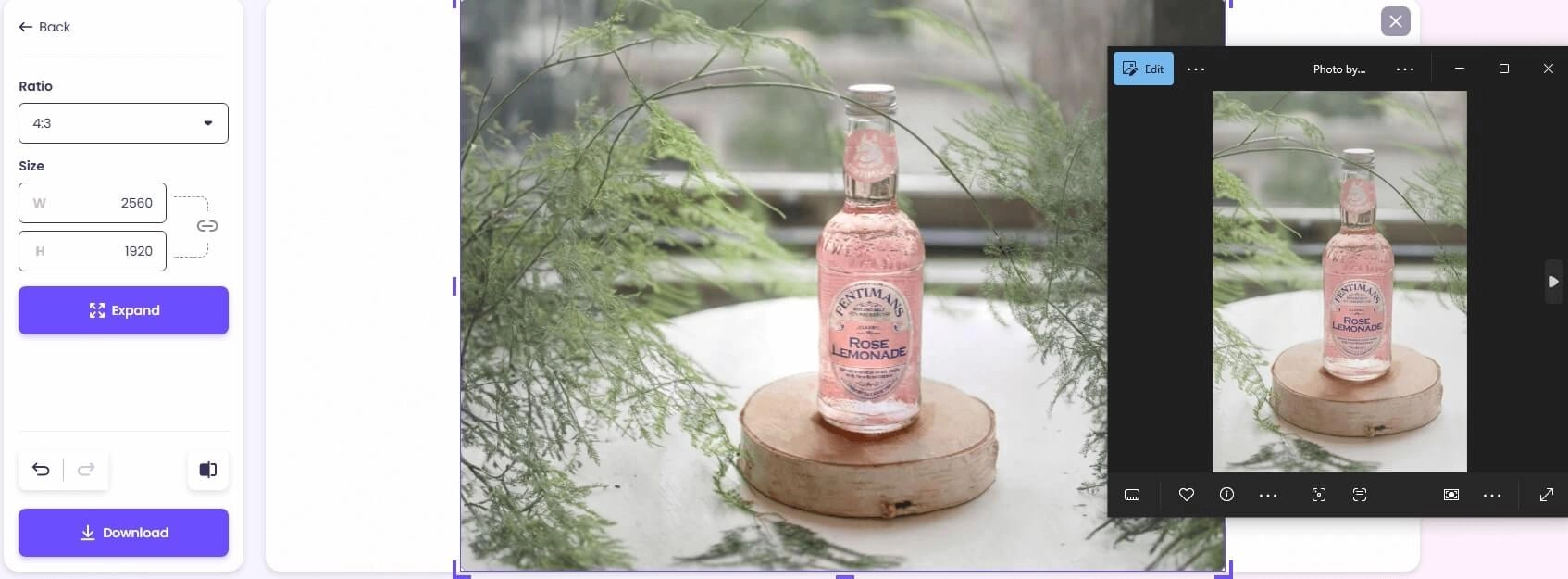
Original Picture by Micheile Henderson from pexels.com
2. Pixelcut: Stretch Images Online & Further Edit
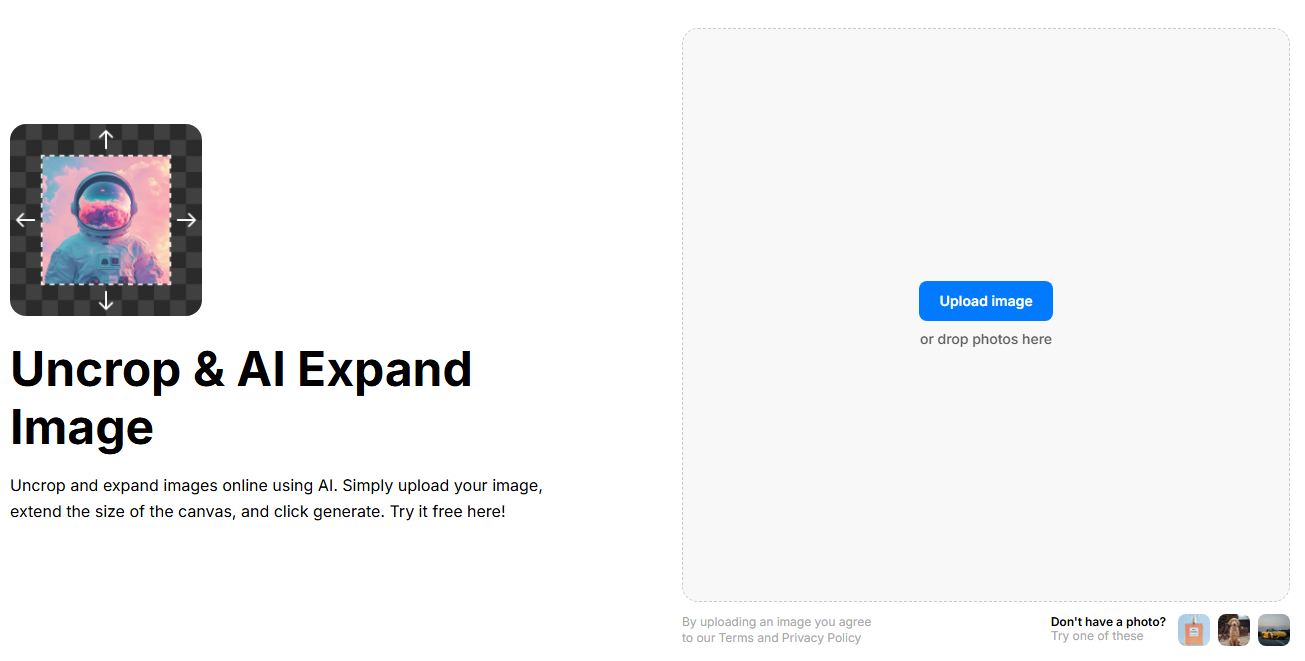
Navigation: https://www.pixelcut.ai/uncrop
If, apart from just stretching pictures, you need to make further edits, then Pixelcut is your ideal go-to. This online image stretcher expands your picture naturally, and also helps upscale, retouch, and change the background. In this case, you don’t need to download and import it to another exclusive image processing tool.
Features:
- Stretch image online naturally without distortion and deformity.
- Auto detect content and generate proper pixels, especially do well in human portrait photography.
- Support further picture editing features like Upscale, Retouch, etc.
- Provide free trials.
Shortcomings:
- Slightly change the color and tone of the original picture.
Price:
| |
Free |
Pro |
Pro+ |
Max |
| Monthly |
$0 |
$10 |
$30 |
$60 |
| Yearly |
$8/mo |
$24/mo |
$48/mo |
| Credits |
3 free tries |
600 |
3600 |
9000 |
Before vs After:
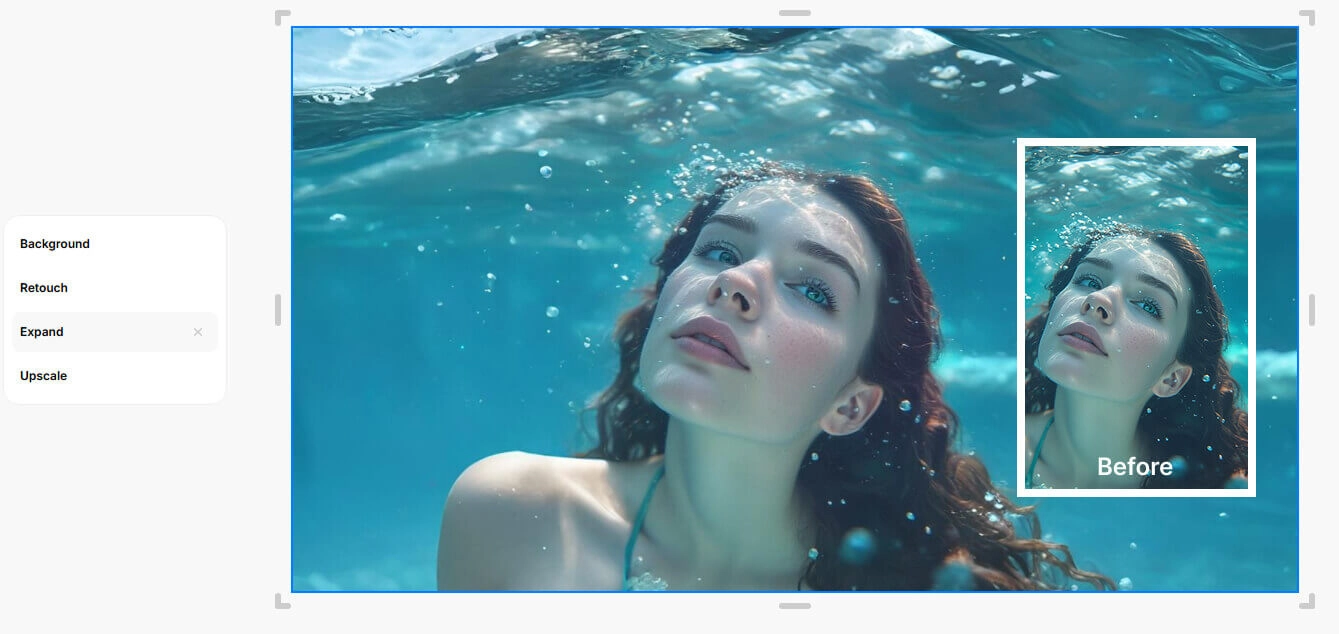
3. YouCam Online Editor: Stretch Image Directly to Social Media Size
Navigation: https://yce.perfectcorp.com/use-case/image-stretcher-enlarge-image-online-for-free
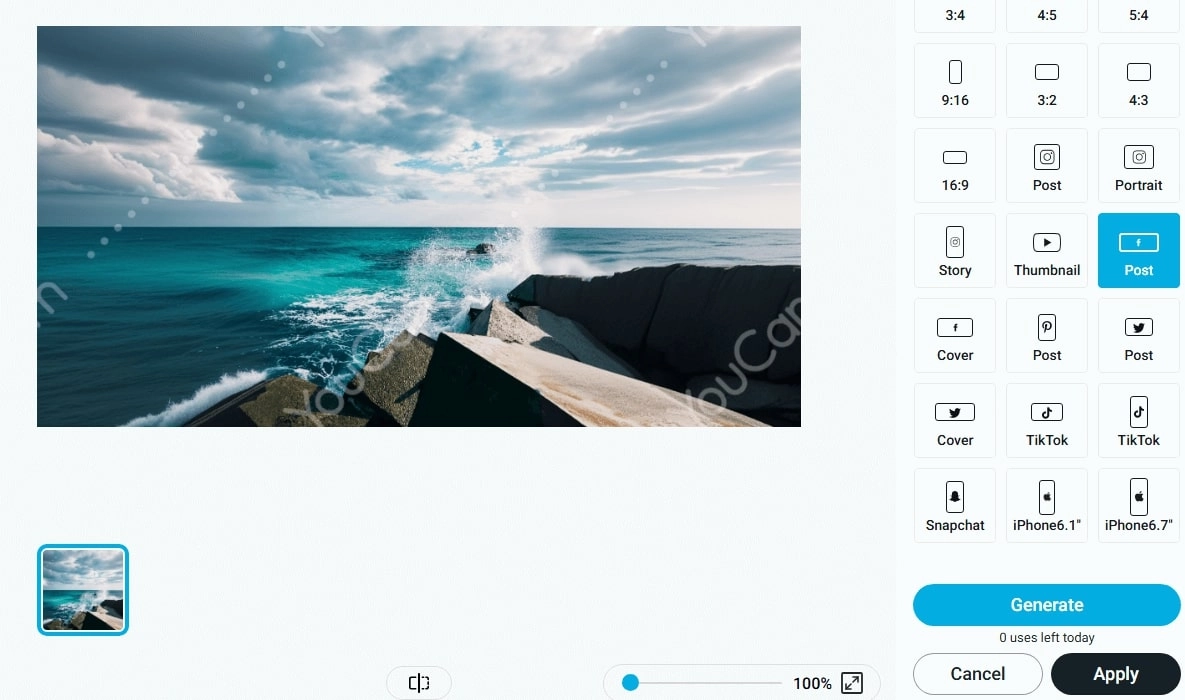
If you are running a channel or just a heavy social media user, YouCam Online Editor will be a wise choice: it offers diverse ratio options for different social platforms. With such a feature, you can easily convert any picture to any social media size in 1 click without manual editing.
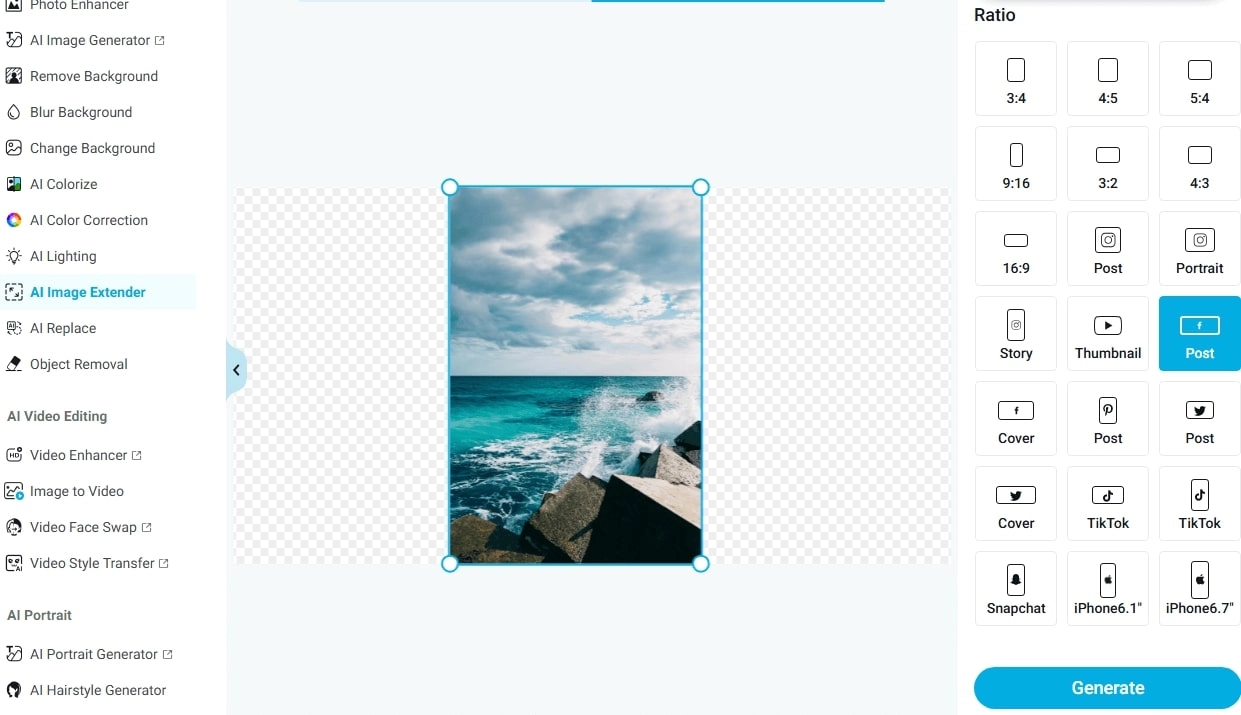
Original Picture by Ricky Esquivel from pexels.com
Features:
- Out-of-the-box options for various platforms, like a 1080x1080 Instagram profile.
- Naturally stretch pictures to your desired size and dimensions.
- A professional image editor that provides abundant editing functions.
- Come with a mobile app as well to edit pictures on your phone.
Shortcomings:
- It adds watermarks to your processed pictures if you are a free user.
Price:
Plus
- Monthly: $9.99/mo
- Yearly: $3.33/mo
Pro
- Monthly: $19.99/mo
- Yearly: $5.83/mo
Before vs After:
4. Fotor Image Stretcher: Output 2 Versions in 1 Go
Navigation: https://www.fotor.com/features/image-stretcher/
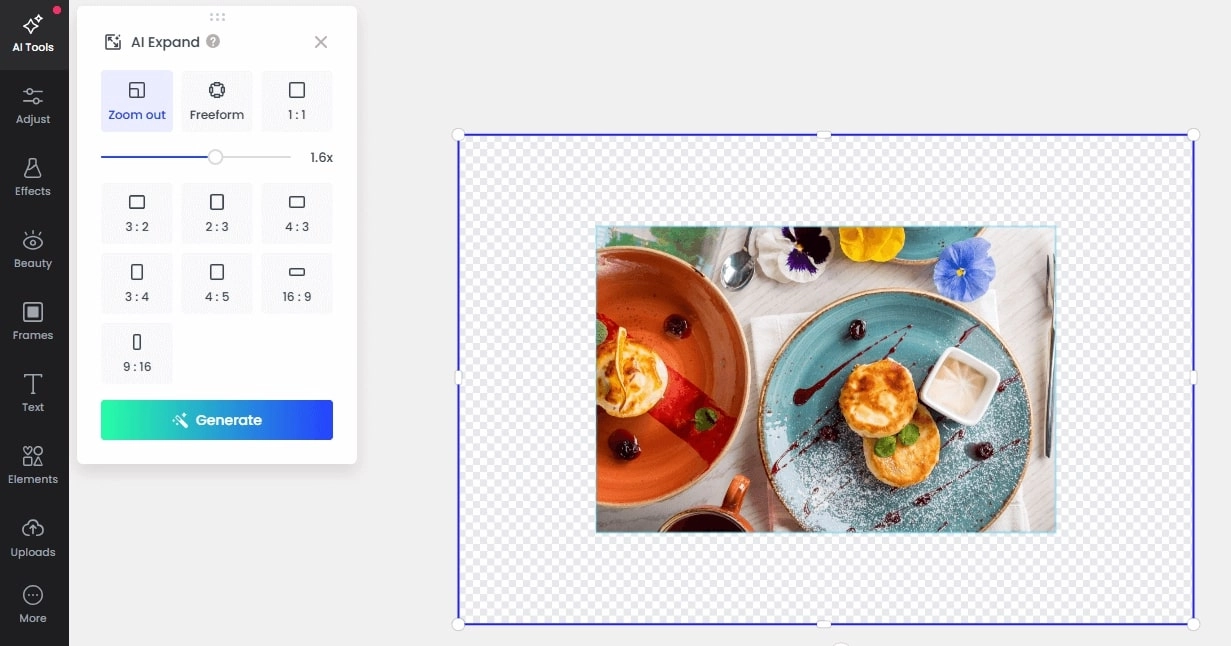
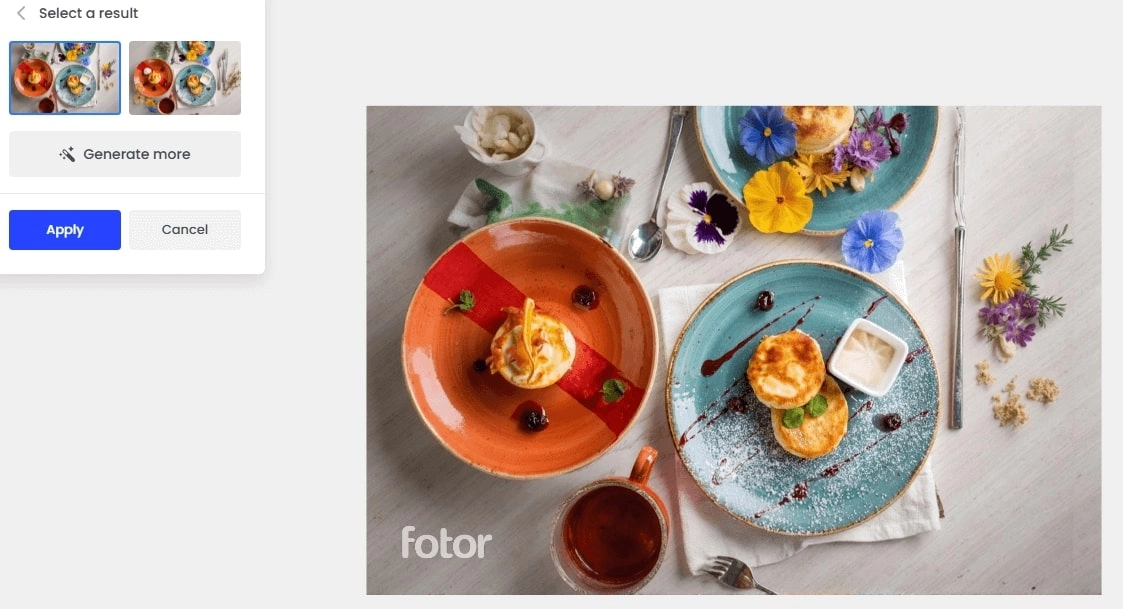
Fotor, as a versatile picture editing tool, also supports stretching images using generative AI tech. It learns the content, lighting, coloring, and the relation between objects, and then adds reasonable objects with correct lighting. For example, it completes the objects cut on the picture’s edges, like a half-shown fork; in this case, it does well in uncropping images.
Features:
- An online image stretcher that provides 2 free tries.
- Come with an easy-to-use slider to tweak the size, as well as the preset common options.
- Generate 2 versions of expanded images in 1 round.
Shortcomings:
- After uploading pictures, users need to find the AI Expand feature from the toolbox, which is a few clicks away and inconvenient.
Price:
Fotor Pro
- Monthly: $7.19/mo
- Yearly: $2.66/mo
Fotor Pro+
- Monthly: $13.99/mo
- Yearly: $5.24/mo
Before vs After:
5. insMind: Stretch Images to High Quality Outputs
Navigation: https://www.fotor.com/features/image-stretcher/
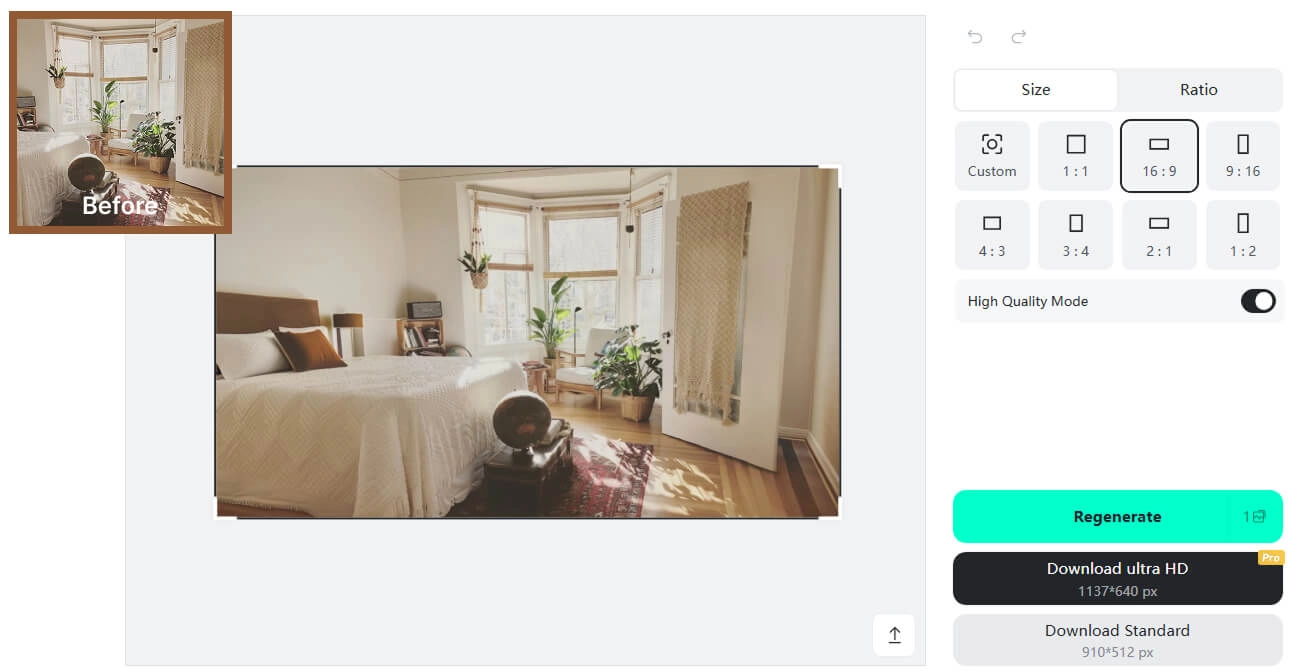
insMind won’t let you down if you are a “perfectionist” in image quality. Just try uploading your product photography, interior design, human portrait pictures, and more into this image stretcher online app and activate the High Quality mode, then you will get an HD output without any incorrect lighting, coloring, blending, etc.
Features:
- Provide a High Quality Mode for image stretching.
- Detect lightings and coloring from the inputs and then generate new objects in well-matched colors.
- Though it costs 1 credit for each generation, it supports watching ads to earn credits.
Shortcomings:
- Users have to manually find the Expand feature from the Resize feature.
- Slow in processing pictures.
Price:
Pro Plans
- Monthly: $9.99/mo
- 1 Month: $12.99
- Yearly: $69.99/mo
Before vs After:
Original Picture by Timothy Buck on Unsplash
How to Stretch Image Online for Free Without Deformation
Among the 5 AI image stretchers, which one wins you over? Consider it all, if you are seeking a free, easy-to-operate, at the same time seamless image stretch app, turn to Vidnoz AI image expanding tool without hesitation. It won’t hurt to give a try.
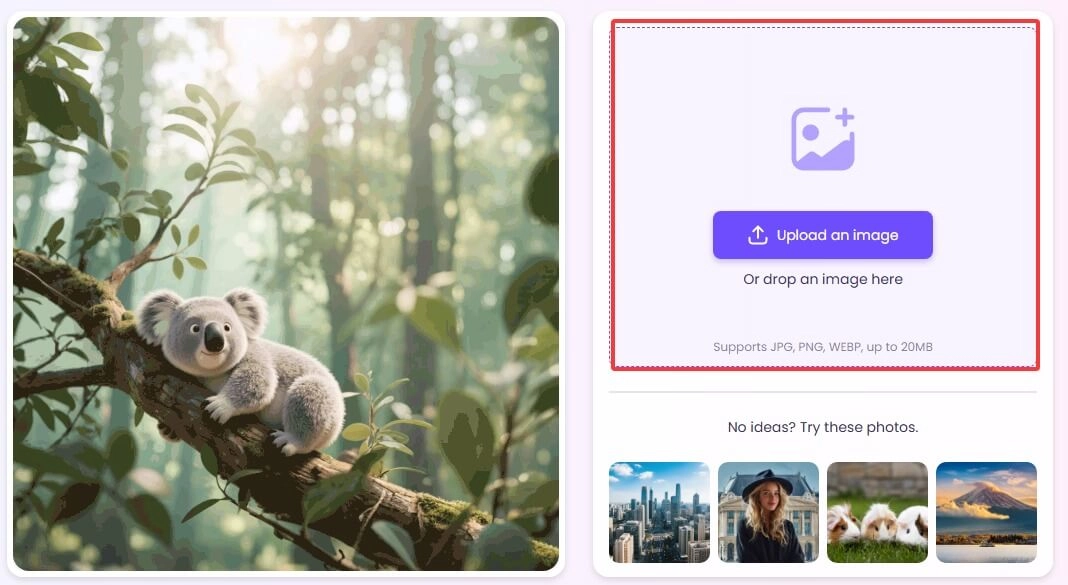
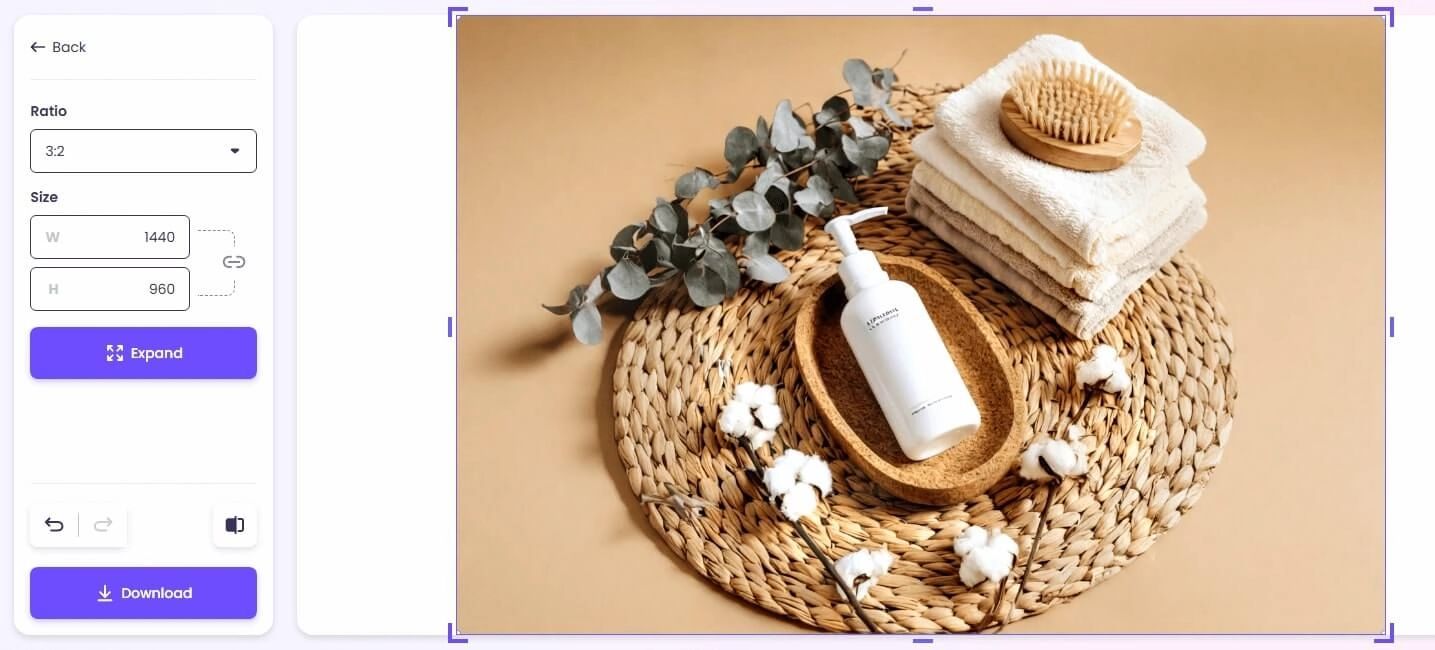
Step 1. Navigate to the image stretcher AI developed by Vidnoz, and upload the image you want to extend.
Step 2. Customize the ratio and size as you like; it provides some common ratios: 1:1 for a square photo, 16:9, 4:3, and 3: 2 for horizontal images, as well as 9:16, and more for vertical pictures.
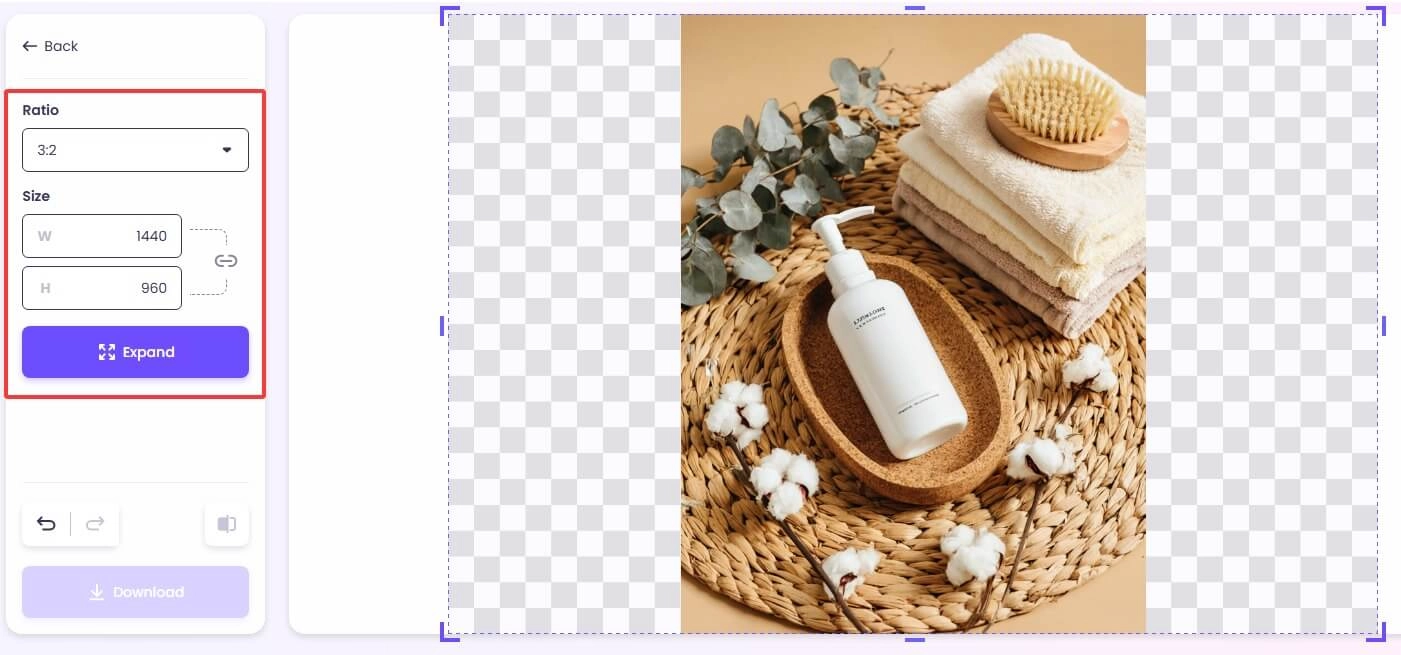
Step 3. Click Expand, and then it will stretch your photo seamlessly to a picture that looks as if it originally should be.
Next Level: Animate the Stretched Images with Vivid Motions
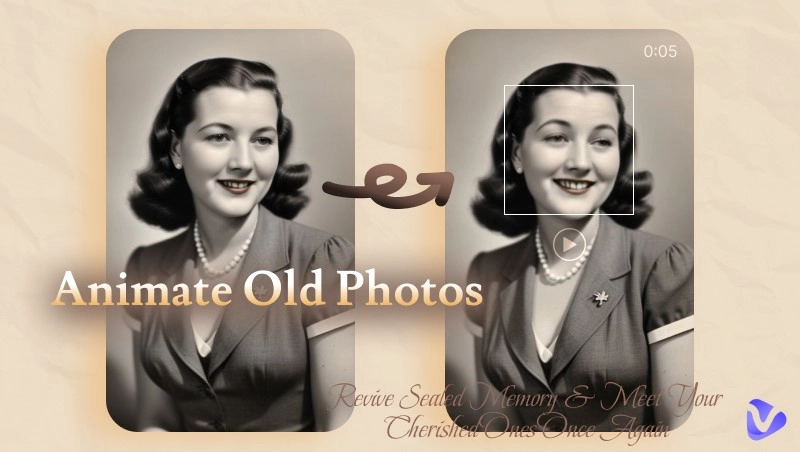
Can you imagine you can even do more to the stretched pictures to bring them to the next level? Just exporting a still photo is far from the end: let’s give it some vitality by animating it!
An image-to-video tool, e.g., by Vidnoz, is indeed what we need to turn stretched photos into moving videos, with the aid of techs like image analysis, frame generation, Diffusion models, etc.
Convert Image to Video AI Online - Free
- Create a video from an image quickly for free.
- Use various AI models to turn photos into videos.
- Download and share the AI-generated video at no cost.
Convert Image to Video
Step 1. Go to Vidnoz Gen homepage > find Image to Video under AI Video from the sidebar.
Step 2. Upload your picture processed with image stretchers > then input the video description. If needed, you might customize the video length and the model as well.
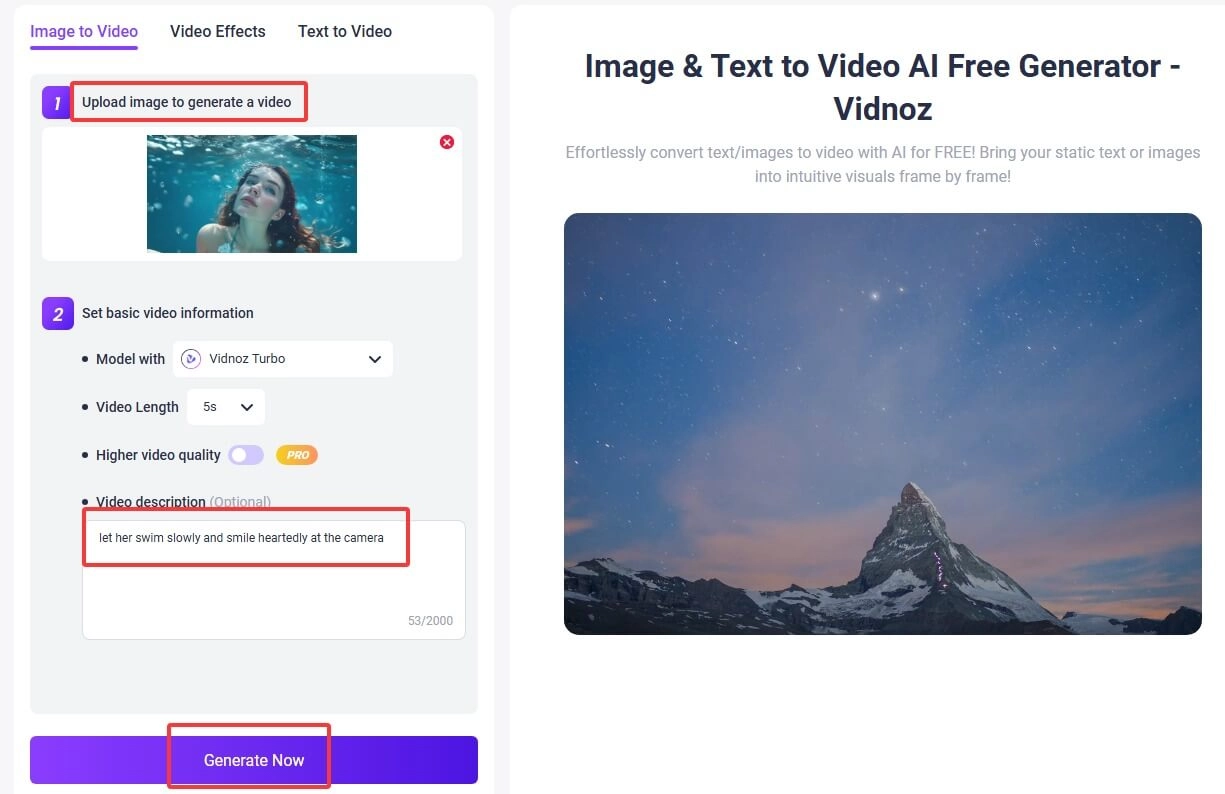
A few seconds to minutes, your video will be prepared. Zoom in to check the details. Share and download as you like.
Movements are based on your prompt. If you like, you may try making eyes blink in a picture or other natural motions.
Final Thought
With the help of AI image stretchers, your pictures can get resized without any distortion. Whether you need to stretch the pictures to meet the dimension requirements of other platforms, or need to generate product photography from a small part of it, you can easily stretch image online using the correct AI tools. Furthermore, don’t hesitate to try the image-to-video tool by Vidnoz, the free AI video generator, for hyper-real, vivid visuals!