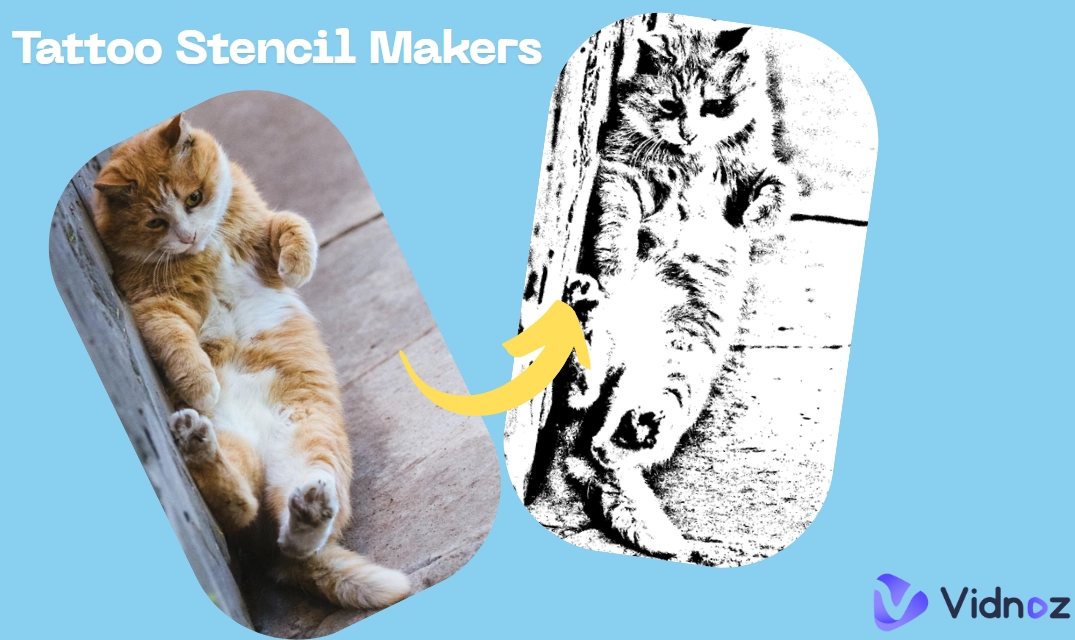
Ever want to customize your own tattoo stencil online with artistic styles? It has turned much easier with online tattoo stencil makers, which turn photos or text prompts into clean, high‑contrast outlines ready for printing or skin transfer. Powered by advanced AI algorithms, such online tools can generate a wonderful tattoo stencil instantly.
Tend to design your own AI tattoo stencils but cannot select the most suitable tool for generation? Reading the blog and discovering the top 7 tattoo stencil maker online tools and apps that convert texts and photos to tattoo stencils, plus the best AI tattoo avatar generator to make an eye-catching tattoo man avatar.
- On This Page
-
What Is Tattoo Stencil Maker & How It Works?
-
How to Make a Tattoo Stencil from a Photo?
-
4 Best Tattoo Stencil Makers to Create Tattoo Stencils Online
1. Blackink AI: Generate & Explore the Most Trendy Tattoo Stencils
2. Rapidresizer: Advanced Image to Tattoo Stencil Converter
3. Bylo AI: Instantly Convert Photo to Tattoo Stencil Online Free
4. Vidnoz AI: Free AI Tattoo Stencil Generator to Make Tattoos from Texts
-
3 Tattoo Stencil Maker Apps for iOS & Android Users
1. InkAI Tattoo Stencil Designer: Design Styles of Tattoo Stencil for Free
2. Tattoo Stencil Maker: Convert Image & Draft to Tattoos Stencil with Clicks
3. Tattoo Maker Design: Customize and Virtual Try On a Tattoo
-
Funny Try! Make Yourself a Unique Tattoo Avatar for Free
What Is Tattoo Stencil Maker & How It Works?
A tattoo stencil maker is an online tool or mobile app that turns a photo or text description into a clean, high‑contrast tattoo stencil you can print or transfer to skin. There are 3 common methods of online tattoo makers working for a new tattoo stencil.
1. Analyze and Turn the Real Life Photo to Tattoo (Hottest): Upload a real‑life photo or sketch, then the tool analyzes the main content, removes background noise and converts images to tattoo stencil online free. Users can adjust threshold, smoothness and line weight for crisp transfers.
2. Generate a Tattoo Stencil Image from Texts: Type a prompt describing the design, pick a style and aspect ratio, you can get a tattoo stencil with the AI text to image generation. This is ideal when you don’t have source photos.
3. Customize a Tattoo Stencil with a Tattoo Stencil Designer: Use a built-in editor to customize tattoo stencils totally by yourself.
How to Make a Tattoo Stencil from a Photo?
How can you convert an image to tattoo stencil online? Follow these steps to make your customizable tattoo stencil. Here, we take the Bylo AI tattoo stencil maker as an example.
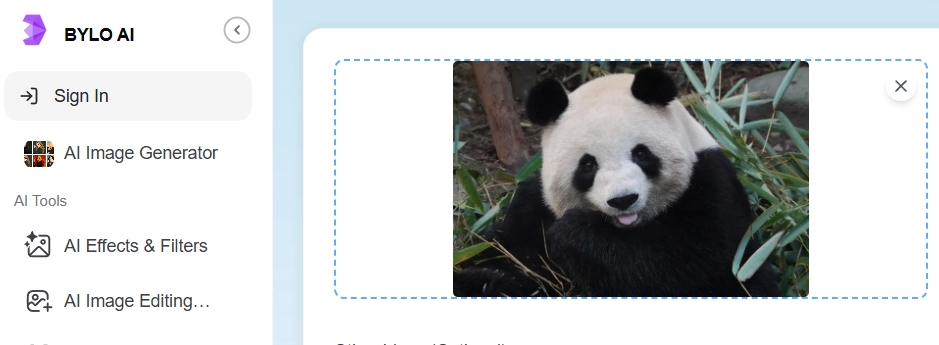
Step 1. Upload Your Image to Bylo AI
Open the Bylo AI Stencil Maker, click or drag and drop to upload a real life photo.
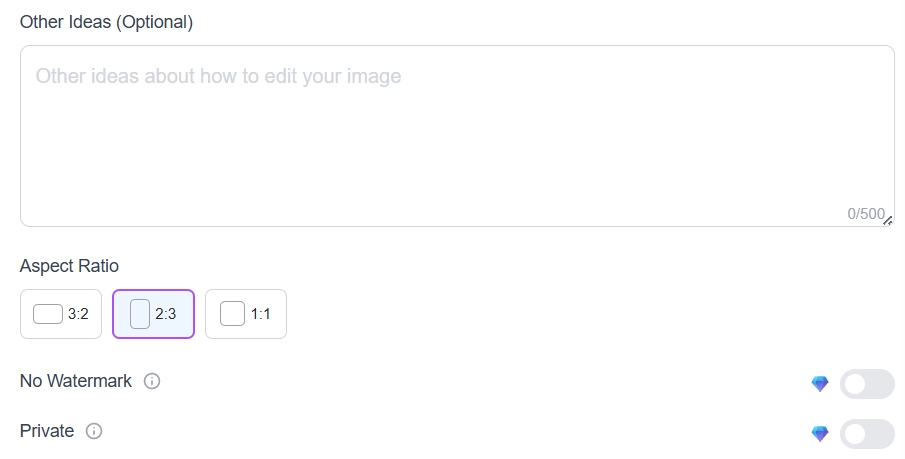
Step 2. Add Additional ideas and Set Aspect Ratio
To make a better tattoo stencil, you can add additional texts to describe what tattoo stencil you want, guiding the AI to generate the most ideal tattoo for you. Then select the target aspect ratio you like the most.
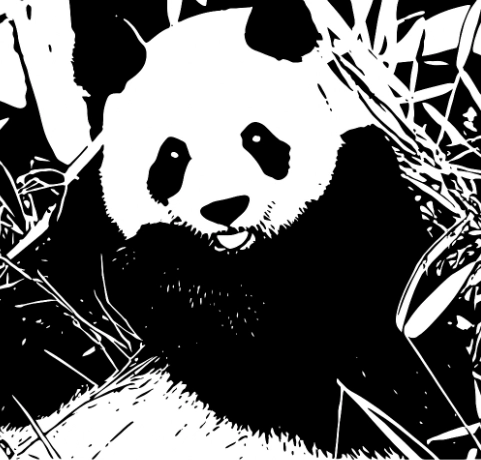
Step 3. Generate, Review, and Download
Hit “Generate” and review the high‑contrast tattoo output. Free exports include a watermark, while Remove Watermark and Private options appear on paid plans.
4 Best Tattoo Stencil Makers to Create Tattoo Stencils Online
Are you eager to create your own tattoo stencil? In this part, 4 practical tattoo stencil makers are recommended for simple tattoo generation online.
1. Blackink AI: Generate & Explore the Most Trendy Tattoo Stencils
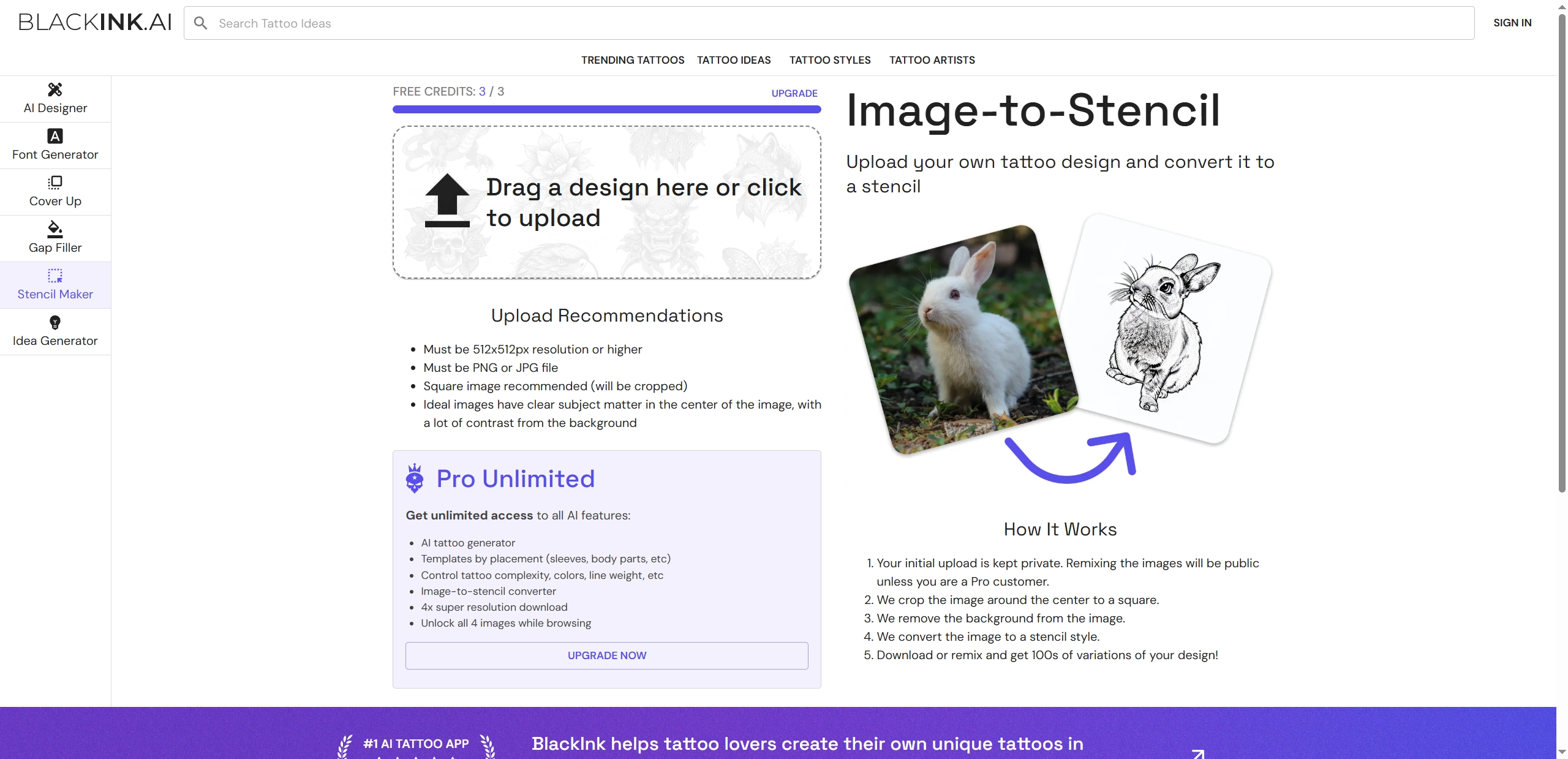
Looking for a free tattoo stencil generator online from photos? BlackInk AI is one of the best online tools that convert images to tattoo stencil online in one click. The tool auto‑crops around the center to a square, removes the background, and applies a stencil style, making it ideal for fast and high-quality tattoo creation. It also provides a large library including trending tattoos, tattoo ideas, tattoo styles and tattoo artists for users to design a stunning tattoo stencil like an expert. Pro tiers add 4× super‑resolution downloads for sharper prints at larger sizes.
Pros
- One‑click image‑to‑stencil with auto square crop and background removal.
- Remix variations and browse a wide tattoo ideas library for inspiration
Cons
- Auto square crop can clip off‑edge subjects; square uploads recommended.
- Free credits are limited.
- 4× super‑resolution downloads only available on paid plans.
- Remixes become public unless on Pro.
2. Rapidresizer: Advanced Image to Tattoo Stencil Converter
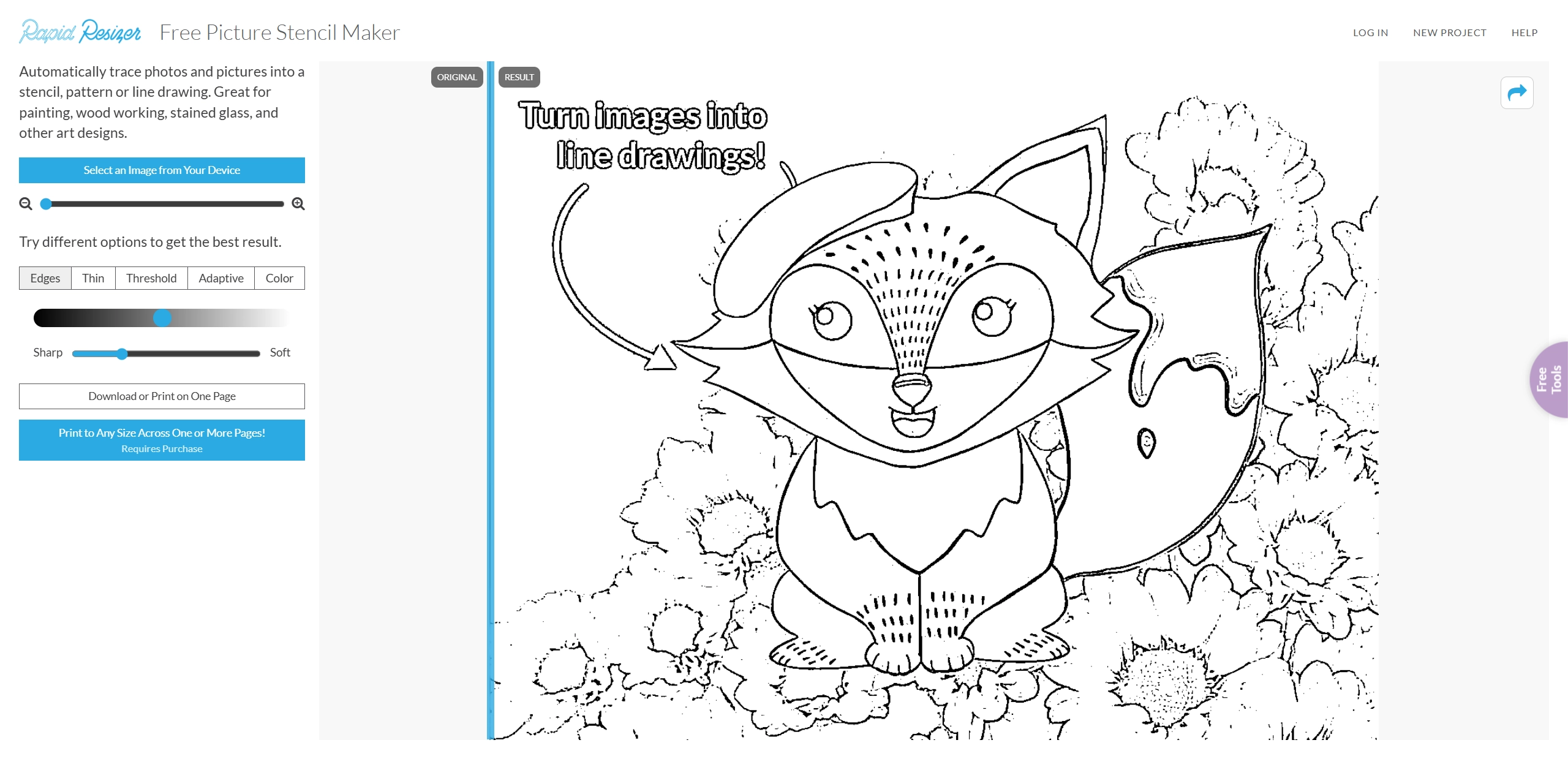
How to make a tattoo stencil? Rapid Resizer Picture Stencil Maker traces photos into clear tattoo line art with granular controls. After adjusting settings like Edges and Adaptive for a better tattoo effect, then you can preview results instantly. The tattoo stencil maker runs in the browser and supports direct printing, including exact‑size output and multi‑page tiling for large pieces (tiling requires purchase). It’s a practical choice when precision matters more than AI image generation, and when print‑to‑scale is part of the workflow.
Pros
- Five tracing modes for precise control over edges and contrast.
- In‑browser use with instant preview and no need for installation.
- Exact‑size printing and optional tiling for larger designs.
Cons
- Full‑size multi‑page printing requires purchase.
- It may be incompatible with old versions of browsers.
- Take quite a few trials for the best tattoo stencil result.
3. Bylo AI: Instantly Convert Photo to Tattoo Stencil Online Free
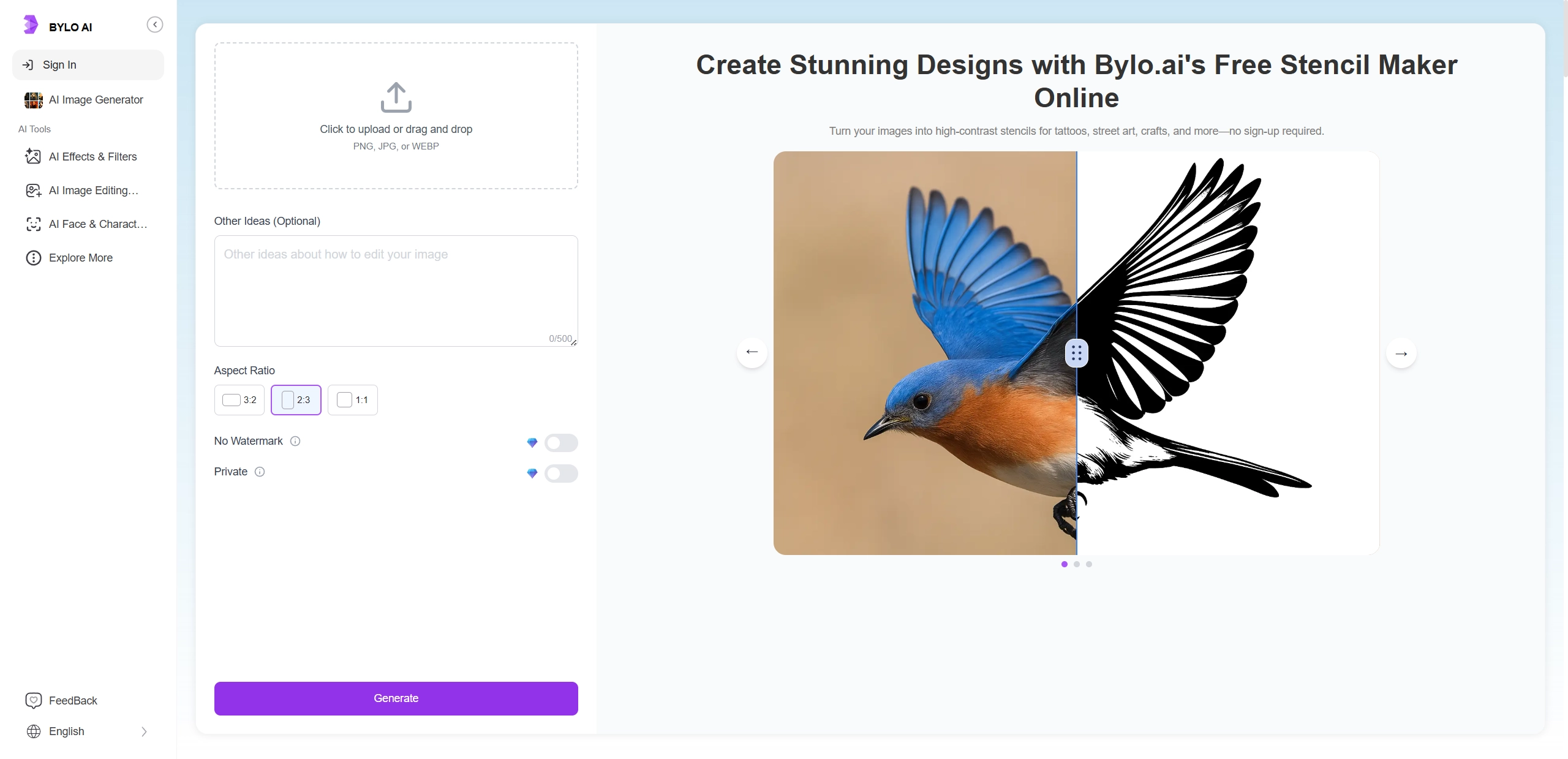
Bylo AI tattoo stencil maker is another tattoo stencil creator that turns real‑life photos into high‑contrast tattoo stencils quickly and runs in the browser with no sign‑up. An “Other Ideas” field lets users guide the AI for a better contrast in the result. The 3 aspect ratios (3:2, 2:3, and 1:1) help users frame compositions for their ideal tattoo stencils from the uploaded photos.
Pros
- No sign‑up; fast, browser‑based generation.
- “Other Ideas” prompt to nudge contrast and detail.
- Built‑in aspect ratios: 3:2, 2:3, 1:1.
Cons
- Watermark removal and Private/export options are limited to free tier.
- Lacks vector export for unlimited scaling.
4. Vidnoz AI: Free AI Tattoo Stencil Generator to Make Tattoos from Texts
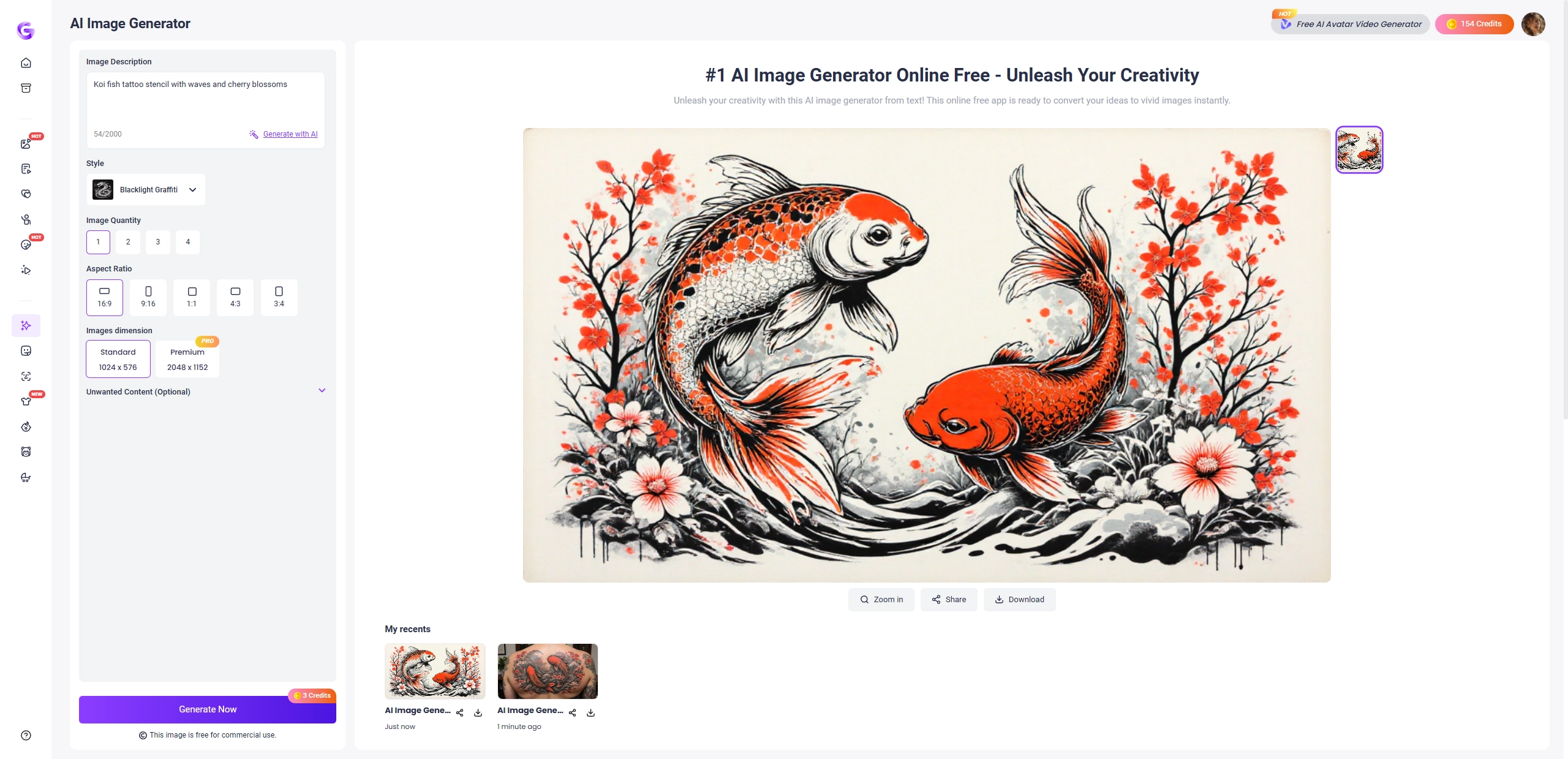
Have no reference photo for tattoo stencil generation? Don’t worry. Vidnoz AI image generator can create tattoo stencil images from text prompts within seconds. Users can get up to 4 images per prompt to explore different types of AI generated tattoo images at once. Multiple aspect ratios support the placement planning across banners, cards, and print sheets.
Pros
- Generate up to 4 tattoo stencil images per prompt.
- Multiple aspect ratios for flexible composition planning.
- Web‑based with optional upgrades for HD and no watermark.
Cons
- Some features and HD downloads require credits or subscription.
- The speed of image generation based on the Internet condition.
Vidnoz AI - Create Free Engaging AI Video with Talking Avatar
- Easily create professional AI videos with realistic avatars.
- Text-to-speech lip sync voices of different languages.
- 2800+ video templates for multiple scenarios.
3 Tattoo Stencil Maker Apps for iOS & Android Users
The following 3 tattoo stencil maker apps offer users multiple features and simply the tattoo stencil image generating process.
1. InkAI Tattoo Stencil Designer: Design Styles of Tattoo Stencil for Free
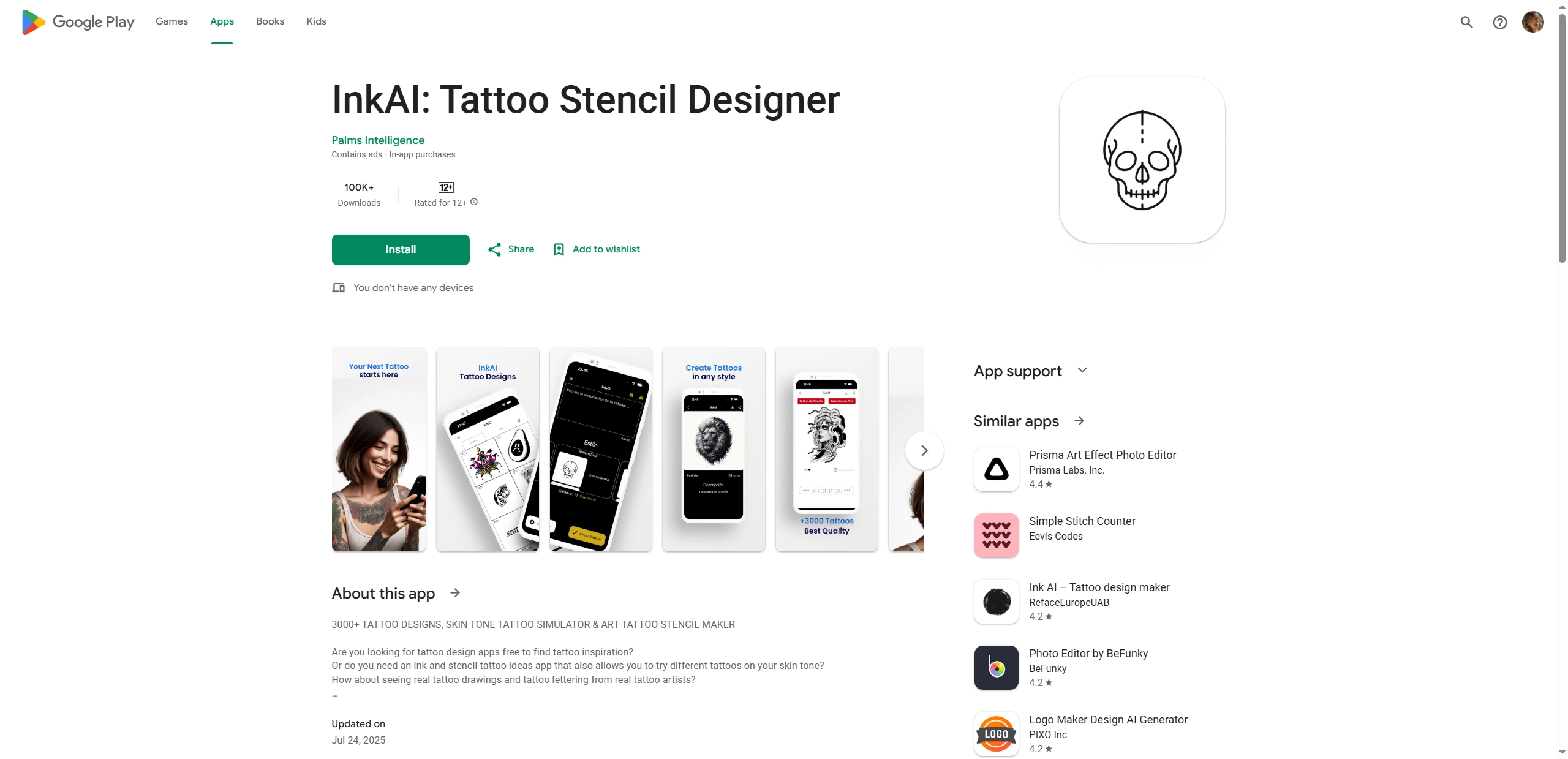
InkAI offers a large browsable library of tattoo designs and real ink photos, with 3000+ options for fast tattoo idea discovery. With AI‑assisted editing and an AR tattoo try‑on functions, this virtual tattoo simulator allows users to preview tattoos on different skin tones and placements. Besides, the built-in social function enables users to share their tattoos online with ease.
Pros
- Large design library with AR skin‑tone placement and quick previews.
- Community features for commenting, liking, and sharing designs.
- Studio discovery via a built-in map.
Cons
- Focuses on browsing and AR, and automatic photo‑to‑stencil is limited.
- Contains ads and in‑app purchases.
- Some features require creating an account.
2. Tattoo Stencil Maker: Convert Image & Draft to Tattoos Stencil with Clicks
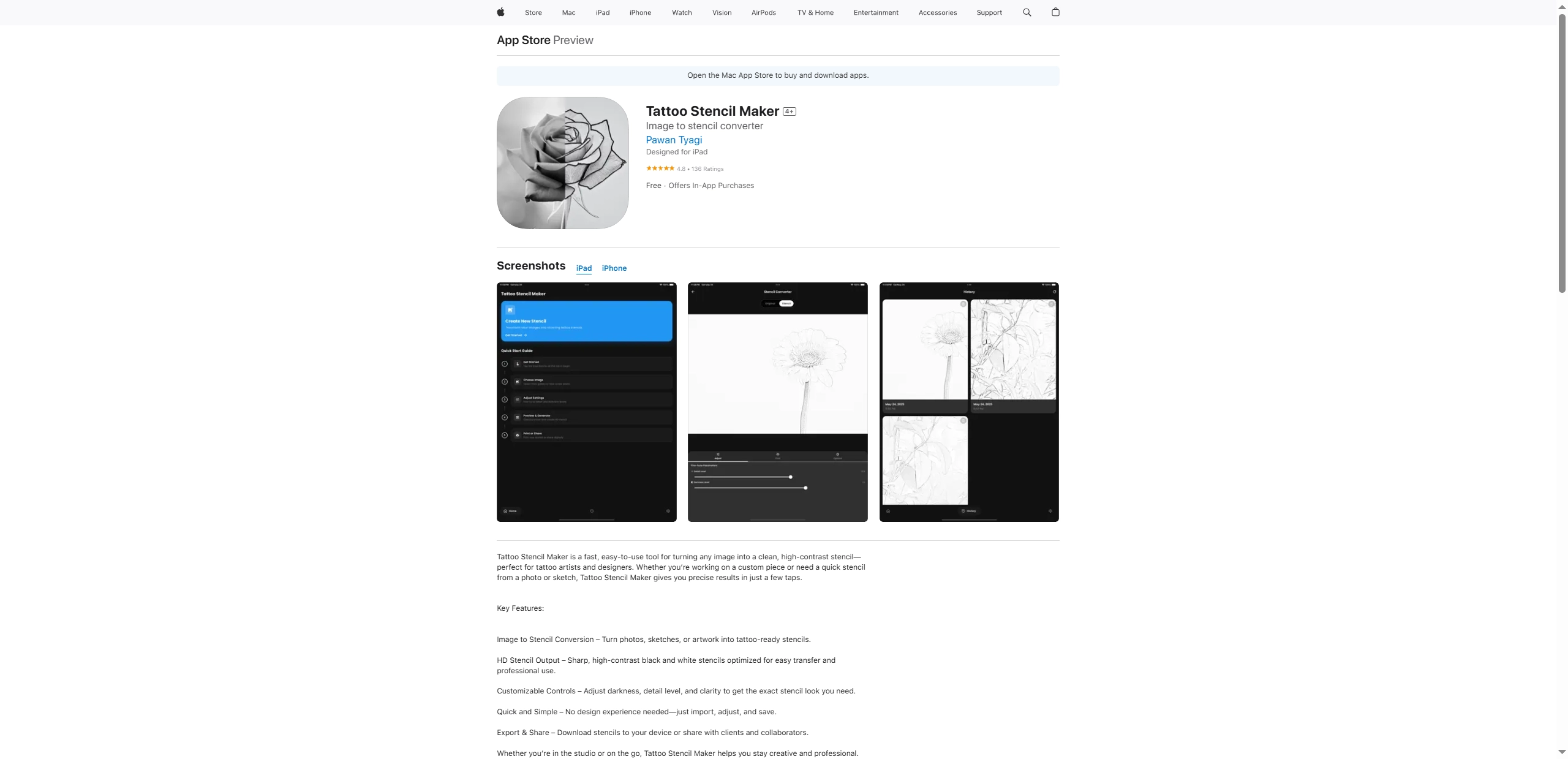
Tattoo Stencil Maker on iOS can convert photos or sketches into black‑and‑white tattoo stencils. The interface centers on simple sliders for darkness, detail and clarity, so edges stay bold and readable at print size. For creators who need fast and repeatable tattoo generation from reference photos like campaign sigils, this tattoo maker app can be a wonderful choice.
Pros
- Clean and adjustable image‑to‑stencil conversion with HD outputs.
- Easy sharing on iPhone and iPad.
- Strong ratings with active updates.
Cons
- Advanced features require a paid subscription.
- iOS‑only, no Android version.
3. Tattoo Maker Design: Customize and Virtual Try On a Tattoo
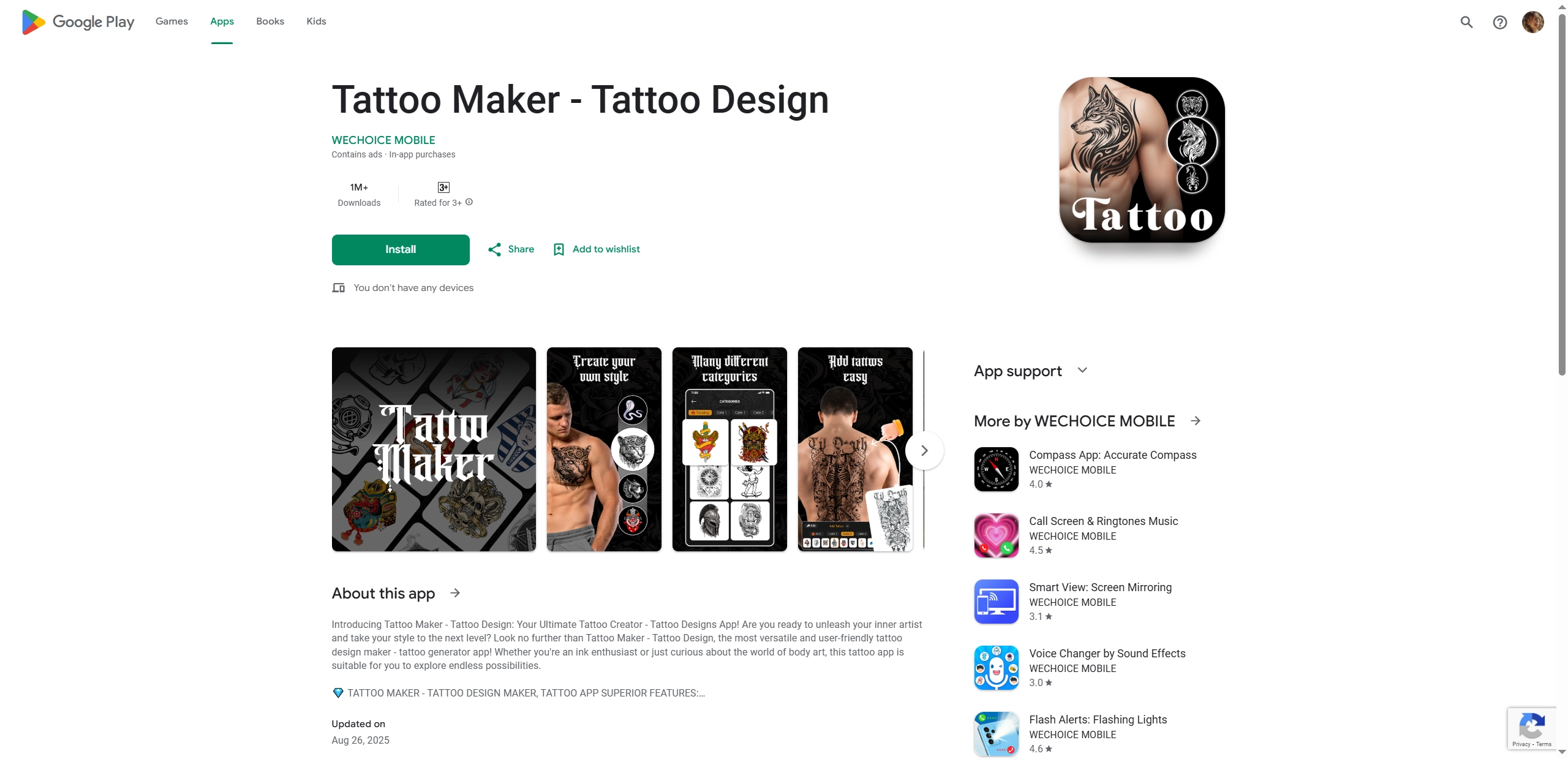
How do I make a tattoo stencil? Tattoo Maker – Tattoo Design focuses on design and visualization instead of being limited to strict stencil conversion. Users can place tattoos on photos, blend with skin using opacity controls and add text with a font designer. The built-in editor supports crop, rotate, enhance and refine, which helps users generate a better tattoo image result.
Pros
- Fast virtual tattoo try on with adjustable opacity for realistic previews.
- Handy editor for crop, rotate, enhance and text tattoos.
- Broad feature set for concepting and mockups.
Cons
- Not a dedicated automatic stencil converter.
- Contains ads and in‑app purchases.
- Some advanced outputs may require paid upgrades.
Funny Try! Make Yourself a Unique Tattoo Avatar for Free
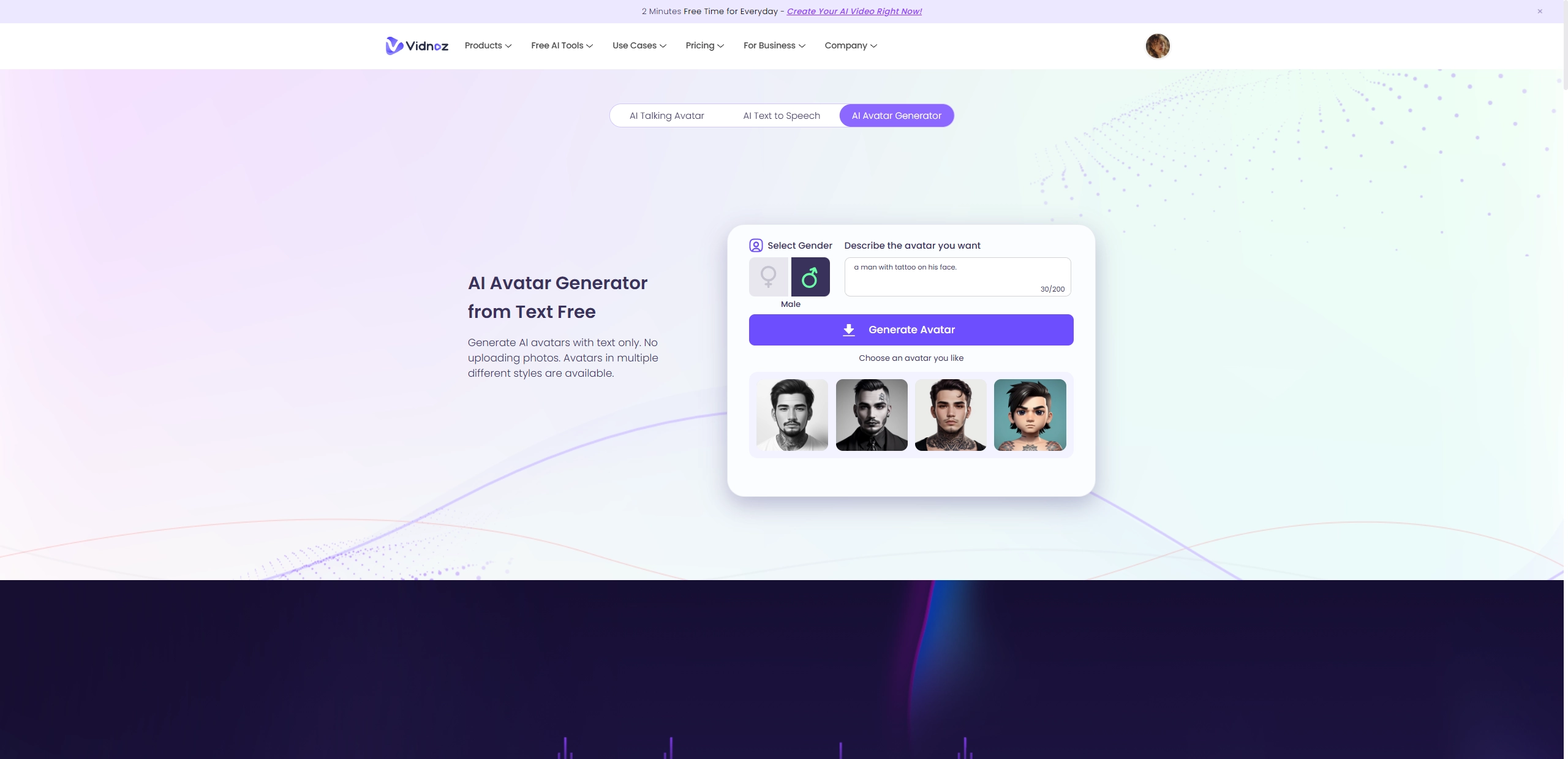
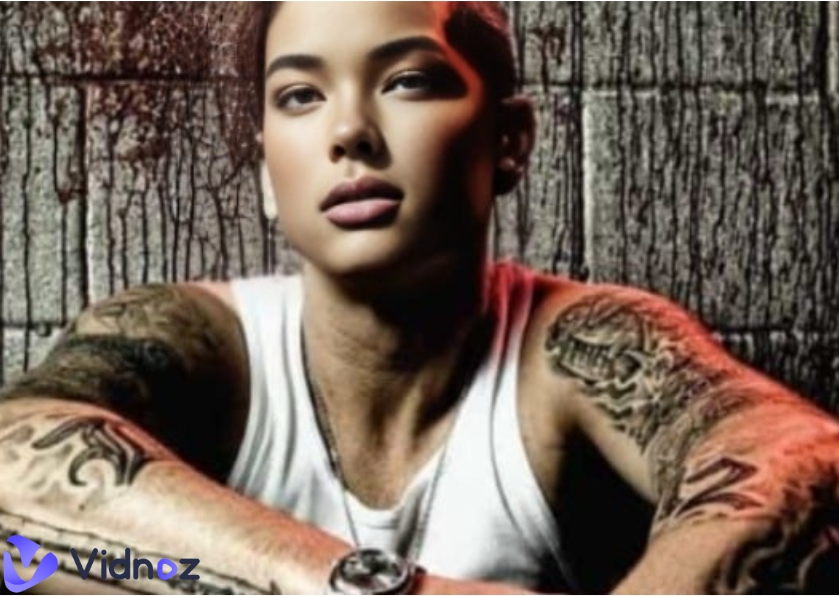
Looking to add a playful twist to your online profile or campaign sheets? Vidnoz AI Avatar Maker turns short text prompts into unique anime‑style tattooed man avatars in seconds. Enter a description and select the gender, then the avatar generator AI produces 4 different styles of avatar at once.
Key Feature
- Text‑to‑avatar creation with multiple styles, including anime, sketch, and watercolor.
- 4 avatars per prompt, plus one‑click refresh for four more in the same style.
- Unlimited free use after sign‑up for ongoing experimentation.
Conclusion
With the shared AI tattoo stencil makers for unique tattoos stencil from texts or prompts, you can release your talent on tattoo design. Whether you want to design a new style of tattoo, or simply decide to convert an image to tattoo stencil online, the tools can make your dream come true with simple clicks. For extra fun, Vidnoz AI avatar maker helps craft distinctive avatars for platforms and games. Choose the tattoo stencil maker that matches your requirement, print at actual size and share with your friends.
Create Your AI Talking Avatar - FREE
- 1900+ realistic AI avatars of different races
- Vivid lip-syncing AI voices & gestures
- Support 140+ languages with multiple accents






![6 Panorama Photo Makers Online: Pan Around the World Easily! [Need-Based Review]](https://www.vidnoz.com/bimg/panorama-photo-makers-online.webp)