Lip fillers are the new virtual beauty trend set by the social media platforms like Snapchat, TikTok, and Instagram. The lip filler filter on these platforms allows you to simulate the appearance of plumper, fuller lips.
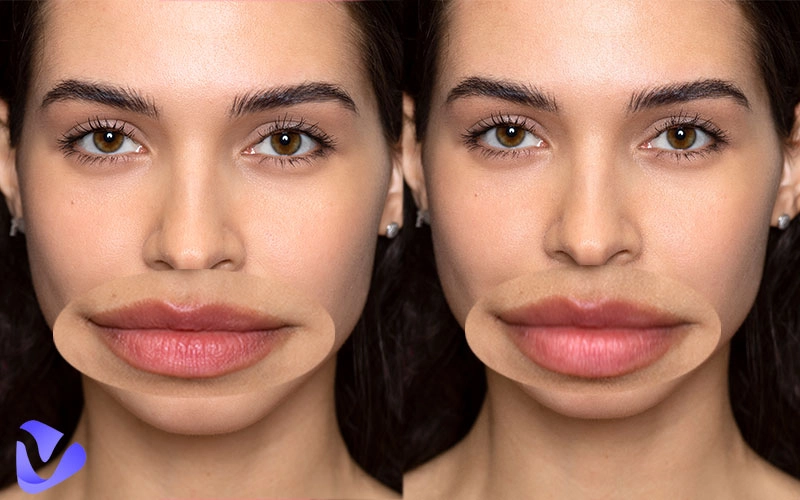
Many people are drawn to these filters to try out new looks, out of curiosity about how a lip filler filter online will change their looks, and to decide before going through the actual cosmetic changes. If you’re also curious how you would look with full lips, here’s the complete guide.
- On This Page
-
What Types of Lips Can Use Lip Filler Filters?
-
3 Trusted Lip Filler Apps: New Look of Lip Filler Virtual Try-on
YouCam Makeup: Virtual Makeup for Bigger Lips
RetouchMe: Add Lip Filler Filter to Your Selfies
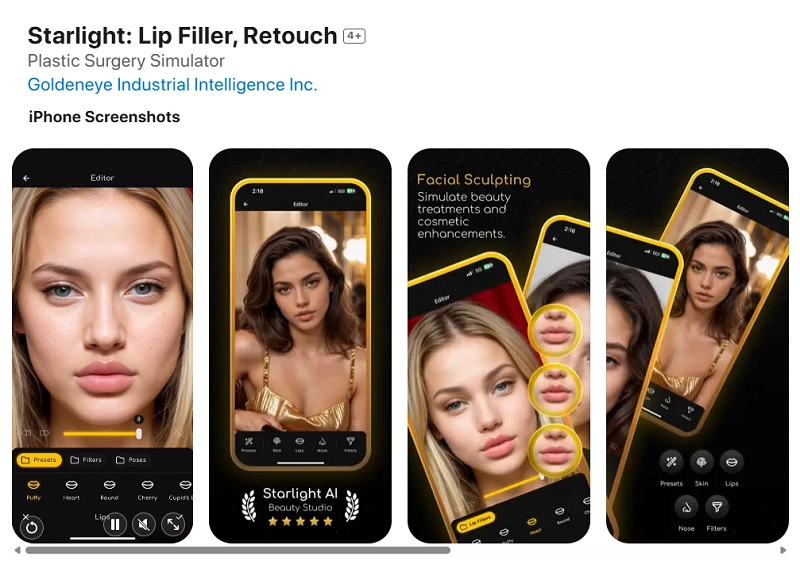
Starlight: One-Click AI Lip Filler Retouching
-
How to Make Lip Filler in Photos?
-
What Would I Look Like Lip Filler Lively?
Snapchat AR Lip Filler Lens
Instagram Live Lip Enhancement Effect
TikTok Trending AI Lip Filler Filter
-
Funny Test: Are Bigger Lips More Attractive?
Am I More Attractive with Fuller Lips?
What Types of Lips Can Use Lip Filler Filters?
Full lips grew in popularity because several famous Hollywood celebrities have them. They’re associated with beauty, sexiness, and attractiveness. They can be characterized by the plump, well-defined shape and balanced volume on both the upper and lower lips.
Luckily, lip filler filters are able to visualize your full lips look and experiment with your face to find out the perfect style and size of lips that match before deciding to get a procedure. Below are the lip shapes that need to improve. Explore what type of lips you belong to.
Heavy Upper Lips
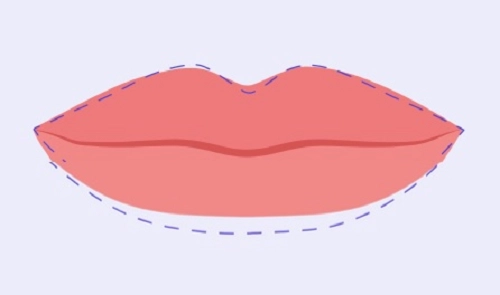
"Heavy Upper Lips" refers to upper lips with some extra volume compared to the lower lip, giving them a prominent and bold look.
Wide Lips
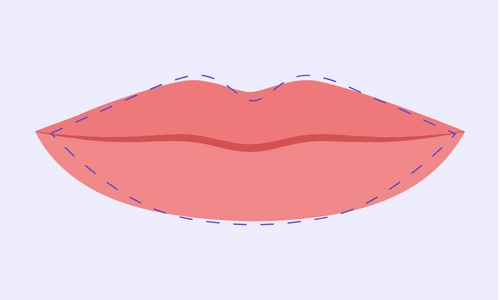
“Wide Lips” refers to the lips extended horizontally across the face compared to average. Depict a noticeable presence on the face even when in a relaxed position.
Heavy Lower Lips
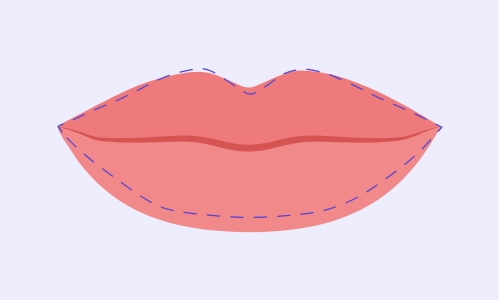
“Heavy Lower Lips” refers to characterized by a prominent full lower lip with a comparatively thinner upper lip.
Thin Lips
“Thin Lips” refers to possessing a thin profile with a narrow and slim shape of both upper and lower lips.
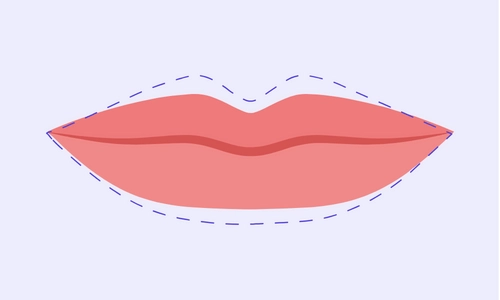
Downward-Turned Lips
“Downward-Turned Lips” feature corners where the upper lip meets the lower and creates a slope downward, generally caused by skin aging and genetic conditions. It gives a sad and stern look.
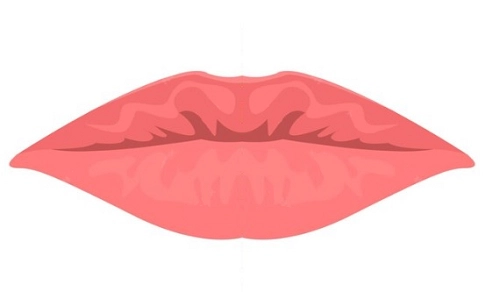
Practical Notes:
Remember the beauty and attractiveness of fuller lips relates largely to how well they blend with the overall facial features.
3 Trusted Lip Filler Apps: New Look of Lip Filler Virtual Try-on
Lip fillers are a great way to add elegance and attractiveness to your facial beauty. We’ve already discussed the popular types of them. But how does someone know which type will suit them the best? That’s what the lip filler filter app is built for.
Here’s a rough conclusion of the 3 best lip filler filter apps:
| App |
Pricing |
Compatibility |
Ease of Use |
Number of Lip Filler Filters |
Naturalistic |
Watermark-Free |
| YouCam Makeup |
Free with in-app ads; Subscription |
iOS & Android |
Easy |
Multiple |
Highly |
Yes (paid) |
| RetouchMe |
Credit-based |
iOS & Android |
Moderate |
Varies (manual) |
Highly |
Yes |
| Starlight |
Free trial; Subscription |
iOS only |
Easy |
Limited |
Moderately |
Yes (paid) |
Pick one to check your visual appearance with the lip filler filters before going for real cosmetic changes.
YouCam Makeup: Virtual Makeup for Bigger Lips
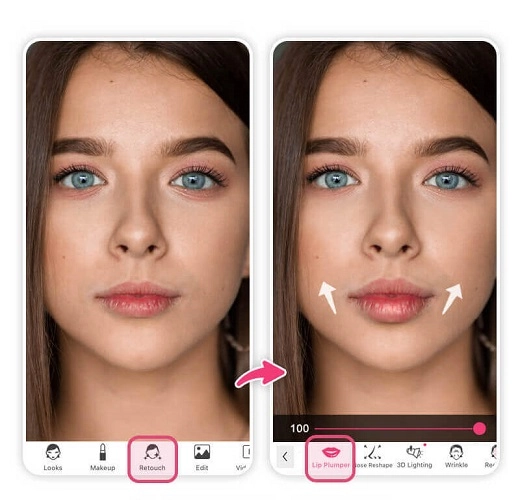
YouCam Makeup offers one of the most realistic lip filler filter online experiences; it’s like a makeup for bigger lips. You can control the plumpness level, change the lip shape, and even adjust colors to suit your style. It’s a favorite among users who want to make lips bigger virtually with great detail and a natural look.
RetouchMe: Add Lip Filler Filter to Your Selfies
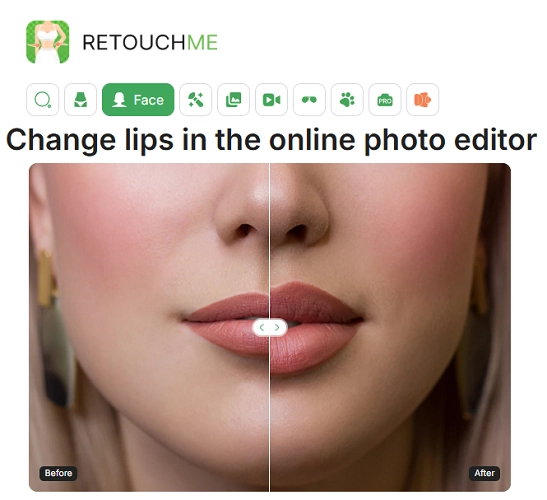
RetouchMe provides a more professional approach to editing. You can enlarge lips, change the color, and even smooth out skin. This make lips bigger app is perfect for those who want a polished look for social media.
Starlight: One-Click AI Lip Filler Retouching
Starlight simplifies the entire process. With just one tap, the lip filler filter app applies natural-looking fullness to your lips. It includes a strength slider, so you control how dramatic or soft the effect appears.
Also Read: AI Talking Head Tool Helps Bring Photos to Life >>
How to Make Lip Filler in Photos?
Now that you know about several lip filler photo editor tools, here’s how you can add lip filler filter to photo using YouCam Makeup.
Step 1. Install the YouCam Makeup app on your phone and launch it. Tap on the Photo Edit option and upload your selfie.
Step 2. Once your selfie is uploaded, swipe the bar from the bottom and tap on Lip Plumper.
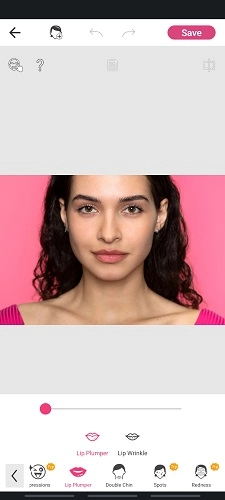
Step 3. Slide and adjust the slider to make your lips look bigger and plumpier.
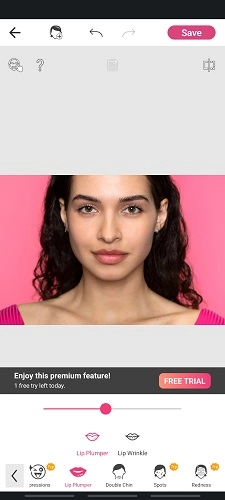
Step 4. Tap on Save to save your photo.
Pro Tips: Don’t over-retouch. When using any make-lips-bigger app or lip filler photo editor, remember to fine-tune it reasonably. For a natural and harmonious look, consider your facial proportion ratios. Taking reference from concepts like facial symmetry and calculating your Golden Ratio can help you make proper adjustments that enhance your features without looking artificial.
What Would I Look Like Lip Filler Lively?
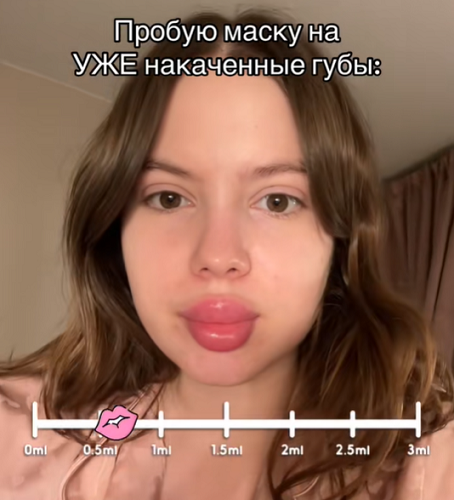
For a real-time experience, lip filler filter online options through AR filters are available. The world of live lip filler filter Instagram and lip filler filter TikTok effects offers an even more interactive way to visualize fuller lips in real-time. These tools apply fuller lips instantly via your camera, allowing live testing.
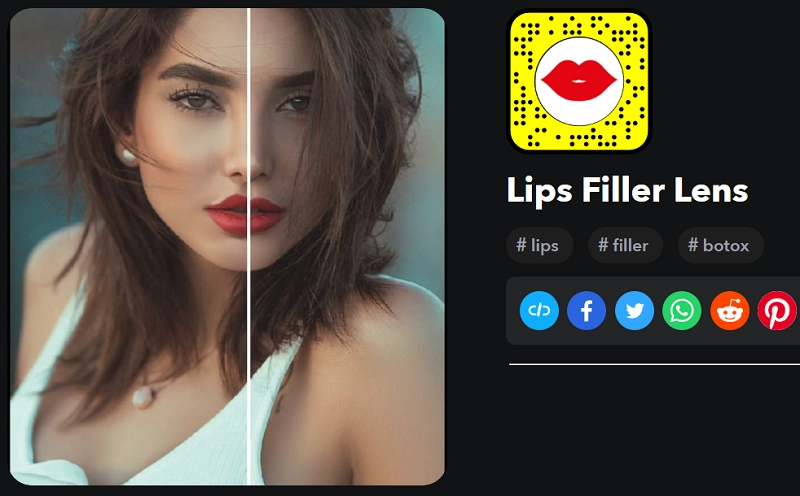
Snapchat AR Lip Filler Lens
Snapchat’s lens gives you real-time lip enhancement. Once activated, it simulates plumper lips with automatic facial recognition. You can try it right away to record videos and take selfies or just preview the look for fun.
Instagram Live Lip Enhancement Effect
Instagram’s beauty filters include this trending effect. Just open the camera in Stories, search for the “full lips” filter, and activate it. It enhances your lips while keeping the rest of your face untouched for a natural look.
Also Read: How to Animate a Mouth Talking >>
TikTok Trending AI Lip Filler Filter
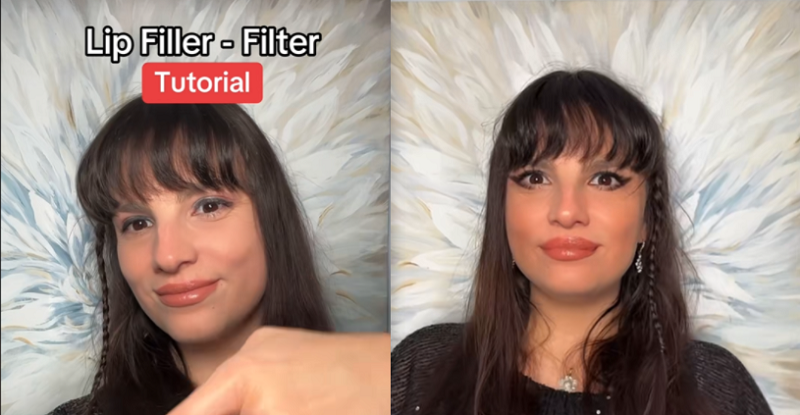
On TikTok, the lip filler filter TikTok trend allows users to record reactions or transformations in real time. Influencers often use it to test reactions from followers or compare before-and-after clips, making it a viral beauty trend.
Funny Test: Are Bigger Lips More Attractive?
Using virtual filters is a fun and risk-free way to experiment with your look. It’s quick, intuitive, and doesn’t involve any cosmetic procedures. But are bigger lips attractive? What if you could also test if the new, bigger lip look actually makes you more attractive?
Meet Vidnoz AI Attractiveness Test! Vidnoz AI offers a free and fast tool to analyze how facial features, including fuller lips, affect your overall appearance. This tool uses AI to detect facial features, facial symmetry, and facial ratios based on an uploaded portrait to assess your attractiveness, as well as other traits like confidence and smartness. And with its Free AI video generator tool, you can easily create a random prank of a plump-lipped kissing AI video or maybe some lip-sync animation.
Am I More Attractive with Fuller Lips?
Here’s how to use the Vidnoz AI Attractive Test to get a fun attractive rating of your new bigger lips:
Step 1. Go to the Vidnoz website and find the AI Attractiveness Test in the Free AI Tools section. Upload the image you just created with the lip filler filter app.
Step 2. Check out the ‘Attractiveness’ box to test your attractiveness with bigger lips.
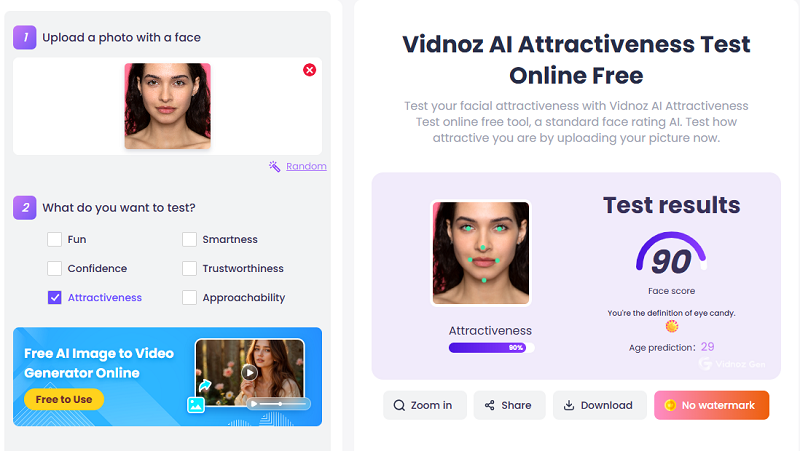
Step 3. Click on the Generate Now button at the bottom to generate an attractiveness score for your image. You can either download the photo or share it with your friends on social media.
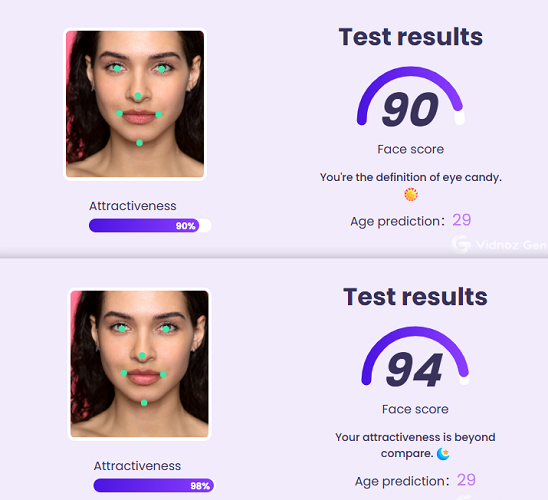
Want to change your lip color, Vidnoz AI helps you do that too!
Conclusion
From fun apps to AI-powered tests, trying a lip filler filter is now easier than ever. With advanced AI technology, getting bigger lips without fillers is the most convenient and risk-free way to preview fuller lips.
Don’t forget to try the Vidnoz AI Attractiveness Test for a final verdict on your virtual transformation!