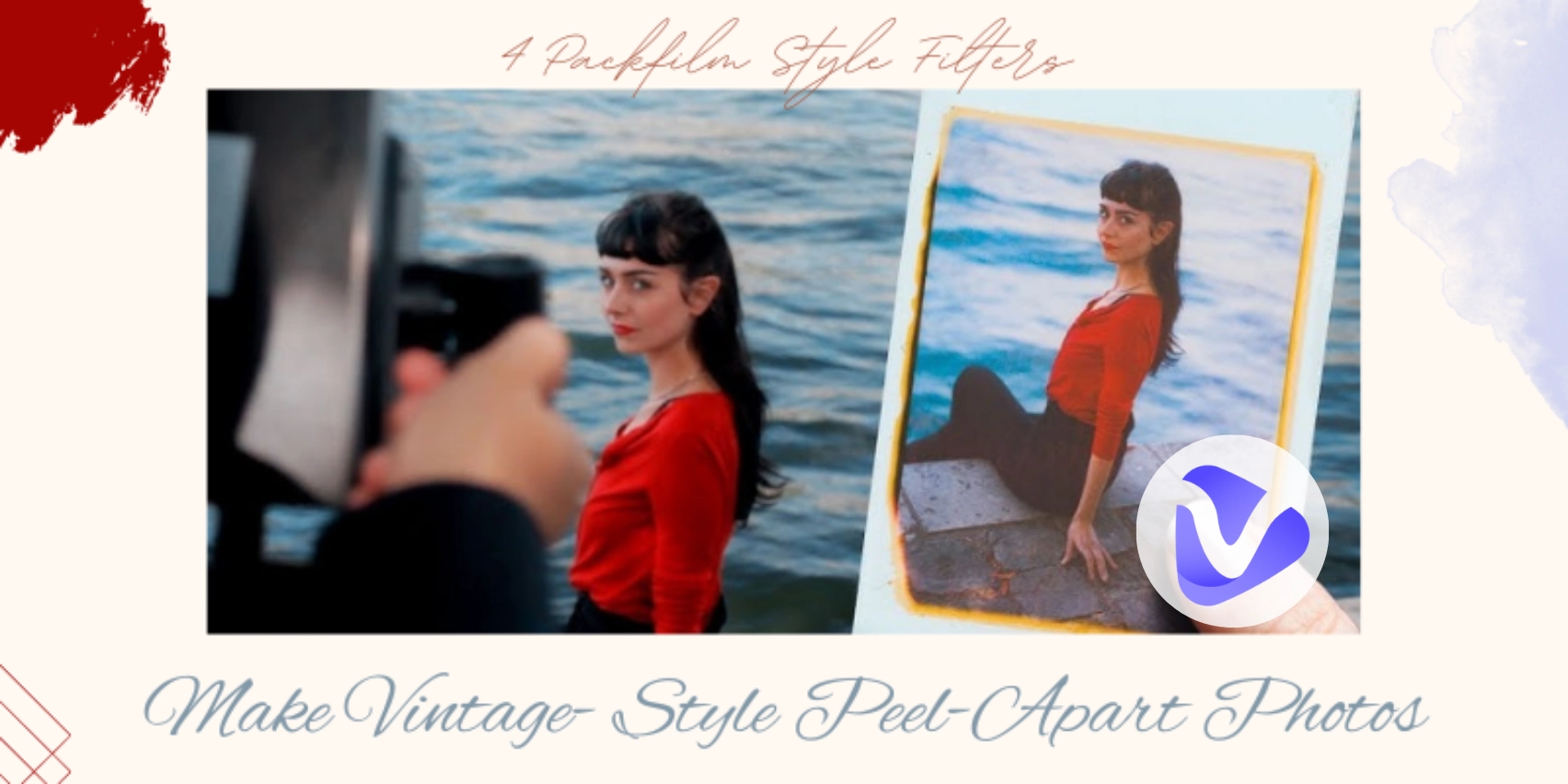
Retro colors, noise, and blurs, peel-apart photos are trending among young people. But since the “pack-film” camera is hard to get, shooting the appealing selfies seems difficult. That’s why packfilm style filters are all about! These nostalgic effects can turn your normal photos into vintage artworks, just like real Polaroid pictures taken in the past.
In this post, we will review four fun and super-easy to use packfilm-style filters. Whether you’re a teen, a creator, or someone, these online tools will give your photos a retro vibe!
- On This Page
-
What are Packfilm Style Filters?
Stylish Packfilm-Style Photos
-
4 Packfilm Style Filters to Make Nostalgic Polaroid-Style Photos
1. A1 Art: Packfilm Style Templates for Your Selfie Changes
2. Instagram: Natural Effect to Shoot Packfilm Style Photos
3. Photo-Kako: Packfilm Style Filter Online with Preset Parameters
4. Vidnoz AI Image Generator: Make Unique Packfilm Style AI Photos
-
Bonus: Create a Video Album for Your Packfilm Style Photos!
Steps to Make a Video Album for Your Packfilm Style Photos
What are Packfilm Style Filters?
To understand packfilm style filters, first, we need to discuss what packfilm is. Packfilm photo (also called “peel-apart” picture) was shot by an old Polaroid camera. You’d take a picture, pull out the film, wait a few seconds, and then peel apart the layers to reveal the final result. The process featured irreversibility, and the final shots had a soft, faded look.
In other words, packfilm photos preserve the vividness and nostalgic aesthetics.
Accordingly, the packfilm style filters will mimic the old Polaroid image style, and add the same faded tones and soft textures to your photos by just easy dropping-and-tabing on your phone.
Stylish Packfilm-Style Photos
- Girl Photo in Packfilm Style:
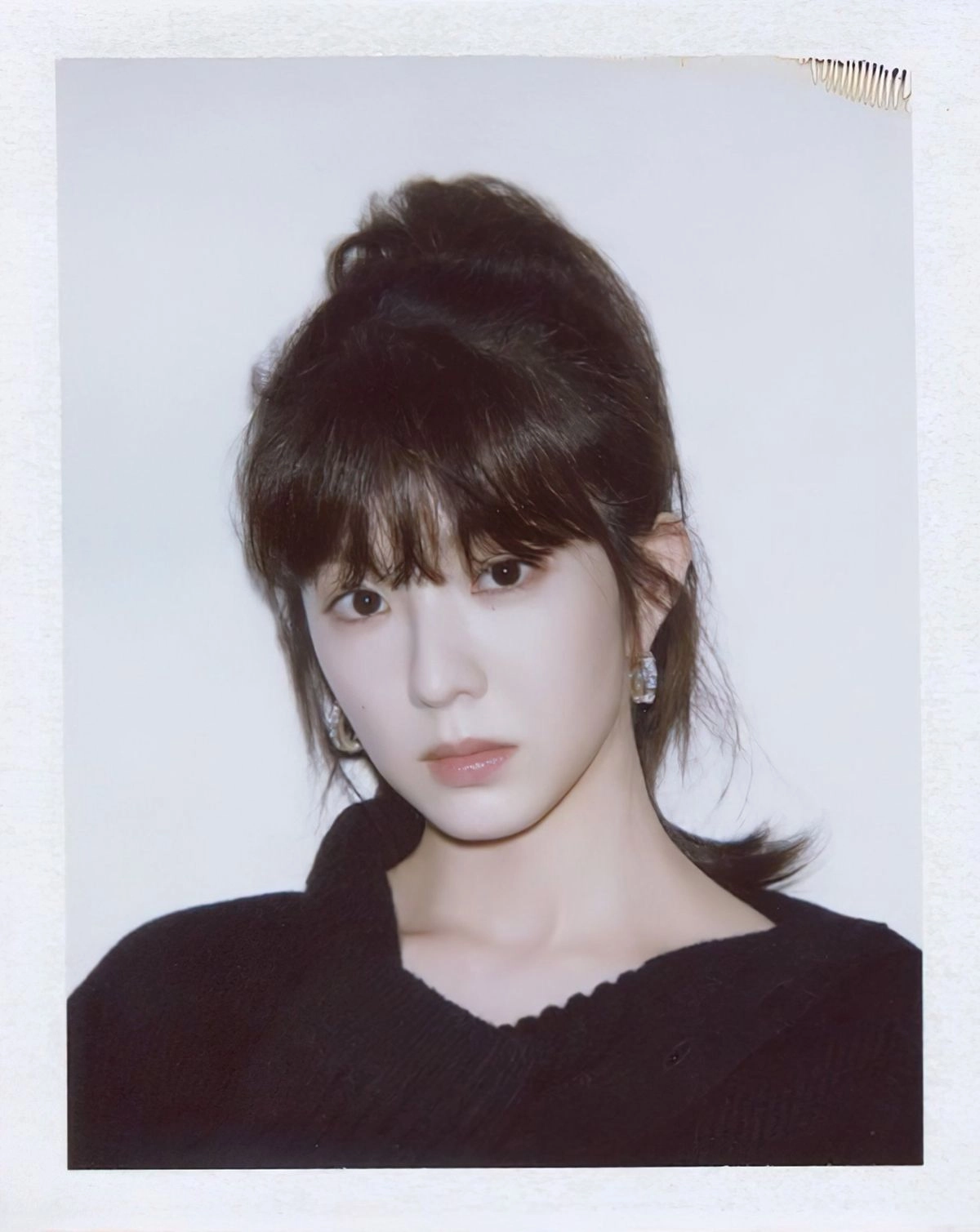
Image from Pinterest.com @Twitter
- Boy Photo in Packfilm Style:
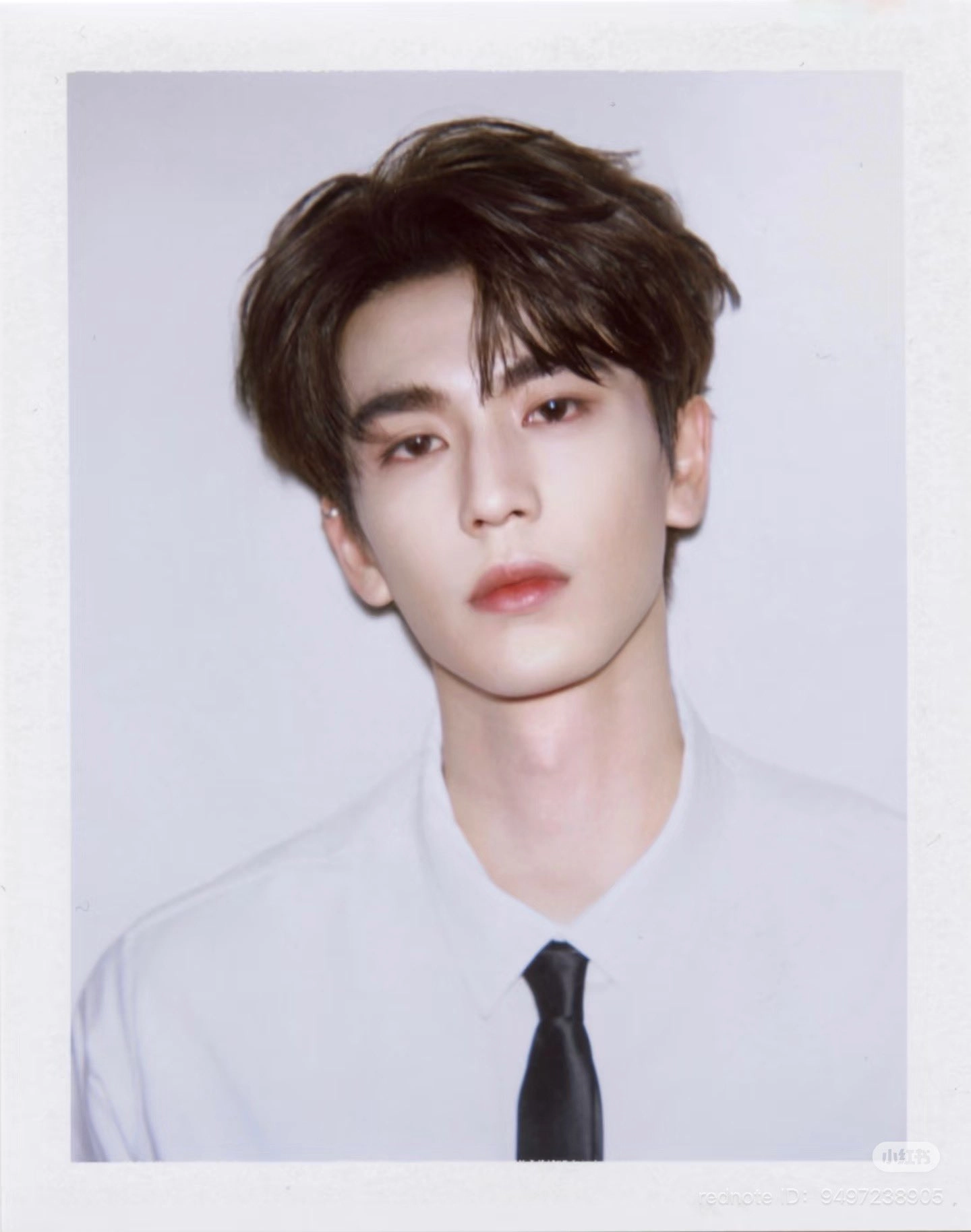
Image from X.com @heiyukii
- Couples’ Packfilm-Four Photo:
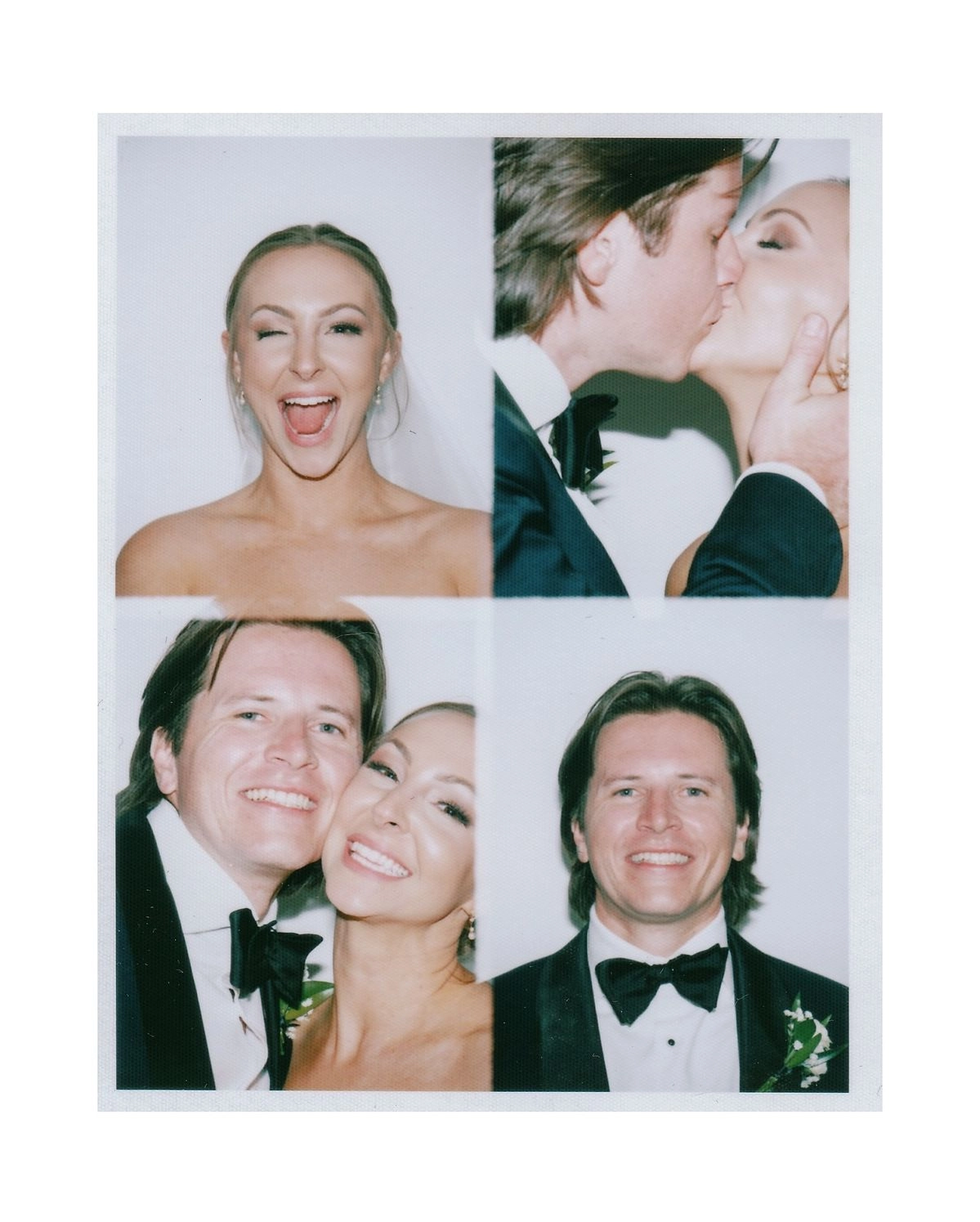
Image from Pinterest.com @NoblePhotoCo
Let’s now add packfilm-style filters to your photos in 4 magical tools:
4 Packfilm Style Filters to Make Nostalgic Polaroid-Style Photos
1. A1 Art: Packfilm Style Templates for Your Selfie Changes
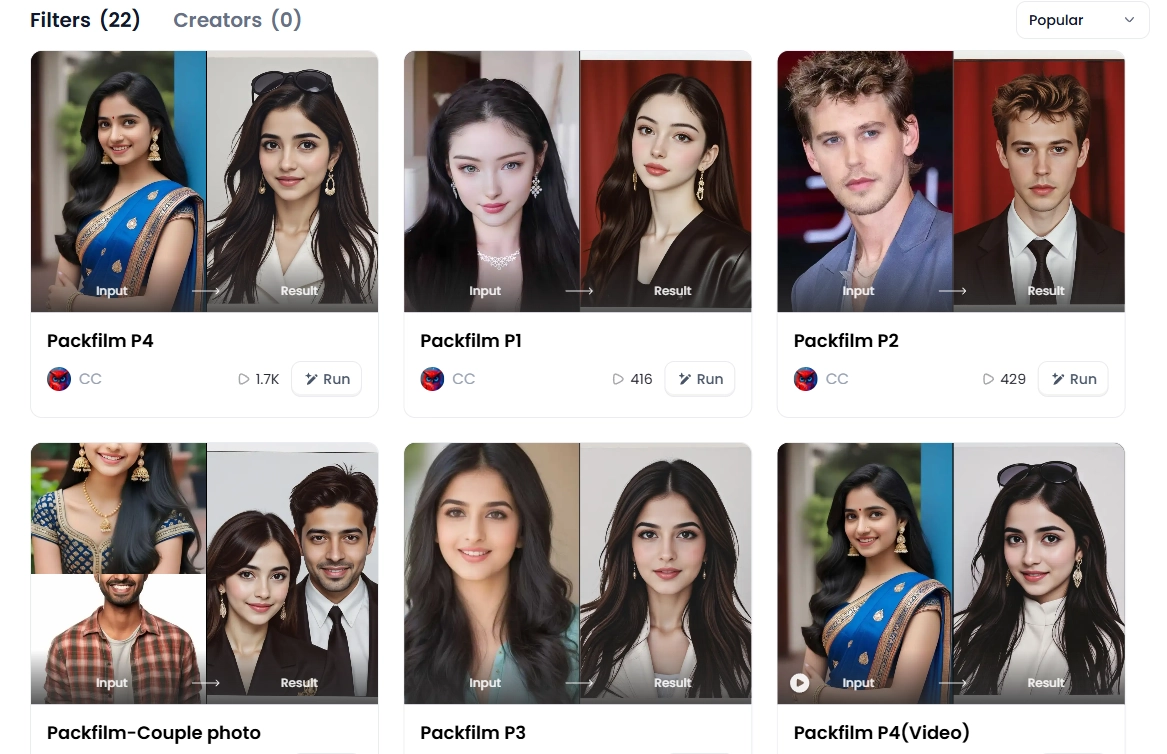
A1 Art is an AI tool that comes with ready-made packfilm-style templates. This tool adds 90s filter parameters to ensure the sophiscated transformation. It’s available for both single portraits and couple images. This tool turns your regular photos into peel-apart photos in just one click, which is suitable for those who wants to try the packfilm style without learning editing.
Step-by-step to Apply Packfilm Style Filters:
Step 1.Upload your photo;
Step 2.Choose a packfilm style template you like the most;
Step 3.Wait for processing and your image is ready:
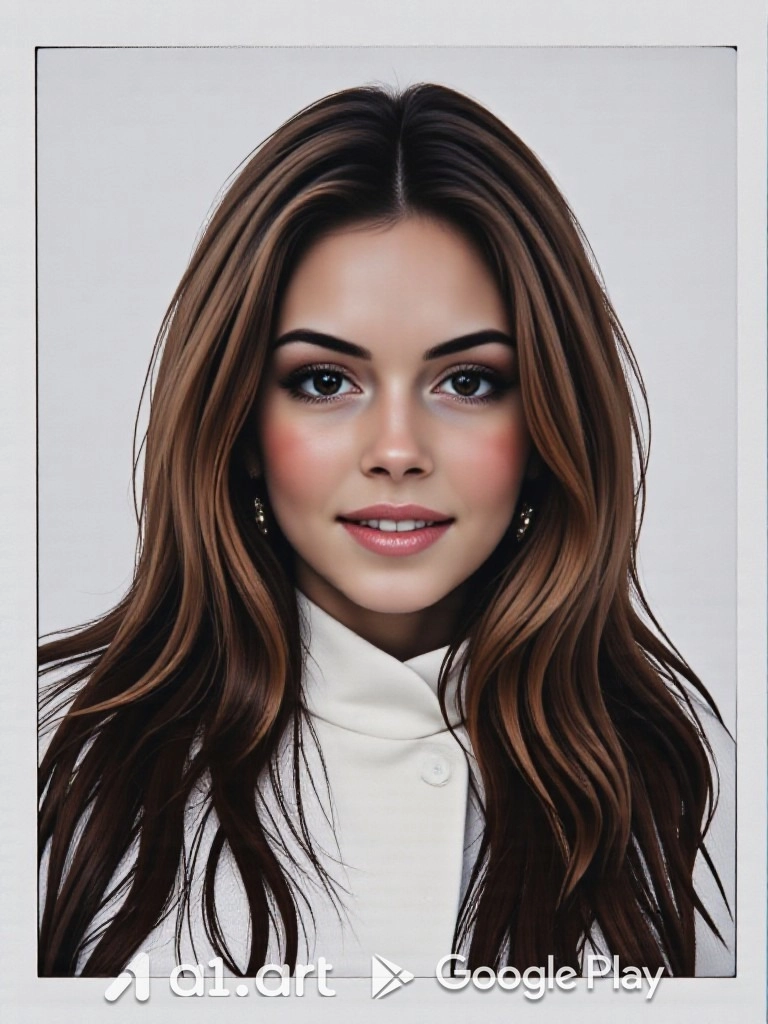
The tool adds the classical Polaroid borders, soft lighting, and faded color to create the retro vibe. This final peel-apart photo came out really like those old 90s pictures!

You need to choose the template for different gender, or you may get a man’s packfilm photo with long hair.
Pros
- Offers ready-to-use packfilm filter templates (for both single and couple).
- Free credits are available through daily check-in;
- Available to turn packfilm image to video;
- Quick normal to packfilm-style photo transformation.
Cons
- One credit to make a packfilm filtered photos;
- Looks unreal in detail (especially skin textures and hair);
- No flexibility in customizing the look;
- It may feel repetitive with preset styles.
2. Instagram: Natural Effect to Shoot Packfilm Style Photos
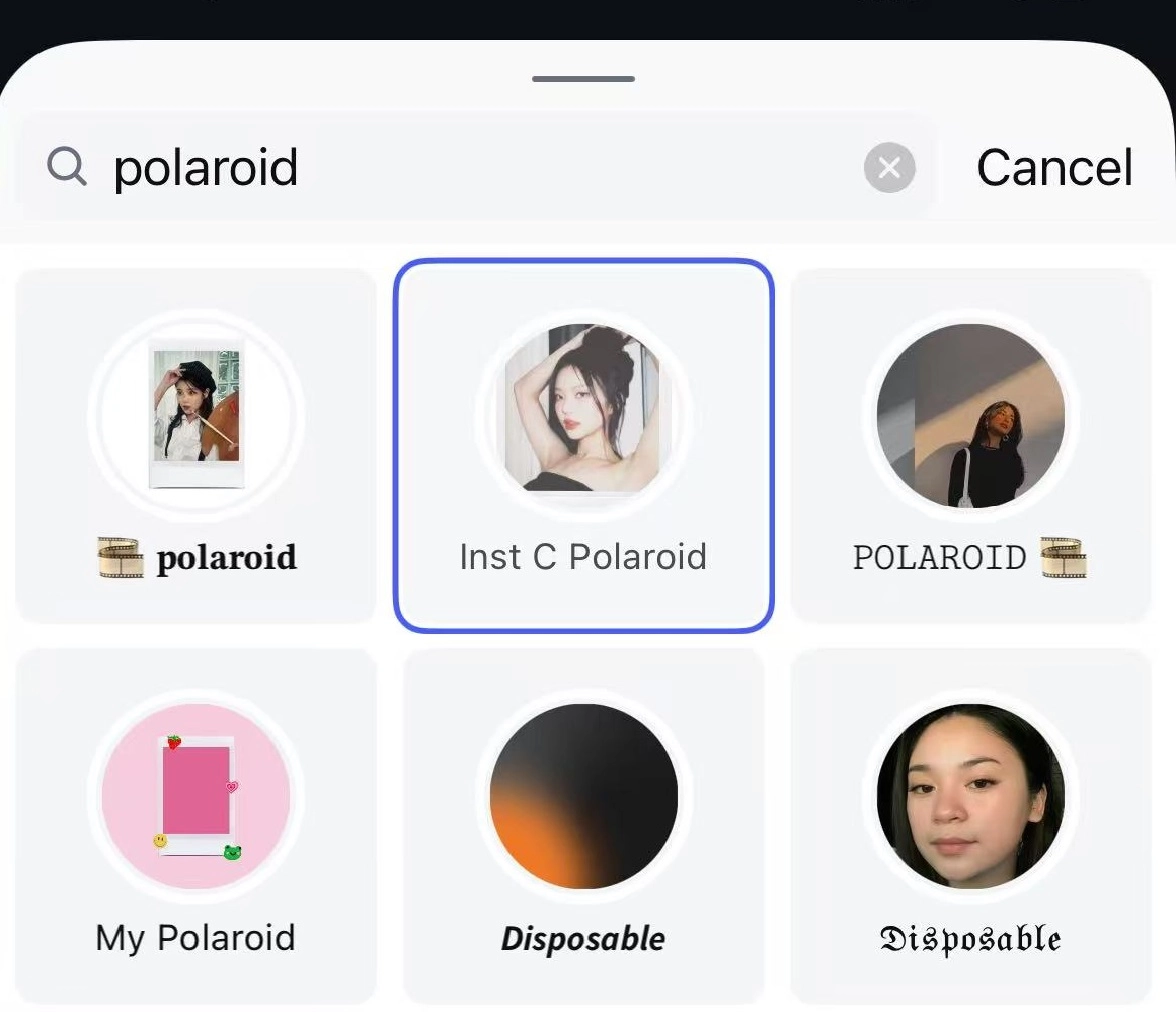
The Polaroid filter by Instagram is a free effect that simulates the look of a classic packfilm style photo. This filter works live in Instagram’s Story camera. It's designed to capture selfies or scenes in a way that closely copies the look of instant Polaroid and packfilm images from the past.
This filter is suitable for Instagram users who want a quick, live way to snap vintage-style selfies or stories with no extra editing or downloads required.
Step-by-step to Apply Packfilm Style Filters:
Step 1.Open the Instagram app.
Step 2.Swipe right to open the Story Camera.
Step 3.Swipe through the effects list until you reach the magnifying glass (Browse Effects).
Step 4.Tap it and search “Polaroid”.
Step 5.Select the filter called “Inst C Polaroid”.
Step 6.Tap “Try It”, then capture your photo or video.
Step 7.Save or post your photo directly from there.
The border and tone look just like a real peel-apart photo! It’s simple and gives your image a lovely old-school mood instantly:
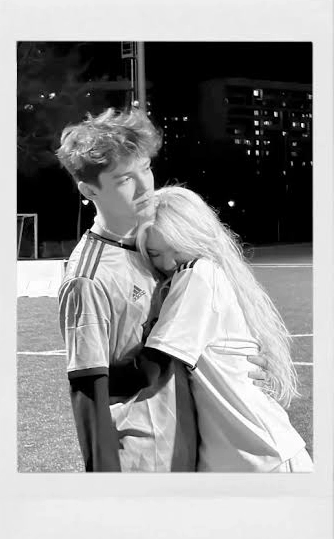
Image from Instagram @filtros.instagraam
The border and tone look just like a real peel-apart photo! It’s simple and gives your image a lovely old-school mood instantly.
Pros
- Instagram’s built-in packfilm style filter for instant photo changes;
- Soft color tones that simulate real packfilm image;
- Ideal for selfies, couple shots, and mood stories.
Cons
- You can’t adjust the filter (border, colors, and fade are fixed);
- Filter naming can be confusing (many similar ones in search);
- Doesn’t fully recreate deep packfilm style textures.
3. Photo-Kako: Packfilm Style Filter Online with Preset Parameters
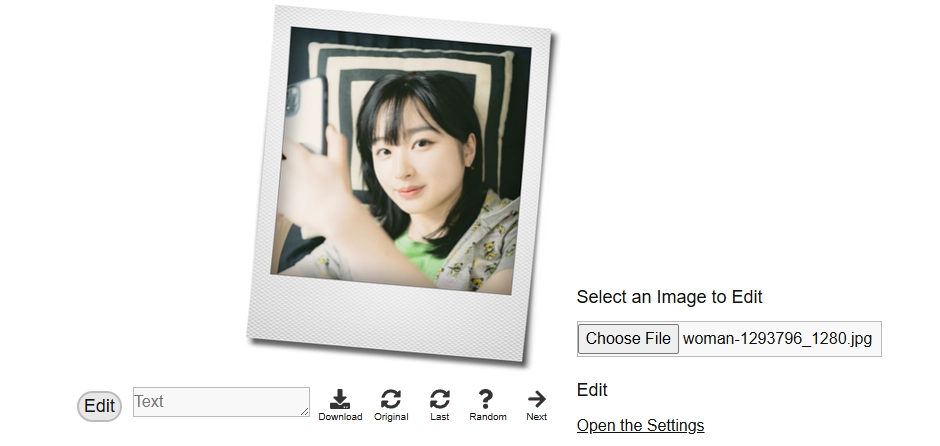
Photo-Kako is a browser-based photo editor from Japan that offers deep parameter controls to recreate Polaroid and packfilm style photos.
Unlike one-click tools, it gives you manual settings to adjust photo resolution, border sizes, shadow blur, color fade, and paper texture, just like a real peel-apart film photo.
When you use the Polaroid Style A (600A) preset inside the editor, Photo-Kako lets you adjust: Frame, Color tones, Surface texture, and shadow blur, just like original instant packfilm photos!
Photography lovers or creators who want precise control over their vintage filter can definitely go with this tool.
Step-by-step to Apply Packfilm Style Filters:
Step 1.Upload your image;
Step 2.Click Edit: “Open the Settings” to access detailed parameters;

From the settings, you can adjust different parameters to get the best results.
Step 3.Click to save the result.
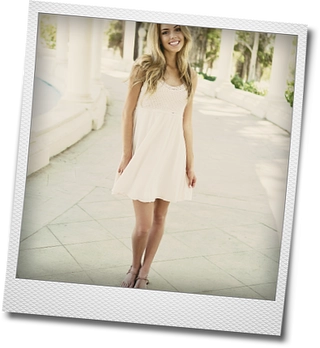
The detail in the paper texture and border is spot on:
Pros
- Detailed manual controls for multiple dimensions(frame,border, & softness);
- Polaroid Style A (600A) setting matches classic packfilm photo layout;
- Realistic texture and light falloff settings;
- Options to add text, captions, or camera-style labeling;
- Completely free and works in any browser, no login needed.
Cons
- It takes time to learn all the settings, and it's not beginner-friendly;
- The UI is quite old-fashioned, especially on mobile;
- All effects need to be controlled manually;
- Results may look too digital without careful tweaking.
4. Vidnoz AI Image Generator: Make Unique Packfilm Style AI Photos
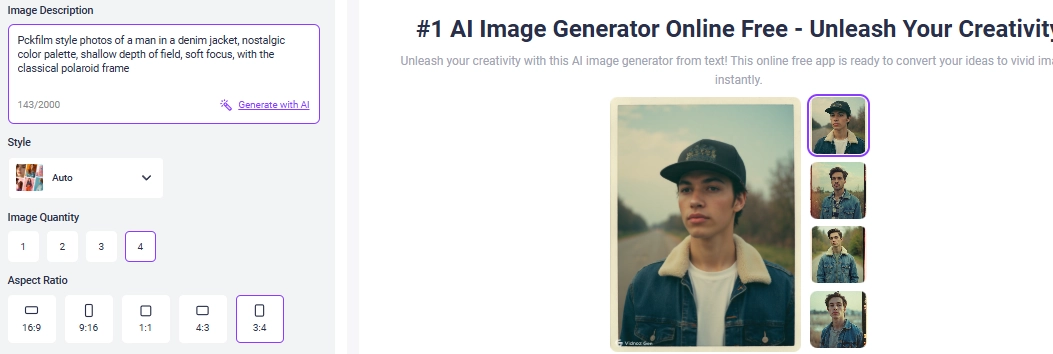
Vidnoz AI Image Generator is a creative tool that allows users to generate unique packfilm-style photos. This packfilm AI generator applies the latest Flux model to create lifelike packfilm style photos. It creates nostalgic polaroid images based on your description.
To summarize, it's best for creative content creators who want to make original and stylized packfilm style photos from scratch.
Step-by-Step to Create Packfilm Style Photos:
Step 1.Enter a prompt: especially highlight the “Packfilm style”;
Step 2.Select image ratio (3:4 fits the packfilm photos).
Step 3.Choose output style (like photo-realistic or cinematic)
Then the AI will understand your description and generate the realistic packfilm style filtered photos:
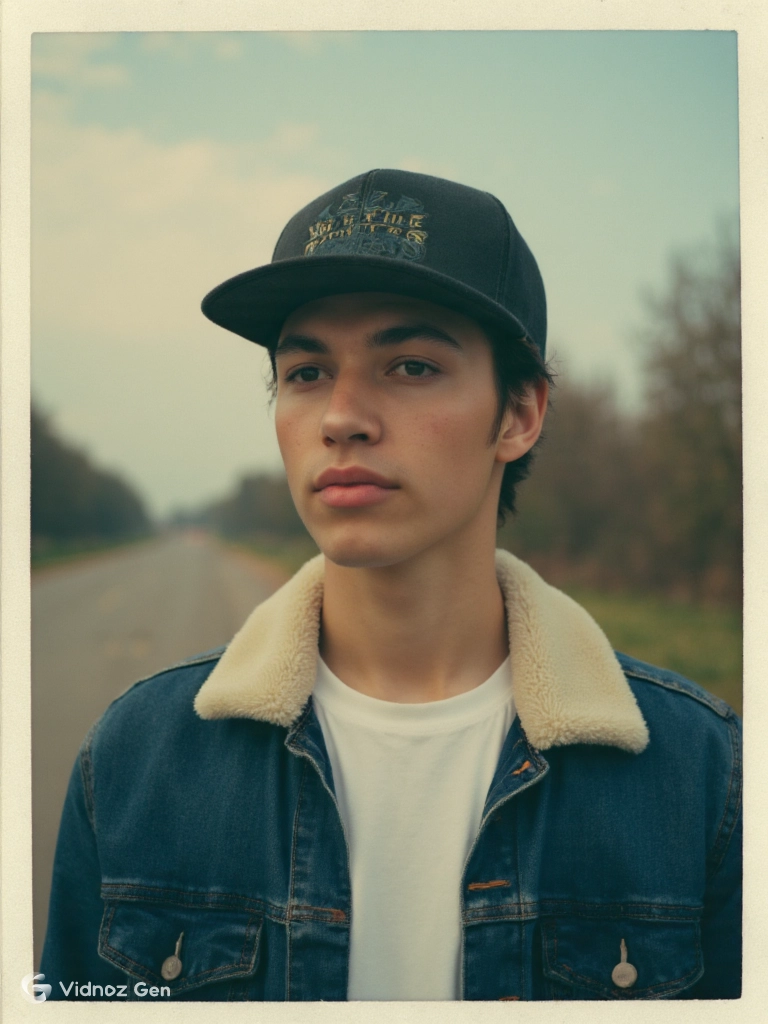
As you can see, the result is imaginative and dreamy, looking like a real packfilm-style photo. You can save it for free!
Pros
- Standard ratio option for packfilm style photos;
- Describe any scene you want to create in packfilm style;
- Create completely original and realistic peel-apart photos;
- Choose from various models for perfect packfilm style photo generation.
Cons
- Needs detailed prompts for packfilm-style photo generations;
- Some outputs look artificial or overly stylized;
- You can’t upload your own face/image as a base.
Bonus: Create a Video Album for Your Packfilm Style Photos!
You’ve just created some beautiful packfilm-style photos, now, why not bring them to life in a video? A video album helps you cherish your memories, share them with friends, or even post them on social media as a short story about your moments!
The easiest way to do this is by using the Vidnoz free AI video generator:
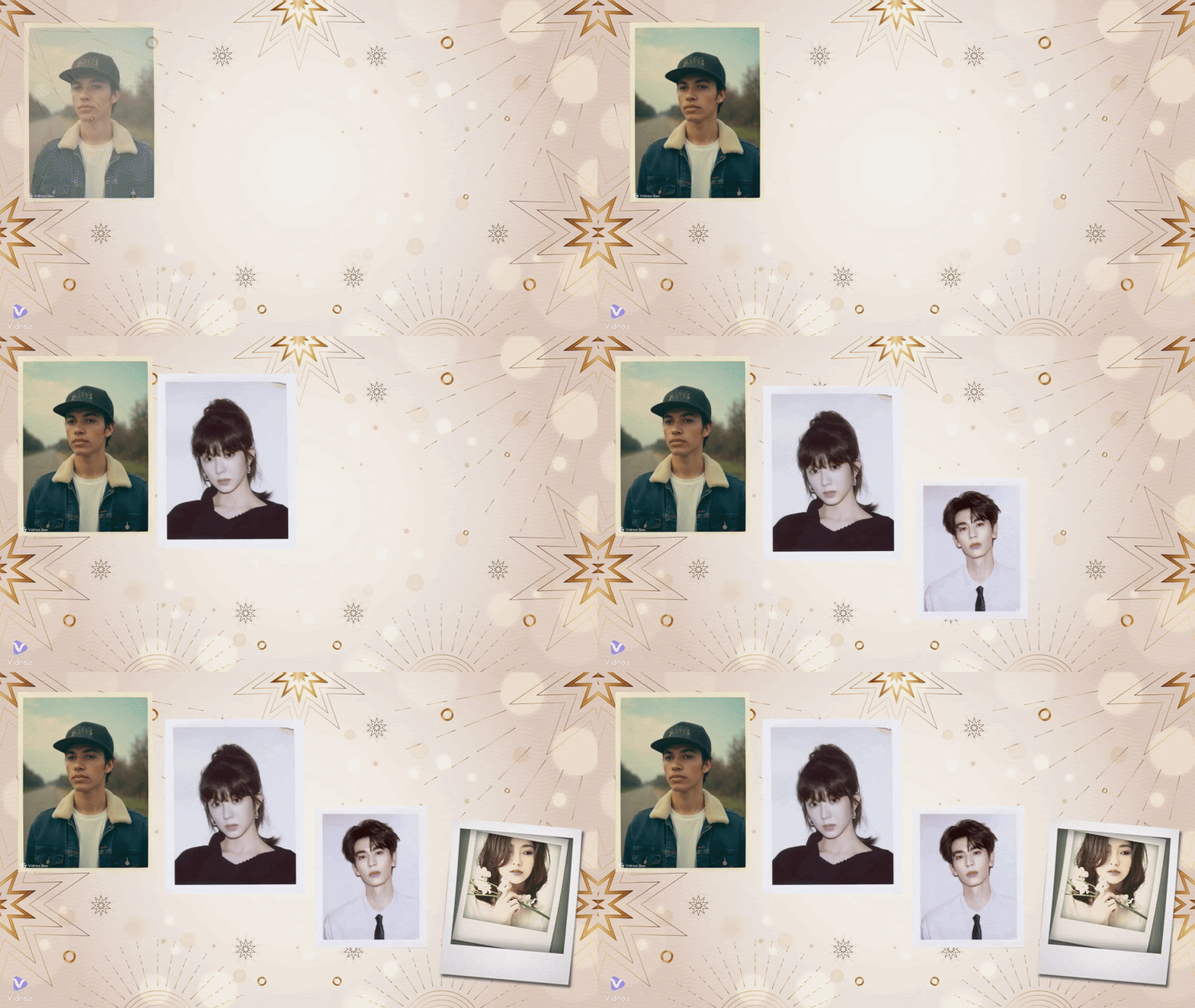
This web-based video creator lets you make video albums from photos, add groovy background music, overlay touching texts, and even dubbing for engaging watching experience.
The best thing is you don’t need to be an expert, just choose a video album template and make a quick edit in minutes!
How Vidnoz AI Helps to Cherish Your Memory
- Tell the story behind your packfilm-style photos using talking avatars;
- Save your video album, no need to download anything unless you want to;
- Add fun or emotional music to match your packfilm photo album’s vibe;
- Easy to access and share from any device.
Steps to Make a Video Album for Your Packfilm Style Photos
Step 1.Go to Vidnoz AI and sign up, it’s quick and free to access:
Step 2.Find a Template for Your Video Album;
Step 3.Upload those Packfilm style photos(or any images)
Step 4.Edit the Video Album to Your Liking;
You can add background music, add text or subtitles, and include a talking avatar if you want your photo album to “speak”!
Step 5.Finish Your Edits on the Packfilm Video Album;
Now, click "Generate" and wait for a minute, your video album will be ready to download or share!

Vidnoz AI - Create Free Engaging AI Video with Talking Avatar
- Easily create professional AI videos with realistic avatars.
- Text-to-speech lip sync voices of different languages.
- 2800+ video templates for multiple scenarios.
Conclusion
Creating peel-apart photos is easier than ever with easy packfilm style filters. Buying an old-style camera isn't needed at all. Whether you use a one-click AI template, a real-time Instagram filter, detailed settings from Photo-Kako, or the creative freedom of Vidnoz AI, you can bring back the timeless look of peel-apart vintage photos in minutes.
So go ahead and try out these packfilm filters, make your retro masterpiece, and relive those nostalgic vibes!