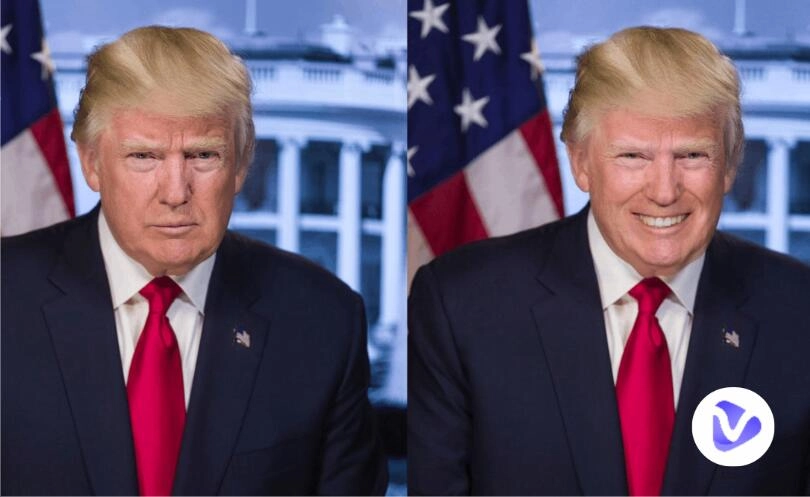
A happy face can foster a ripple effect of positivity for different kinds of events. Even in the digital space, a big simile from a picture will brighten up the social feeds and bring a vigorous mood to the audience. People love to share photos with their smiling faces, but it often happens that one has captured some nice portrait shots in which everything looks perfect, except for the facial expression.
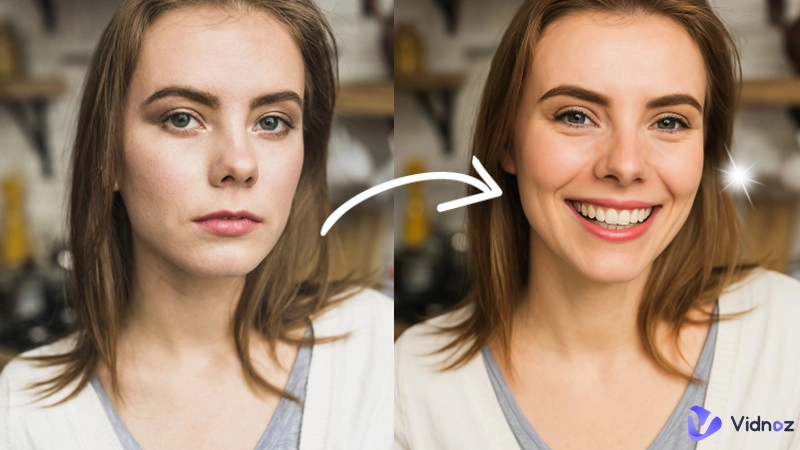
To do away with this hindrance, you can manually lift the person’s mouth corners upwards in the photo using a general photo editor. Or you can further simplify the thing and achieve a better result, by applying a smile filter. Here rounds up some excellent online tools and apps for easy photo smiling enhancement. Use them to infuse cheerful energy into your photos at one tap.
- On This Page
-
What Can You Benefit from a Smile Filter
-
HeyPhoto Photo Smile Editor: Modify Face in Photo via an Easy Drag
How to Add Free Smile Filter to Your Photos on HeyPhoto?
-
A1 Art AI Smile Filter Online Free: Apply Various Smile Templates
How to Add Free Smile Filter to a Photo on A1 Art?
-
Best Smile Filter Apps Featuring High-quality Editing
-
Create Great AI Talk with a Smile - Vidnoz AI Talking Photo
More Surprising Features of Vidnoz AI
What Can You Benefit from a Smile Filter
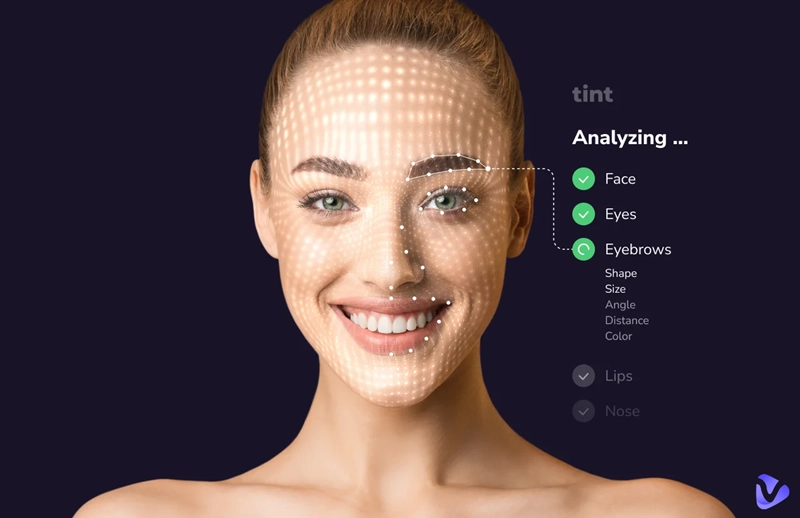
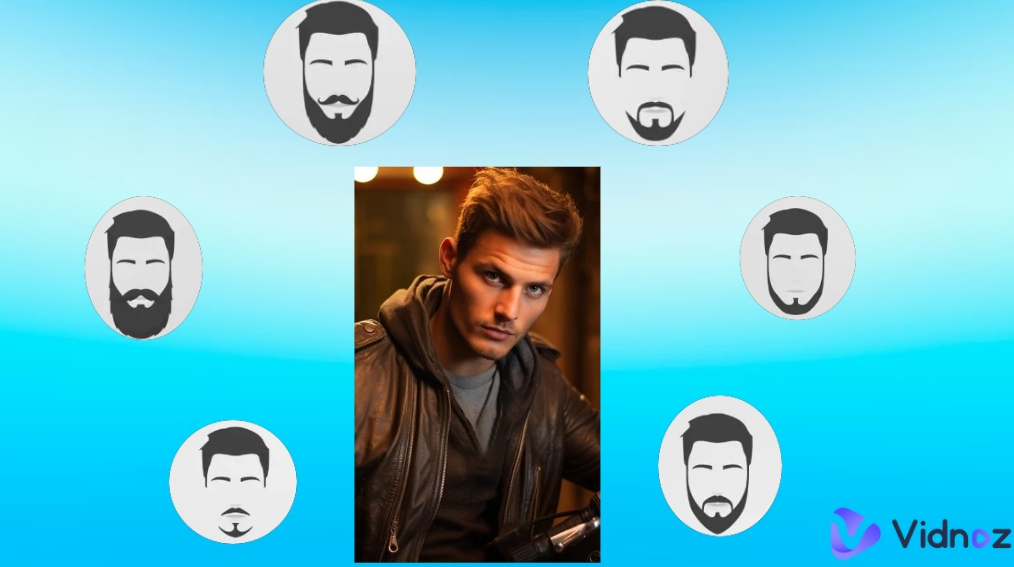
Like Old, Young, Beard, Eyebrow, and other face filters that adjust or change facial features helping explore different looks, a smile filter will infuse joyful emotions into a face photo. It only requires a single step to see the magic happen. Besides doubling the efficiency, it also highlights other merits. Let’s have a closer look at the primary aspects.
- One-Tap Photo Editing: Whether it is a face smile editor online free or an app, tools of this type are usually designed for instant editing demands. Once landing on the tool, users can immediately achieve the effect by selecting the right filter option. No extra process is included.
- Realistic Photo Output: Different from manual photo editing that requires users to have skilled experience and aesthetic intelligence, a smile filter depends on smart algorithms and AI technology to process the input. The effect is natural and visually pleasing.
- Various Smile Types: Some AI smile filter tools provide multiple smile filters featuring different dimensions. Be it a grin or a closed-lip smile, you can always find the desired one for your photos.
Now start with the following smile filters and learn about how to edit a smile in a photo easily.
HeyPhoto Photo Smile Editor: Modify Face in Photo via an Easy Drag
HeyPhoto is an innovative photo editor for face adjustments and enhancements. This website is enhanced by artificial intelligence, enabling automatic processes and achieving exceptional outcomes for complex editing tasks. Users can access a good pack of AI tools to alter appearance in photos, such as eye direction change, gender swap, face aging, and so forth. The AI smile filter by HeyPhoto is designed for grinning face creation. With a slider bar built into the photo smile editor, you can adjust the smile dimensions for free online.
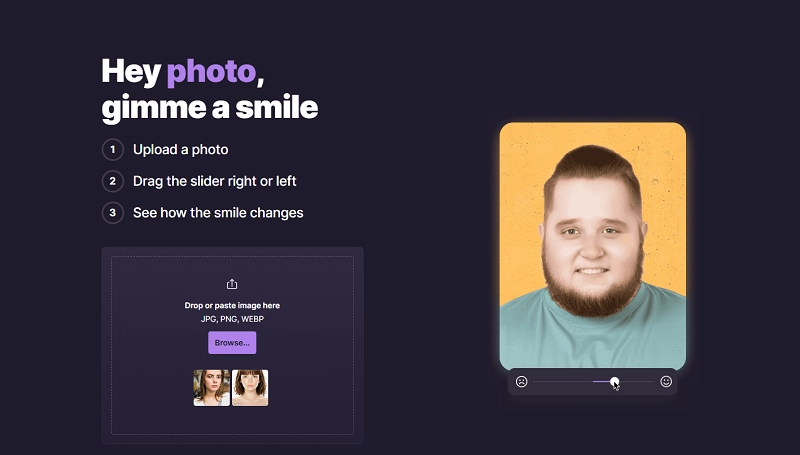
Why Use HeyPhoto Photo Smile Editor:
- Add a smile in a photo with a simple drag action
- A nice collection of face photo editing tools in one place
- Unlimited free usage (watermark inserted)
- Well-organized & tidy user interface layout
How to Add Free Smile Filter to Your Photos on HeyPhoto?
Step 1. Go to hey-photo.com and upload the source image.
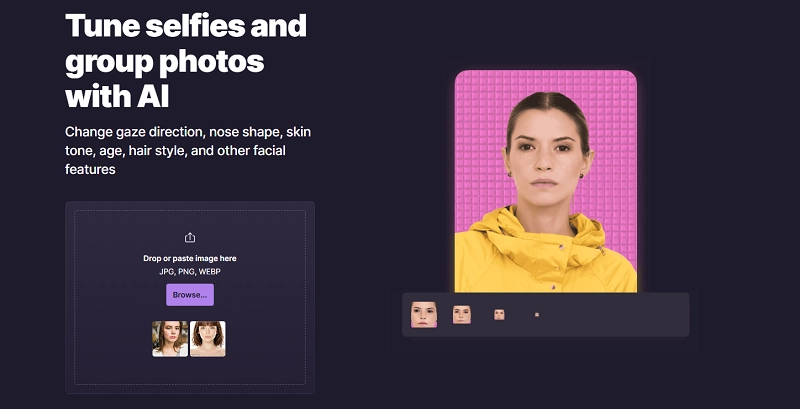
Step 2. You will be taken to the user dashboard. Select Smile on the left vertical menu.
Step 3. Press and hold the left mouse click to drag the slider beneath the photo - Move towards left for a smaller smile and right for a bigger smile. Un-hold the mouse button to see the smile effect in real time.
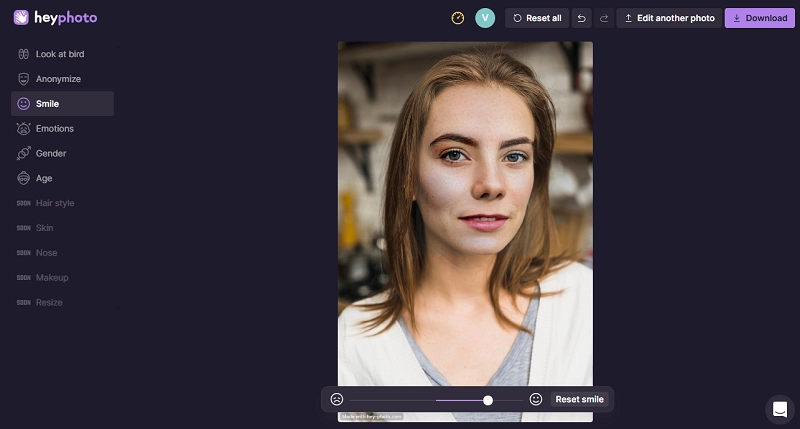
Step 4. When you’re pleased with the adjustment, click Download at the upper right section to save the edited version to a local folder.
A1 Art AI Smile Filter Online Free: Apply Various Smile Templates
This creative AI photo and video generation platform offers a window for everyone to turn mediocre content into impressive art like a pro. Here users can explore trendy AI content and apply the same effect on uploaded photos. Over 70 AI smile filter templates can be found on this platform. You can freely pick any of those templates to craft joyful photos or videos in one simple click. From Mona Lisa’s smile to laugh emoji, from crooked mouth smile to evil grin, A1 Art brings unlimited possibilities.
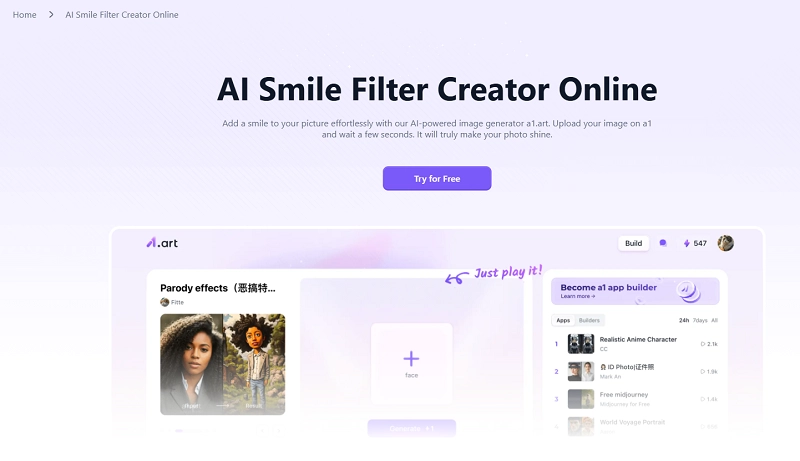
Why Use A1 Art Smile Filters:
- High-quality AI smile templates in various styles
- Generate smiling face photos and videos from user inputs
- Enable users to browse massive user-published AI content
- Offer daily free credits for no-restricted usage
How to Add Free Smile Filter to a Photo on A1 Art?
Step 1. Visit a1.art. Make use of the search tool on the top to find out smile filters.
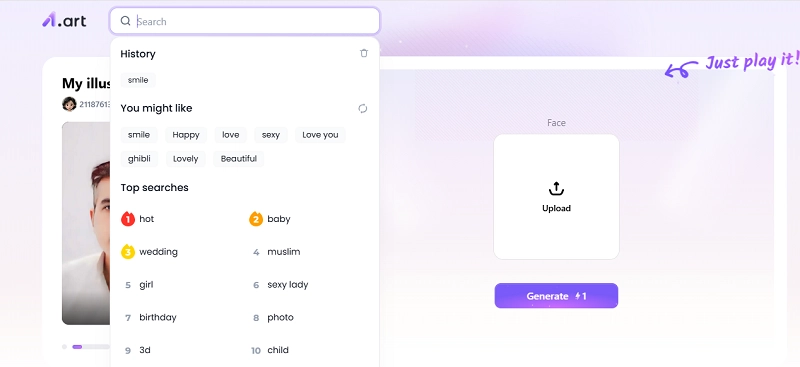
Step 2. Click the Filters tab on the result page. Pick the smile effect you want to use.
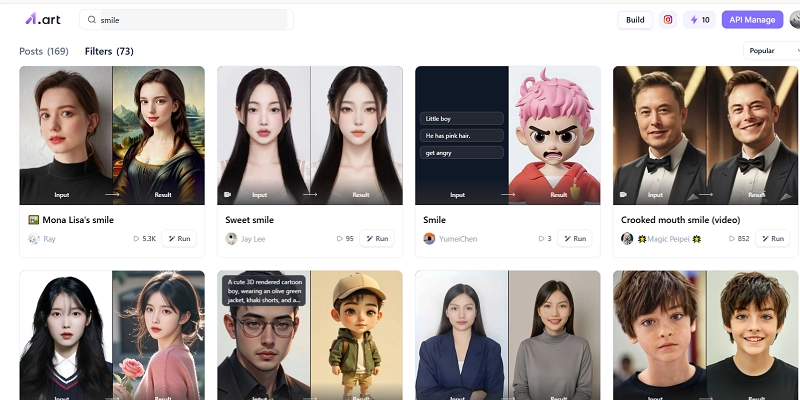
Step 3. Upload your photo to this filter page and click Generate. This service will work at once.
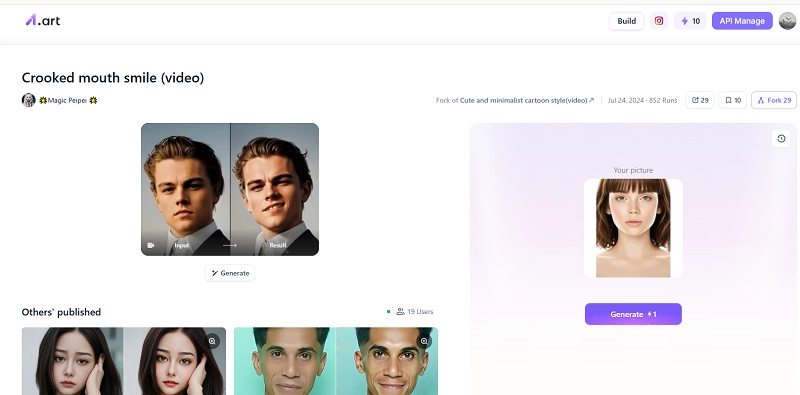
It only takes 10 seconds on average for A1 Art to produce a smile video or photo. Now you can download or share this smiling version in your way.
Best Smile Filter Apps Featuring High-quality Editing
A smile filter online free emphasizes accessibility and cost-effectiveness, but for greater personalization, a dedicated app is a better choice. This part will display 2 reputable photo smile editors, being loaded with a greater scope of photo editing options and delivering a smoother user experience. Mobile users can give them a shoot.
FaceApp
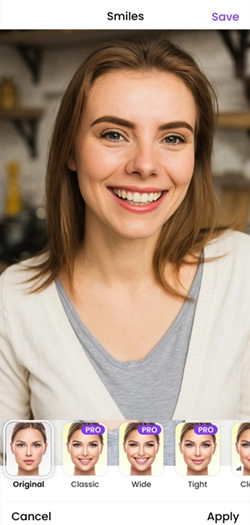
FaceApp is a popular photo editing app available for both iOS and Android users. Frequently featured in lists of the best photo and video editing apps, it offers a wide range of tools—from basic touch-ups to advanced modifications. One standout feature is the 'Smile' option, which includes four types: Classic, Wide, Tight, and Closed. These are available in the Pro version. If you're considering using FaceApp as your regular photo editor, these smile filters may be worth exploring.
YouCam Makeup
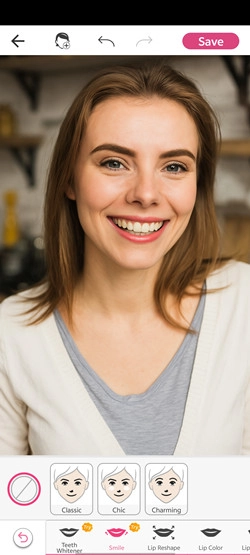
This ultimate face editor makes it easy to retouch every detail for flawless or creative results. Being equipped with dedicated tools for each facial feature, YouCam Makeup gives support for flexible mouth adjustment. To access the Smile filter, simply navigate to the 'Mouth' tab. It offers three smile effects—Classic, Chic, and Charming, perfect for achieving a natural look. You’ll also find a variety of advanced facial enhancement tools to elevate your photo’s overall appeal.;
Create Great AI Talk with a Smile - Vidnoz AI Talking Photo
To set yourself apart from other content online, a charming smile is far from enough. Why not infuse more AI magic into your smile photos to help increase its competition? It’s a good idea to start with Vidnoz AI Talking Photo. Working as an image to video AI converter, Vidnoz AI Talking Photo is distinctive for text-to-speech voice-over generation and natural AI lip syncing. It helps turn silent photos into gimmicky talking videos for you to express yourself and making a last impression everywhere.
Create Your AI Talking Avatar - FREE
- 1900+ realistic AI avatars of different races
- Vivid lip-syncing AI voices & gestures
- Support 140+ languages with multiple accents
Follow the steps to let your smile photo talk vividly.
Step 1. Go to Vidnoz AI Talking Photo page. Alternatively, click the quick button below to access this tool on Vidnoz AI user dashboard.
This instruction demonstrates how to get the creation finished on the dedicated online page.
Step 2. Click the Upload button and upload your smile photo on Vidnoz AI Talking Photo.
Step 3. Enter the text for speech generation. The inputs can be any language you prefer. You can also select a fitting voice style and voice emotion for the text-to-speech voice-over.
Step 4. Preview the video on the page, tweak the content to be perfect, and then click Generate Video.
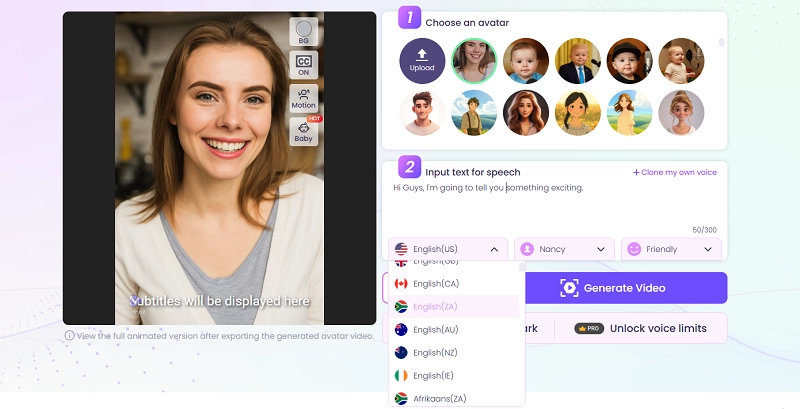
Step 5. You will be notified of the completion in seconds. Feel free to download and share it with your audience.
More Surprising Features of Vidnoz AI
On Vidnoz AI, every idea can be visualized with the power of artificial intelligence. Learn about other things you can do on this platform:
- Animate Any Picture: Beyond a person talking in a photo, Vidnoz can make clouds move, let flowers bloom, let two people hold hands, etc. Try Vidnoz AI Image to Video to unfold the magic.
- Make a Photo Dance: Add rhythmic motions to the person in a photo to create trendy dancing videos featuring different BGM.
- Create AI Avatar Presentation: Pick from thousands of lifelike AI avatars in the library to narrate your content in any language. Best for education, marketing, and other professional purposes.
Exolpre more on Vidnoz AI!

Vidnoz AI - Create Free Engaging AI Video with Talking Avatar
- Easily create professional AI videos with realistic avatars.
- Text-to-speech lip sync voices of different languages.
- 2800+ video templates for multiple scenarios.
The Bottom Line
No need to scroll through multiple shots to find the perfect smile. AI smile filters show you an efficient way to bring bright the facial expression to any photo. The options we've explored today are designed to give you the best editing experience. It's time to smile and shine!