Are you obsessed with the retro texture of Polaroid photos? The unique tones, slight light leaks, and nostalgic atmosphere instantly make ordinary photos full of stories. Polaroid cameras were all the rage in the 20th century, and their instant imaging and unique colors became the hallmarks of retro photography. Today, we don't have to use old cameras, we can easily reproduce this style with the help of Polaroid filters.
With the help of several Polaroid picture filters recommended in this article, you can learn how to make a picture look like Polaroid with just a few taps. In the end, you can also grab some funny AI filters to make your photos more creative!
- On This Page
-
How Do Polaroid Filters Simulate the Classic Effect?
-
Why Need a Polaroid Picture Filter?
-
The Best Polaroid Filters to Create a Polaroid-Style Look
Canva - Tons of Polaroid-Style Templates
VSCO - Highly Customizable Filters
Dazz Cam – Snap a Polaroid or Add Filters
PhotoFunia - Create a Dual Polaroid Shot with Photo Background
Fotor - Polaroid Filter Online Free
-
More Picture Filters to Make Your Photos Eye-Catching
How Do Polaroid Filters Simulate the Classic Effect?
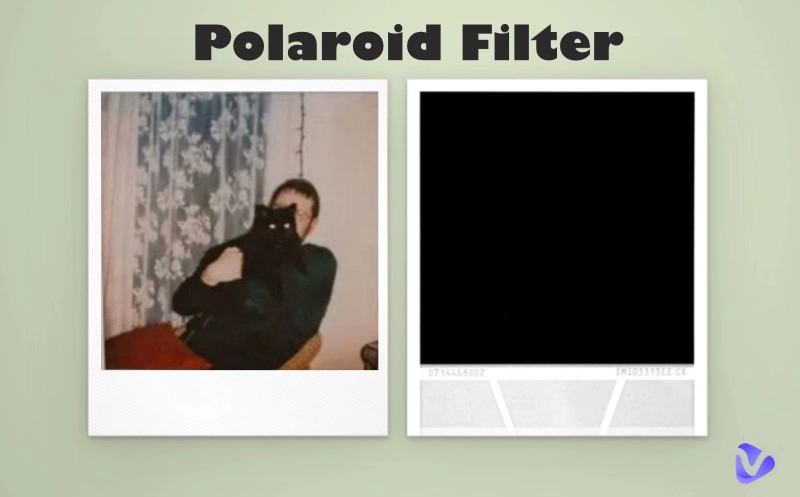
The Polaroid picture filter is a photo editing effect that emulates the style of classic instant Polaroid photos. Imagine that: slightly faded colors, a soft glow, light leaks, and of course, the iconic white border around the image. And of course, a handwritten date and message to add a nostalgic mood. It's designed to give your digital photos an analog look reminiscent of snapshots from the 80s and 90s.
Why Need a Polaroid Picture Filter?
Polaroid filter effects have gained significant popularity in recent years, particularly on platforms like Instagram and Pinterest, where retro aesthetics are prevalent. It can add an emotional narrative to your social posts and allow you to create a DIY photo wall to preserve memories. Basically, if you want your photos to feel like little time capsules, Polaroid filters are the way to go.
The Best Polaroid Filters to Create a Polaroid-Style Look
Next, let's look at which Polaroid filters can help you easily make picture look like a Polaroid. Here are some of the best tools (free and paid), whether you're on your phone or computer.
Canva - Tons of Polaroid-Style Templates
Canva isn’t just a graphic design tool—it’s a powerhouse for creating polished, ready-to-post Polaroid-style images. With dozens of Polaroid-inspired templates, you can simply drag and drop their photos into pre-designed layouts. You can customize everything—from frame thickness to text styling—with ease.
Features of Canva:
- Drag-and-drop photo editor to make photo look like a Polaroid
- Custom white Polaroid frames
- Add handwritten-style captions or stickers
- Combine multiple Polaroids into one collage
Best For:
- Beginners who want fast, no-fuss design
- Social media creators aiming for aesthetic, on-brand content
- Bloggers and DIYers creating visual projects
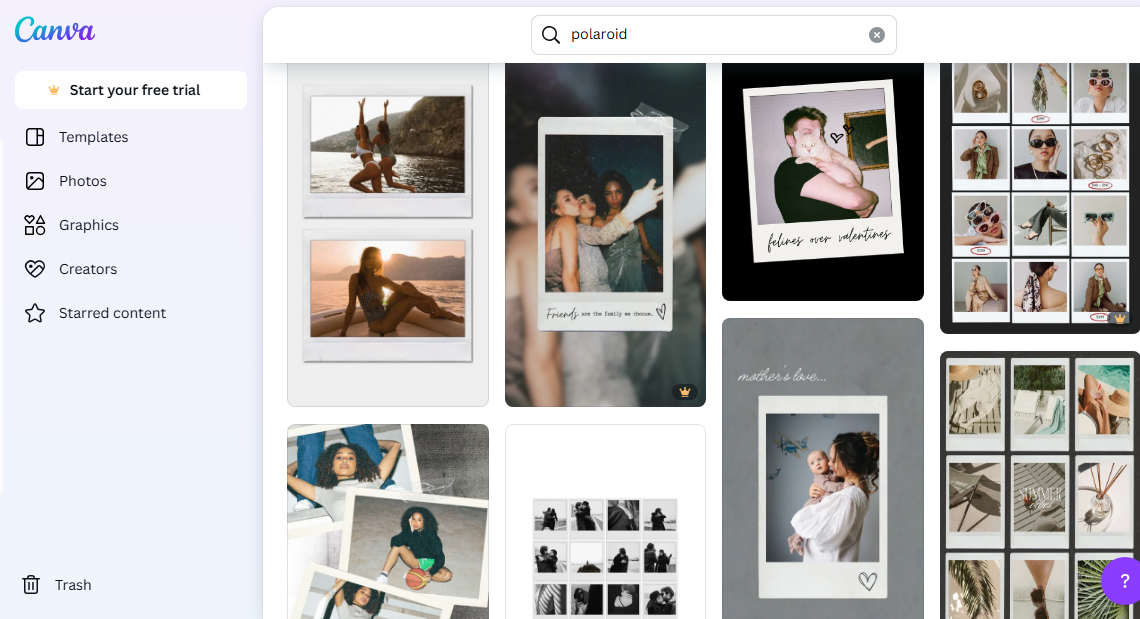
Platforms: Web, iOS and Android apps.
VSCO - Highly Customizable Filters
VSCO is known for its premium-grade film-style filters, making it perfect for recreating the vintage photo filter tones found in authentic Polaroid photos. It doesn’t offer a direct Polaroid frame, but it shines in the color grading department, giving your photos that soft, faded look with pro-level precision.
Features of VSCO:
- Over 200 film-inspired presets
- Manual controls for exposure, fade, grain, tint, etc.
- Save and reuse custom filter recipes
- Sync edits across devices
Best For:
- Photography lovers and content creators
- Users who want deep control over tone and mood
- Those who plan to combine VSCO edits with another tool (like Canva) to add the frame
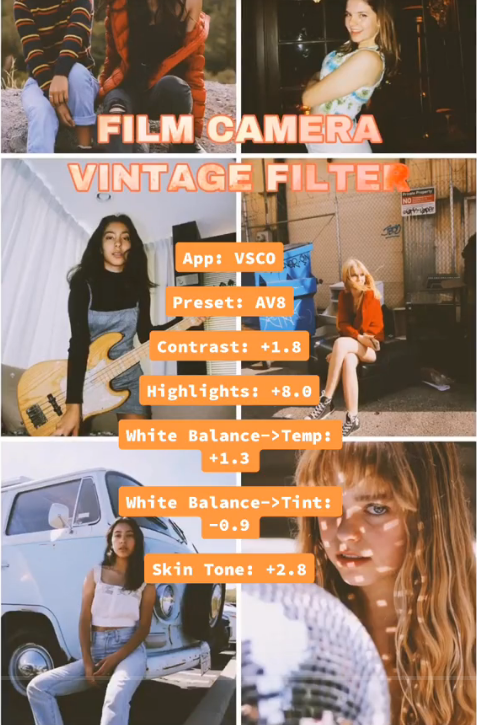
Platforms: iOS and Android

Try presets like A6, M5, or KP3 to achieve that subtle vintage tone before exporting and adding a Polaroid border elsewhere.
Also Read: How to Remove Filter from Photo Online: AI Filter Remover >>
Dazz Cam – Snap a Polaroid or Add Filters
Dazz Cam replicates the feel of shooting with a real disposable or instant camera. It includes a Polaroid-style shooting mode that instantly outputs images with film textures, date stamps, and classic white frames—no editing required.
Features of Dazz Cam:
- Live-view camera filters (Polaroid, film, VHS filter)
- Automatic white frame and vintage filter on capture
- Includes realistic sound effects (shutter clicks, flash)
- Random light leaks and lens flares for authenticity
Best For:
- Casual users looking for quick, fun retro shots
- Teens and social users wanting TikTok-worthy photos
- People who prefer live camera effects over post-editing
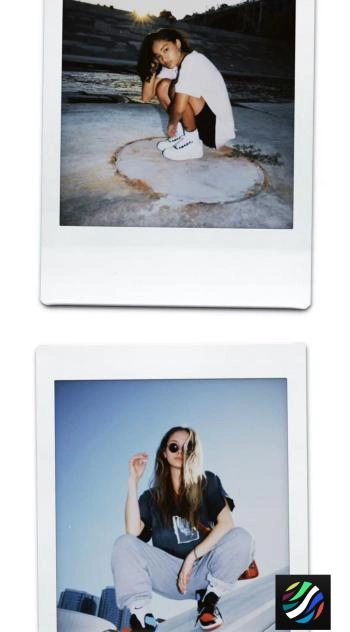
Platforms: iOS (iPhone only)
PhotoFunia - Create a Dual Polaroid Shot with Photo Background
PhotoFunia offers a unique take on the Polaroid filter with its dual-photo Polaroid scene generator. Instead of just a white border, your photo is placed inside a realistic setting (like Polaroids on a desk or hanging on a string) for a creative presentation.
Features of PhotoFunia:
- Upload two photos to auto-generate a Polaroid collage
- Choose themed backgrounds (wood desk, corkboard, etc.)
- No account or software required
- Downloads ready for printing or sharing
Best For:
- Scrapbook lovers and creative gift makers
- Users wanting to tell a story visually
- Anyone who wants a quick, themed Polaroid output without editing skills
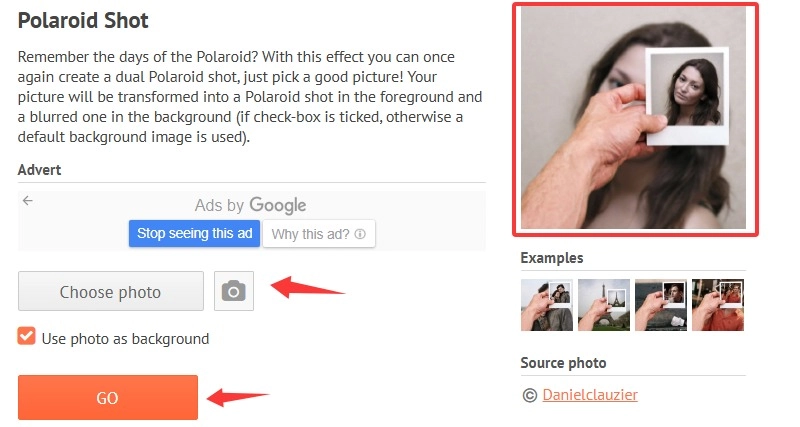
Platforms: Web-based, Android and iOS apps.
Fotor - Polaroid Filter Online Free
Fotor is a free online photo editor that includes a dedicated Polaroid filter and frame tool. Its simple UI makes it perfect for fast editing, especially when you want to give your photo a classic instant print look without downloading software.
Features of Fotor:
- One-click Polaroid frame application
- Adjustable brightness, vignette, and warmth
- Optional text and stickers
- Free to use with optional premium upgrades
Best For:
- Students or casual users needing fast edits
- People working on digital scrapbooks or mood boards
- Anyone on a budget who still wants that iconic Polaroid look
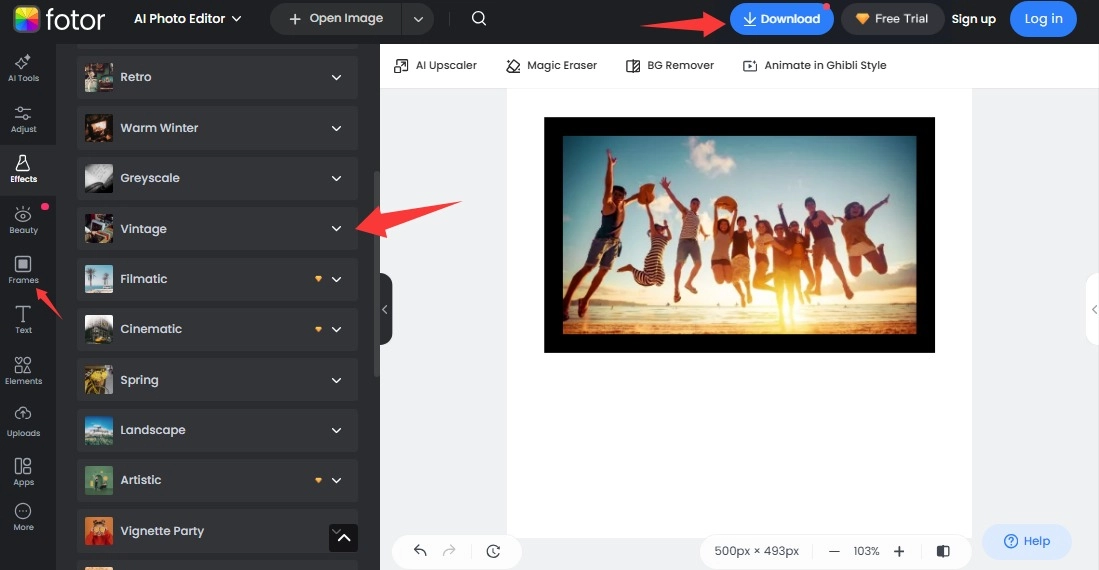
Platforms: Web, iOS and Android apps.
Combine Fotor’s Polaroid effect with the “Vintage” or “Retro” filter for added realism. Save your edits in high resolution for printing later.
More Picture Filters to Make Your Photos Eye-Catching
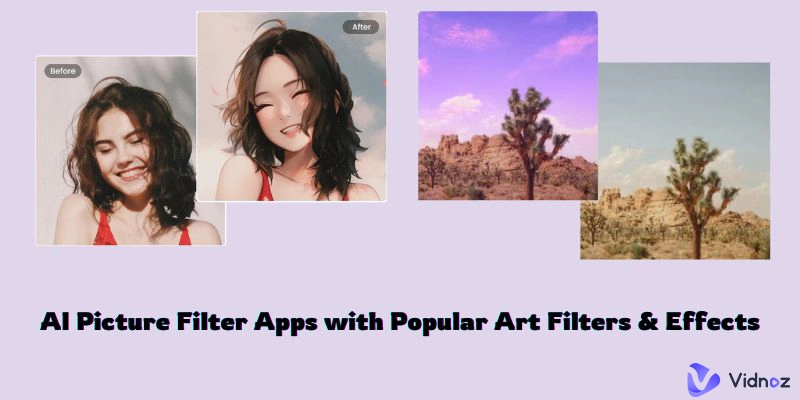
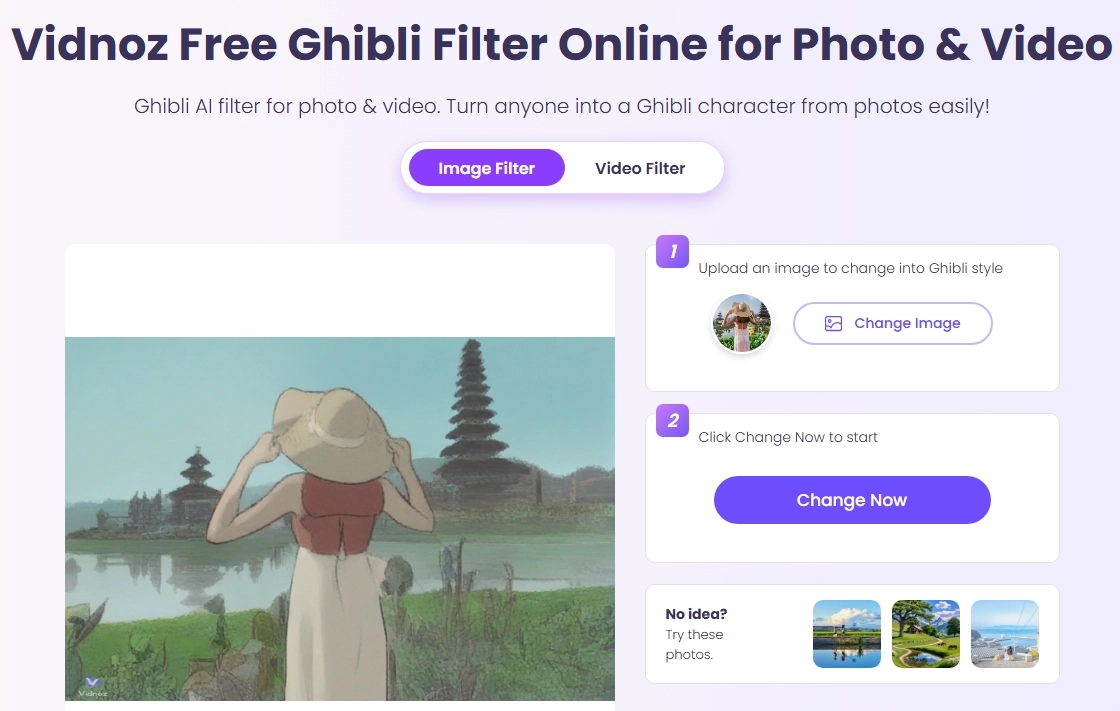
Now you know how to make a picture look like Polaroid. Polaroid filters can add a retro and nostalgic feel to your photos. Do you want to try more filters to add creativity to your photos? How about turning your photo to cartoon versions? Which character in Hayao Miyazaki's anime would you be? It’s time to try Vidnoz AI Studio Ghibli filter. With one click, you can easily turn the scenery or characters in your photos into anime style and sweep your social media.
Step 1. Just go to Vidnoz AI and find the Ghibli AI filter.
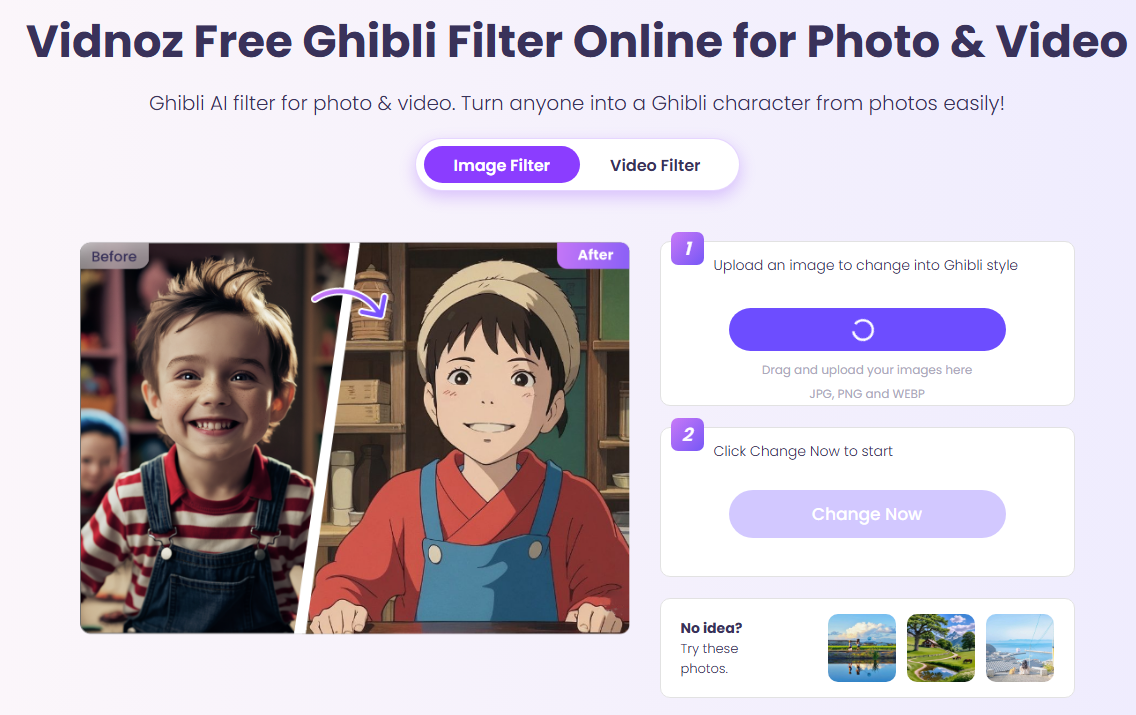
Step 2. Upload the photo you want to turn into Studio Ghibli style.
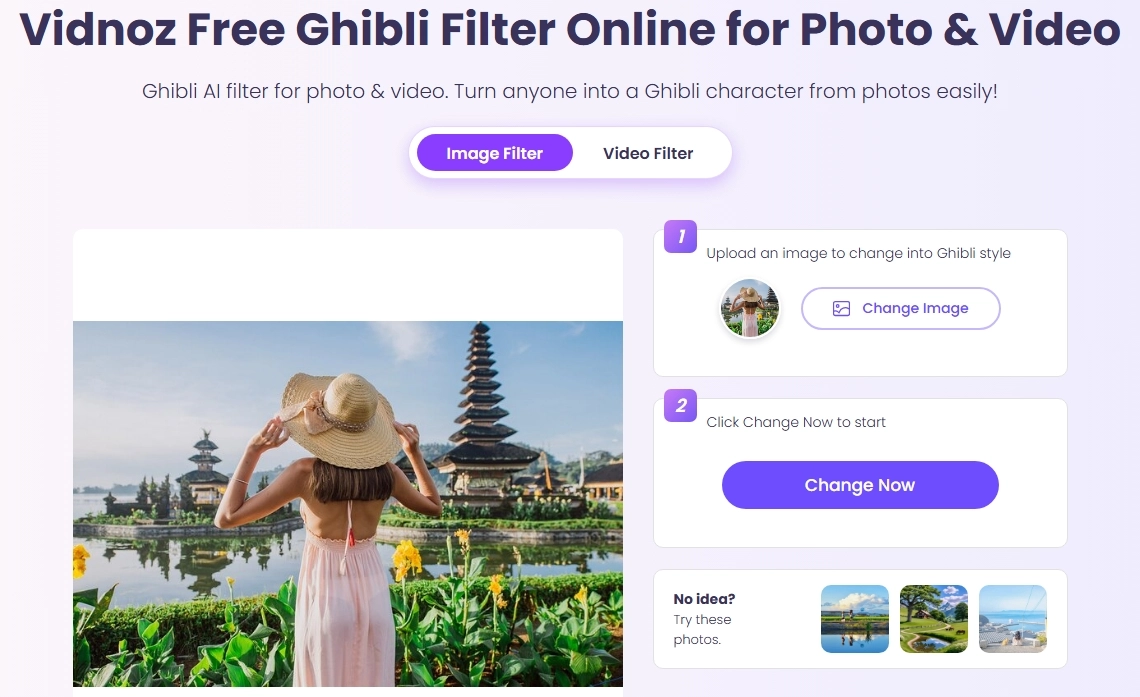
Step 3. Wait a few seconds and Vidnoz will transform your photo into an Ghibli anime style.
Final Words
You don't need to invest in an expensive instant camera to take iconic retro Polaroid photos. With just a Polaroid filter, any normal photo can be transformed into a special photo full of nostalgia. In addition, you can also choose AI filters such as Vidnoz AI Ghibli Filter, cartoon filters to add more creative possibilities to your photos. Or use this free AI video generator to create a nostalgic video from the 80s and 90s. Try to make picture look like a Polaroid and give it a retro vibe with a Polaroid filter!

Vidnoz AI - Create Free Engaging AI Video with Talking Avatar
- Easily create professional AI videos with realistic avatars.
- Text-to-speech lip sync voices of different languages.
- 2800+ video templates for multiple scenarios.