There is a funny fact: trends will come back around every 20 years(source from vice.com) So in recent days, you may find it’s catchy about the early 2000s vibes, which is called “Y2K aesthetic”.
Who can keep themselves from trying the exact vibe? The bold, retro, and dreamy pastel vibes will light up your styles, so you hotties should try it. Just flow with the Y2K filter to serve your slay looks in photos!
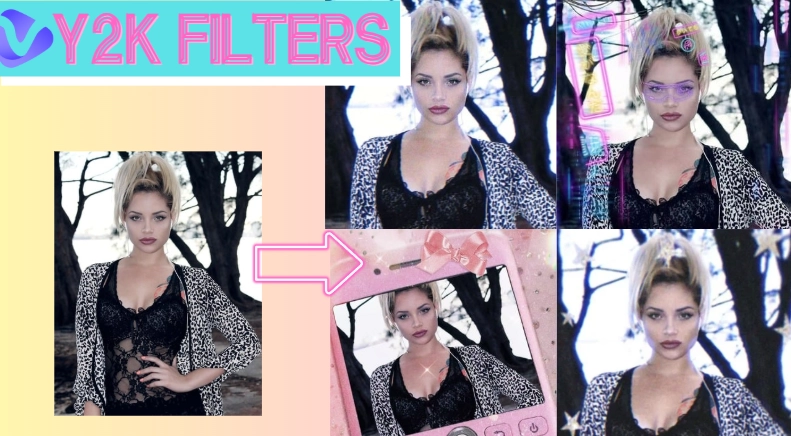
Ready to dive into this nostalgia trend? YESSS! Here we go:
- On This Page
What is a Y2K Filter?
Y2K is a short form for Year 2000 Kilo, which refers to the nostalgic aesthetic of the late 1900s and early 2000s.
You can find a blend of retro futurism, cubism, and city pop style that overflows with bold statement colors, radiant, sparkly textures(like metallics and PVC,) and neon lighting.
As you know, Gen Z or Gen Alpha like to explore, touch, and try everything that has been a part of historical culture, and that's why the Y2K filter goes viral.
On popular social media platforms, especially TikTok and Instagram, you can find the #Y2K has been used over millions times. The new generation take stylish images with the stunning effects of the early digital optimism to express their life attitudes.
Examples of Popular Y2K Filters
- Dreamy Y2K Filter → With soft blush tones, glossy and sparkly effects, this 2000s vibe will easily capture your attention and likes:
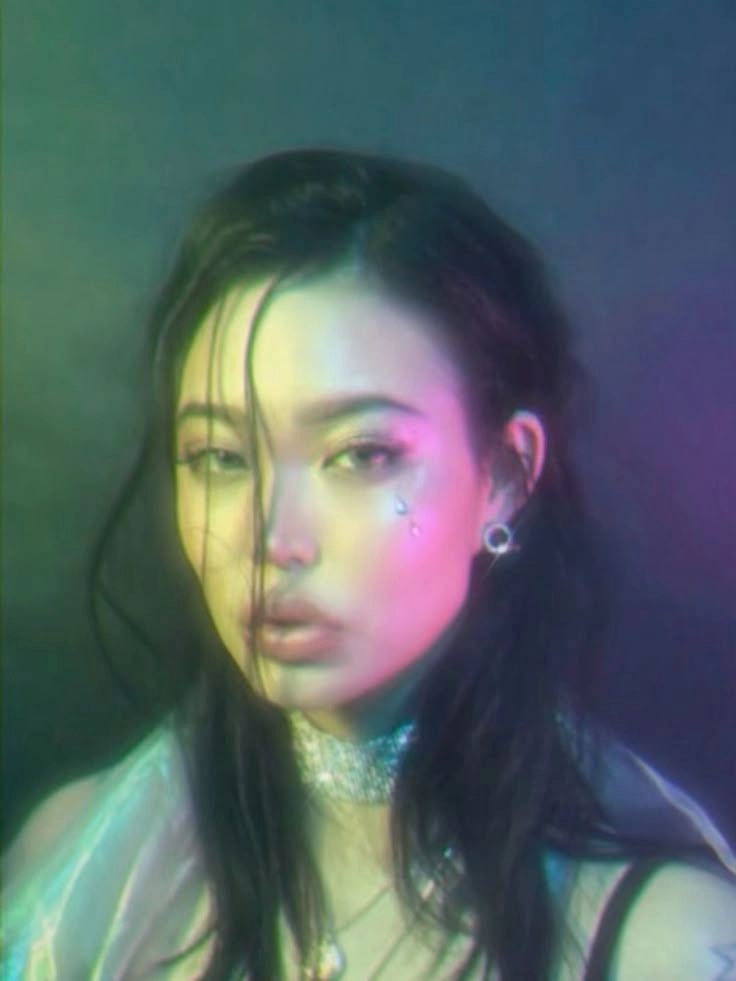
Image from Pinterest @nolankan
- Y2K Vaporwave Filter → It is a purple-pinkish tone with VHS glitches to give the surreal retro vibes in your videos and pictures:
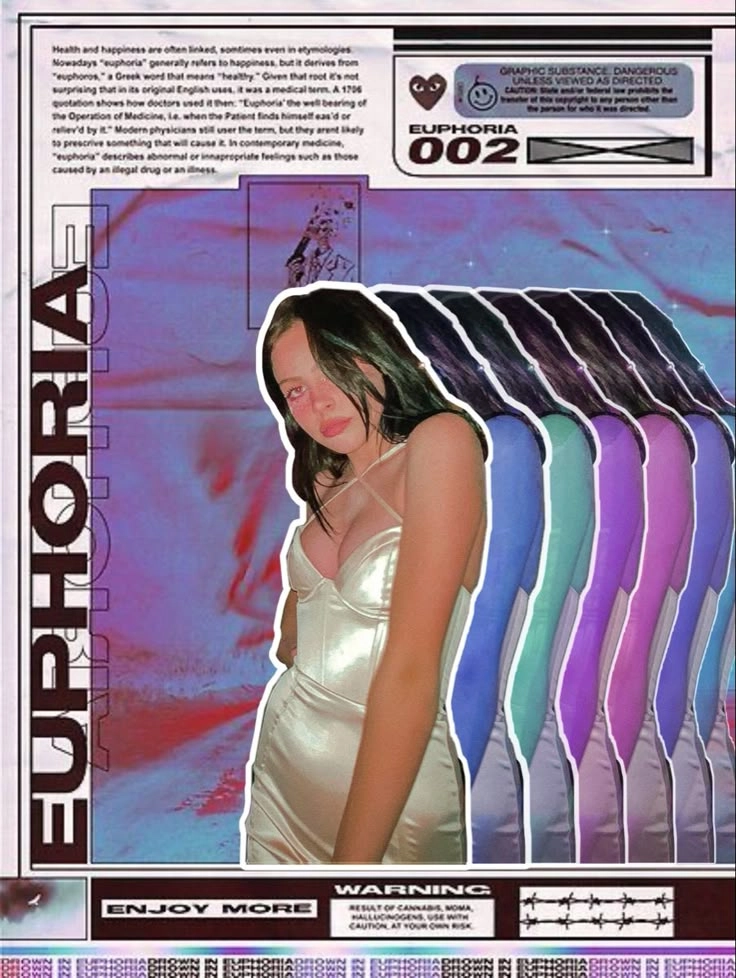
Image from Pinterest @averymaymoser
- Y2K Cyber Filter → If you like the futuristic game style vibe of the early 2000s, then good for you as Y2K cyber filter covers the chrome overlays with high contrast and tech-inspired frames for you:
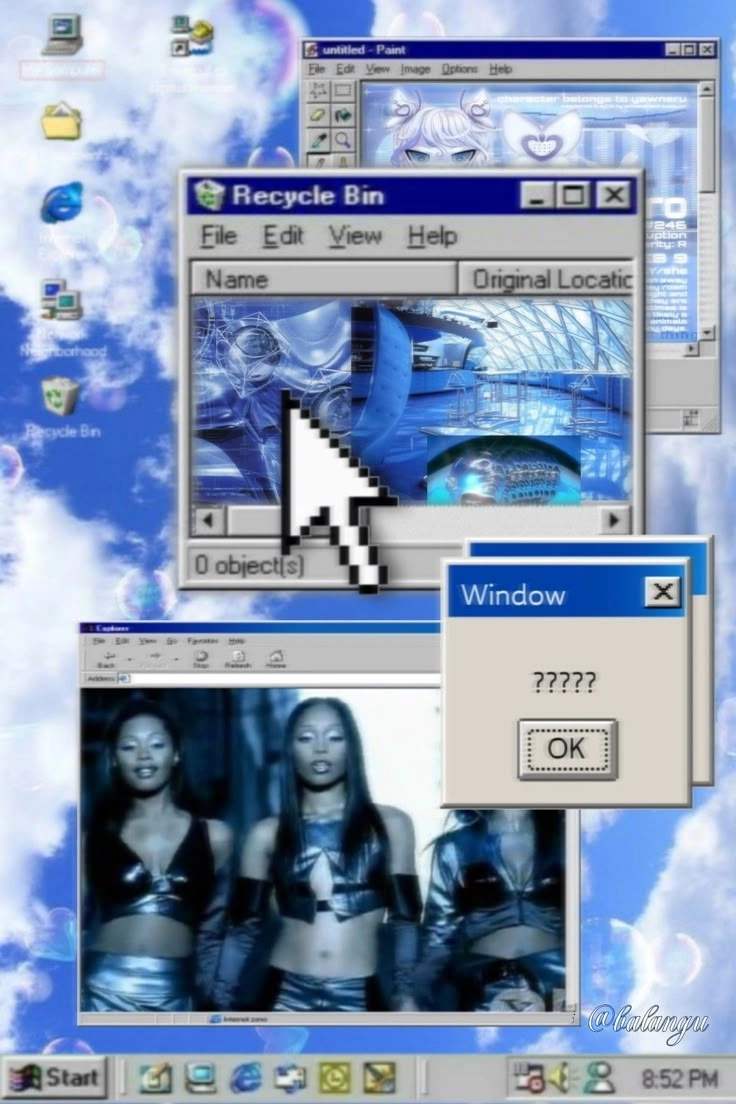
Image from Pinterest @saintsahrai
So how about making yourself a Y2K hottie in photos? It’s time to try some Y2K photo editors.
5 Best Y2K Filter Tools to Create Iconic 2000s Aesthetic Photos
1. TikTok: Filters to Try On Y2K Makeup
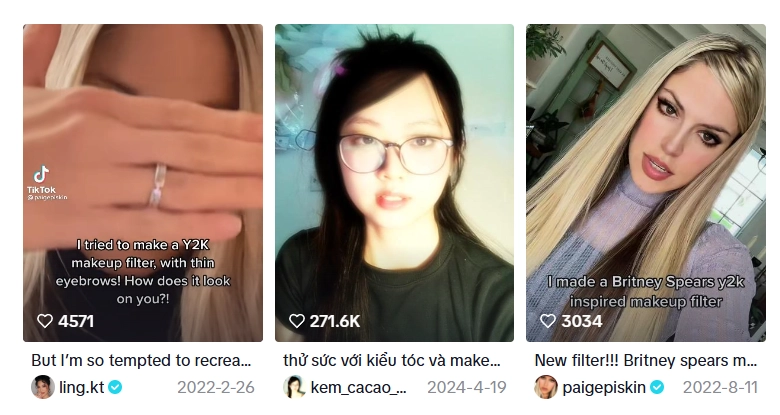
TikTok is the home of trendy filters, so you can find many hot Y2K filters that are flooding the world.
Using the Y2K filter for makeup try-on on TikTok is a good start. It visualizes how attractive you are with a classical Y2K-style makeup.
Glossy lips, frosted eyebrows, popping blush, dewy and glowy skin, and thin eyebrows, this real-time filter will enhance your looks right away.
>> Does the Y2K makeup fit you? Rate it with an AI attractiveness test!
Pros
- Quick Y2K-style makeup transformation;
- Virtual yet natural effects;
- Easy to transform your styles.
Cons
- No customizations;
- The skin tone might not align with your real skin tone.
How to Apply the Y2K Filter:
Step 1.Open your TikTok app.
Step 2.On the bottom bar, you will see the ‘+’ sign. Click on it, and the recording screen will open up.
Step 3.On the bottom, you can see different filters, and click on the search icon.
Step 4.Type in ‘Y2K filters’ or ‘2000s Glam’ ‘Y2K Girl’, then some Y2K related filters will show up.
Step 5.Select the one you like and start enjoying the 2000s glam.
2. Snapchat: Take Selfies with Y2K Cam Filters
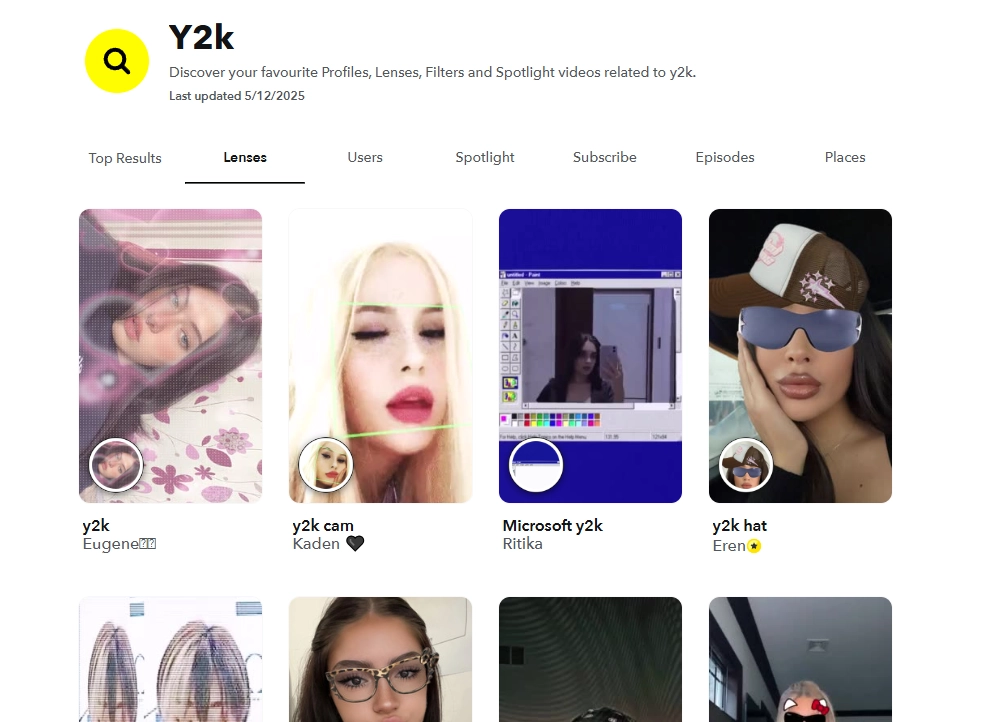
Snapchat keeps launching funny filters, so you can get practical Y2K camera filters here. The cam filter means you can get Y2K-style selfies directly without any post-edit. Besides, other Y2K-related filters like neon glows, glitter overlays, VHS static, pixelated distortions, and grain filters can be used for free on Snapchat.
Pros
- No manual editing required;
- Real-time AR effects allows you engage in the Y2K vibe;
- You can enjoy the Y2K filter in both videos and photos.
How to Apply the Y2K Filter:
Step 1.Go to the Snapchat app;
Step 2.Click on the ‘search icon’;
Step 3.Search for ‘Y2K filters’;
Step 4.Click on any Y2K lens you like, and it will be applied automatically.
You can tap the button to take pictures or long press it to record a video with the Y2K filter.
3. WebCam Toy: Online Y2K Camera Filter Website
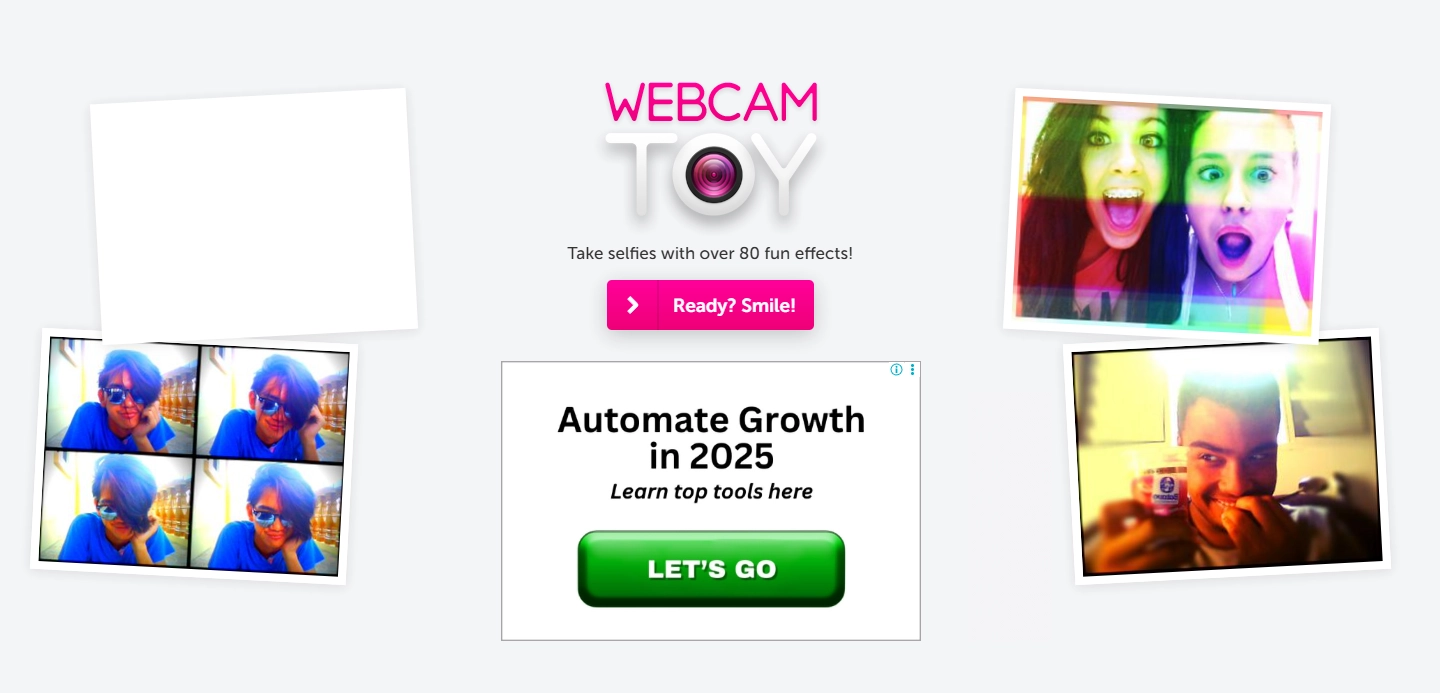
You can shoot Y2K vibe photos with a live webcam, you could try Webcam Toy- one of the best Y2K camera filter websites.
No download and sign-ups, you can find many classical Y2K photo filters. From VHS-style overlays to sparkly cyber-glow distorted effects, you can shoot various Y2K-filtered photo strips like in a vintage photo booth!
Pros
- Free to find and use various Y2K filters;
- It's a web-based app, so you don’t need to download and install;
- Shoot classical Y2K photos like in a photo booth.
Cons
- Can’t record videos with Y2K filters;
- Requires access to your camera.
How to Apply the Y2K Filter:
Step 1.Visit the Webcam Toy site;
Step 2.Click on ‘Ready? Smile!” button;
Step 3.Give access to your device's camera;
Step 4.Click on ‘More effects’ to find proper Y2K filters:
Step 5.Select an effect
‘Take a Photo’ and get the Y2K style image for free!
4. Adobe Photoshop: Add Eye-Catching Y2K Filters to Photos
If you want to customize and craft your own version of the Y2K filter, then welcome the powerhouse of editing, Adobe Photoshop.
It offers more control over editing your photo like you can even change the background to match the Y2K vibe.
You can customize your video by adding neon hues, plastic-shine effects, vaporwave gradients, reflective texts – in short, every Y2K element you want to add into a basic photo.
Pros
- Unlimited customization;
- Professional quality for Y2K photo edit;
- Multiple dynamic editing elements to create your own Y2K filters.
Cons
- Requires highly editing skills;
- Demand for time and effort.
How to Apply the Y2K Filter:
Let’s create a dreamy and blurry Y2K-style image using Adobe Photoshop:
Step 1.Import the image you want to transform to Photoshop;
Step 2.Duplicate the image for further Y2K filter making;
Step 3.Select the top layer and customize it:
- On the uppermost bar, click on the Filter > Blur > Lens Blur:
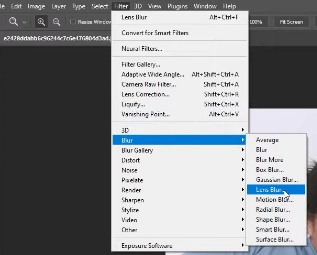
Image from YouTube @envatotuts
- Adjust the parameters, like taking the ‘Radius’ to 90 and keeping the others at ‘0’. Then click ‘OK’.
- On the ‘Layers’ section, go to blending mode and select ‘Screen’.
Step 4.Merge image layers:
- ‘Adjustments’ > click on the graph icon > adjust the curves of the layer:
5. Canva: The Y2K Photo Editor for Adding More 2000s Vibes
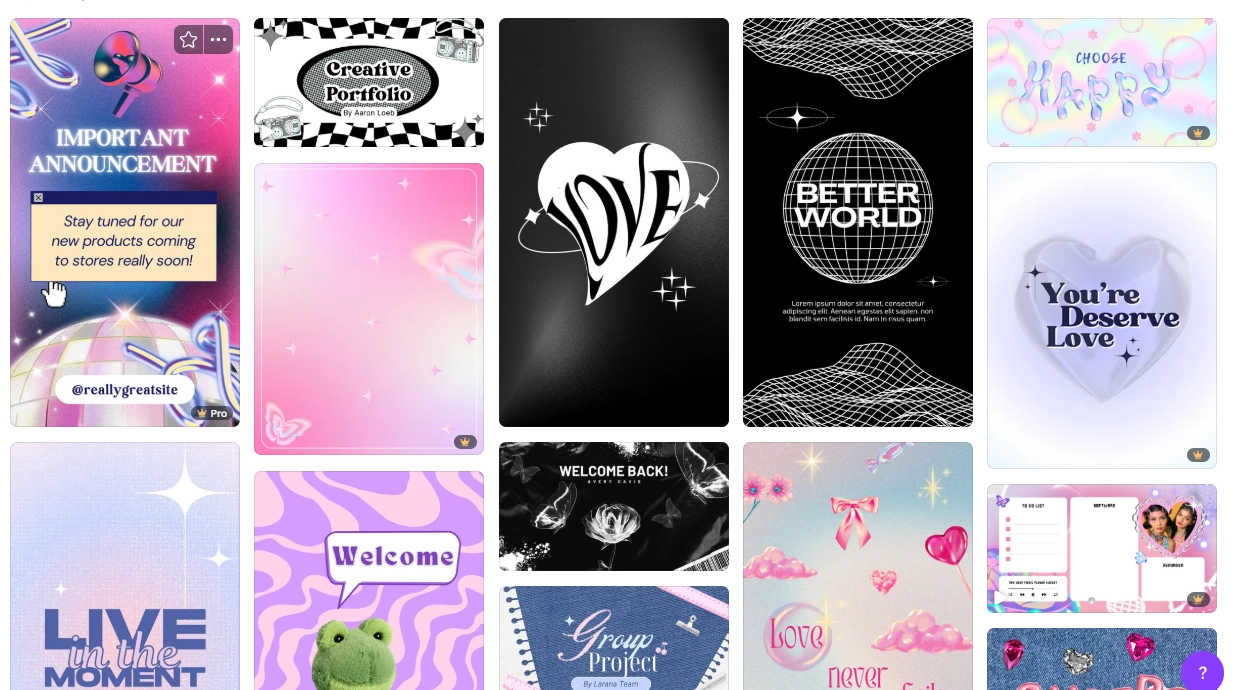
Your selfies are shining now with those impressive Y2K filters, then how about to make them more dramatic? You can place yourself into a Y2K-style background.
In Canva, thousands of customizable templates with Y2K aesthetic are available. You can just drag and drop your cut-outs, then you will quickly get stunning Y2K flair.
Pros
- Easy to personalize Y2K-style images;
- Available for deep customization.
Cons
- Watermark comes with paid elements.
How to Apply the Y2K Filter:
Step 1.Search for Y2K filters in Canva;
Step 2.Select a template you like and customize it;
On the left side, you will find all the required options for designing, you can customize the photo and create an amazing Y2K filter photo online!
What Can You Do With Y2K-Filtered Photos?
#1. Post Social Media Feeds
You can keep up with the Y2K trend by posting it on your Instagram or TikTok. Don’t forget to add hashtags like #Y2Kaesthetic, #Retrovibes, #cyberY2K #2000svibe, etc.
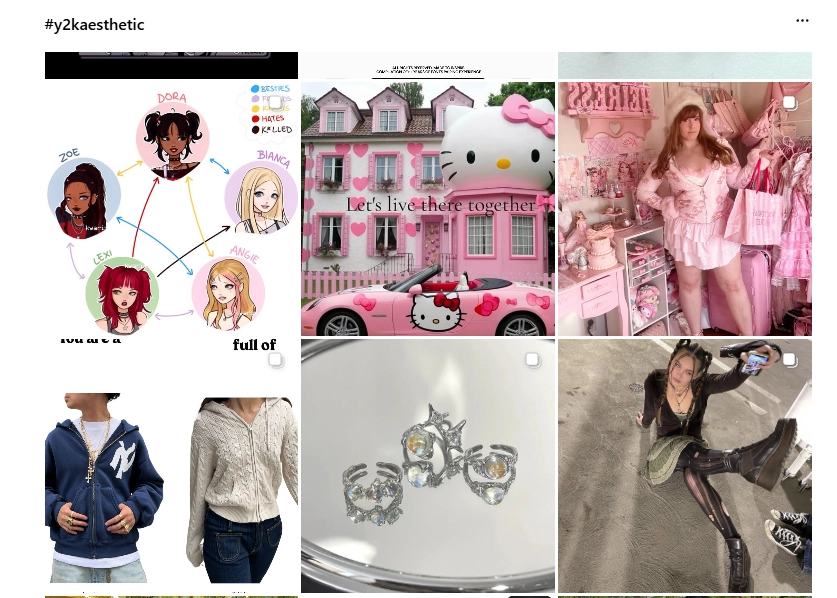
>> Dress-up trending Y2K items with AI Clothes Changer!
#2. Custom Catchy Y2K Avatars/Wallpapers
Your personalized Y2K photos can be your avatars that show your taste and styles. Or you can use it as your mobile’s wallpaper.
#3. Create Y2K-Style Videos
You can create videos or turn your photos into dreamy Y2K-like music videos, memoir videos. This task can be easily done by a free AI video generator - Vidnoz AI.
This video generator can help you create Y2K-style videos quickly with sophisticated video templates.

Vidnoz AI - Create Free Engaging AI Video with Talking Avatar
- Easily create professional AI videos with realistic avatars.
- Text-to-speech lip sync voices of different languages.
- 2800+ video templates for multiple scenarios.
Wrap-Up
To bring your own back to the iconic 2000s, Y2K filter helps a lot. From TikTok Y2K makeup filters to customize unique images on Adobe Photoshop, you can now catch up this hot vintage style.
But don’t just let your Y2K-filtered images stay in your photo library! Use it as your avatars or wallpapers, and even create videos to relive the aesthetic. And when it comes to easy video making, Vidnoz free AI video generator will always power-up your ideas!