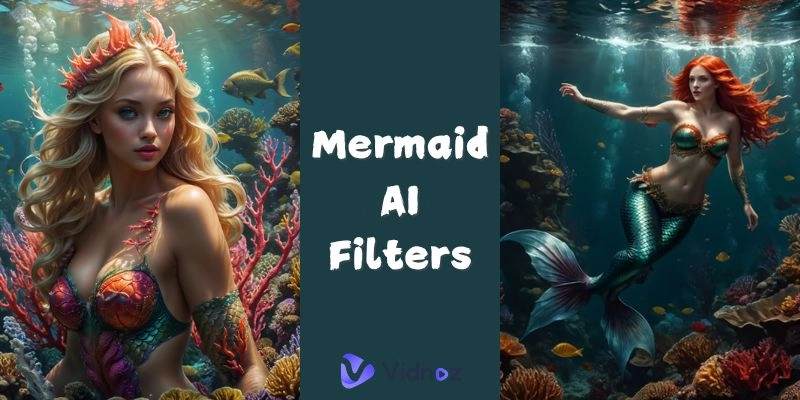
Ever wish that you could turn into a mermaid? That dream is now within reach with the Mermaid AI technology. Mermaid AI filter is what you need to turn any simple picture or video into a magic underwater piece with magic tails, shimmery hair, and ocean air.
In this blog, you will find out what the Mermaid AI filter is all about, why it has gone viral, and how to create awesomely beautiful AI mermaid art. You will also get to know about the best tools on the market and how to start creating content using AI mermaid filters to share. Let us jump in then!
- On This Page
-
Mermaid AI Filter – Definition & Why It Became a Trend
-
How to Create Mermaid AI Filter Photos & Stunning Videos
Step 1: Choose the Right Mermaid AI Filter Platform
Step 2: Upload Your Desired Photo or Video
Step 3: Convert Your Mermaid Photo and Video
-
Top 5 Mermaid AI Filter Platforms to Convert Anything to Mermaid Style
1. YouCam Online Editor Online AI Mermaid Filter
2. Wondershare Virbo Free AI Mermaid Filter
3. Media.io AI Mermaid Filter
4. Supawork AI Mermaid Filter
-
Get Started With Vidnoz AI Filters: Try the Top Trending AI Effects
How to Create an AI Effect Video with Vidnoz AI:
Mermaid AI Filter – Definition & Why It Became a Trend
Mermaid AI filter is one of those AI-based digital filters that allow you to transform any image or video into a mystical, mermaid-type one. The platform allows you to transform your media with mystical tails, serene underwater backgrounds, radiant scales, and ethereal effects by utilizing artificial intelligence. AI mermaid conversions inject fantasy into your social media posts, profile pics, and videos, turning them into visual showstoppers and making them memorable.
The popularity of the internet trend on TikTok and Instagram AI trend has made the Mermaid AI filter one of the top favorites. People love discovering new makeovers, and it is one of those that hits home on fantasy, nostalgia, and entertainment. It is time to try the AI mermaid filter and capture memorable moments and shots.
How to Create Mermaid AI Filter Photos & Stunning Videos
It is also far easier than you might expect to take a photo or create a video in the format of Mermaid AI, even though in the past, you might not have used AI tools. Looking to transform into a beautiful AI mermaid is as simple as these steps:
Step 1: Choose the Right Mermaid AI Filter Platform
Choose a Mermaid AI video filter platform that meets your particular requirements, it can be a speedy selfie or a professional video. The free and premium options will be available online.
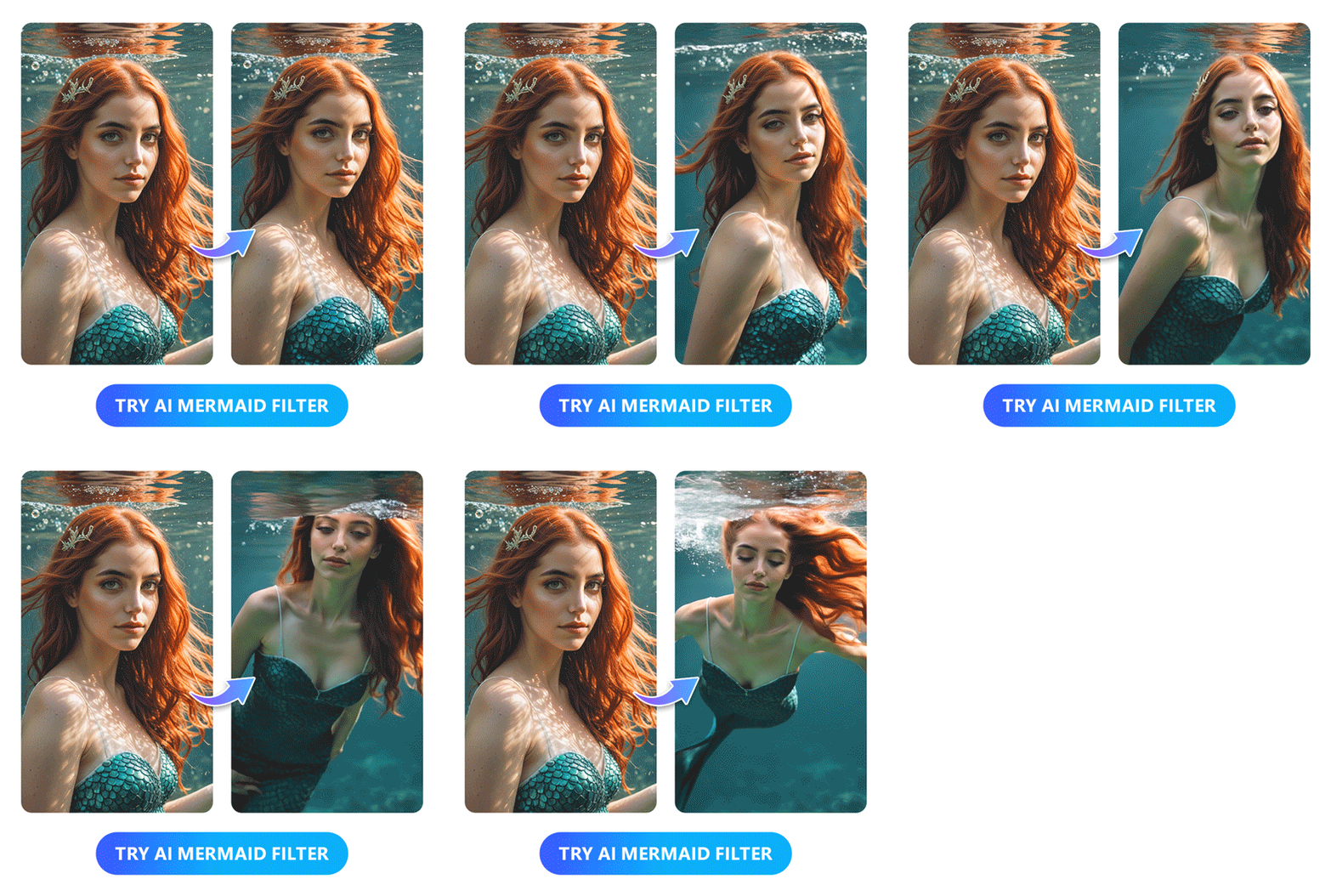
Image from cyberlink.com
Step 2: Upload Your Desired Photo or Video
Choose a picture or video that you like the most. You may select a selfie, a portrait, or a short video. The majority of mermaid AI art generators perform better with explicit images in which you can see your face.
Step 3: Convert Your Mermaid Photo and Video
Select the AI mermaid filter, edit, and save your work as the final output. Some tools can enable you to add more effects, backgrounds, or animations that make the underwater magic just perfect.
Top 5 Mermaid AI Filter Platforms to Convert Anything to Mermaid Style
Since you have an idea of how simple it is now, it is time to discover the five most popular Mermaid AI filter websites in 2026. Both have exclusive characteristics; thus, you can choose the one to fulfill your creative imagination.
1. YouCam Online Editor Online AI Mermaid Filter

The AI mermaid filter on YouCam is one of the most popular online tools that can transform your selfies into those of a mermaid or Grinch filter style in just seconds. Its straightforward interface ensures that it is easy to use for beginners and those who need to obtain results quickly without any fuss.
Available for: Photos and short videos.
Result: Generates high-resolution mermaid AI art featuring glowing underwater features, lifelike mermaid tails, and underwater scenery.
Best For: It’s best for social media users who want to see high-quality mermaid edits that can be shared without complicated editing techniques.
2. Wondershare Virbo Free AI Mermaid Filter

Virbo offers an AI-powered mermaid filter with a user-friendly interface and high customization options. It is designed to help every person create magical AI mermaid content with just a few clicks, even without prior editing experience.
Available for: Photos and videos.
Result: Videos of colorful AI mermaids with animated water, shiny scales, and a cartoon-like look.
Best For: Production studios that require entertaining, dynamic transformations of their mermaids for TikTok and Instagram Reels.
3. Media.io AI Mermaid Filter

The Media.io mermaid AI filter has been identified as fast and easy to use. Take one photo, select a mermaid style out of a range of different models, and make it in seconds. It features a range of fantasy filter types, including deep-sea shimmer and coral-glowing.
Available for: Videos only.
Result: Perfect 3D animation mermaid AI art that fits well into profile pictures, digital drawings, and fantasy edits.
Best For: Any person who desires a fast and artistic AI mermaid transfer without a video edit.
4. Supawork AI Mermaid Filter

The Mermaid AI filter offered by Supawork is a combination of fantasy design, cartoon filters, and humorous backgrounds. It provides an easy customization option, facilitated by its drag-and-drop editing features.
Available for: Photos and limited video functionality.
Result: Cartoonish, underwater-themed, bright, and playful images of AI mermaids.
Best For: Teenagers, children, and casual users who adore lighthearted animated graphics and fantasy-based images.

Vidnoz AI - Create Free Engaging AI Video with Talking Avatar
- Easily create professional AI videos with realistic avatars.
- Text-to-speech lip sync voices of different languages.
- 2800+ video templates for multiple scenarios.
5. TikTok Mermaid Filter

One of the most viral TikTok options is the built-in mermaid AI TikTok filter. It is engaging, enjoyable, and perfectly compatible with TikTok's editing functions. The filter is suitable for use with live and motion content, as it automatically adjusts to the movement of the face.
Available for: Short-form videos only.
Result: Animated AI mermaid transformations that sync with trending sounds and challenges.
Best For: TikTok users who are planning to stay ahead of the new mermaid AI trends.
Get Started With Vidnoz AI Filters: Try the Top Trending AI Effects
In addition to the AI mermaid filters, the AI-based video effects are dominating social media. Machine learning works as an AI filter to apply stylish filters to already edited photos or videos. They help you create viral content with ease, particularly on TikTok, YouTube Shorts, and Instagram.

Among the prominent ones is Vidnoz AI. This free AI video generator features all the trendy AI filters, including old-age filters, cartoon avatars, time-travel filters, and, yes, even mermaid-inspired filters. Vidnoz gives you the possibility to format your videos with animation, filter them, and even add storytelling levels with the help of AI voiceovers. The most amazing part of it? No designing skills needed. Just post, click, and create.
How to Create an AI Effect Video with Vidnoz AI:
Step 1. Go to Vidnoz AI Image to Video feature page and create an account.
Step 2. Upload your preferred image and select an AI filter.
Step 3. Click ‘Generate Now’ to see your final AI filter video.
The Bottom Line
One of the most hyped trends as regards making fantasy real in your photos and videos is the Mermaid AI trend. It will enable you to create dreamy and attention-grabbing mermaid AI art in just a matter of moments, using tools such as YouCam, Virbo, Media.io, Supawork, and the AI mermaid filter in TikTok. To be even more creative, options such as Vidnoz AI are available with more trending effects, including those beyond an ocean theme. Then why not? Jump into the universe of the Mermaid AI and feed your imagination because you are only a click away from magic and viral-worthy content.







.webp)