Thanks to AI Grinch filters, the leisure time got a whole lot funnier! Whether you want to prank your friends, spice up your social media, or just embrace your inner grouch, these hilarious AI Grinch filters let you morph into the iconic green character with just a click. From Grinch face filters that add pointy ears and a mischievous smirk to full-body transformations, there are plenty of ways for you to become such an interesting character.

In this guide, we’ll explore the top 5 Grinch filters that will make you look funny as if you are a character from the Grinch world online - perfect for sharing a laugh!
- On This Page
-
Grinch Filters - Definition & Why They Are Favored
-
Top 5 AI Grinch Filters Online for a Unique Grinch Character
1. TikTok: Create a Grinch Version of Yourself in a Video
2. OpenArt: Convert Photos to Grinch Cartoon Style
3. Snapchat: Generate a Stunning Video with an AI Grinch Lens
4. LightX: Craft Your Grinch Look with a Customizable Grinch Filter
5. YouCam Perfect: Make a New Grinch Character with AI Replace
-
Examples of Photos with AI Grinch Filters
-
Bonus: Make a Photo with Funny Grinch Filter Talk Free Online
Grinch Filters - Definition & Why They Are Favored
A Grinch filter refers to a fun AI tool that changes your face to look like the Grinch - a famous green and grouchy character from How the Grinch Stole Christmas. With these AI filters, your pictures or videos will get Felix’s pointy ears, yellow eyes and sneaky smile.
People love using Grinch filters online because:
● They’re easy and free - just snap a pic and transform instantly.
● Perfect for holiday jokes, social media posts, or funny videos creation.
● Great for Christmas-themed parties and virtual celebrations.
● Works on apps like Instagram and TikTok with Grinch face filters.
Vidnoz AI - Create Free Engaging AI Video with Talking Avatar
- Easily create professional AI videos with realistic avatars.
- Text-to-speech lip sync voices of different languages.
- 2800+ video templates for multiple scenarios.
Top 5 AI Grinch Filters Online for a Unique Grinch Character
Ready to turn your face into the Grinch? These top 5 AI Grinch filters make it easy and fun! Whether you want a silly selfie or a full Grinch transformation, these tools work online. Let’s explore the best options - just pick your favorite one and start grinning like the Grinch!
1. TikTok: Create a Grinch Version of Yourself in a Video
Want to become the Grinch in seconds? TikTok AI Grinch photo filter lets you transform into the iconic green character with just a tap! There are many Grinch face filters to use such as the usual green skin and yellow, along with holiday effects. Such AI filters perform great in detail. Perfect for funny videos, Christmas posts, or pranking friends, these filters work instantly - no editing skills needed.
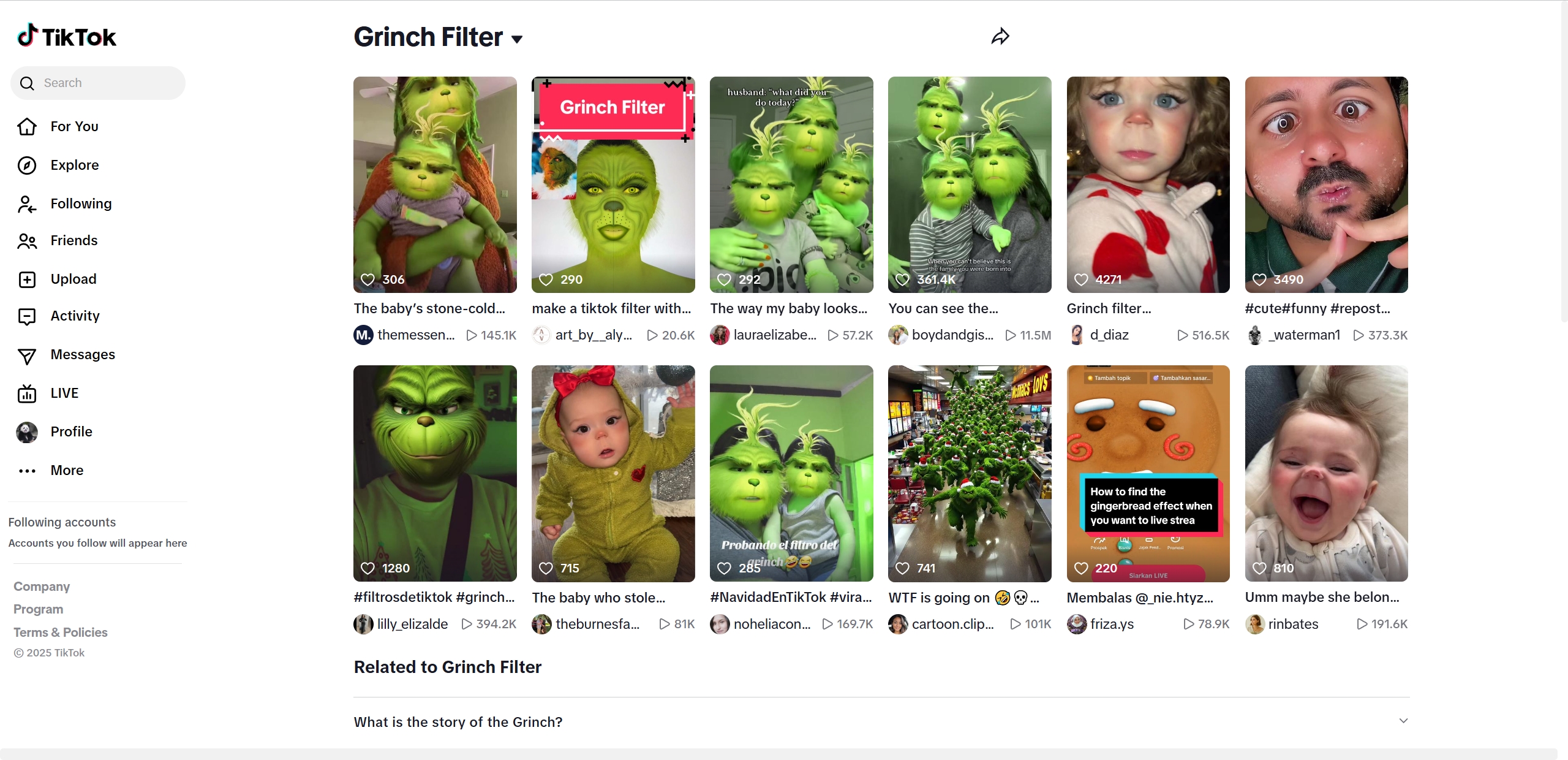
Key Feature
- The filters in TikTok include different Grinch looks.
- Real-time face tracking for smooth animations.
- Easy sharing on TikTok, Instagram, and other platforms.
How to Use the TikTok AI Grinch Filter?
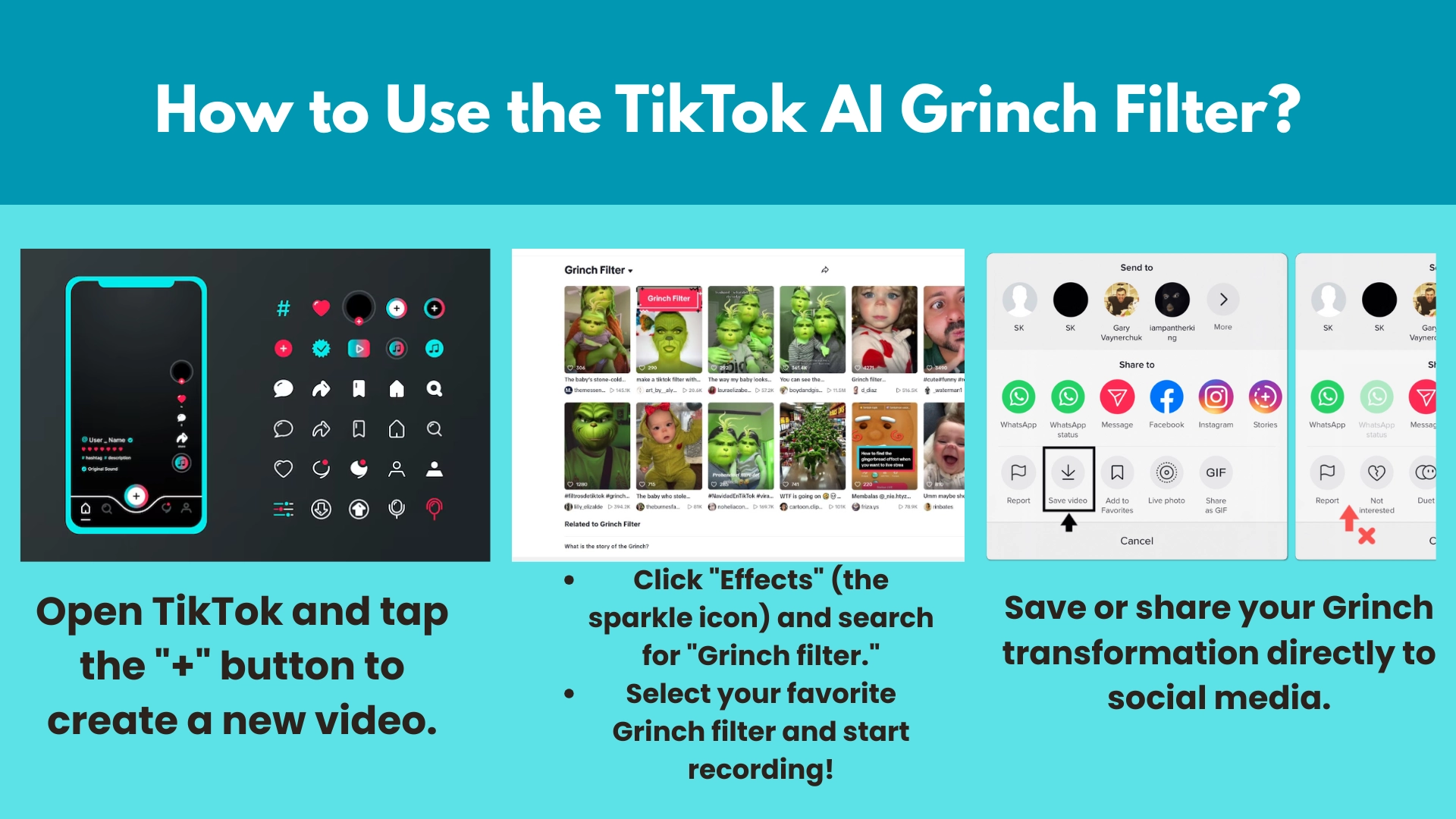
Step 1. Open TikTok and tap the "+" button to create a new video.
Step 2. Click "Effects" (the sparkle icon) and search for "Grinch filter".
Step 3. Select your favorite Grinch filter and start recording!
Step 4. Save or share your Grinch transformation directly to social media.
2. OpenArt: Convert Photos to Grinch Cartoon Style
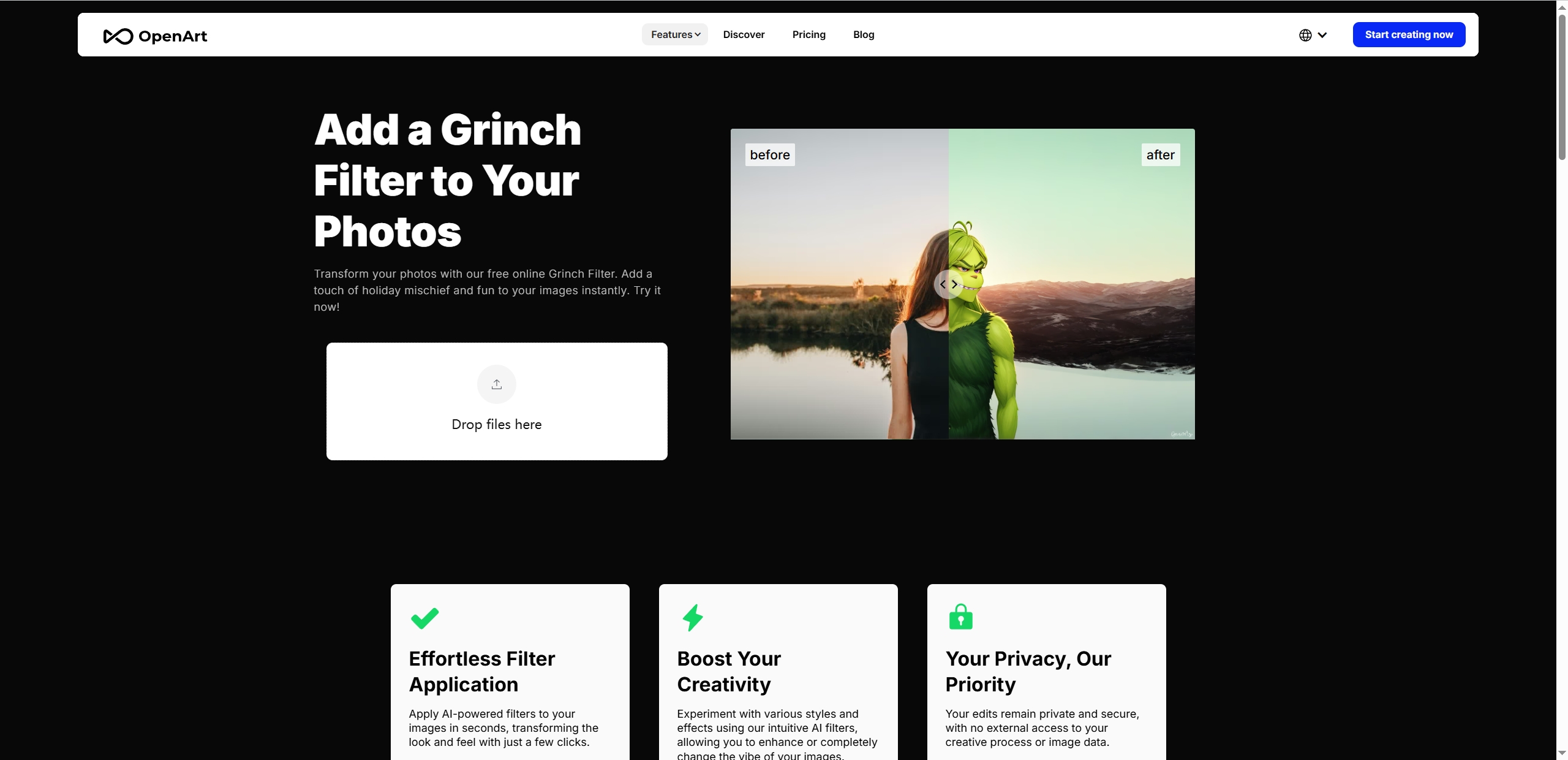
OpenArt is an amazing AI photo editing software that can transform your images into the hilarious Grinch style. Not only does it provide smooth face editing, but it also makes the images with a Grinch filter stand out online. The advanced image editing AI will precisely capture the faces in the uploaded images, then convert them into Grinch appearance in a second. Whether you tend to attract the public’s attention or just please yourself, it can be one of the most indispensable choices for you.
Key Feature
- One-click Grinch conversion – No design experience needed.
- High-quality Grinch photo filter results.
- Download and share instantly.
How to Use the OpenArt AI Grinch Filter?
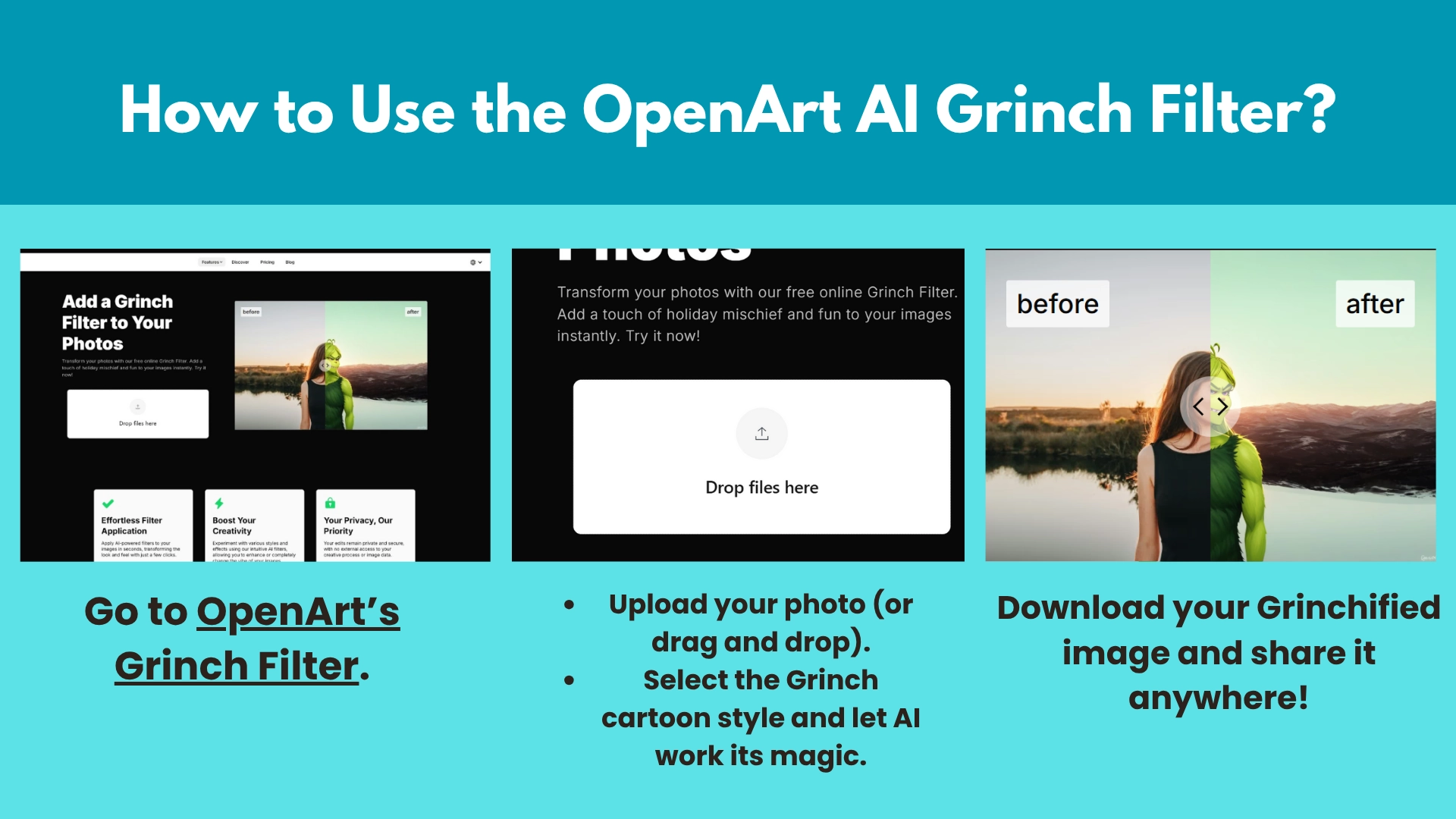
Step 1. Go to OpenArt AI Grinch Filter.
Step 2. Upload your photo (or drag and drop).
Step 3. Select the Grinch cartoon style and let AI work its magic.
Step 4. Download your Grinchified image and share it anywhere!
3. Snapchat: Generate a Stunning Video with an AI Grinch Lens
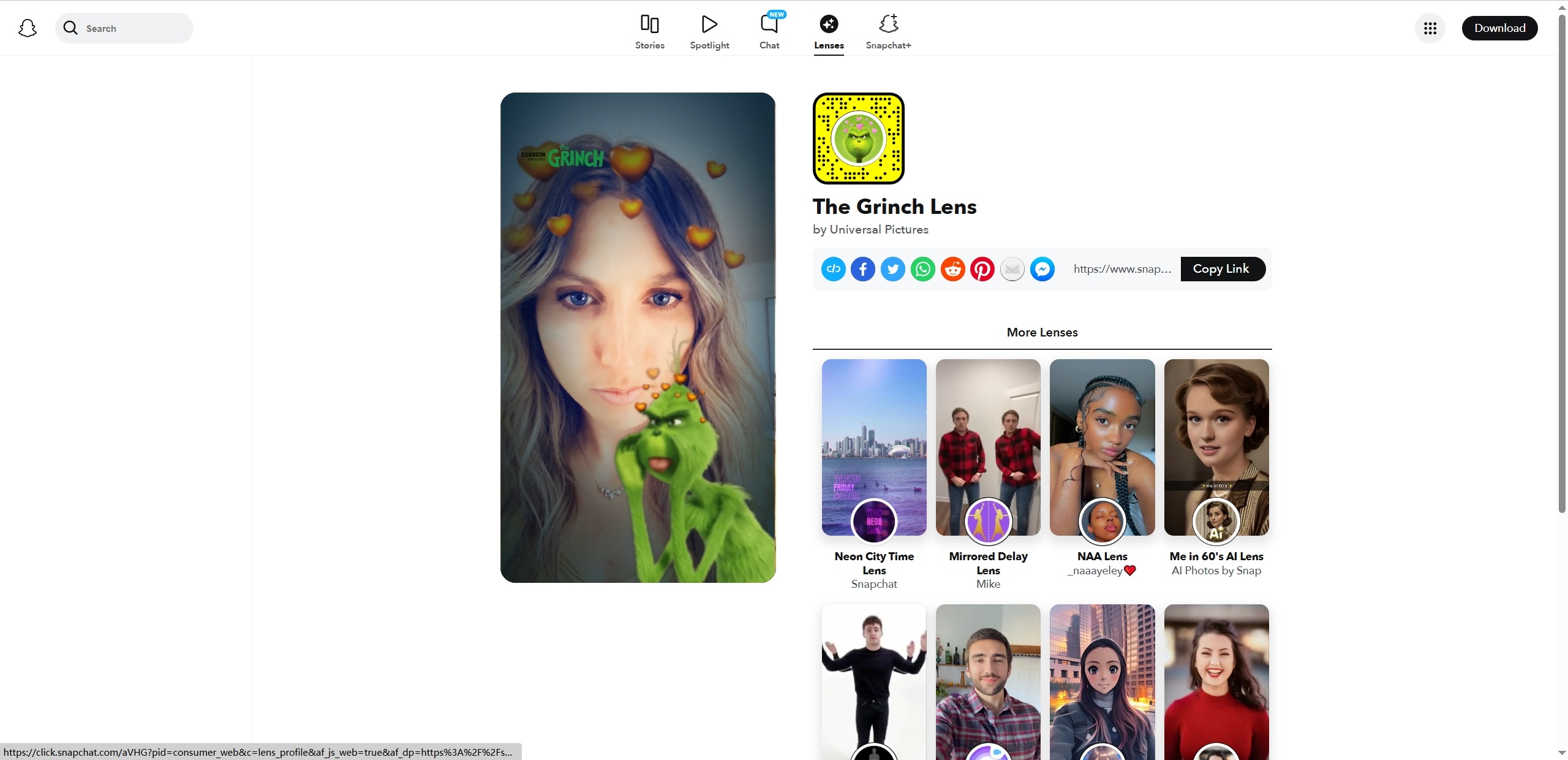
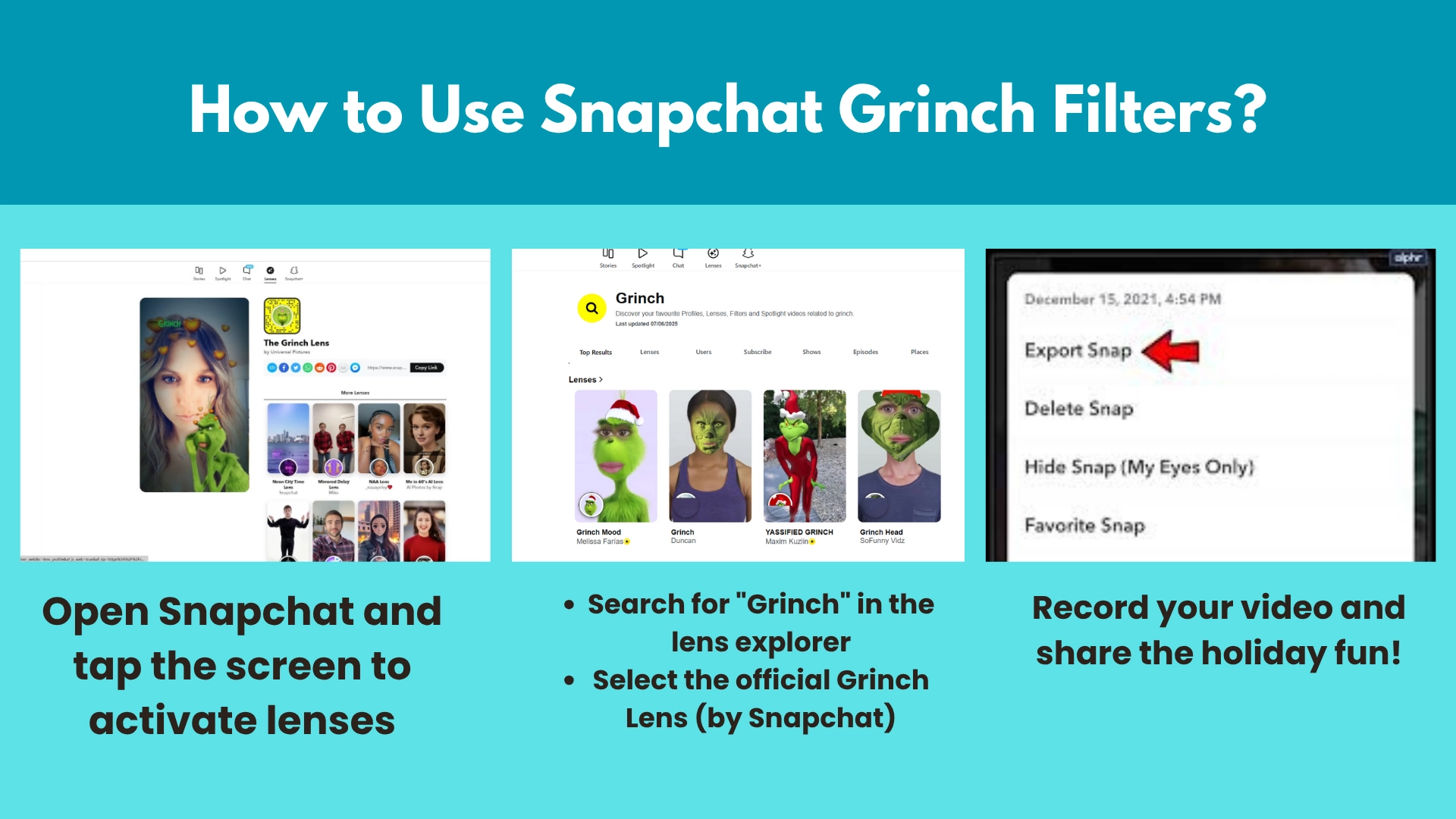
Snapchat offers a magic lens that supports making images eye-catching with interesting effects. It instantly transforms your face into the classic green troublemaker, complete with animated facial expressions. Perfect for creating shareable videos, this Grinch filter on Snapchat works in real-time. Simply apply the AI Grinch lens when you’re taking photos or making videos, then you can watch the magic that easily turns yourself to a Grinch character online for free.
Key Feature
- The Grinch transforms live on the user’s face with facial tracking function.
- Easy sharing to Instagram, Facebook & other platforms.
- Discover more fun lenses like Loop Me and Anime Me.
How to Use It?
Step 1. Open Snapchat and tap the screen to activate lenses.
Step 2. Search for "Grinch" in the lens explorer.
Step 3. Select the official Grinch Lens (by Snapchat).
Step 4. Record your video and share it on social media!
4. LightX: Craft Your Grinch Look with a Customizable Grinch Filter
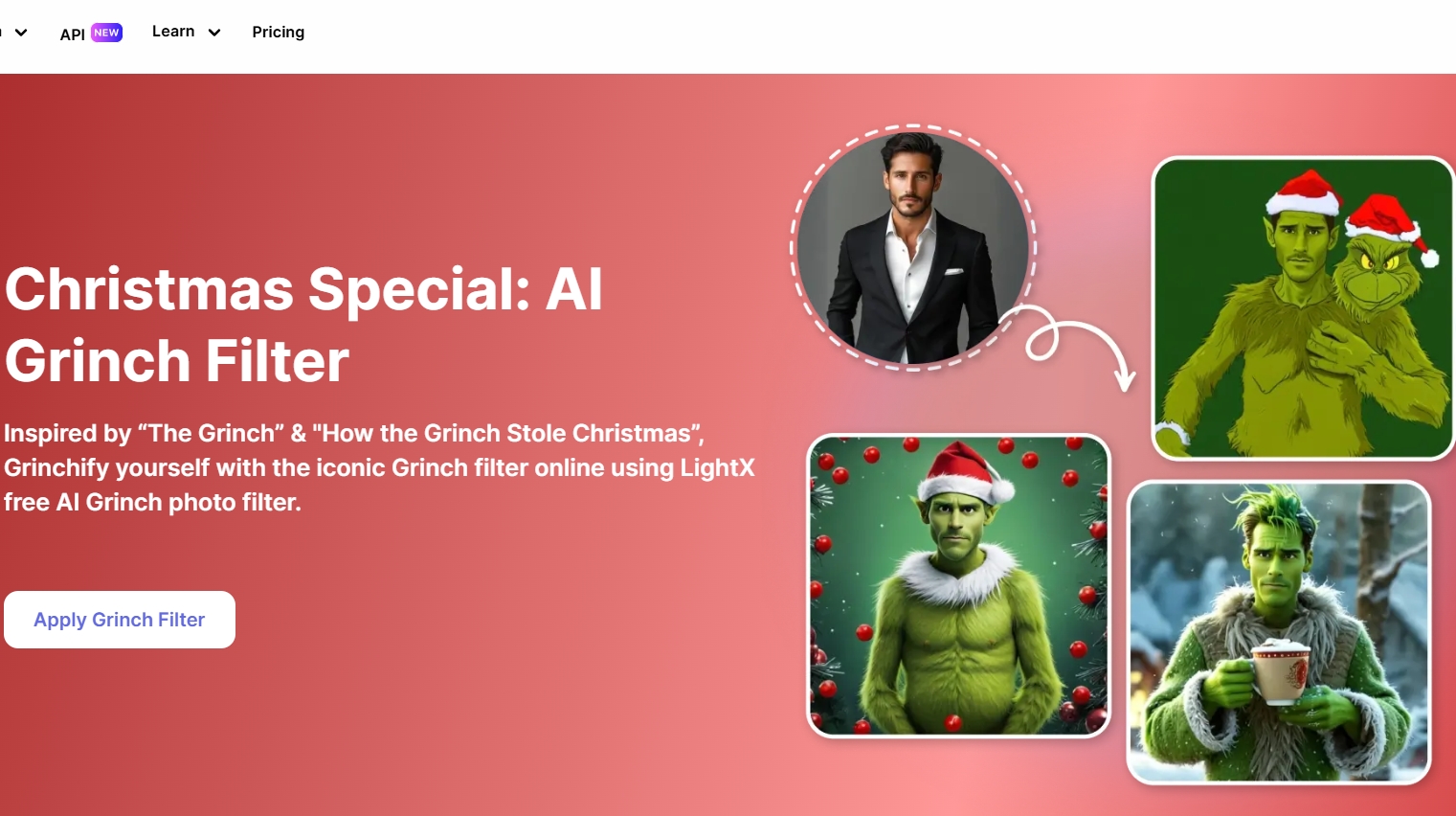
LightX is a simple online platform, it offers a built-in AI Grinch filter to the users who tend to have fun with the Grinch look. Featuring customizable options, it allows users to create their own appearance by adjusting the Grinch filter in detail (from art style to background). Unlike basic filters, this AI tool gives advanced editing options while keeping the process simple for beginners.
Key Feature
- Customizable image editing options.
- Works with JPEG & PNG formats.
- No watermark on downloaded images.
How to Use It?
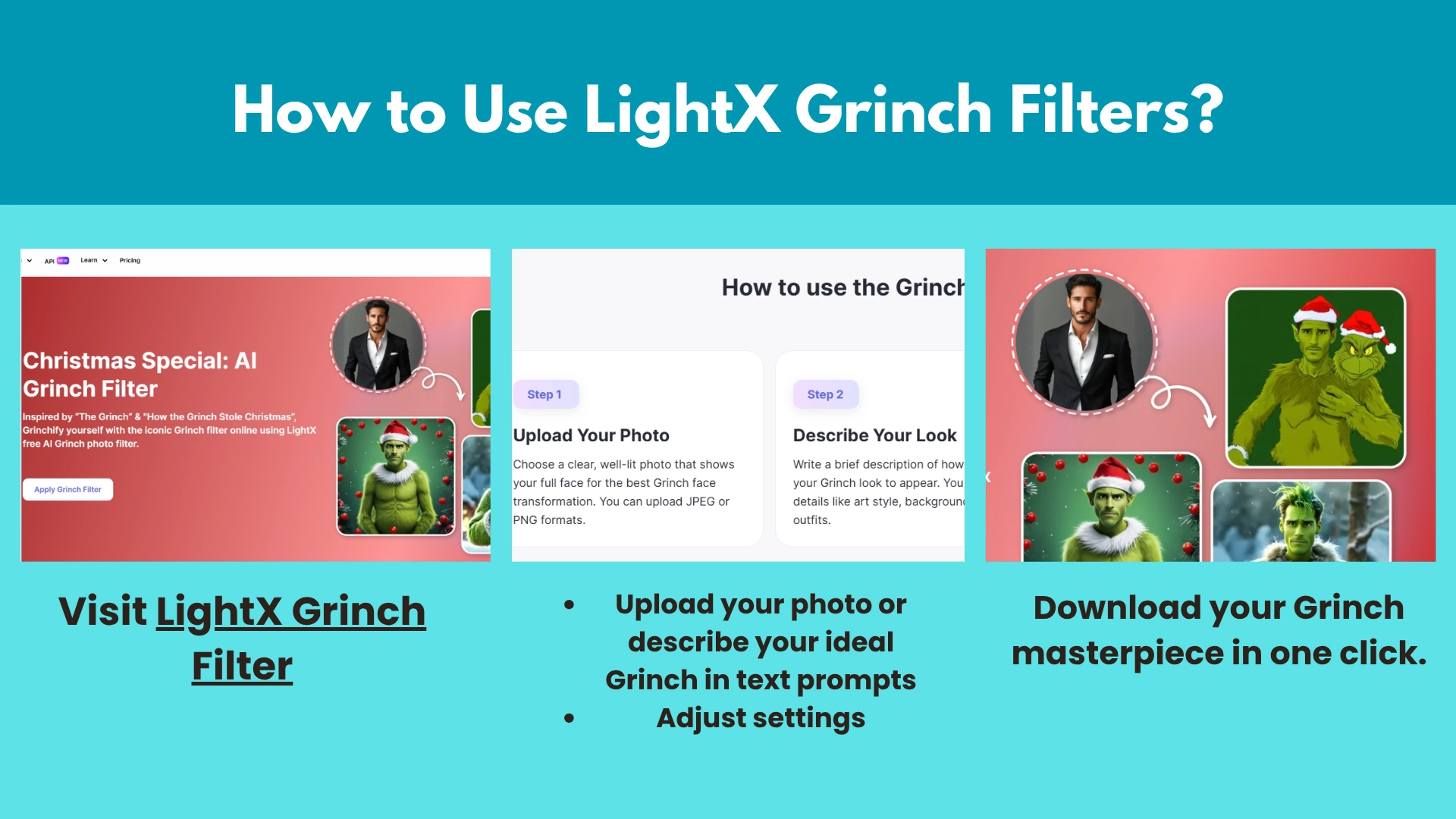
Step 1. Visit LightX Grinch Filter.
Step 2. Upload your photo or describe your ideal Grinch in text prompts.
Step 3. Adjust settings in detail.
Step 4. Download your Grinch masterpiece in one click.
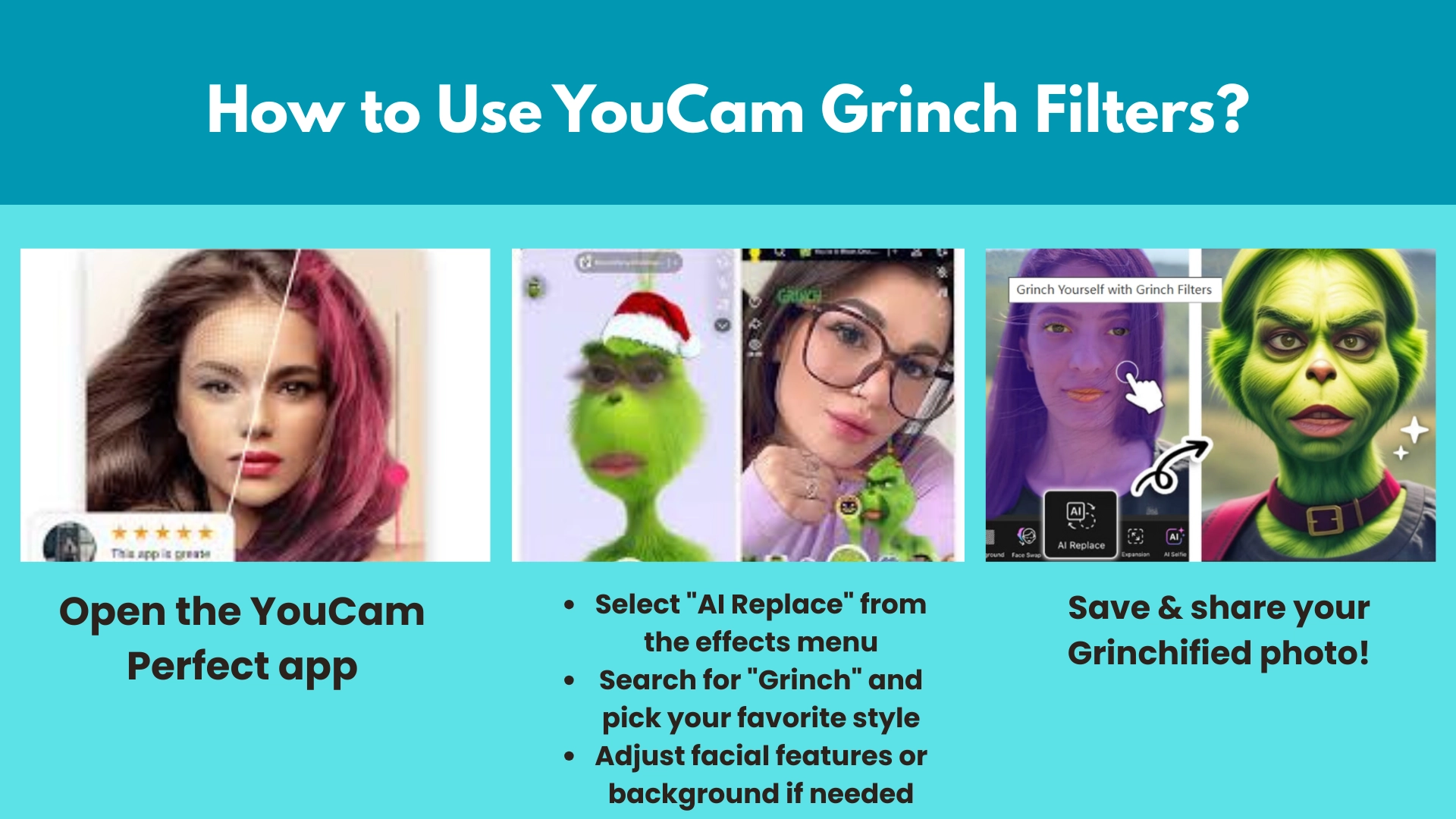
5. YouCam Perfect: Make a New Grinch Character with AI Replace
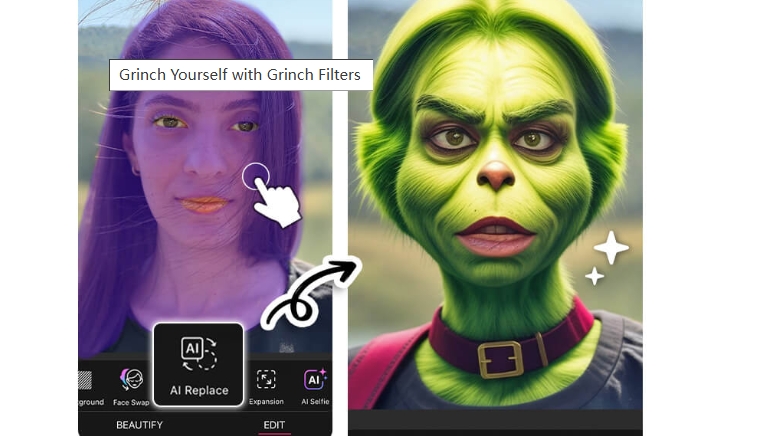
If you are wondering how you can make yourself a Grinch look, here you should not miss the YouCam Perfect. This best filter app for selfies lets you replace face in photo with the classic green character using the AI Replace function in seconds, with no manual editing needed. It also allows you to manually edit your selfies and convert the photos to a Grinch-style one in several clicks. Want more control? You can also fine-tune your Grinch photo filter results with advanced tools.
Key Feature
- One-tap AI Grinch face transformation.
- Manual editing options for custom looks.
- High-quality HD output for social media.
How to Use It?
Step 1. Open the YouCam Perfect app.
Step 2. Select "AI Replace" from the effects menu.
Step 3. Search for "Grinch" and pick your favorite style.
Step 4. Adjust facial features or background if needed.
Step 5. Save & share your Grinchified photo!
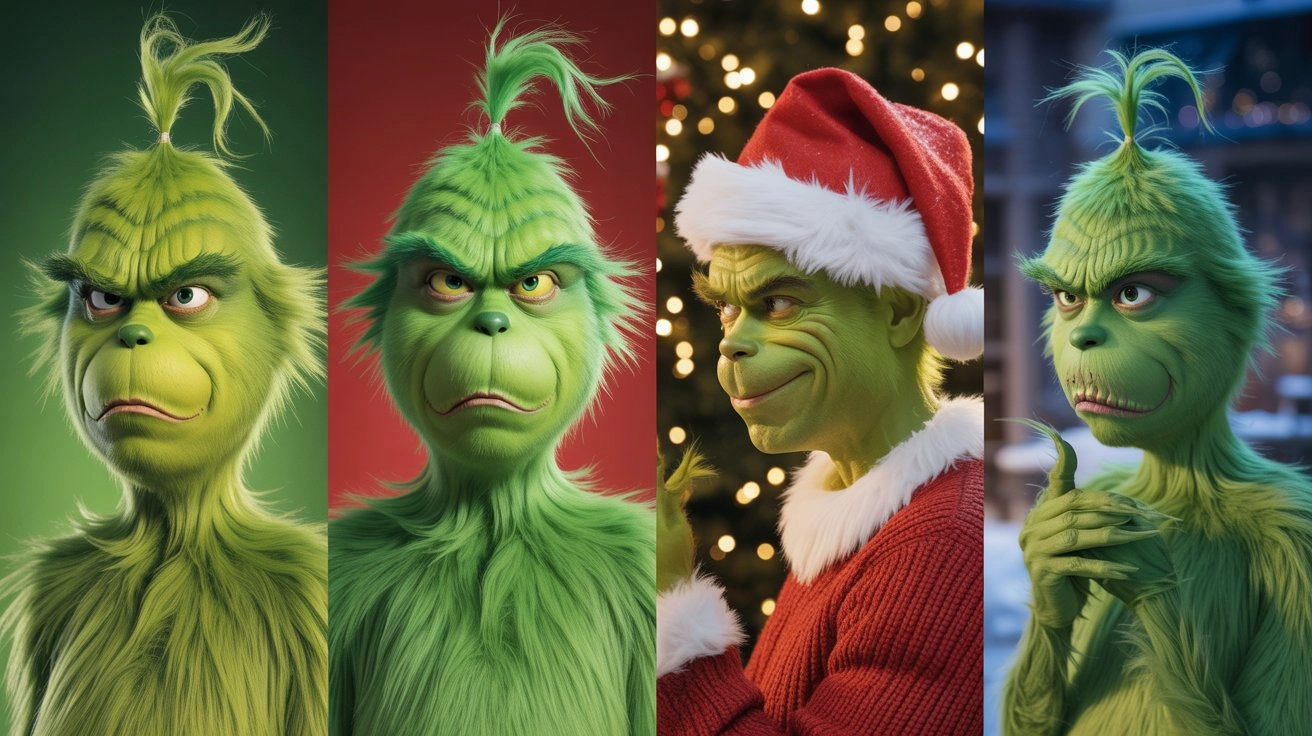
Examples of Photos with AI Grinch Filters
Below are four examples of photos transformed with different AI Grinch filters - from cartoon-style edits to realistic green-faced makeovers.
Bonus: Make a Photo with Funny Grinch Filter Talk Free Online
Want to take your Grinch filters online to the next level? Imagine making your Grinch photo actually talk - saying funny holiday quotes or even singing! Thanks to Vidnoz free AI video generator, this viral trend is now easy to try. It can turn any image into a video with a speaking character in seconds. Just upload your Grinch face filter photo and make some detailed changes, then you can watch it come alive with realistic lip-sync!

Key Feature
- Free & fast image to video conversing process.
- 100% free to create AI talking photos.
- Natural voice sync for hilarious results.
- Works on any device, no download required.
Vidnoz AI - Create Free Engaging AI Video with Talking Avatar
- Easily create professional AI videos with realistic avatars.
- Text-to-speech lip sync voices of different languages.
- 2800+ video templates for multiple scenarios.
How to Create a Talking Grinch:
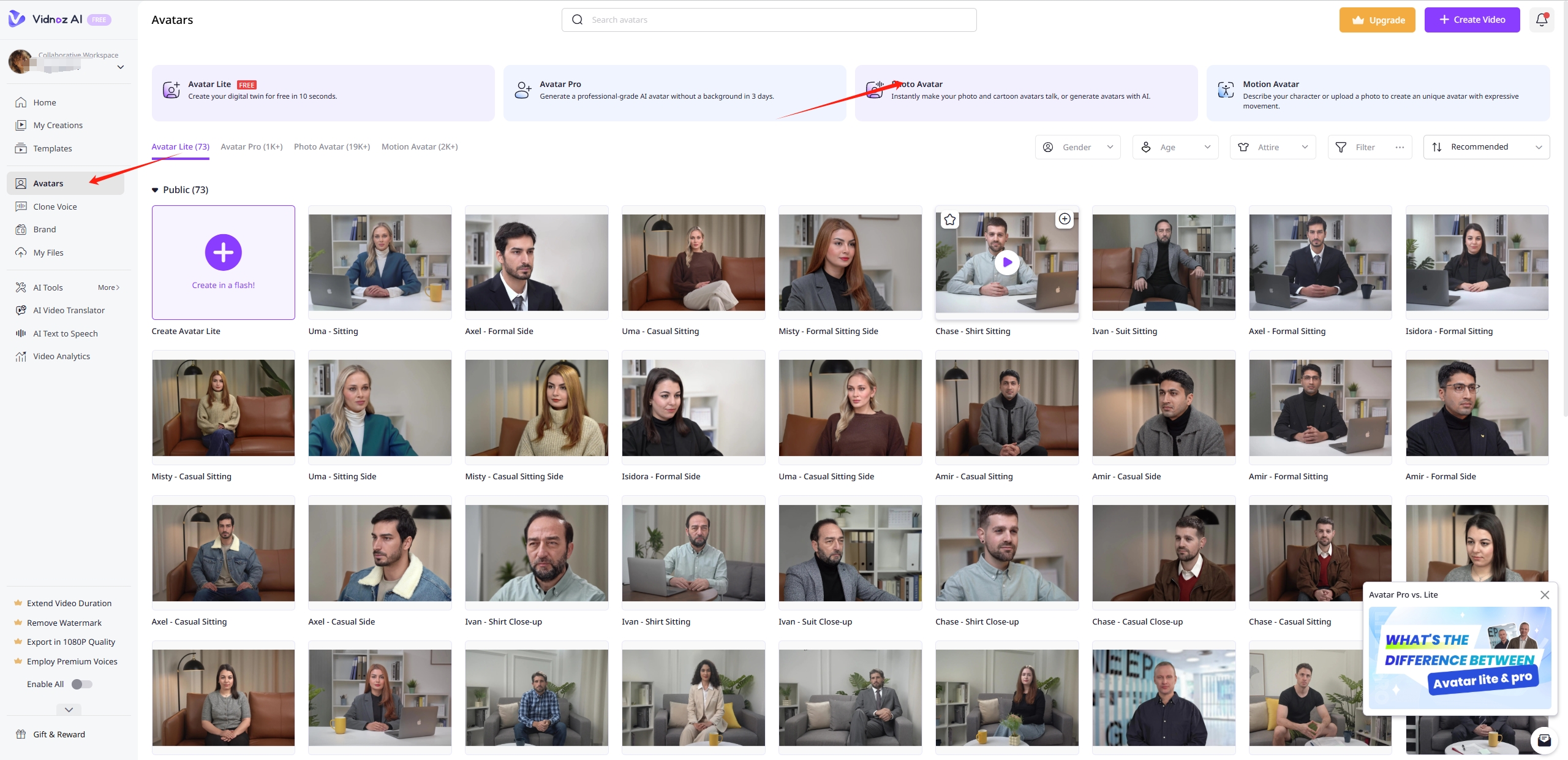
Step 1. Go to Vidnoz AI Talking Photo.
Step 2. Click "Create Free Video Now", then hit “Avatars”>”Photo Avatar” > “Upload a Photo” in turn.
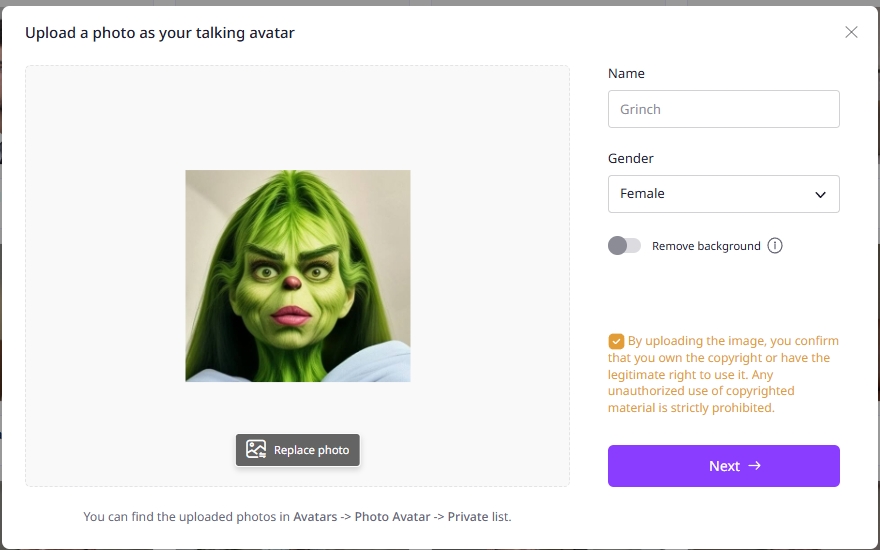
Step 3. In the new popped out window, upload the image with a funny Grinch filter, set the name and gender.
Step 4. Customize the video with diverse video editing options and type what you want your Grinch to say (e.g., "I hate Christmas... but not you!".
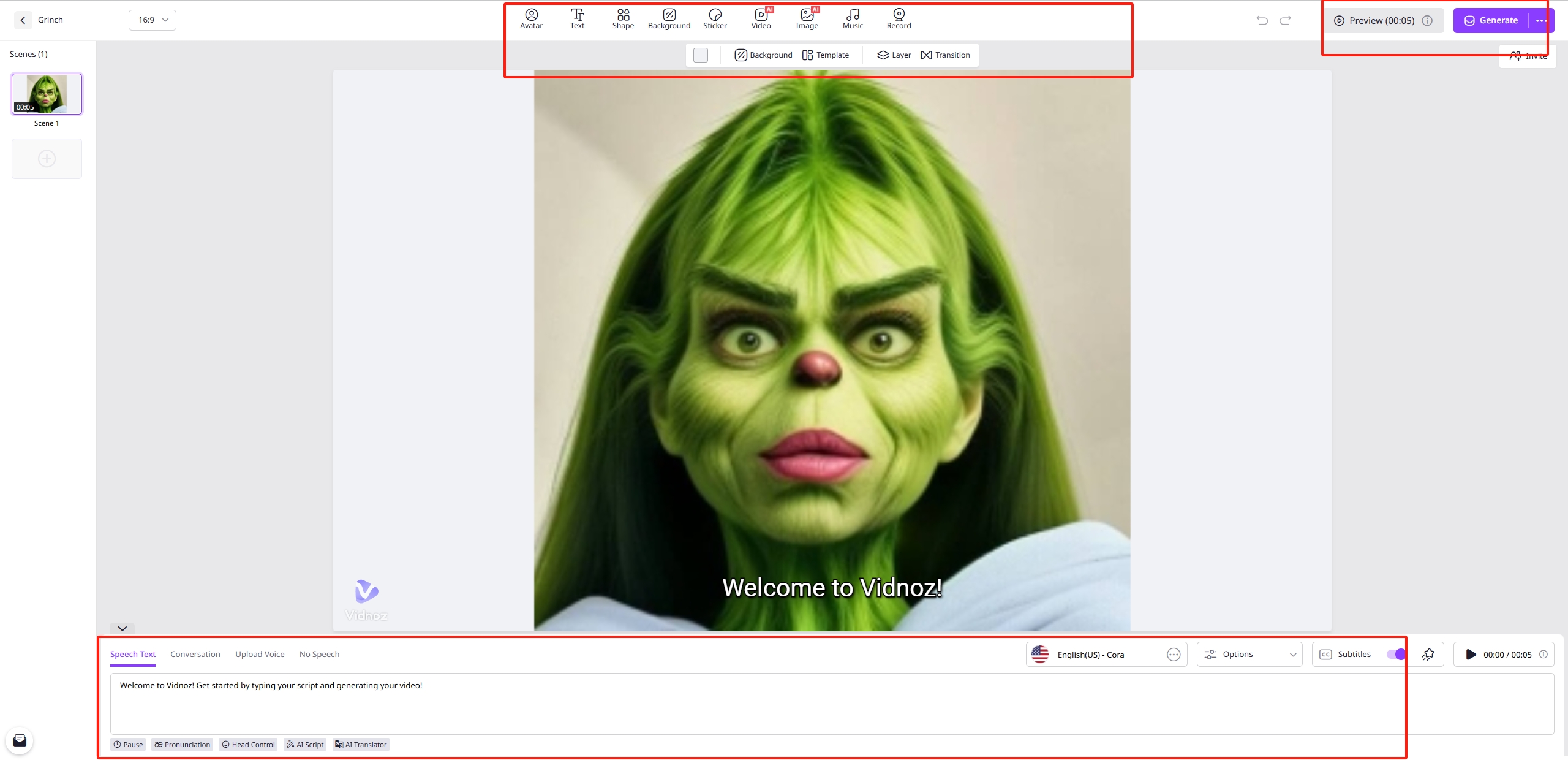
Step 5. Generate and download your talking Grinch video to share!
Conclusion
With these top 5 Grinch filters, turning a selfie into the iconic green character has never been easier! Whether you prefer TikTok’s playful effects or the AI magic of YouCam Perfect, there’s a Grinch filter that can meet your needs. Plus, tools like Vidnoz free AI video generator let your Grinch photo talk naturally for extra fun.
Vidnoz AI - Create Free Engaging AI Video with Talking Avatar
- Easily create professional AI videos with realistic avatars.
- Text-to-speech lip sync voices of different languages.
- 2800+ video templates for multiple scenarios.