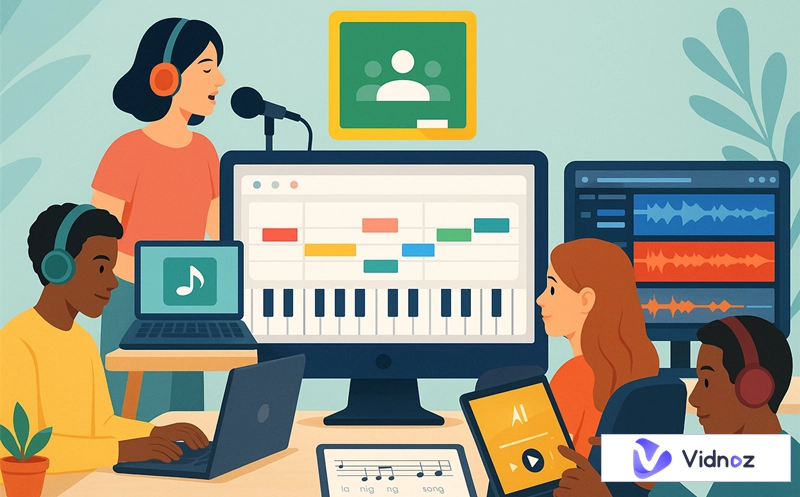
High-quality virtual music teaching thrives with interactive tools, and Google Classroom is the ultimate hub for deploying them effectively. Imagine if students could visit music labs virtually. It would help them come up with new ideas and learn more effectively while studying from home. There are four plug-and-play platforms and tricks to consider in this article, which can be actively incorporated in your Google Classroom music lessons to guide teachers to make the music learning experiences meaningful and effective. Now, it is time to understand how your online classroom can be turned into a lively musical studio.
- On This Page
-
Interactivity Matters in Google Classroom Music Lessons
-
3 Must-Have Sites for Interactive Google Classroom Music Activities
-
Best AI Music Generator to Boost Learning in Google Classroom
How to Create AI Music for Free on Vidnoz
-
How to Put Music on Google Classroom?
-
More Useful Tricks for Google Classroom in Music
Interactivity Matters in Google Classroom Music Lessons
The interactive resource is a crucial facet of successful virtual instruction and education, at least as far as music on Google Classroom is concerned. Static methods no longer capture student attention; what truly engages them are hands-on music labs and intelligent song generators that make learning active and enjoyable. Teachers as well as students are able to turn any lesson into a virtual experience through appropriate digital tools. It’s time to upgrade Google Classroom music into something creative, interactive, and fun in each of the classes!
3 Must-Have Sites for Interactive Google Classroom Music Activities
Looking to make your Google Classroom music lessons more engaging and hands-on? Let’s now explore the top websites for sparking creativity to help students learn in intuitive ways.
1. Chrome Music Lab
Chrome Music Lab is an interactive browser program that learners can use to get entertainment using music. Just pull out your phone or laptop – this works on anything! It's perfect for teaching classes remotely. It has fun experiments such as Song Maker, Rhythm, Chords, and Spectrograph. The students can experiment on the melody, harmony, tempo, and sound graphically and acoustically.
Teachers can easily link these tools to create assignments in Google Classroom music lessons. Whether it’s composing in “Song Maker” or exploring waves in “Oscillator,” students learn by doing, making music theory more engaging and easier to understand.
Since Chrome Music Lab encourages us to invent and learn more about music, it makes sense to include this platform in any online, interactive music lesson.

2. MusEDLab
MusEDLab is an internet platform that helps young musicians write and test music. The most effective instruments to use are Songsmith, an automatic accompaniment generated after typing lyrics, and Melody Writer, where children can compose and play pieces of music according to real-time notation.
Perfect as a Google Classroom music lab, these tools combine creativity with music theory. Teachers can use written melodies or chord progressions to reinforce classroom ideas. MusEDLab also has assignment-ready materials that you can use without any problem to add to your Google Classroom music lesson to make it more interactive and hands-on learning.

3. BandLab
This robust online music studio, called BandLab, helps you create songs and collaborate with other musicians instantly, right from your browser. It works directly online with no installation required. It features multitrack recording, beat creation, effects, mixing, and mastering tools. Students can record vocals or instruments, build full tracks, and share them for feedback.
In a Google Classroom music setting, BandLab is ideal for group projects—students can contribute parts to collaborative compositions. Teachers can review mixes, guide arrangement choices, and provide direct comments.
The fact that BandLab has a cloud-based nature and an intuitive interface makes it one of the most suitable examples of the hybrid or distance learning platforms since it enhances the creative process and helps to master the music production process required in a real-world scenario.

Best AI Music Generator to Boost Learning in Google Classroom
If you're looking to inspire spontaneous composition in your virtual classroom, Vidnoz AI Music Generator is a top recommendation. It is on the vanguard of using AI to enhance creativity, and any Google Classroom music lab that follows can benefit maximally by using it.
The AI music generator by Vidnoz is a web-based platform that generates original music in genres ranging from chillhop and orchestral to upbeat synth-pop. Teachers can instruct students to choose style prompts, set tempo and energy, and produce downloadable tracks instantly.
Vidnoz Free AI Music Generator
Free to generate & download for commercial use!
- 100+ combinations of musical styles, moods and themes
- Turn your texts into songs and music videos
- AI to create an original song with your lyrics
Create Music with AI
The Key Features Helpful for Your Project:
- AI-driven composition: Automatically generate original music in various moods or genres, making it easy for students to explore composition without needing advanced musical knowledge.
- Customizable controls: Students can tweak tempo, instrumentation, key, and dynamics to understand how musical elements affect a piece's feel and structure.
- Downloadable files: Easily export creations as MP3 files, which allow further editing or integration into other classroom tools.
- User-friendly: No login required, and a clean, intuitive layout makes it accessible for all students.
- Educational support: Vidnoz’s music provides a practical foundation for music theory discussions, listening exercises, or creative assignments in Google Classroom.
How to Create AI Music for Free on Vidnoz
Step 1. Visit the Vidnoz AI Music Generator page.
Step 2. Select from Instrumental, Song with Lyrics, and Music Video tab based on your needs. Here takes instrumental music as an example. Type the topic of your music and choose a genre from the library (e.g., “hip-hop,” “rock,” or “funky”).

Step 3. Choose the mood and theme for the music you want to create.

Step 4. Select the length and quantity for the music to be created, then click the “Generate Music” button.

Step 5. Download the MP3 or MIDI file.
Step 6. (Optional) Import the MIDI into MusEDLab or BandLab to add your layers.
How to Put Music on Google Classroom?
Once your audio or interactive lab links are ready, adding them to Google Classroom is simple and efficient—this step connects everything neatly within your Google Classroom music setup.
Step 1. Prepare your assets: Copy the link to a Chrome lab, BandLab session, or Vidnoz track, or download MP3/MIDI files.
Step 2. Create a new assignment in Google Classroom: Click “Create → Assignment.”

Step 3. Attach your material using the “Link” option for adding links or the “Upload” option for audio.

Step 4. Add context: Write clear instructions or guiding questions on how to engage with the content.
Step 5. Post the assignment and set due dates. Promote student dialogue via written commentary and thoughtful replies.
By utilizing the attachment feature, teachers can deliver Google Classroom song activities, interactive links, and AI-generated tracks directly to students, supporting purposeful engagement.
Also Read: How to Upload and Customize Google Classroom Banner Images >>
More Useful Tricks for Google Classroom in Music
Bridging from uploads to deeper classroom practices, here are smart strategies to refine your virtual music environment:
-Use Creative Google Slides in Google Classroom
Design fully immersive slideshows that incorporate embedded audio, visuals, and interactive links. For example, start with a Chrome lab demo slide, follow with discussion prompts, then include a Google Classroom song segment to analyze chords or rhythm. One such tool that is beneficial to use in any lesson in a Google Classroom music setting is the slides with built-in audio instructions that enable students to explore multimedia material on multiple levels.
-Try Out Different Music Topics
Broaden your curriculum by exploring a variety of musical domains:
- Film scoring: Allow students to create “sound movies” with Vidnoz tracks.
- Electronic beatmaking: Use BandLab for drum programming.
- Global music: Explore rhythms and scales from West Africa, India, or Latin America using Chrome Music Lab.
- Vocal production: You can also record and mix sung samples using MusEDLab.
-Set Up Digital Music Journal Activities
Assign weekly reflection logs using Google Docs to document creative goals, challenges, aesthetic choices, and reactions to peers’ work. Digital music journals promote metacognition, helping students internalize what they’ve learned using the Google Classroom song maker.
-Share Your Own Performance with Students
Model professionalism and motivation by uploading a demo performance or composition you’ve created using any of these platforms. Embed it in Classroom with explanations of how you used tools like BandLab mixing or Vidnoz composition as exemplars.
Experiment with More Tool for E-learning: Generate AI Voice Featuring Anyone’s Style with Vidnoz AI Voice Changer!
The Bottom Line
By weaving together Chrome Music Lab, MusEDLab, BandLab, and Vidnoz AI Music Generator, teachers can create a dynamic, immersive, and hands on music curriculum in Google Classroom. Teachers are encouraged to embed labs, assign multimedia compositions, and scaffold with creative prompts. Try integrating Vidnoz AI Music Generator today and bring creativity to your Google Classroom music. Be a part of the musical revolution and upgrade your virtual lessons today
Vidnoz Free AI Music Generator
Free to generate & download for commercial use!
- 100+ combinations of musical styles, moods and themes
- Turn your texts into songs and music videos
- AI to create an original song with your lyrics
Create Music with AI