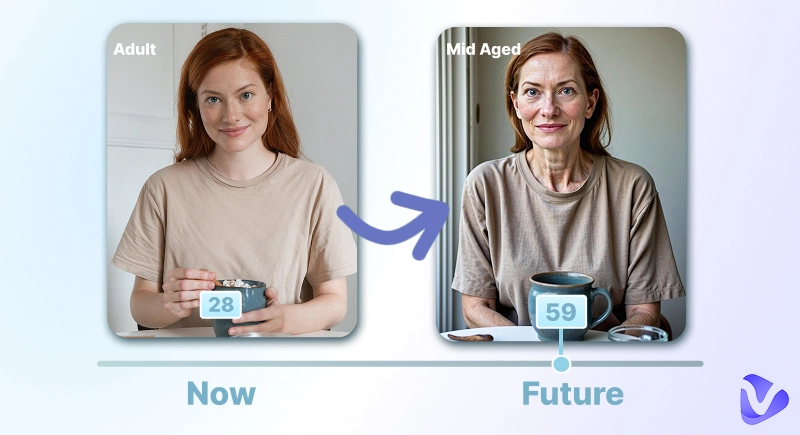
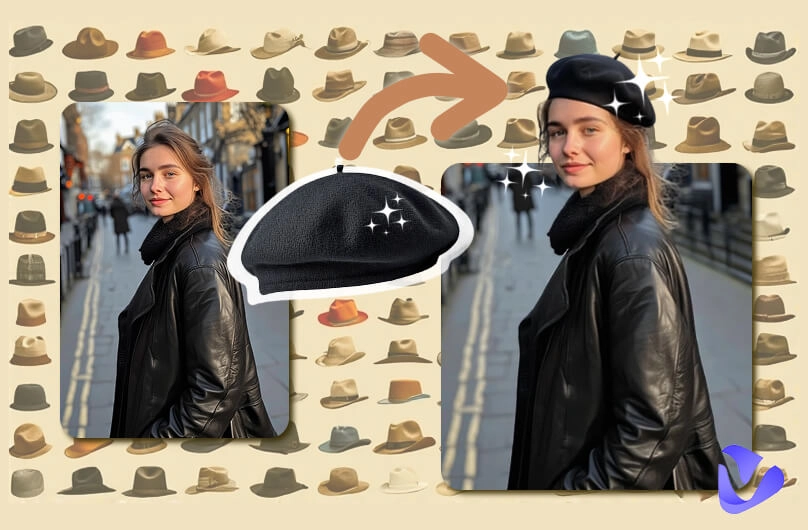
Ever imagined recreating a product shoot or art style without picking up a camera? With today’s AI similar image generator tools, it’s fast and easy. These tools use artificial intelligence to generate similar visuals from an input image or prompt, ideal for creators, marketers, and students.
In this tutorial, we will explore the best software to generate similar images. Just stay tuned, and all details of the tools and a bonus part to level up your images is waiting as well.
- On This Page
-
Tell The Difference: Check How AI Generates Similar Photos
Example 1: Professional Product Image
Example 2: Fashion Design – Model in Different Outfits
-
What’s The Magic Behind The AI Similar Image Generators?
-
Wave Your Wand: 4 AI Similar Image Generators You Must Try
1. Kling AI Similar Picture Generator with 4 Modes
2. Runway ML: Chat & Generate Similar Images
3. Img2go: Generate Similar Images & Upscale
4. Canva High Quality AI Similar Image Generator
-
Idea to Practice: Use of Similar Images
-
Not Just Still: Let Similar Images Go Wild & Move
Tell The Difference: Check How AI Generates Similar Photos
Let's examine how AI alters and recreates images to have a better idea of its capabilities. Below are examples generated using real tools discussed later in this article.
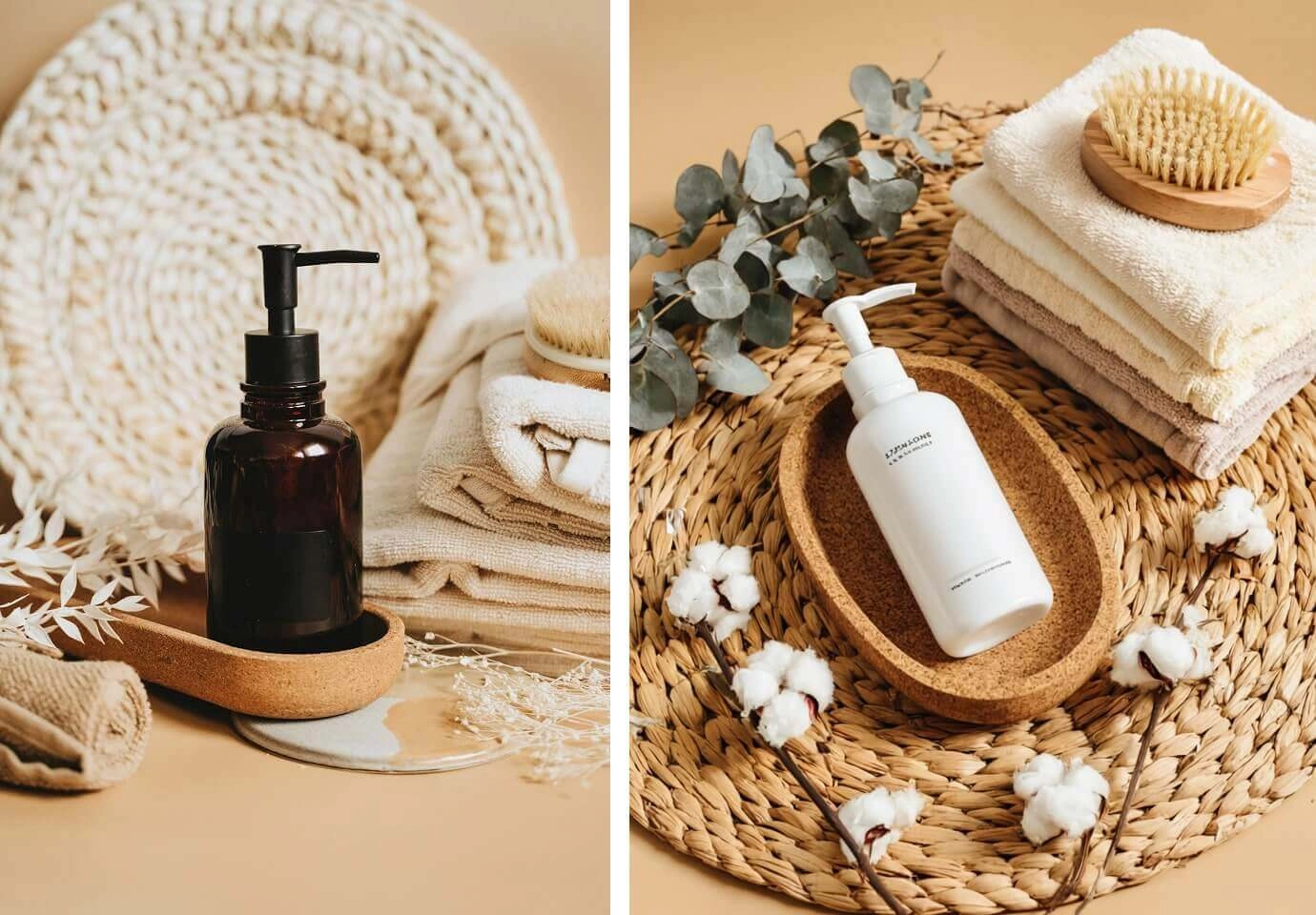
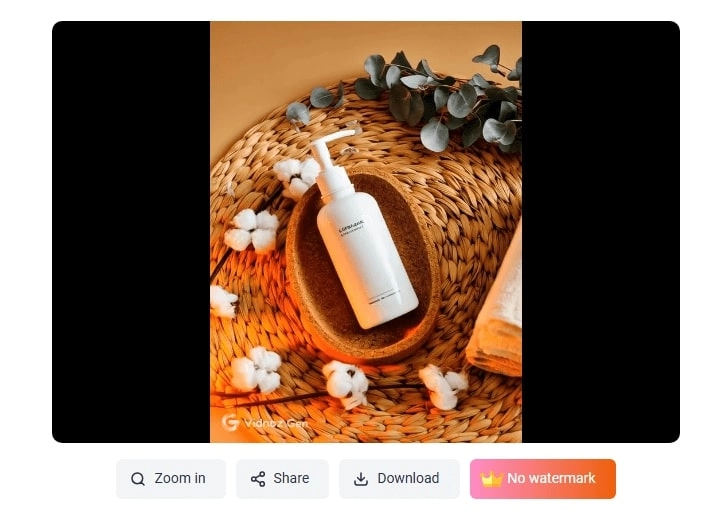
Example 1: Professional Product Image
Did you notice the difference? AI similar picture generators can just change the main product, while keeping the decorations, lighting, coloring, and the vibe similar.
It is useful when e-commerce owners need to generate similar photos quickly in the case of various product campaigns. Just try free and efficient tools like the Vidnoz AI image generator to create your base product image, and then generate similar product shots in a row.
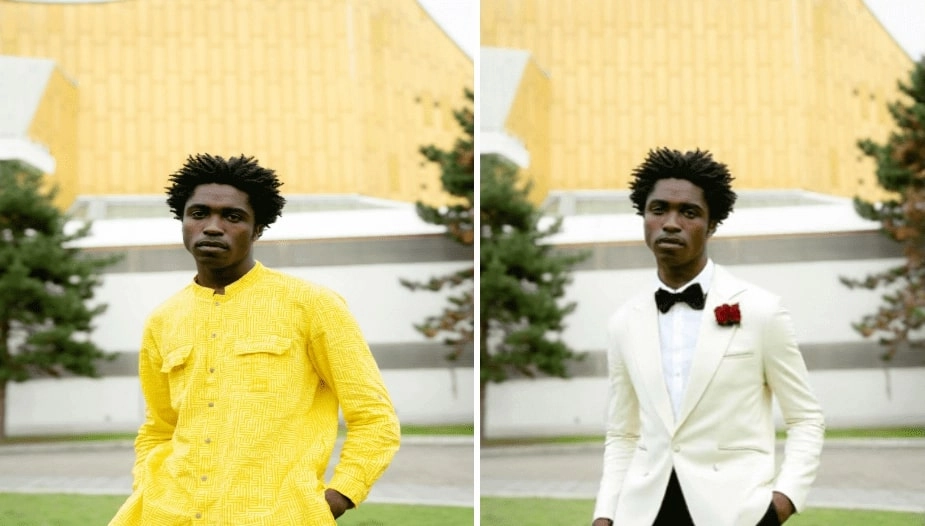
Example 2: Fashion Design – Model in Different Outfits
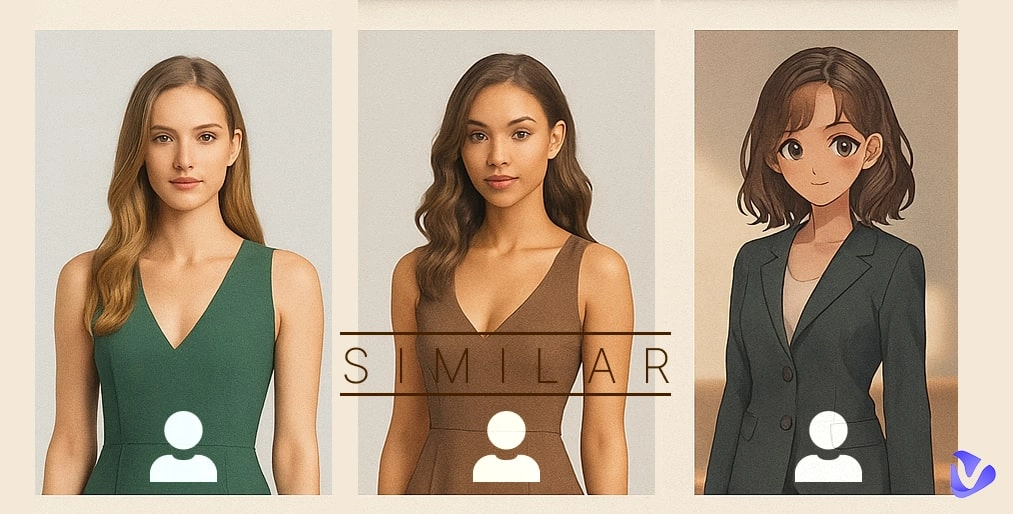
The pose and structure remained while the AI applied different clothing and color tones. A smart way for designers to visualize collections using a similar image generator AI.
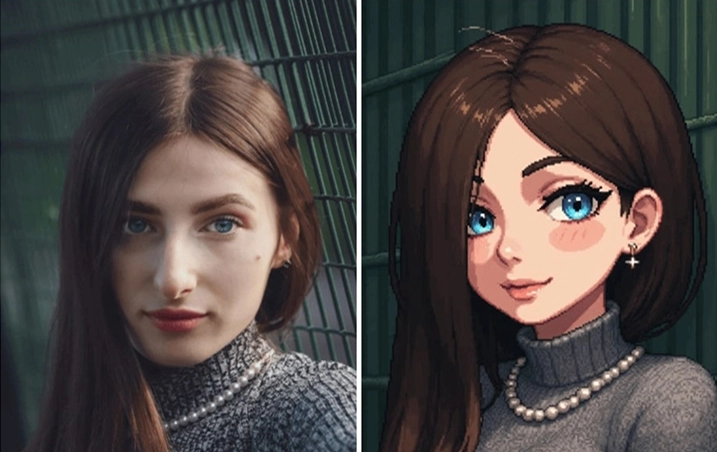
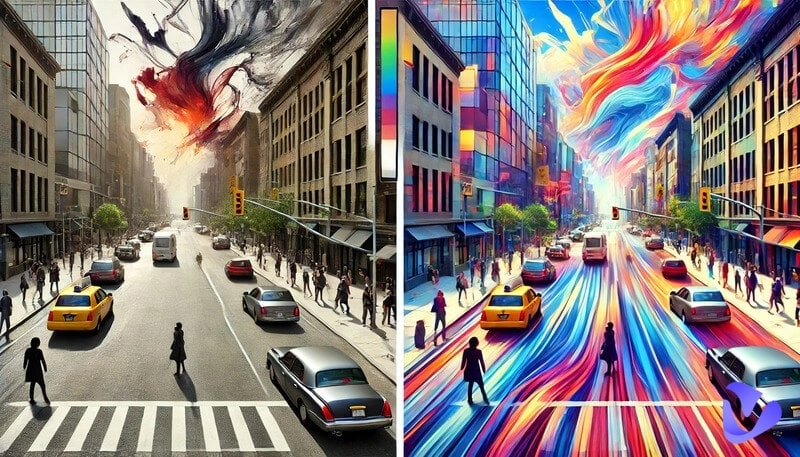
Example 3: Anime Restyle
The original image was transformed into anime format, showing precise style transfer.
What’s The Magic Behind The AI Similar Image Generators?
What exactly is an AI similar image generator? These tools work by analyzing the original image, its layout, shape, texture, color, and subject, and then using deep learning algorithms, particularly GANs (Generative Adversarial Networks), to regenerate an altered version. Meanwhile, small changes are introduced via random noise, while the core structure is preserved.
Even some of the tools go one step further by creating still images and converting them into a CGI video. Stay tuned, keep reading, later we will move on to the magical AI tools to turn your similar images into a well-crafted video.
Wave Your Wand: 4 AI Similar Image Generators You Must Try
Well, now, we will introduce four amazing tools that allow users to generate similar images quickly and efficiently.
1. Kling AI Similar Picture Generator with 4 Modes
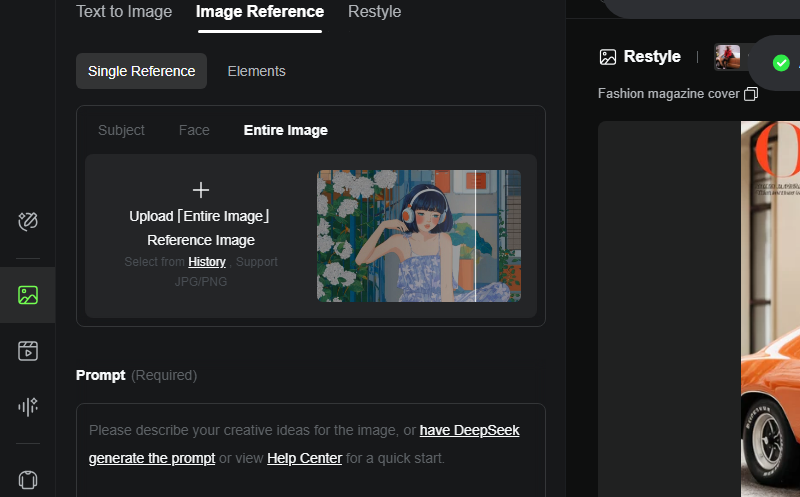
Kling AI is a dynamic image generation platform known for accuracy and versatility. It has four different modes, which include duplicate mode, restyle mode, swap mode, as well as sketch to image mode, serving different creative demands.
Whether you're recreating iconic looks with a celebrity AI image or experimenting with sketches, it’s one of the most efficient tools in the AI similar picture generator space.
Key Features
- Duplicate Mode: Perfect for near-exact recreations for ads and digital product catalogs.
- Restyle Option: Apply different textures, themes, and effects to diversify content.
- Swap Tool: Change subjects while maintaining the environment seamlessly.
- Sketch-to-Image: Convert your basic sketch into a high-res image for design mockups.
Drawbacks
- Requires account creation.
- Limited free credits.
How to Generate Similar Photos?
Step 1. Visit Kling AI’s website.
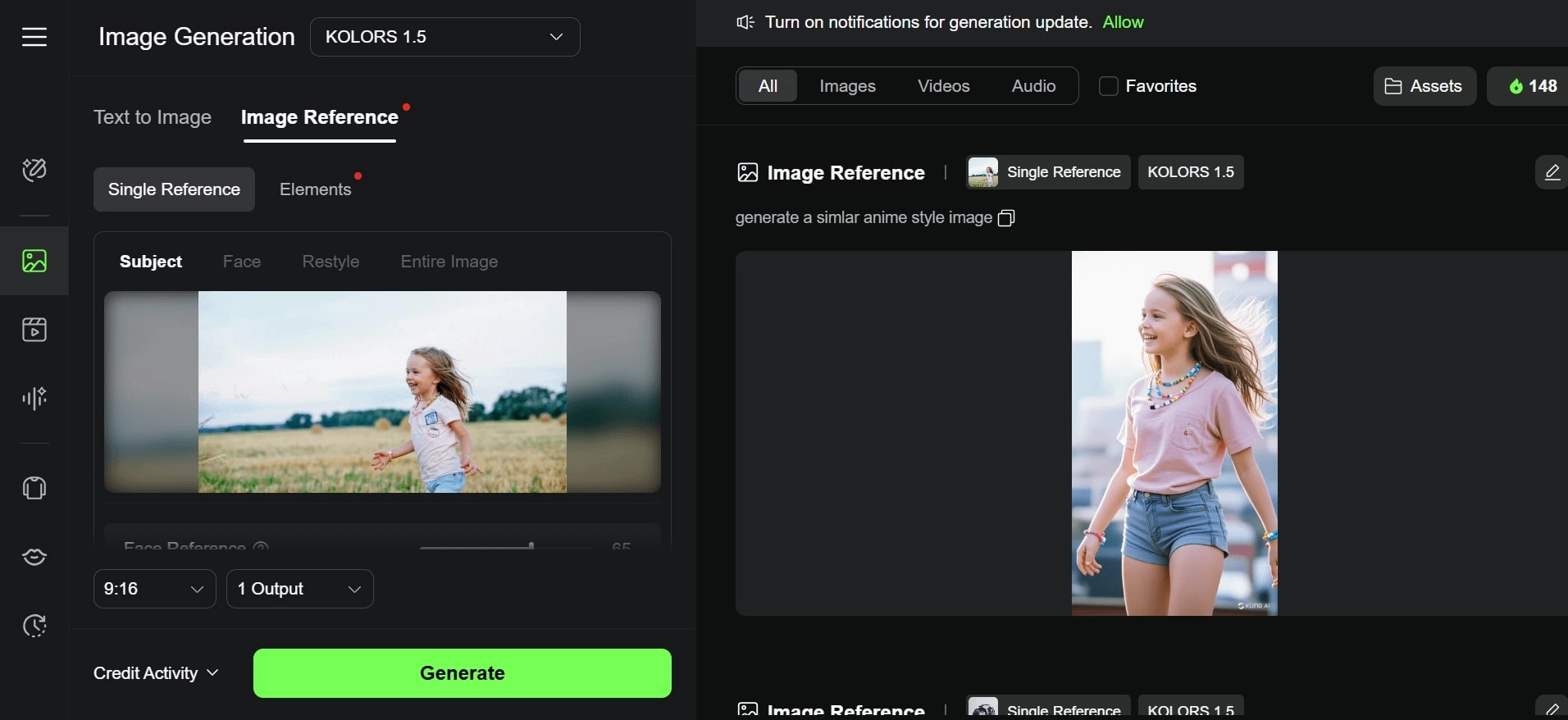
Step 2. Upload your base image and select the desired mode.
Step 3. Click "Generate" and download your new version.
2. Runway ML: Chat & Generate Similar Images
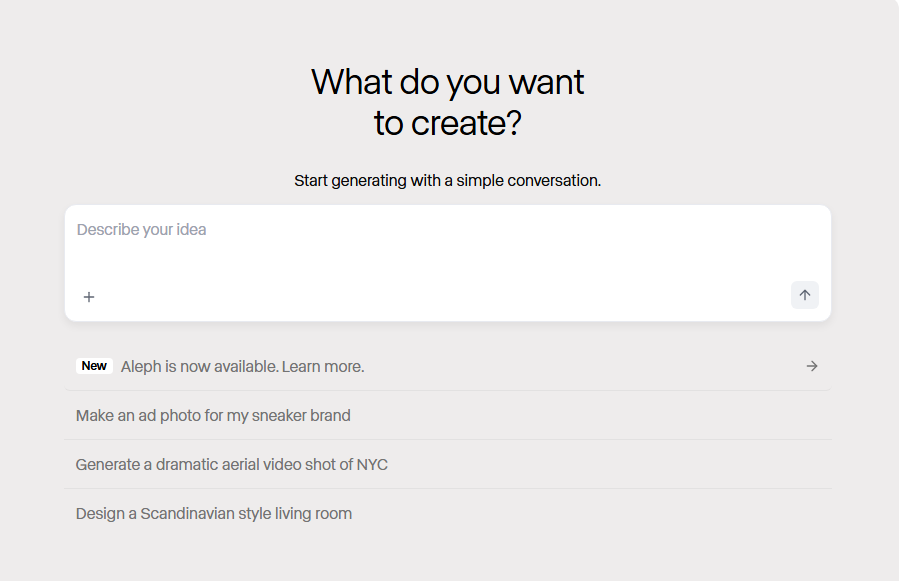
Runway ML is an AI-based image generator that allows creators to engage in the notion of a stress-free flow of talk and creation. It is made to be more accessible and fast through changes, optimized to be in a chat-like environment where the user only needs to type something and see AI interact with their ideas.
Whether you're a beginner or a creative professional, Runway ML provides a fun, interactive space to let AI create a similar image with ease.
Key Features
- AI Chatbot Prompting: Just describe what you want.
- Quick Previews: Instant generation of mockups based on text descriptions.
- Style Transfer: Apply a specific artist’s or era’s style to your input for maximum effect.
Drawbacks
- May struggle with complex compositions.
- Requires a stable internet connection.
How to Generate Similar Images in Chat?
Step 1. Launch Runway ML and start a new chat session.
Step 2. You will have to upload an image and explain the desired request.
Step 3. Download the generated image.
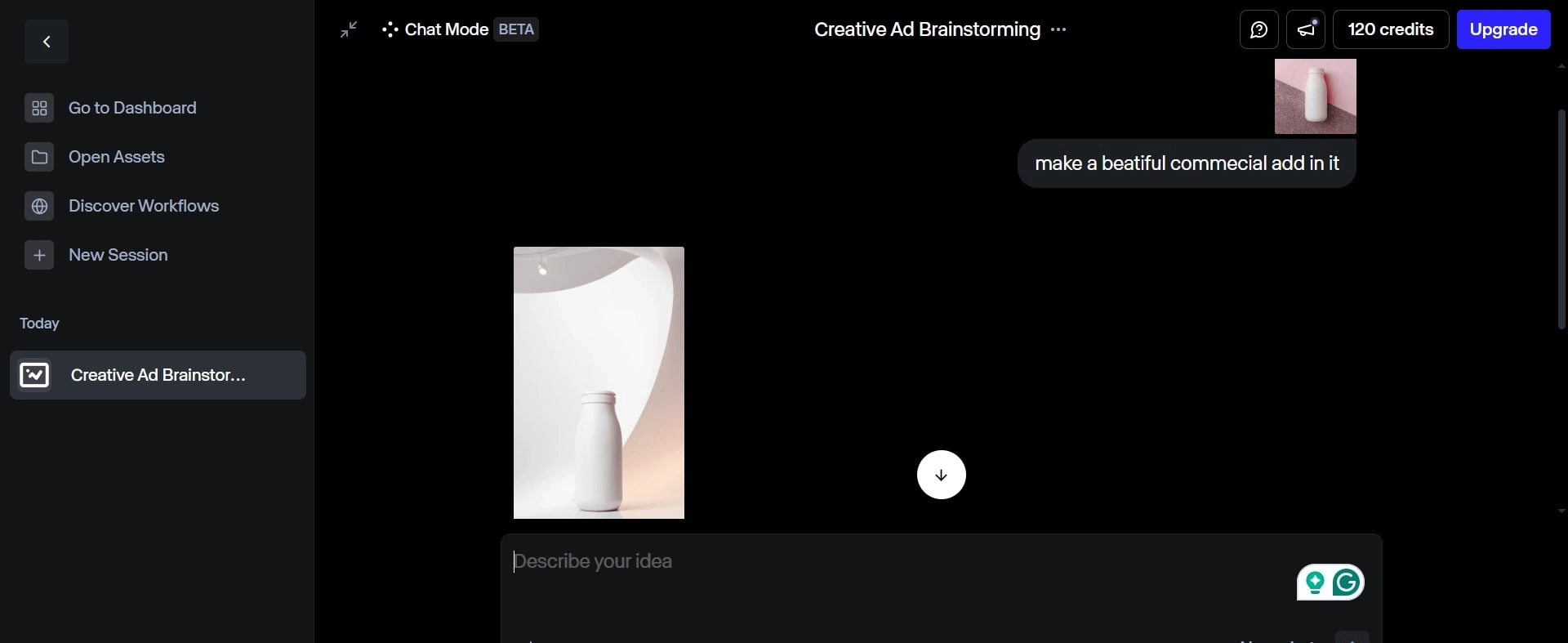
If you're looking for flexibility and hands-free creative direction, Runway ML stands out as an excellent AI similar image generator with an interactive edge.
3. Img2go: Generate Similar Images & Upscale
Among the many tools available for AI-generated visuals, Img2Go distinguishes itself as a lightweight yet reliable AI to create similar images. You're a student polishing a project or a professional preparing marketing visuals—Img2Go offers a clean, browser-based interface backed by smart AI features.
Key Features
- Various Artistic Filters: From minimalism to vibrant digital effects.
- One-Click Upscaling: Make low-quality images crisp with AI super-resolution.
- Custom Resize Options: Adjust dimensions without losing quality.
Drawbacks
- Some filters feel generic.
- Occasional lags with large uploads.
How to Use This AI Similar Picture Generator?
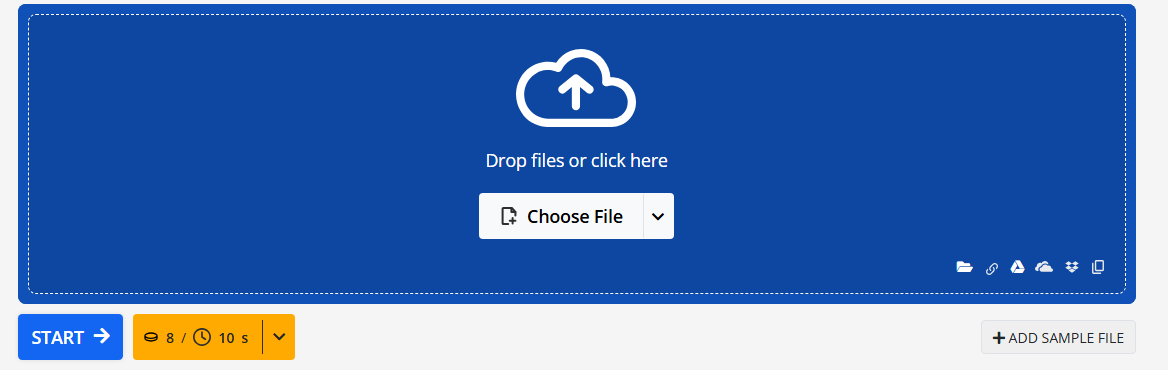
Step 1. Visit Img2go and upload your image.
Step 2. Choose your desired style or effect.
Step 3. Click generate and download your image.
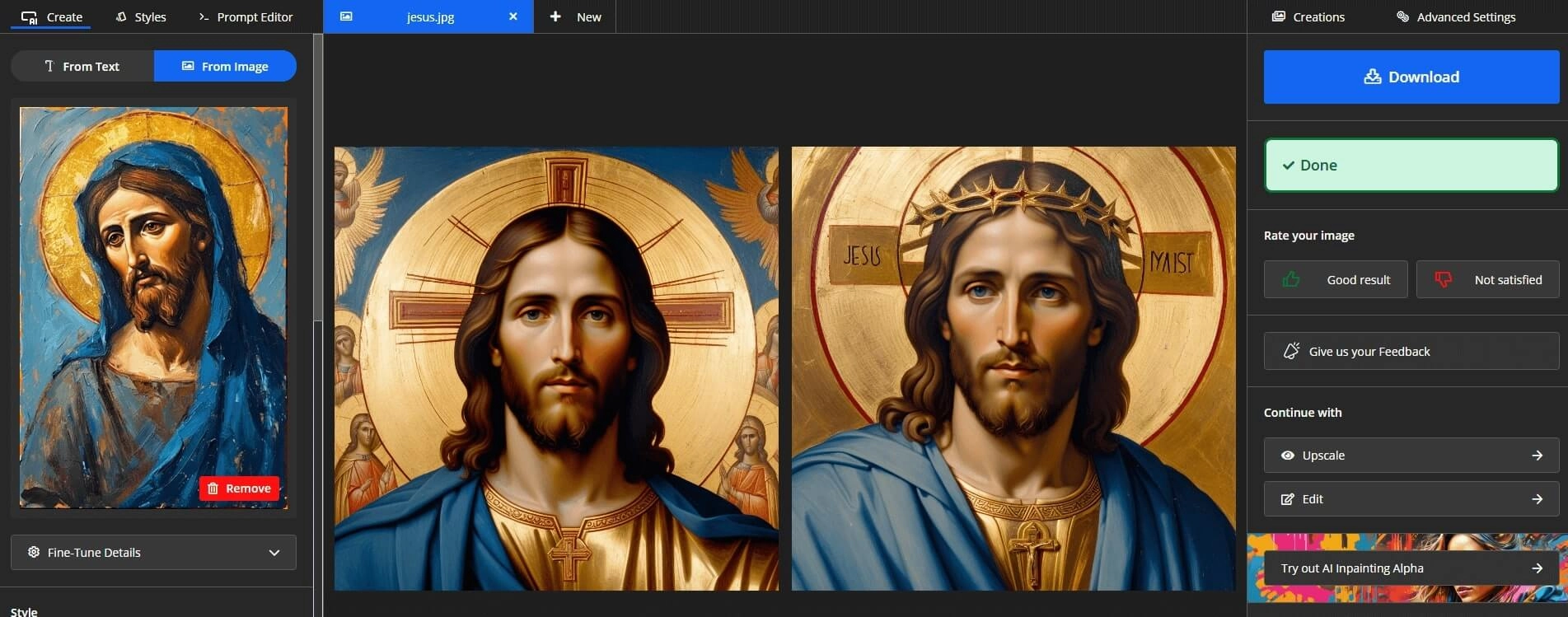
You can also use Img2go when you need to generate similar images that maintain the core structure but introduce slight artistic or visual differences.
4. Canva High Quality AI Similar Image Generator
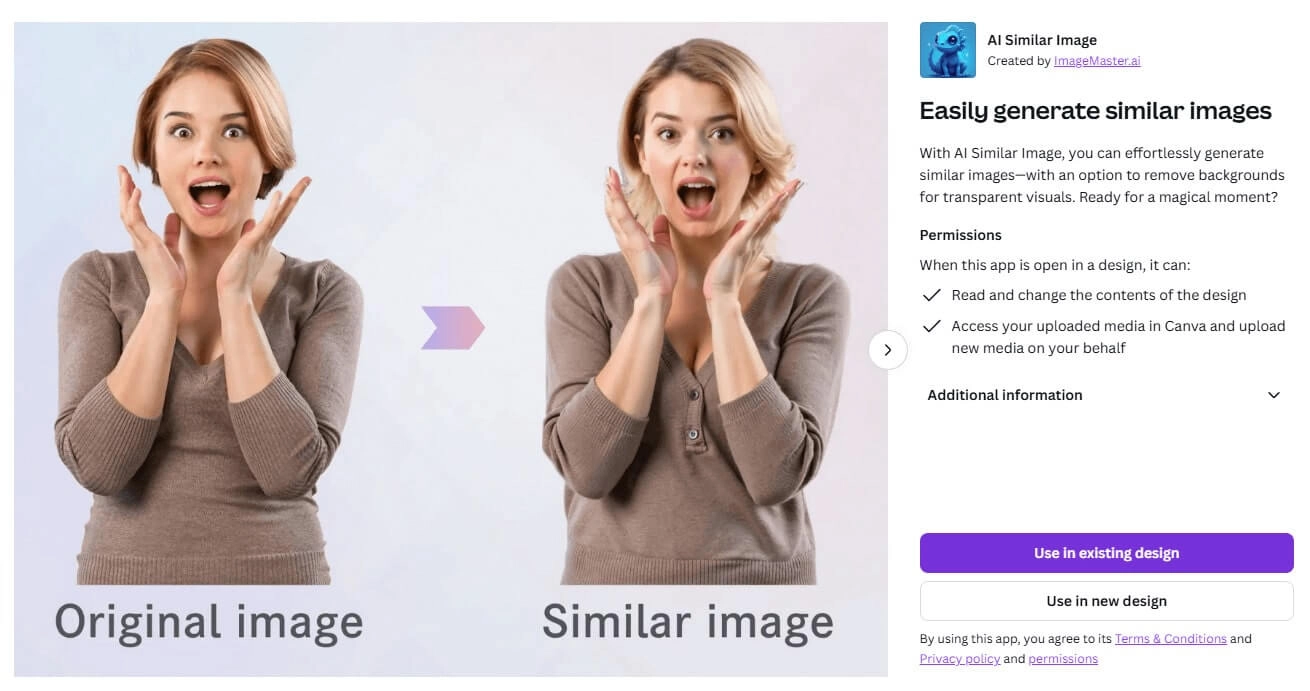
If you're looking for an all-in-one design platform with strong AI capabilities, Canva is a top contender. Already known due to the drag-and-drop interface and structure design templates, Canva implements new AI tools that provide a step up to the general scope of usual design programs.
Its AI similar image generator is in a class of its own, due to its speed and ease of use, and consistent output of its results that are professional quality and have earned it a place in the tool set of many social media managers, marketers, and brand designers.
Key Features
- Background Remover: Cleanly isolate subjects for fresh backgrounds, perfect for applying creative effects like the Studio Ghibli filter later.
- Magic Resize: Automatically adjust images for different platform requirements without losing visual charm or filter integrity.
- Photo Enhancer: Auto-fix lighting, sharpness, and color in one click—ideal for prepping images before adding artistic styles such as the Studio Ghibli filter.
Drawbacks
- Premium features are locked behind a paywall.
- Limited batch generation compared to other tools.
How to Create an AI-Similar Photo?
Step 1. Open Canva and upload your photo.
Step 2. Find its inbuilt AI Similar Image > Use in existing design or Use in new design.
Step 3. Upload your base image, and generate. Download the newly generated image.
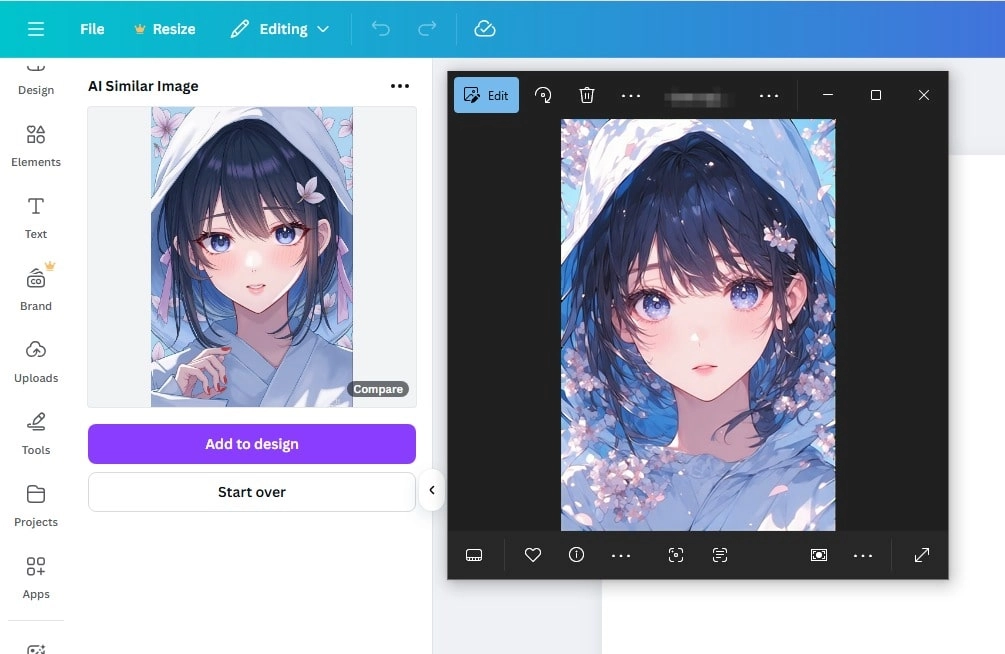
For those working on tight deadlines, Canva’s ease of use makes it an ideal choice to generate similar images on the fly.
Idea to Practice: Use of Similar Images
The ability to generate visually appealing alternatives from one image using an AI similar picture generator is transforming industries. Here are some creative applications:
- Professional Product Photography: Change color schemes, environments, and lighting without redoing a shoot.
- Art Style Copy: Apply artistic filters to add a unique charm and style to your photos.
- Marketing Campaigns: A/B test image designs with minor differences.
- Fashion Design Prototyping: Showcase multiple design iterations easily.
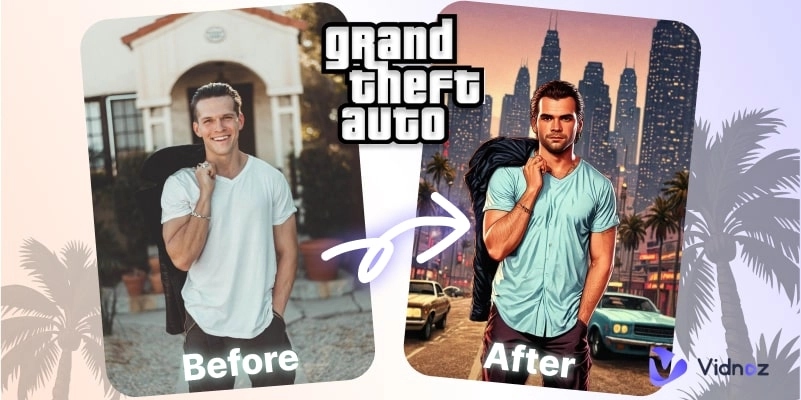
- Game Asset Design: Style characters in formats like GTA style art generator.
These use cases show how you can fully leverage an AI similar picture generator for productivity, experimentation, and style.
Not Just Still: Let Similar Images Go Wild & Move
Once you’ve created visually stunning variations, why stop at stills? Transform your images into dynamic animations with Vidnoz Image to Video AI.
With the help of this tool, users can animate their picture with the help of intelligent motion mapping and high-end effects. It is a game-changer when it comes to creating short-form videos using any kind of static media and combining it with an AI similar image generator that makes the imagery more appealing to the New Bloom generative AI.
Convert Image to Video AI Online - Free
- Create a video from an image quickly for free.
- Use various AI models to turn photos into videos.
- Download and share the AI-generated video at no cost.
Convert Image to Video
Key Feature
- Still Image to Vibrant Videos in 1 Click: Instantly transform a static image into dynamic video content. The app animates objects, controls motion, and even creates repeating representations of variations inside a single video loop.
- Stunning Video Effects for Engaging Content: Choose from a wide range of cinematic effects, including AI kissing, booming effect, melting effect, etc.
- Natural and Consistent as Real Video: AI tracks objects, lighting, and depth in the original image to animate a picture with lifelike movement. In order to establish visual uniformity in the frames, the system is utilized to examine the surroundings.
How to Convert Still Similar Photos to Engaging Videos?
Step 1. Try It Free Now.
Create an account on the Vidnoz Image to Video AI.
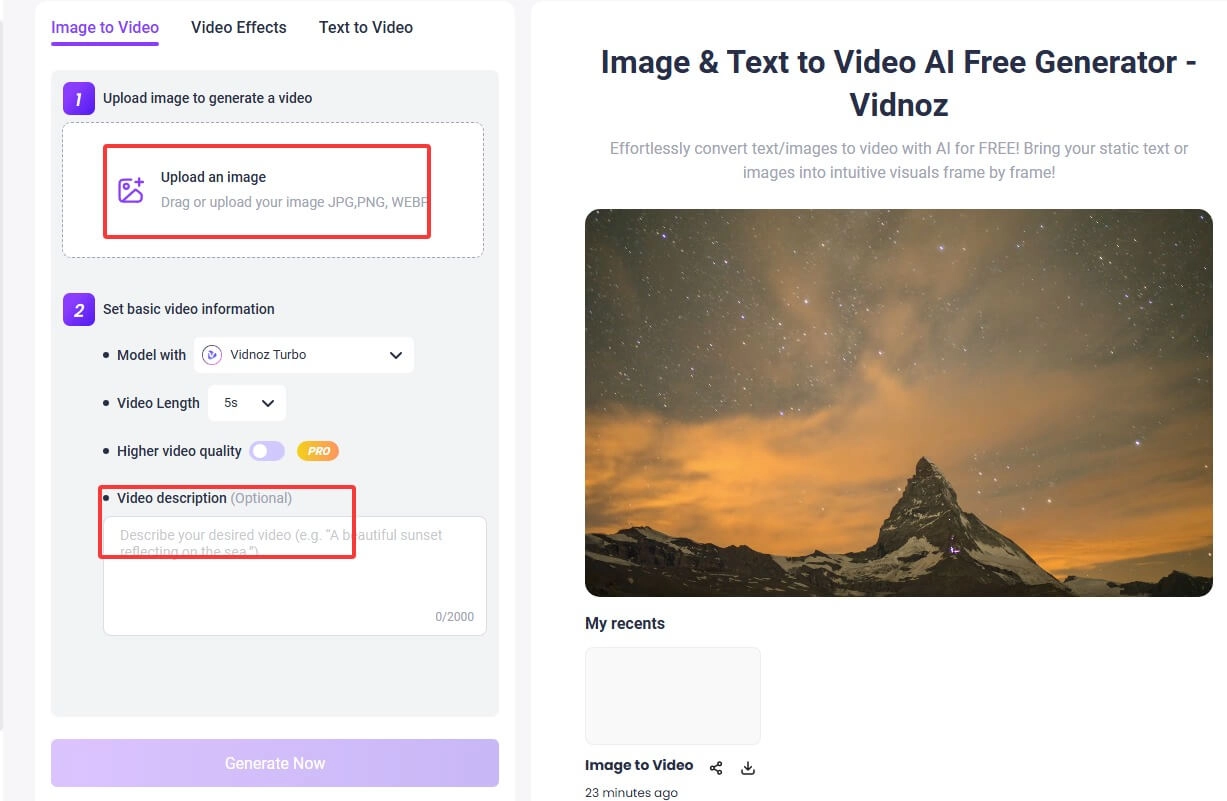
Step 2. Upload & Customize.
Upload your base image, and then enter your video description. If you don’t have an idea about what content to create, just head over to Video Effects and browse for stunning effects like AI fighting effect, microwave effect, etc.
Step 3. Generate & Get Result.
Click "Generate Video" and wait for rendering.
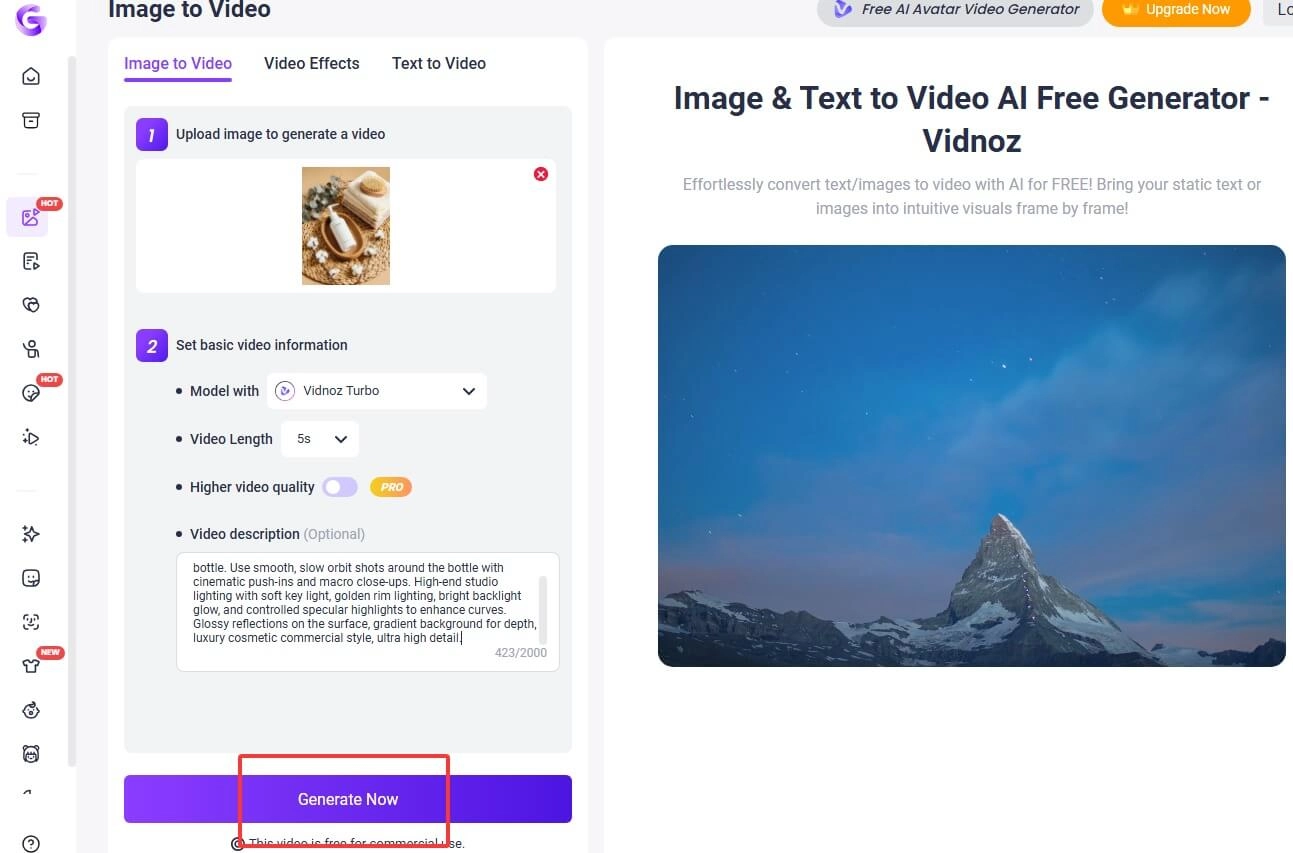
Download and share as you like.
The Bottom Line
With the rise of image and video AI, content creation is no longer limited by skill or budget. If you're ready to experiment, start with an AI similar image generator and let your imagination run wild using tools like Vidnoz AI. You can even recreate famous poses or transition from photos to animated videos in one click. The future of creativity has arrived. Don’t get left behind!
Convert Image to Video AI Online - Free
- Create a video from an image quickly for free.
- Use various AI models to turn photos into videos.
- Download and share the AI-generated video at no cost.
Convert Image to Video






![Random Anime Generators | What to Watch Next & Use As PFP [Full List 2026]](https://www.vidnoz.com/bimg/random-anime-generator.webp)