Turn still images or text into dynamic videos in any style, with leading AI models readily. Try the smart AI video generator now - stunning, free, and instant!
Fliki AI Review 2026: Features, Pricing & Free Alternative
Lane Maxwell
Updated on
SHARE THIS POST
Fliki AI is a popular tool for video and voiceover creation. Check the Fliki AI review to find its features, pros and cons, price, and a free alternative.
Fliki AI is a sought-after tool that assists users in creating videos and voiceovers from text. It is heavily utilized by content creators, teachers, marketers, and even novices who just need to create content in a jiffy with minimal editing. In this Fliki AI review article, we will be discussing what Fliki AI is, how good it performs, how expensive it is, and what alternative free choices you should try. We also utilized the tool and provided real results, images, and a simpler-to-use free alternative.
On This Page
Fliki AI Review: Key Features, Performance & Limitations
Fliki AI Features Tests: Real Results
Fliki AI Video Generator
Fliki AI Audio Generator
Fliki AI Design Generator
Fliki AI Pricing Overview & Free Plan's Limitations
Fliki AI Alternative That Works Better
How to Use Vidnoz AI to Create Video Effortlessly: 3 Simple Steps
FAQ About Fliki AI
The Bottom Line
Fliki AI Review: Key Features, Performance & Limitations
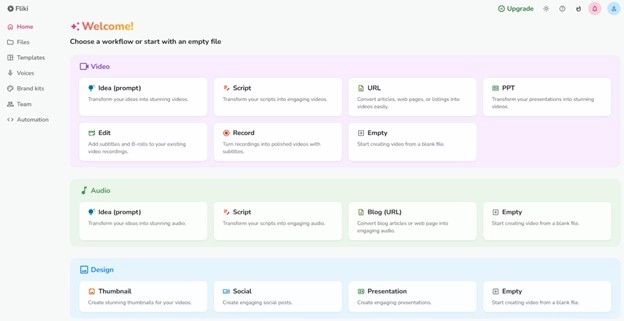
Fliki AI is an AI-supported tool for content creation accessible in the cloud. It is compatible with all prominent platforms, such as Windows, macOS, and mobile web browsers. No software installation is required simply log in and go.
It has principally 3 tools:
AI Video Generator: Convert script or blog posts into video clips.
AI Audio Generator: Create voiceovers with realistic AI voices in various languages.
AI Design Generator: Generate designs such as thumbnails and visuals using basic commands.
Many online users, however, share varied experiences. Some Fliki AI testimonials in forums and YouTube complain that the application crashes occasionally or provides robotic voiceovers. Others describe the design feature as being too basic and not offering more advanced editing features. However, it is still favored for its easy use and extensive language coverage. Let's proceed to our test results for each feature in the following section.
Fliki AI Features Tests: Real Results
Wondering what Fliki AI Video Generator is actually capable of? In this Fliki AI review, we put its most popular three tools video, audio, and design generators to the test to share with you genuine, real-world results and performance feedback.
Fliki AI Video Generator
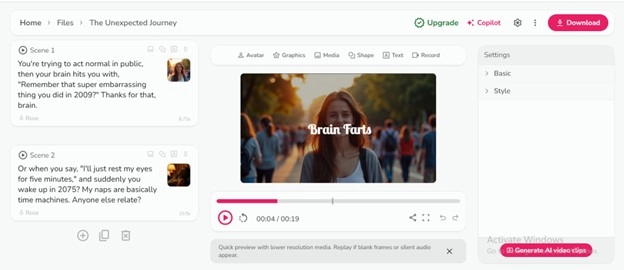
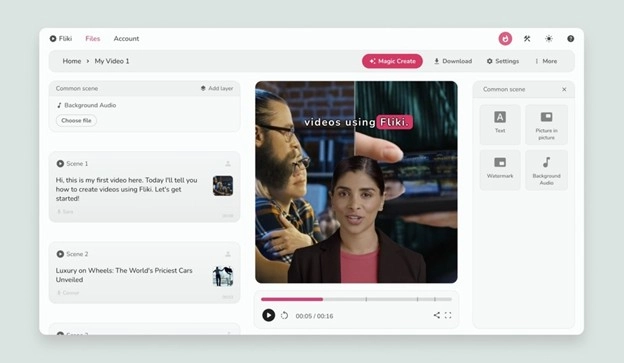
Fliki AI Video Generator enables individuals to convert written material like blog articles, scripts, or articles into brief videos with stock images and AI voiceovers. It automatically pairs video clips and images with your material and adds an AI-created voice to read out the material. You just copy-paste your script, select a voice and tone, and the tool produces a preview. It's intended for simplicity and speed, perfect for marketers, content creators, or teachers seeking rapid video content without the necessity of editing skills.
Pros
Saves time with automatic selection of visuals
Works in multiple languages and voice types
Fliki AI avatar provides multiple AI portrait avatars to narrate
Cons
Stock visuals usually don't fit the context of the script
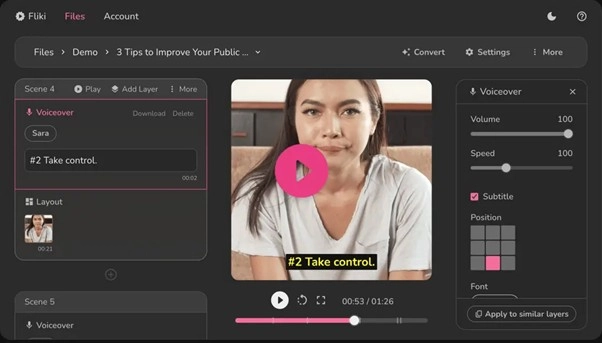
The Fliki AI Audio Generator is specifically designed for podcasters, audiobook narrators, trainers, or narrators who require AI voiceovers. You feed in your text and select one of dozens of voice types, tones, and languages. The software is very newbie-friendly, and it is very easy to create speech in a matter of seconds. Yet, the authenticity of certain accents and voices varies, and tweaking pitch, emphasis, or pause time can be tricky without high-end settings.
Pros
Very user-friendly interface
Extensive variety of voice styles and accents
Ideal for rapid podcast and eLearning voiceovers
Cons
A few voices are unnatural in rhythm or pacing
It is not easy to customize tone, pauses, or intonation
Fliki's Design Generator allows you to generate plain images such as YouTube thumbnails, banners, and promotion images using keyword prompts or text. It's perfect for people who want quick and plain designs without employing professional software such as Photoshop. Basic needs are served well by the generator, but there is little room for customization. You cannot insert layers, filters, or position settings, making it less appropriate for finer details or branded images.
Pros
Instant image creation from text prompts
Applicable for simple YouTube or social media layouts
No design expertise needed
Cons
Results in basic, generic-looking visual output
Limited customization available
No layer support, advanced effects, or brand features
Fliki AI Pricing Overview & Free Plan's Limitations
Fliki AI offers flexible pricing with a free plan for beginners and multiple paid plans for creators and teams. Each tier provides different features, credits, and quality levels to suit various content creation needs. Here is the Fliki AI Pricing Plans Comparison:
Plan
Price (Billed Yearly)
Monthly Credits
Video Quality
Watermark
Free
$0
5 minutes/month
HD - 720p (Low-res)
✅ Yes
Standard
$21/month
180 minutes/month
Full HD - 1080p
❌ No
Premium
$66/month
600 minutes/month
Full HD - 1080p
❌ No
Enterprise
Custom Pricing
Custom credits
Custom
❌ No
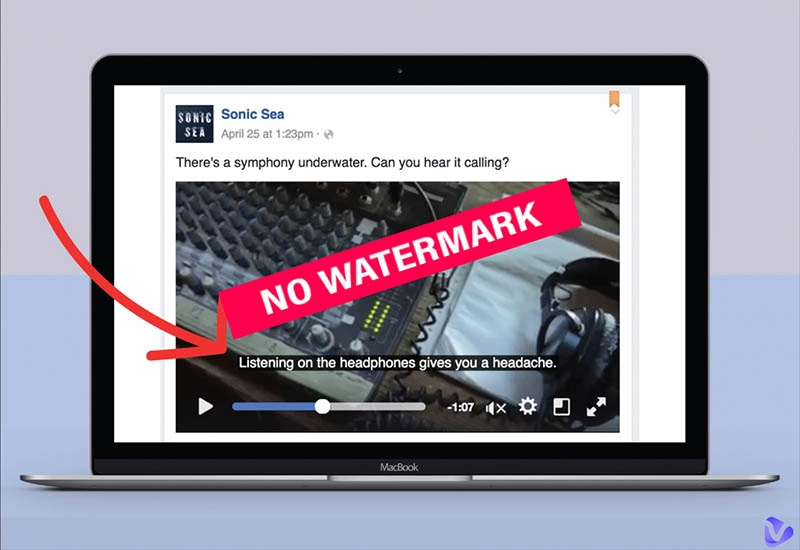
Limitations: Videos have a watermark, quality is low-res, features are basic, and credits are minimal suitable only for trial use. For more power and no watermark, consider upgrading.
If you want a more effective and simpler tool than Fliki AI Video Generator, Vidnoz AI is a good option. It is a free AI video maker that enables you to produce videos with natural-sounding avatars and realistic voiceovers. You don't have to employ a camera, mic, or video editing software. Everything happens in the cloud, and you don't even require a credit card to begin. With Vidnoz AI, you can create videos quicker and save money, particularly if you are a content creator, educator, or marketer.
Vidnoz AI - Create Free Engaging AI Video with Talking Avatar
Easily create professional AI videos with realistic avatars.
Text-to-speech lip sync voices of different languages.
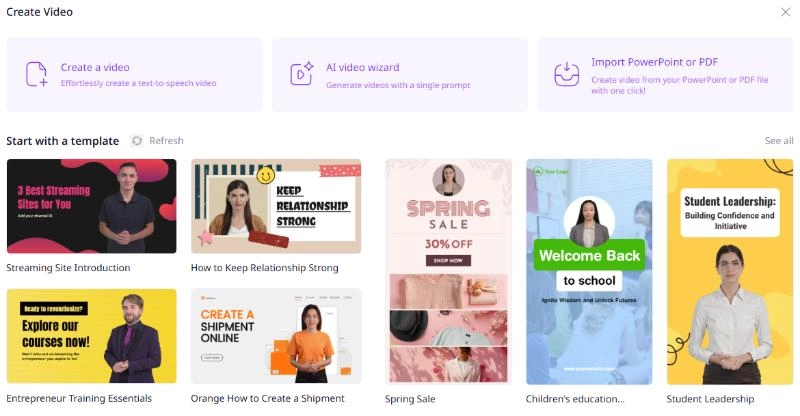
2800+ video templates for multiple scenarios.
Key Feature
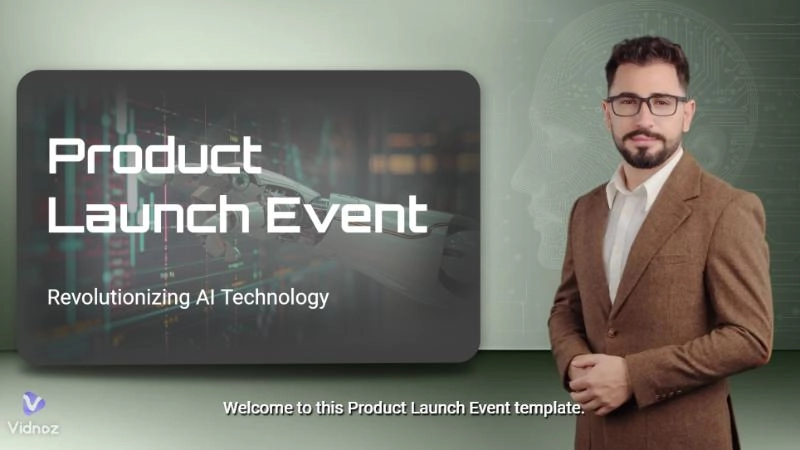
1500+ Real AI Avatars with Gestures: Better than Fliki AI, Vidnoz AI provides more than 1500 avatars created from actual people. The avatars feature authentic gestures and lip syncs that fit the script you write. You can select various ages, ethnicities, and wardrobe styles based on the type of video you require.
2800+ Video Templates for All Needs: Vidnoz AI offers more than 2800 templates, which is much more than Fliki AI. These are ready-made designs for different video types like marketing, sales, training, education, and customer support. Just pick a template that fits your topic, add your script, and you’re done.
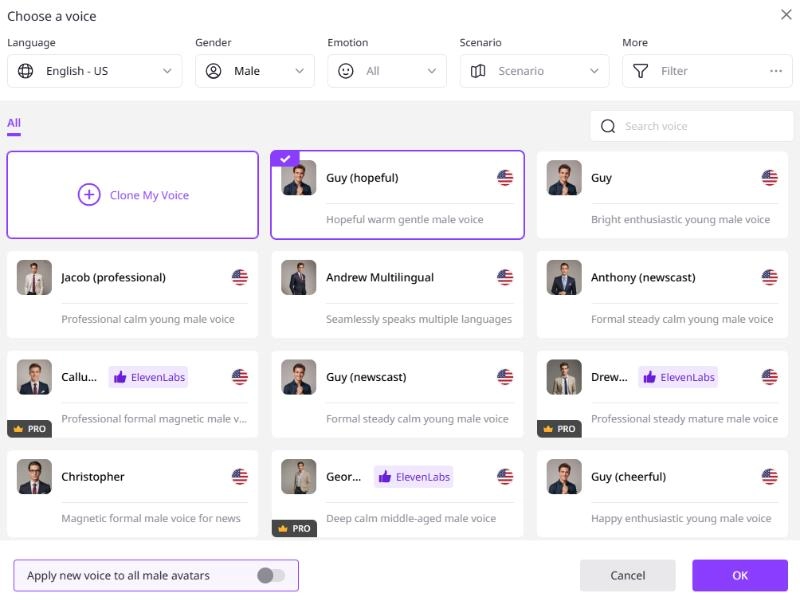
1830+ Lip Sync AI Voices in 140 Languages: Vidnoz AI comes with over 1830 voices in 140 languages. Every voice complements the avatar with accurate tone, pitch, and lip-sync. This makes the message understandable and easy to video translator by any audience.
Free Media Library for Personal Touch: Want to add music, icons, images, or animations? Vidnoz AI has a complimentary media library containing everything you may require. You can easily drag and drop them into your video to personalize it and have some fun.
Extra Features for Better Results: Vidnoz AI provides you with a lot of tools to enhance your video. You can insert personal watermarks, apply video transitions, put on filters, select image backgrounds, and even design vertical videos for mobile. You can even make a personal avatar using your own image.
How to Use Vidnoz AI to Create Video Effortlessly: 3 Simple Steps
Creating a video using Vidnoz AI Video Generator is much easier than using the Fliki AI. Here is how it goes:
Step 1. Go to Vidnoz AI, register for free, then select a video template that suits your use. Select from 1500+ life-like avatars to feature in your video.
Step 2. Paste your script in the editor and choose an AI voice that suits the tone you wish to have. You can preview the voice and adjust the speed or style if necessary.
Step 3. Press "Generate" and wait for a few minutes. Your video will be available shortly. You can download it in HD quality without a watermark, even on the free plan.
FAQ About Fliki AI
Fliki AI assists users in generating videos, voiceover audio, and basic designs from input text through artificial intelligence. It's most commonly utilized by content creators, educators, and marketers.
You can sign up for a free account on Fliki AI Video Generator, which restricts you to 5 minutes of video per month with watermarks. For superior free alternatives, use Vidnoz AI instead.
No, the official Fliki AI app is not available on Android or iOS, but you can use the whole tool from any mobile browser without installing anything.
You can find Fliki AI mod APK versions on the internet, but they are unofficial and not secure. They can introduce bugs or security threats. Use only the official website.
Fliki AI Video Generator popular alternatives are Vidnoz AI, Pictory, Synthesia, and InVideo. For unlimited free access and HD export watermark-free, Vidnoz AI is highly recommended.
The Bottom Line
Fliki AI is a useful tool for making videos, voiceovers, and basic visuals with AI. It is user-friendly and has multi-language support, so it is ideal for newcomers. But the free plan is rather restrictive you get only 5 minutes of video every month, and watermarks on all exports. Voiceover and visual quality can also seem rudimentary or lacking depth. If you need more features, create image to video AI free, improved voice quality, HD exports, and no watermark, Vidnoz AI is a far superior choice. It provides greater flexibility, is totally free, and is suitable for both beginners and advanced users.
Vidnoz AI - Create Free Engaging AI Video with Talking Avatar
Easily create professional AI videos with realistic avatars.
Text-to-speech lip sync voices of different languages.
Lane Maxwell is an experienced technology industry editor specializing in providing users with actionable advice and insights. Her articles have helped millions of readers find solutions easily.






![Top 5 Online AI TV Show Generators to Create Your Own TV Show [2026]](https://www.vidnoz.com/bimg/best-ai-tv-show-generators.webp)
![Make a Video for Your Girlfriend: Free & Fast [2026]](https://www.vidnoz.com/bimg/video-for-my-girlfriend.webp)
![5 Best Italian Brainrot Generators for Hilarious Content [Free & Easy]](https://www.vidnoz.com/bimg/best-italian-brainrot-generators.webp)
