Sometimes, a photo may look boring. Why is it so general? The visual is well-arranged, with enough lighting and normal angles, what happened? Maybe you should consider giving it “breath”. Then how to make your works stand out? Maybe adding lens flare to photos is a nice solution to making them more dramatic.
Whether you believe it or not, properly applying lens flare effects will revive your pictures and catch more attention. In this article, we will introduce you to 6 effective lens flare generators, you should definitely find a proper tool and try to save your images.
- On This Page
-
Why Add Lens Flare to Photo?
-
Instantly Add Lens Flare to Photos on 2 Online Sites
1. Addlensflare Site: Easily Overlay Lens Flares to Images
2. Lunapic: Automatically Add Lens Flare to Photo
-
Naturally Add Lens Flare to Photos with 2 Creative AI Editors
3. Fotor: Make Photos More Appealing with Diverse Lens Flare Effects
4. Openart AI: Lens Flare Generator to Create Cinematic Sunlight
-
Add Lens Flare to Photos on 2 Mobile Apps
5. Photoshop: Get & Put Professional Lens Flares into Photos
6. Lens Flare App: Add Curated Lens Flare to Distinguish Your Images
-
How to Add Lens Flare to Photos? [2 Effective Ways]
Method 1: Adding Lens Flare to Photos Online
Method 2: Adding Lens Flare to Photos with Photoshop
Why Add Lens Flare to Photo?
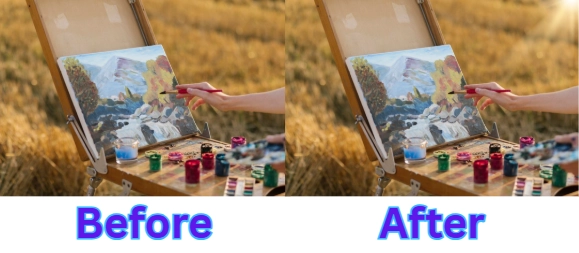
If you want to make your summer vacation photos (or any precious snap) look more cinematic and share them on your social media, you can try to add sunlight to enhance the vivid vibe.
Just like this:
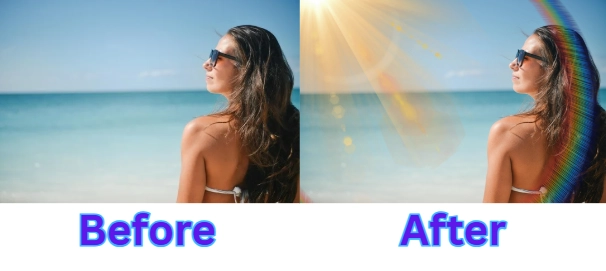
The original photo has a lot of empty space and looks too “basic”; after adding a lens flare, it looks more engaging.
For graphic design and content creation, adding flair can enhance visual appeal. Posters, booklets, and other designs will be rendered more aesthetically visuals, like sunlight flares, which helps to improve the performance.

Image from X.com @rj_s_graphics
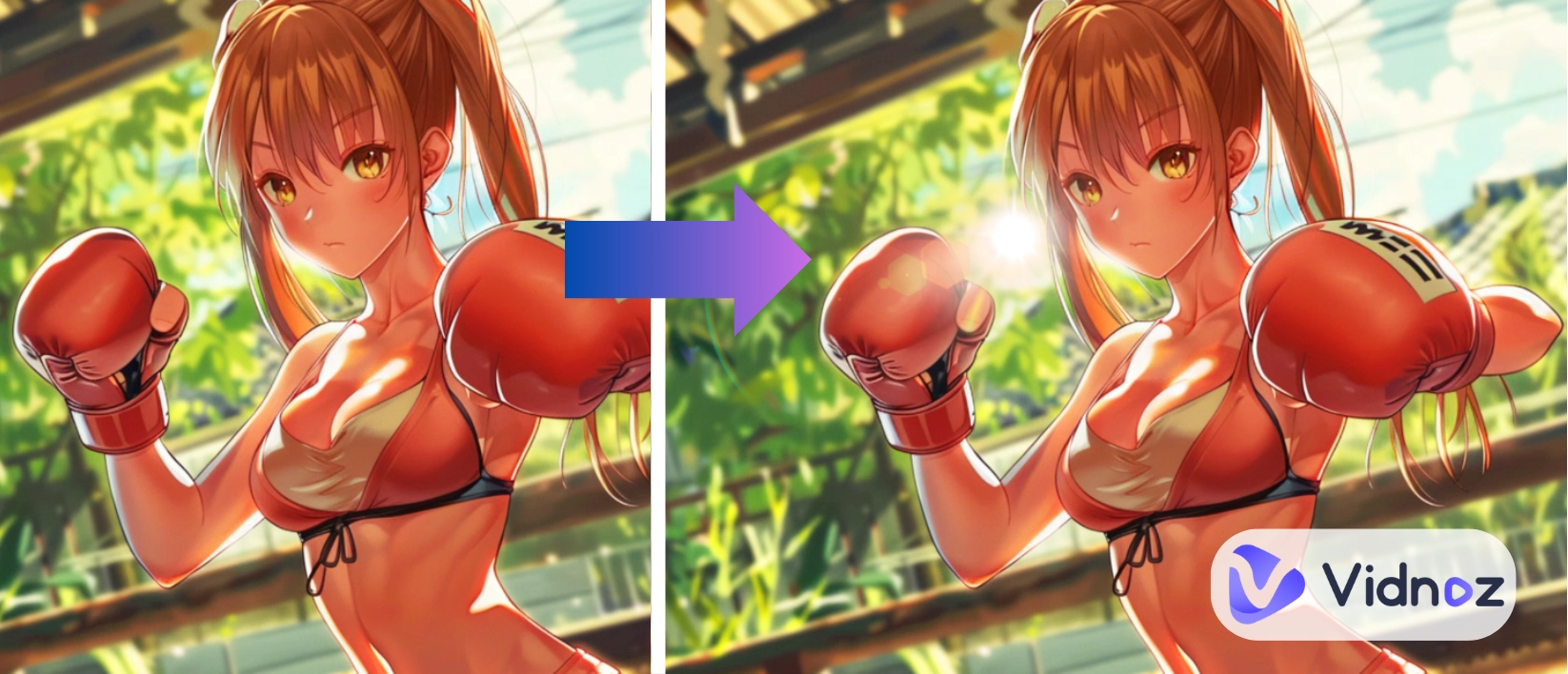
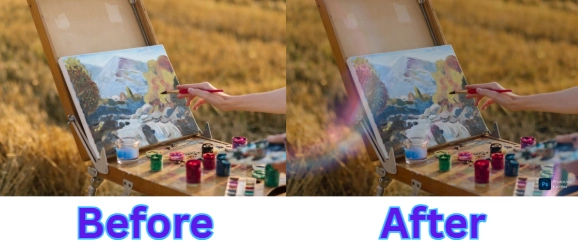
Digital artists often use lens flare effects to make images more expressive and meaningful. Compare the two images below:
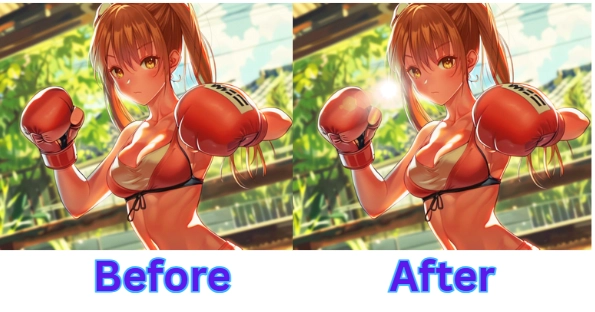
The image with the flare looks more realistic and evokes a stronger emotional response.
Instantly Add Lens Flare to Photos on 2 Online Sites
You can access two online sites for simple and quick lens flare edits:
1. Addlensflare Site: Easily Overlay Lens Flares to Images
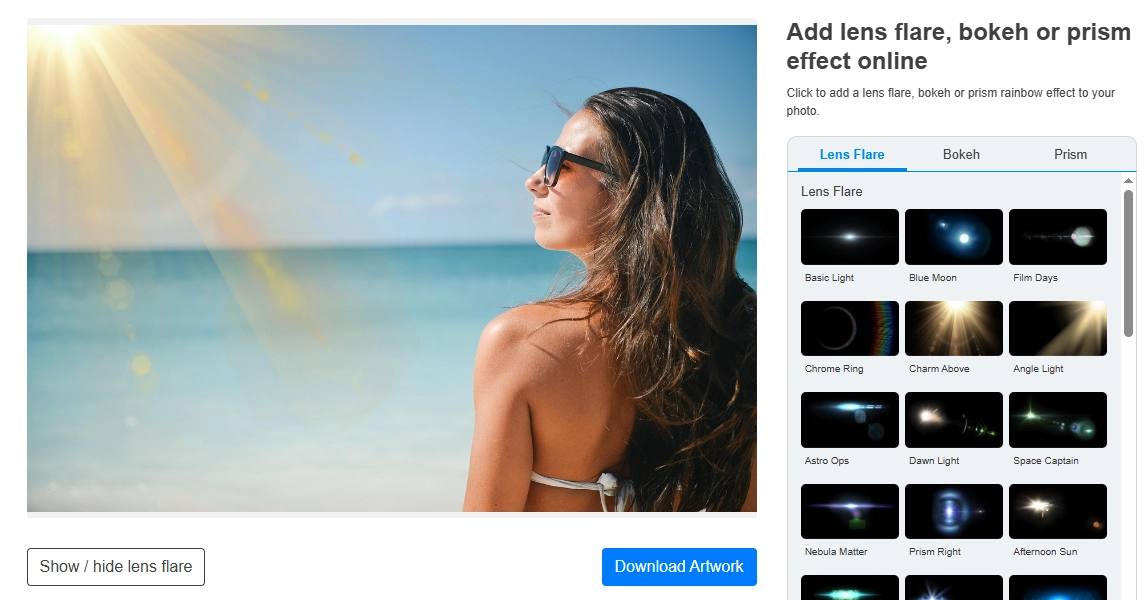
This website has a very simple interface that shows common lens flares free for use. It is easy to edit a photo - upload your photo and click any lens flare to your liking, then manually drag to position the lens flare for best effect. That’s it, you can finally export the result directly.This straightforward tool is good for those who need to overlay effects to photos quickly.
Pros
- No sign-up needed to edit photos.
- Free to apply diverse lens flare effects.
- Edits directly without buffering.
Cons
- Less options on lens flares.
- No other photo retouching features.
- Can’t adjust the transparency, which may cause an unnatural effect.
2. Lunapic: Automatically Add Lens Flare to Photo
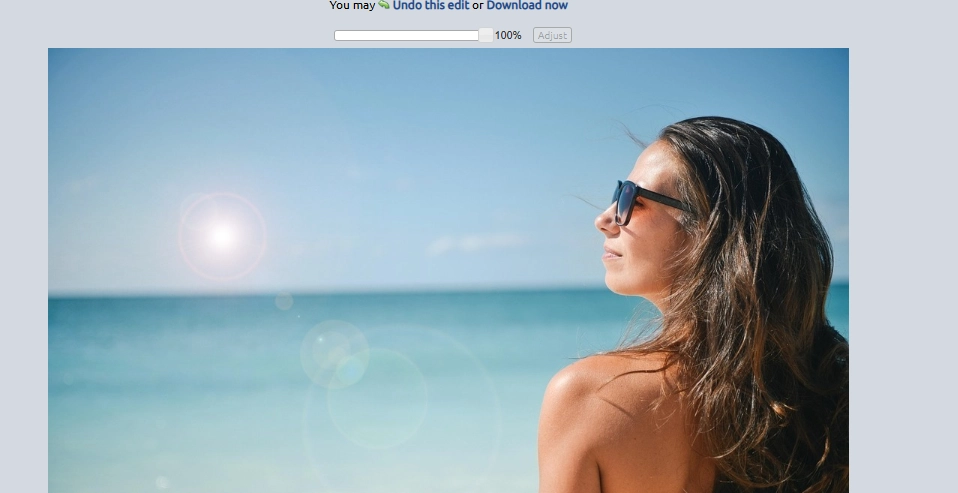
It’s very flush to add lens flare to a photo on Lunapic. It streamlines the process: analyzing the input image smartly and adding proper lens flare flawlessly. So if you don’t know how to choose lens flares and don’t want to do extra edits manually, you can use this automatic tool.
Pros
- No sign-up needed.
- Natural merging lens flare in your photos.
- Reversible image editing.
Cons
- No customization choices.
- It's hard to preview the result because the editing screen is quite big.
>> Turn your lens-flared photo to engaging videos in clicks!
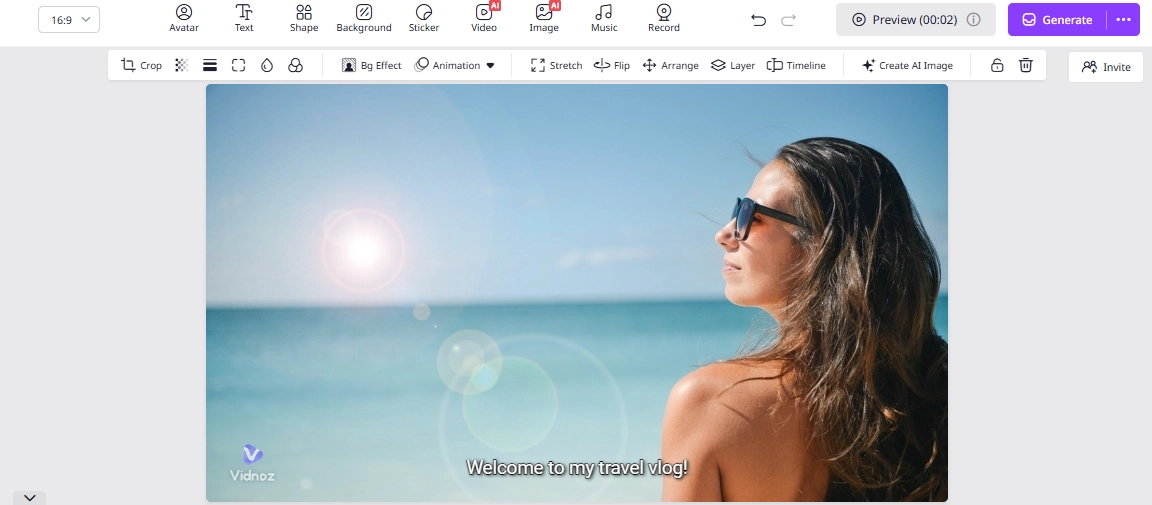
Not only can you easily add lens flare to photos, but also can turn them into cinematic videos. Pro-level edit? No, just drop your photos and leave the rest workflows to AI! With Vidnoz free AI video generator, your memories will be turned into drama-like videos.
Naturally Add Lens Flare to Photos with 2 Creative AI Editors
AI lens flare generators will highlight your photos by adding natural and unique effects:
3. Fotor: Make Photos More Appealing with Diverse Lens Flare Effects
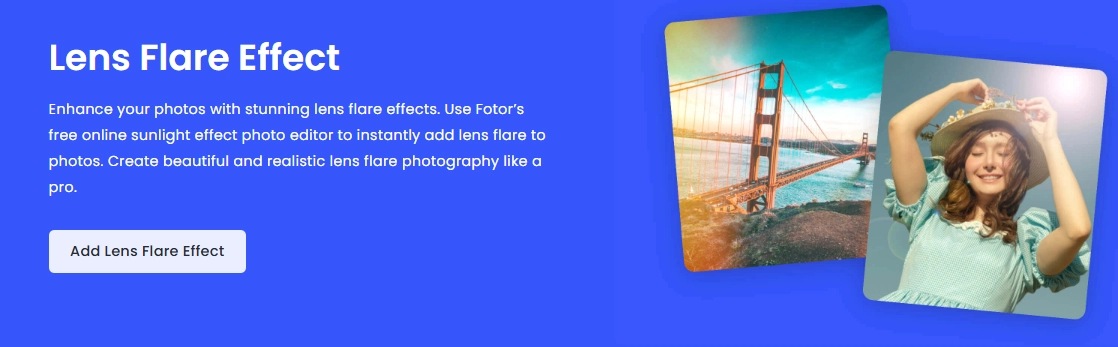
Fotor uses AI to make editing easier by providing various customizable lens flare effects. Upload a photo, select a unique effect, adjust the size and intensity, and you'll get a cinematic photo with captivating lens flares. This tool is good for those who want to make their photos more dramatic.
Pros
- Free trial for new users.
- Give selections of lens flare that are suitable for your pictures.
- Smartly upscale the lens flare and adjust the flare intensity.
Cons
- Subscription is required to download final photos.
- The lens flare effect can't be moved.
4. Openart AI: Lens Flare Generator to Create Cinematic Sunlight

OpenArt AI has more complex features to create and merge lens flare effects to your photos. Despite its complexity, it can help you tailor cinematic lens flares to your images. To run it, you have to select the area from the photo, then write the prompts to modify the selected area to add lens flares. It is ideal for those who want to revive their photos with totally different backgrounds.
Pros
- Generate special lens flares from prompt.
- Batch final result outputs for your selecting.
- Many editing features are available for further edits.
Cons
- 2 free trails only.
- New users may find the editing features confusing.
- The generated lens flare effects cannot be manually adjusted.
Add Lens Flare to Photos on 2 Mobile Apps
If you prefer to do retouching on mobile, there are two apps you can use to add lens flare to photos:
5. Photoshop: Get & Put Professional Lens Flares into Photos
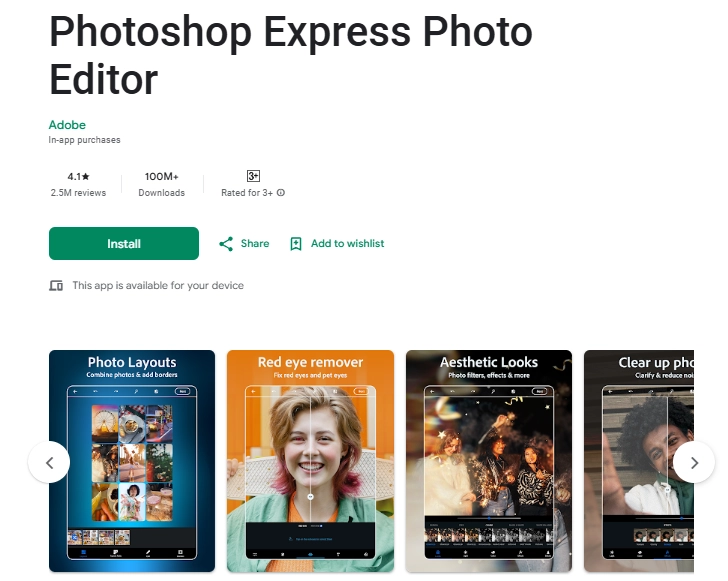
The Photoshop app offers professional editing options that are easy to use on smartphones. Users can add high-end lens flares to photos with ease. Compared to the PC version of the software, it is quite easy to use. Users just need to upload photos, then select lens flare effects via the overlays feature.
It is good for anyone who wants to get and blend lens flares to photos like a pro.
Pros
- The lens flare can be moved and rotated.
- Free and easy to use basic lens flare edits.
- Saturation adjustment for natural lens flare blending.
Cons
- Less lens flare choice.
- Can’t overlay multiple lens flares in one photo.
- With watermarks cover on after editing.
6. Lens Flare App: Add Curated Lens Flare to Distinguish Your Images
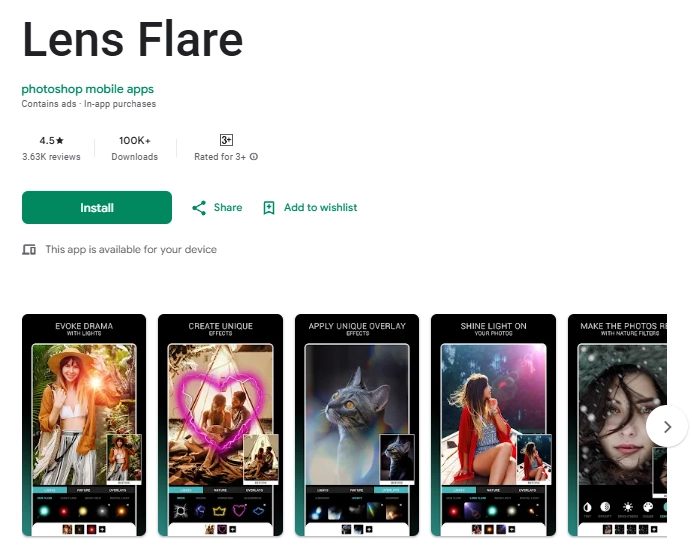
This application provides lens flare effects for editing portraits in a user-friendly way. The process is simple: upload a photo and add a lens flare according to your preference. You can also adjust the lighting to match the flare. It is ideal for those who want to edit photos instantly using only their phone.
Pros
- Adding multiple lens flares in one photo.
- Free to apply diverse filters.
- Create your own lens flare effects
Cons
- Subscribe to remove the watermark.
- Unable to adjust the transparency.
How to Add Lens Flare to Photos? [2 Effective Ways]
Method 1: Adding Lens Flare to Photos Online
You can choose an online tool for simple edit. Here we will use Addlensflare as the example:

The normal tool like addlensflare.com allows you to choose and add lens flare from its library; an AI editor like Openart AI can generate a unique lens flare from your ideas.
Step 1.Upload your photo;
Step 2.Choose and apply the lens flare you want to use;
Step 3.Adjust the lens flare.
Method 2: Adding Lens Flare to Photos with Photoshop
We will show you how to add lens flare to a photo on Adobe Photoshop app:
Step 1.Import your photo;
Step 2.Find the overlays option;
Step 3.Click the “effect”;
The vibrant effect is available for selection, you can click to try them.
Conclusion
Adding lens flare to photos is a simple change while saving your snaps from monotonous and boring vibes. You don’t need any design or photo editing skills, just try the six tools above to do small changes and win magical big differences.
What are you waiting for? Make your photos shine with dramatic and aesthetical effects and get more likes. What if you want to cherish your valuable photography works? You can turn photos into engaging video albums easily on Vidnoz free AI video generator!

Vidnoz AI - Create Free Engaging AI Video with Talking Avatar
- Easily create professional AI videos with realistic avatars.
- Text-to-speech lip sync voices of different languages.
- 2800+ video templates for multiple scenarios.







![How to Erase Someone from a Photo on iPhone [100% Effective]](https://www.vidnoz.com/bimg/erase-someone-from-a-photo-on-iphone.webp)
