Turn still images or text into dynamic videos in any style, with leading AI models readily. Try the smart AI video generator now - stunning, free, and instant!
[Review] Waifu2X Upscale – Upscale Image Online Without Detail Loss
Lora Lopez
Updated on
SHARE THIS POST
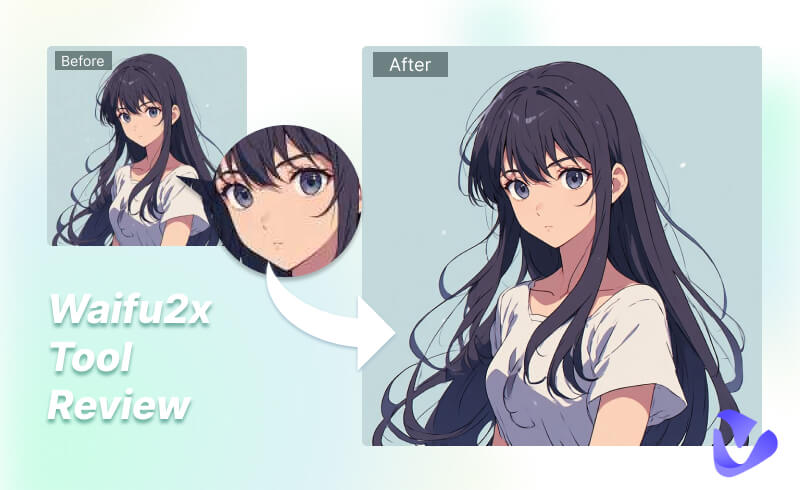
Check the review of Waifu2x Upscale, the lossless Waifu2x image upscaler, learn how to use and set the GUI for better results.
Photos lose their quality when circulating on the Internet, and it gets even more heartbreaking when the images are your loved anime art. Those well-painted details, brushworks, and subtle color grading are fading and destroyed by the noise and blurriness. Though these are challenging, the Waifu2x Upscale tool never flinches.
This image upscaler comes with lossless image enlarging, delivering impressive outputs. Well, is it really that powerful? How to use it? Don’t worry; simply bring these questions and read through this blog for more information!
On This Page
What Is Waifu2x?
Why Waifu2x Outshines Other Image Upscalers
Intuitive Comparison Between Waifu2x & Other Upscalers
How to Use Waifu2x to Enlarge Images Without Quality Loss
Beyond Enhancing Images – Enhance Videos with AI Smartly
FAQs about Waifu2x Upscaling Tool
Final Thoughts
What Is Waifu2x?
First of all, let’s take a closer look at this amazing tool. Waifu2x image Upscaler, an open-source Deep Convolutional Neural Network-based image upscaling tool, features lossless image enlarging and noise reduction. It enlarges animation photos and any anime-styled artwork, while maintaining the sharp & pristine lines and color details.
GUI Version Access:
Waifu2x
https://www.waifu2x.net/
Waifu2x Unlimited (in-browser version)
https://unlimited.waifu2x.net/
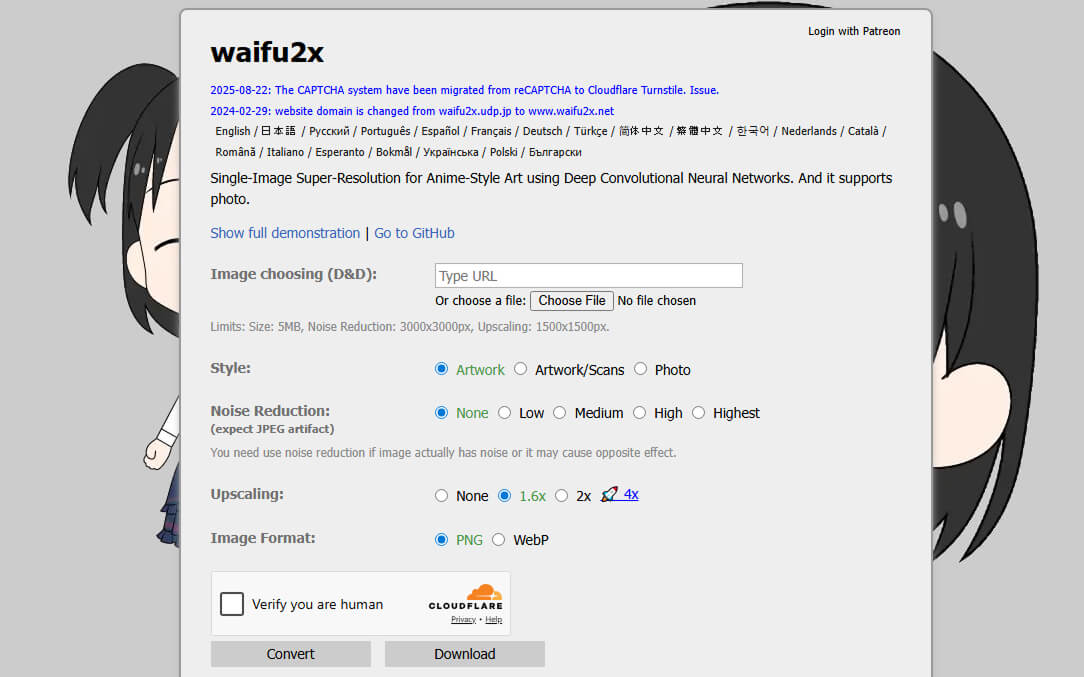
The user interface offers several options for users to customize: Style, Noise Reduction level, Upscaling level, format, etc. Users with expertise and experience can also get the code from GitHub.
Why Waifu2x Outshines Other Image Upscalers
This lossless image enlarger wins over seas of users, owing to its powerful functions and impressive results. Let’s check its main features/edges.
Reasons Why Waifu2x Upscaling Tool Excels
AI-powered lossless upscaling: Waifu2x uses neural networks to increase photo resolution in 1.6x/2.0x/4.0x, while maintaining lines and details.
Multi-level noise reduction: Different from tools that remove JPEG artifacts, the Waifu2x upscaling tool comes with a denoise feature, especially for those heavily-compressed images, delivering clearer and smoother outputs without noise.
Highly accessible open-source AI image enlarger: Waifu2x image upscaler is free and easy to get. Even if you are not familiar with coding, there is a web version with a GUI available.
Anime-style friendly: It processes normal photos well, and excels especially on anime artwork, keeping the pristine brushworks and color gradings.
Intuitive Comparison Between Waifu2x & Other Upscalers
Too abstract? Check some intuitive comparisons instead.
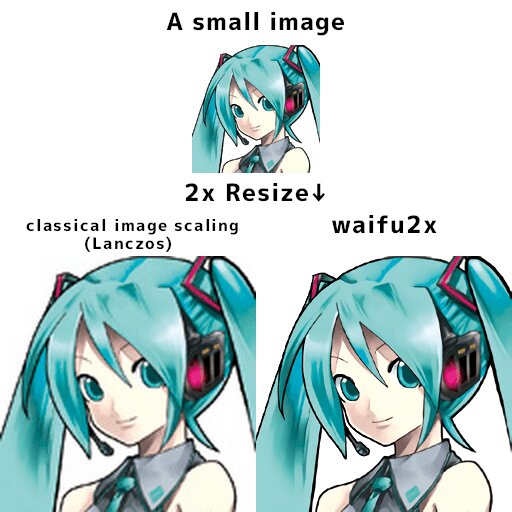
Showcase 1 Official Comparison Demonstration from Waifu2x
From the official example, it is obvious that the traditional image scaling brings blurriness, aliasing, and color fading. But Waifu2x does very well. The upscaled version is even clearer.
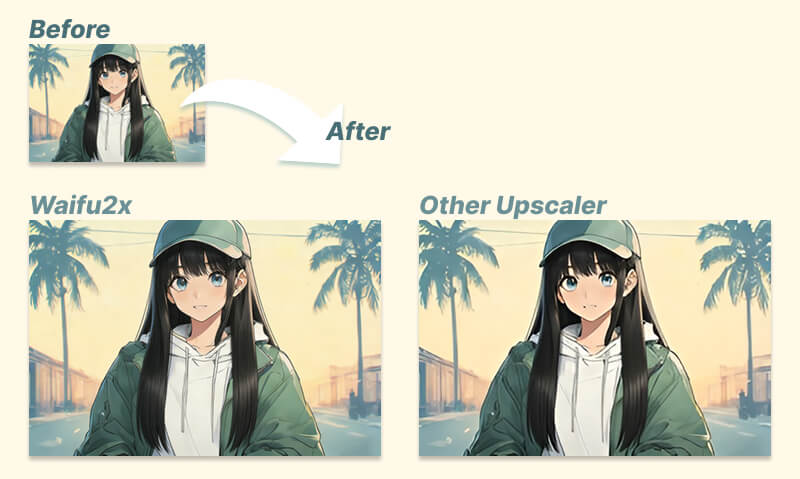
Showcase 2 Actual Test Between Waifu2x Image Upscaler & Other Tools
In the actual test, you can also easily catch the line distortion in the result of another upscaler, while the brushwork, drawing lines, and colors are well maintained in the Waifu2x output.
How to Use Waifu2x to Enlarge Images Without Quality Loss
With a basic impression of the features and the effects in mind, it is time to try it in person and see how it can impress you. Please follow the tutorial below.
Step 1. Head over to Waifu2x Upscaler GitHub access or a simple web version.
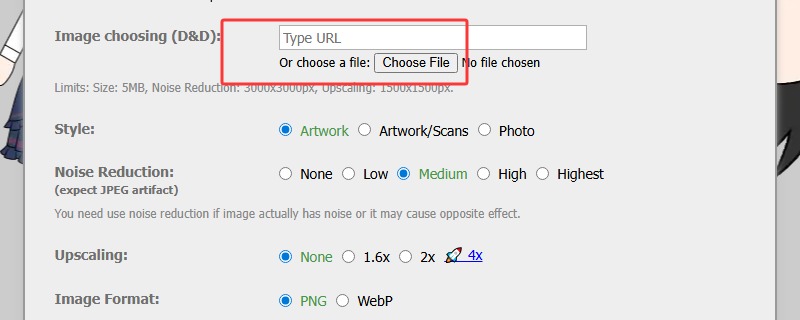
Step 2. Upload your artwork or normal pictures to Waifu2x, or insert URL of the image.
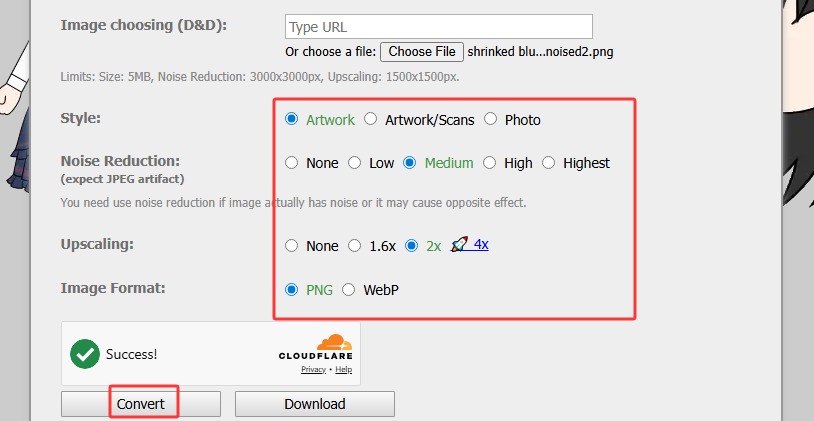
Step 3. Then, customize your processing settings. Choose the image style, whether to apply denoise, upscaling level (1.6x/2x/4x), and image format. Then click to verify “I’m not a bot”, and next, click Convert.
Step 4. Check and download your output in the pop-up new window.
Beyond Enhancing Images – Enhance Videos with AI Smartly
Upscaling and enhancing images without detail loss is not the only challenge in our everyday lives. Your vlog videos, downloaded footage, recorded clips, and way more video materials can end up in low quality during compression and transition online.
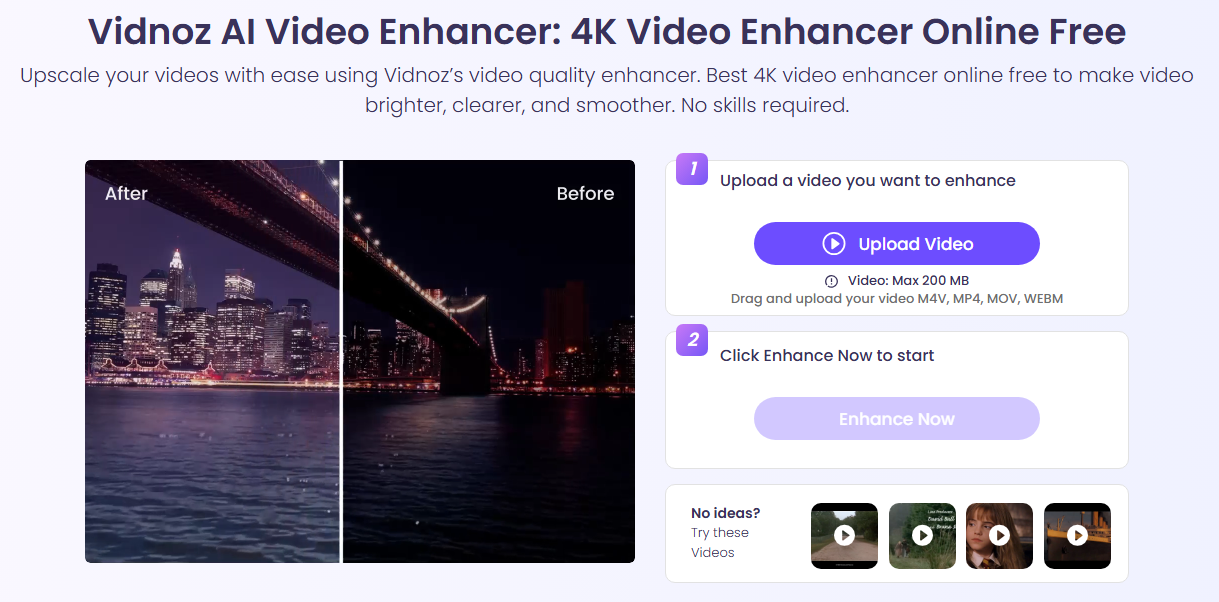
This is where Vidnoz AI Video Enhancer outshines. This free AI video enhancer is a web-based tool as well, free to get, easy to operate, and also reliable to trust. With this AI-powered video upscaler, you can get your blurred video footage enhanced in 4K HD quality, restoring color and texture details.
Key Feature
Free AI video enhancer without subscriptions
Seamless face and color correction powered by AI
Ultra-fast to get your enhanced videos in seconds
Online video upscaling without downloading any software
Support multiple video formats, like MP4, M4V, MOV, WEBM, etc.
How to Enhance Video Quality with AI?
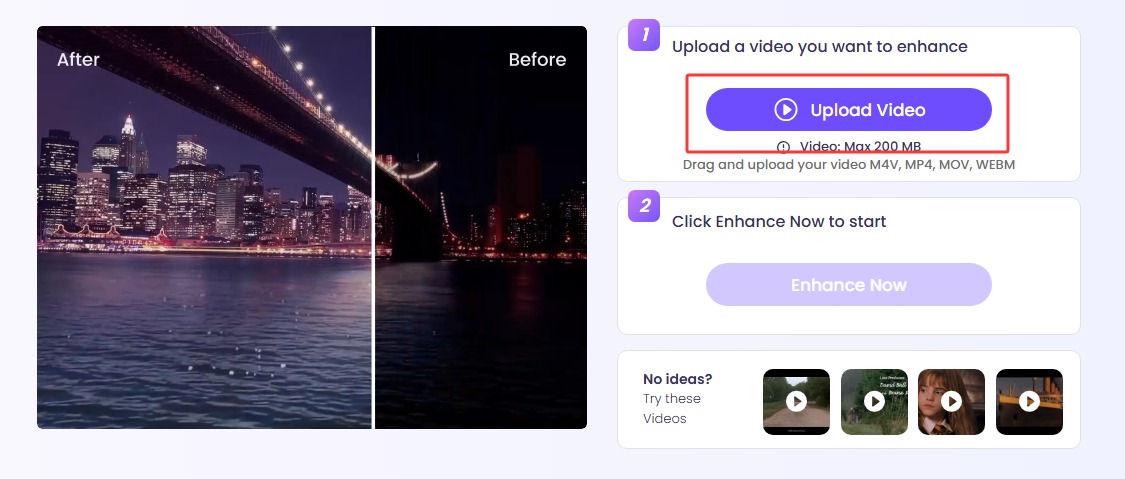
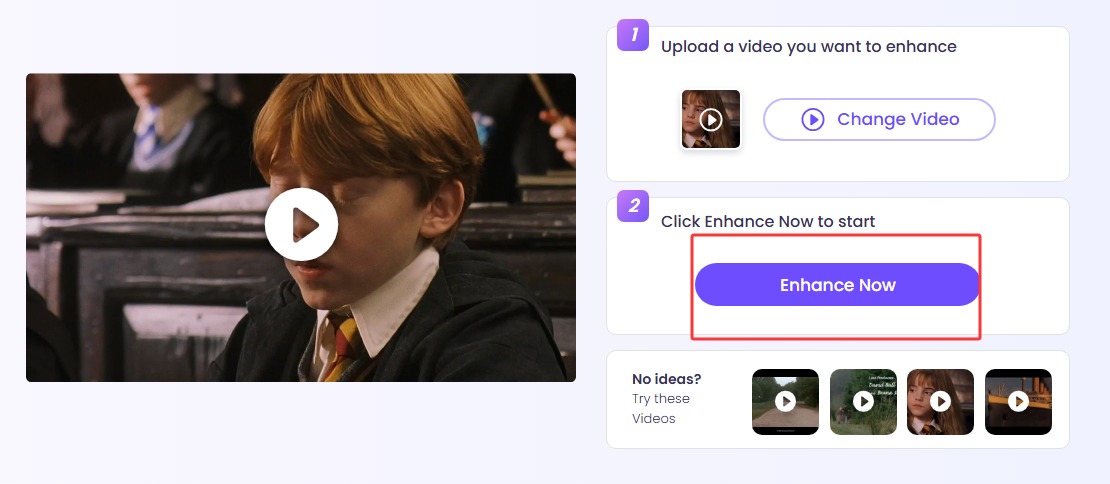
Step 1. Navigate to the Vidnoz AI Video Enhancer web page > click Upload Video, and choose the video material from your device. Or, you can also select a sample video to check the effect.
Step 2. Click Enhance Now and let AI process your video.
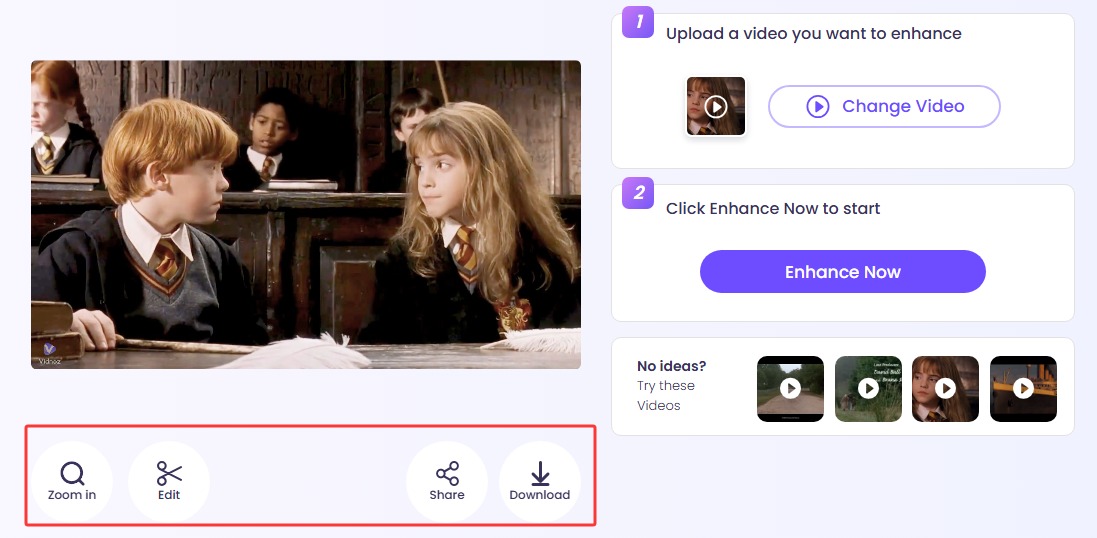
Step 3. Within a few seconds to minutes, you can get your result. Zoom in to check, edit, or share and download as you like.
This is how you enhance videos online with AI. Vidnoz comes with a handful of funny and useful AI tools that deliver compelling visuals. For instance, except for just upscaling your loved anime artwork, haven’t you ever thought about turning it into a live animation? Vidnoz Image to Video AI will be the ideal one to try. This free-to-use image-based AI video generator converts any image to vibrant videos with its cutting-edge models, such as Google Veo3, Hailuo, Seedance, self-developed Vidnoz Turbo, etc., analyzing your base image and description thoroughly, generating target content pixel by pixel, frame by frame, and rendering it into a smooth flow.
Convert Image to Video AI Online - Free
Create a video from an image quickly for free.
Use various AI models to turn photos into videos.
Download and share the AI-generated video at no cost.
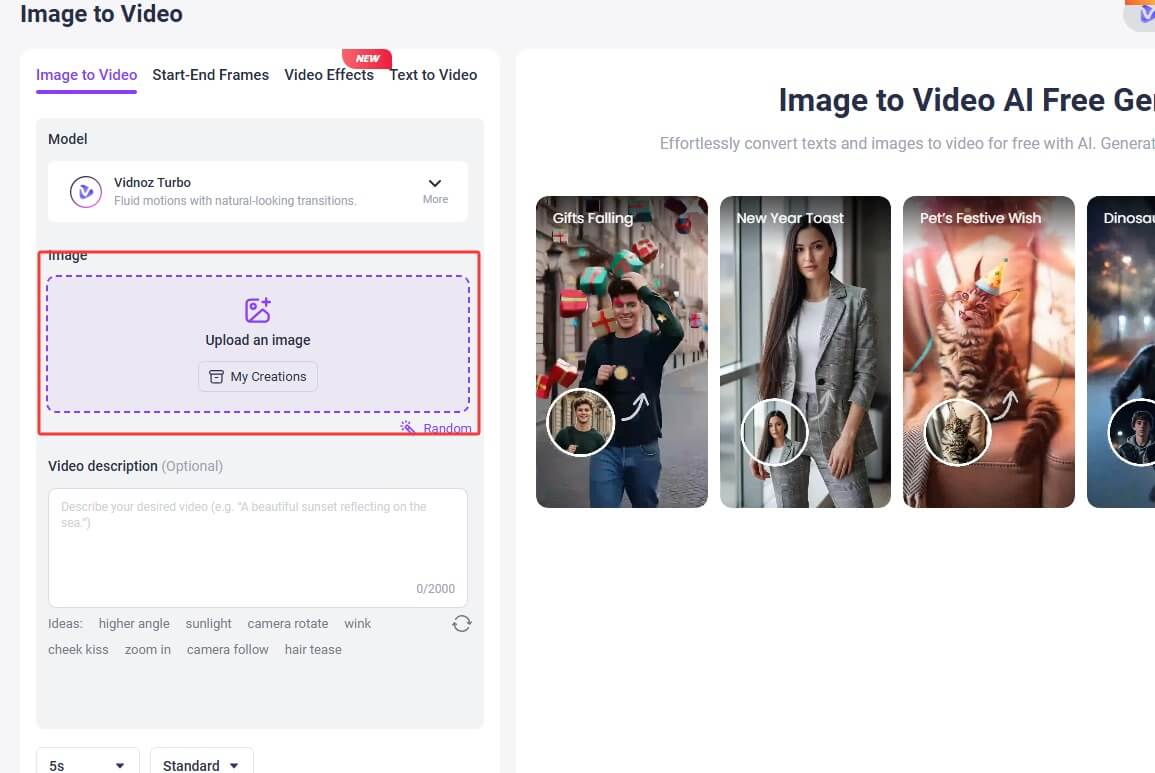
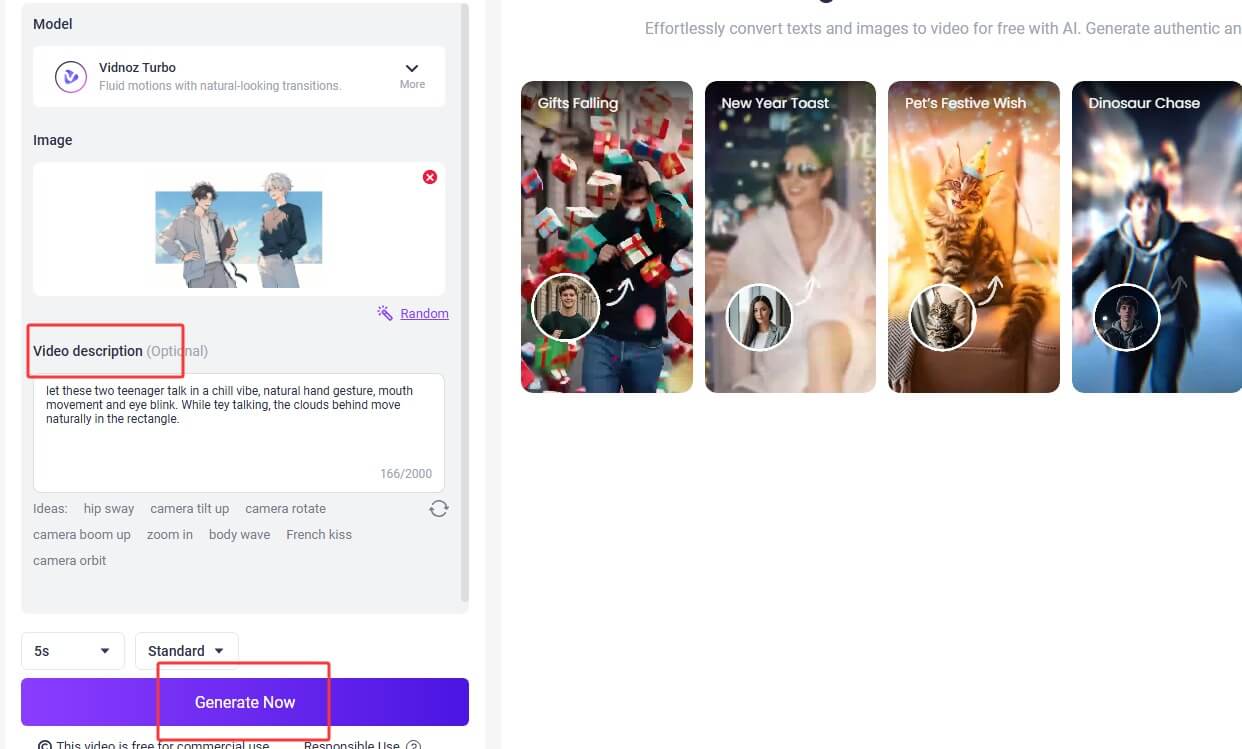
Step 3. Cut the image to the proper aspect ratio as you like. Next, input the text description of the video content you want, and customize the video model, length, quality, etc., and click Generate Now. For example, you may add “natural mouth movement animation”, “hand gestures”, “background moving”, and more prompts in your descriptions.
Step 4. Let the AI process your video to animate drawings/paintings. Feel free to download your animation.
FAQs about Waifu2x Upscaling Tool
Till now, you have gone through the detailed introduction about the Waifu2x upscaling tool and now know about its features, effects, and usage; and maybe you have tried how it upscales your images in person. But if you have more questions about it, check the following answers.
Yes. Waifu2x is regarded as a safe, open-source image enlarger to use. But please access from the correct and legit source. You might as well download the desktop GUI version from GitHub or access the official web-based version.
Yes, Waifu2x Image Upscaler is an AI-powered tool. It utilizes the Deep Convolutional Neural Networks, which can analyze and understand the image content, and then reduce noise, thus enlarging your pictures without quality loss.
It depends on the image you input.
Model: For anime-style 2D artworks, simply select the anime option on the web version, or use the Anime-HQ-W4xEX model on the GUI version. If you are to enhance pictures of real people, just turn to the Photo option and use the Photo-Conservative-x4 model.
Denoise: Activate the noise reduction if there is indeed noise on your pictures.
Upscale level: Choose 2x or 4x.
Final Thoughts
This is how the Waifu2x Upscale tool can help you bring your shrunk, blurred, over-compressed anime artwork back to its pristine beauty. Plus, you might learn some other worthy info like the best Waifu2x settings to deliver a better enlarging effect. Don’t forget to upscale your compressed videos with the Vidnoz AI video enhancer and check the other funny and compelling tools by Vidnoz.
Lora Lopez, an IT- centric SEO writer, delivers concise tutorials and software reviews to solve common IT challenges. With a focus on user-friendly content about AI tools, she offers practical solutions and insights to help readers effortlessly navigate the dynamic world of information technology.