Have you ever seen a photo suddenly start talking, or a cartoon character who happens to deliver a perfectly synced monologue? Well, this isn’t pure magic, because behind it all is something called mouth movement animation.
For years, creating believable lip-sync was underwhelming. As it can be quite difficult and was only reserved for professional animators with expert knowledge and softwares. While today, the game changed, as AI-powered tools have made it incredibly simple for ANYONE to create such realistic mouth movement effects. In this guide, you’ll know about where to find animations and, more importantly, how to customize your own ones easily.
- On This Page
-
Who Needs a Mouth Movement Animation?
-
3 Sites for Mouth Movement Animation Footage Download
-
Solution 1. Vidnoz Talking Photo: Make AI Mouth Movement Animations from Photos
How to Animate Mouth from Photos:
-
Solution 2. Vidnoz AI: Generate Human-Like Mouth Movement Animations
How to Animate Mouth Lifelikely:
-
Solution 3. Vidnoz AI Dubbing: Sync Mouth Movement with Translated Animations
How to Animate Mouth for Localization:
Who Needs a Mouth Movement Animation?
- Animated Character Makers
Content creators and animators can make images, such as memes, historical figures, or custom characters, seemingly have life. These tools can make them tell stories, sing songs, or even convey messages with natural mouth movement effects, for both entertainment and commercial purposes.
Businesses and educators mostly use it to make their training and marketing videos more immersive. They edit their mouth movements in videos to match the voiceover, making it seem more human-like.
Adjusting the mouth movement ensures the translated video content is familiar enough for local viewers. So it’s necessary to align the lips with the translated languages.
3 Sites for Mouth Movement Animation Footage Download
#1. Vecteezy
Vecteezy is a great starting point as it offers a variety of real human mouth movement animation clips for free. These animated mouth changes are perfect for projects that require a realistic touch.
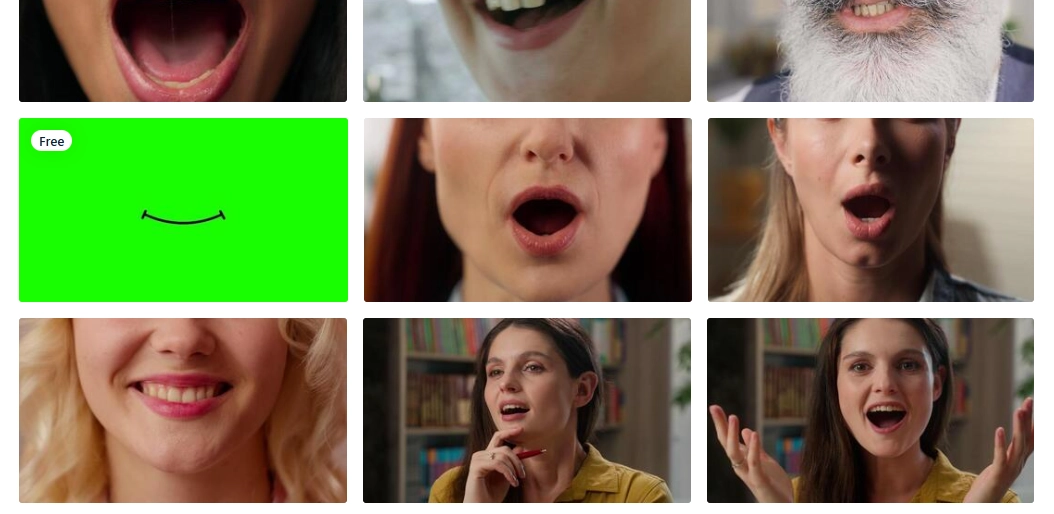
#2. Shutterstock
This platform provides high-resolution cartoon mouth movement for animations, often on a green screen. These are ideal for animated series, games, or advertisements, though users typically need to pay for a subscription or per-clip license.
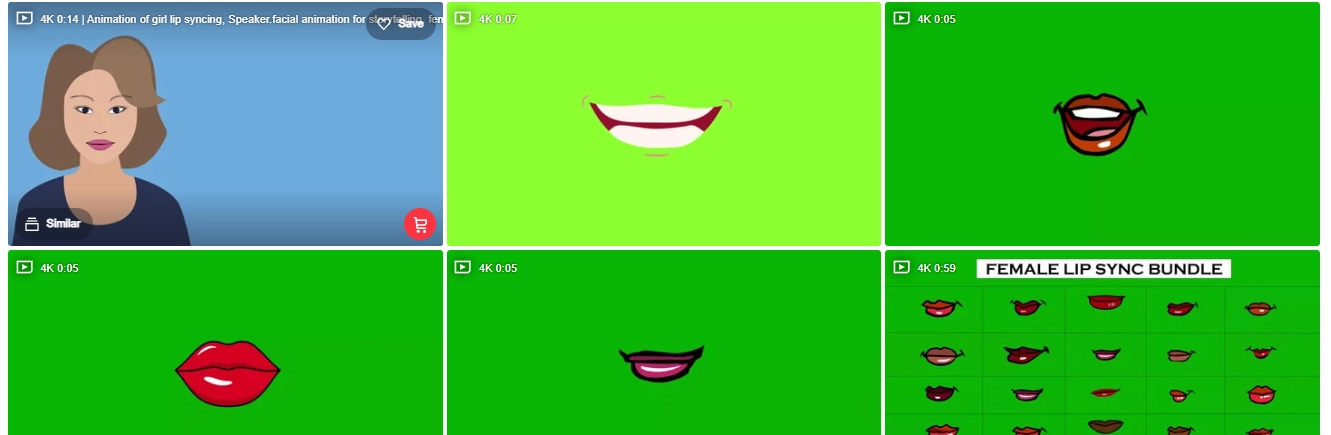
#3. iStock
Known for its wider image and animation collections, iStock provides both real and emoji-style mouth animations. So you can quickly find and filter proper mouth movement animations to fit different project styles, from serious to comical.
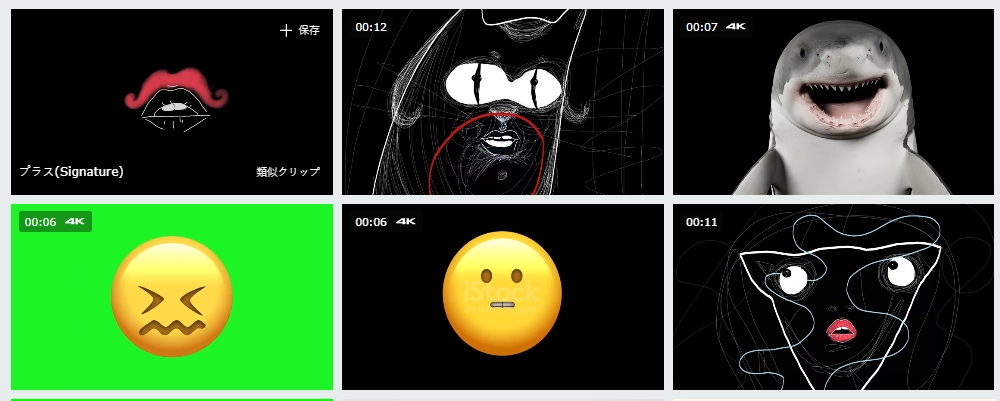
You can download ready-to-use mouth movement animations from those “public libraries”. But once you need to use one for your personal use, those materials are too “common”(and some of them are expensive for commercial use), so you need to customize your own mouth movement animations.
Here are 3 easy AI solutions work for that, let’s dive in:
Solution 1. Vidnoz Talking Photo: Make AI Mouth Movement Animations from Photos
The premium way to personalize mouth movement animation is making your characters move. Then you could try Vidnoz AI Talking Photo.
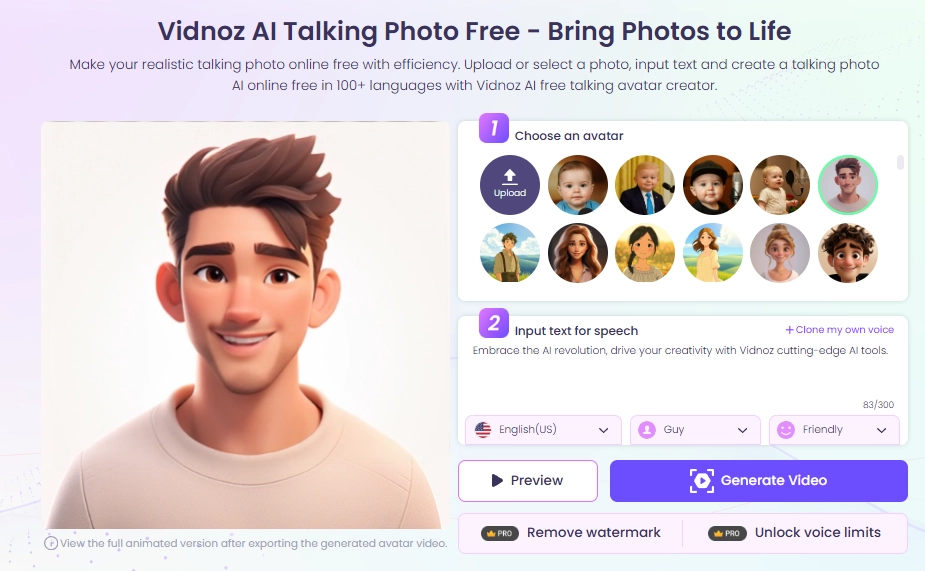
This is an online tool designed to animate any image - a human actor, an anime character, and even your pets. How to achieve that? You only have to take a photo and click the button, then you can instantly generate mouth movement animations within one minute.
Not only that, the tool is integrated with advanced TTS technology, so it can analyse your script and synchronize the result with natural mouth movements and even audios, which results in an incredibly lifelike lip-synced video.
Key Feature
- Animate Any Mouth: Portraits, fantasy characters‘ images, or animals, this online tool can animate any mouth from a photo, bringing your creation to unparalleled reality;
- Seamless Mouth Movement Animation: The AI ensures the lip-sync is natural and matches with your audio smoothly, avoiding robotic and janky effects;
- Easy to Use: As an online tool with no software to install and no limits on use, it's accessible to everyone and any device, providing results in a few minutes;
- Free to Make Mouth Movements Animations: You can customize high-quality, and high-definition mouth movement animated videos for free, benefiting your budget-limited projects;
- Lifelike Voiceover: Choose from over 140 languages and a wide range of male and female voices, complete with emotional tones to add personality to your character.
How to Animate Mouth from Photos:
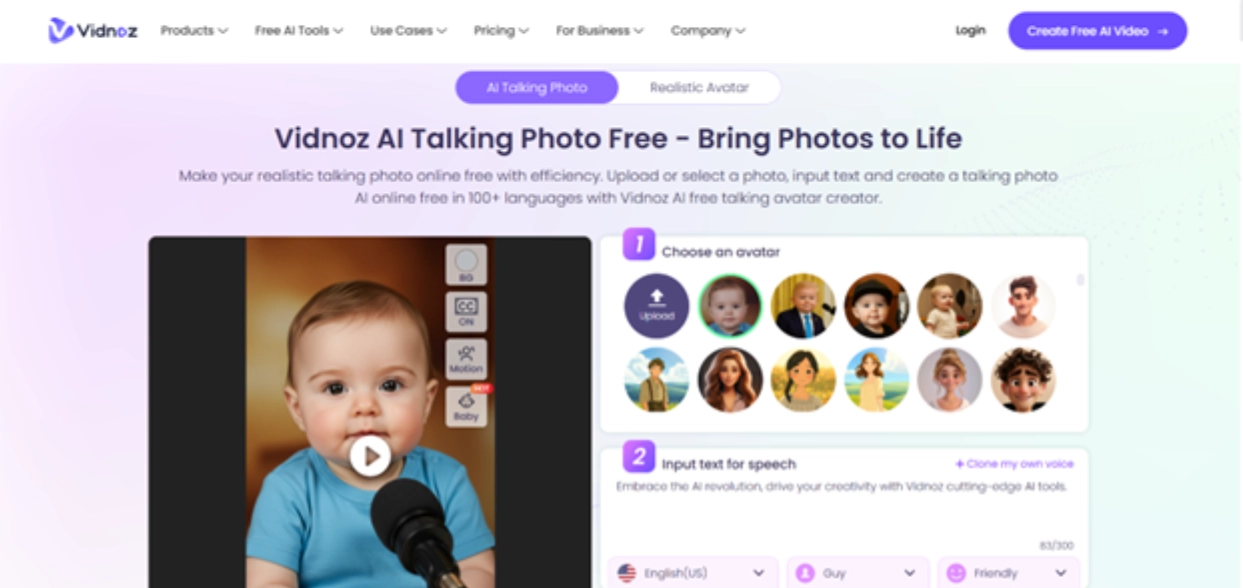
Step 1.Upload a Photo
Visit the Vidnoz Talking Photo website and upload a clear, front-facing photo you want to animate:
Step 2.Type Your Script
Type or paste the words that your characters want to say in the text box:
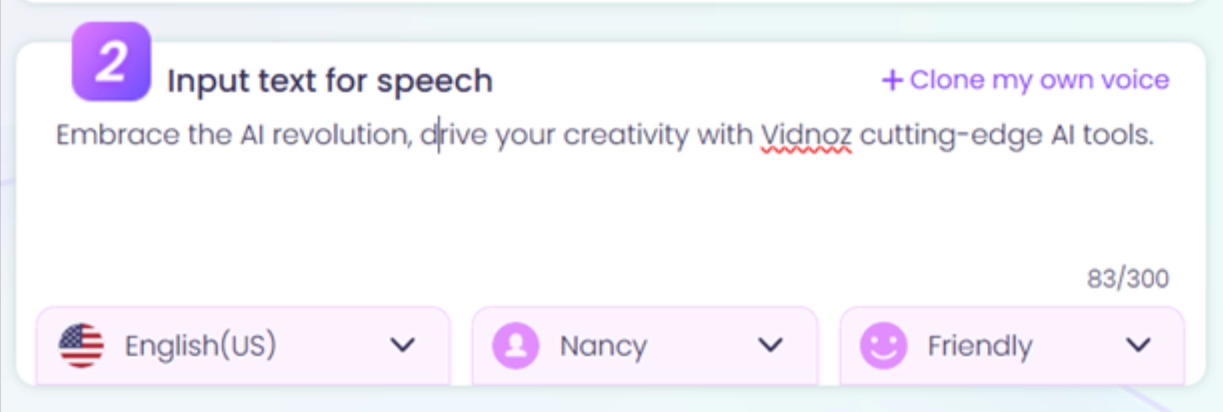
Step 3.Set Up the Voice
Select your desired language, gender, and tones to match your character.
Step 4.Click to Animate Your Photo
After clicking the "Generate Video" button, simply wait a few minutes as the AI processes the data and creates an AI lip sync video with natural mouth movements.
Once it’s ready, you can download it completely free!
Solution 2. Vidnoz AI: Generate Human-Like Mouth Movement Animations
For those looking to go beyond just a talking photo, this is a full-fledged free AI video generator that lets you create entire videos from scratch. All the while, using AI avatars, ready-made templates, and easy-to-use editing tools.
While Vidnoz Talking Photo specializes in a single feature, Vidnoz AI is ideal for producing full videos with a consistent human presence and perfectly synced mouth animations.
Create Your AI Talking Avatar - FREE
- 1900+ realistic AI avatars of different races
- Vivid lip-syncing AI voices & gestures
- Support 140+ languages with multiple accents
Key Feature
- Realistic AI Mouth Animation: The platform's avatars feature realistic dubbing technology, ensuring every word is matched with a believable mouth movement;
- Sync Mouth Movements with Vivid Voices: Just like its counterpart, it offers a large library of AI voices in different languages and accents;
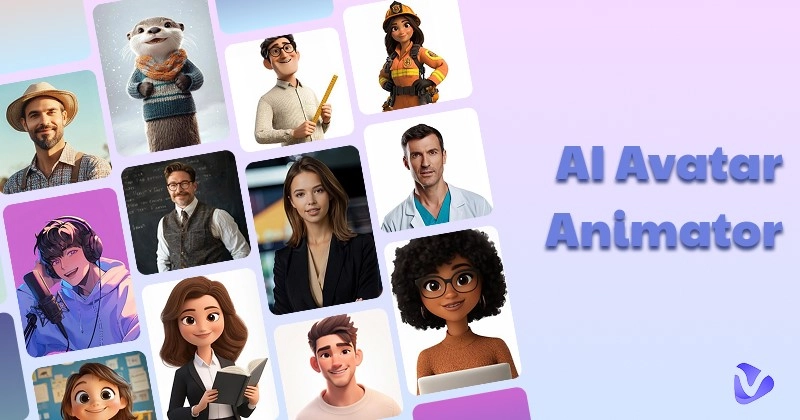
- Ready-to-Use Avatars: Choose from 300+ stock AI avatars or upload your own photo to create a custom talking avatar for your videos;
- 1000+ Templates: Speed up your video creation process with purpose-built templates tailored for a variety of needs;
- Easy to Animate Mouth Movements: The tool is built for simplicity, allowing users to make mouth animation with enhanced effects.
How to Animate Mouth Lifelikely:
Step 1.Create an Account
To get started, just sign up for a free Vidnoz AI account:
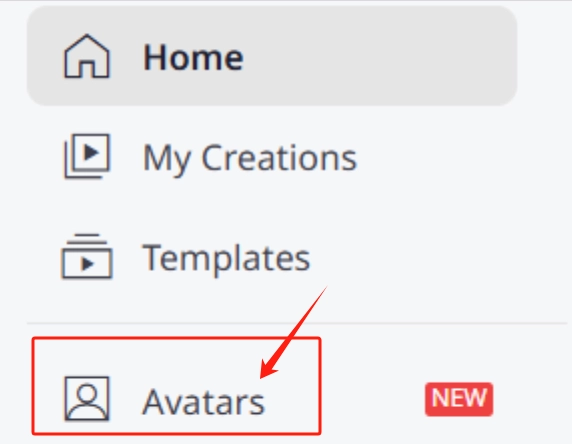
Step 2.Navigate to "Avatar"
Select "Avatar" from the left-hand menu, and choose a template avatar or click "Talking Photo" to upload your own image and create a custom one.
Step 3.Create Your Video
Add your avatar to a template or a blank canvas, type your script, and generate the video. The AI will handle the rest, producing what you really desire!
Solution 3. Vidnoz AI Dubbing: Sync Mouth Movement with Translated Animations
There is a common sense: Simply replacing the audio tracks isn’t enough when localizing a video for a specific foreign market.
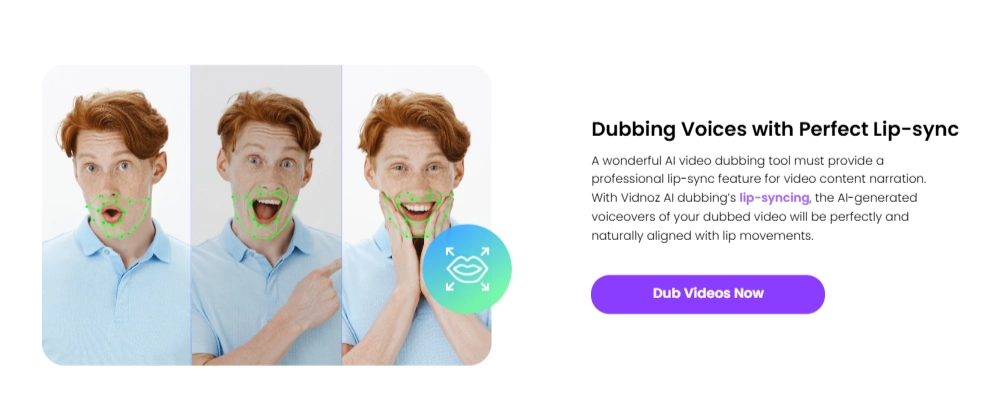
The mouth movements must remain synced to the translated language, that’s where Vidnoz AI dubbing feature is skilled. It not only automates video translation by generating AI-powered voiceovers in the target language, but also syncing the speaker’s lip movements seamlessly.
Key Feature
- Seamless Mouth Movement Adjustments: It re-animates the speaker’s mouth movement to match the translated language;
- Natural Mouth Animation Effects: The resulting lip-sync is fluid and natural, preserving the authenticity of the original clip;
- Multilingual Support: The tool supports a diverse set of languages for both translation and dubbing, making it ideal for any content outside of the English language;
- Fast and Automated: What once took a team of professionals weeks to complete can now be accomplished in minutes.
How to Animate Mouth for Localization:
Step 1.Drop Your Video
Go to the Vidnoz AI Dubbing site and upload or paste the URL of the video file you wish to translate and lip-sync.
Step 2.Set Up Dubbing Preferences
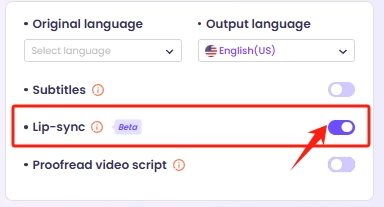
Select the original language and the target language for the dub. Most importantly, ensure the "Lip Sync" option is turned on:
Step 3.Wait for Dubbing
Click "Translate Now" and after processing, you can then download the final, perfectly synced video.
Conclusion
You can source lip-sync footage from online libraries or go further by crafting fully customized mouth movement animations with AI tools. And Vidnoz, as a comprehensive video edit platform, helps a lot on how to animate mouth movement from photos to localized video dubbing.
Now, don’t let your characters stay silent, choose an AI tool and bring them to life in clicks!

Vidnoz AI - Create Free Engaging AI Video with Talking Avatar
- Easily create professional AI videos with realistic avatars.
- Text-to-speech lip sync voices of different languages.
- 2800+ video templates for multiple scenarios.







![Moving Photo Effect with AI: How to Make a Still Image Move [5 Ways]](https://www.vidnoz.com/bimg/moving-photo-effect.webp)
