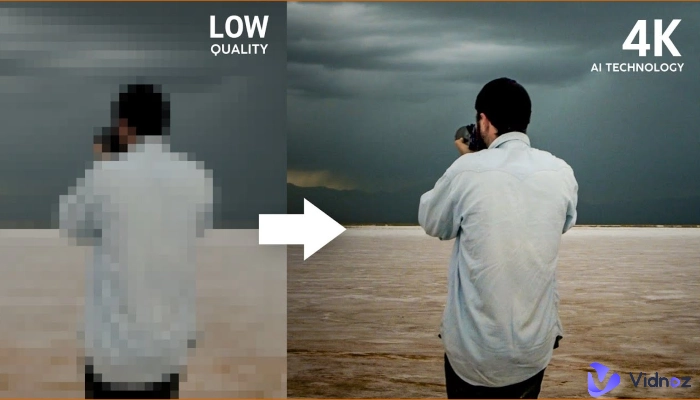
Turn still images or text into dynamic videos in any style, with leading AI models readily. Try the smart AI video generator now - stunning, free, and instant!
How to Animate Drawing Online? Effortless AI Methods & Manual Tools
Lora Lopez
Updated on
SHARE THIS POST
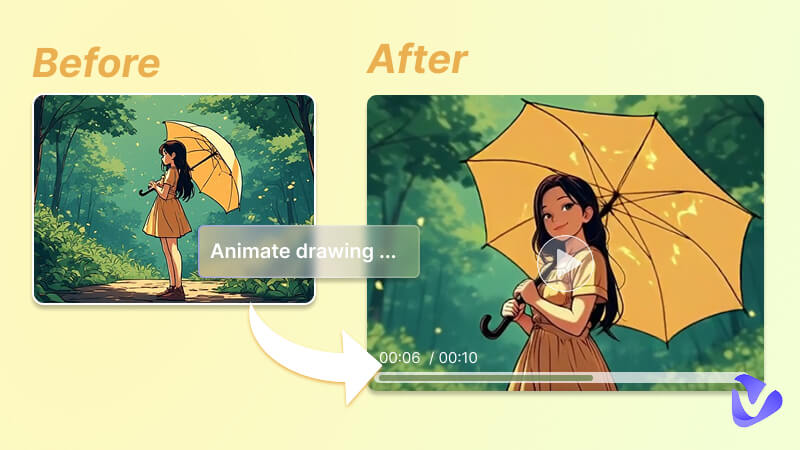
How to animate drawing online? Check the post for AI drawing animators and manual methods & tools to create animated drawings.
Remember drawing stick figures in the corner of your textbook as a kid? You would sketch each movement frame by frame, then flip through the pages quickly, and suddenly, your little character would start moving and come to life. This is how you animate drawings on real pages, but did you know that you can do that online?
There are a bunch of intelligent AI tools to help you animate drawing online effortlessly, as well as some handy tools to make them move manually. Just stay tuned.
On This Page
Why You Should Use AI Drawing Animator?
How to Animate Drawing Online in 1 Click - Vidnoz Image to Video AI
Why You Should Choose Vidnoz Image to Video AI Drawing Animator
Steps to Animate Drawings Effortlessly in 1 Click
Top 3 Drawing Animators to Manually Animate Drawings Online
#1 Monstermash – Animate Drawings with Auto 3D
#2 Brush Ninja – Create Animated Drawings with Handy Brushes
#3 AnimatedDrawings – Animate Drawing Online with Auto Bone & Templates
FAQs About AI Drawing Animator
Final Thoughts
Why You Should Use AI Drawing Animator?
We all know that almost all animation artists draw animations frame by frame diligently, striving for excellence. However, those sophisticated skills demand years of practice and hard work. When there is a shortcut that delivers you directly to the destination, why would we, the ordinary people, waste time and effort in the process?
Those AI drawing animators are powered by detection, masking, rigging, and rendering technology, automatically analyzing objects/characters, rigging limbs, and making them move according to your text descriptions. These AI tools streamline the process of animating sketches, making animation accessible to all.
How to Animate Drawing Online in 1 Click - Vidnoz Image to Video AI
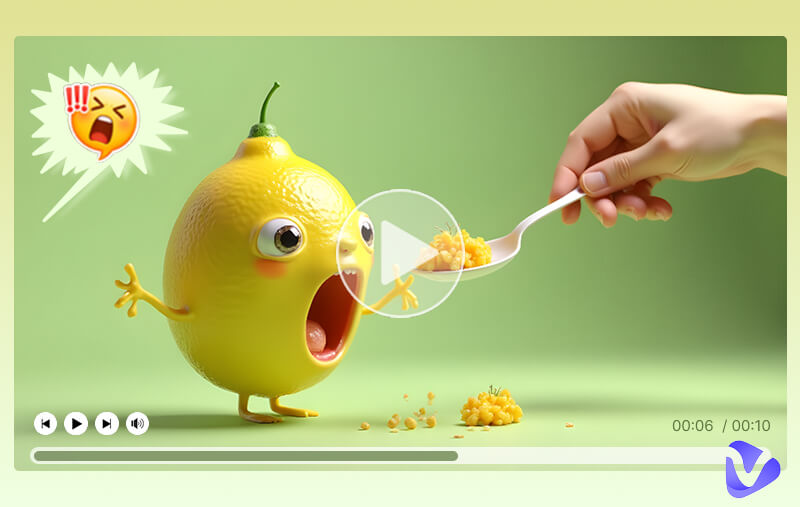
AI CAN animate your drawings, but the quality varies. A correct and proper tool brings a satisfying result. Vidnoz Image to Video AI will be an ideal go-to due to its hyper-realistic output and free service. Based on the cutting-edge AI models, it converts your drawings and doodles into animations in several seconds as you like. All you need to do is upload and describe the animation you desire.
Convert Image to Video AI Online - Free
Create a video from an image quickly for free.
Use various AI models to turn photos into videos.
Download and share the AI-generated video at no cost.
Why You Should Choose Vidnoz Image to Video AI Drawing Animator
Key Feature
Free to animate drawing online: This web-based free AI drawing animator is free to use and download, animating pictures online without downloading software.
Diverse methods to animate drawings: You may try the simple image-to-video tunnel, try applying video effects to your doodles, and also set the start and end frames to complete the frames within.
Advanced models for drawing animation: It offers a bunch of powerful models to make fluid motions with natural transitions, detailed textures, and some even generate lip-synchronized audio, thus turning your drawings into seamless animations.
Steps to Animate Drawings Effortlessly in 1 Click
How to animate a drawing online easily with AI? Check the tutorial for detailed steps.
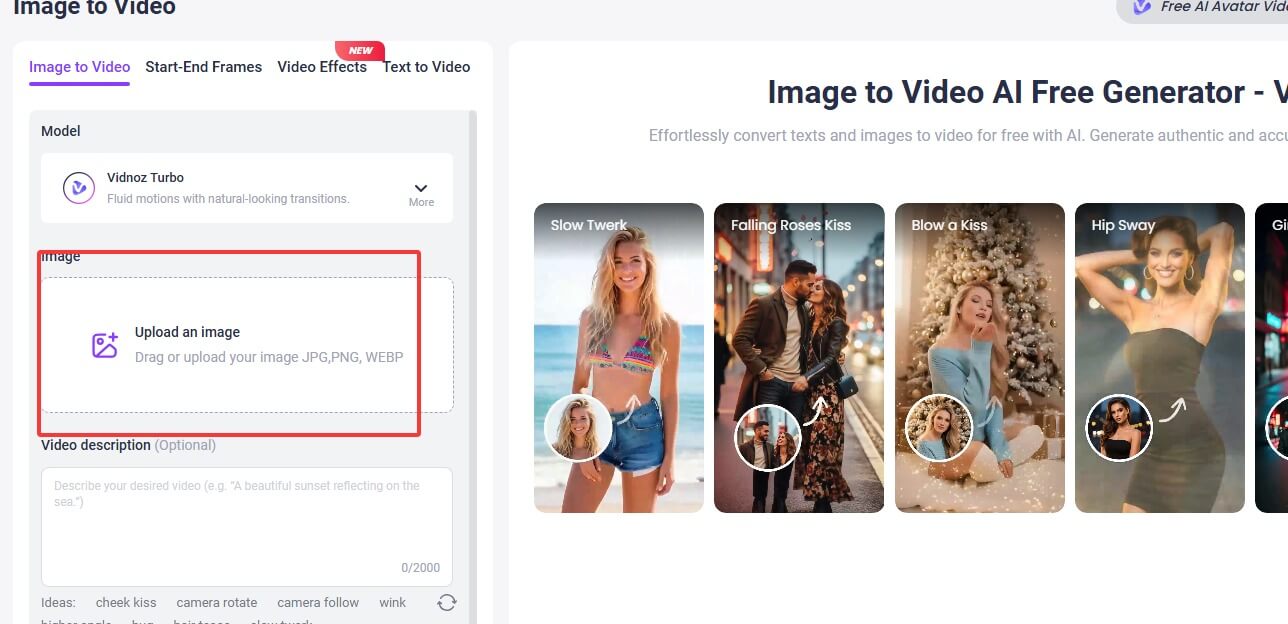
Step 2. Click the Upload an image area, and choose your drawings from your device. Customize the aspect ratio as you need.
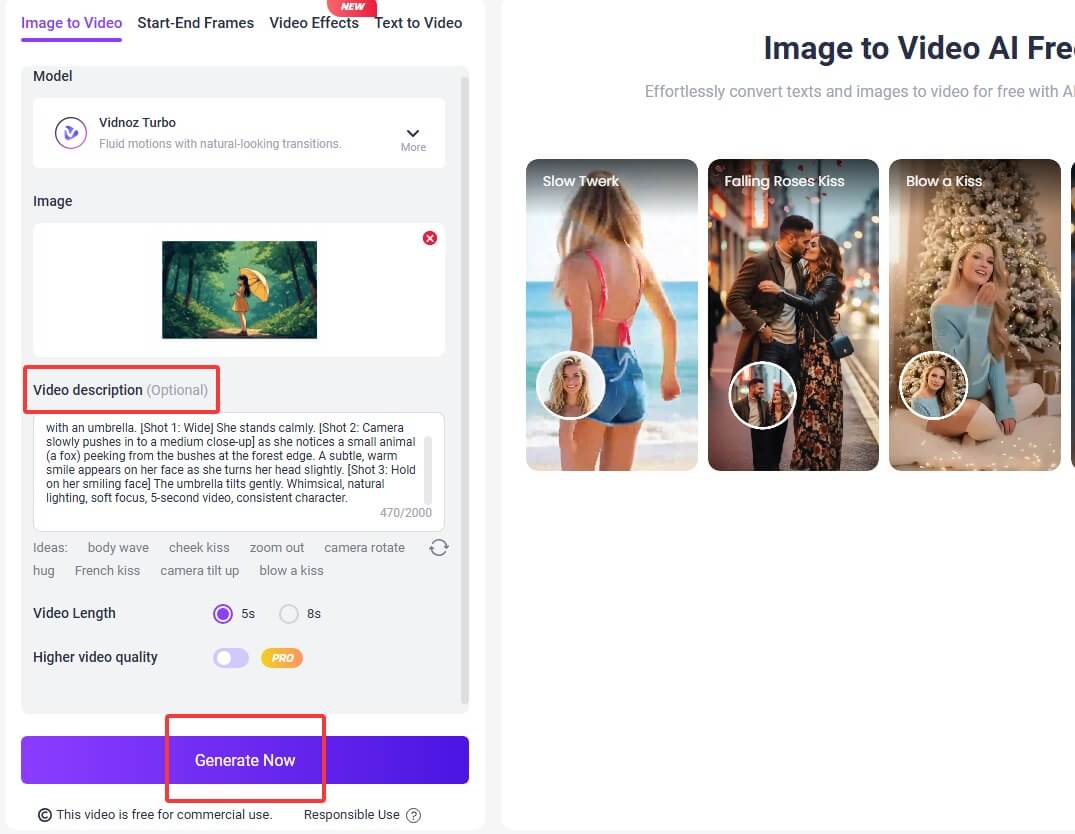
Step 3. Input animation plot descriptions. For example, describe some actions like walking and running, and you may also add camera movements to enhance the storytelling. Customize the video length, models, and click Generate.
Step 4. When the video is ready, zoom in to check the details, share, and download as you like. Adding the actor’s lines, you will also see how animated drawing AI generates smooth and natural mouth movement animations.
If you just want your drawn doodle characters dance like a real person, you might also turn to the Photo Dance feature to make picture dance.
Top 3 Drawing Animators to Manually Animate Drawings Online
Without using AI drawing animators, you might also turn to manual tools that bring higher freedom and customization. If you are clear about what actions and plots you want, these sketch animators will be suitable for your requirements.
#1 Monstermash – Animate Drawings with Auto 3D
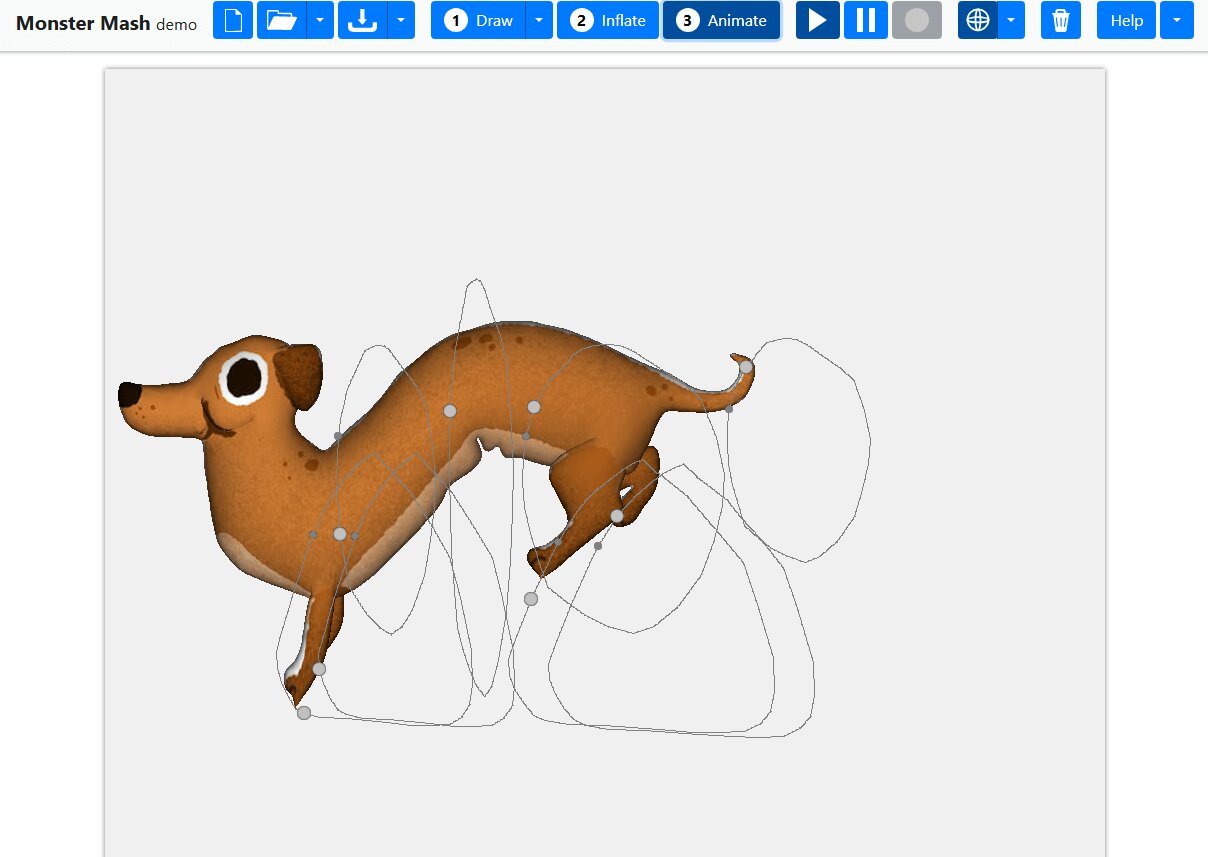
Monstermash provides an intuitive user interface and an easy auto 3D feature, catering to users who want 3D animation. Though it is a demo version, it provides useful management features like project import/export and optimizing user experience.
Access: https://monstermash.zone/#
Tutorial:
Step 1. Draw something on the spot. Make sure to divide each limb and part.
Step 2. Click Inflate to convert your drawings to 3D. Next, draw the move paths of all limbs.
Step 3. Then click Animate to make an animation.
Edges:
Automatically turn your sketch into an inflated 3D version.
An abundant gallery for animated drawings.
Project management features for easier importing and exporting.
Shortcomings:
Sometimes fail to inflate your drawings, and your drawings may get lost.
Demanding in expertise and has a steep learning curve, requiring users to understand motion paths and the principles of movement.
#2 Brush Ninja – Create Animated Drawings with Handy Brushes
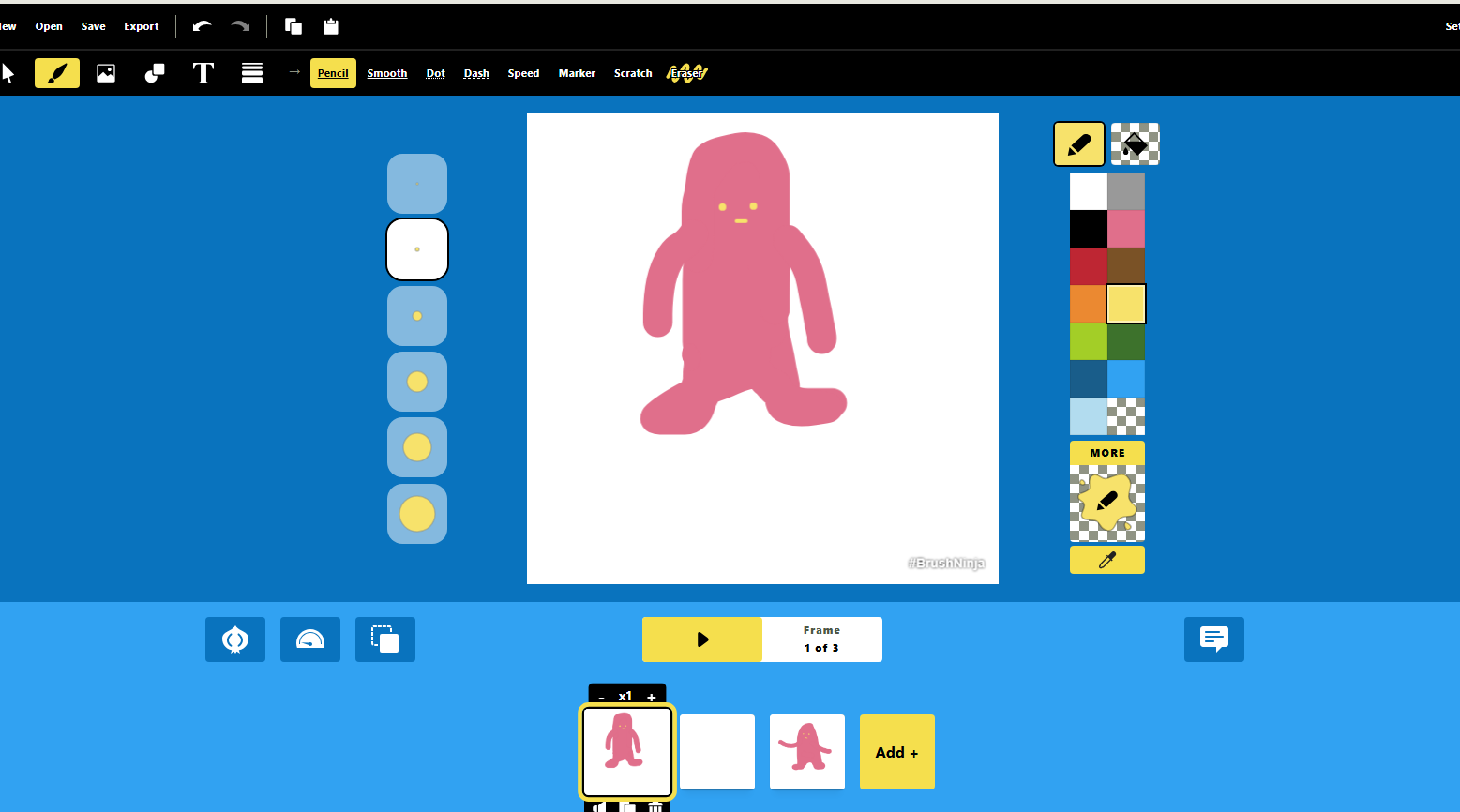
2D animation lovers can also find a proper tool to make cartoon animated drawings. Brush Ninja is an ideal choice if you are picky about brushes. This animation maker offers diverse brushes, e.g., pencil in different colors/thickness, dots, dashes, speed, etc. Plus, more handy options to enrich your canvas are ready: shapes, text, lines, emojis, and even pictures. If you are a heavy fan of sketching and doodling, it will win you over.
Step 1. Draw something frame by frame, use pencils, colors, and layers.
Step 2. Add elements to enrich your drawings.
Step 3. Then click the Play Animation button to view the animation.
Edges:
Plenty of brushes and elements to enrich the drawings.
Provide layers, onion skinning, and backgrounds to help you manage your frames and make animations.
Offer different canvas aspect ratios: square, comic maker page, traditional TV (4:3), cinema, etc.
Shortcomings:
The brush has no pressure sensitivity.
#3 AnimatedDrawings – Animate Drawing Online with Auto Bone & Templates
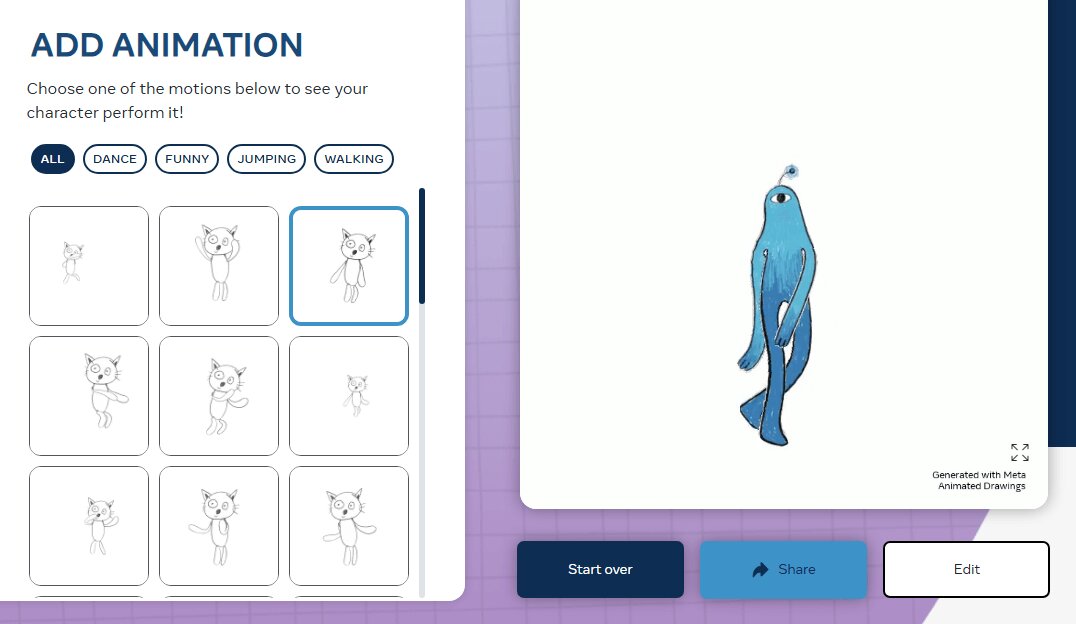
If you don’t like to draw frame by frame to make actions and movements, this one will make you feel at home. AnimatedDrawings is a demo version, but it still performs well in detecting your drawing structures and adding movements.
Its auto object detection/rigging helps a lot. When the character is ready, you only need to choose a movement you like and check the animation.
Access: https://sketch.metademolab.com/canvas
Tutorial:
Step 1. Draw something on the spot. Make sure to divide each limb and part.
Step 2. Click Inflate to convert your drawings to 3D. Next, draw the move paths of all limbs.
Step 3. Then click Animate to make an animation.
Edges:
Auto character limb detecting and rigging.
Support fine-tuning the detection and rigging result.
Enriched animation galleries, including dance, jumping, walking, etc.
Shortcomings:
Sometimes fail to detect limbs and add joints correctly when your character doesn’t have arms and legs.
No support for adding/customizing animations.
Not allowed to download the animation.
FAQs About AI Drawing Animator
Ever decided how to animate your drawings? Got something more to ask? Here are some more related questions, check and get answers.
Nowadays, artists animate sketches using a combination of digital software and on-paper drawing. They might first draw on real paper, and then scan the sketches to a digital version, and retouch/edit/continue drawing on professional software. When in terms of animating doodles online, users tend to use AI drawing animators and manual animators.
AI tools first identify the characters’ bodies/limbs from your uploaded photos, and then rig them into 2D sketches. Next, map the motions according to your text prompts, rendering, and you will see the animated drawings.
In general, sketches that feature clear brushwork and structures/bodies/limbs that are easy to identify and segment are preferred when you want to animate them. Try uploading drawings with clear faces, arms, legs (if any), and clear structures.
Final Thoughts
How to animate drawings online? Turning static doodles into vibrant animations shouldn’t be that challenging with the help of proper animation makers and AI drawing animators. Vidnoz always brings the best quality and powerful features. In addition to making animations, you can also generate visuals, translate videos, and create enriched projects. Use the Vidnoz AI Image to Video tool to bring your 2D drawings to life effortlessly now!
Convert Image to Video AI Online - Free
Create a video from an image quickly for free.
Use various AI models to turn photos into videos.
Download and share the AI-generated video at no cost.
Lora Lopez, an IT- centric SEO writer, delivers concise tutorials and software reviews to solve common IT challenges. With a focus on user-friendly content about AI tools, she offers practical solutions and insights to help readers effortlessly navigate the dynamic world of information technology.