Turn still images or text into dynamic videos in any style, with leading AI models readily. Try the smart AI video generator now - stunning, free, and instant!
Best 8 Sora Watermark Removers for Clean AI Videos 2026
Lane Maxwell
Updated on
SHARE THIS POST
Discover the best Sora watermark remover tools. Learn how to remove logos and text from Sora videos easily for professional, watermark-free content.
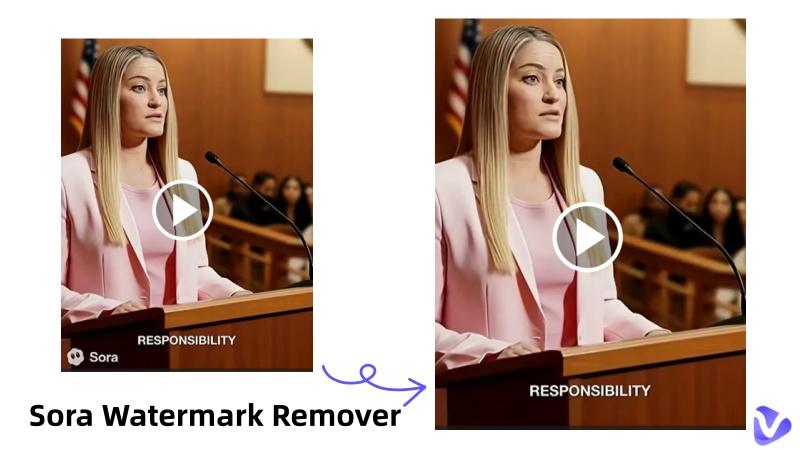
Sora watermark remover is an essential tool for creators looking to polish their AI-generated cinematic masterpieces. As of January 2026, OpenAI's Sora 2 has revolutionized video generation with 1080p resolution and synchronized audio, but the persistent "Sora" text overlay remains a hurdle for professional branding. These watermarks appear primarily to ensure content authenticity and protect intellectual property, yet they often disrupt the visual flow of a marketing campaign or a personal storytelling project.
In this guide, we will explore the highest-rated solutions to reclaim your pixels, ensuring your videos are distraction-free and ready for global distribution.
On This Page
What Can a Sora Watermark Remover Actually Do?
8 Best Sora Watermark Removers in 2026
1. Vidnoz AI Free Sora Watermark Remover
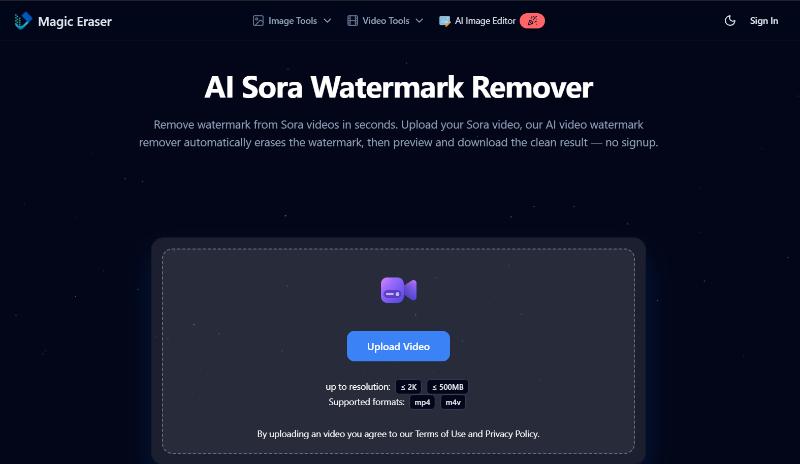
2. Magic Eraser Sora Watermark Remover
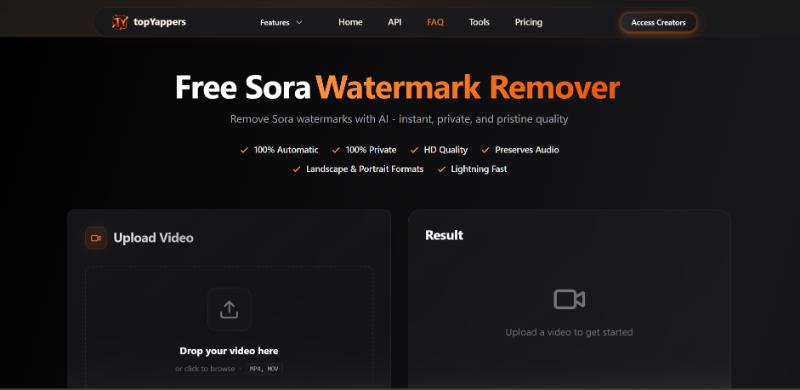
3. Top Yappers Sora AI watermark remover
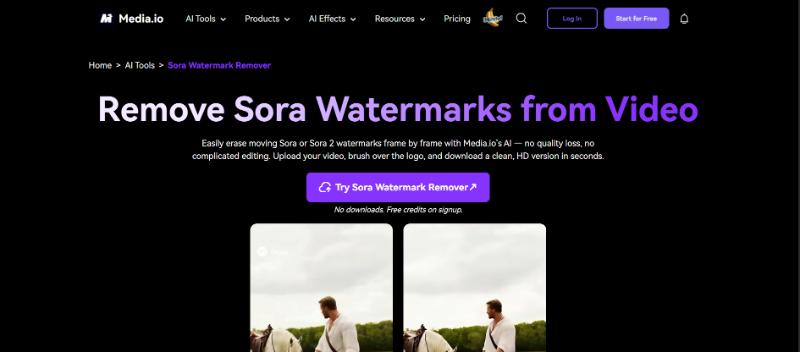
4. Media.io Sora Watermark Remover
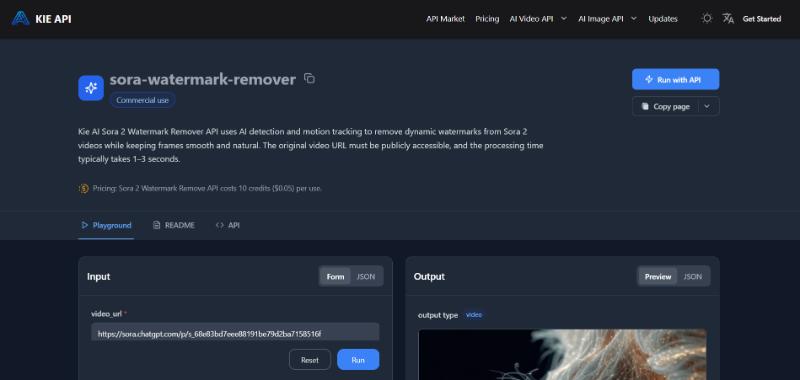
5. KIE AI Sora 2 watermark remover
6. BYLO AI Sora 2 watermark remover free
7. EZ Remove Sora Watermark Remover
8. Fineshare Vora Sora Watermark Remover
Skip Watermark Removal: Create Professional Video Without Sora Watermark
Sora Watermark Remover FAQs
Conclusion
What Can a Sora Watermark Remover Actually Do?
A proper Sora watermark remover does more than just blur a corner of your screen. In 2026, the demand for Sora AI watermark remover technology has shifted toward "Generative Filling" or "Inpainting". A high-quality tool can:
Intelligently Reconstruct Pixels: Instead of simple blurring, modern AI analyzes surrounding frames to rebuild what was hidden behind the logo.
Batch Process Clips: Professional creators often generate 50+ Sora 2 clips for a single campaign; top tools allow for simultaneous removal.
Maintain 4K Quality: Ensure that your cinematic 4K or 1080p footage doesn't lose its crispness during the cleaning process.
Sync Audio Post-Removal: Ensure that the synchronized audio introduced in Sora 2 remains perfectly aligned after the visual edit.
8 Best Sora Watermark Removers in 2026
The market is saturated with "AI removers," but only a few are optimized for the specific patterns used by OpenAI. Here are the top 8 choices.
1. Vidnoz AI Free Sora Watermark Remover
Vidnoz AI is widely considered the best Sora watermark remover because it offers a full suite of creative tools beyond simple removal. While many tools use risky third-party scripts, Vidnoz allows you to use a free Sora watermark remover workflow by either precisely cropping the frame or strategically covering the logo with custom brand elements like stickers or AI-generated avatars.
Vidnoz AI - Create Free Engaging AI Video with Talking Avatar
Easily create professional AI videos with realistic avatars.
Text-to-speech lip sync voices of different languages.
2800+ video templates for multiple scenarios.
Key Feature
Remove Sora Watermark in seconds: Use the intuitive free AI video generator interface to mask or crop watermarks instantly.
100% Free Sora watermark remover: Access high-end editing features without a credit card.
Studio-level video results: Maintain the professional cinematic look of Sora 2 while adding your own branding.
How to Remove Sora Watermark with Vidnoz AI?
With Vidnoz AI, removing the Sora watermark can be achieved by cropping the logo or covering it with stickers or other professional elements. This is often the best approach because it doesn't degrade the video quality with messy blurring.
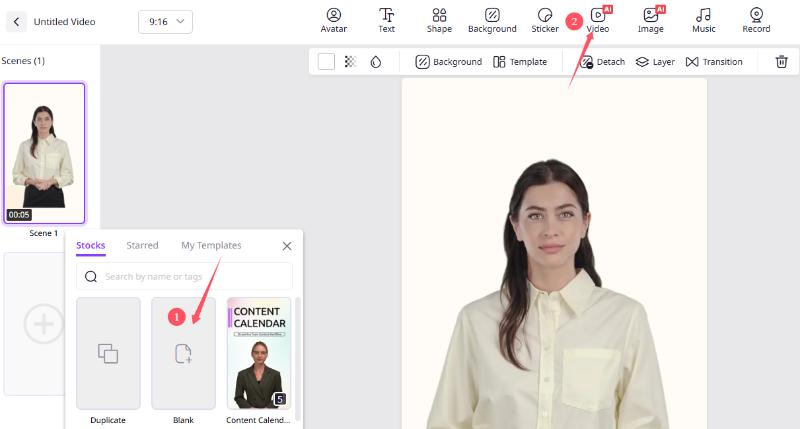
Step 1: Log in to your Vidnoz AI dashboard and click "Create a Video."
Step 2: Click the “+” icon to create a blank template. Then click “Video” to upload your Sora-generated video.
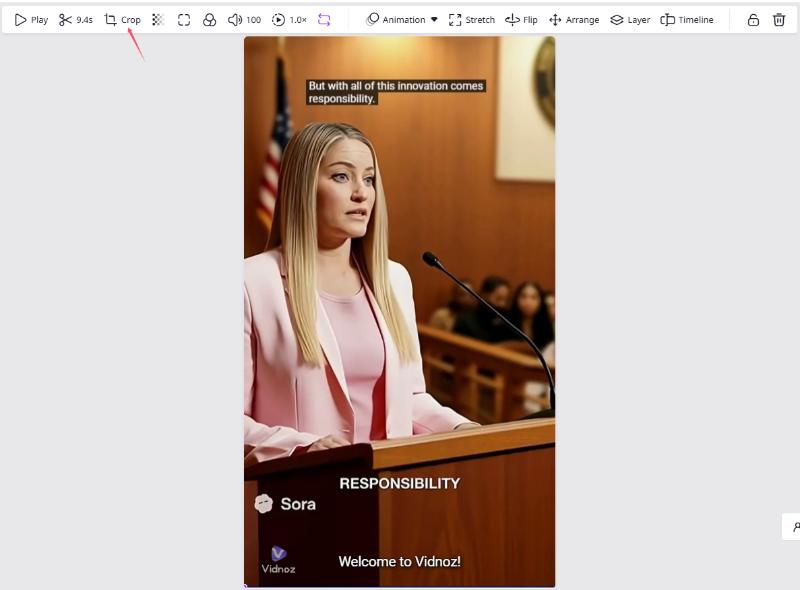
Step 3: Select the "Crop" tool from the top menu. Adjust the frame handles to exclude the bottom corner where the Sora watermark typically resides.
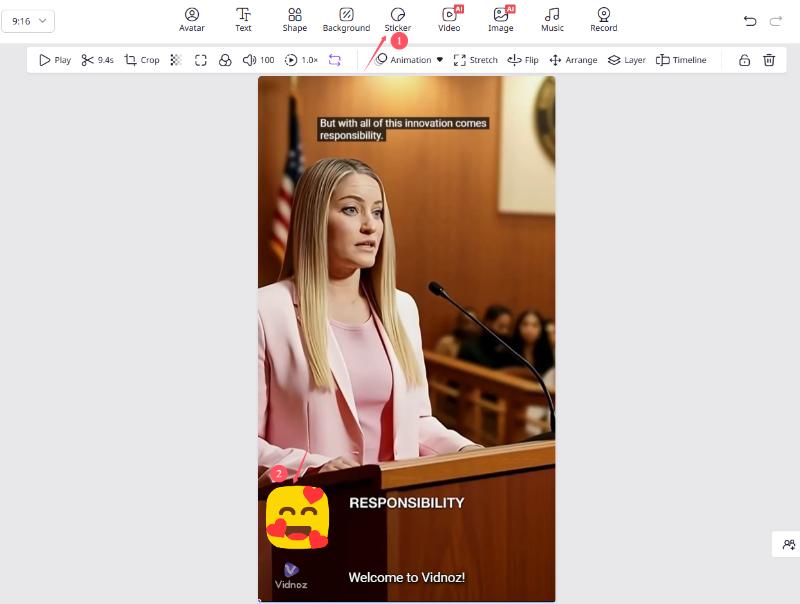
Step 4: If cropping removes too much of your scene, select "Stickers" or "Icons" from the top menu. Place your brand logo or a stylish element over the watermark to mask it naturally.
Step 5: Preview your work. Then click "Generate" to download your clean, professional video.
2. Magic Eraser Sora Watermark Remover
Magic Eraser is a specialized Sora watermark remover tool that utilizes frame-by-frame AI reconstruction to erase text overlays without leaving "ghost" edges. Unlike simple blurring tools, it analyzes the surrounding pixels in your Sora clips to rebuild what was hidden behind the logo, ensuring a natural visual flow. This tool is particularly effective for creators who need to maintain 2K resolution while removing semi-transparent or moving "Sora" text watermarks.
Pros
It supports up to 2K resolution.
It offers both "Auto" and "Manual" masking modes.
Cons
The free version may limit the number of daily exports.
3. Top Yappers Sora AI watermark remover
Top Yappers is a dedicated web-based Sora AI watermark remover designed for speed and simplicity, making it ideal for mobile creators. It allows users to paste direct video links from storage platforms to remove watermark from video without requiring a heavy software installation. The tool provides a guided, non-technical flow that returns a cleaned version via a private download link.
Pros
Extremely fast processing.
High-quality inpainting.
Cons
Its interface can be cluttered with ads.
4. Media.io Sora Watermark Remover
Media.io provides a robust Sora watermark remover app experience via the web, specializing in removing semi-transparent logos that are typically hard to detect. Its AI engine tracks the watermark frame-by-frame, allowing you to simply brush over the Sora logo once while the system handles the motion tracking automatically. Additionally, it serves as a full-suite editor where you can upscale or enhance your video clarity immediately after the watermark is gone.
Pros
Great for mobile users.
It supports multiple video formats like MOV and WebM.
Cons
It requires a stable internet connection for large 4K files.
5. KIE AI Sora 2 watermark remover
The Sora 2 watermark remover from KIE AI is built for developers and studios who need API access for batch workflows. It utilizes high-end motion tracking and lighting analysis to ensure that the background remains smooth and natural-looking even after removing complex watermarks. For those on a budget, it offers an affordable "pay-as-you-go" credit system that costs as little as $0.05 per removal.
Pros
AI motion tracking to handle dynamic watermarks.
Affordable API credits.
Cons
Not very beginner-friendly compared to drag-and-drop tools.
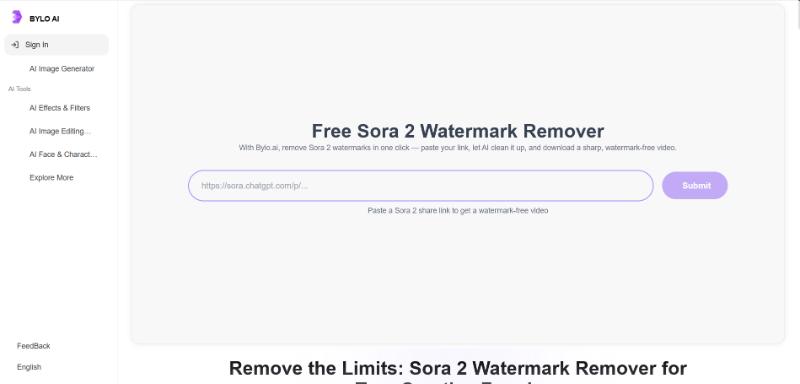
6. BYLO AI Sora 2 watermark remover free
BYLO AI is the best Sora 2 watermark remover for users who prioritize color accuracy and cinematic texture. The tool uses intelligent inpainting algorithms to identify text overlays and semi-transparent logos regardless of their size or transparency. By preserving the original frame rate and color space, it ensures that your Sora 2 videos retain their professional, studio-quality look after the cleanup.
Pros
You can simply paste a Sora 2 share link to process the video.
Sora 2 watermark remover free tier is limited to personal use only.
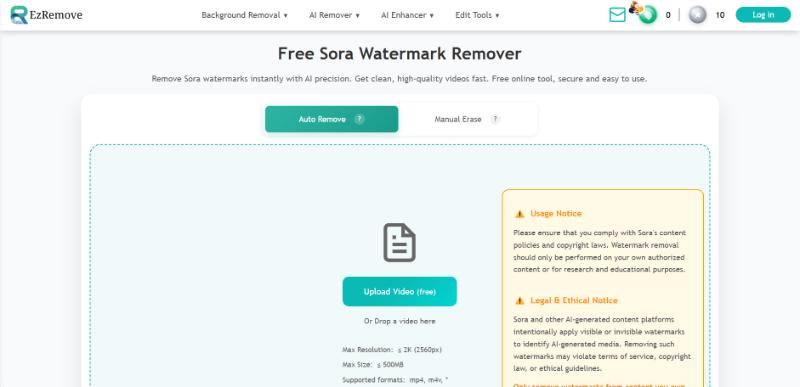
7. EZ Remove Sora Watermark Remover
EZ Remove is a straightforward Sora watermark remover free online tool designed for social media creators, which focuses on providing an intuitive, user-friendly interface for beginners. It features a customizable brush tool that allows you to target specific text or timestamps that other automated tools might miss. While it is a "no-frills" option, it is ideal for quick social media fixes where you need a clean export in seconds.
Pros
Simple interface.
No registration required for small clips.
Cons
Processing can be slow for videos longer than 15 seconds.
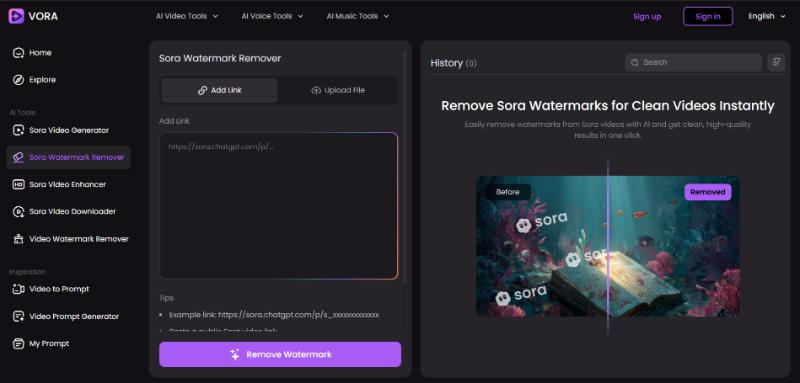
8. Fineshare Vora Sora Watermark Remover
Fineshare Vora is a relatively new player in the 2026 market, offering a specialized remove watermark software engine tuned for Sora's specific metadata and pixel signatures. It combines said watermark removal with a 4K upscaler, allowing you to actually improve the quality of your video while cleaning it. This tool is highly recommended for professional filmmakers who need their AI-generated content to meet the highest industry standards.
Pros
High frame consistency.
Preserves 1080p resolution perfectly.
Cons
It often requires a subscription for batch processing features.
Skip Watermark Removal: Create Professional Video Without Sora Watermark
Why spend time using a Sora watermark remover when you can generate clean, high-quality videos from the start? Vidnoz AI offers a powerful alternative to Sora for many creators. By using Vidnoz, you gain access to over 1,900 realistic AI avatars and 2,000+ voices that don't come with distracting third-party logos.
How to Create Clean Videos With Vidnoz AI?
Step 1: Hit the button below to sign in to Vidnoz AI with your account.
Step 2: Select a Template. Choose from over 2,800 templates for marketing, training, or social media.
Step 3: Input Your Script. Type your content and select one of the 140+ languages available.
Step 4: Customize your video by choosing AI avatar, changing the background or adding music from the library. Then click Generate to export your video without Sora watermark.
Vidnoz is not just a professional video generation platform; it also offers a wide range of free, user-friendly tools designed to make content creation accessible to everyone. Whether you need to turn image to video AI, convert text to speech, remove backgrounds from images, or generate a kissing video, Vidnoz provides these features at no cost.
Sora Watermark Remover FAQs
It depends on your usage. Most creators use a Sora watermark remover for content they own the rights to or for personal projects. Always ensure you are complying with the terms of service of the AI provider.
Yes! Tools like Vidnoz offer specific solutions to remove tiktok logo from video and remove watermark from video for various platforms.
Traditional tools might, but high-end software like the video object remover from Vidnoz or specialized inpainters will remove objects from video online while maintaining 1080p or even 4K resolution.
Conclusion
Finding a reliable Sora watermark remover is the final step in perfecting your AI-driven creative workflow. Whether you use a Sora 2 watermark remover for cinematic projects or a Sora AI watermark remover for social media, the goal is clarity and professionalism. For the best results without compromising quality, we recommend trying Vidnoz today.
Vidnoz AI - Create Free Engaging AI Video with Talking Avatar
Easily create professional AI videos with realistic avatars.
Text-to-speech lip sync voices of different languages.
Lane Maxwell is an experienced technology industry editor specializing in providing users with actionable advice and insights. Her articles have helped millions of readers find solutions easily.