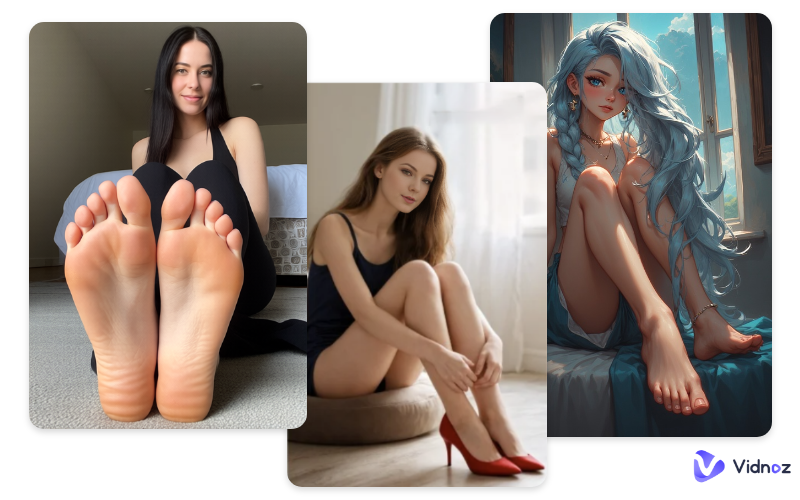
Beautiful legs, realistic feet with details, a sexy lady with perfect feet wearing high heels, and so on. All these imaginations can be realized by an AI feet generator. It lets you create realistic, stylish foot images in seconds - no cameras, no models, no editing skills needed. With smart AI technology, you can customize skin tone, pose, lighting, background, and style to match your vision perfectly. It’s ideal for designers, marketers, creators, and brands that need high-quality visuals fast. Whether you’re making product mockups, social content, or creative art, this tool saves time and cuts costs. Simple to use and highly flexible, an AI feet generator free helps you turn ideas into polished visuals instantly and effortlessly.
Here on this page, some of the best AI feet image generators and an AI feet video generator are listed for you. Keep reading on.
- On This Page
-
Generation Ideas for AI Feet Generator
AI Feet Wearing Different Kinds of Shoes
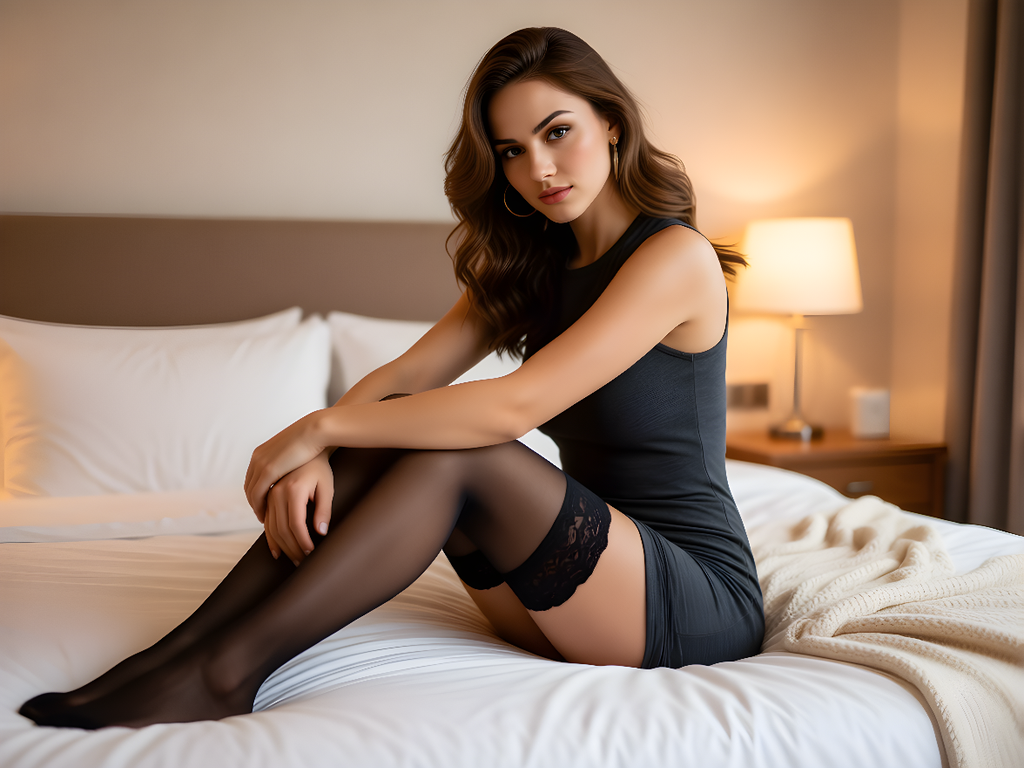
AI Feet wearing stockings
-
Best 3 AI Feet Generators Free Online
2. Fotor AI Image Generator
3. Vidnoz AI Image Generator
-
Bring AI Feet Images to Life: Use AI Feet Video Generator Free
Generation Ideas for AI Feet Generator
Before diving into AI feet generators, some generation ideas are prepared here. You can make use of the tools below to create amazing AI feet content like those listed here:
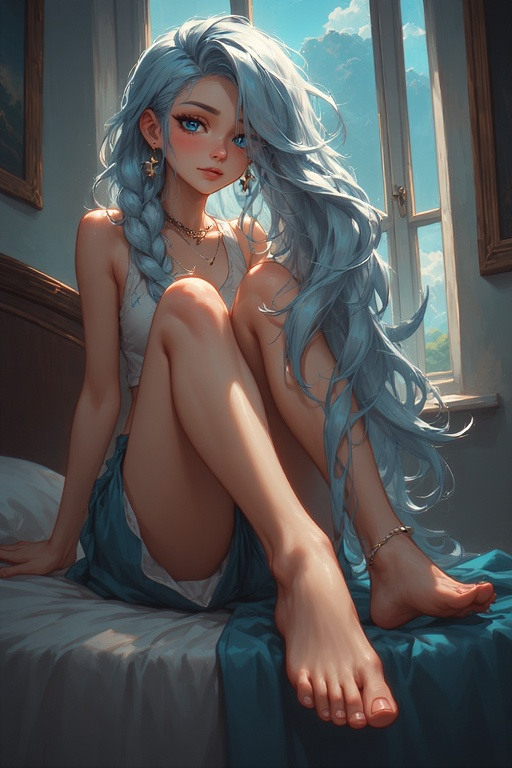
AI Anime Feet
You can create cute, anime figures whose feet have smooth lines, vibrant colors, and expressive poses.
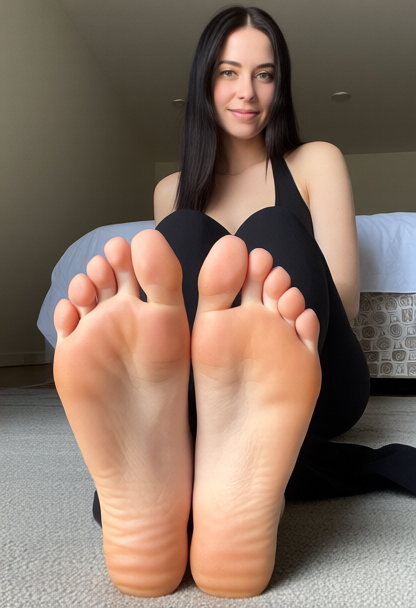
Realistic Feet Images
Or generate lifelike feet with natural skin texture, lighting, and proportions for any use cases you can think of.
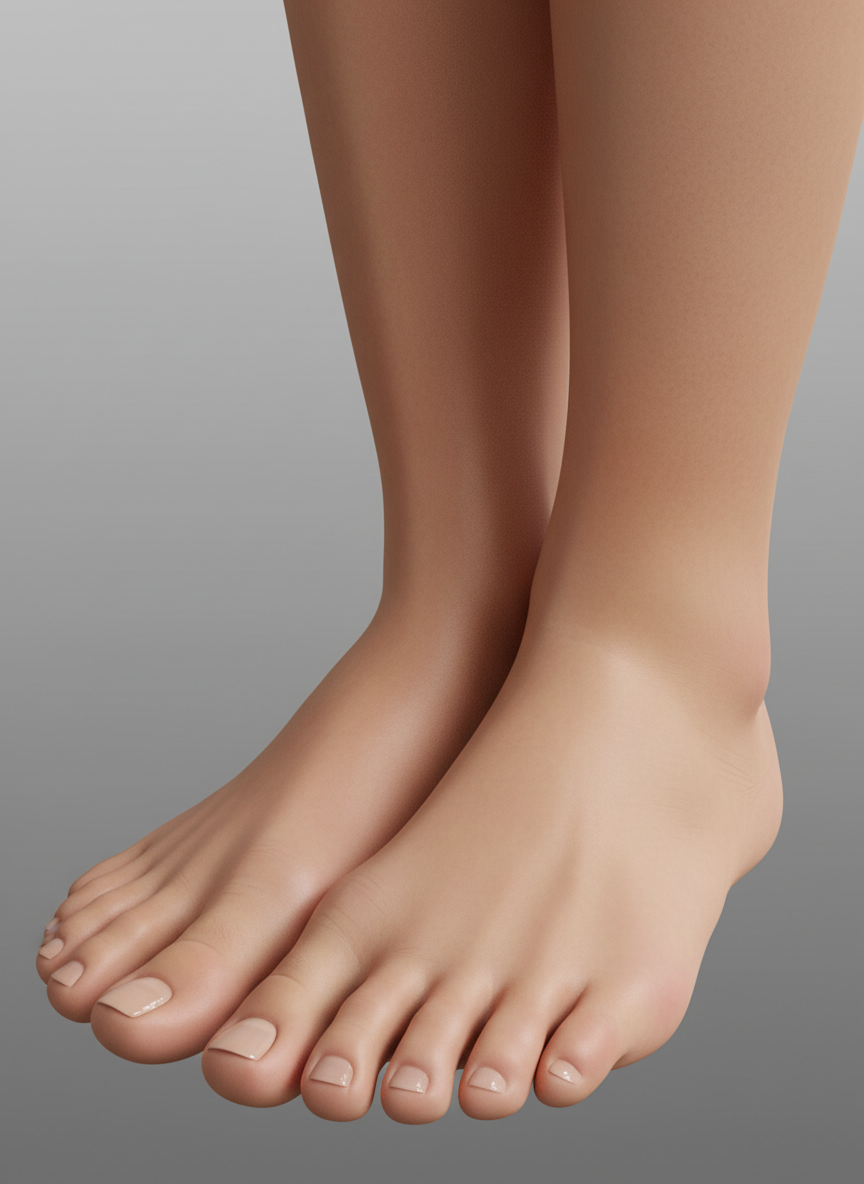
3D Feet Images
Produce detailed 3D-rendered feet with depth, shading, and realistic form for games, product previews, and design projects.
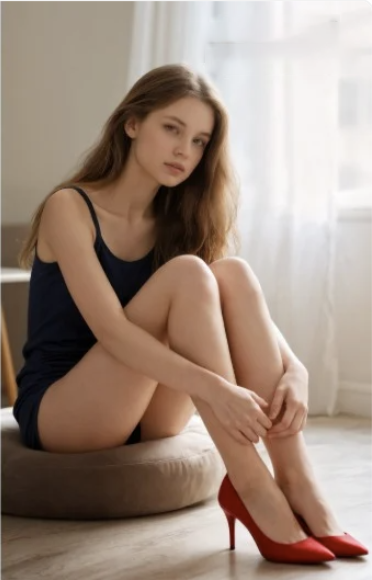
AI Feet Wearing Different Kinds of Shoes
For business purposes, you can showcase feet in sneakers, high heels, boots, or sandals to visualize footwear clearly and attractively.
AI Feet wearing stockings
Generate elegant feet with various stocking styles, patterns, and colors.
Best 3 AI Feet Generators Free Online
The best AI feet generators are listed below. Check them now!
1. FeetGen
The first AI feet generator to be mentioned here is FeetGen. This tool has powerful AI feet generation features, including realistic and anime. Under each tab, you can choose more specific styles and customize poses, shoes, clothes, etc. This will ask you to sign up to use, and 60 free credits will be given to you. Each generation can cost 5 to 10 credits, but for anime feet, the generation is annoying since it will take longer time than other styles, and failures may happen.
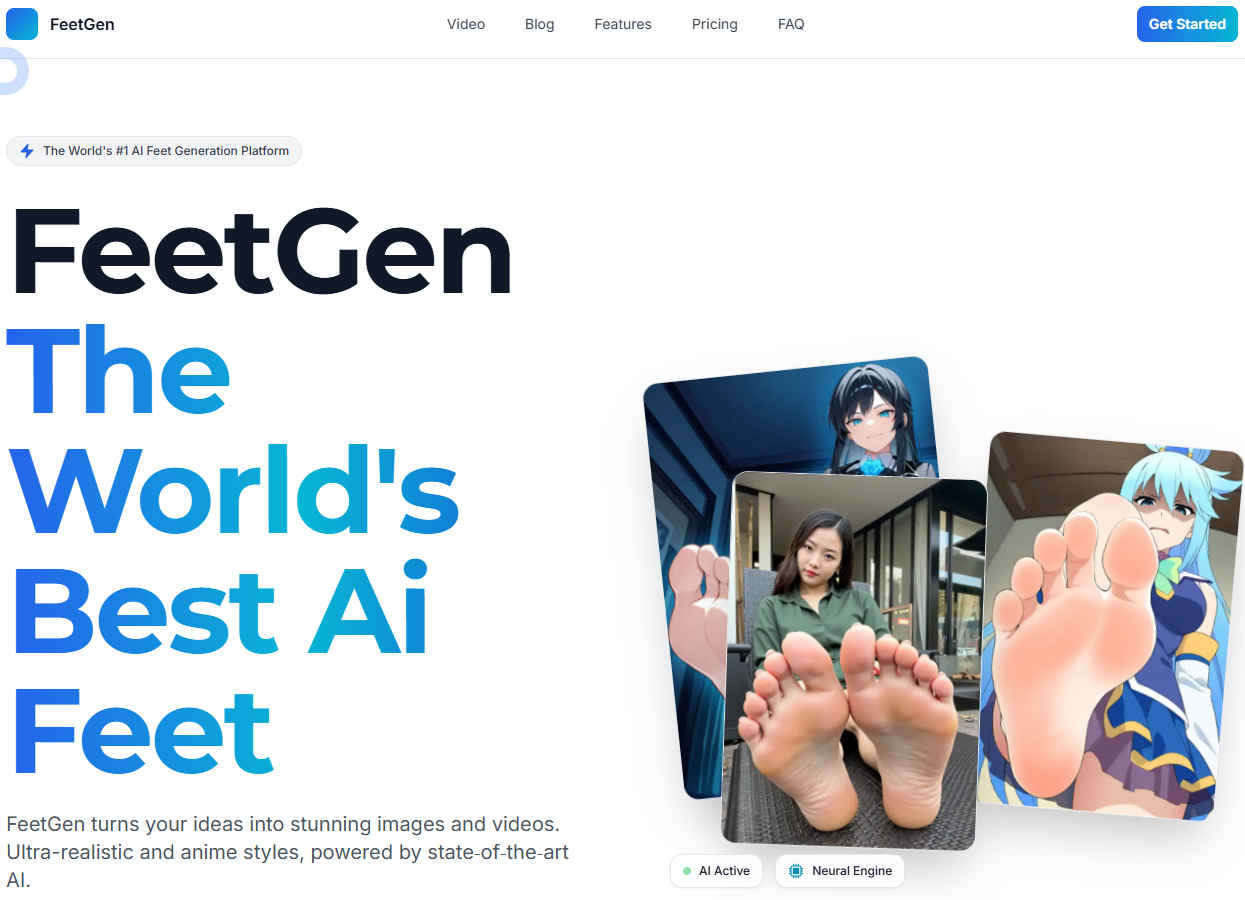
Here are the steps for using this tool:
Step 1. Sign up to open this tool.
Step 2. Pick one style and customize settings.
Step 3. Click generate and wait for a few seconds, and the result will be available.
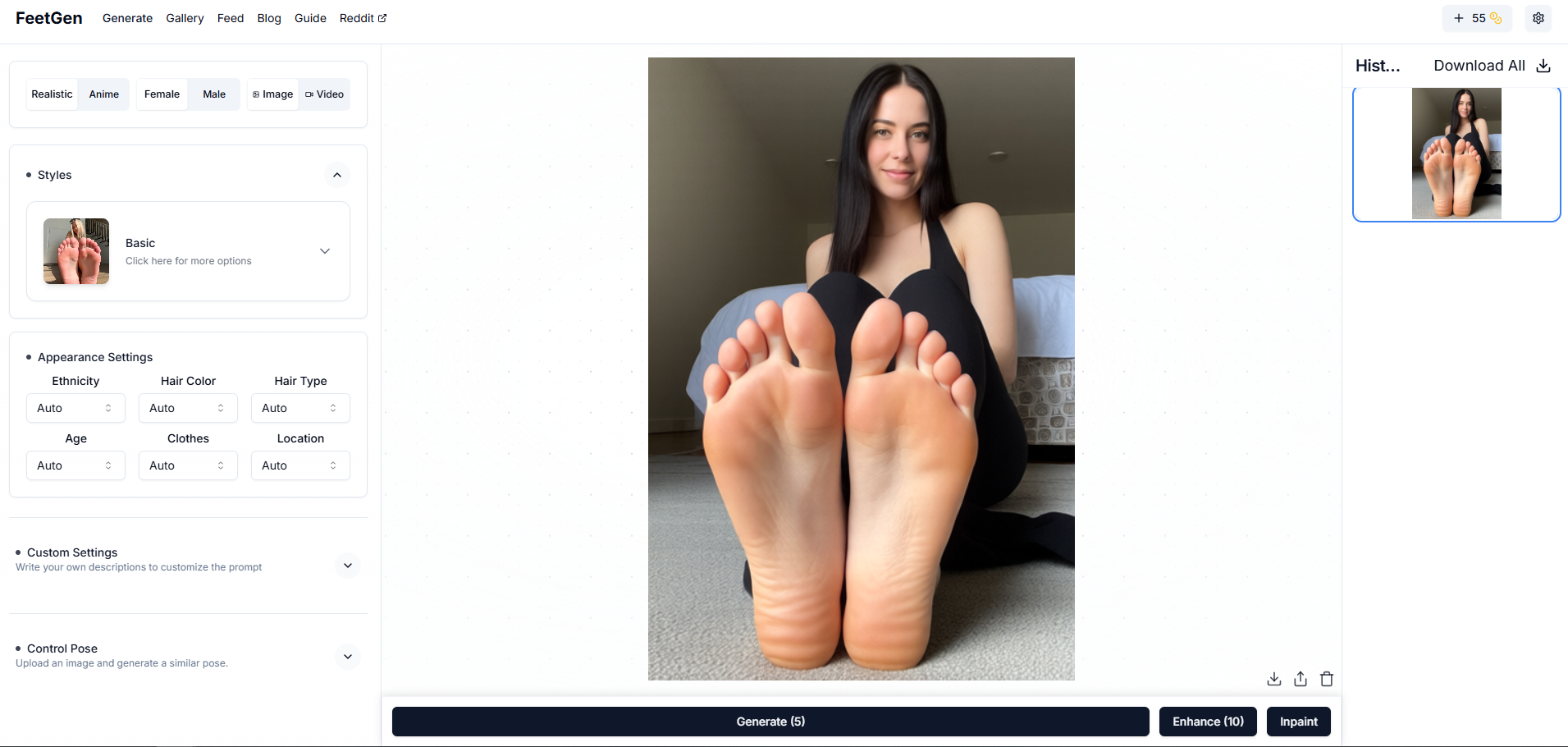
You can enhance it with 10 credits or download the image directly.
Pros and cons of this tool can be concluded below:
Pros
- Free & Fast generation
- High-quality results
- Many customization settings
Cons
- Generation failures can happen
- Generation time for anime feet will be uncertain
- Limited free trial with 60 credits
2. Fotor AI Image Generator
Besides text to AI feet images, this AI feet generator online tool allows you to upload photos, making image to image practical. Letting someone who already exists show his or her feet can be realized now. Many advanced AI engines like Nano Banana Pro, Midjourney V7, and Wan 2.5 are available. Each generation will give you 2 results. You can edit or download them directly.
Here’s how you can make use of it:
Step 1. Open Fotor AI image generator.
Step 2. Enter your prompt or upload a reference to edit.
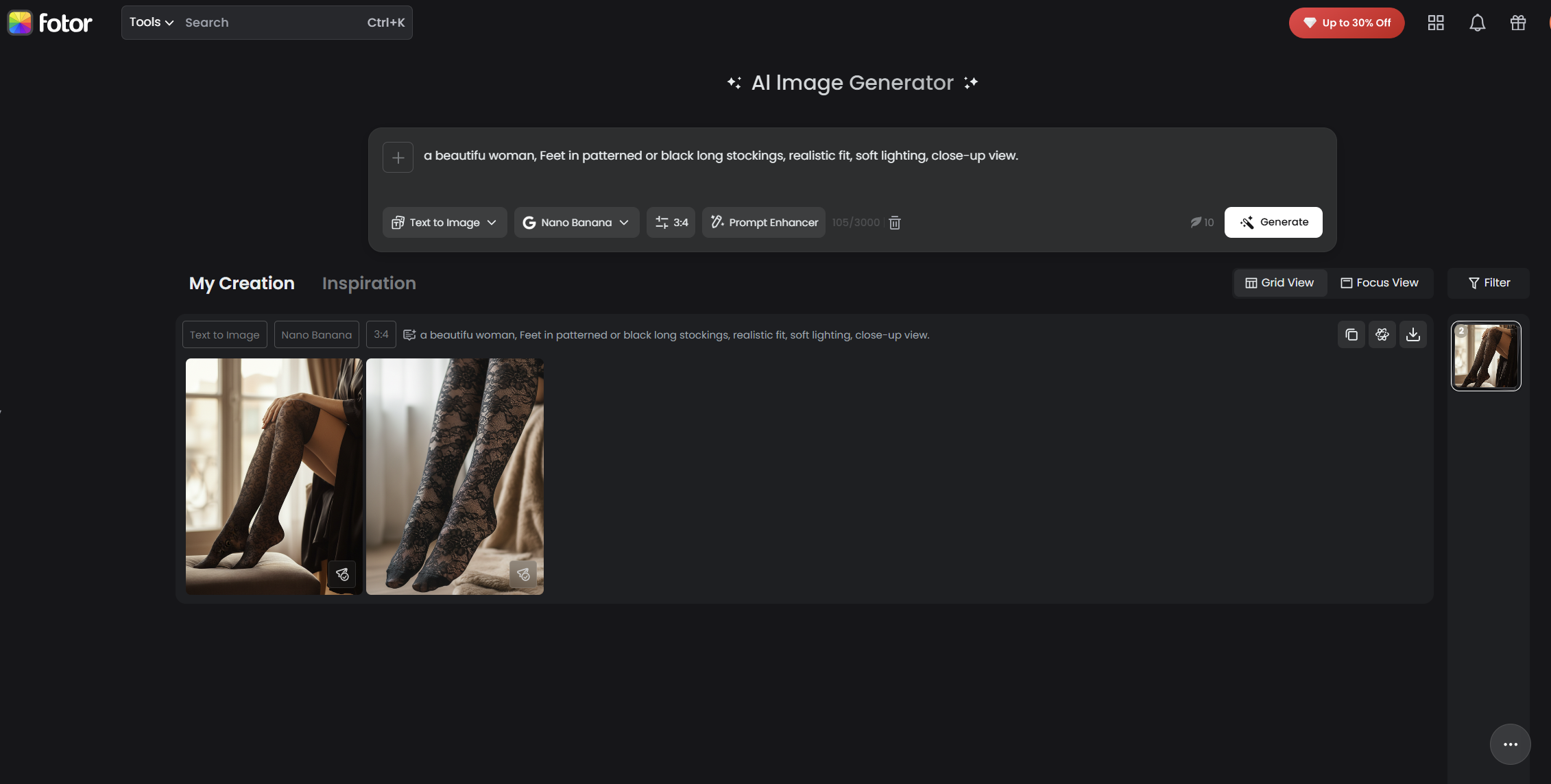
Step 3. Click Generate is all.
This tool only gives free users 6 credits, but each generation will need 2 to 30 credits, depending on the AI engine you choose. You have to buy credits or go to its reward center to earn credits by completing tasks like sharing this tool, visiting other sites, joining its Discord, etc.
Pros and cons of this tool can be concluded below:
Pros
- Multiple AI engines to choose from
- 2 images for each generation
- Image to image supported
Cons
- Limited free trial
- Hard to earn credits
- Sign up to use
3. Vidnoz AI Image Generator
The third tool is Vidnoz AI image generator. This AI feet generator no sign up has updated AI image generation engines like Nano Banana Pro, Kling AI, Qwen, etc., to choose from. You just need to enter your requirement and choose a desired style, and this AI feet generator would generate excellent foot images in a few seconds. Here’s how you can make use of it:
Step 1. Open Vidnoz AI image generator.
Step 2. Enter your prompt (Using an AI image describer can make your results more accurate).
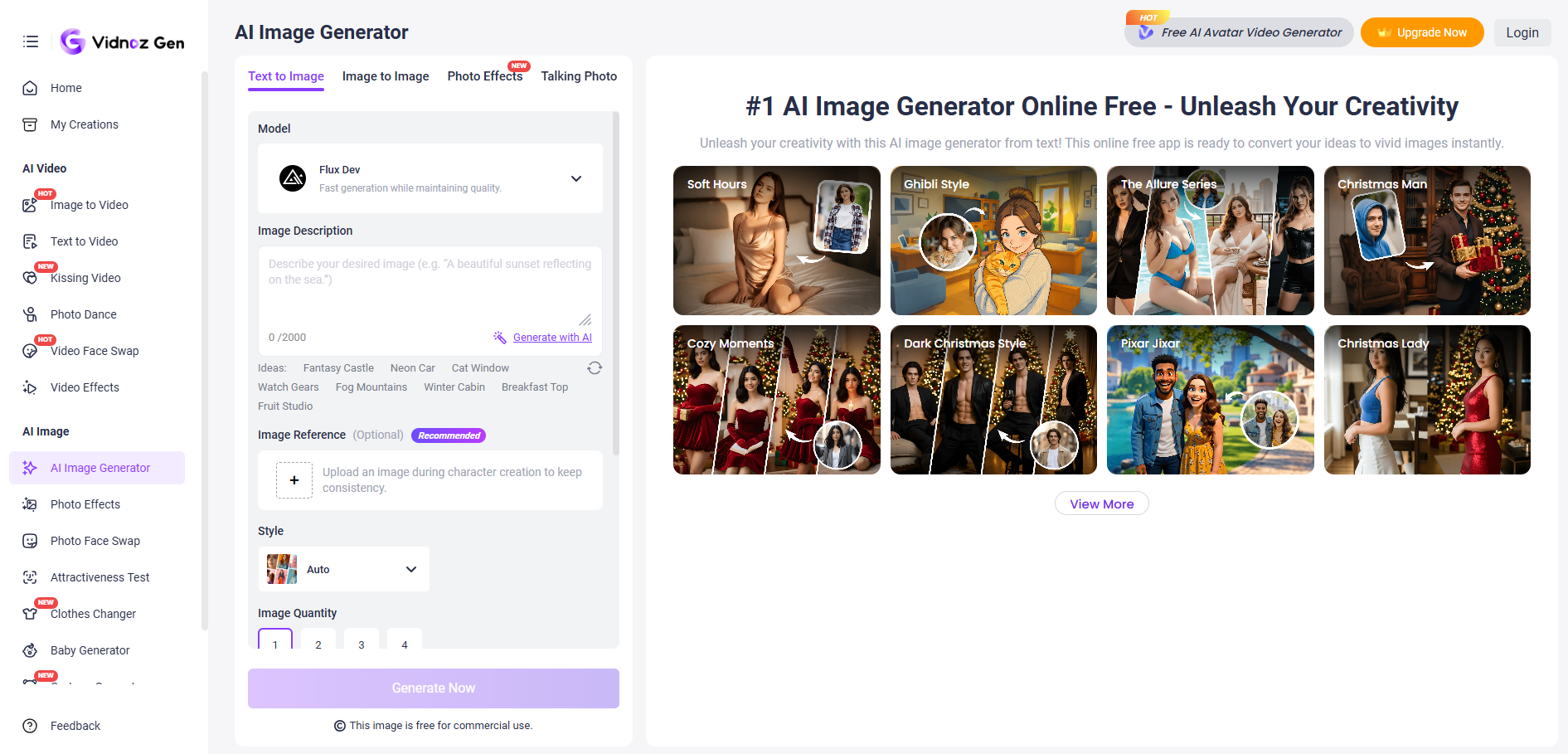
Step 3. Choose a style and conduct some customization settings.
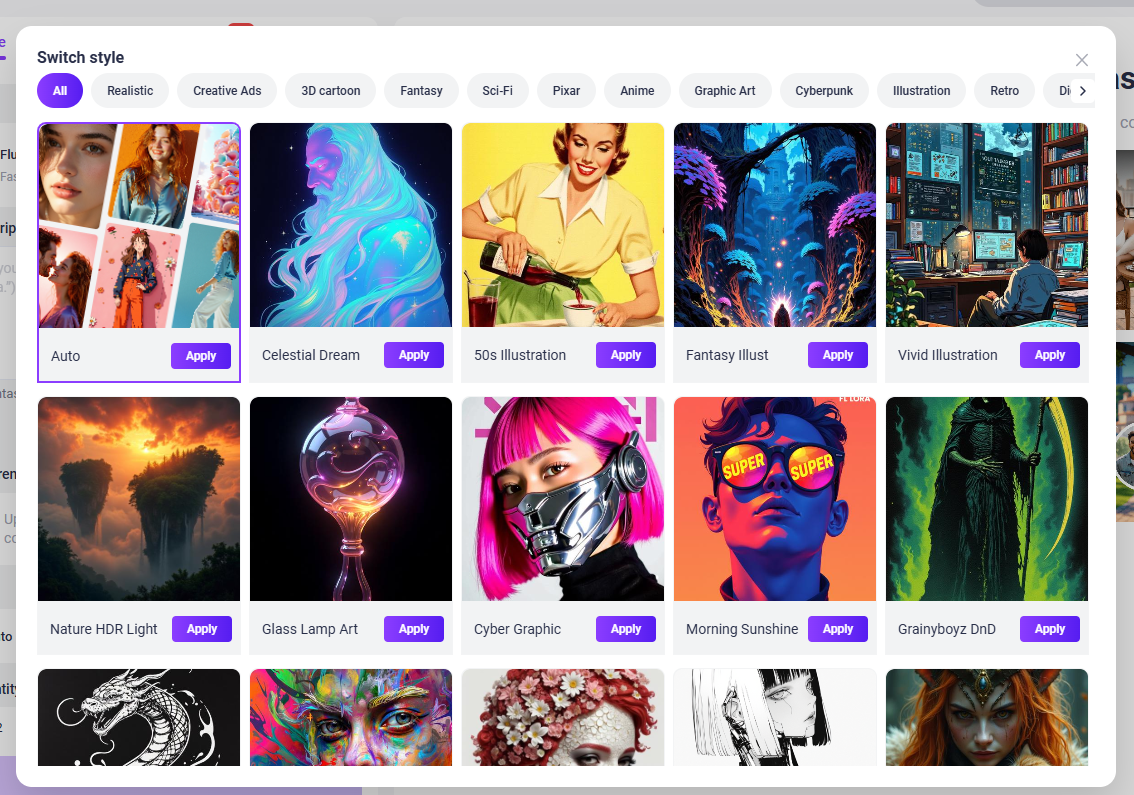
Step 4. Click Generate Now is ok.
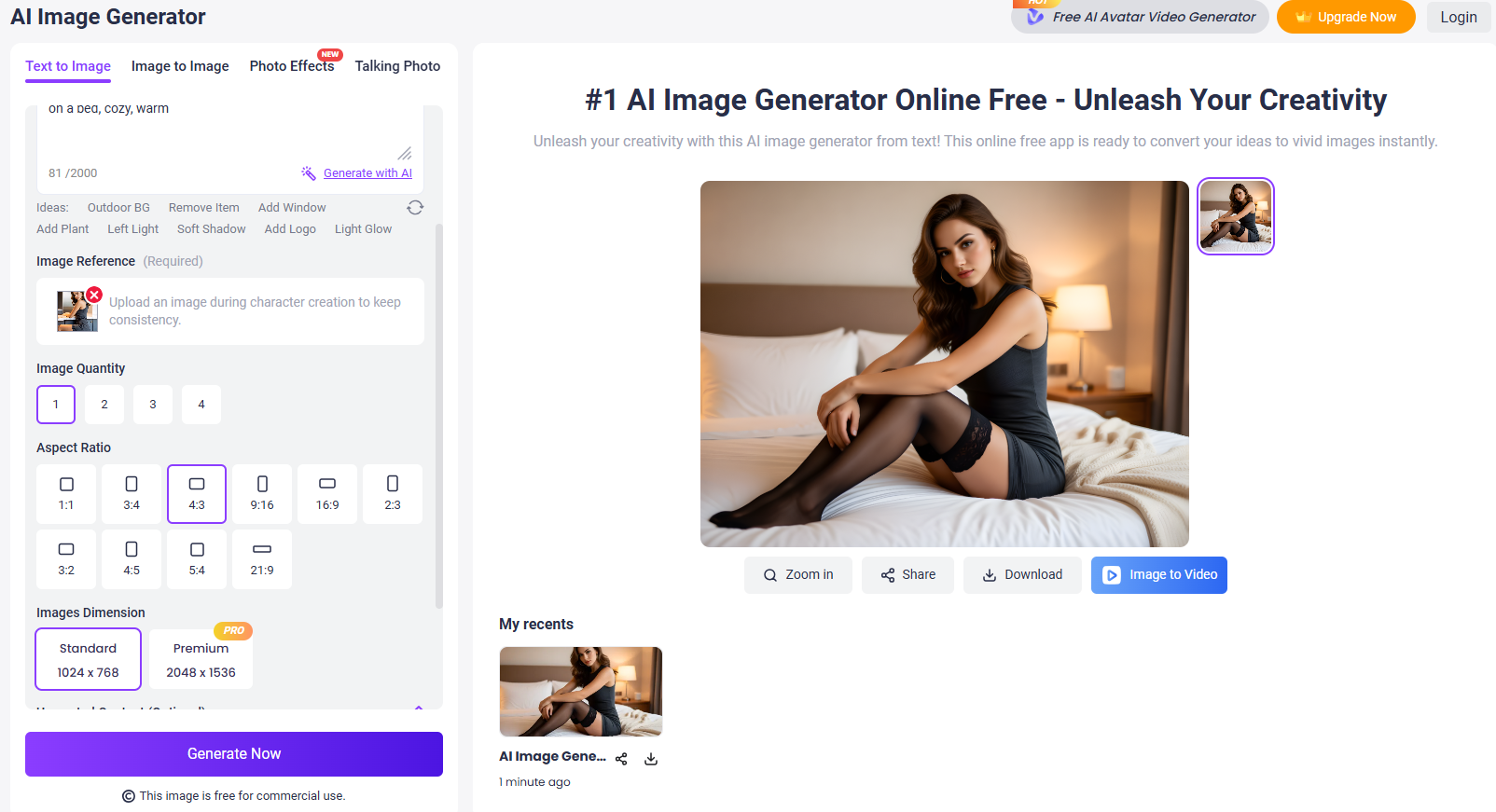
You can upload an image reference and then choose the image quantity, aspect ratio, dimension, as well as unwanted content.
Pros and cons of this tool can be concluded below:
Pros
- No sign-up to use
- High-quality results & fast generation
- Multiple styles to choose from
- Up to 4 images for each generation
- Image to image supported
Bring AI Feet Images to Life: Use AI Feet Video Generator Free
Besides the image generators mentioned above, you can create AI feet videos too. Vidnoz AI Image to Video is the AI feet video generator born for that, just upload an image, add a video description, and a brilliant AI feet video will be presented to you instantly. You can select multiple AI engines like Wan, Hailuo, Luma, Kling, etc. for free.
Convert Image to Video AI Online - Free
- Create a video from an image quickly for free.
- Use various AI models to turn photos into videos.
- Download and share the AI-generated video at no cost.
Convert Image to Video
Here are the steps for using this AI video generator:
Step 1. Go to Vidnoz AI Image to Video.
Step 2. Upload a photo.
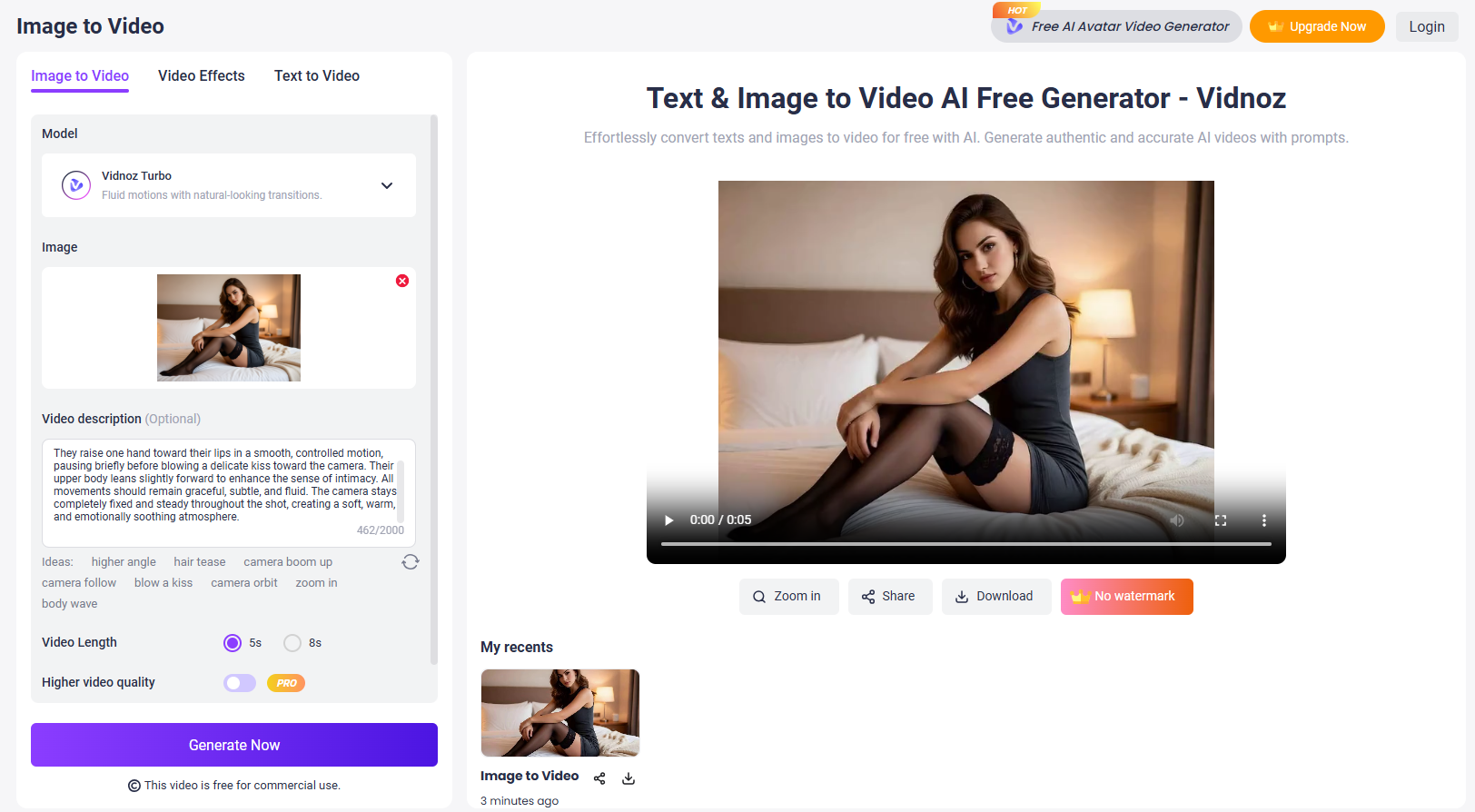
Step 3. Enter your descriptions about the video or apply video effects prepared for you.
Step 4. Click Generate Now.
Preview the video after a few seconds. Here’s a sample video generated by this AI feet video generator:
Moreover, you can even enable people in your images to talk or dance with the help of Vidnoz AI tools. Talking should use Vidnoz AI talking photo, as for dancing, you can try the AI dance generator.
The Bottom Line
That’s all about AI feet generators. You can start creating preferred AI feet photos and videos. The 3 tools mentioned above are all free and online to use, just choose one to unleash your creativity right away! Vidnoz AI tools, including the image generator and image to video tool, deserve to be mentioned again here. They have outstanding services and a generation quality above the average. No hesitation, and try them today!

Vidnoz AI - Create Free Engaging AI Video with Talking Avatar
- Easily create professional AI videos with realistic avatars.
- Text-to-speech lip sync voices of different languages.
- 2800+ video templates for multiple scenarios.