Turn still images or text into dynamic videos in any style, with leading AI models readily. Try the smart AI video generator now - stunning, free, and instant!
Best 5 AI Audio to Text Converter: Turn Audio into Text Instantly
Lane Maxwell
Updated on
SHARE THIS POST
Discover the best audio to text converters to turn audio into text with high accuracy. Explore the top 5 options, key features, and step-by-step guides.
Do you have recorded online meeting audio, virtual interviews, or podcasts without subtitles, making it impossible to condense the content into an accurate text script? Then it's time for an AI audio to text converter to step in. Upload your audio, and it can transcribe it into text within seconds - even adding speaker labels, timestamps, and event markers. This is a powerful boost for all industries.
This guide has prepared the top 5 best tools for you, along with feature overviews. These resources will help you efficiently select an online audio to text converter with high transcription accuracy and additional user-friendly features.
On This Page
Top Benefits of Converting Audio to Text
5 Best Audio to Text Converters [Free & AI-Powered]
1. Vidnoz AI Audio to Text - Best Audio to Text for Free
2. Screenapp Live Transcribe - Best Live Audio to Text Converter
3. HappyScribe - Best AI Audio to Text Converter
4. ElevenLabs - Most Accurate Online Audio to Text Converter
5. AudioToText - Fastest Audio to Text Online Converter
How to Transcribe Audio to Text in 3 Simple Steps
Don't Just Stop at Text - Create Stunning AI Videos from Your Transcript
How to Create Videos from Audio Text?
FAQ: Everything You Need to Know About Audio to Text Converter
The Bottom Line
Top Benefits of Converting Audio to Text
You may wonder, I already have a more complete, more immersive audio recording—why spend time converting audio to text? This guide lists several advantages you absolutely won't be able to resist:
Improve organization and storage efficiency
You have to play the audio to know what's inside, and sorting it can easily consume a lot of time. Text files, however, are unquestionably easier to review, organize, and archive (and they take up far less storage space).
Enhance readability
You can't search for a keyword inside an audio file to immediately locate the information you need. An AI audio to text converter can transform audio containing hard-to-locate details into clear, readable text. This helps you quickly scan and pinpoint the exact segments you need.
Enable easier content repurposing
Once you have text, you can effortlessly share the information with your team—or repurpose it to create articles, summaries, reports, scripts, and more. Additionally, using an audio to text converter also benefits people with hearing impairments, allowing them to access the information through reading.
5 Best Audio to Text Converters [Free & AI-Powered]
Look at how much convenience an audio to text converter can bring you! If you agree and want the right way to convert your own recordings into text files, pay close attention to this section. The 5 best audio to text converters will be introduced here.
1. Vidnoz AI Audio to Text - Best Audio to Text for Free
The power of Vidnoz AI Audio to Text will show you why it ranks at the top. This is an all-in-one online audio to text converter that supports speech-to-text. Its greatest strength lies in automatically transcribing videos (with audio) and audio files into text in your chosen language.
Transcribe Any Audio to Text with AI - Free
Ultra-fast transcription for any audio at one click
Free & fast transcription: With Vidnoz audio to text converter, you'll get your text output within seconds after uploading—no hidden fees, just one click.
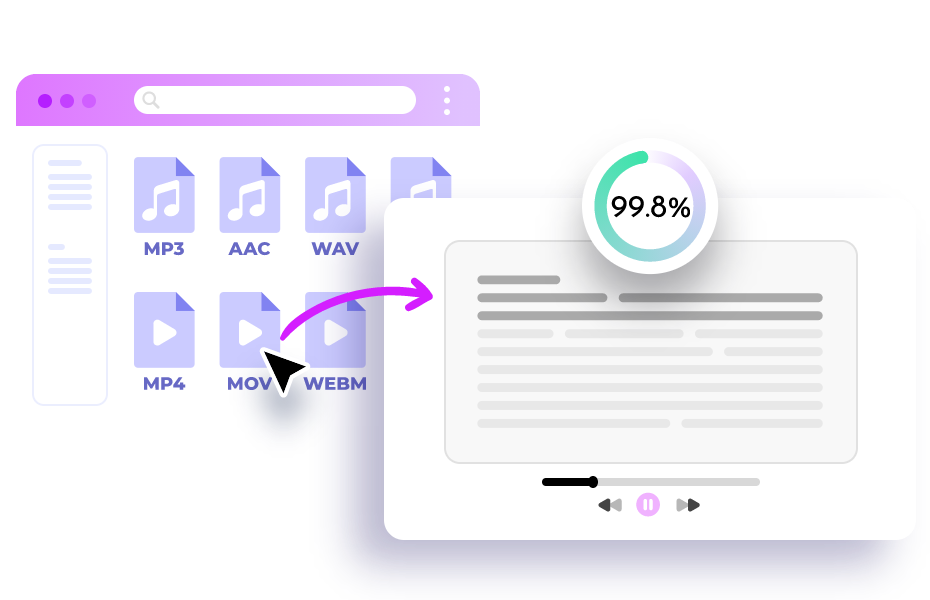
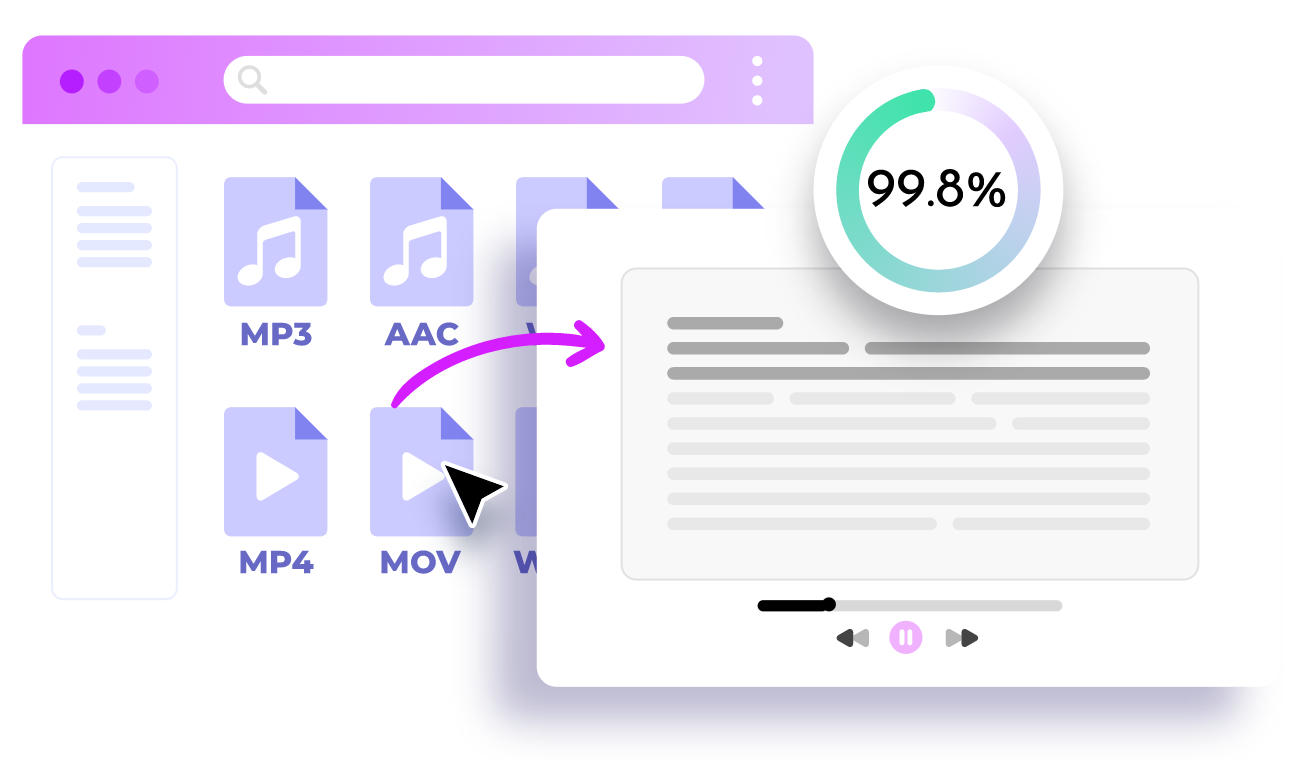
AI-powered high accuracy: Vidnoz audio to text converter reaches up to 99.8% transcription accuracy, preserving all key information and saving you valuable time on proofreading and editing.
Multi-format transcription support: Vidnoz audio to text converter supports all popular video and audio formats, including MP3, AAC, M4A, WAV, M4V, MP4, MOV, and WEBM. Output formats include TXT, JSON, and SRT.
Supports multiple languages: Vidnoz audio to text converter can automatically recognize 25+ widely used languages, making it ideal for multilingual or international projects.
Price: Free
Have text but want it performed in a different voice? That's easy too—try the best text to audio converter offered by Vidnoz. A wide range of AI voices is available for you to explore, and you can customize everything: language, gender, tone, emotion, and even pauses.
2. Screenapp Live Transcribe - Best Live Audio to Text Converter
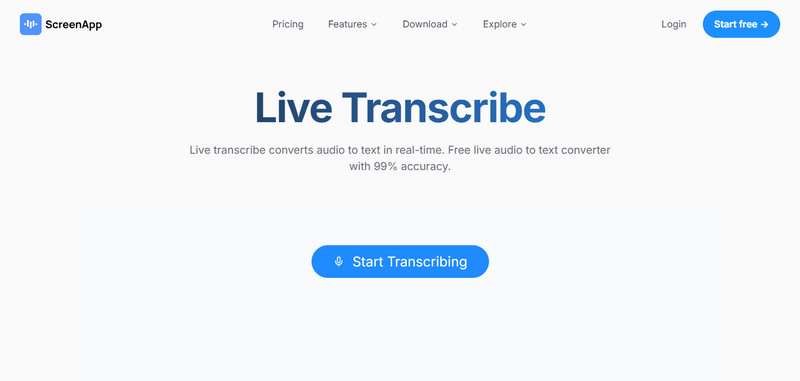
When it comes to live transcription for lectures or video conferences, no tool beats Screenapp Live Transcribe. This free audio to text converter can instantly convert your meeting content into text, assign speaker labels, and even generate AI-powered summaries with key points.
Key Feature
High-accuracy real-time transcription: With up to 99% accuracy, Screenapp online audio to text converter automatically adds punctuation to each paragraph, preventing messy, hard-to-read results and reducing the need for manual cleanup.
Supports multiple languages: Screenapp online audio to text converter can output text in over 30 languages, so you don't need additional translation work.
Organized transcripts: Screenapp online audio to text converter identifies different speakers and lets you edit their labels. The Summary feature extracts key points and organizes them into clear subheadings.
Price: Free
Want to know whether the speaker's voice in the audio is appealing? Try using an AI Voice Rater to evaluate it!
3. HappyScribe - Best AI Audio to Text Converter
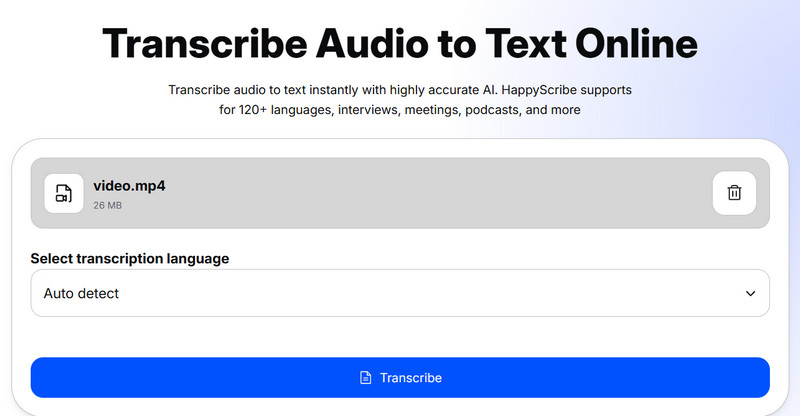
If you often need to participate in international meetings, then the best free audio to text converter for you is certainly HappyScribe. It offers an unprecedented advantage: real-time transcription in over 120 languages. Whether you're interviewing speakers of other languages, recording multilingual meetings, lectures, or podcasts, having it on your side gives you complete peace of mind.
Key Feature
Fast and accurate audio transcription: The HappyScribe free audio to text converter automatically filters background noise and speaker accents, delivering a clear transcript within minutes.
Supports 120+ languages: This free audio to text converter can accurately transcribe more than 120 widely used languages, including English, Chinese, French, German, Portuguese, Italian, and more.
Flexible input format support: Although often referred to as an MP3 audio to text converter online free, HappyScribe actually supports formats including WAV, M4A, AAC, MP4, and even YouTube links.
Price:
·Free: 10 minutes of AI transcription.
·Pay-as-you-go: Starting at $12 per 60 minutes.
·Monthly plan: $9/month for 60 minutes of AI transcription.
·Pro plan: $29/month for 600 minutes of AI transcription.
·Enterprise plan: $89/month for 6000 minutes of AI transcription.
If you're in the mood for something fun and playful, you can also try the new AI celebrity voice generator—swap the speaker's voice with a celebrity's! The comedic effect is guaranteed.
4. ElevenLabs - Most Accurate Online Audio to Text Converter
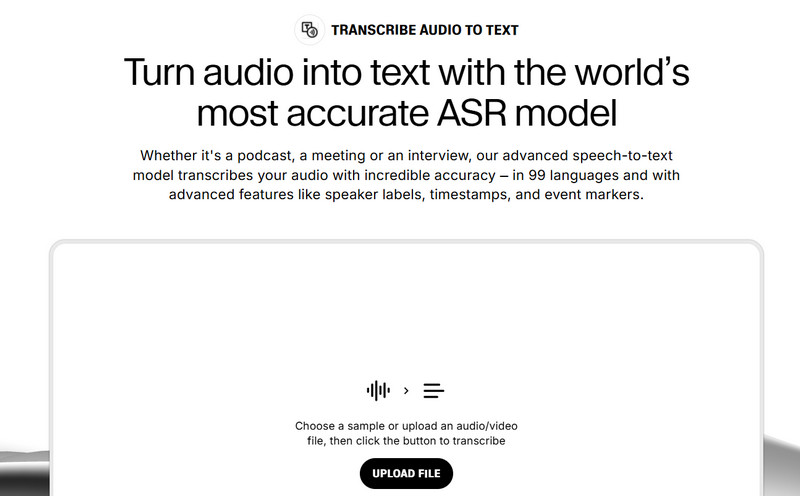
For users who care deeply about the accuracy of MP3 to text transcription results, this guide recommends ElevenLabs. This free audio to text converter uses one of the most advanced speech-to-text models—Scribe. With its support, you'll get unmatched precision, no matter how long your audio is or how many speakers are involved.
Key Feature
Lightning-fast performance: The ElevenLabs audio to text converter can transcribe long audio files within seconds, minimizing your waiting time.
Multiple language support: ElevenLabs supports up to 99 languages, covering the major languages commonly used in international communication.
Effortless transcript organization: ElevenLabs can detect and label different speakers and even offers paragraph-adjustment tools, allowing you to split or merge segments to match each speaker's dialogue (including laughter and applause!).
Price:
·Free plan: 10,000 credits
·Starter: $5/month, includes 30,000 credits
·Creator: $11/month, includes 100,000 credits
5. AudioToText - Fastest Audio to Text Online Converter
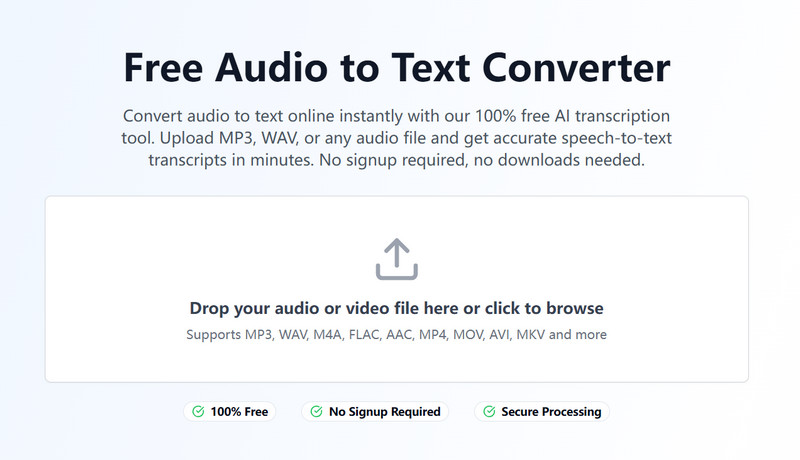
Tired of the long, boring waiting time? Then the smooth and fast output of AudioToText might feel incredibly satisfying. This audio to text converter is known for its efficiency—it can convert long audio files into text in just 2 minutes. Does speed cause errors? Not at all. AudioToText maintains an impressive 99% accuracy, giving you complete peace of mind.
Key Feature
High accuracy and high efficiency: AudioToText can convert large audio files into text within 2–5 minutes, while resisting interference from noise or accents, achieving an accuracy rate of up to 99%.
Supports 15+ audio formats: AudioToText is compatible with MP3, WAV, M4A, FLAC, AAC, OGG, and more than 15 additional audio formats—no extra conversion is required.
Additional information: AudioToText can identify and label different speakers and generate precise timestamps—delivered instantly with no need to reorganize or wait for follow-up emails.
Price: Free
How to Transcribe Audio to Text in 3 Simple Steps
If you happen to have an interview recording you recently captured, feel free to start your first attempt right away! This guide will use Vidnoz AI Audio to Text as an example to show you how to use this type of transcriber.
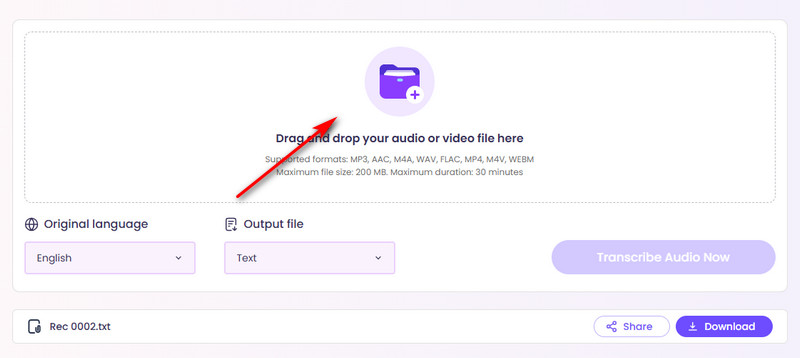
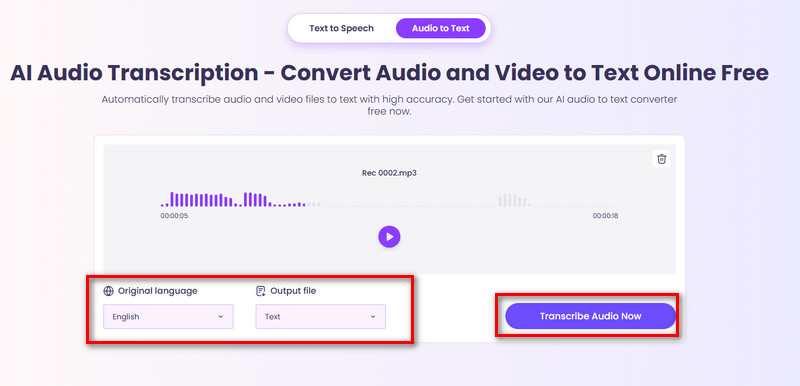
Step 2: Click the +File icon in the center of the page to upload your audio.
Step 3: Under Original language, select the language spoken in your audio. Then, under Output file, choose the format in which you want the transcribed text to be saved. Finally, click Transcribe Audio Now.
Don't Just Stop at Text - Create Stunning AI Videos from Your Transcript
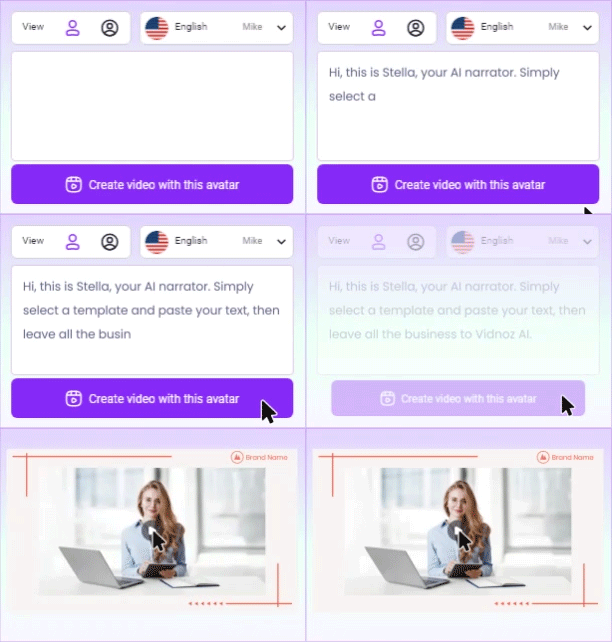
Have you ever thought about using the transcribed audio text as an outline to create a video with both visuals and sound? Vidnoz Text to Video AI is exactly the tool that makes this possible.
Simply type your polished script into the text box (be sure to specify the style you want), choose the general direction, click the generate button, and your animation will be created.
Turn Text into Video with AI - FREE
Generate high-quality videos from PDFs, PPTs, and URLs in one step!
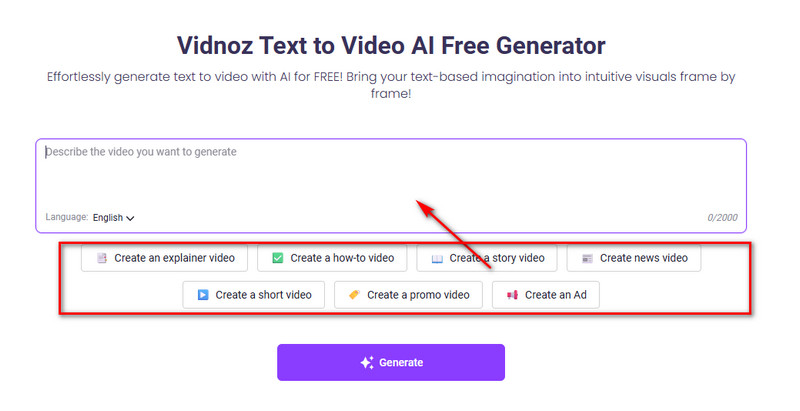
Step 2: Select the tab that best matches your needs from the options below.
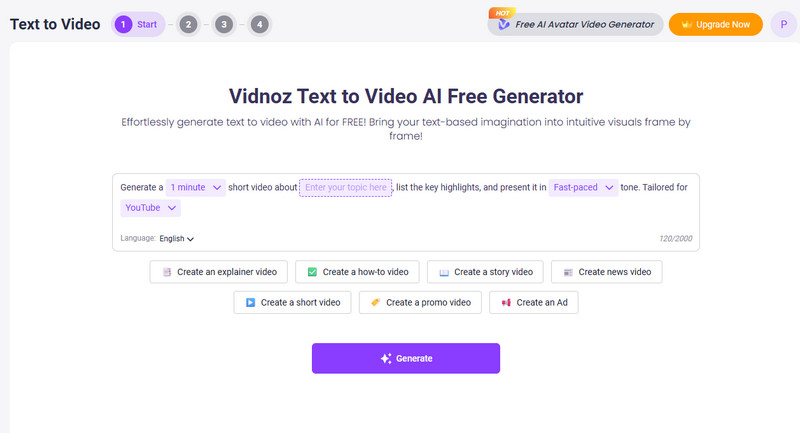
A template will appear in the text box. Fill in the video length, theme, tone, and the platform you plan to publish on.
Then, in the text box, enter your requirements for the background, characters, actions, and storyline.
Step 3: Click Generate.
If you want more precise control, such as customizing the video's background, characters, or even the spoken lines, you can try the platform's free AI video generator. Besides converting text into videos, Vidnoz AI can also turn text into audio—and no, not just regular speech. It can transform text into song! Choose a style and melody, use your text as lyrics, and create a real piece of music.
FAQ: Everything You Need to Know About Audio to Text Converter
An audio to text converter is an AI-powered tool that automatically transcribes spoken audio into written text.
Accuracy varies, but top-tier tools can reach 95–99% precision. Vidnoz AI, for example, is known for delivering 99.8% accurate results.
Most converters support popular formats like MP3, WAV, and M4A. Vidnoz AI stands out by supporting a wide range of formats—including MP3, AAC, M4A, WAV, MP4, MOV, etc..
No. Most modern tools are web-based. Vidnoz AI is completely online, so you can transcribe directly through your browser without installing any software.
Absolutely. Once your text is generated, you can turn it into articles, summaries, scripts, reports, or even full videos.
The Bottom Line
An AI audio to text converter can make handling long recordings—such as meetings, lectures, and speeches—much easier. Upload your audio, click transcribe, and you'll receive a text file with over 99% accuracy, along with speaker labels and timestamps. This guide has selected five top tools, each with its own strengths, and introduced their unique features one by one. Finally, using Vidnoz as an example, it provided a detailed step-by-step tutorial. Vidnoz's high accuracy, fast processing, and simple workflow are exactly why it's so trustworthy. If you're ready to start transcribing, launch it now!
Transcribe Any Audio to Text with AI - Free
Ultra-fast transcription for any audio at one click
Lane Maxwell is an experienced technology industry editor specializing in providing users with actionable advice and insights. Her articles have helped millions of readers find solutions easily.





![Download Instagram to MP4: Top 5 Instagram to MP4 Converter [2026]](https://www.vidnoz.com/bimg/instagram-to-mp4.webp)
![Best 6 Apps to Make Photo Talk: Make Your Pics Speak Instantly [2026]](https://www.vidnoz.com/bimg/best-app-to-make-photo-talk.webp)
![Best 4 Elf Voice Generator: Create Magical AI Voices [2026]](https://www.vidnoz.com/bimg/best-elf-voice-generator.webp)
![Best 8 Video Object Removers Free Online and Apps [2026]](https://www.vidnoz.com/bimg/best-video-object-remover.webp)
