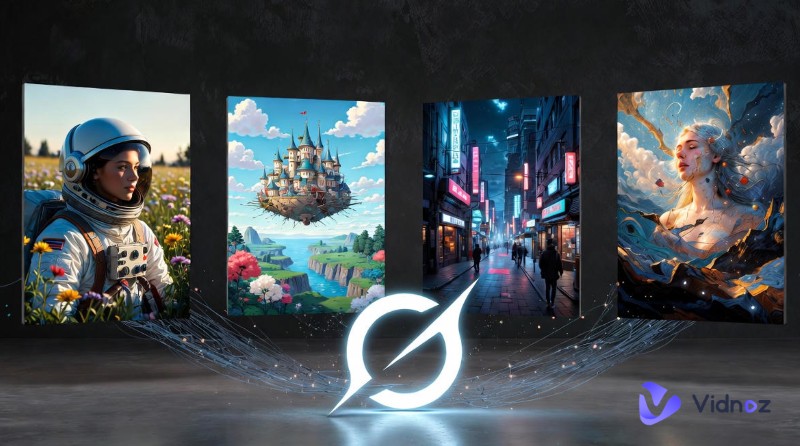
Imagine turning a single sentence or even just an image into a cinematic video that looks like it came straight from a film studio. Sounds like magic, right? Yet with the arrival of Seedance AI, this is no longer just imagination. Developed by ByteDance, this advanced AI video model has rapidly gained recognition for its ultra-smooth motion, vivid storytelling, and jaw-dropping realism. This guide will show you how to make the most of Seedance AI free, including its outstanding features, and how to use it to create professional-grade videos step by step!
- On This Page
-
What is Seedance AI?
-
What Makes Seedance AI Different from Its Counterparts
-
How to Create Videos for Free with Seedance AI
-
Try Seedance AI Video Generator on Vidnoz
-
How to Use the Seedance AI Video Generator on Vidnoz
What is Seedance AI?
Seedance AI is a cutting-edge AI video generation model created by ByteDance. It supports multimodal inputs, including text, images, audio, and videos, which allows users to create stunning videos with exceptional detail and realism. Available in versions like Seedance 1.0, Seedance 1.5 Pro, and Seedance 2.0, this tool demonstrates strong semantic understanding and the ability to transform prompts into cohesive and story-driven sequences. The Seedance 1.0 free version also offers accessible entry-level creation for beginners.
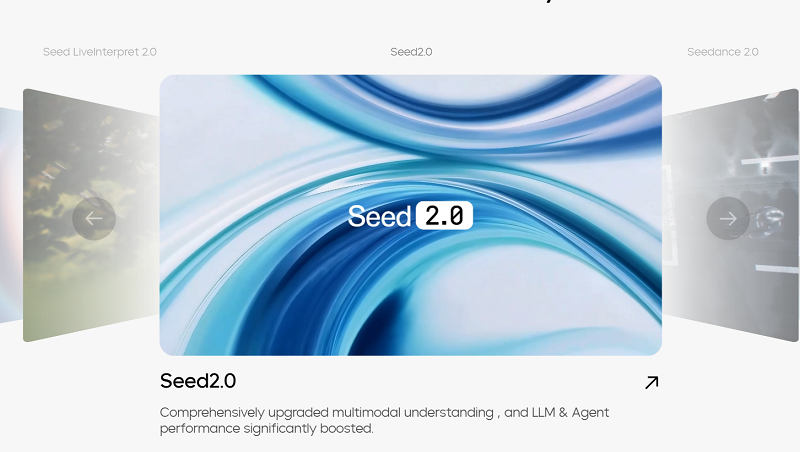
While Seedance 1.0 emphasizes stable motion control and native storytelling flow, Seedance 2.0 introduces unified audio-video generation for immersive viewing experiences. When integrated with Doubao, the AI chatbot developed by ByteDance, it becomes even more user-friendly with streamlined workflows.
The Seedance AI video generator is widely used across various scenarios, from casual content creation and short-form social media clips to marketing campaigns, educational explainers, and entertainment projects. With Seedance AI, users can easily produce multi-shot videos with polished cinematic aesthetics that can rival traditional productions.
What Makes Seedance AI Different from Its Counterparts
Unlike many tools that generate short and disconnected clips, Seedance AI is built for structured storytelling and professional-grade scene generation. Here are the features that make it stand out:
- Consistent multi-shot storytelling: The Seedance AI video generator maintains seamless narrative flow across multiple scenes. This is great for creators to build complex storylines without heavy manual editing.
- Cinematic output in various styles: From hyper-realistic film aesthetics to stylized animation, Seedance AI produces high-fidelity visuals with dynamic camera movement, thoughtful lighting effects, and rich details.
- Immersive AI videos with audio: With its embedded audio-video architecture, the Seedance AI free video generator delivers native sound effects and precise lip-sync. You can export fully synchronized, cinema-like productions.
- Superior Speed and Cost Efficiency: Seedance AI 1.0/2.0 is well known for exceptional speed and affordability. They can generate videos significantly faster than many Western competitors, offering a cost-efficient solution for high-volume creators, agencies, etc.
Convert Image to Video AI Online - Free
- Create a video from an image quickly for free.
- Use various AI models to turn photos into videos.
- Download and share the AI-generated video at no cost.
Convert Image to Video
How to Create Videos for Free with Seedance AI
As you can see, the ByteDance Seedance AI video generator is powerful and professional for cinematic storytelling. You can access Seedance AI's free features through Doubao, ByteDance’s official AI creation platform. Now let’s see how to use the Seedance AI video generator in simple steps:
Step 1. Launch Doubao AI and sign in with your phone number.
Step 2. In the Seedance AI video generator interface. Input a prompt or upload an image for video creation.
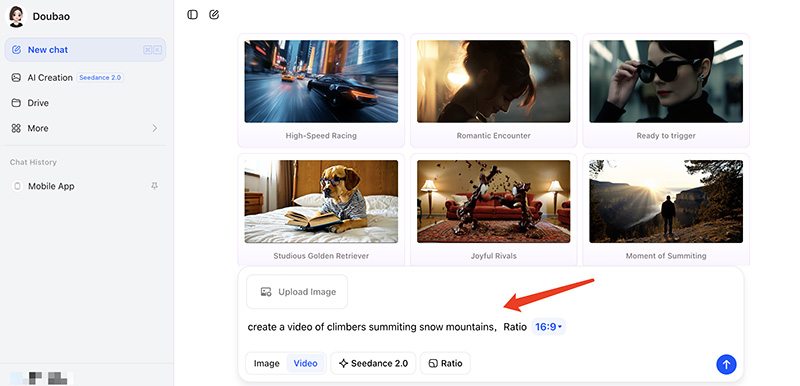
Step 3. Adjust the aspect ratio for video output. Click on the Generate button and wait for the video to be created.
Step 4. Alternatively, you can upload an image and input a prompt to transform the image into a video.
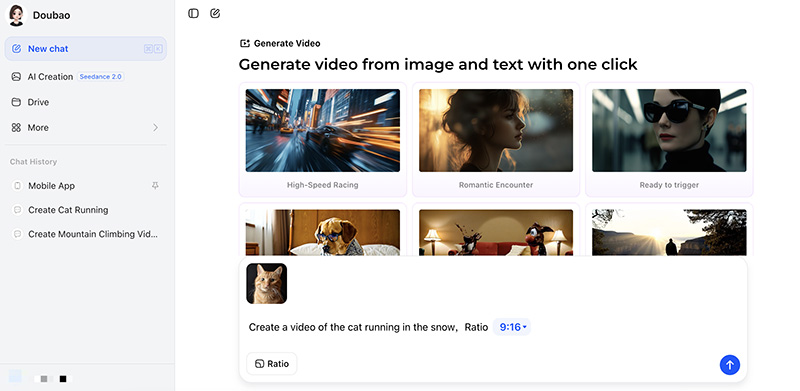
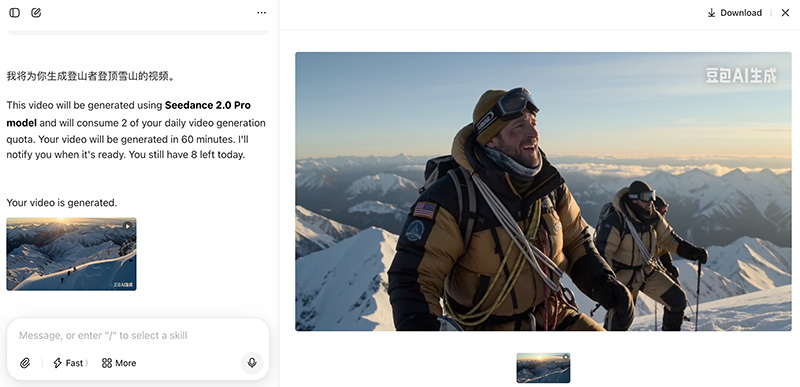
Step 5. Wait for a while, and the video will be ready for download.
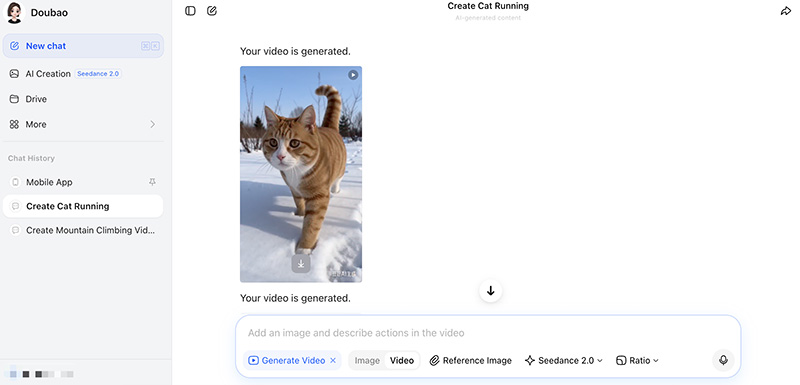
Your project will be created with the Seedance AI 2.0 model and will use 2 credits from your daily video generation allowance. The estimated processing time is approximately 60 minutes. You’ll receive a notification once the video is complete.
Try Seedance AI Video Generator on Vidnoz
While Seedance AI delivers impressive cinematic results on its native platform, a multi-AI model tool offers more flexibility. For instance, Vidnoz Image to Video AI is an excellent alternative to check out. As an advanced AI video generator, Vidnoz integrates the latest models: Seedance, Kling, Google Veo, etc. So you can enjoy easy access to a rich collection of AI models, without switching platforms.
Convert Image to Video AI Online - Free
- Create a video from an image quickly for free.
- Use various AI models to turn photos into videos.
- Download and share the AI-generated video at no cost.
Convert Image to Video
On top of that, Vidnoz AI offers trendy visual effects and preset styles for fast and viral-ready production. It also has more direct customization options and smoother parameter adjustments, which allow users to refine motion, resolution, and aspect ratio with ultimate precision.
Key Feature
- Support for major Seedance versions: Supporting the Seedance AI 1.0/1.5 models, Vidnoz can produce videos with quality comparable to native Seedance AI video outputs, featuring seamless audio-visual alignment and improved motion stability.
- Start-End frame video generation: You can also upload beginning and ending images to generate structured transitions. Vidnoz will create coherent scene progression with enhanced narrative continuity.
- Ready effects and templates: Vidnoz offers rich video effect templates such as AI Squish, Money Rain, and other viral effects. You can also create videos with cinematic, anime, cyberpunk, and other visual styles.
- Free to use every day: Similar to Seedance AI's free access, Vidnoz provides daily generation opportunities. You can experiment with creative concepts, test visual styles, and produce videos for free.
- Quick customization via options: Unlike Seedance AI, which often relies heavily on prompt refinement, Vidnoz lets you instantly adjust resolution, aspect ratio, video length, and motion intensity for easy customization.
How to Use the Seedance AI Video Generator on Vidnoz
If you are looking for a more flexible way to create videos with Seedance AI, Vidnoz is surely a practical choice. Instead of complex prompt adjustments, Vidnoz simplifies the entire process with built-in models, customization options, and ready-made effects. Now, let’s see how to use it for easy video creation.
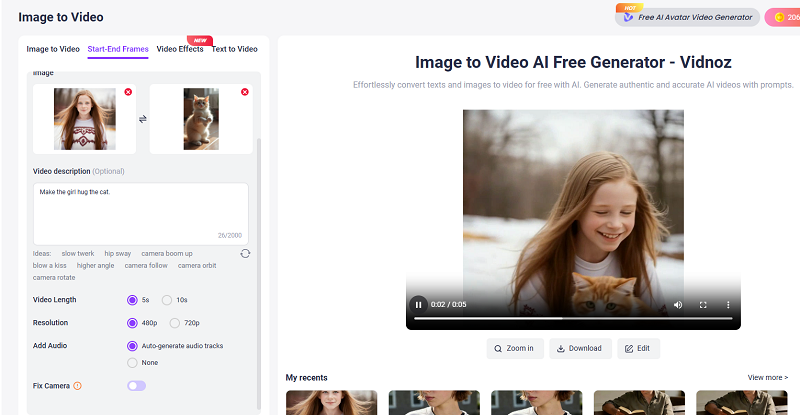
Step 1. Go to Vidnoz Image to Video AI. Choose a video generation mode first, for instance, Start End Frames > Seedance 1.5 Pro.
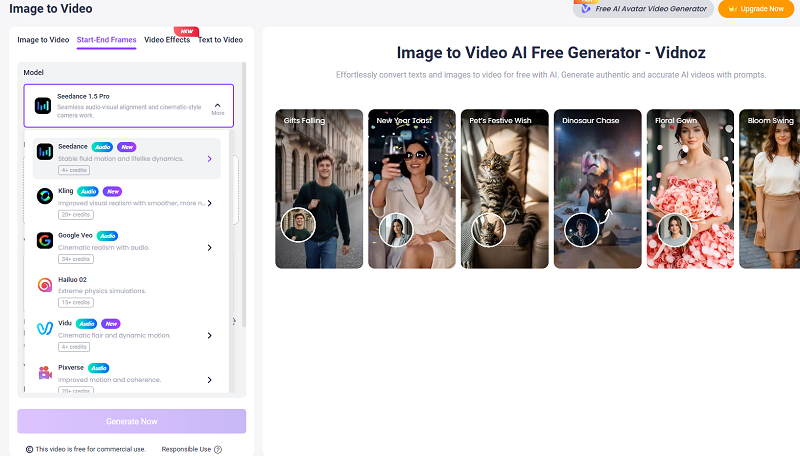
Step 2. Upload two images as the starting and ending frames.
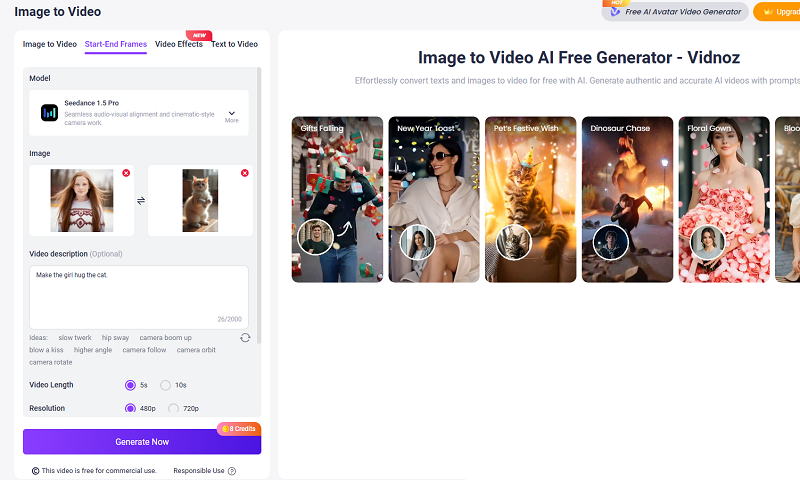
Step 3. Describe the transition between the frames; it’s better to make it specific so you get the result you want. Adjust the settings for video length, resolution, audio, and camera.
Step 4. Click on the Generate Now button to create a video with Vidnoz’s Seedance model.
The Bottom Line
Seedance AI redefines modern video creation with advanced capabilities. Whether users want to produce short-form social content or structured narrative scenes, the AI video generator can deliver realistic motion with professional-grade output. But if you are looking for more access to different AI models, Vidnoz AI is a practical choice. You can easily create videos for free with direct customization options and refined results. Just try it and elevate your content to the next level now!
Convert Image to Video AI Online - Free
- Create a video from an image quickly for free.
- Use various AI models to turn photos into videos.
- Download and share the AI-generated video at no cost.
Convert Image to Video