While AI voiceover generation tools have improved significantly, they still depend heavily on the quality of the script. If the text is awkward, unclear, or poorly paced, the generated voice can sound stiff or robotic. Fixing this usually means revising the script and regenerating the entire audio from the beginning. It is an inconvenient process that often leads to uneven tone or pacing.
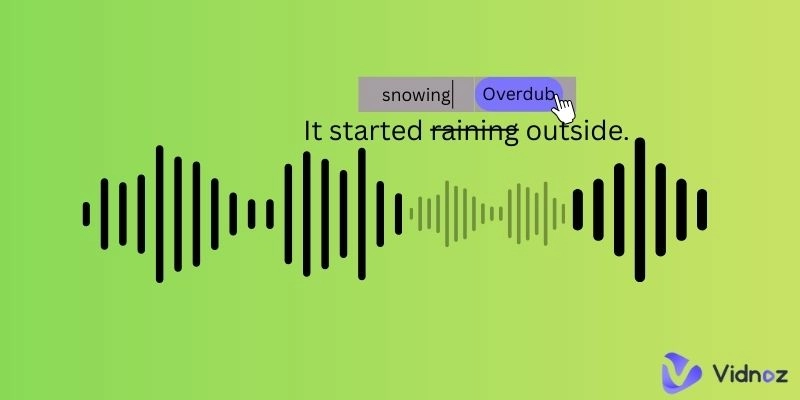
To solve these problems, many AI platforms now use a more flexible approach called overdubbing. Instead of redoing the whole voiceover, AI overdub lets you replace or add only the parts you need, blending them smoothly into the existing audio for better flow and consistency.
In this article, we will explain how AI overdubbing works, why it is becoming a preferred technique for more natural and efficient voice production, and how it benefits creators across different fields.
- On This Page
-
What is Overdub?
-
Use Cases for Audio Content by Overdub
-
A Quick Overview of Decript Overdub
How Descript Overdub AI Works
-
Use Vidnoz Video Translator to AI Overdub Voices
How to AI Overdub Voice-Over in Any Language You Need
Alternative Way to Clone and Overdub Voice-Overs in a Video
What is Overdub?
In music production, "overdub" means recording new audio on top of an existing track to create a richer, more layered sound. Musicians often use overdubbing to add harmonies, instruments, or extra vocal parts without having to redo the entire recording.
However, in AI audio and voiceover production, the concept is similar but used differently from overdubbing music. Here, overdubbing means regenerating or replacing a specific section of already-generated audio to produce a new line that sounds just as natural as the original. Instead of recreating the whole voiceover, you can update only the part you need while keeping the tone, pacing, and style consistent throughout with the help of artificial intelligence.
Use Cases for Audio Content by Overdub
Overdub AI has become an important tool for boosting voiceover quality and making audio production faster and more efficient.
Below are three primary examples.
- Quick Audio Fixes and Corrections
If you already have a finished voiceover, Overdub AI makes it easy to fix small issues without starting over. You can quickly correct robotic-sounding lines, mispronounced words, or awkward phrasing. It also lets you add new lines or updates without going back to the recording booth or regenerating the whole script.
- Easy Voiceover for Audio Projects
Many overdub tools can both generate new voiceovers and fine-tune existing ones. This makes them perfect for creating high-quality audio for videos, podcasts, audiobooks, online courses, and more. You can produce a full narration and then use overdubbing to refine only the parts that need improvement.
- Efficient Multi-Voice Conversations
Overdub AI can also change the voice or tone of different sections of your script, allowing you to create natural-sounding conversations using just one recording. This is great for storytelling, interviews, character dialogue, or any content that benefits from multiple voices.
A Quick Overview of Decript Overdub
Many audio creation platforms now offer their own versions of AI overdubbing, and among them, Descript Overdub stands out as one of the best. In the next section, we will give you a quick tour of how it works and show how Overdub AI can improve the way you create and edit audio.
What Is Descript Overdub
Descript's Overdub is an AI-powered voice cloning and text to speech tool built into the Descript audio and video editor. It lets you generate natural-sounding speech in your own voice or in one of Descript's stock voices. You can fix mistakes, add new lines, and make edits simply by typing without re-recording.
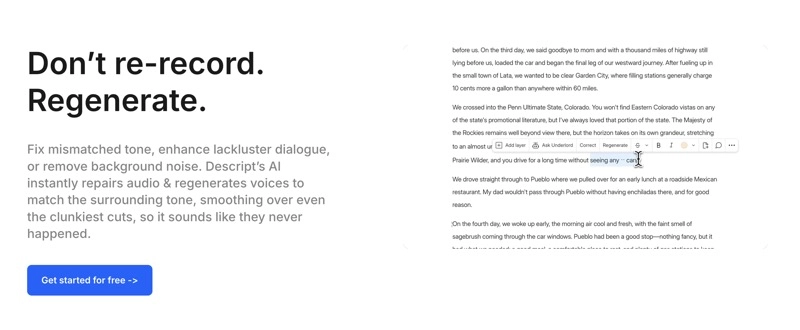
Unlike traditional AI voice generators that focus on creating new audio from scratch, Descript Overdub is designed to edit and improve the audio recording you already have. Descript now includes a trial version of Overdub for both Free and Creator plans, allowing users to work with Overdub Voices that support 1,000 common words. Pro users get the full experience with access to an unlimited vocabulary.
How Descript Overdub AI Works
In general, Descript Overdub AI works in four basic steps.
Step 1. Train Your Voice.
Descript Overdub voice cloning feature lets you clone your own or anybody's voice. The AI analyzes the audio samples to learn your tone, pitch, rhythm, and speaking style, then builds a voice model that can generate new lines that sound like you.
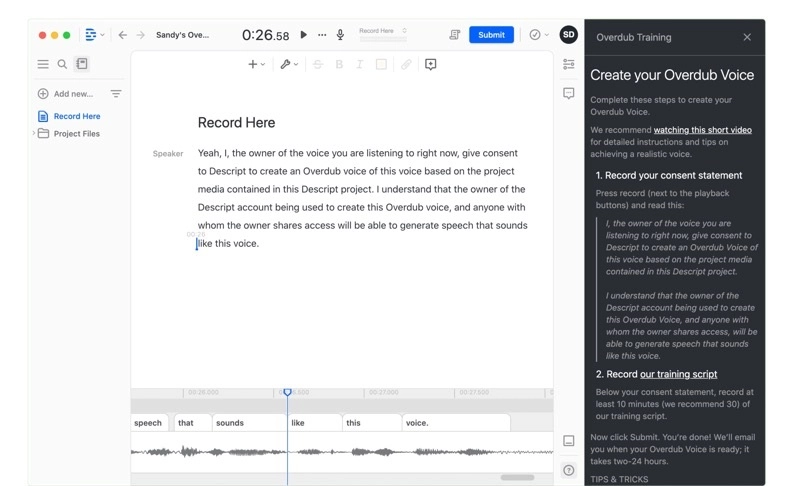
Step 2. Provide Your Original Audio.
Upload the audio you want to edit. The AI audio transcription tool within Descript will automatically transcribe it, allowing you to make changes directly through the text instead of manually cutting and editing sound clips.
Step 3. Edit Your Text.
Type new words or phrases where you need corrections or additions in your transcript. Or delete words you don't need. The Descript Overdub AI listens to the surrounding audio and analyzes what comes before and after the section being replaced, ensuring timing, intonation, and emotional tone are matched between the old and new segments.
Step 4. Regenerate New Audio.
Once your edits are complete, Descript regenerates the updated audio. If the original recording includes background noise or inconsistent room tone, Overdub adjusts and cleans the output to keep everything clear.
Key Features of Descript Overdub
- Creates a realistic digital version of your voice by reading a 10-30 minute script.
- Provides high-quality, free AI voices for free to regenerate new audio.
- Converts typed text into speech using your cloned voice or high-quality stock voices.
- Corrects existing audio content by simply editing the transcript.
- Creates multiple Overdub voices for different uses.
Use Vidnoz Video Translator to AI Overdub Voices
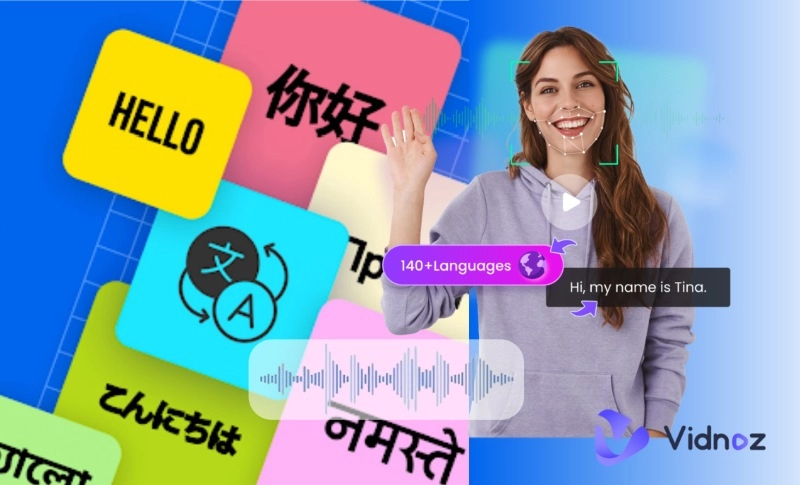
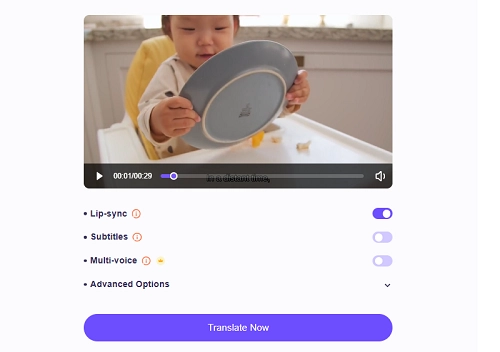
There are some other good ways to overdub voice-overs with AI. Vidnoz AI is an all-in-one platform that offers a wide range of tools for image, audio, and video creation. With Vidnoz AI Video Translator, you can effortlessly modify the text transcription transformed by AI, to edit audio narrations in multiple languages. This AI video translator's built-in lip-syncing technology can adjust the speaker's mouth movements to match the new narration, making the result look far more natural.
Translate Videos in One Click with AI - Free
- Instantly translate local files and video URLs in 1 minute.
- Accurate translation in 140+ languages for global reach.
- Perfect lip sync and speech rate for authentic results.
Translate Video Now
It also offers automatic subtitles and multiple voice options for conversations or multi-speaker videos, giving you a complete, ready-to-use translated version with minimal effort.
How to AI Overdub Voice-Over in Any Language You Need
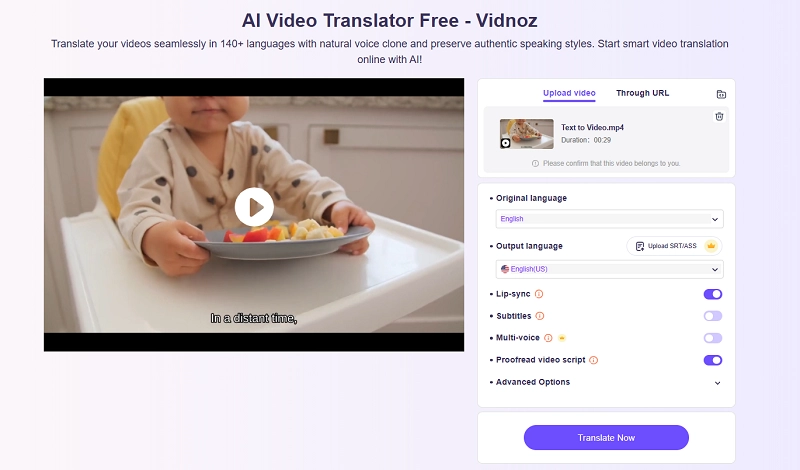
Step 1. Visit Vidnoz AI Video Translator.
Step 2. Upload a video from your device or submit a video URL.
Step 3. Set the original and output languages. If you don’t want to translate the video, keep the two options the same.
Step 4. Enable the Lip-sync option. Adjust other settings in your desired way. Then, click Translate Now.
Step 5. Vidnoz will process the video and generate the transcription version soon. Modify any segment by typing changes.
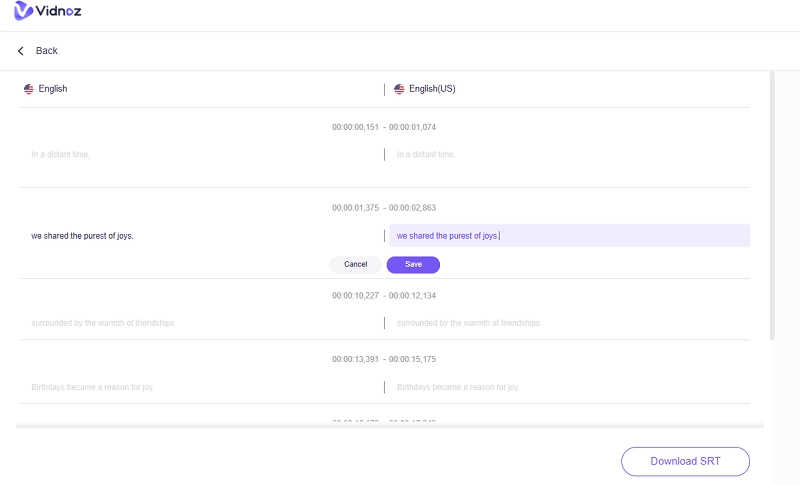
Step 6. Click Translate Now. It will take a few seconds until the task is complete.
Alternative Way to Clone and Overdub Voice-Overs in a Video
Additionally, Vidnoz AI Voice Clone is a great feature for overdub voice cloning, and it lets you create a realistic copy of any voice for video creation. You can either record a 1 to 3-minute clip directly on the site or upload an existing audio sample. Then use the personalized voice to create text-to-speech voice-overs in videos.
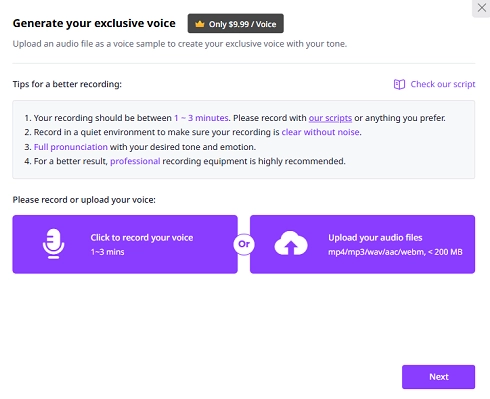
This Clone Voice feature is available on the Vidnoz AI dashboard. Beyond building your own AI voice, you can also select from thousands of preset AI voice styles for diverse content creation.

Vidnoz AI - Create Free Engaging AI Video with Talking Avatar
- Easily create professional AI videos with realistic avatars.
- Text-to-speech lip sync voices of different languages.
- 2800+ video templates for multiple scenarios.
The End
Today, AI voice generators can create complete audio files with ease, but many fall short when you need to make small updates while keeping the sound consistent. In those situations, you will need a voice generator with an AI overdub feature or a dedicated overdub app.
Fortunately, options like Descript Overdub and Vidnoz offer powerful new ways to update and refine your audio without starting from the beginning. And if you are looking for a broader set of voice dubbing tools, Vidnoz provides a wide range of free AI options. Explore them and see how Vidnoz AI can elevate your projects.