Do you remember the awe you felt when you first used AI to generate images and videos? With just a few simple words, you could create stunning AI art, even videos. Today, this revolution in content creation has welcomed a highly distinctive new player—Grok.
It’s more than just a new AI tool or a more powerful large model. With it comes Grok Imagine, an advanced fusion of cutting-edge language models and visual creativity. If you're interested in AI content and artistic creation, this article will give you a comprehensive understanding of Grok Imagine and help you turn your wildest ideas into tangible AI art, even vivid dynamic videos.
- On This Page
-
Meet Grok – What Can It Do?
-
A Deep Dive into Grok Imagine - More Than Just Another AI Artist
Grok Imagine's Video Generation and Spicy Mode
-
How to Start Creating with Grok Imagine
-
Take It to the Next Level: Unleash Grok Imagine’s Full Potential
Vidnoz Image to Video - Turn Any Photo into a Video
Vidnoz AI Video Generator - Enhance Your Storytelling with Complete Videos
-
Common Questions About Grok Imagine
Meet Grok – What Can It Do?
Grok is an AI large language model developed by xAI, Elon Musk's company. An early beta version was launched in November 2023, initially available primarily to X Premium+ users, integrated into the X platform for direct conversation. It is now open to users worldwide. It emphasizes deep reasoning capabilities in mathematics, science, programming, and other fields, tackling complex logic problems with a commitment to factual accuracy. Notably, its design emphasizes a rebellious and humorous character, resulting in a more conversational and informal style, and it responds to tough questions.
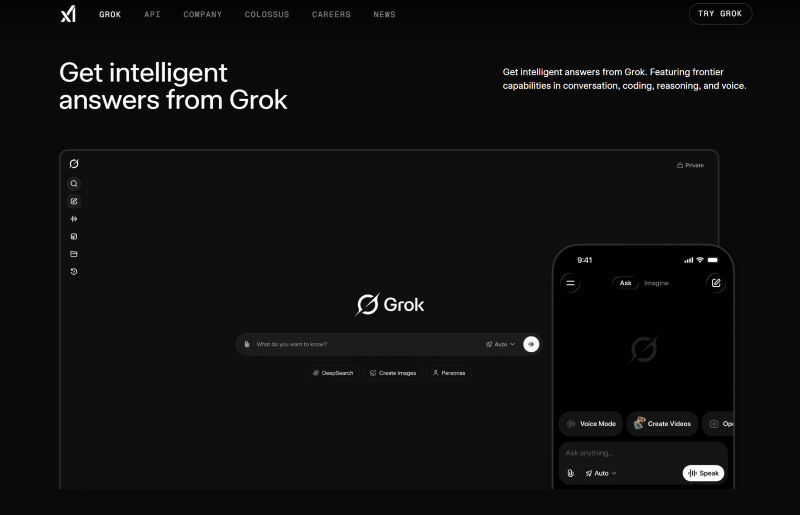
Beyond basic conversational interaction, Grok also possesses image generation and video creation capabilities. In August 2024, Grok 2 first introduced image generation, integrating the FLUX.1 model to support text-to-image generation. Subsequently, its self-developed Aurora model was launched, improving generation quality. By 2025, the much-anticipated Imagine module was introduced in the latest Grok 4.
A Deep Dive into Grok Imagine - More Than Just Another AI Artist
Grok Imagine is the latest image + video all-in-one generation tool launched by Grok, integrated into the Grok chat interface. Its foundation remains the Aurora model, supporting text-to-image generation and the direct conversion of generated images into videos.
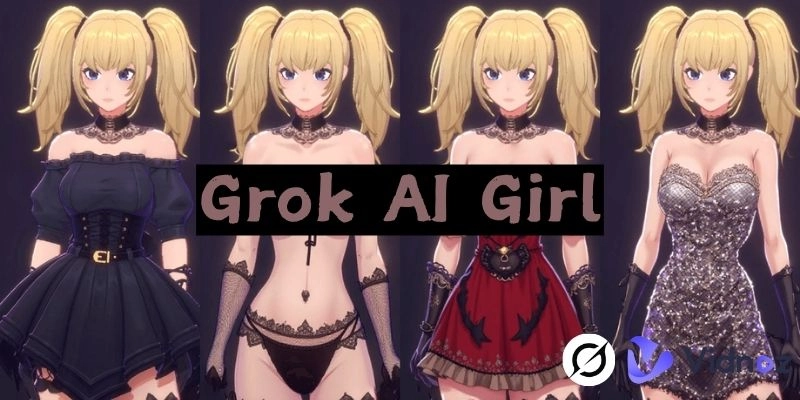
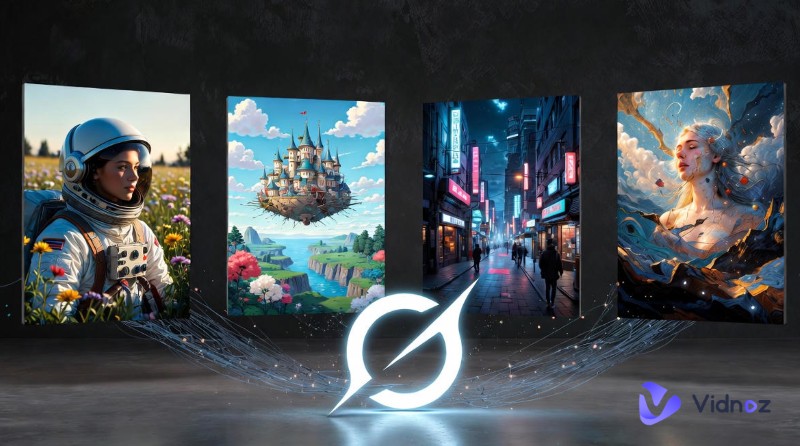
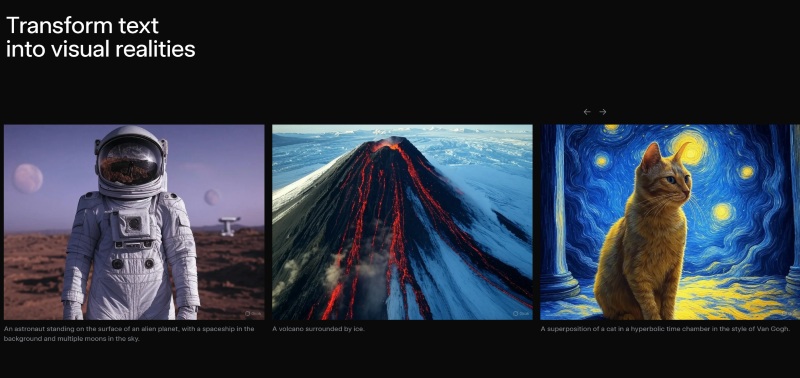
Grok Imagine's style adaptability is very broad. You can create AI art in styles ranging from realistic and anime to cyberpunk and futurism. Its Aurora model excels in understanding complex prompts and restoring details, allowing you to create images with well-coordinated elements and highly accurate details and lighting. Benefiting from Grok's reasoning DNA, it shows stronger accuracy in scenarios requiring logical consistency, such as mechanical structures, making it suitable for some professional uses.
Grok Imagine's Video Generation and Spicy Mode
Grok Imagine, based on an upgraded multimodal version of Aurora, has evolved from single-image generation to multimodal visual content creation. It can quickly transform generated images into animations and also achieve audio synchronization, directly competing with similar tools like Sora and Veo 3.
| |
Grok Early Image Generation |
Grok Imagine |
| Core Model |
Self-developed Aurora static image model |
Upgraded multimodal Aurora version (adapted for video generation) |
| Core Feature |
Only text-to-image, image editing |
Text-to-video, image-to-video, audio sync;
Retains image generation/editing
|
| Entry |
Integrated into chat via "Create Image" button |
Independent "Imagine" tab, parallel to the "Ask" Q&A entry |
| Target Scenario |
Focused on static image creation |
Balances images and short videos, suitable for social sharing scenarios |
| Tech Iteration |
Introduced in Grok 2 (Aug 2024), Aurora replaced FLUX.1 (Dec 2024) |
Officially launched Oct 2025, continuously optimizing video length & quality |
For Grok image to video, it offers four built-in modes to choose from. Among them, Grok Imagine Spicy mode is an 18+ exclusive mode. Its core purpose is to relax content moderation standards, allowing for some sensual-style content. This mode has sparked controversy due to instances of generating unauthorized celebrity nude clips without specific prompts. Therefore, in practice, legal and ethical risks must be vigilantly avoided, strictly prohibiting pornographic and violent elements.
How to Start Creating with Grok Imagine
Like other AI tools, Grok Imagine's workflow is also prompt > image/video. Therefore, operation is not complicated. You can get started quickly with the tutorial below:
Step 1: Open Grok and log into your account.
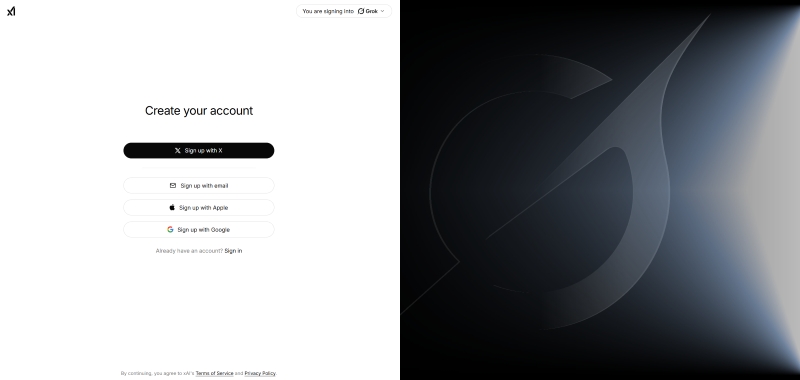
You can directly use your X account to log in. If you don't have an account yet, you can also register one using a Google account or email. Currently, Grok supports direct access via the web and offers mobile apps for iOS and Android. Choose according to your preference.
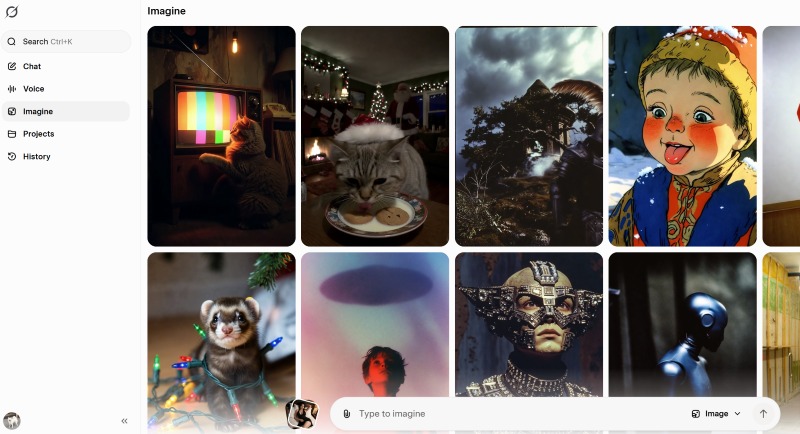
Step 2: After logging in, click the "Imagine" tab on the left to enter the creation module. Enter your prompt in the text box below.
To get results that match your expectations, prompts can follow the formula: "Art Style + Subject + Clothing (+ Action) + Scene". For example:
A high-quality AI-generated anime-style illustration. The central figure is a young female character with straight-across bangs framing her black hair, delicate facial features, and large brown eyes that appear slightly dreamy. Her lips are parted ever so slightly, conveying an expression of mild surprise or rapture. She wears a form-fitting, deep blue cheongsam-style top with gold trim at the collar and cuffs. The fabric has a strong sheen, hugging her curves to accentuate her bust and collarbone. The backdrop features deep blue tones, surrounded by floating transparent soap bubbles and water droplets. The bubbles' surfaces reflect iridescent halos, immersing the entire scene in a dreamlike, ethereal, and subtly sensual atmosphere. The lighting and shadow effects are exquisitely rendered, with the overall style leaning toward high-definition anime wallpaper aesthetics.
Then select the Image mode and click the arrow button on the right to send it to Grok and start generation.
Step 3: Wait less than 5 seconds. Grok will generate a batch of images based on your request. You can preview them and select your favorite to save.
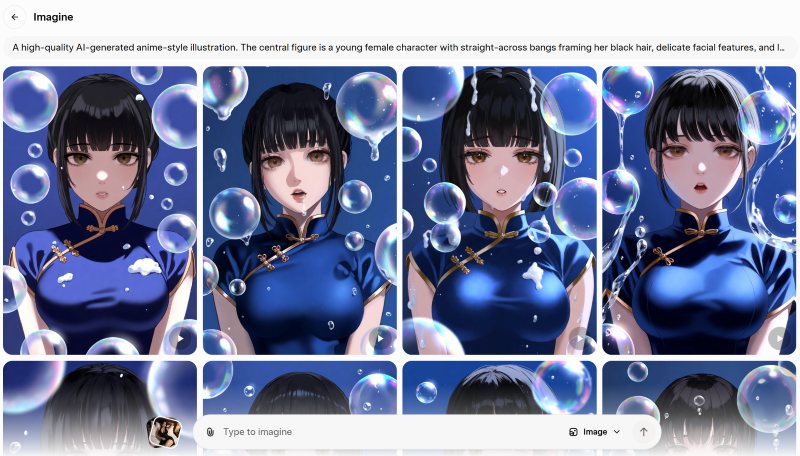
Step 4: If you want to achieve Grok image to video, click on a satisfactory image. At this point, you can edit further, generate a video, or generate more similar images based on this one.
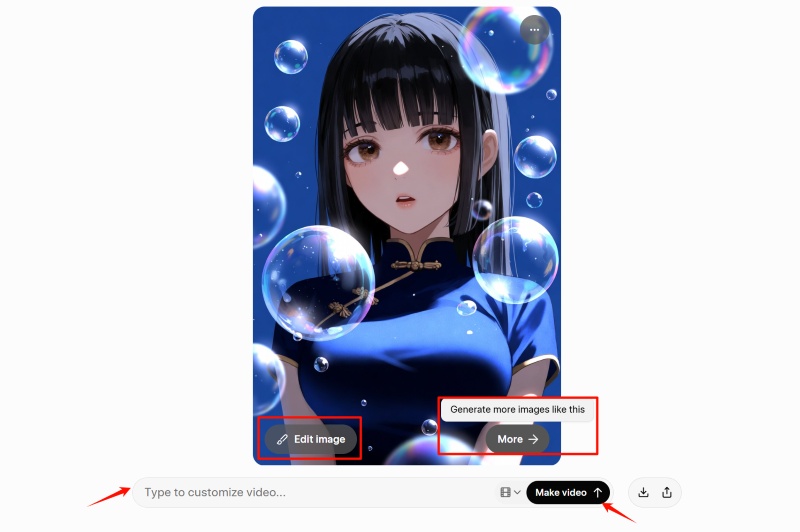
Step 5: You can write your own prompt and then press the "Make Video" button. Alternatively, click the icon representing Video options, select your desired mode (choose Spicy mode here if needed), and Grok will automatically start the conversion.
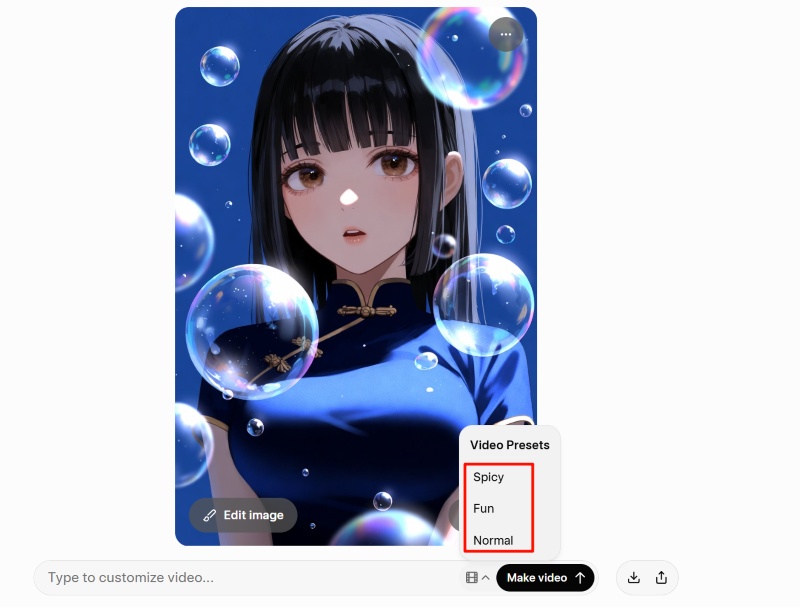
Step 6: Wait for about 10 seconds, and your exclusive Grok Imagine video will be generated. Most videos are 6–7 seconds long and come with matching background audio.
Tip: Grok Imagine is currently only available to X Premium+/SuperGrok subscribers. Free users can only access the basic Aurora model:
| Plan |
Monthly Price |
Annual Price |
| X Premium+ |
$40 USD |
$395 USD (approx. $32.92 USD/month) |
| SuperGrok |
$30 USD |
$300 USD |
In addition, Grok offers a SuperGrok Heavy subscription plan at $300 USD per month. This plan includes all features available in SuperGrok, plus exclusive preview access to Grok 4 Heavy and extended access to Grok 4.1.
Take It to the Next Level: Unleash Grok Imagine’s Full Potential
Grok Imagine’s images and videos may already be impressive, but there’s a way to bring these masterpieces to life and tell more complete, engaging stories. Here are two efficient methods to achieve this:
Vidnoz Image to Video - Turn Any Photo into a Video
Convert Image to Video AI Online - Free
- Create a video from an image quickly for free.
- Use various AI models to turn photos into videos.
- Download and share the AI-generated video at no cost.
Convert Image to Video
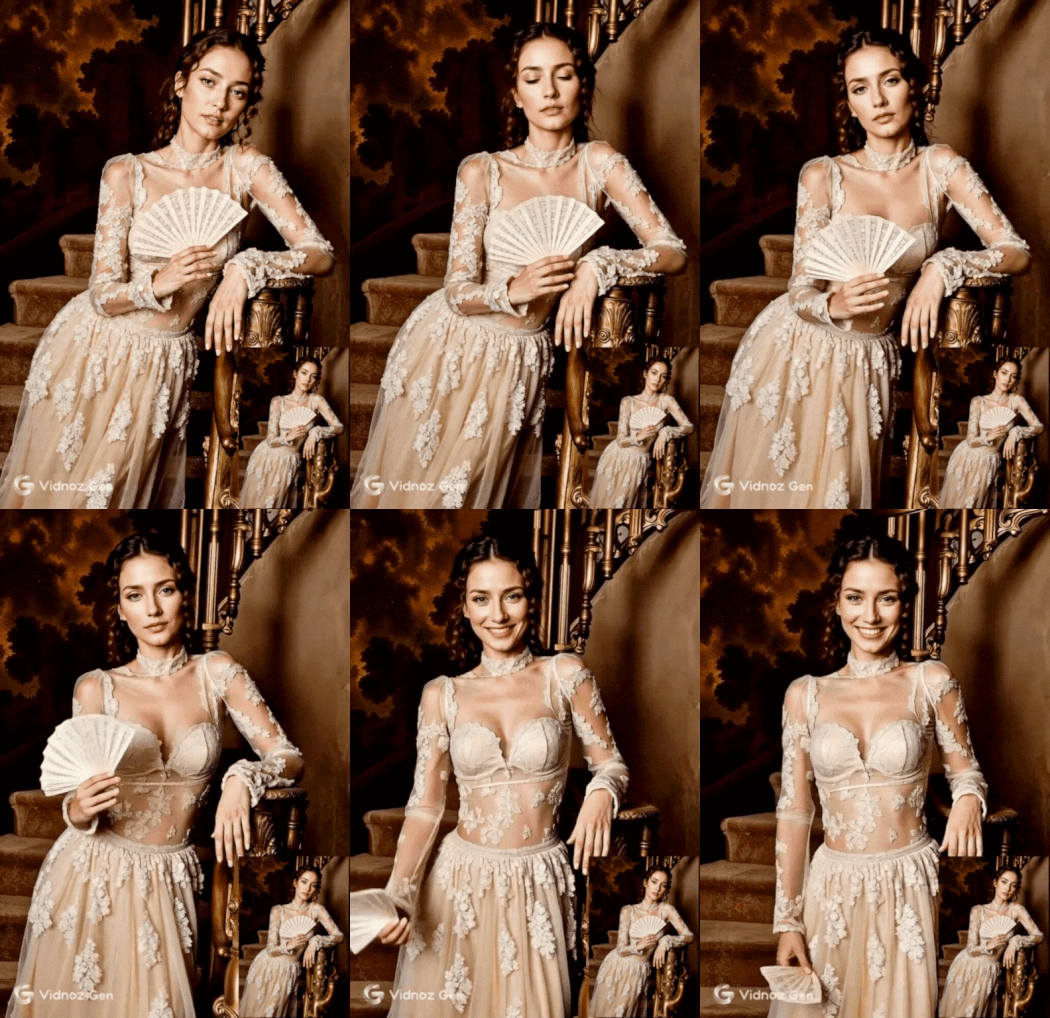
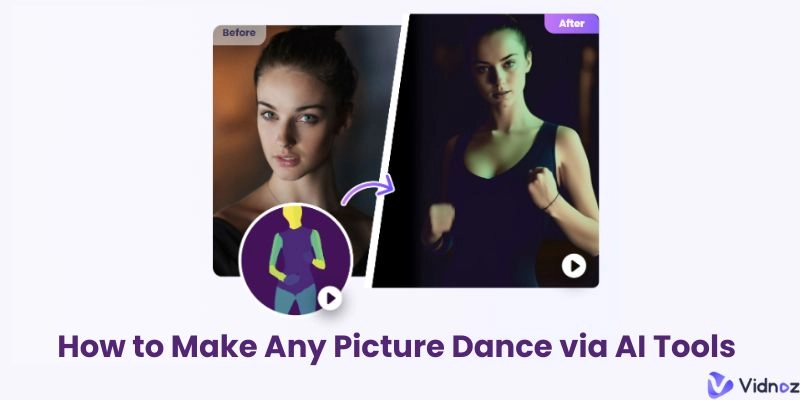
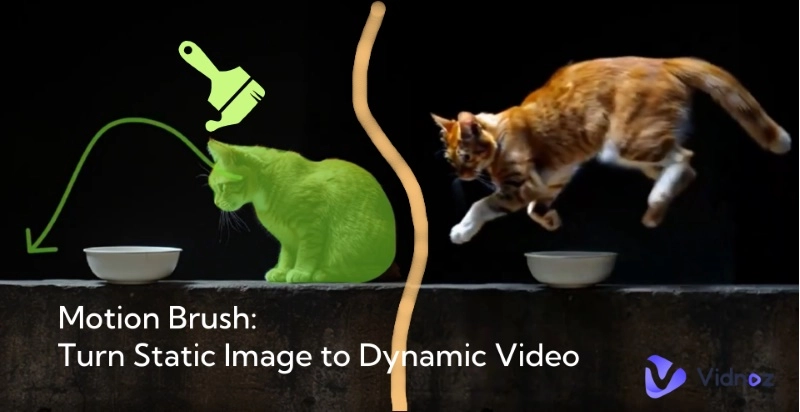
If you’ve created stunning images with Grok and want to animate them in the simplest way possible, Vidnoz Image to Video is the perfect choice. This tool focuses on ease of use and fast video output, making it ideal for beginners with no prior experience. You can upload any photo and convert it into a vivid video. Like Grok Imagine, you can use prompts to describe your desired video effects. Additionally, Vidnoz integrates popular video models such as Kling, Veo, and Sora, ensuring high-quality video output while maintaining a user-friendly interface.
No complex settings are required—just follow these three steps:
Step 1.Visit the Vidnoz Image to Video tool page and upload the image you want to convert.
Step 2.Describe your desired dynamic effects in the Video description box. You can also choose from a vast library of popular special effects provided by Vidnoz or remix your video with fun templates.
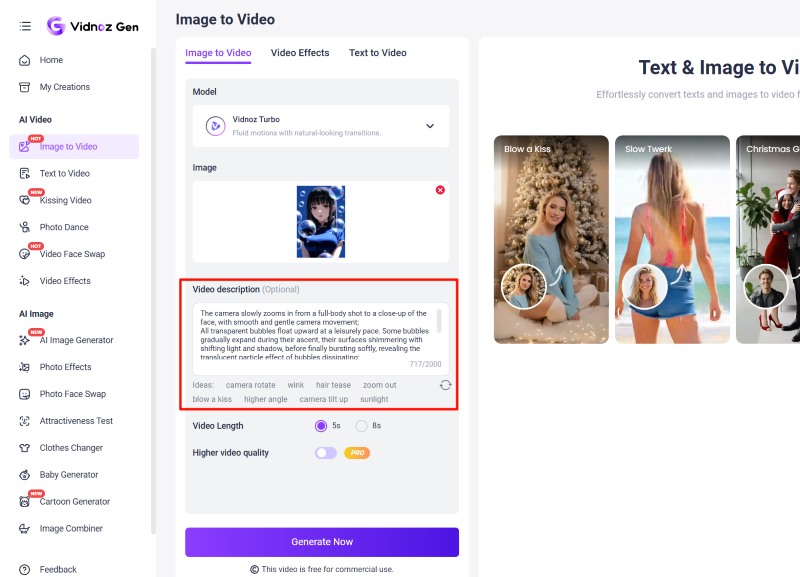
Step 3.Select your preferred video model, adjust the video duration, and click Generate Now.
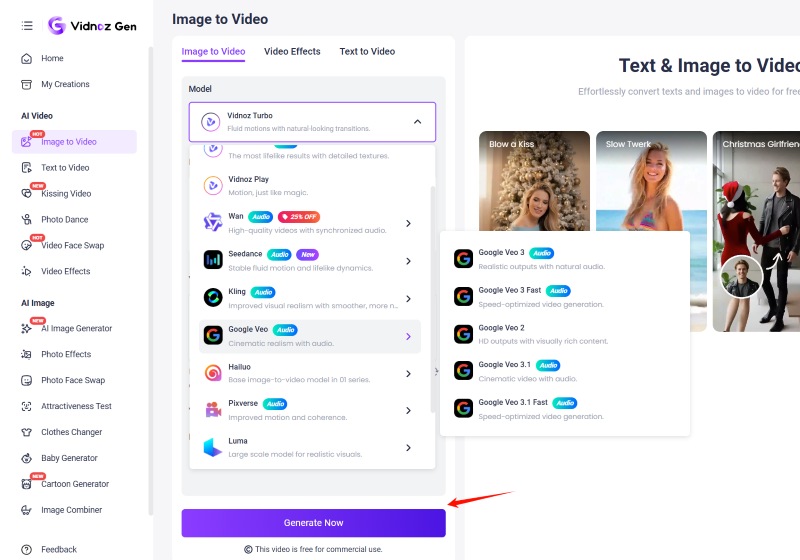
In moments, you’ll get a highly creative short video.
Vidnoz AI Video Generator - Enhance Your Storytelling with Complete Videos
If you’re not satisfied with simple animation and want to build a complete narrative for your creativity, Vidnoz AI provides an AI video generator with a full suite of professional tools.It comes with over 2,800 ready-to-use video templates covering scenarios like product introductions and marketing campaigns. It also features more than 1,900 AI avatars with lip-sync technology and over 2,000 realistic AI voices for video narration and dubbing, suitable for various use cases. You can add narration, subtitles, or epic music to your Grok Imagine videos, further expanding the boundaries of Grok’s image-to-video creation.
No filming or professional editing skills are needed. This creates a far more immersive and persuasive experience than simple image animation.

Vidnoz AI - Create Free Engaging AI Video with Talking Avatar
- Easily create professional AI videos with realistic avatars.
- Text-to-speech lip sync voices of different languages.
- 2800+ video templates for multiple scenarios.
Common Questions About Grok Imagine
Does Grok Imagine have regional restrictions? Are there any functional differences?
The basic features of Grok Imagine, including image generation and image-to-video conversion, are free to use in most countries and regions worldwide.The key difference lies in Spicy Mode: this mode is directly disabled in regions with strict regulations on adult-oriented content. In regions like the UK and Canada, users must complete dual age verification to unlock this mode, and any content that violates guidelines will be rejected.
How do I choose between Normal/Fun/Custom/Spicy modes?
The choice depends entirely on your creative needs:
- Normal: Suitable for all ages with no sensitive elements, ideal for brand marketing and daily social sharing.
- Fun: Comes with exaggerated dynamic effects, perfect for creating funny content for social media.
- Custom: Supports adding detailed prompts, suitable for personalized creation.
- Spicy: Only available for users aged 18 and above, allowing mild sexy and avant-garde styles, but strictly prohibiting pornographic and violent content.
How long does it take for Grok Imagine to generate a video? What is the video resolution?
Grok Imagine offers fast generation speeds—it can produce a 6–7 second short video in just a few seconds. Even with complex special effects added, the process takes no more than 30 seconds. The default resolution is 720P; subscribers to X Premium+ can unlock 1080P export. 4K resolution is not currently supported.
Can I use videos generated by Grok Imagine for commercial use?
You own the copyright to the generated content and can use it for commercial purposes. However, you must ensure that the content does not infringe on the rights of third parties—for example, you cannot generate content featuring well-known brand logos or celebrity portraits. It is recommended to check local copyright laws before commercial use to avoid infringement.
Why can't I use Grok Imagine to convert photos I took myself into videos?
Grok Imagine’s image-to-video feature only supports static images generated by itself, not externally uploaded images.If you want to convert external images to videos, the Vidnoz tool suite is an excellent choice. You can even use its AI music video generator to create a sophisticated music video.
Conclusion
With its advantages of fast generation and simple operation, Grok Imagine has redefined the threshold for AI image and video creation. But creation doesn’t stop here—now your inspiration can be built into a sophisticated visual narrative. Join Vidnoz today! This free AI video generator can transform your Grok creations into more compelling video content.
Convert Image to Video AI Online - Free
- Create a video from an image quickly for free.
- Use various AI models to turn photos into videos.
- Download and share the AI-generated video at no cost.
Convert Image to Video