Turn still images or text into dynamic videos in any style, with leading AI models readily. Try the smart AI video generator now - stunning, free, and instant!
Ultimate Guide to Frames to Video: Top 4 AI Tools to Instantly Create Stunning Transitions
Andrew Garcia
Updated on
SHARE THIS POST
What is frame-to-video generation? Discover the top 4 AI tools for fast, seamless video creation and explore the best AI platform for innovative projects.
Imagine you've got a brilliant idea for a video transition in mind. Maybe it’s a smooth change from a serene landscape to a bustling cityscape. But eventually, you give it up because the editing process is too complicated. This is common and can be frustrating, especially for content creators.
But worry not. Frames to video converters are here to help. Just upload images and AI will automatically fill in the motion between them and produce smooth transitions instantly. You can truly bring your idea to life with minimal effort. Just read along to find the best tools available!
On This Page
What Is Frames to Video
Best 4 Frames to Video AI Tools - Make Stunning Transitions in Seconds
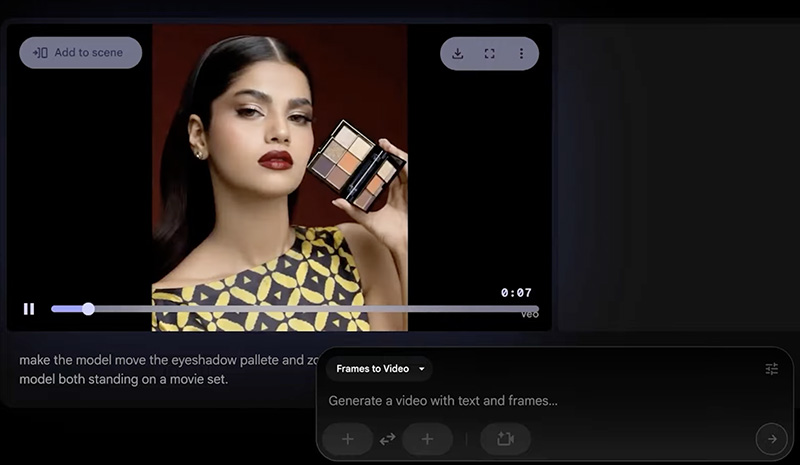
1. Google Flow - Frames to Video with Veo 3.1
2. Vidu AI Image to Video - Frame to Video with U-ViT
3. insMind AI Start - End Frame Video Generator
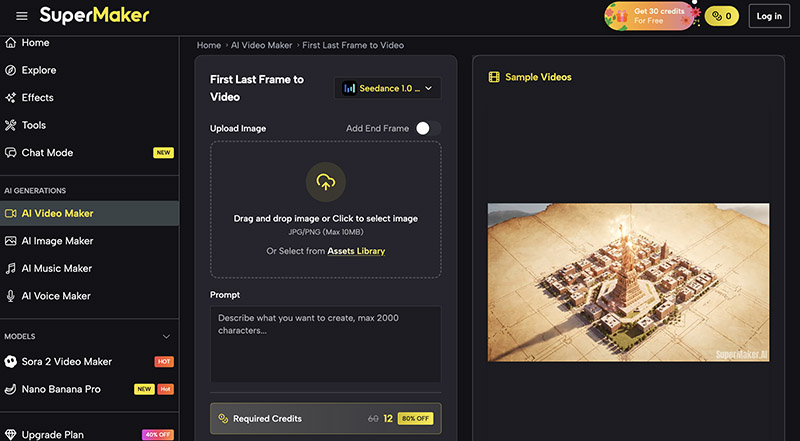
4. SuperMaker AI First Last Frame to Video
Detailed Guide for Transforming Frame to Video Online
From “Frame to Video” to More Innovative AI Video Creation
FAQs About Frames to Video AI Generator
Conclusion
What Is Frames to Video
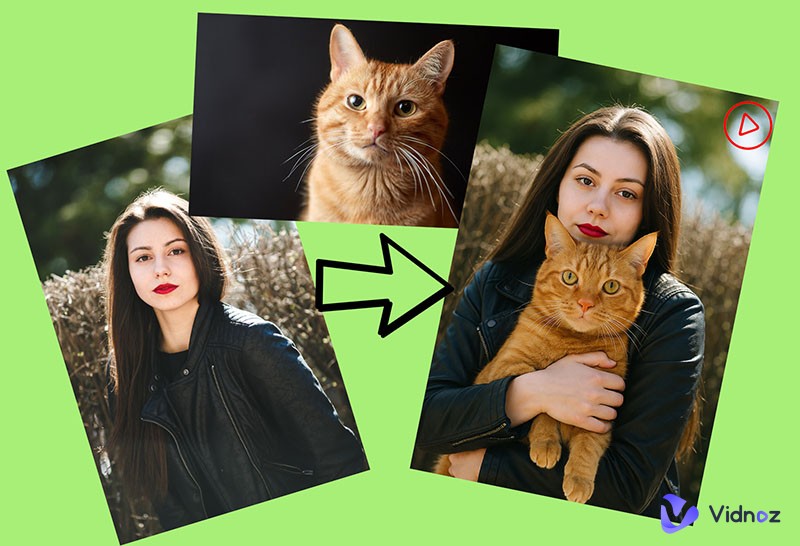
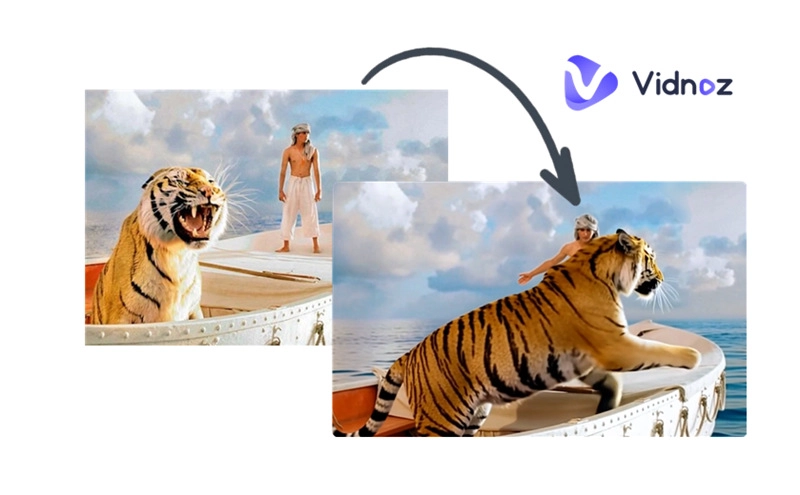
Before looking into the best tools, let’s figure out what the frame to video feature is. Powered by AI, frames to video functionalities allow users to create dynamic video sequences with a few images. For instance, users can upload the initial and final images, and AI will intelligently fill in the transitional frames for a seamless animation.
Unlike traditional image to video tools that simply convert a single static image into a video, frames to video is far superior. So, how to animate a picture, and what’s the difference between the traditional one and frames to video? While single image to video conversions add generic motions with unpredictable results, frames to video produce a transition that aligns from start to end.
Frames to video is a feature that was newly introduced by Google Veo 3.1. It leverages highly sophisticated models to create cinematic effects based on a first frame and a last frame image. Offering more precise control with coherent, high-quality outputs, frames to video is a cutting-edge method to create professional-grade video effects. It greatly minimizes manual editing while maximizing creativity and efficiency.
Best 4 Frames to Video AI Tools - Make Stunning Transitions in Seconds
Now that you have a clear understanding of frames to video conversion, it’s time to explore the best AI tools available. Let’s check out the top 4 options that can craft stunning transitions effortlessly!
1. Google Flow - Frames to Video with Veo 3.1
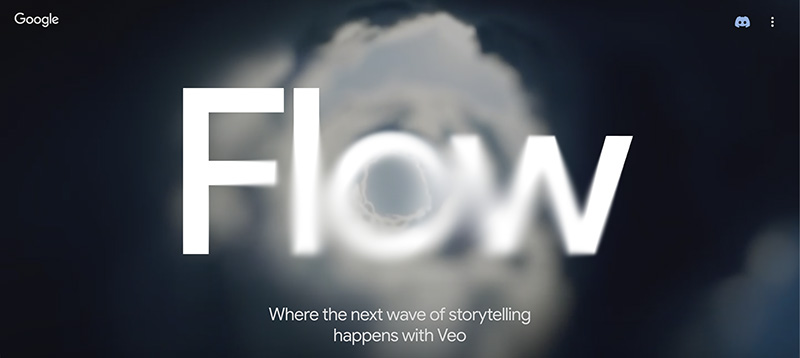
Developed with Google’s most capable generative AI models, Google Flow is the top option for frames to video conversion. Evolving from the previous Google Veo 3, the latest Veo 3.1 model can understand complex prompts, delivering state-of-the-art video and audio outputs that feel absolutely cinematic. You can bring your own assets or generate them in the tool for frames to video. However, Google Flow frames to video feature operates on a credit system for extensive use.
Pros
Google VEO frames to video for cinematic and professional-grade output.
Powerful scenebuilder and camera controls for creative control and storytelling freedom.
Frames to video Veo 3.1 can be integrated with Gemini AI for advanced features.
Cons
Limited to 180 free monthly credits.
Higher-tier plans can be expensive for casual users.
Pricing: Google AI Pro: $19.99/month; Google AI Ultra: $124.99/mo
2. Vidu AI Image to Video - Frame to Video with U-ViT
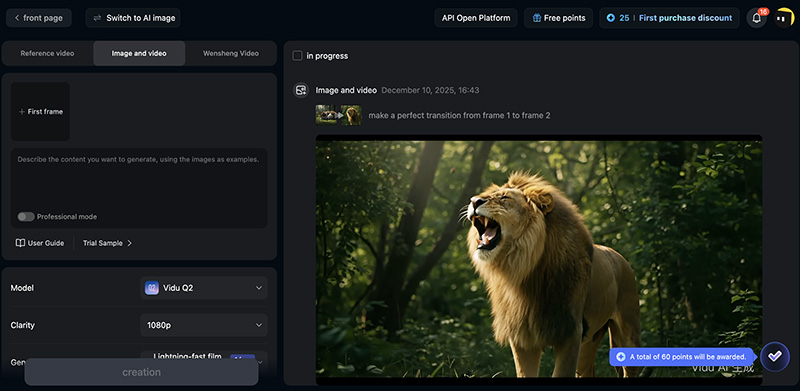
Vidu AI is a multimodal platform that can convert text and images into dynamic video clips using a diffusion model architecture called U-ViT. With its “Multi-Entity Consistency” feature, users can add up to 10 frames for conversion. Powered by 4 proprietary Vidu video models, it can produce natural animations from image frames to video. This tool offers adjustable durations between frames for precise control. Free credits are also available, which is great for beginners who want to create casual videos easily.
Pros
Industry-leading models to ensure characters and objects are visually consistent.
Generate high-quality 1080p video clips in minutes or even seconds.
Support image to video, text to video, and reference to video with tons of templates.
Cons
The frame to video AI platform interface is in Chinese only.
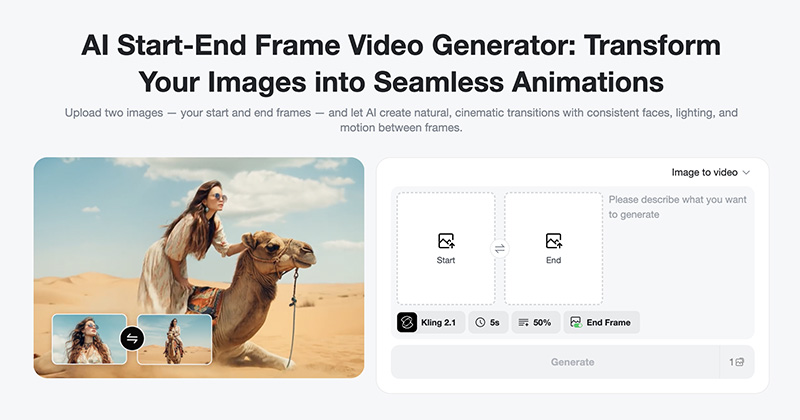
insMind simplifies frames to video with its start-end frame generator. With multiple models like Kling 2.1 and Veo 3.1 for diverse styles, the image frames to video generator maintains facial consistency for characters and ensures glitch-free transitions. The operation is pretty straightforward: upload frames, add a prompt, and generate in seconds. InsMind is available for free trial use, but the output comes with watermarks.
Pricing: Free; InsMind Pro: $9.99/mo; $48.99/yr; $0.15/credits or $0.060/credits for subscriptions.
4. SuperMaker AI First Last Frame to Video
SuperMaker AI is a simple frames to video tool that generates videos from the first and last frames. Users can adjust video duration(up to 12s) and definition options(480p/720p/1080p). The frames to video generator is free to start with 10 credits and claim more via daily tasks.
Pricing: Free; $8.3/mo; $24.0/mo; $30/mo.
Detailed Guide for Transforming Frame to Video Online
Now we have reviewed the best 4 tools for frames to video conversions. In this part, let’s see how to use Google frames to video Veo 3 step by step.
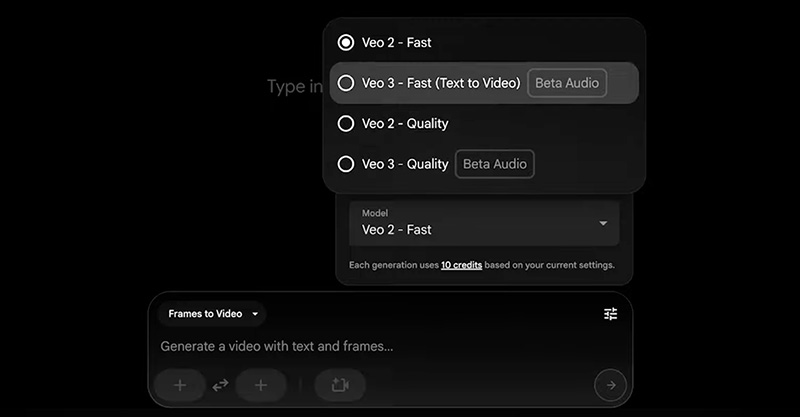
Step 1: Sign up or log in with a Google account. Create a new project, select "Frames to Video" mode, and Veo3 as the model.
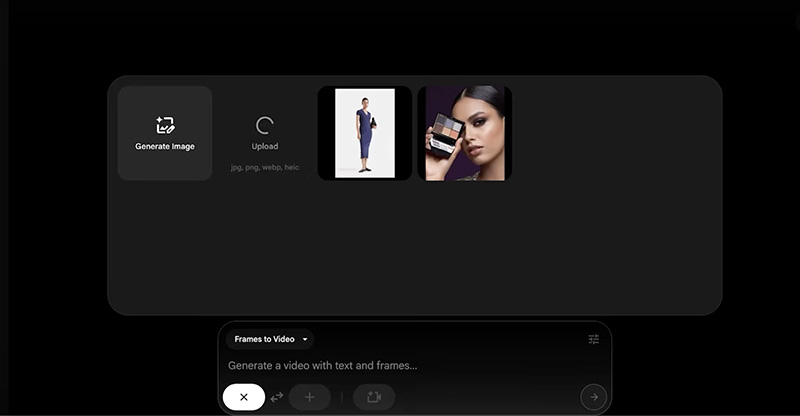
Step 2: Click the Plus icon below the prompt box. Upload your starting and ending images.
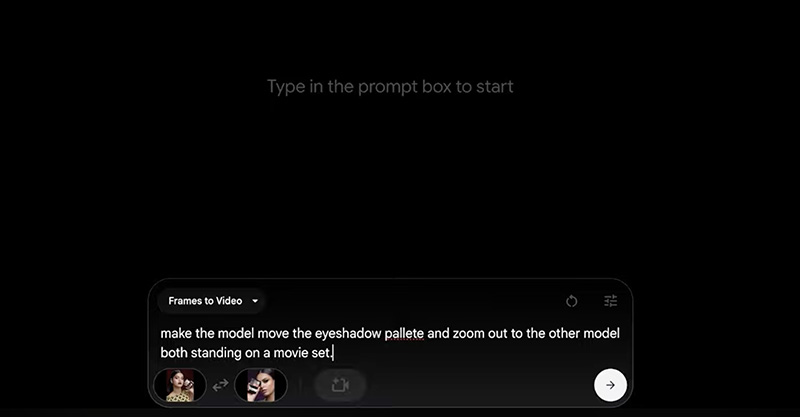
Step 3: Input the prompt to describe how you like the frames to the video transition.
Step 4: Wait for a while, and your video should be ready soon.
From “Frame to Video” to More Innovative AI Video Creation
While the above tools for frames to video are impressive, many require credits or subscriptions. Not to mention the long wait times during peak usage. But worry not. Here comes a more accessible alternative—Vidnoz AI. Unlike Google Frames to Video Veo 3, which sits behind a paywall, the Vidnoz free AI video generator lets you produce stunning videos without subscriptions and hidden fees.
Convert Image to Video AI Online - Free
Create a video from an image quickly for free.
Use various AI models to turn photos into videos.
Download and share the AI-generated video at no cost.
Beyond its FREE access, Vidnoz Image to Video stands out through its flexible and powerful features. It offers 8 switchable AI models, including top options like Veo and Kling, giving users cinematic realism and smooth transitions. You can instantly transform static images into moving clips with highly accurate motion effects.
Even better, Vidnoz includes an extensive library of built-in video effects that are viral-ready. With creative templates like AI Kissing, AI Melt, and more, you can remix any image into a lively clip in seconds.
Vidnoz excels in a wide range of applications, making it a practical choice for creators, marketers, and various users. Here are some of the best use cases.
Before-and-after product videos: Use Vidnoz frames to video/image to video feature to animate transformations, assemble sequences, or highlight improvements to better showcase product value.
Transformation videos: Produce transformation videos for makeup, fitness journeys, or glow-up content. Vidnoz’s smooth transitions can turn progression images into dynamic storytelling.
Educational videos: Convert diagrams or illustrations into motion-based videos. This is extremely helpful when tutors need to demonstrate processes or scientific concepts. If paired with Vidnoz’s AI lip sync, educators can instantly add clear narration for engaging results.
Marketing teasers/ads: No need for specialized shooting or editing. Marketers can easily generate short, eye-catching promo clips using Vidnoz’s templates. Combined with the video translate feature, these videos can be adapted for multilingual audiences and expand their reach across platforms.
With so many practical applications, Vidnoz makes AI video creation truly effortless. You can also use its free tools, such as, AI music video generator, AI talking head, etc., for creative purposes. Just try it and see it yourself.
FAQs About Frames to Video AI Generator
How does AI Frame to Video work?
AI will analyze your starting and ending frames, then predict the movement between them to generate smooth transitional frames to achieve a coherent video sequence.
Can I customize animation effects when using Frame to Video?
Yes. You can use prompts to customize animation effects. Just type in the visual effects or styles you want, and you can convert frames to a video in the way you like.
Can I use the generated videos for commercial purposes?
It depends on the tool you use. Most AI tools, such as Google Veo 3, Vidnoz AI, allow commercial use, but the policies could vary. You should always check each platform’s licensing terms before creation.
How long does it take for AI Frame to Video to generate a video?
Generally, it takes a few minutes. It also depends on the AI tool you use. In most cases, a paid plan will speed up the process while a free plan requires a longer time.
Conclusion
What is frames to video? It’s an AI technique that generates smooth, seamless transitions between starting and ending images. Now, you know the four best AI tools that can easily transform frames into videos. But if you want to create marketing clips, tutorials, or social content effortlessly for free, Vidnoz AI is an excellent choice that delivers professional-quality results. Sign up today to create innovative AI-powered videos and elevate all your creative projects!
Convert Image to Video AI Online - Free
Create a video from an image quickly for free.
Use various AI models to turn photos into videos.
Download and share the AI-generated video at no cost.
Andrew Garcia is a writer who focuses on the field of technology. He is committed to producing high-quality articles to help users solve their problems. He is working hard to discover and introduce the latest AI tools so that users can experience the joys of emerging technologies. Hope his articles can give you some aid.