Creating compelling AI-generated images starts with crafting the perfect prompt, but describing visual elements in words can be challenging. Whether you're working with Midjourney, Stable Diffusion, or DALL-E, you need precise descriptions to achieve your desired results. Image to prompt Image FX tools bridge this gap by analyzing your reference images and generating detailed text prompts automatically. Ready to transform your image creation workflow and discover how Image FX image to prompt technology can elevate your AI art projects? Let’s find out.
- On This Page
-
What Is Image FX Image to Prompt?
-
How to Use Image FX to Generate Image to Prompt for Midjourney/Stable Diffusion/DALL-E
-
Drawbacks of Image to Prompt Image FX
-
Top 2 AI Image-to-Prompt Generator Alternatives (Best Quality)
1. Vidnoz AI Image Describer - Online Free AI Image to Text Prompt Generator
2. imageprompt.org - Convert Images into Descriptive and Visual Prompts
-
How to Convert Image to Text Prompt with Vidnoz AI Image Describer
-
FAQ - Image to Prompt Image FX
Q: Which is the best image to prompt generator?
Q: How to generate AI image prompts?
Q: Can Midjourney use an image as a prompt?
What Is Image FX Image to Prompt?
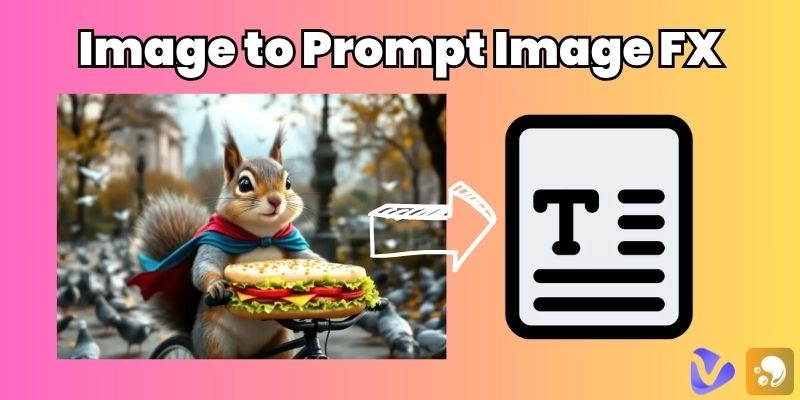
Image to prompt on the Image FX revolutionizes how you create AI prompts from existing images. This tool uses advanced AI to analyze visual elements in your uploaded photos and generate comprehensive text descriptions suitable for various AI image generators.
The core benefit of using Image FX image to prompt technology lies in its ability to capture nuanced details that human eyes might miss or struggle to articulate. Instead of spending hours crafting the perfect AI art prompt, you can simply upload your reference image and receive professionally structured descriptions within seconds for specified desired platforms.
Key Feature
- Available to select prompt target: The platform allows you to specify your intended AI model, whether you're using Midjourney, Stable Diffusion, DALL-E, Flux, or other generators. Each model has unique syntax requirements and Image FX to prompt technology adapts accordingly, ensuring optimal compatibility and results.
- Choose from photo scene or style: You can focus the analysis on different aspects of your image, such as overall composition, artistic style, orientation, or specific product. You may create prompts that align with your creative objectives thanks to this versatility.
- Adjust the word count: Control the length and detail level of your generated prompts. Whether you need concise descriptions for quick iterations or comprehensive prompts for complex scenes, the image to prompt FX tool accommodates your preferences.
How to Use Image FX to Generate Image to Prompt for Midjourney/Stable Diffusion/DALL-E
Converting your images into an actionable AI prompt library with image to prompt Image FX technology is straightforward and efficient. Here's how you can leverage this tool:
Step 1. Navigate to img-fx.com and open the "Image to Prompt" tool. Click the upload button and select your reference image from your device.

Step 2. Configure your settings by selecting your target AI platform, choosing your preferred analysis focus, and adjusting the word count slider to match your needs.

Vidnoz AI - Create Free Engaging AI Video with Talking Avatar
- Easily create professional AI videos with realistic avatars.
- Text-to-speech lip sync voices of different languages.
- 2800+ video templates for multiple scenarios.
Step 3. Click "Generate Prompt" and wait for the Image FX image to prompt algorithm to process your image. Within moments, you'll receive a detailed text description ready for use in your chosen AI generator.

Drawbacks of Image to Prompt Image FX
While image to prompt Image FX technology offers impressive capabilities, it's important to understand its limitations before fully integrating it into your workflow.
- Unstable internet connection: Since Image FX operates entirely online, poor connectivity can interrupt the analysis process or cause failed uploads. This dependency on stable internet makes it challenging to use in areas with limited bandwidth or during network outages.
- Some prompts are not detailed: Despite advanced AI analysis, certain complex images may result in generic or incomplete descriptions. The Image FX to prompt system sometimes struggles with abstract concepts, emotional nuances, or highly stylized artwork that requires human interpretation.
- Limited generation: Free users face restrictions on daily usage, file size limits, and processing speed. Heavy users may find these limitations constraining for professional workflows requiring bulk prompt generation.
Top 2 AI Image-to-Prompt Generator Alternatives (Best Quality)
While image to prompt Image FX serves many users well, exploring alternatives can help you find the perfect tool for your specific needs. Unique strengths and methodologies for image analysis are provided by each platform.
1. Vidnoz AI Image Describer - Online Free AI Image to Text Prompt Generator

Vidnoz AI Image Describer stands out as a comprehensive image to prompt Image FX alternative and positions itself as a multi-purpose, free, browser-based image-to-text tool. Drop in a picture, and the multimodal engine writes an articulate prompt in seconds, but the standout feature is its four output modes. “Describe” generates context-heavy captions; “Extract Text” runs fast OCR for instant transcription; “Introduce Product” crafts SEO-ready marketing copy; and “Solve Problem” gives step-by-step answers for screenshots of homework or technical diagrams. A custom prompt box lets you set style or tone, and unlimited daily usage means creatives can iterate without worrying about quotas. No login; export with one click.
Result:

2. imageprompt.org - Convert Images into Descriptive and Visual Prompts
ImagePrompt.org’s Image to Prompt generator takes a similar approach to Image FX image to prompt conversion. It tailors output to specific AI art engines. Choose General, Midjourney, Stable Diffusion, or Flux format, upload up to 4 MB, and the site delivers a structured, multi-clause prompt that mirrors lighting, palette, composition, and style so you can instantly re-create or remix the original image. Up to five free conversions reset daily. Multilingual interfaces and model-aware parameter strings make it ideal for anime AI art prompt engineers who need precision, while privacy rules guarantee uploads are deleted after processing, protecting client assets securely.
Result:

How to Convert Image to Text Prompt with Vidnoz AI Image Describer
Converting your images to detailed prompts using free AI video generator Vidnoz AI’s Image Describer demonstrates the practical application of image to prompt Image FX technology.
Step 1. Visit Vidnoz AI website, create your account, and then go to the AI Image Describer page.
Step 2. Drop the image in the box or upload your desired image and click ‘describe the image in detail (image to prompt)’.

Step 3. The algorithm will analyze visual elements, identify key features, and construct a coherent text prompt. Copy the text if you are satisfied with the result, or retry until you achieve your perfect satisfaction.
FAQ - Image to Prompt Image FX
Understanding common questions about the image to prompt Image FX technology helps you make informed decisions about incorporating these tools into your creative workflow.
Q: Which is the best image to prompt generator?
A: The best choice depends on your specific needs. Image FX offers excellent general-purpose conversion, Vidnoz provides detailed artistic analysis, and imageprompt.org excels at creative interpretations. Consider your primary AI platform and desired prompt style when choosing.
Q: How to generate AI image prompts?
A: Upload your reference image to an Image FX to prompt tool, select appropriate settings for your target AI model, and let the algorithm analyze visual elements. The generated text can be used directly or modified to match your creative vision better.
Q: Can Midjourney use an image as a prompt?
A: Yes, Midjourney supports image prompts through its "/imagine" command followed by an image URL. However, combining image to prompt FX text descriptions with image references often produces superior results by providing the AI with both visual and textual context.
Vidnoz AI - Create Free Engaging AI Video with Talking Avatar
- Easily create professional AI videos with realistic avatars.
- Text-to-speech lip sync voices of different languages.
- 2800+ video templates for multiple scenarios.
The Bottom Line
Image to prompt Image FX technology transforms how you approach AI art creation by bridging the gap between visual inspiration and textual description. Tools like Img-FX streamline the prompt generation process, while alternatives such as Vidnoz AI Image Describer and imageprompt.org offer specialized features for different creative needs. Whether you're a professional artist, content creator, or hobbyist exploring AI-generated imagery, these platforms provide the foundation for consistent, high-quality results. Experiment with multiple Image FX image to prompt tools to discover which combination best serves your creative workflow, and remember that the perfect prompt often combines automated analysis with your personal artistic vision.




![Top 6 Avatar Panda Makers to Create Your Own Panda Avatars [With Free Choices]](https://www.vidnoz.com/bimg/avatar-panda.png)