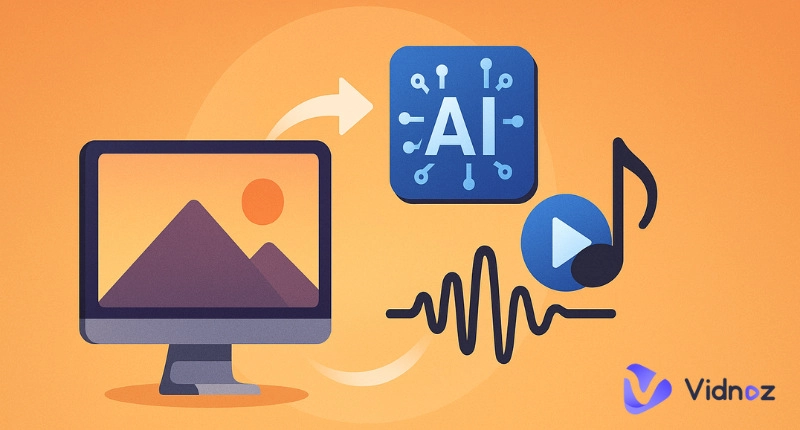
Have you ever thought, “What would a picture sound like?” With today's AI images to music generators, you can easily turn any picture into a mood-driven melody. Turning an image into music creates unique soundscapes directly from visuals, adding something new to each image. Traditional music converters output simple MP3s with limited quality. Now, AI music tools are revolutionizing this space. These smart apps deliver rich, expressive songs from your static photos. This guide has listed 4 online images to music converter tools that are free to use. Let’s dive in!
- On This Page
-
Images to Music – AI vs Non-AI Tools
-
Images to Music – Huggingface
Here's how Hugging Face converts an image into music.
-
Images to Music From Both Images and Videos – Melobytes
Here's how to convert an image into music with Melobytes.
-
Online Images to Music Converter - Customize Audio Parameters
Here's how Online Audio Converter works.
-
Bonus – Use AI to Generate Full Songs with Vidnoz
How to Use Vidnoz AI Music Generator?
Images to Music – AI vs Non-AI Tools
Let’s start by comparing AI music converters with traditional ones. The non-AI images to music converter tools are simple converters. These tools just convert image pixels to frequencies without using artificial intelligence, which often results in noisy, flat soundtracks. Non-AI converters don’t “understand” your image; they just process it. They simply map pixels to sine waves or tones.
On the other hand, an AI application can interpret visual context, mood, and even themes using clever algorithms and AI models. AI image-to-sound generators produce engaging tracks. This means more emotional depth, genre variation, and musical structure. AI-powered apps let you customize your music track. You can choose style, mood, and instruments for every soundtrack.
| Features |
AI Image-to-Music Tool |
Non-AI Image-to-Music Tool |
| Technology |
AI-based, uses machine learning and neural networks |
Not powered with AI, uses rule-based or algorithmic logic |
| Sound Quality |
High, genre-based, melodic |
Static, low-quality tones |
| Image Interpretation |
Interprets color, shapes, and even emotion |
Maps pixel data to tones linearly |
| Output Format |
MP3, WAV, MIDI, video soundtracks |
Basic WAV or raw audio |
| Customization |
Allows selection of genre, mood, tempo, and instruments |
Usually, no option to change style or tone, single default sound style |
| Creativity Level |
Highly creative |
Low creative |
| Flexibility |
AI, data-driven, modern, flexible tool |
Traditional, non-flexible tool |
So, when you compare an AI music generator with a non-AI one, the difference is clear. AI tools offer nuance, emotion, and in-depth melodies while non-AI just map pixels and generate low-quality tones.
Images to Music – Huggingface
Huggingface is a leading open-source AI website that has gathered many AI experts to develop AI models. It offers one of the most popular tools, Images to Music V2, in the AI music space. The Images to music V2 model is launched by a user called @fffiloni. V2 was integrated with AI technology, and the opposite of the previous text-to-music model. This image-to-sound model is hosted under their Spaces section and is completely free to use.
When you upload a photo, Images to Music Huggingface first scans your photo using AI models to generate an “inspirational musical prompt” for it and generate a sound clip reflecting its style and emotion. The best part is that you can customize the prompt unlimited times to get the best outcome. It is a great way to get a quick audio output from your visuals with minimal effort.

Here's how Hugging Face converts an image into music.
Step 1. Go to the Hugging Face Image-to-Music v2.
Step 2. Upload the photo you want to convert into music. Next, choose a model from the 5 listed.
Step 3. Hit “Make music from my pic!” to start picture-to-music conversion.
Pros:
- Completely free and open-source
- Fast processing and downloads
- Doesn’t require sign-up
- Simple, user-friendly interface
Cons:
- Some models are outdated
- No bit rate control
- No text-based generation
- Short music clips, 12 seconds maximum
Images to Music From Both Images and Videos – Melobytes
Melobytes is a specialized AI music remixer that helps you create all types of music in one click. It supports both image-to-music and video-to-music conversions. This means you can upload any format and get a musical tone within seconds. Its algorithms focus more on visual analysis than emotion. Still, it provides surprisingly rhythmic and tuneful results. Melobytes stands out for generating music output in 3 formats: MIDI, MP3, and MP4.
Melobytes is likely the finest AI song generator from lyrics. Yes, you read right. By putting the right kind of lyrics into the system, the tunes, drums, and the low and high pitches, you can generate quality AI songs. The result can only be retained for 24 hours; therefore, you need to download it as quickly as possible.

Here's how to convert an image into music with Melobytes.
Step 1. Sign up for Melobytes Images to Music AI.
Step 2. Upload your photo or video under 30 MB.
Step 3. Choose “Generate Video” if you need a video, and click the “Convert” button to convert the file into music.
Pros:
- Converts both images and videos into music
- Easy drag-and-drop interface
- Supports multiple output options
- Unlimited free use
Cons:
- Frequent ads may interrupt the experience
- Limited customization
- Limited genre variety, sound styles
Online Images to Music Converter - Customize Audio Parameters
If you need more control, Online Audio Converter lets you define every audio parameter. It allows for shaping the final sound output. You can change bitrate, frequency, stereo channels, and duration. The IMAGE to MP3 converter converts the JFIF file format to MPEG Layer 3 Audio. Just upload an image and adjust audio settings before converting to MP3 or WAV. It is a powerful application for those who need more control over the details of the conversion process.
The Online Audio Converter is like an AI music splitter that helps you trim unwanted audio or split vocals. You just need to enter an audio file and add the timestamps of where you want to split your audio. Within seconds, it can trim audio. The images to music converter works best for users who tweak sound quality or incorporate their audio into professional projects.

Here's how Online Audio Converter works.
Step 1. Choose the image file that you want to convert
Step 2. Change audio parameters (optional)
Step 3. Click on "Start" to start IMAGE to AUDIO conversion and download your AUDIO file once converted
Pros:
- Precise audio configuration
- Supports multiple formats
- Full control over output parameters
- Doesn’t require a login
Cons:
- Doesn’t “understand” image context
- Sound is more noise-based
- Not for music composition
There are other images to music AI converters, such as Suno Images to Music, Remusic, and Mubert. You can try these to convert your still photos to music.
Read Also: How to Rate My Music Taste with AI? >>
Bonus – Use AI to Generate Full Songs with Vidnoz
What if you want to compose full songs with AI? Try Vidnoz AI Music Generator. It is the best AI-powered music generator, helping you create unique songs from lyric text or compose tone symphonies, selecting a random genre, style, mood, and instrument. It offers fast and quality AI song creation. In seconds, you can generate 100% royalty-free music to your taste for your social media posts, advertising, ringtones, etc.
Vidnoz AI Music Generator utilizes machine learning, neural networks, and tons of AI music databases to generate music of various styles, genres, moods, tempos, and instruments. It also integrates with the AI music video generator, turning your soundtracks into visual stories. Whether you want to remix tracks, split vocals, generate a song from lyrics, or create music videos, Vidnoz has you covered.

How to Use Vidnoz AI Music Generator?
Vidnoz AI Music Generator is super easy to use. You can easily generate a realistic song with lyrics with this AI song generator. Here’s how.
Step 1: Go to the Vidnoz AI Music Generator webpage.
Step 2: Enter the song title and lyrics. Next, select the music style and vocal gender.

Step 3: Click ‘Create Song’ and let the AI compose the song in seconds.

Step 4: Download the royalty-free AI song and use it anywhere.
Conclusion
Photos evoke memories that resonate deeply within us. An images to music AI helps convert these memories into musical melodies. There's never been a better time to try out the online music converters introduced above. Don't miss the feature-rich Vidnoz AI Music Generator that turns your lyric text into a royalty-free melodic song. Try now and have fun listening!
Vidnoz Free AI Music Generator
Free to generate & download for commercial use!
- 100+ combinations of musical styles, moods and themes
- Turn your texts into songs and music videos
- AI to create an original song with your lyrics
Create Music with AI




![[Links] Top 6 Music Taste Raters to Rate My Music Taste & Data](https://www.vidnoz.com/bimg/best-tools-to-rate-my-music-taste.webp)