Ever want to give your photos a gritty, nostalgic, or rebellious twist? This is the time when the grunge effect comes in, which adds a textured and moody vibe to your image. You can transform one ordinary image into something edgy and stylish.
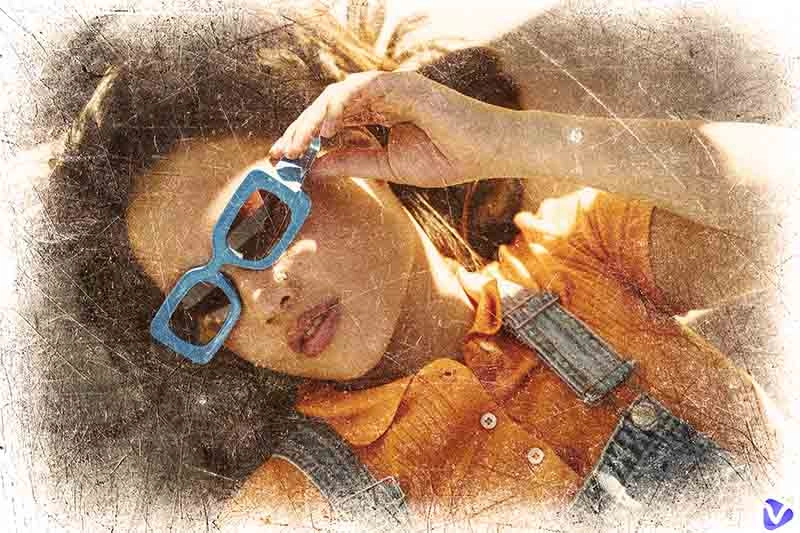
(source: freepik.com)
The trend of grunge filters continues to rise—often seen in artistic expression and branding. Do you want to explore the aesthetic as well? This blog is the right guide. You are about to learn what the grunge effect is and how to apply it using the best tools. There’s also a bonus tip for how to bring those grunge-styled photos to life.
- On This Page
-
What is the Grunge Effect in Photos?
-
Best Tools to Apply Grunge Photo Effect
PhotoShop - Precise Grunge Photo Edits
BeFunky - Achieve a Grunge Aesthetic Easily
Grunge Photo Editor - Android App for Quick Edits
Funny Photo Editing - Quick & Fun Web Tool
YouCam Perfect - Stylish Grunge Filters on Mobile
-
How to Add a Grunge Filter to Your Photos
-
When to Use the Grunge Effect for Your Photos
-
Fun Try: Infuse Vitality into Your Grunge Effect Photo
Why Transform Your Grunge Photo into Video?
Quick Guide: Bring You Back to Past Space with AI Image to Video
What is the Grunge Effect in Photos?
The grunge effect started in the 1990s grunge music scene and grunge fashion, with specialized features like raw textures, dark tones, scratches, and distressed overlays.
Visually, the grunge effect gives photos a rugged, vintage, and sometimes rebellious mood. Evoking emotion and mystery, grunge effects are appealing choices to posterize your photo or make digital designs and creative projects.
For instance, an urban street photo can transform from clean and modern to gritty and atmospheric with a single grunge filter.
Here’s a before-and-after comparison:
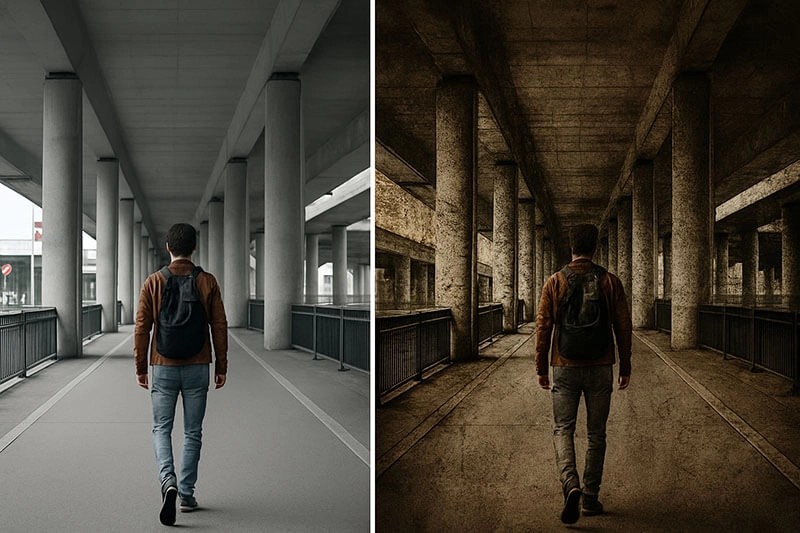
Before: A clean photo with neutral lighting
After: Desaturated colors, film grain, and the grunge texture background create a retro and raw vibe.
Best Tools to Apply Grunge Photo Effect
To easily create stunning grunge effects, you will need the right photo editing tool. Here's a quick comparison of the top grunge effect editors.
| Tool |
Platform Compatibility |
Ease of Use |
Range of Grunge Effects & Textures |
Customization Tools |
Pricing & Access |
| Photoshop |
Windows, macOS |
Medium |
Extensive |
High |
Subscription required |
| BeFunky |
Web-based |
Easy |
Wide range |
Moderate |
Free + Premium |
| Funny Photo Editing |
Web-based |
Very Easy |
Basic |
Low |
Free |
| Grunge Photo Editor |
Android |
Easy |
Decent range |
Moderate |
Free |
| YouCam Perfect |
iOS, Android |
Easy |
Good range |
Moderate |
Free + In-app purchases |
The 5 grunge photo effect editors are the best tools to transform a regular image into something vintage and moody. Now let’s break each one down.
PhotoShop - Precise Grunge Photo Edits
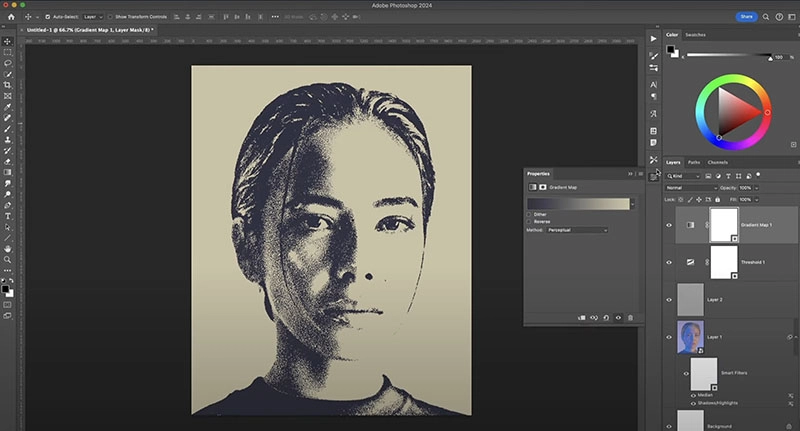
Photoshop is a professional-grade photo editor to create stunning grunge effects. The software does not come with a single grunge effect, but it allows you to create one with various features like grunge textures, brushes, layer blending modes, and adjustment layers like Levels and Black & White. If you are an advanced user or a creative professional, Photoshop can be an ideal choice.
Pros:
- Powerful layer-based non-destructive editing help protect the original image
- Support high flexibity for users to manual create and adjust various grunge effects
- Customizable brushes and masks are perfect for manual tweaks
Cons:
- Steep learning curve is hard for casual users to start
- Require paid subscription and not so afforable for short-time projects
- No one-click grunge filter for instant application
BeFunky - Achieve a Grunge Aesthetic Easily
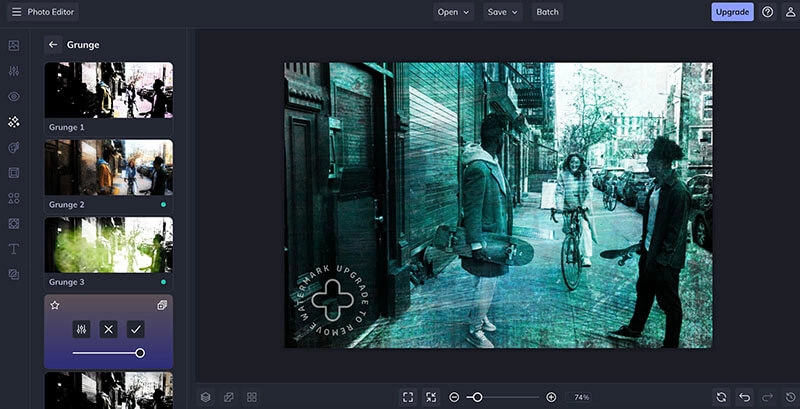
BeFunky is a powerful image editor that lets you easily create a grunge photo effect online. It You can adjust the settings to customize the overall filter amount and contrast of the effect on the image. The one-click grunge effect can be applied to the whole image, foreground, and background. You can also customize the effect area by the size, hardness, and strength of the brush. With an intuitive interface and moderate customizations, BeFunky is perfect if you want to make quick and stylish edits easily.
Pros:
- Offer 13 preset grunge effects for quick edits
- Rich customization options are easy to add personalized touch
- Web-based grunge photo editor without complicated installation
Cons:
- Watermarked output
- Some advanced features have no free trial before upgrading
- Less precision than Photoshop but high efficiency
Grunge Photo Editor - Android App for Quick Edits
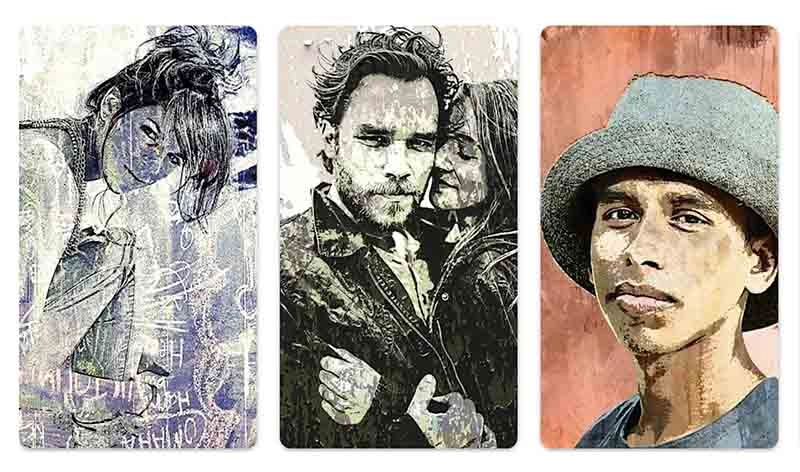
Grunge Photo Editor is an Android app that focuses entirely on grunge effect templates. The grunge photo effect editor pre-made 22 instant grunge filters for free and easy to use, with a decent variety of styles available like scratch, paper, oldie, etc. You can give your photos a grunge and worn-out look or apply real-time effects to your photos and videos. Plus, it permits refinments on color contrast, sautration, brighteness, and drakenss. Easily to add grunge effects on the go!
Pros:
- Simple workflow and fast delivery
- Dedicated to add grunge effects based on plentiful variations
- Lightweight and easy to use without purchase, ads, and watermark
- Best for creating vintage posters, retro bookcover, and nostalgic portraits
Cons:
- Limited resolution output and kind of quality-loss
- Only available for Android devices
Funny Photo Editing - Quick & Fun Web Tool
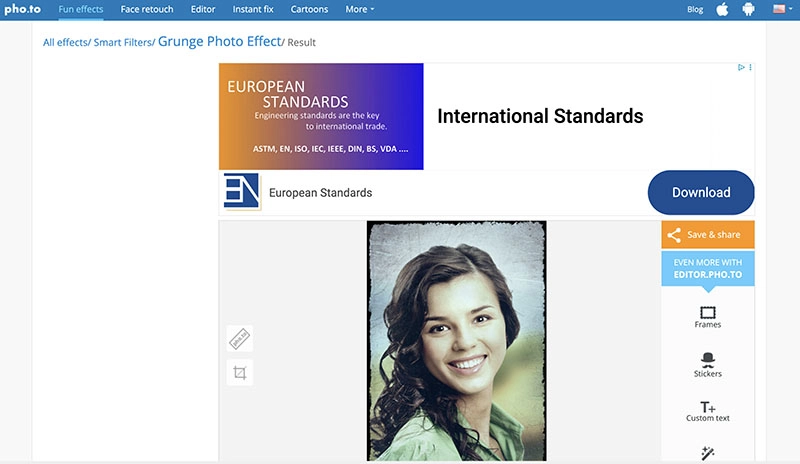
Funny Photo Editing is a simple online tool that offers a vast collection of awesome photo frames, beautiful photo effects, trendy Instagram-like filters, and realistic photo montages. You can instantly apply a grunge effect to your photos for free. After the application, the tool has an editing panel to adjust the color, crop the image, add text, etc. With simple process and quick editing features, Funny Photo Editing is great for beginners and casual use.
Pros:
- Simple grunge photo effect editor
- Instant grunge photo filter
- Free and no login needed
- Quick editing features
Cons:
- One grunge effect only
- Output lacks high-resolution
- Many ads
YouCam Perfect - Stylish Grunge Filters on Mobile
YouCam Perfect is a mobile app to create stylish grunge effects effortlessly. You can create a quick, gritty, vintage vibe without diving into pro-level tools. The grunge filter editor offers various options—retro, vintage, polaroid photo effect, and other textured overlays with muted tones. If you are looking for stylish edits with modern visual appeal, YouCam Perfect is a handy choice.
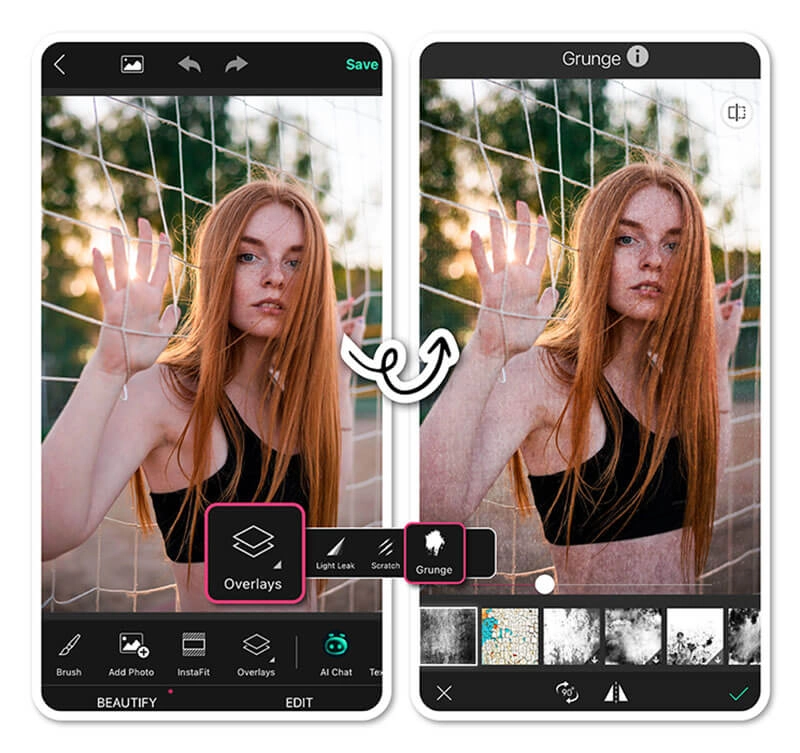
Pros:
- Mobile-friendly
- Includes filters, stickers, and tools
- AI-enhanced effects
Cons:
- Ads and limited features in free version
- Requires app download
Fun Tip: Want to try a different vintage style? Youcam Perfect has a Titanic filter to visualize yourself in the style of the Titanic movie era.
How to Add a Grunge Filter to Your Photos
With the tools above, you can easily apply a grunge effect online/offline. Want to learn how to apply a grunge effect for real? Here’s a step-by-step guide for BeFunky.
Step 1. Visit BeFunky Grunge Effects. Upload your image.
Step 2. Navigate to Effects > Grunge. Choose a preferred style to proceed.
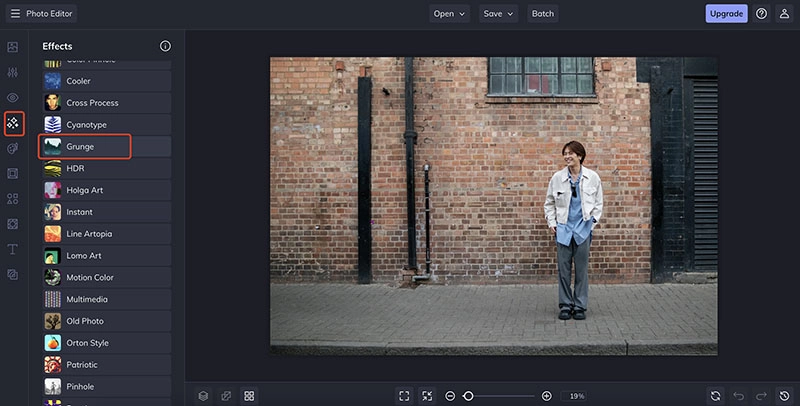
Step 3. Fine-tune the intensity of the grunge and silhouette to reach your demand. You can set the effect to the full image, foreground, and background. Fine-tune the effect with size, hardness, and strength. Save or share your edited photo as you like.
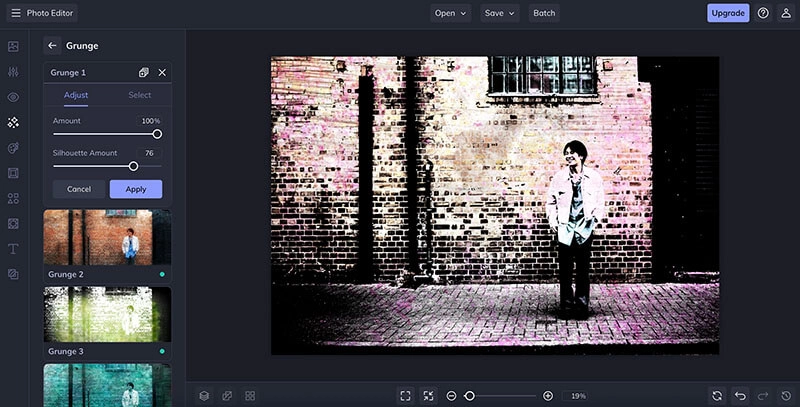
Compared to Photoshop, BeFunky is much easier for beginners. No downloads or subscriptions are needed. It’s perfect if you are looking for quick results!
When to Use the Grunge Effect for Your Photos
Now you know the best tools for grunge effects. So where to use them? Here are the top use scenes:
Urban and Street Photography: Add mood and grit to concrete with grunge effects.
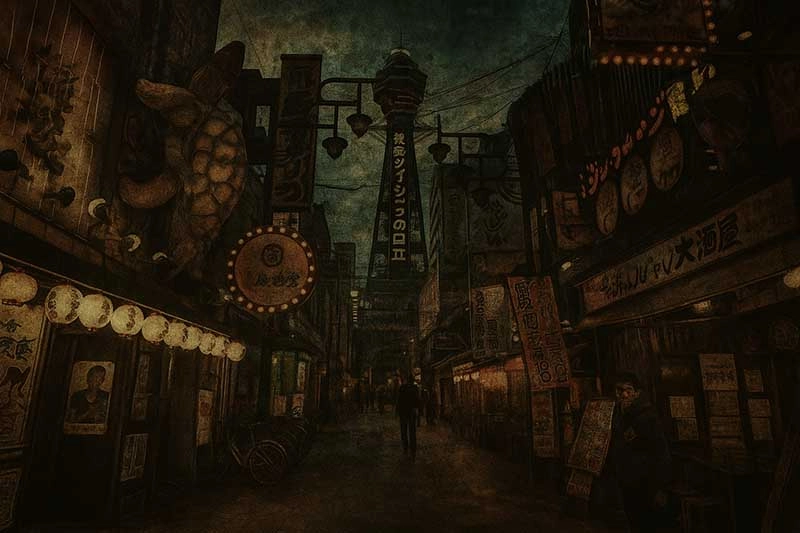
Music or Band Posters: Capture the rebellious and raw energy of indie or punk bands.
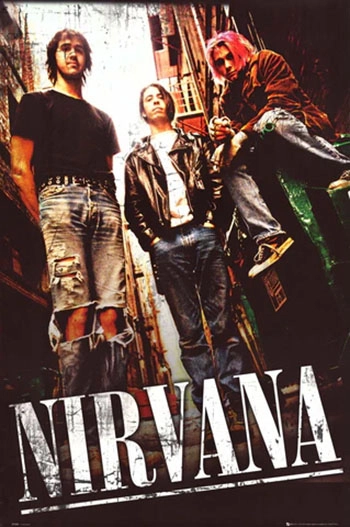
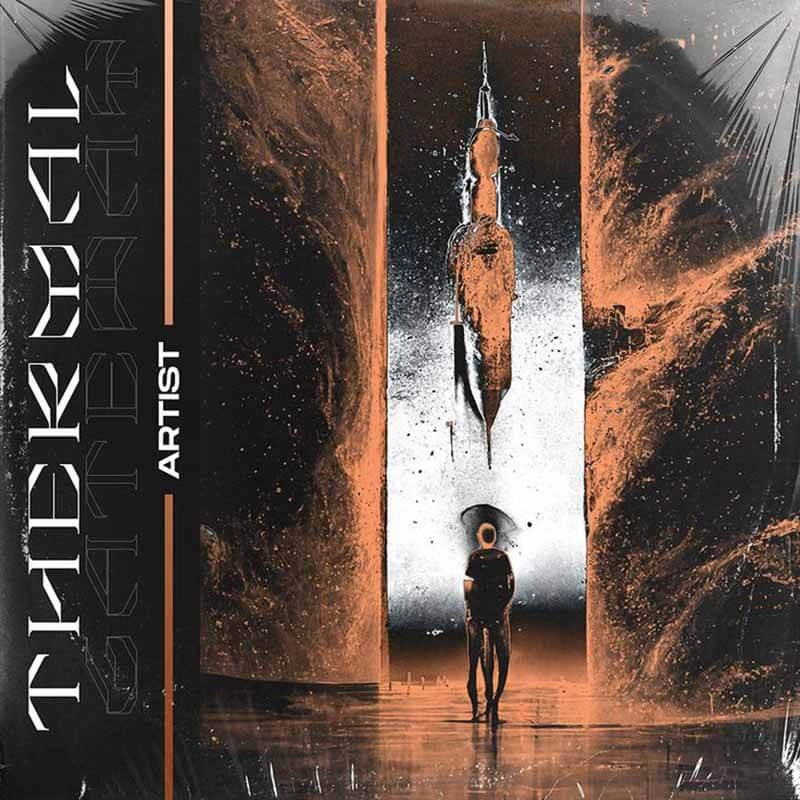
Album Covers and Book Covers: The grunge effect can set a dramatic or nostalgic tone.
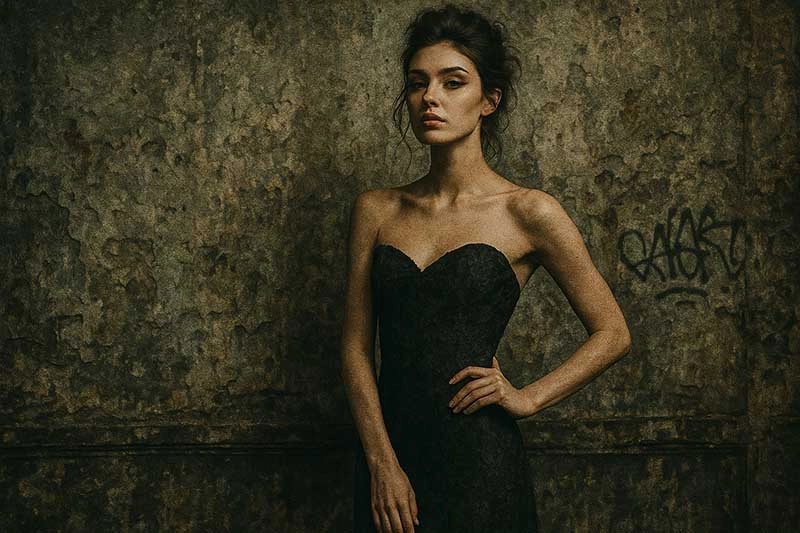
Editorial and Fashion Shoots: Contrast beauty with decay to achieve a modern twist.
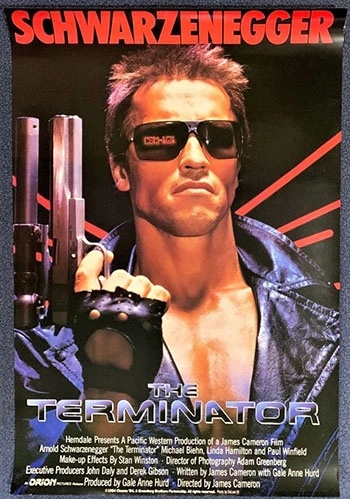
Movie or Game Posters: Grunge effects are perfect for thrillers, post-apocalyptic, or noir themes.
Portraits with Emotion: Highlight sadness, strength, or solitude through heavy or darkened texture.
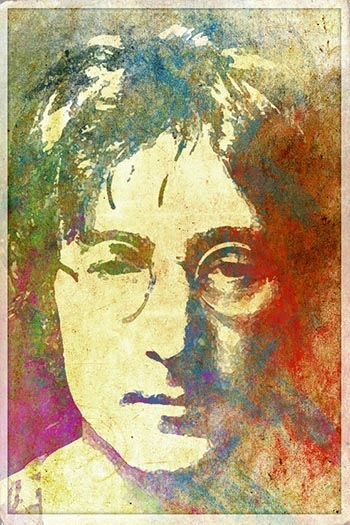
Fun Try: Infuse Vitality into Your Grunge Effect Photo
After you add a grunge effect to your photo, you can take a step further. For instance, to bring your grunge photo to life with Vidnoz Gen. The professional and smart platform allows you to animate photos quickly and effortlessly with its photo to video AI.

Vidnoz AI - Create Free Engaging AI Video with Talking Avatar
- Easily create professional AI videos with realistic avatars.
- Text-to-speech lip sync voices of different languages.
- 2800+ video templates for multiple scenarios.
Why Vidnoz Gen? There is no need to install anything; the AI tool is free to use online. Developed with sophisticated AI algorithms, Vidnoz Gen can create a high-quality AI talking photo in seconds. Just upload and you can see your grunge photo blink, smile, and move in the most realistic manner.
Why Transform Your Grunge Photo into Video?
Video supports multi-sensory experience
With motion and sound effects, videos can immerse viewers in a full sensory journey that evokes stronger emotional reactions.
Funny to see person in photo move naturally
It can be funny to see a worn-out, vintage-style photo suddenly move with the subject giving a slight smirk or looking around.
Easily bring you back to memorize the old times
Grunge effects already evoke nostalgia. You can animate old photos to breathe life into moments that once felt distant.
Quick Guide: Bring You Back to Past Space with AI Image to Video
Step 1. Go to Vidnoz Gen Image to Video AI.
Convert Image to Video AI Online - Free
- Create a video from an image quickly for free.
- Use various AI models to turn photos into videos.
- Download and share the AI-generated video at no cost.
Convert Image to Video
Step 2. Upload your grunge-styled image. Set the video information, such as AI model, video length, and video quality (need to upgrade to pro feature), and video description for video generation(optional).
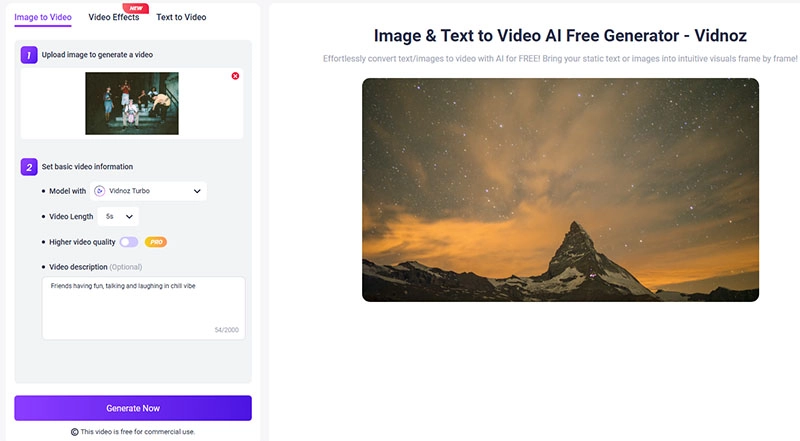
Step 3. Click the Generate button to bring your grunge photo to life.
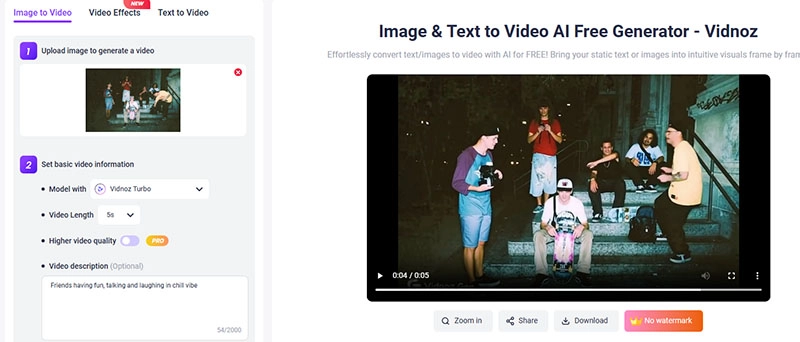
A few minutes later, the people in this photo will move like they are still in old times.
Conclusion
The grunge effect is certainly the best way to add raw visuals and vintage charm to your pictures. From Photoshop to Vidnoz Gen, now you have plenty of ways to generate creative content for every goal. Here, Vidnoz free AI video generator is a solid choice to transform your grunge photos into animation. Just try it and relive your moments with motion for free now!
Convert Image to Video AI Online - Free
- Create a video from an image quickly for free.
- Use various AI models to turn photos into videos.
- Download and share the AI-generated video at no cost.
Convert Image to Video






![Best 6 Apps to Make Photo Talk: Make Your Pics Speak Instantly [2026]](https://www.vidnoz.com/bimg/best-app-to-make-photo-talk.webp)
![AI Dark Fantasy Art Trends, Process & Tools You Must Know [Ultimate Guide]](https://www.vidnoz.com/bimg/ai-dark-fantasy-art.webp)