The Photo Talk app is an AI-powered tool that turns still images into a short animated video where the subject actually speaks. This is a fun way to make your pictures feel alive with realistic facial expressions and synced voices. Such apps create engaging visuals for social media, entertainment, creative projects, educational videos, or even content to use for businesses. This article will introduce the 6 best app to make photo talk, including mobile, iOS, and online web applications. You will also see how to animate any image and make it speak instantly. Let’s dive in.
- On This Page
-
What is a Photo Talk App?
-
3 Best Talking Photo Apps for Android
-
3 Best Apps to Make Pictures Talk for iPhone
#1. Vidnoz AI Video Generator
-
Make Photos Talk Free Online Without Downloading A Talking Photo App
How to Make a Photo Talk with Vidnoz Talking Photo for Free?
What is a Photo Talk App?
A photo talk app is like a magic trick that turns static images into animated storytellers with sound and emotion. The app uses advanced AI to sync facial movements with recorded voice or audio. The talking photo app detects facial features, matches lip movements with voice, and adds eye blinking or head tilts to mimic realistic expressions. These apps are popular for memes, marketing, social media, and educational content to deliver better information. The talking photos change the way companies discuss their products with us. It is like using pictures with voice to tell stories to grab customers’ attention. Whether you want to make funny videos, talking face photos, or engaging professional videos, this technology has endless applications.
3 Best Talking Photo Apps for Android
If you've wondered how to make a photo talk free on Android, try these best talking photo apps that offer fun and realistic photo animation.
#1. DupDub Lab
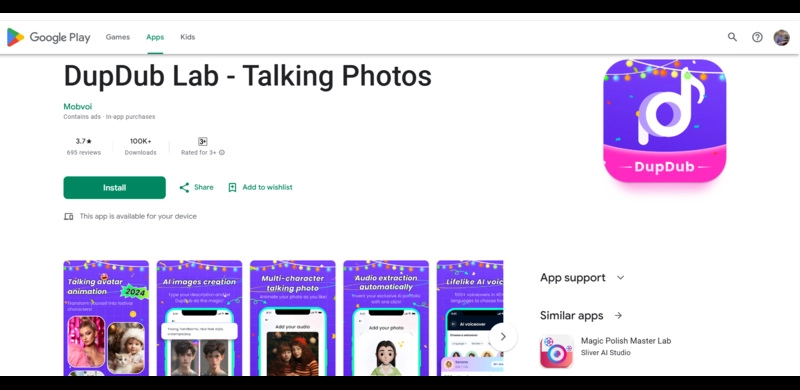
DupDub Lab is a free app to make photo talk on Android. It offers AI-driven talking head generation and supports multi-character conversations and multiple languages. DupDub has 700+ lifelike AI voices for the audio and multiple animated templates, such as Valentine's Day, Diwali, Halloween, and more. You can use any template and voice, or upload your own recording to turn your static images into animated ones for free.
How to Make a Photo Talk with DupDub Lab?
Step 1. Download and open DupDub Lab. Next, tap the ‘Plus Icon’ and upload a clear front-facing photo.
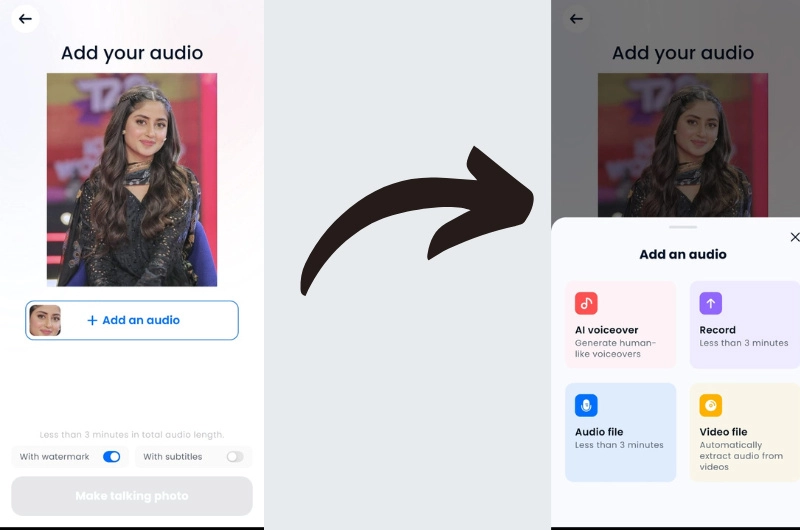
Step 2. Click the ‘Add an audio’ button and upload your recorded audio, or select AI voiceover and choose from voice options.
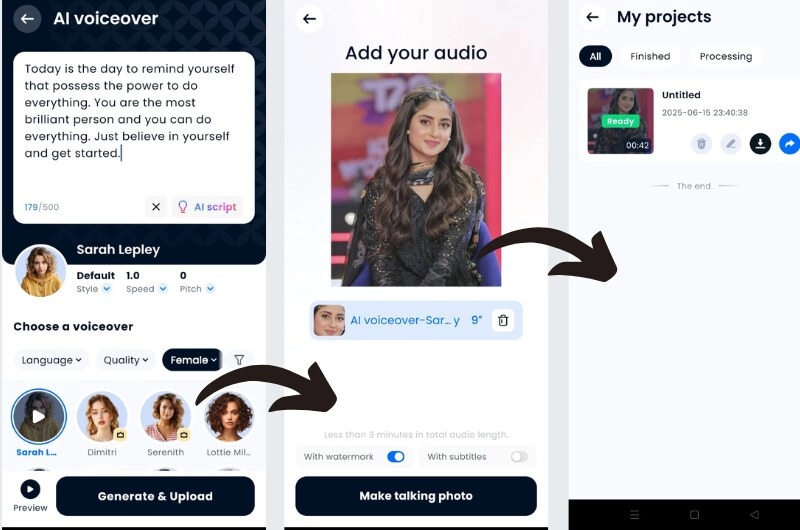
Step 3. Enter your script, click the ‘Generate & Upload’ button, then click ‘Make talking photo’ and watch your photo come to life in seconds.
#2. Mango Talking Photo
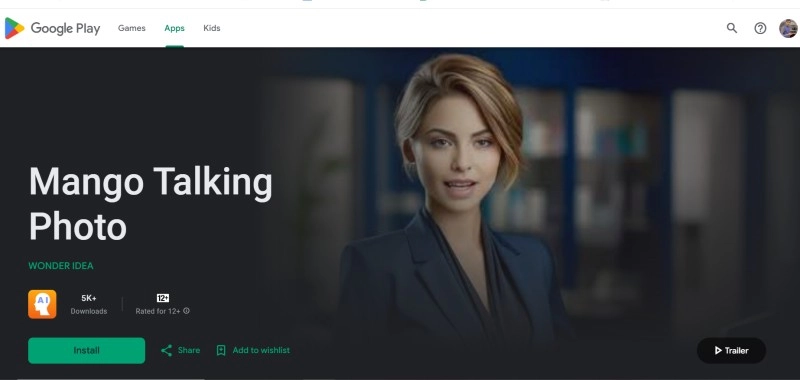
Mango Talking Photo is a face animator app to make photo talk for free on your phone. It uses AI voice dubbing and facial movement tracking to animate your static portraits or even photos of your pets. Just upload a photo, choose an AI voice, enter your text, and transform it into lively speaking photos.
How to Make a Photo Talk with Mango Talking Photo?
Step 1. Open the Mango app and click ‘Upload Photo’ to add a photo or select an AI portrait.
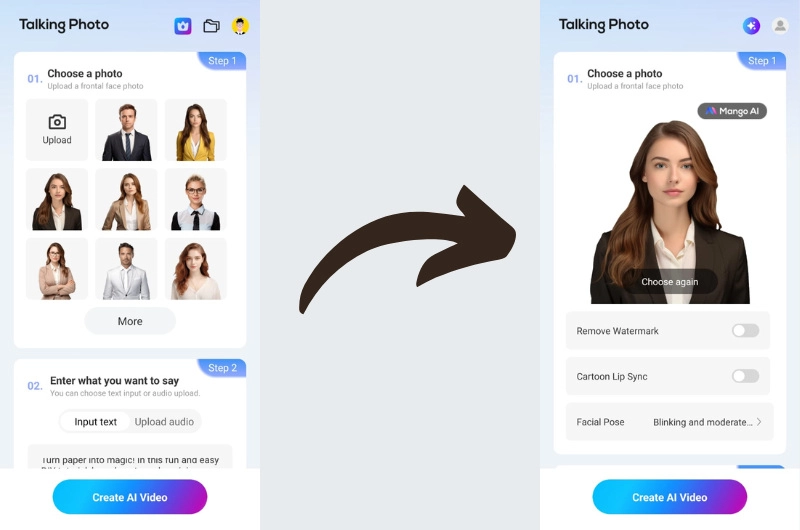
Step 2. Type your script or upload the audio you want to say, and click ‘Create AI Video’ to initiate the process.
Step 3. Download or share your talking photo video.
#3. SpeakPic
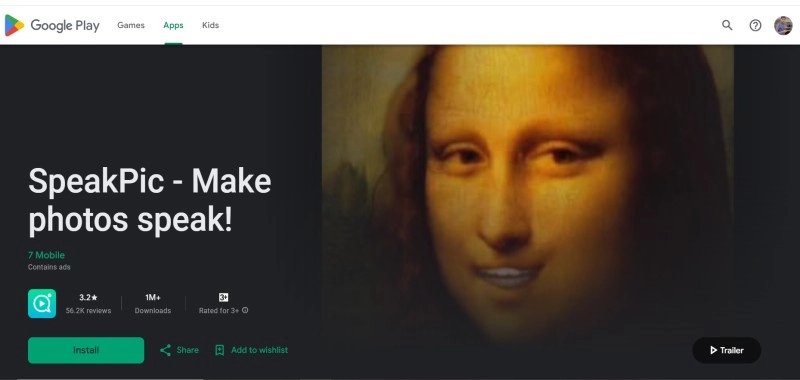
SpeakPic is a free talking photo app that makes your photos speak with perfect lip sync and facial expressions in just a few minutes. Using a combination of AI and facial recognition technology, it transforms any image into an AI talking face. This Android application lets you add pre-recorded audio, several voice effects such as robotic or helium voices to add more fun to your talking avatar.
How to Make a Photo Talk with SpeakPic?
Step 1. Install SpeakPic, open it, and hit ‘Begin’ to get started.
Step 2. Enter your script and select the voice you want to speak.
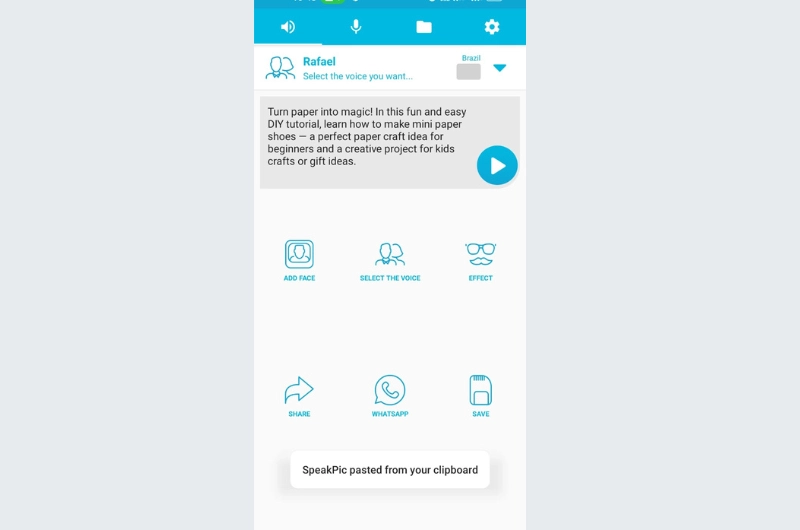
Step 3. Add a face, tap ‘Speak,’ and generate a video. Once the talking photo is processed, save or share it.
3 Best Apps to Make Pictures Talk for iPhone
What is the app that makes pictures talk on iPhone? If you're an iPhone user, check out these iOS-compatible options for the best app to make pictures talk.
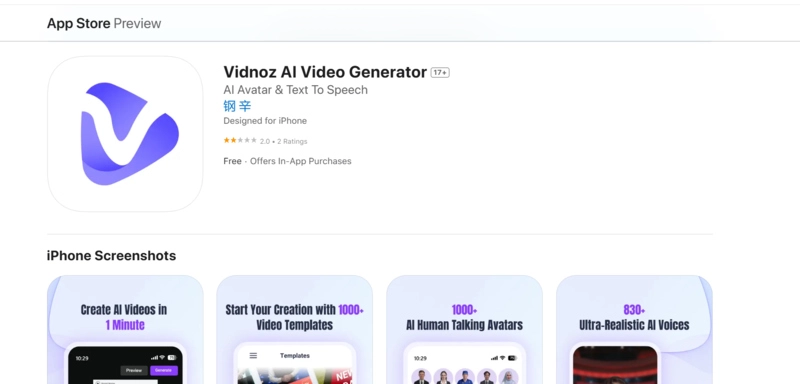
#1. Vidnoz AI Video Generator
Vidnoz AI Video Generator is a powerful image-to-video AI engine for turning photos into realistic talking head photos. This photo talk app incorporates AI capabilities and advanced facial recognition tech to create the illusion of speech or expression and animate photographs to make them "speak" in seconds. It is a free app to make photo talk that helps you create -videos in one minute with 1000+ AI avatars and 830+ ultra-realistic AI voices. You can also customize facial expressions to add a more personal touch to your talking photos with a simple text description.
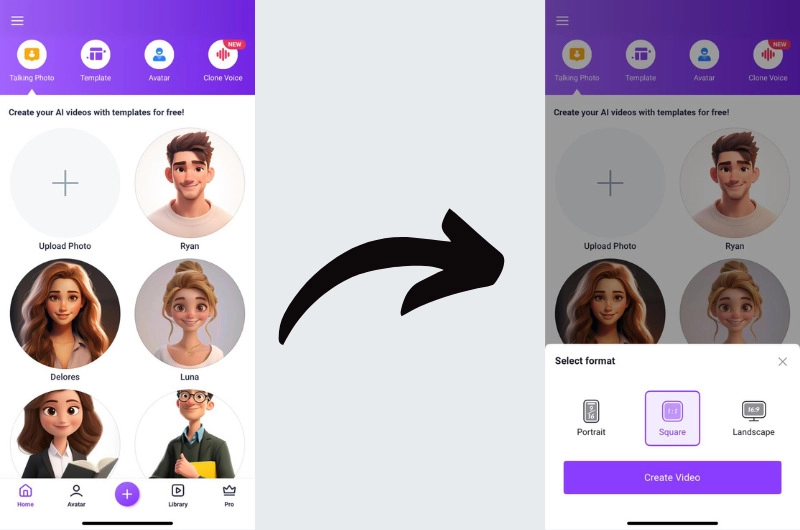
Here’s how to make photos talk free with this photo talking app.
Step 1. Download Vidnoz AI Video Generator from the App Store and open it.
Step 2. Upload a photo or choose an AI avatar. Next, select the video format.
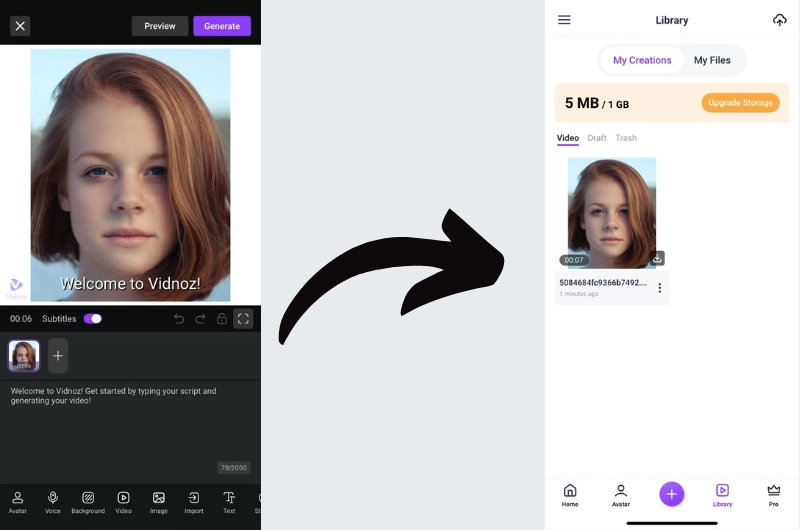
Step 3. Type or record your message and click the ‘Generate’ button. Preview and hit the ‘Download’ icon to export the video.
#2. iFunFace
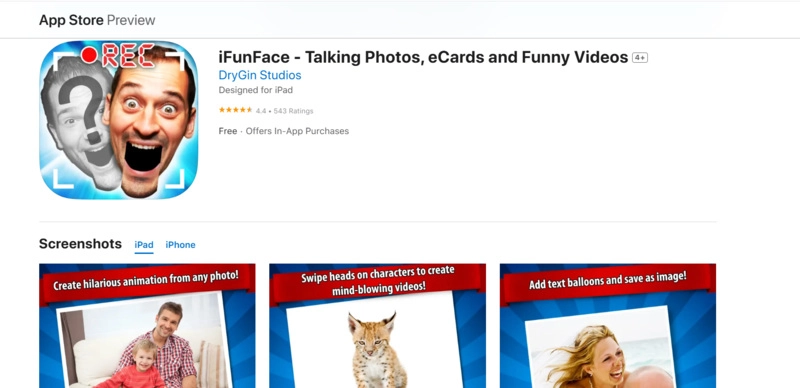
iFunFace is another iOS app to make photo talk in a fun way. An easy-to-use tool for adding audio and animation to faces. It animates an image by adding voice and lip movements to create stunning and hilarious animations. iFunFace is a free photo talk app. It is known for making talking photo e-cards, albums, scenes, and humorous videos for social entertainment.
How to Make a Photo Talk with iFunFace?
Step 1. Open iFunFace and click ‘Start’. Next, choose a template to create a funny video.
Step 2. Click the ‘Add Head’ button upload an image. Next, select the head area and preview the mouth.
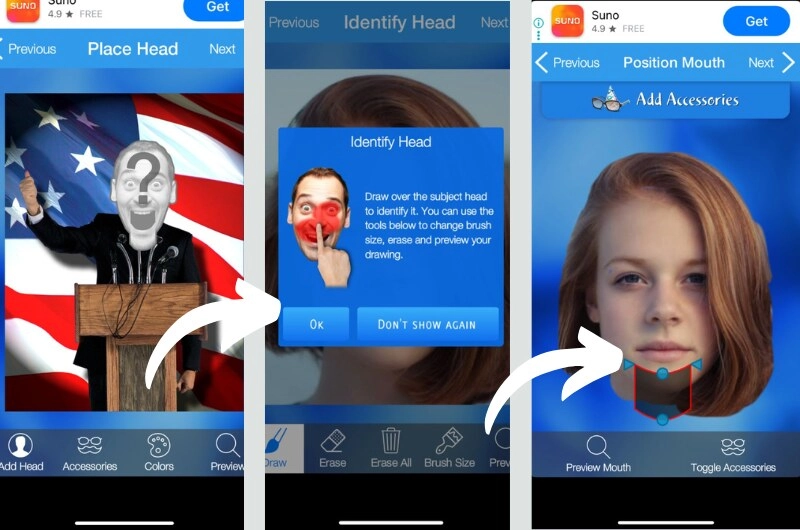
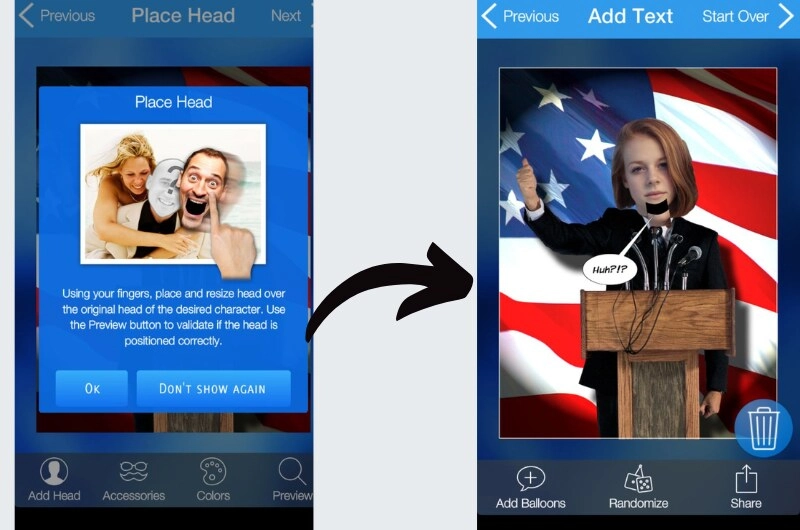
Step 3. Adjust the head on the original head and add the script. Click ‘Next’ to generate a funny animation.
#3. D-ID
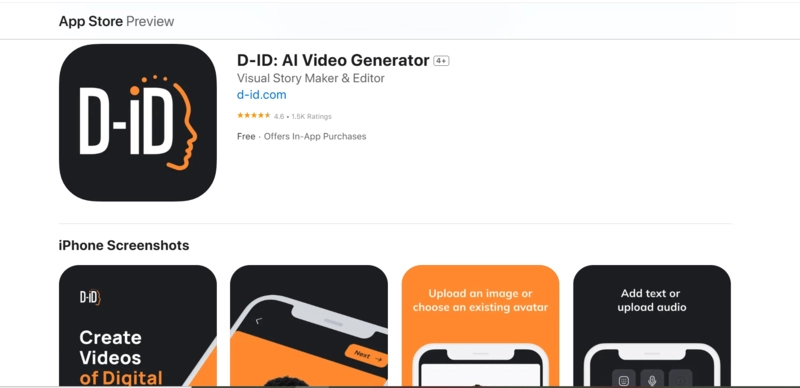
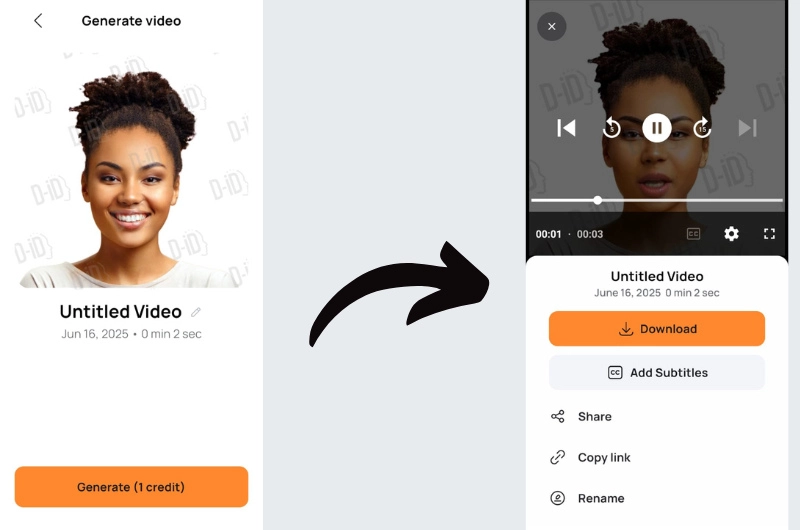
D-ID is another best app to make photo talk on iPhone. This photo talking app lets you create animated avatars of digital people from a single image. It allows you to add speech through voice uploads, or AI voice cloning in 120 languages to make your photo speak with realistic lip-syncing. This application is designed for professional use, presentations, and even virtual agents offering realistic face animation from still images.
How to Make a Photo Talk with D-ID?
Step 1. Launch D-ID and sign up to get started. Click on the 'Create' button, next, click 'Create a Video'.
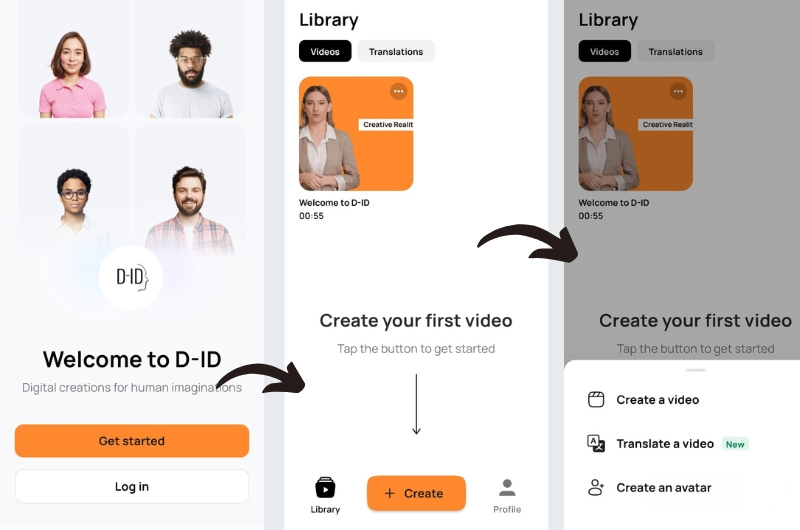
Step 2. Enter the script and voice, and click 'Next'.
Step 3. Click the ‘Generate’ button, then click the ‘Download’ button and export your talking photo.
Make Photos Talk Free Online Without Downloading A Talking Photo App
Don’t want to install apps? You can make photos talk for free online using your browser. With Vidnoz Talking Photo online, you can skip the photo talk app downloads.
Vidnoz Talking Photo is a free online tool to make pictures talk. You don’t need to download any app, just upload and make talking photo online free right in your browser. It automatically turns still images into lifelike speaking characters with efficiency that can be used in many scenarios. It offers a virtual, visual, and vivid way to make photo talk emotively in 140+ languages. Vidnoz Talking Photo synchronizes lip movements with the human voice to create AI talking head photos with perfect lip-syncing and natural facial expressions.
Create Your AI Talking Avatar - FREE
- 1900+ realistic AI avatars of different races
- Vivid lip-syncing AI voices & gestures
- Support 140+ languages with multiple accents

Key Feature
- Make your photo speak naturally in 140+ languages
- Fast text-to-video AI engine
- Customizable 1500+ AI avatars and 100+ voiceovers
- Upload any JPG or PNG image
- Generate studio-quality talking head MP4 videos for free
- Free access with no watermark on basic features
How to Make a Photo Talk with Vidnoz Talking Photo for Free?
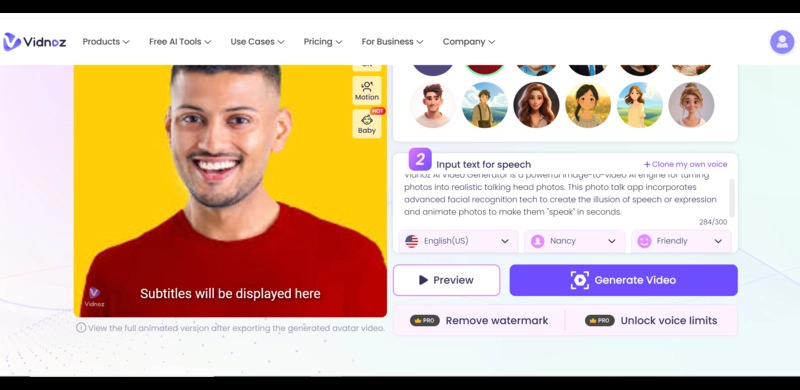
Step 1. Go to Vidnoz AI Talking Photo, click ‘Upload’ to upload your photo, or choose an AI avatar.
Step 2. Enter your script, choose a voice, language, and accent, and hit the ‘Generate Video’ button.
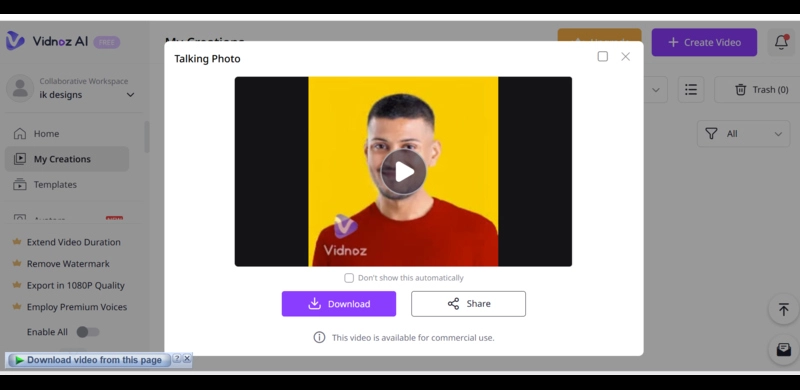
Step 3. Wait a few seconds. Once your talking head video is created, download or share it.
The Bottom Line
In this article, we've reviewed the best app to make photo talk on Android and iPhone. We've also explored how to make photos talk for free in seconds. If you are still worried about which app can I use to make a picture talk, we recommend the Vidnoz Talking Photo for you to try. With this free tool, anyone can bring their images to lively speaking photos. Get started now and let your pictures speak!
Create Your AI Talking Avatar - FREE
- 1900+ realistic AI avatars of different races
- Vivid lip-syncing AI voices & gestures
- Support 140+ languages with multiple accents