Getty Images has no royalty-free images like Freepik or Unsplash. However, it provides a vast library of creative and editorial visual content, which is nonsubstitutable to some extent. Whether designers, advertisers, content creators, marketers, or educators, they can find satisfactory licensed images here for further editing or as communicative content. However, if you just want to download high-res Getty Images for test or sample use only, Getty Images enables a complimentary use for up to 30 days after downloading.
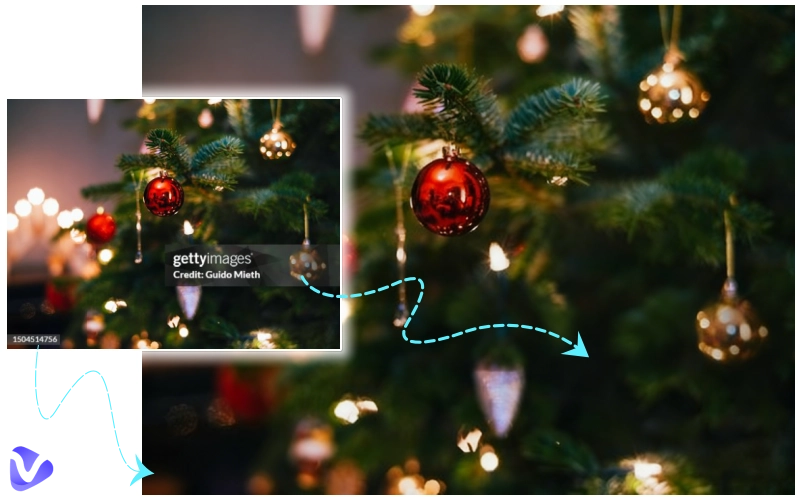
The problem is the watermark on Getty Images really damages the visual effect. Can I remove the watermark from Getty Images? How to remove Getty watermark from images? You are not alone. This article has 6 free Getty Images watermark removers solving your problems easily. Get one.
Disclaimer: This article recommends photo image removers for information only and does not support the outputs for commercial use or abuse.
- On This Page
-
Can I Remove Getty Image Watermark Free Online?
-
Successful Examples of Clean Getty Images Watermark Removal
-
Top 4 Free Getty Images Watermark Removers & How-To Guides
Vidnoz AI Getty Images Watermark Remover
How to Remove Watermark from Getty Images via Brush and AI Detection?
How to Remove Watermark from Getty Images via AI Prompt?
2. EZRemove AI Getty Images Watermark Remover
How to Remove Getty Images Watermark for Free in a Blink?
3. GettyImages Downloader
How to Get Getty Images Without Watermark Free Through an URL?
How to Remove Getty Watermark No Resolution Reduction?
-
FAQs About Getty Images Watermark Removal
Can I Remove Getty Image Watermark Free Online?
Can I remove Getty image watermark online free without losing quality or destroying image content? Yes, you can.
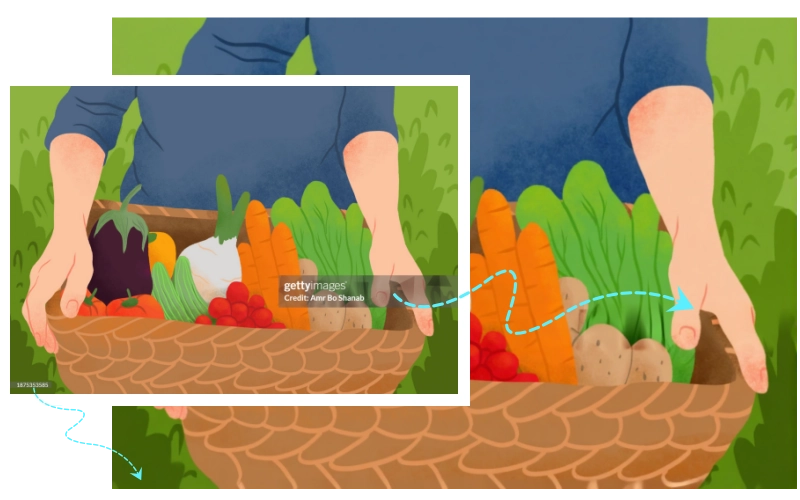
Typically, a standard Getty Images watermark contains a semi-transparent graphic, Getty Images’ text, a unique image number, and a photographer attribution. They are generally at the corner or along the side of the preview image, which is still obtrusive and shields part of the details. Thus, a good Getty Images watermark remover is to clean all these text, graphics, and numbers from the image and restore the details as they were in the original.
Based on these criteria, 6 of the best Getty Images watermark remover online free options were standing out. They may remove watermark from Getty images, leaving final exports with no blur, no distortion, and no quality loss. Disclose what they are and how they can do it in section 3.
Successful Examples of Clean Getty Images Watermark Removal
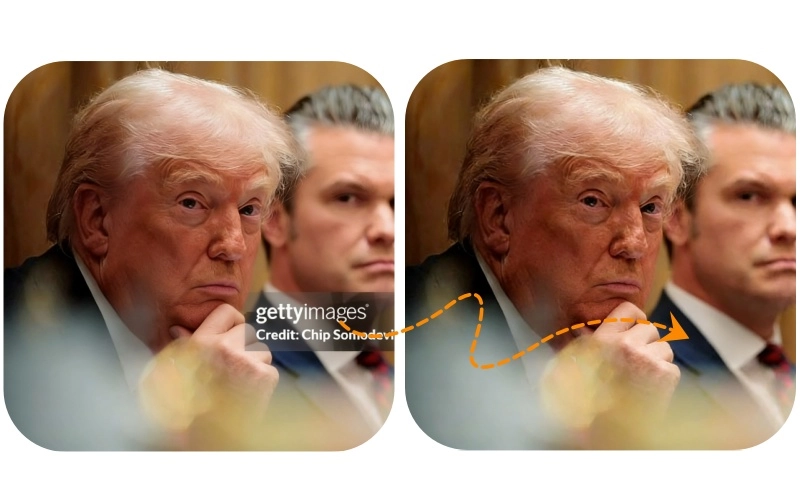
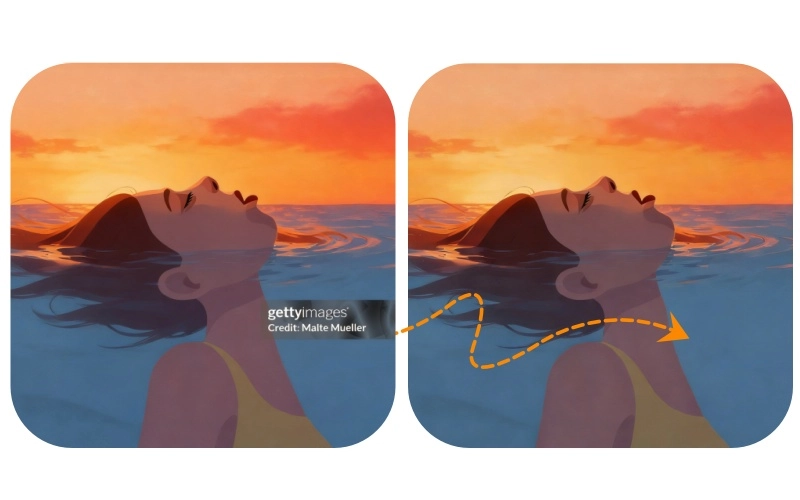
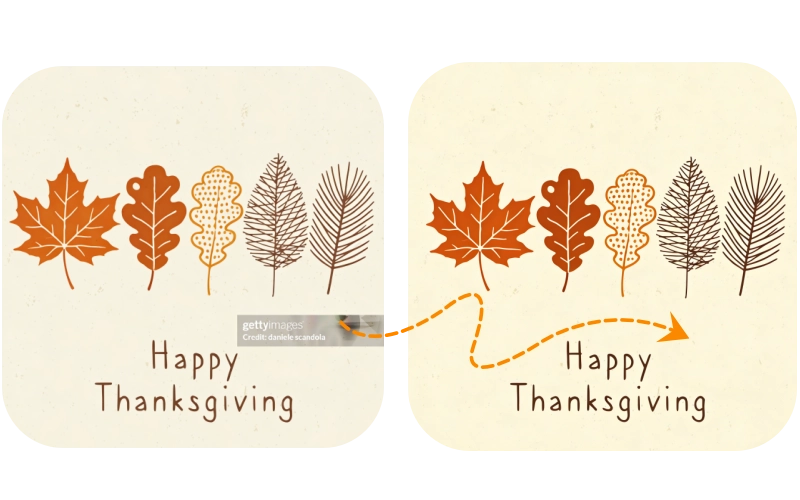
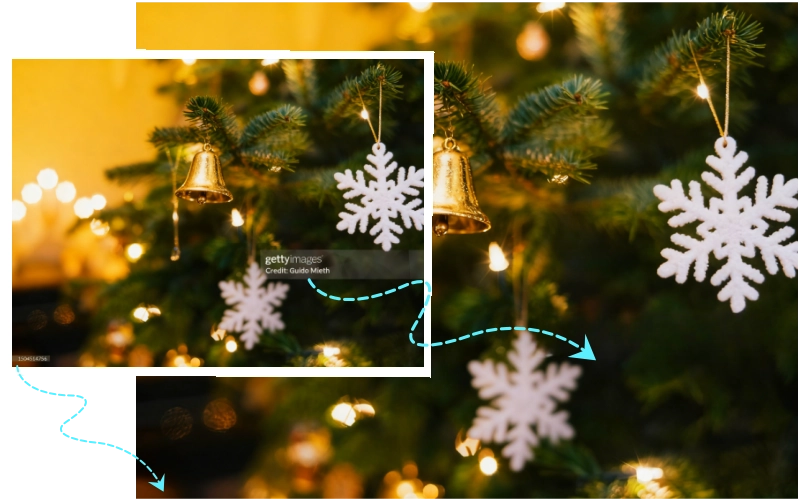
Before kick-starting the practical Getty Images watermark removers, let’s have a look at their outstanding results for different types of images.
Creative Image

Editorial Photo
Illustration
Vector
And more… Whatever creative or editorial images, illustrations, or vector icons, there are powerful Getty Images watermark removers that process photos into high-resolution, clean, and clear images.
Top 4 Free Getty Images Watermark Removers & How-To Guides
What are the best software tools for removing watermarks from professional photos? Are there online services that can clean watermarks from images without quality loss?
There is a list of the top 4 free Getty Images watermark removers, specially for licensed stock photos.
Vidnoz AI Getty Images Watermark Remover
Pricing: 100% free
Site:
- https://www.vidnoz.com/ai-image-remover.html
- https://www.vidnoz.com/remove-watermark-from-photo.html
Vidnoz is a comprehensive and all-powerful AI integration platform, including but not limited to image processing, video generation, and music production, that excels at creating something from scratch for free without installation.
For removing watermarks from Getty images, there are two AI tools that can easily achieve a clean watermark removal effect, without any trace left. Let's take a look at them, respectively.

Vidnoz AI - Create Free Engaging AI Video with Talking Avatar
- Easily create professional AI videos with realistic avatars.
- Text-to-speech lip sync voices of different languages.
- 2800+ video templates for multiple scenarios.
Tool 1. Vidnoz AI Image Remover
Vidnoz AI Image Remover is a simple and intuitive Getty Images watermark remover. No need to sign up or log in; you can quickly clean the watermark or any other unwanted items on the picture using an adjustable brush or AI auto-text detection.
How to Remove Watermark from Getty Images via Brush and AI Detection?
Step 1. Locate the Vidnoz AI mage Remover.Upload a Getty Image within 20MB.
Step 2. Choose the brush, adjust its size, and handily control the brush to fully cover the text watermark, graphic, and numbers. If not satisfied, click the redo icon to restart.

If there is only a text watermark, you can activate the AI auto-detector to catch it automatically.
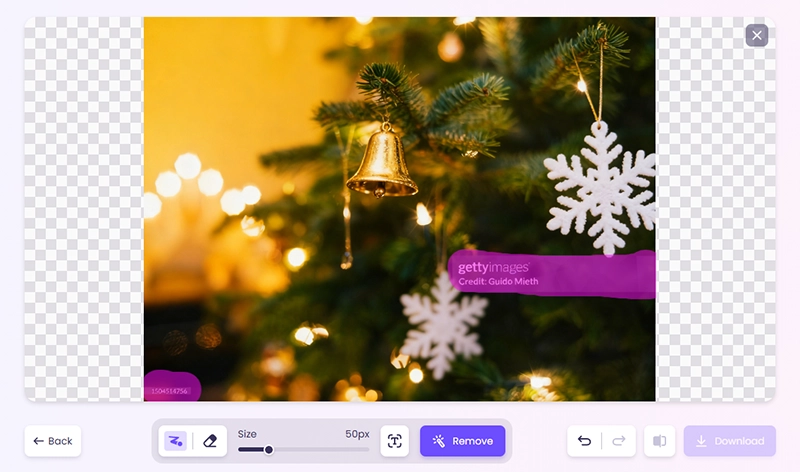
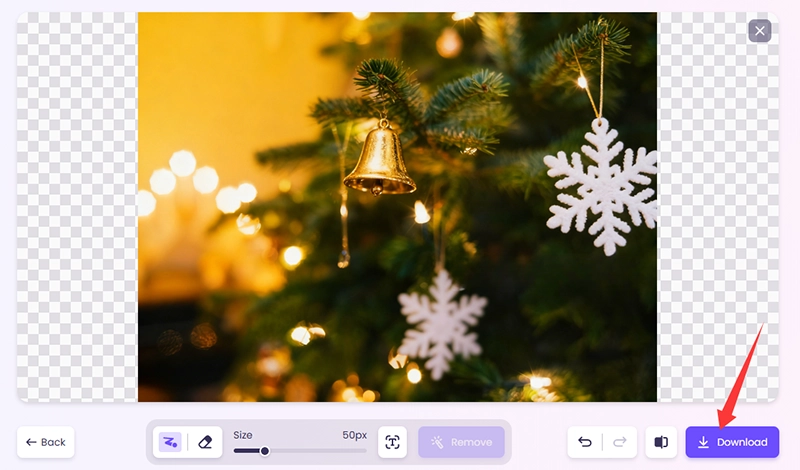
Step 3. Click "Remove" and it will automatically remove the watermark and fill in the missing details. Preview the real-time result and also click on the Contrast feature to make sure there is no pixel loss.
Step 4. Download the free HD clean image to your local storage for a sample or test.
Tool 2. Vidnoz Photo Watermark Remover
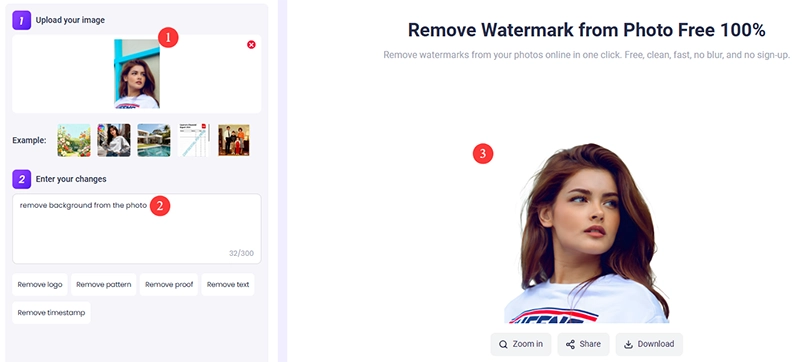
Different from the above tool, this is a prompt-based Getty Images watermark cleaner. You can just input a simple text command like “Remove stamp from the photo”. No matter if it is a pattern, proof, timestamp, graphic, signature, or more, the specified watermark will be removed in seconds.

How to Remove Watermark from Getty Images via AI Prompt?
Step 1. Go to Vidnoz AI Photo Watermark Remover. Import the professional Getty photo with an attached watermark.
Step 2. Enter the changes you wanted, like “Remove the watermark and numbers from the photo”.
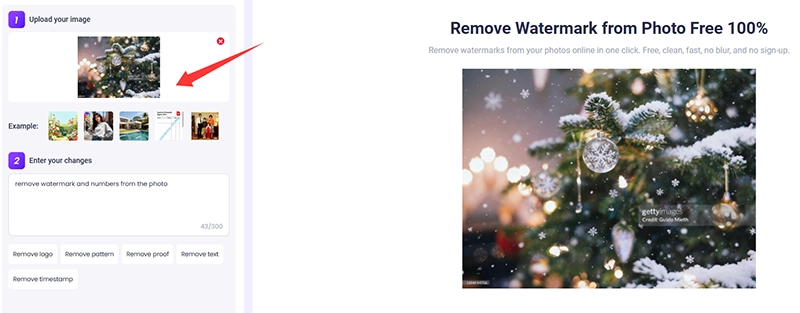
Step 3. Click on the Generate Now button, and it will return you a perfect, clear, no-watermark Getty Image.
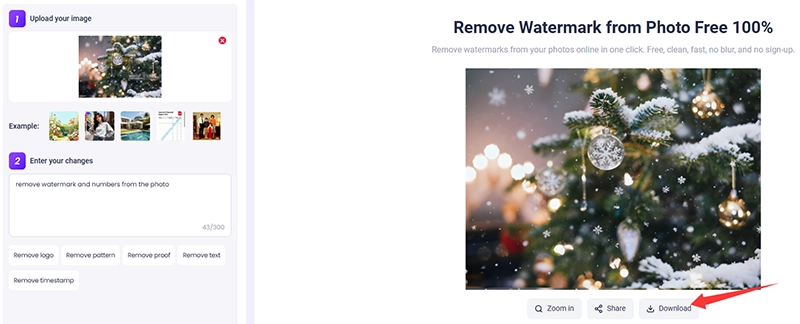
Besides removing watermarks from photos, you can request this tool more, e.g., “remove background from car images”. Explore more incredible and free abilities of it now!
2. EZRemove AI Getty Images Watermark Remover
Pricing:
- 50 credits for new users without sign-up.
- Sign in to get 100 daily free credits for all functions, with no accumulation.
Site: https://ezremove.ai/watermark-remover/
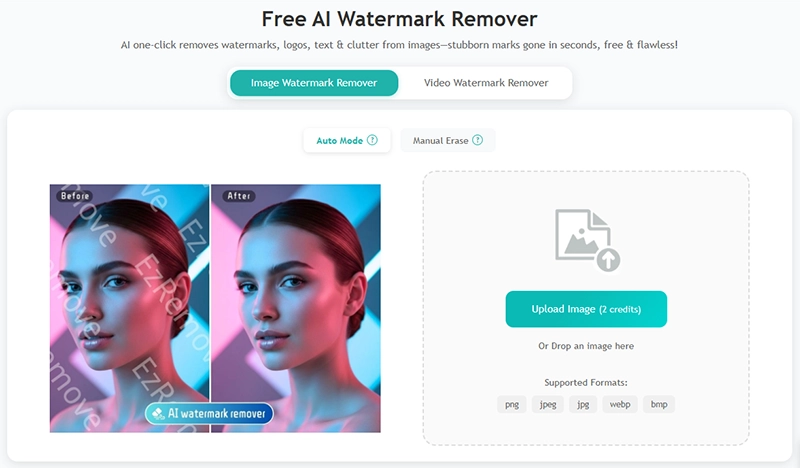
How to choose a reliable watermark remover for professional use? EZRemove AI may be the right answer. It also has two ways to clean watermarks, including auto mode and manual removal with brush and box selection. It is a credit-based free AI watermark remover. One auto removal costs 2 credits, while one manual edit costs 1 credit. In other words, you are free to remove the Getty Images watermark at most 100 times per day. Ready to check how it eliminates watermarks, logos, text, and clutter from professional images flawlessly?
How to Remove Getty Images Watermark for Free in a Blink?
Step 1. Drop or upload an image with any type of watermark.
Step 2. Select the Auto Mode; otherwise, opt for the Manual Erase if you prefer.
Step 3. This free Getty Images Watermark Remover auto-processes the workflow instantly.
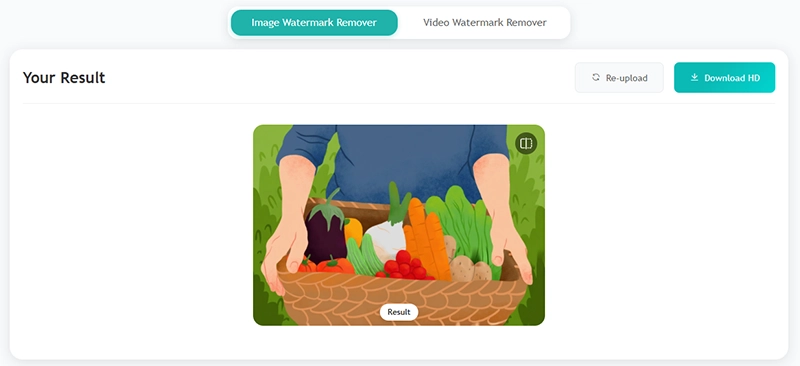
Step 4. Just download the HD image with no restrictions.
3. GettyImages Downloader
Pricing: Free with ads; voluntary donation
Site: https://gettyimages-downloader.beatsnoop.com/
Can AI-powered platforms remove watermarks from images automatically? That's where Getty Image Downloader comes in. It is a nonprofit website that removes text watermarks from Getty Images for users’ convenience, working as an automatic Getty Images watermark remover. Its interface is rather rough, but its functions are quite practical. The most important thing is that it is easy to operate. There is no need to log in; watermark removal is free, and there is even no need to upload pictures. Come and see how it does it.
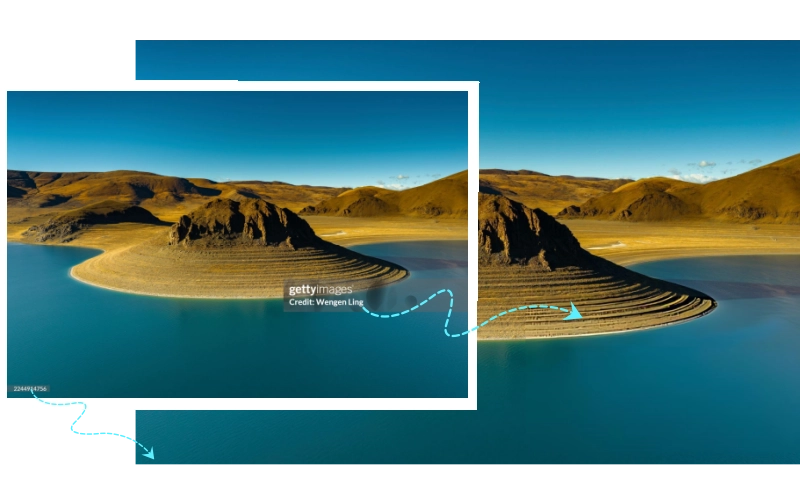
How to Get Getty Images Without Watermark Free Through an URL?
Step 1. Find out the photo you want on the Getty Images website. Copy its link and paste it into GettyImages Downloader’s search box. It has no size or px limitation.
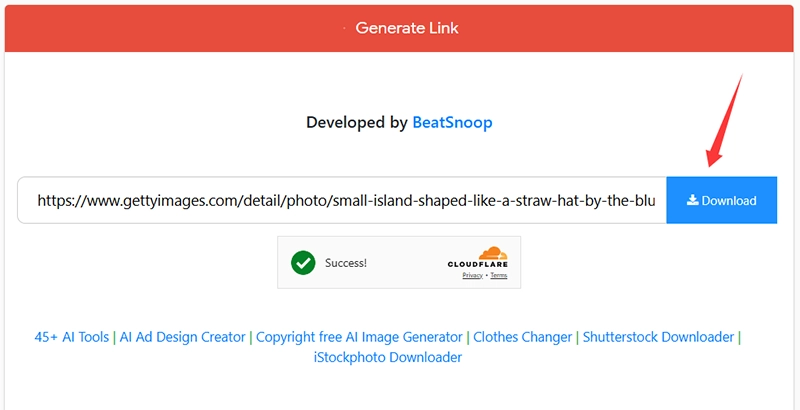
Step 2. Click on the Download button, and it will auto-process quickly.
Step 3. Once it finished. You may suggest donating something to keep their free projects alive if you are willing to.
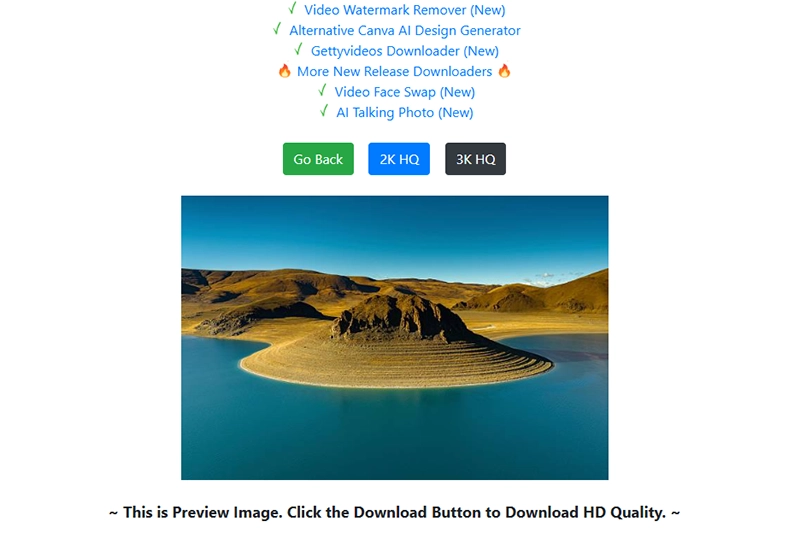
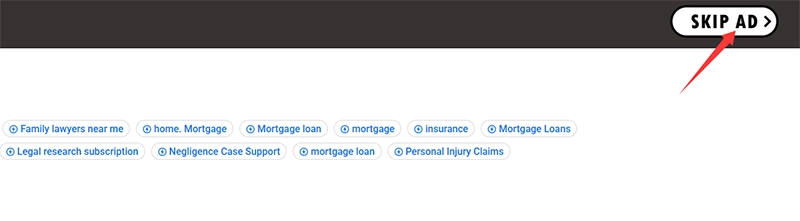
Step 4. On the download page, there are no-watermark versions of 2K HQ and 3K HQ. Choose one and skip to the ads page. You can watch the ads as a support or skip the ads and go directly to the clean image.
Step 5. Right-click the image > save image as > store to a local folder.
This tool is free and convenient. The only drawback is that there will be a slight color bias at the place where the watermark is removed.
4. Unwatermark AI
Pricing: 3 free trials for new users
Site: https://unwatermark.ai/
When it comes to the question of whether there is a way to remove watermarks while preserving image resolution, Unwatermark always has a place on the recommended list. It not only takes seconds to work on the photo, but it also recognizes watermarks like stamps, text, patterns, stickers, or clean unwanted objects, etc., precisely and removes them from Getty images, leaving a no-pixel distortion visual effect. Reveal how this powerful Getty Images watermark remover does it in one click.
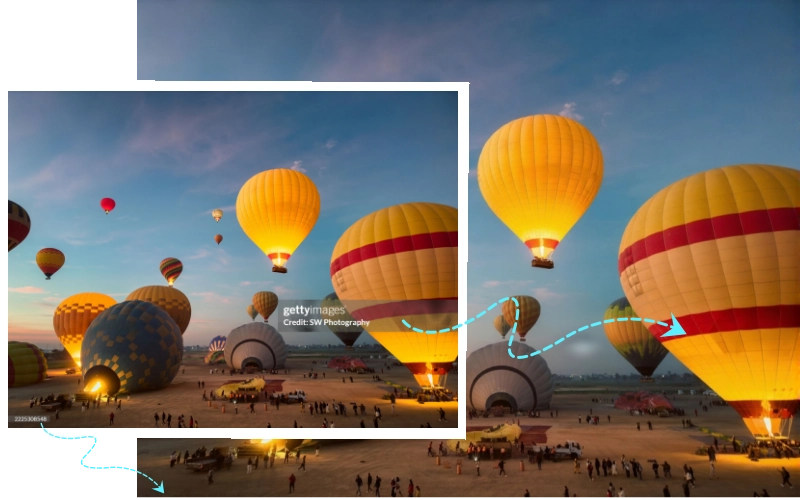
How to Remove Getty Watermark No Resolution Reduction?
Step 1. Import a Getty image and choose an AI model. Unwatermark will auto-remove the detected watermarks on the image and remove them directly, with no more steps.
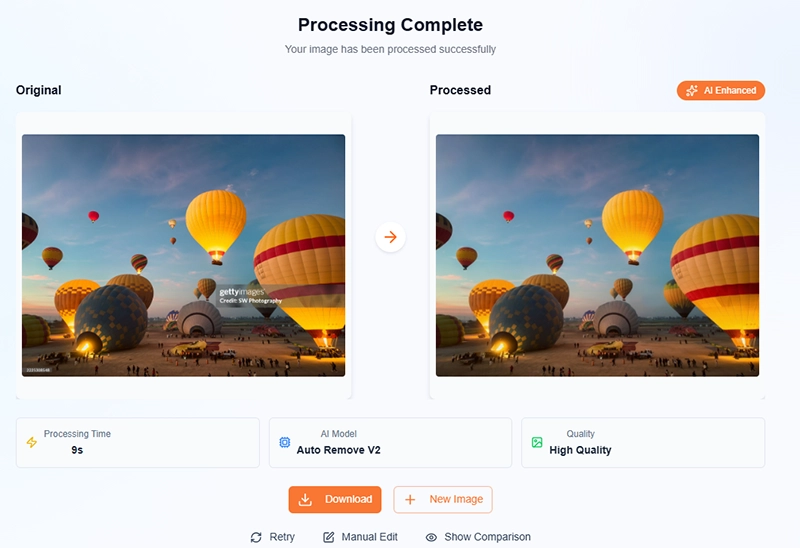
Step 2. Click on the comparison to see the changes. If there is a little bit of a trace left, you can try the manual edit with a brush.
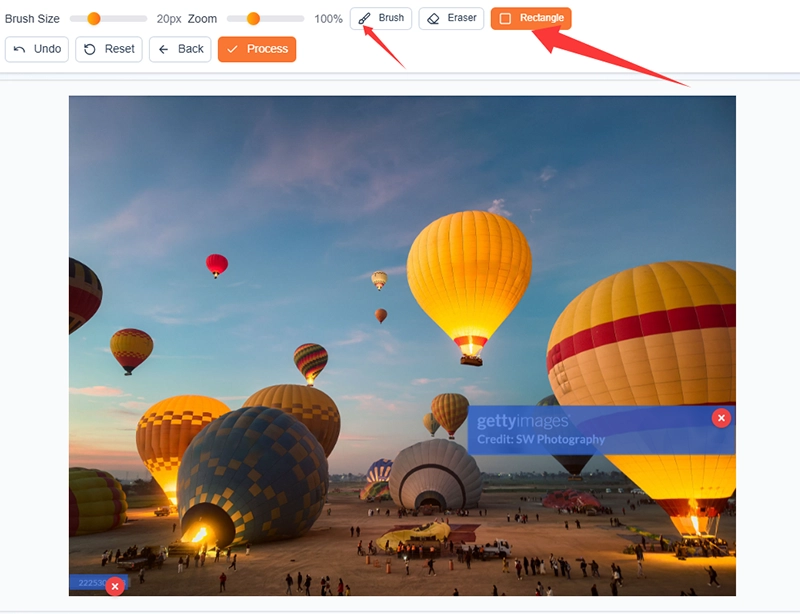

Especially helpful is its rectangle tool, which can accurately select the semi-transparent rectangular graphic layer on the picture and precisely remove all watermarks on the picture, including semi-transparent layers, text, and numbers.
FAQs About Getty Images Watermark Removal
Q: How can I legally remove watermarks from licensed stock images from Getty Images?
A: Since the pricing on Getty is quite expensive for small businesses and individual content creators or designers. A part of users who want high-res Getty photos but don't have enough budget are seeking a Getty Images remover. If you use the images for personal cases and samples or tests in 30 days, there are no big legal issues.
Q: Is there a useful tip to choose a Getty Images Watermark Remover?
A: Yes. Though there are a lot of effective AI image watermark removers, an integrated platform that has an additional image generator tool is better. Because its advanced AI model will more realistically restore the details after removal.
Q: What happens if I use a Getty Images photo with the watermark removed illegally?
A: You may face copyright infringement claims, fines, legal threats, content removal, or account penalties. Getty actively monitors unlicensed usage, so using edited images can result in significant legal and financial consequences.
Q: What are the best alternative sites to find watermark-free images without copyright issues?
A: Great legal alternatives include Unsplash, Pexels, and Pixabay (all free), as well as Adobe Stock, Shutterstock, and iStock for affordable premium options. These platforms provide watermark-free images that are safe to use with proper licensing.
Conclusion
Many users look for ways to remove watermarks from Getty Images, especially when working with licensed or owned files. This article mainly talks about 4 of the best Getty Images watermark removers with their pricing, features, and how-to guides. If you have no license but want to use no-watermark Getty images for nonprofit aims for several days, you can pick one from the recommendations. Though all of them are free online with high-res outputs, Vidnoz AI Getty Images watermark remover is superior in every aspect. Start using trusted tools today to handle your photo projects safely and professionally.
Convert Image to Video AI Online - Free
- Create a video from an image quickly for free.
- Use various AI models to turn photos into videos.
- Download and share the AI-generated video at no cost.
Convert Image to Video