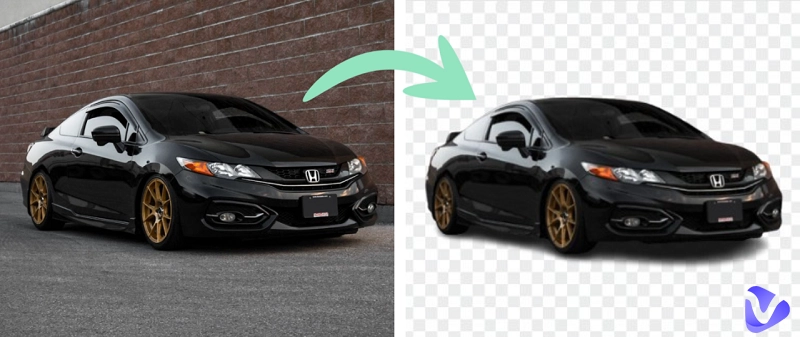
When you look at a car ad online, some pictures look very clear and attractive. This is often because people remove background from car images to make them look neat and professional. Whether you are a photographer, selling cars online, or working on a project, clean photos make a big difference. An image background remover helps keep the focus on the car without any distractions. The good news is that this process is now simpler than ever. Here, we will explore the best online tools to remove car image backgrounds available on the market.
- On This Page
-
Why Use a Car Background Remover?
-
Best 5 Tools for Car Background Removal Online or Offline
1. RemoveBG: Professional Car Background Removal
2. Vidnoz AI: Remove Background from Car Images Free
3. Removal AI: Fast to Remove Car Background for Editing
4. Pixelcut AI: All-in-One Car Background Remover & Editor
5. Spyne AI: One-Click Remover for Car Background Replacement
-
How to Remove Background from Car Images in Photoshop
-
Pro Tips for Realistic Car Background Editing
Why Use a Car Background Remover?
When people look for cars online, the first thing they see is the picture. A clear photo gives a strong first impression in just seconds. A car background remover helps by taking away all the extra things in the photo, like other cars, buildings, or banners. This way, the car stays in full focus.
It is very common to remove background from car images in marketing, online selling, and presentations. Additionally, dealers and sellers can make their photos look clean and professional. Simple, neat images make the car stand out and also help buyers trust the seller more.
Common Scenarios:
- Car Dealerships: As a car enthusiast, you know presentation matters. A car background remover makes dealership photos look clean, polished, and more exciting to explore.
- Online Marketplaces: When browsing online, clear photos catch your eye. This will help your car stand out and get more attention from buyers like you.
- Advertisements: For ads and promotions, sharp car images with clean backgrounds always look better. A background remover makes this possible with ease.
- E-commerce Stores: Clean images improve professionality and build trust. Seeing cars without distractions helps you focus on design and details.
- Presentations: In slideshows or events, clean car photos are more prominent and easier to catch the eye lights.
An AI image remover helps make car photos neat and clear. It can remove car background, show the car better, improve ads, boost sales, and build a professional image.
Best 5 Tools for Car Background Removal Online or Offline
If you want clean and clear car photos, the right tool can certainly make a difference. The following are the 5 best tools to remove background from car images easily and speed up the editing workflows. Let’s explore them below.
1. RemoveBG: Professional Car Background Removal
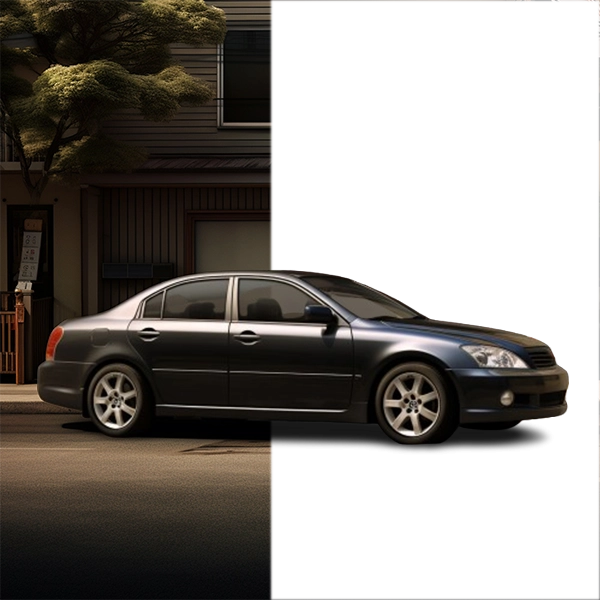
RemoveBG is a simple yet powerful tool that can help you with quick car background removal. It helps car lovers and dealers remove the background from car images instantly. The tool makes pictures clean, sharp, and professional. It also adds shadows for natural integration and keeps the car edges clear. With RemoveBG, every car photo looks neat and ready for ads or online selling.
How to Use:
Step 1: Visit the RemoveBG and click on “Remove Background”.
Step 2: Now, upload the image that you need to remove the background from.
Step 3: After uploading the image, the background will be removed automatically, and you can download the instant result watermark-free.
2. Vidnoz AI: Remove Background from Car Images Free
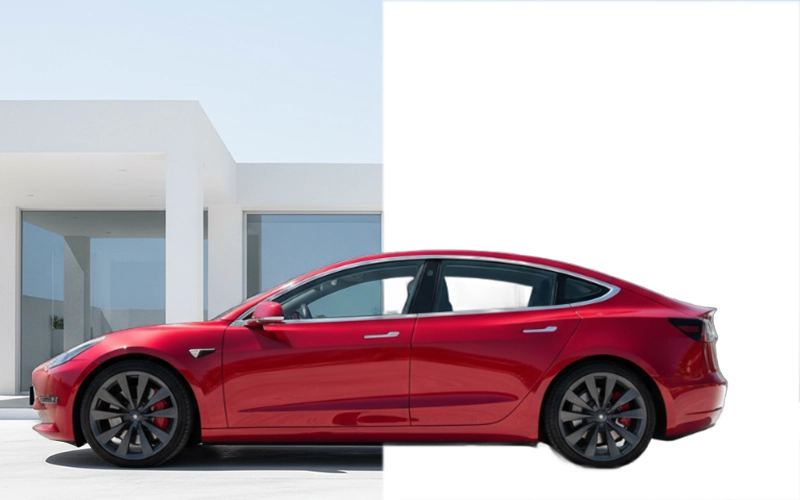
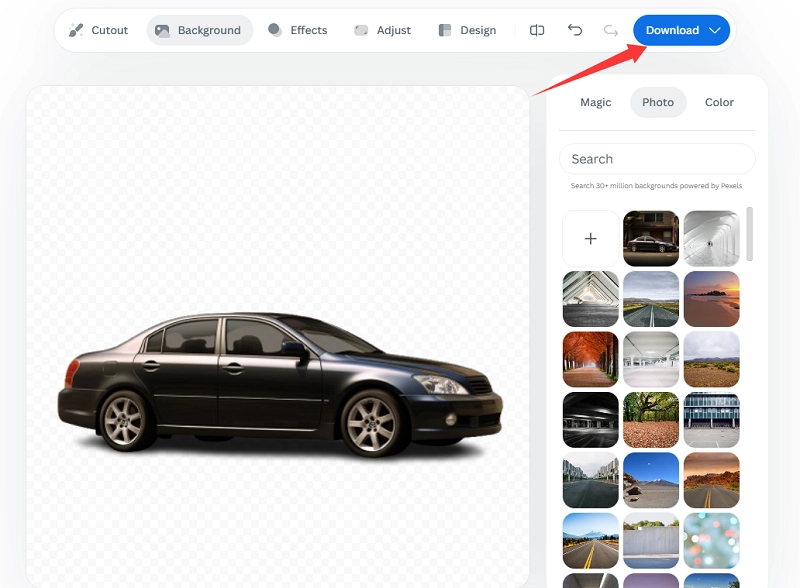
Vidnoz AI is a free online tool that quickly removes backgrounds from car images with smart AI detection. It offers an easy upload process, instant background removal, and real-time preview, with no downloads or sign-ups required. The results are sharp, clean, and watermark-free, keeping the car’s edges and lighting natural.
It’s perfect for car dealers, online sellers, and advertisers who want professional, distraction-free photos for listings, social media, or ads. For advanced editing, try the Vidnoz AI Image Remover to erase unwanted objects or people while preserving the car perfectly.
How to Use:
Step 1: Head to the Vidnoz AI’s Free AI Tools list and find the AI Background Remover.
Step 2: Simply upload your car image and let AI do the rest of the work automatically.
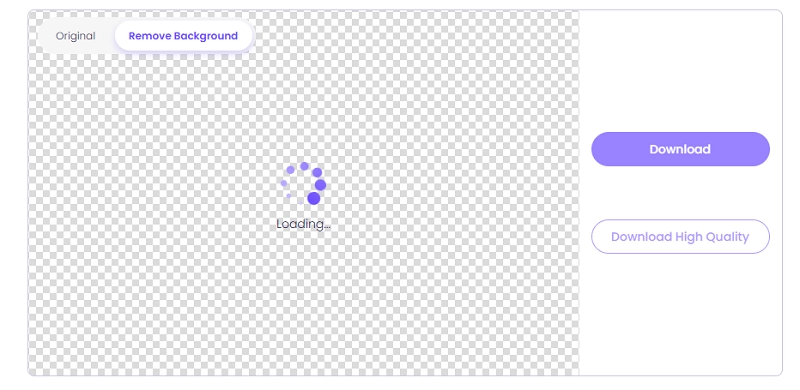
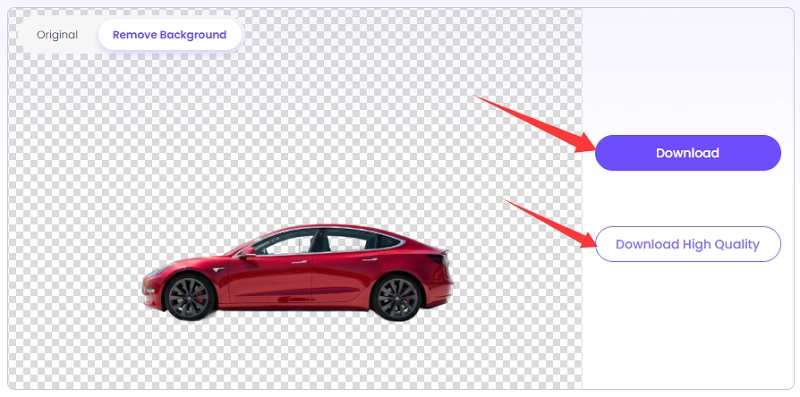
Step 3: Preview and download the clean, background-free image.
3. Removal AI: Fast to Remove Car Background for Editing
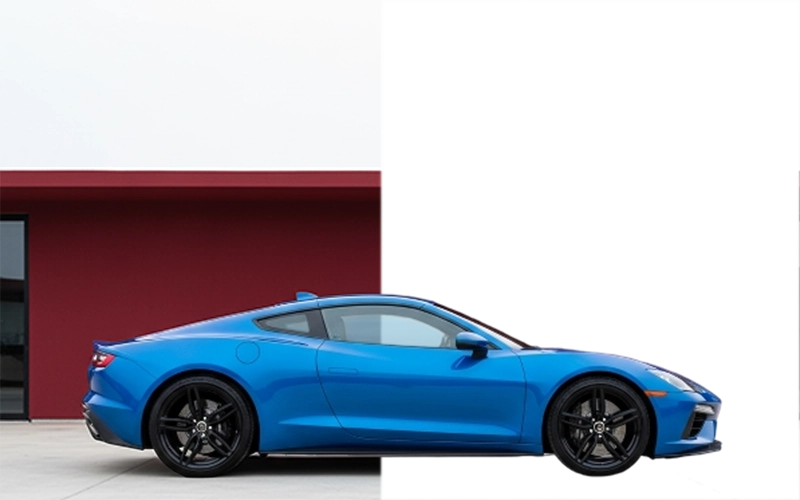
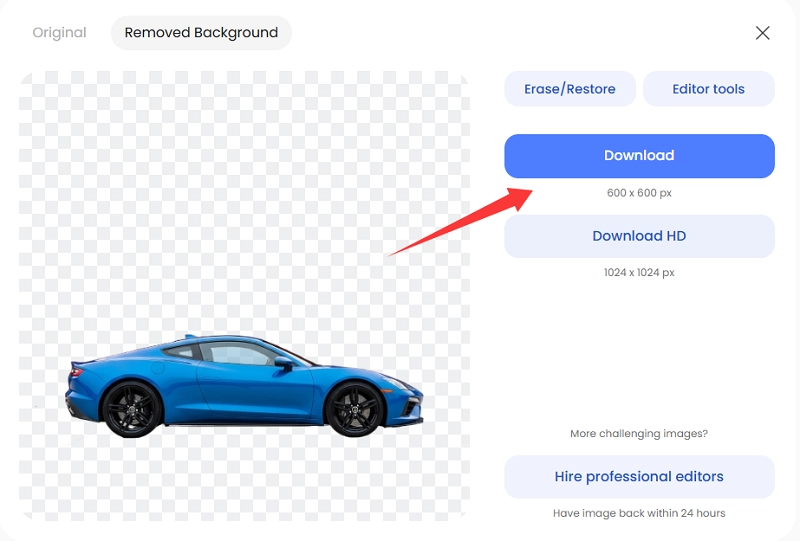
Removal AI is a fast and efficient tool that allows free car background removal in seconds. Just import your photo, and the AI removes the background with high accuracy, like the best image bg remover in action. You can fine-tune edges using its adjustable brush tool or replace the background with custom colors or new images.
It is perfect for car dealers, photographers, and e-commerce sellers who need professional car images quickly. The free version is limited to only a few free removals per day; high-resolution downloads may require a paid plan.
How to Use:
Step 1: Open the browser, navigate to Removal AI, and click on 'Upload Image'.
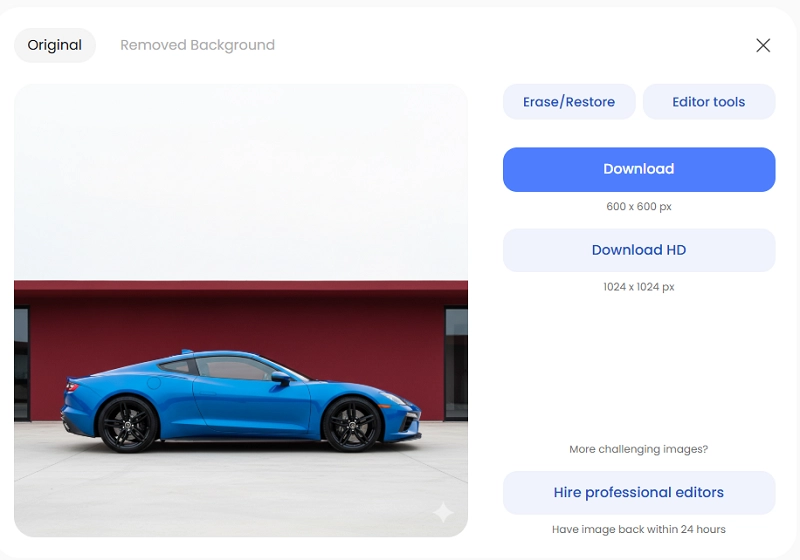
Step 2: After uploading the image, the background will be removed; you can simply download the image.
4. Pixelcut AI: All-in-One Car Background Remover & Editor
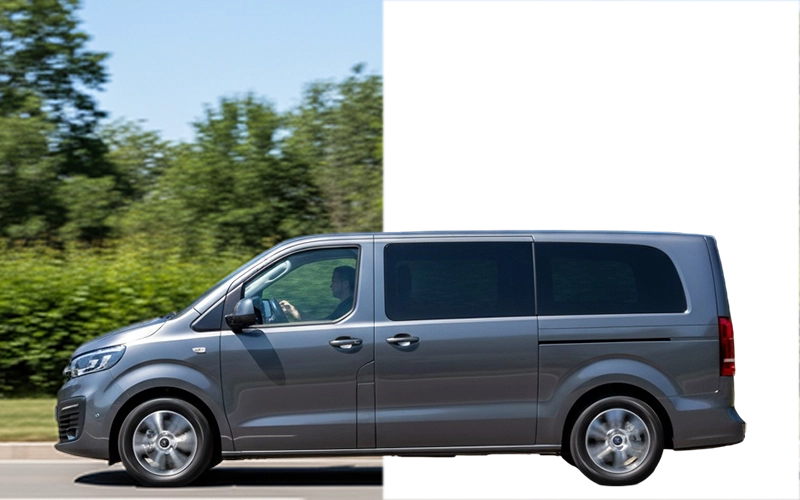
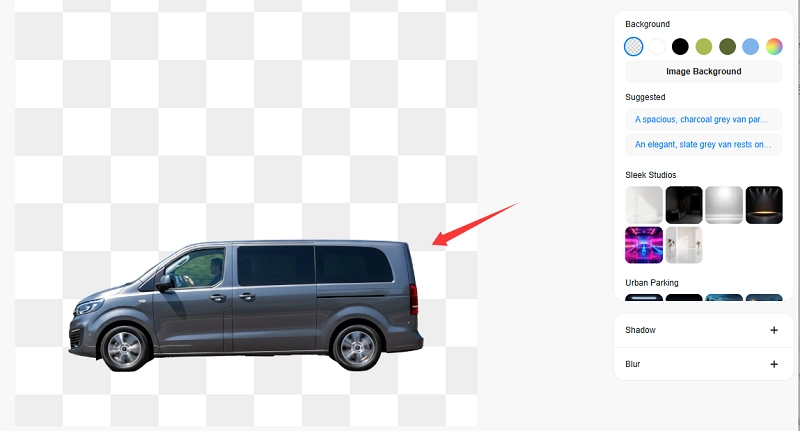
Pixelcut AI is a smart tool for AI car background removal that makes your car photos look clean and professional. It also gives extra options like car background replacement, adding shadows, blur, retouch brush, aspect ratio expanding, and image upscaling. You can use it for car ads, online stores, or social media posts. The free version has some limits on advanced tools and image downloads.
How to Use:
Step 1: Go to the browser and open Pixelcut AI and select the “upload image” option.
Step 2: The Background will be removed after uploading. Simply click on download to get your desired image.
5. Spyne AI: One-Click Remover for Car Background Replacement
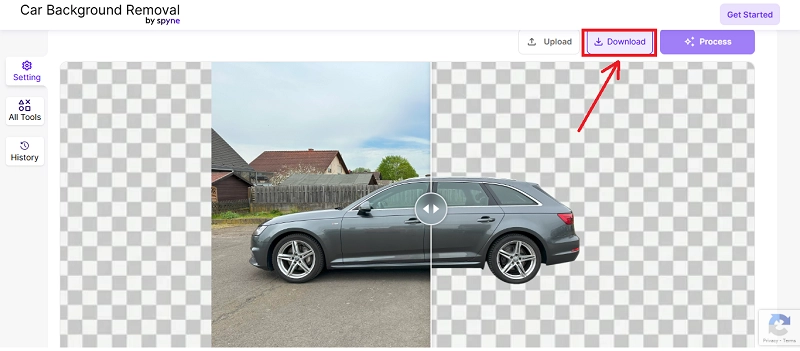
Spyne AI is yet another fine background remover for car photos that helps you get professional-looking images in just a few seconds. It also comes with useful options like car background removal, number plate blur, and image enhancement to give your photos a more polished look.
This is very helpful when you need a clean car background for online car sales, ads, or social media posts. The free version of Spyne AI offers only basic background removal and puts limits on advanced tools like image enhancement.
How to use
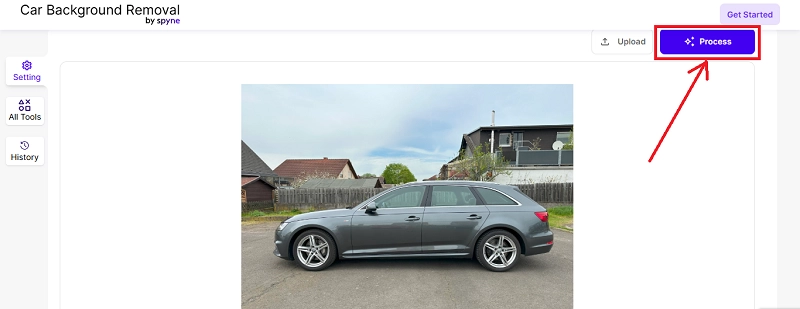
Step 1: Open the website, and it will ask you to upload an image. You simply have to upload an image of your car.
Step 2: Once the image is uploaded, click on the ‘process’ button at the top of the interface.
Step 3: After the process is completed, you can download your image with a removed background.
How to Remove Background from Car Images in Photoshop
When working with car photos, many people want to remove background from car images using Photoshop. Yes, Photoshop is a powerful and popular tool that can do this job well. It helps you clear the background so the car looks neat and stands out. It also helps to remove the watermark in images. But the process can be quite hectic compared to using online tools such as Vidnoz AI, RemoveBG, or any other tool we have recommended.
If you wonder how to remove car background in Photoshop, here is a quick guide:
- Download and install Photoshop on your computer, and purchase a plan if required!
- Open the image in Photoshop and unlock the background layer.
- Select the subject by using the “Quick Selection Tool” or “Select Subject” from the menu.
- Remove the background by clicking on “Add Layer Mask” or right-click and press Inverse Delete, then save your clean car image.
Pro Tips for Realistic Car Background Editing
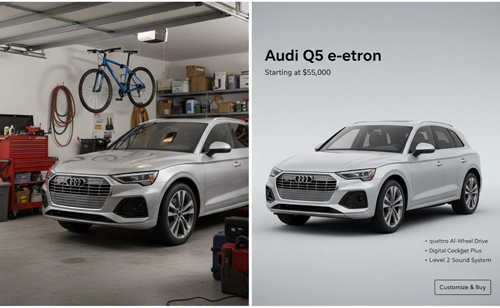
After learning about how to remove background from images, you now have a variety of tools that you can use to remove background from car images, but here are some valuable tips for a realistic car background for editing.
- Lighting: If you are a car lover, always match the light direction and brightness of the background with your car photo.
- Perspective: When you choose a new background, make sure it has the same angle as your car so the picture looks real.
- Shadow Adjustments: You should add or soften shadows under your car to make it look fixed on the ground.
- Color Tone: Users need to adjust colors and contrast so the car and background blend smoothly.
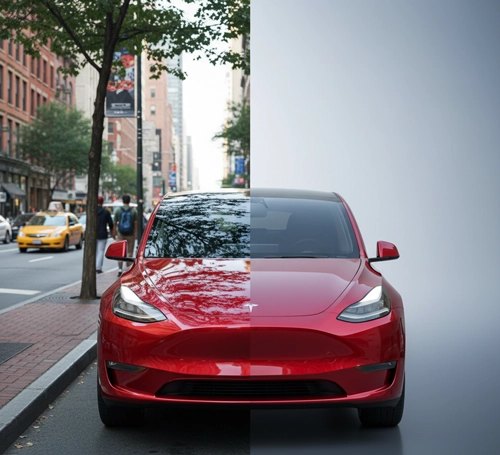
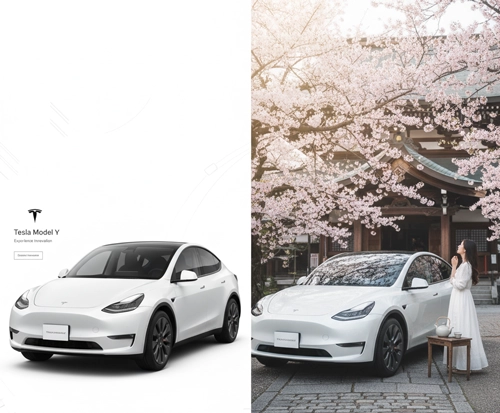
Here are a few of the best examples:
For Car Ads
For Social Posts
For Dealerships
Conclusion
So, it’s super easy to remove background from car images using online tools. You can make it happen almost instantly using RemoveBG, Vidnoz AI, Pixelcut AI, Spyne AI, Removal.AI, and Removal. However, Vidnoz AI background remover stands out among all because of its fast and quality output to remove car backgrounds. It can be handy for dealers, sellers, and auto enthusiasts in producing better images for advertisements, retail spaces, and presentations.
Try Vidnoz AI background removal and other tools today and see the difference they can make. To make auto advertisements and presentations even more captivating, you can also combine them with a Vidnoz Image to Video tool.
Convert Image to Video AI Online - Free
- Create a video from an image quickly for free.
- Use various AI models to turn photos into videos.
- Download and share the AI-generated video at no cost.
Convert Image to Video