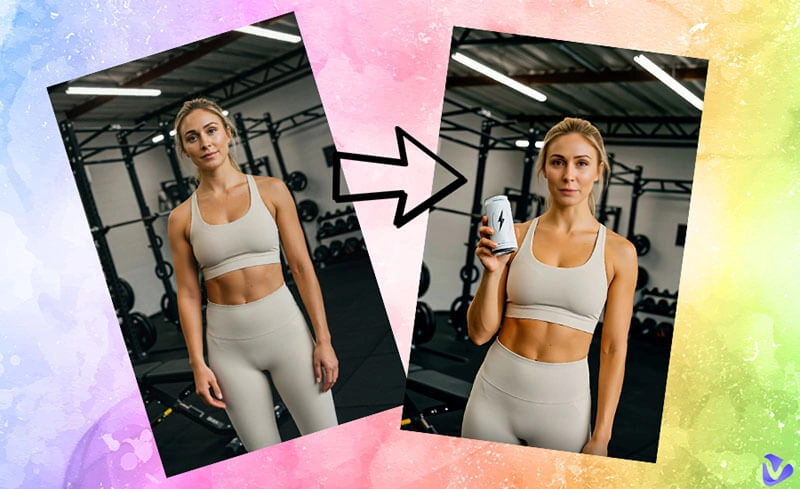
The digital universe thrives on bold expression, and one of the most captivating ways to stand out today is through a cyberpunk avatar. Imagine glowing neon accents, futuristic implants, holographic details, and fashion that feels straight out of a sci-fi dream. Such avatars are not mere virtual characters but strong extensions of your imagination, personality, and vision of the future.
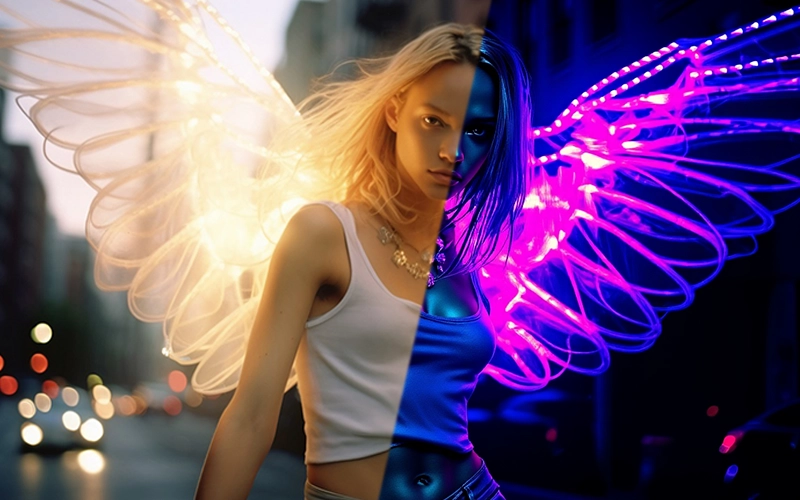
In gaming, VR, or social media, they give you the freedom to express a side of yourself that’s unique, daring, and unforgettable. Here are the things you can do to make your very own personalized cyberpunk identity and own it here in this guide.
- On This Page
-
What Is a Cyberpunk Avatar?
Key Characteristics of Cyberpunk Avatars:
Examples Across Platforms
-
Best Cyberpunk Avatar Maker for VRChat, Roblox, and Cyberpunk 2077
Cyberpunk 2077 Avatar Editor
VRChat Cyberpunk Avatar Maker
Roblox Cyberpunk Avatar Generator
-
3 Ways to Generate Cyberpunk-Style Avatar for Social Profiles
Way 1. Turn Yourself into a Talking Cyberpunk Avatar
Way 2. Generate Your Futuristic Identity as a PFP
Way 3. Create Your Desired Cyberpunk-Style Avatar
-
FAQs About Cyberpunk Avatar
Q: What does “cyberpunk” mean today?
Q: Why choose a cyberpunk avatar?
Q: How to turn your face into a cyberpunk-style avatar?
What Is a Cyberpunk Avatar?
A cyberpunk avatar is a digital persona designed with influences from cyberpunk culture, a mix of futuristic technology, neon-lit fashion, and dystopian vibes. These avatars go beyond being simple characters; just like a cartoon avatar can capture personality in playful form, a cyberpunk avatar serves as an artistic statement about identity in immersive virtual worlds.
Key Characteristics of Cyberpunk Avatars:
- Cybernetic Enhancements: These details highlight the integration of human and machine through mechanical limbs or green eyes.
- Futuristic Fashion: Costumes are commonly accompanied by metal jackets, chrome ornaments, and neon accents that help to reflect the defiant ethos of the genre.
- Immersive Settings: With the help of a cyberpunk avatar maker, avatars are designed to look natural in rain-soaked alleys and neon cityscapes.
- Symbol of Individuality: Represents freedom and uniqueness within digital societies.
Examples Across Platforms
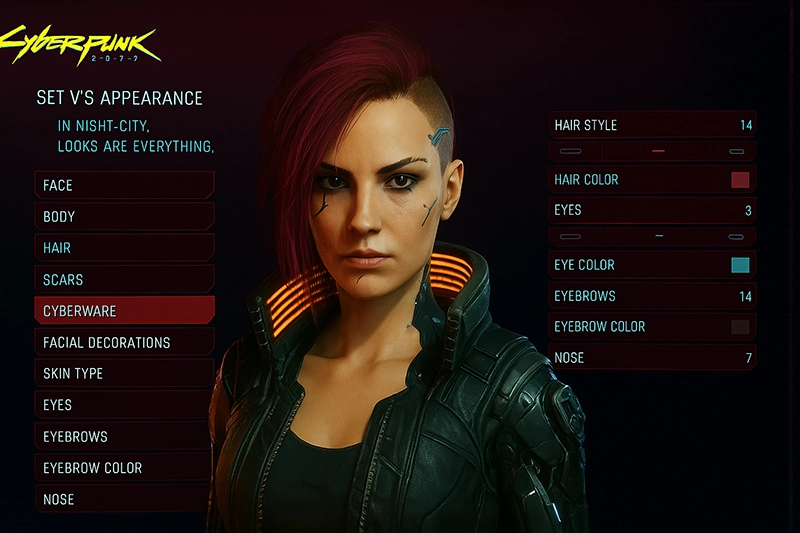
Gaming: A Cyberpunk 2077 avatar offers deep customization of body and cyberware.
Social Media: A cyberpunk style avatar delivers instant visual impact, perfect for profile pictures.
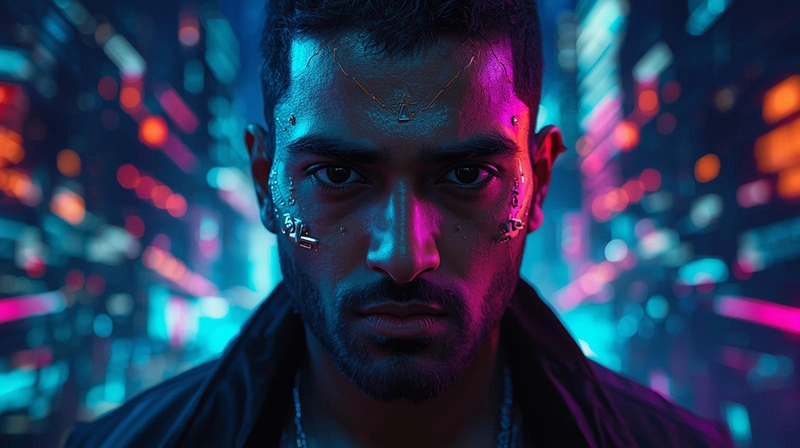
VR Worlds: A glowing identity enhances immersion in neon-inspired landscapes.
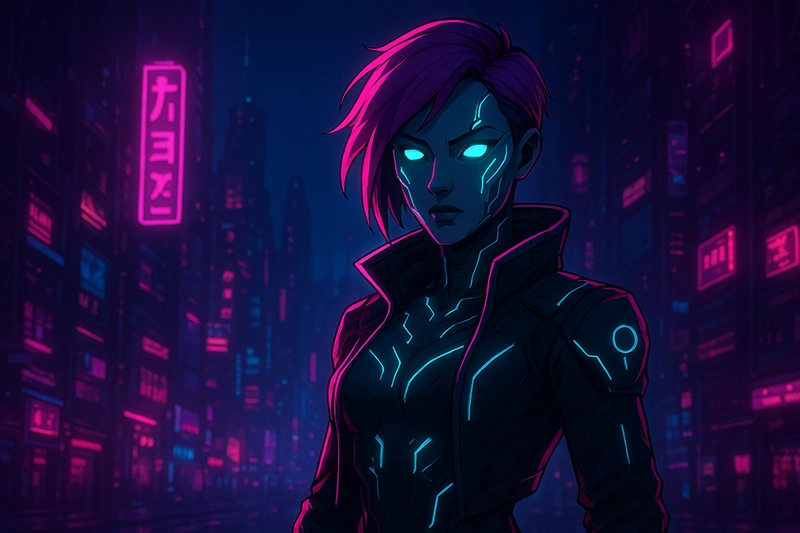
The secret of the popularity of these avatars is also quite simple, as anyone can just imagine a futuristic version of themselves and impress others with it in digital space.
Best Cyberpunk Avatar Maker for VRChat, Roblox, and Cyberpunk 2077
Gamers and creators rely heavily on cyberpunk avatar maker tools to express themselves in digital worlds. Characters may be created in various ways on all platforms; this combines entertainment with creativity.
Cyberpunk 2077 Avatar Editor
Cyberpunk 2077 includes a robust avatar editor. While it doesn’t allow external imports, its customization is among the most detailed in gaming. Everything, including hairstyles, implants, and so on, can be customized to make each cyberpunk avatar feel special.
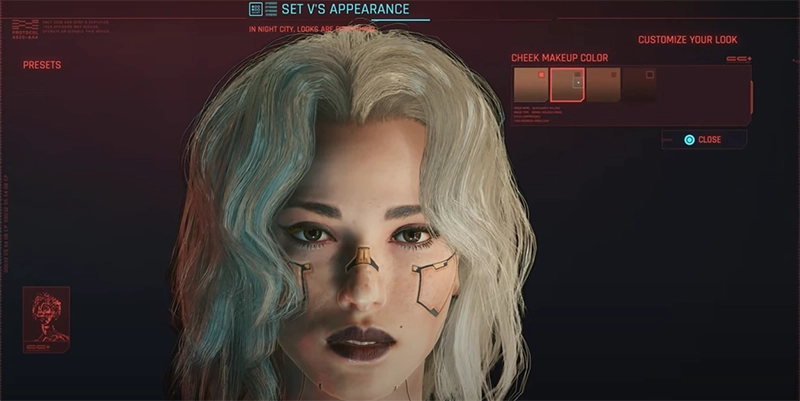
Steps to Edit a Cyberpunk 2077 Avatar:
1. Start a new game and open the customization menu.
2. Choose an avatar, then its body type, voice tone, and basic features.
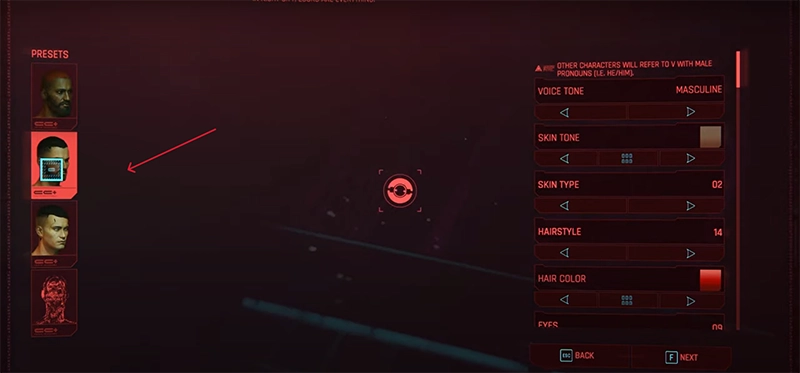
3. Add cyberware such as neon eyes, robotic arms, or facial implants.
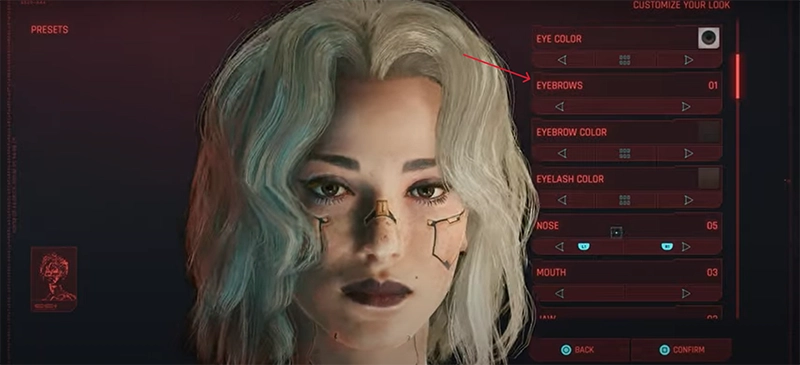
4. Apply futuristic tattoos, hairstyles, and scars.
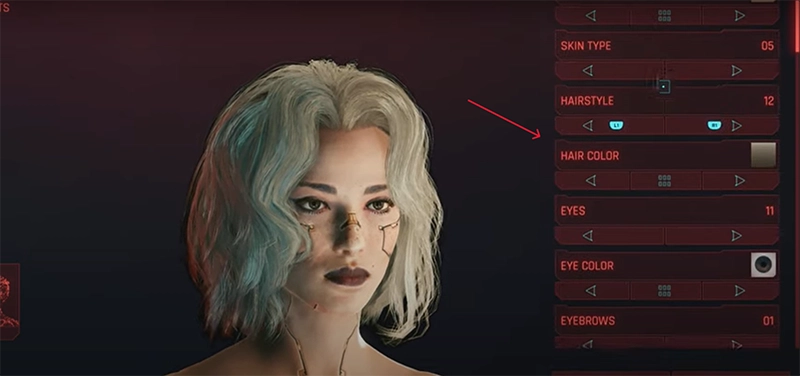
5. Save and start to explore Night City.
It is quite impressive how deeply the editor allows players to build a look that reflects their vision of a futuristic self.
VRChat Cyberpunk Avatar Maker
In VRChat, creativity knows no bounds. Using Unity and the VRChat Creator Companion, players can design their own avatars or import premade ones. Many opt for marketplaces like Gumroad or Booth to access stylish models, including the popular VRChat cyberpunk avatar.
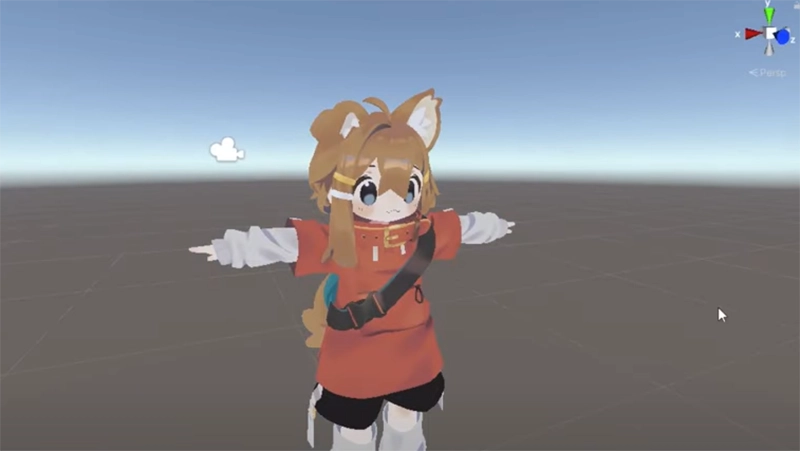
Steps to Make Your Own VRChat Cyberpunk Avatar:
1. Set up the Unity Hub, then the VCC.
2. Import a base model for editing after creating a new project.
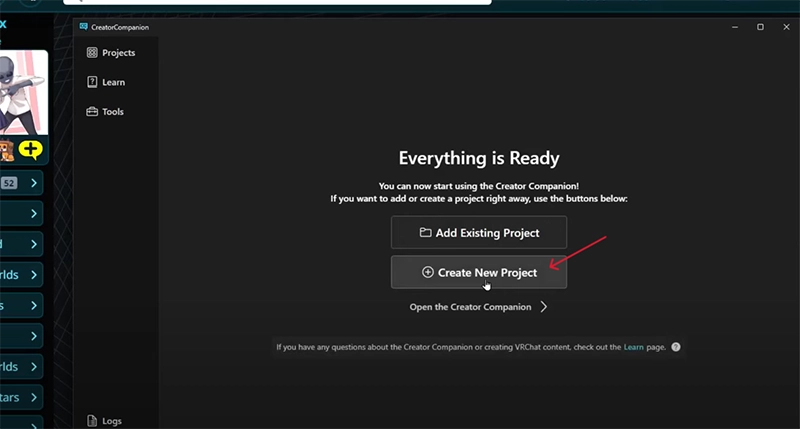
3. Get the future-style outfits, glowing lights, and stage items ready.
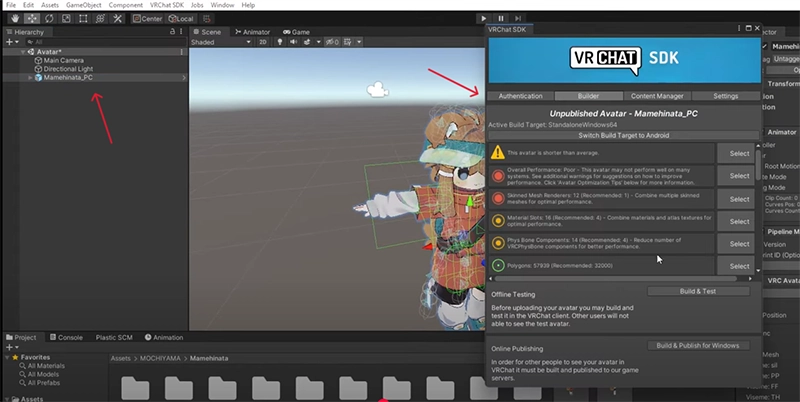
4. Adjust the setting according to your wanted cyberpunk avatar in mind.
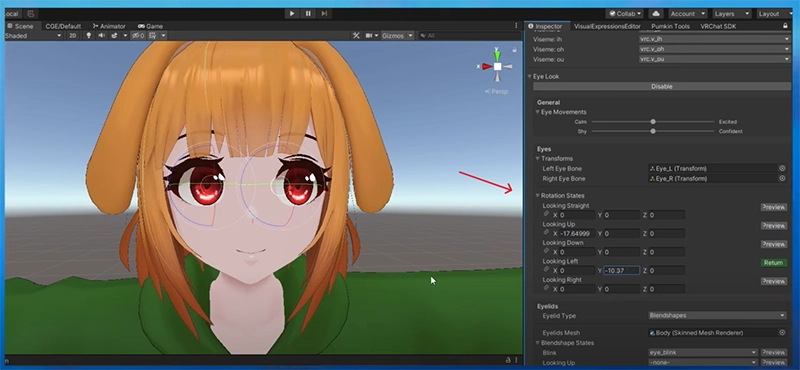
5. VR interactive animation.
6. Upload directly to your VRChat account.
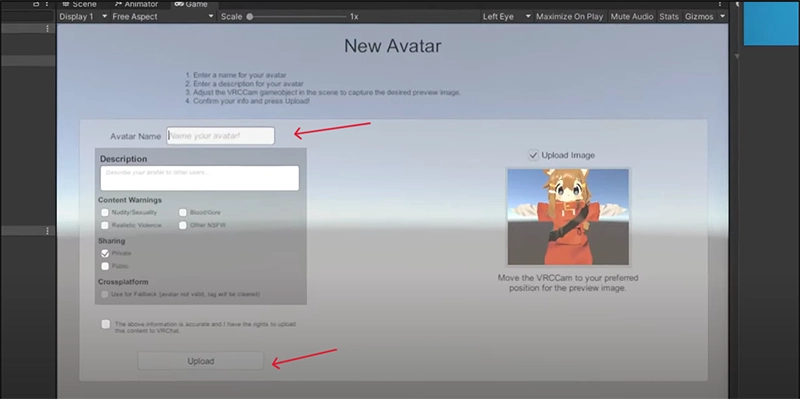
Your cyberpunk avatar in VRChat can become a unique digital identity for roleplay, live performances, or casual hangouts.
Roblox Cyberpunk Avatar Generator
Roblox makes customization easy with its built-in avatar generator, where you can shape your character’s appearance by adjusting body types, facial features, hairstyles, and starter outfits. This tool provides every player with a creative foundation to design their own unique style within the game.
To take your look further and build a striking Roblox Cyberpunk avatar, you’ll need to visit the Roblox Avatar Shop. There, you may unlock an extensive selection of futuristic fashion, neon accessories, robot gear, and high-tech dress-up items that exceed the basic. Whether it is neon jackets and cyber helmets or cyborg mechanical arms and holograph accessories, the Avatar Shop will have you covered with all you need to create a bold, futuristic look that really makes you feel a part of the cyberpunk scene.
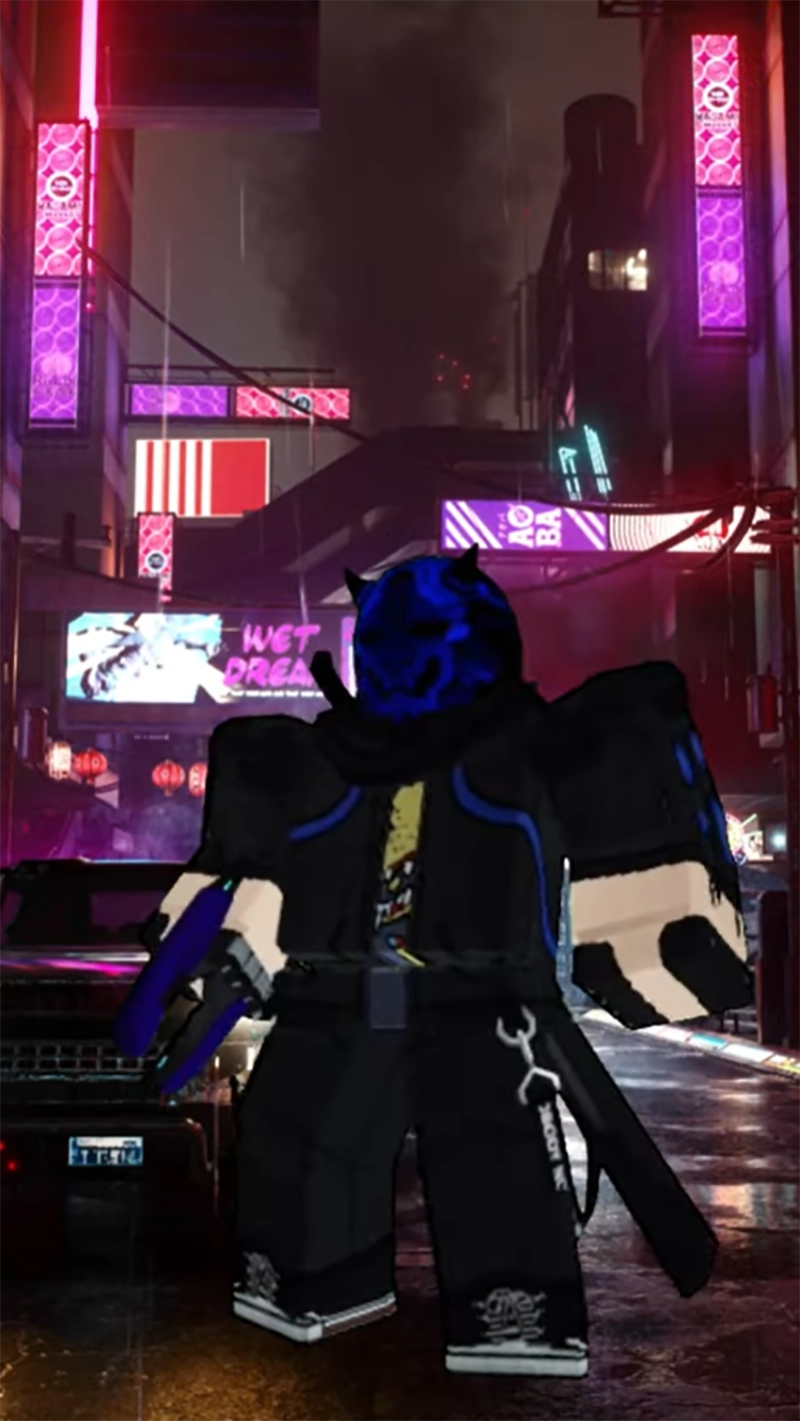
Steps to Make a Roblox Cyberpunk Avatar:
1. Open Roblox and head to the Avatar Editor.
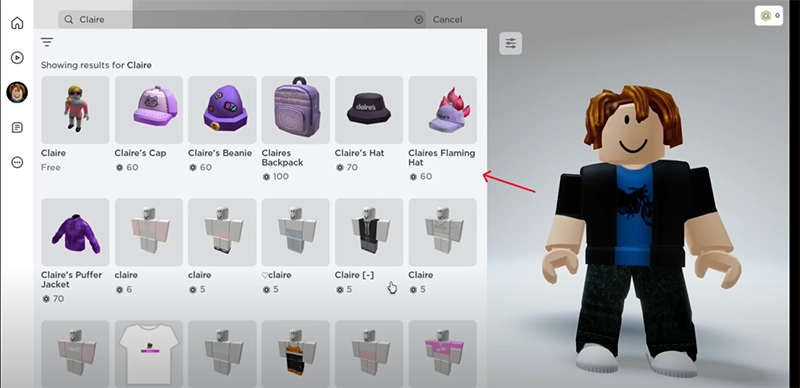
2. Purchase cyberpunk-themed items like visors, jackets, or neon accessories.
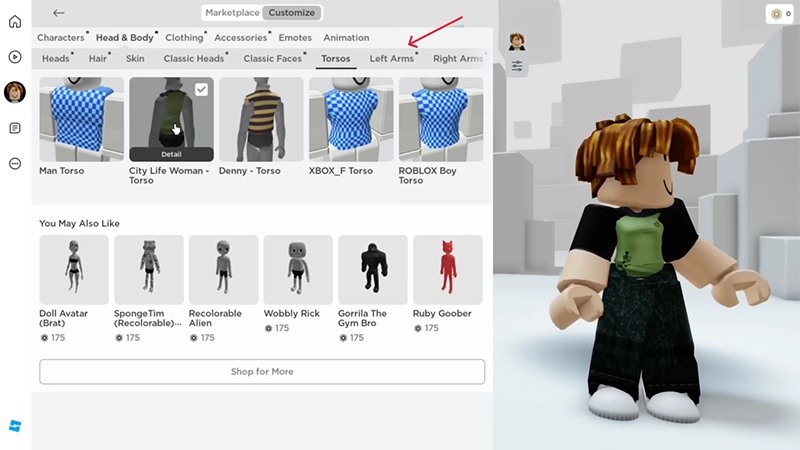
3. Equip and adjust the purchased items for your avatar and add accessories.
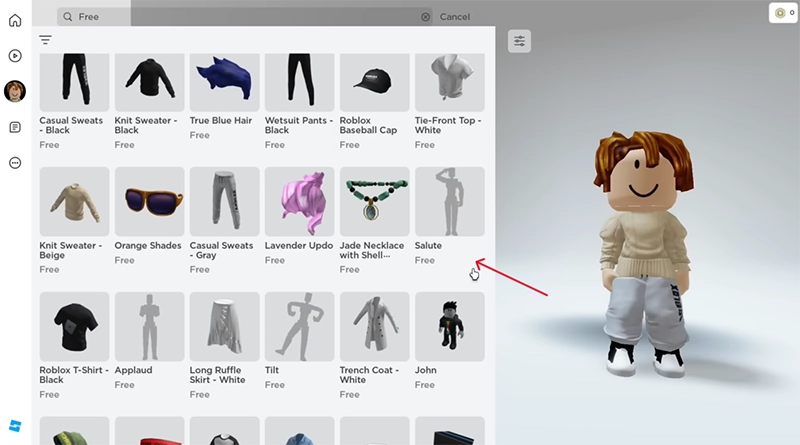
4. Customize colors to achieve a glowing aesthetic.
For more advanced results, creators often turn to Blender or another 3d avatar creator. This allows you to make your own avatar items, upload them to Roblox, and even sell unique cyberpunk gear.
3 Ways to Generate Cyberpunk-Style Avatar for Social Profiles
Gaming isn’t the only place for futuristic design. Many people now want avatars for branding, profile images, or creative videos. Tools like Vidnoz make it easy to produce a cyberpunk-style avatar that fits any context.

Vidnoz AI - Create Free Engaging AI Video with Talking Avatar
- Easily create professional AI videos with realistic avatars.
- Text-to-speech lip sync voices of different languages.
- 2800+ video templates for multiple scenarios.
Way 1. Turn Yourself into a Talking Cyberpunk Avatar
The text-to-speech application of Vidnoz also allows the user to turn inanimate images into talking digital people. You can share pictures of your family and friends, pets, fun anime artwork, or even a custom cartoon character of your own and have them come to life as interactive characters complete with realistic voices. Most important, you can stylize them with the cyberpunk look at one click.
Steps:
Step 1. Land on the Vidnoz AI website > Go to the Free AI Tools > Find and activate the AI Talking Photo tool online.
Create Your AI Talking Avatar - FREE
- 1900+ realistic AI avatars of different races
- Vivid lip-syncing AI voices & gestures
- Support 140+ languages with multiple accents
Step 2. Upload a clear picture and change it into a cyberpunk avatar from the style option, and then click on the “Click on Change” button.
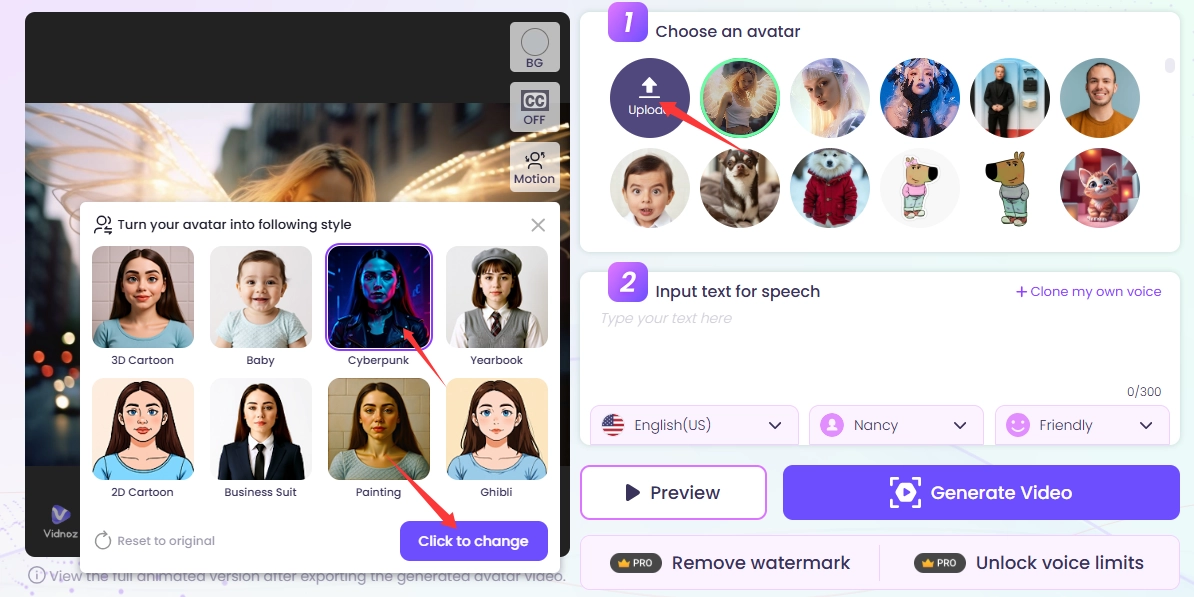
Step 3. Add text you want your avatar to speak, then select the language, gender, and tone, and then click on “Generate Video”.
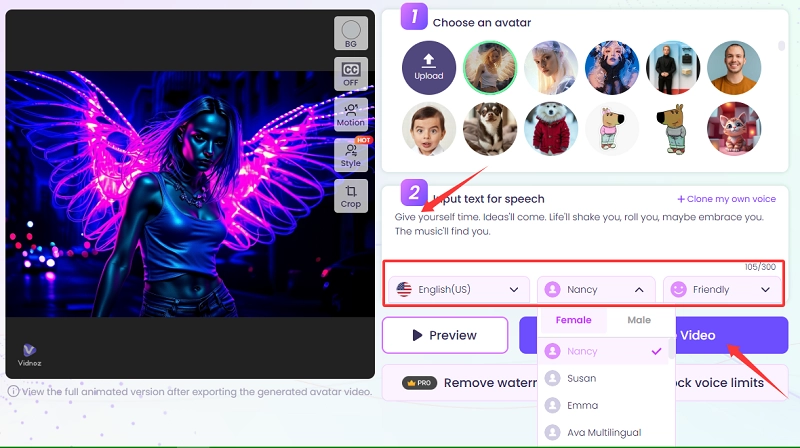
Step 4. Snag this, then share it with your social circle.
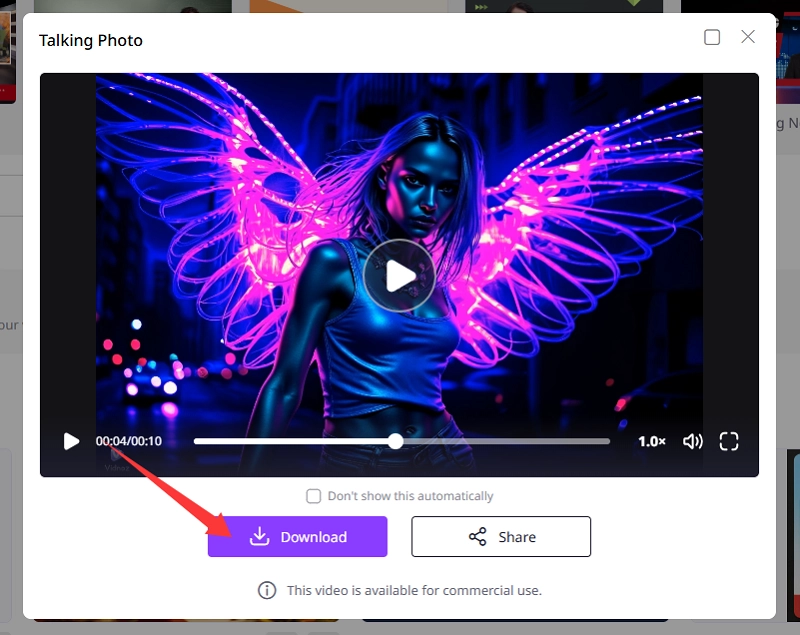
Key Feature
- Convert Any Image: Transform photos into a speaking cyberpunk avatar with lifelike lip synchronization, making every movement match your chosen dialogue seamlessly.
- Fast Online Processing: Enjoy free, browser-based creation with quick results, giving you instant access to futuristic avatars without the need for heavy software or downloads.
- Glowing Cyberpunk Effects: Enhance your digital persona with neon accents, chrome details, and vibrant lighting for a striking futuristic vibe.
- Animated Dance Integration: Combine talking avatars with the AI dance generator, creating fully animated performances ideal for social media, streaming, or entertainment.
Way 2. Generate Your Futuristic Identity as a PFP
The Vidnoz AI Image Generator also acts as a free AI video generator, letting users design detailed profile images and creative content.
Steps:
Step 1. Open the Vidnoz AI website. Unfold the Products > Locate the Vidnoz Gen. Find the AI Image Generator in the left-hand menu list.
Step 2. Input your descriptive prompt.
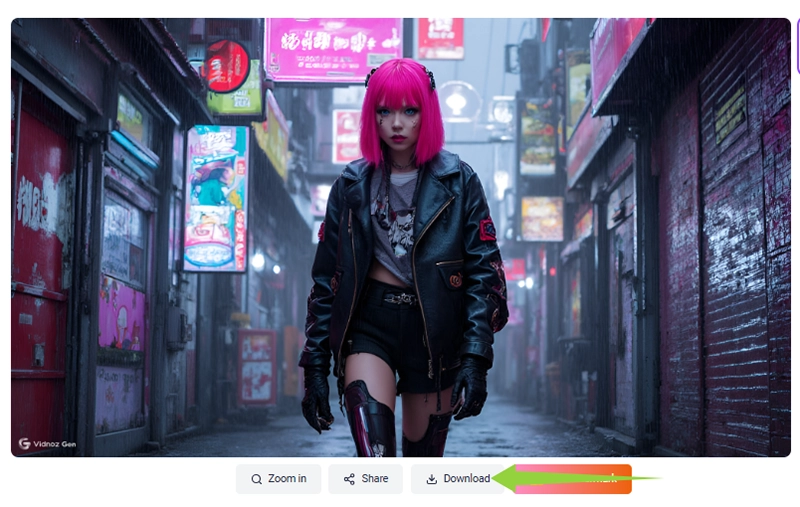
For instance, entering a prompt like “A neon-haired fighter with chrome implants stands in a rain-soaked city alley, jacket glowing with holographic lights.”
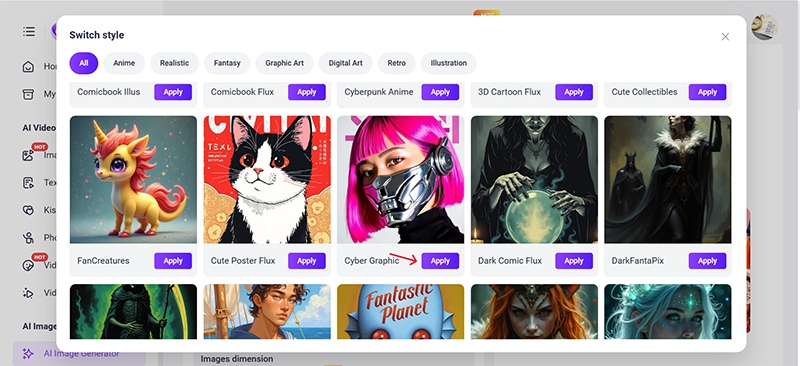
Step 3. Select the style you want for your image (for a cyberpunk avatar, select Cyber Graphics).
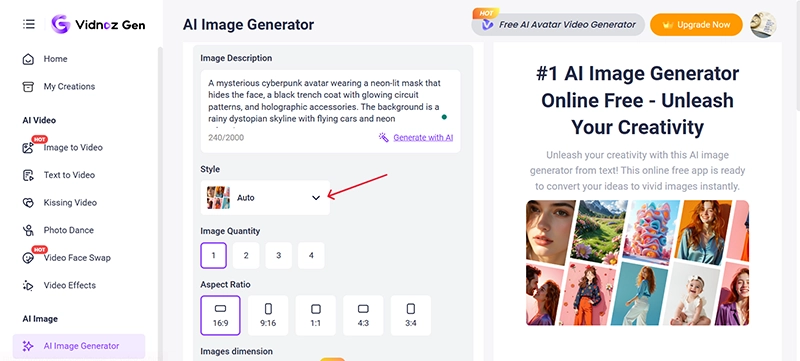
Also, you can try Cyberpunk Anime and Cyber Film Style in the options.
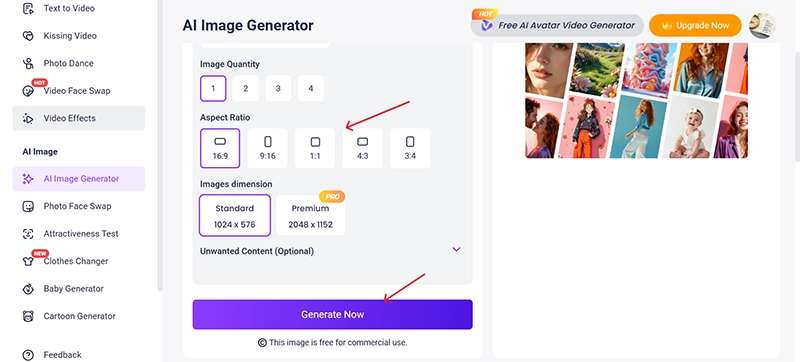
Step 4. Select the image quantity, aspect ratio, and dimensions, and click on Generate.
Step 5. Download the generated image to save it to your device.
Key Feature
- Prompt-Based Creation: Generates avatars directly from descriptive prompts, allowing users to design a personalized cyberpunk avatar that matches their imagination with stunning accuracy.
- Batch Generation: You can make cyberpunk avatars in batches at once. This really saves time to experience futuristic looks and other new ideas.
- High-Quality Results: Provides HD and 2K image quality, ensuring that every detail of your cyberpunk-style avatar appears sharp and well-designed.
- Chibi Avatar Option: Includes playful outputs like a chibi avatar maker mode, giving you the chance to create fun, stylized variations alongside more realistic futuristic designs.
Way 3. Create Your Desired Cyberpunk-Style Avatar
For full customization, the cyberpunk avatar generator tool creates personalized characters with simple prompts.
Steps:
Step 1. Still visit the Vidnoz AI website and go to the Free AI Tools, and then head to the AI Avatar Generator.
Step 2. Select the gender of the avatar, then describe your ideal look—chrome armor, neon glasses, holographic tattoos, like
“A mysterious cyberpunk avatar wearing a neon-lit mask that hides the face, a black trench coat with glowing circuit patterns, and holographic accessories. The background is a rainy dystopian skyline with flying cars and neon advertisements.”
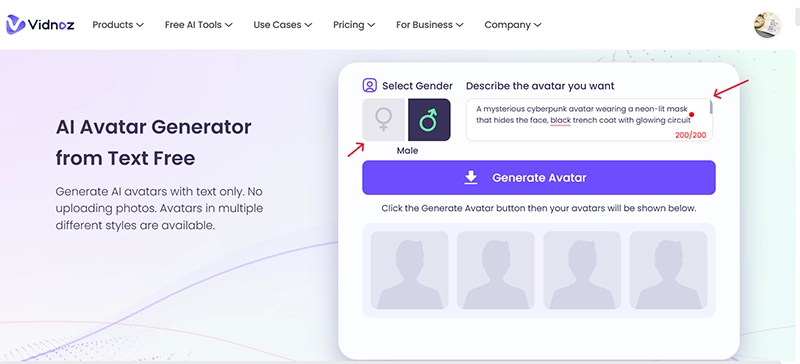
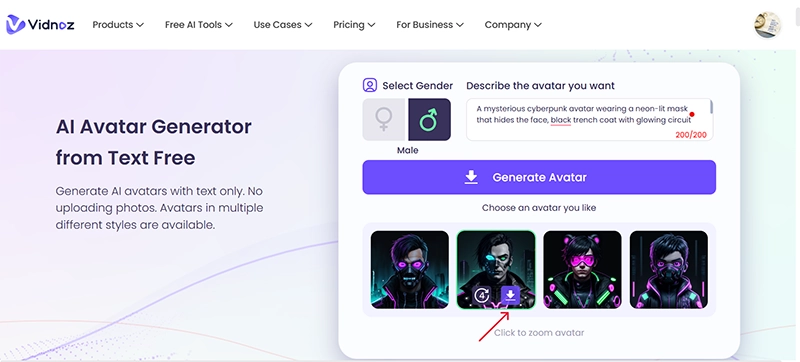
Step 3. Click on the “Generate Avatar” button to get four options instantly.
Step 4. Save the best version, watermark-free.
Key Feature
- Let's you make your own avatar in seconds: No design skills required—simply describe your vision, and the AI instantly generates a polished cyberpunk-inspired design, letting you easily make your own character for digital worlds.
- Generates four results instantly for easy selection: The tool generates 4 different versions, not just one, so you can pick the one you prefer.
- Free to use with unlimited downloads: Most editors restrict usage, but unlike most, this site lets you create and store as many avatars as you wish without restriction or secret fees.
- Perfect for branding, profile images, or content creation: Whether you need a futuristic look for social media, gaming communities, or marketing visuals, the avatars can be tailored to suit different creative needs.
And this is one of the most powerful instruments of all, since a person can make unique avatars without any technical knowledge.
FAQs About Cyberpunk Avatar
Q: What does “cyberpunk” mean today?
A: This aesthetic crafts tomorrow's apparel, fusing stark, glowing urban despair with advanced technological forms. In virtual worlds, fashion is not the only adaptation that involves creativity and individuality.
Q: Why choose a cyberpunk avatar?
A: It is very nice, it is futuristic, and it stands out in terms of gaming, VR, or social platforms. A cyberpunk avatar with glowing cyberware and edgy fashion instantly captures attention.
Q: How to turn your face into a cyberpunk-style avatar?
A: You can use AI-based tools for face morphing in video, or rely on image generators that add cybernetic details. This can be in conjunction with features such as AI talking photo or text-to-speech avatars, making the experience even more interactive since you get a futuristic variant of yourself to use in a social or gaming setting.
Conclusion
From the immersive customization of Cyberpunk 2077 and Roblox to AI-powered tools for social media, building your dream cyberpunk avatar has never been easier. They allow you to be individual, creative, futuristic on any platform, and make your presence online memorable. Now's the perfect time! Try the Vidnoz AI tool today.





![5 Types of AI Richard III Avatar You Can Make [Free Online]](https://www.vidnoz.com/bimg/new-cover-of-ai-richard-iii-avatar.webp)