Turn still images or text into dynamic videos in any style, with leading AI models readily. Try the smart AI video generator now - stunning, free, and instant!
Your Ultimate Guide to Create ASMR Videos with AI ASMR Generator Free
Griffin
Updated on
SHARE THIS POST
Learn how to create ASMR videos with AI using advanced AI tools. Generate captivating AI generated ASMR videos with our full guide!
Mesmerized by the satisfying sounds of slicing glass fruit or a hyper-realistic lava bite in viral videos? Good news! You can create ASMR videos with AI easily and for free, without needing expensive equipment. AI ASMR generators are powerful tools that let anyone produce oddly satisfying content designed to trigger pleasant "tingles" and gain millions of views. If you’re worried, can AI create ASMR video or not? Then this article will give you the answer.
Whether you're simply curious or ready to dive into the ASMR trend, this guide will provide a step-by-step process on how to make your own AI-generated ASMR videos at no cost. It's about combining imagination with accessible AI to make captivating content.
On This Page
What is an AI ASMR Video?
How to Create ASMR Videos with AI: A Step-by-Step Guide
Step 1: Prepare Prompts for AI ASMR Videos
Step 2: Create AI ASMR Video Clips
Step 3: Put AI ASMR Video Clips Together
Free AI ASMR Video Generator [Sound Dubbing Required]
Conclusion
What is an AI ASMR Video?
An AI ASMR video is content generated using artificial intelligence that aims to trigger the Autonomous Sensory Meridian Response (ASMR) in viewers. These videos often feature hyper-realistic visuals and sounds that make you feel a soothing or tingling sensation. AI enables the creation of highly specific and often surreal scenarios that would be difficult or impossible to film conventionally.
With an AI ASMR video generator, you can easily create ASMR videos of various viral types, such as AI ASMR cutting (like glass or fruit) and AI ASMR eating (featuring realistic people or even animated characters like Hello Kitty eating). These AI generated ASMR videos are quickly gaining popularity.
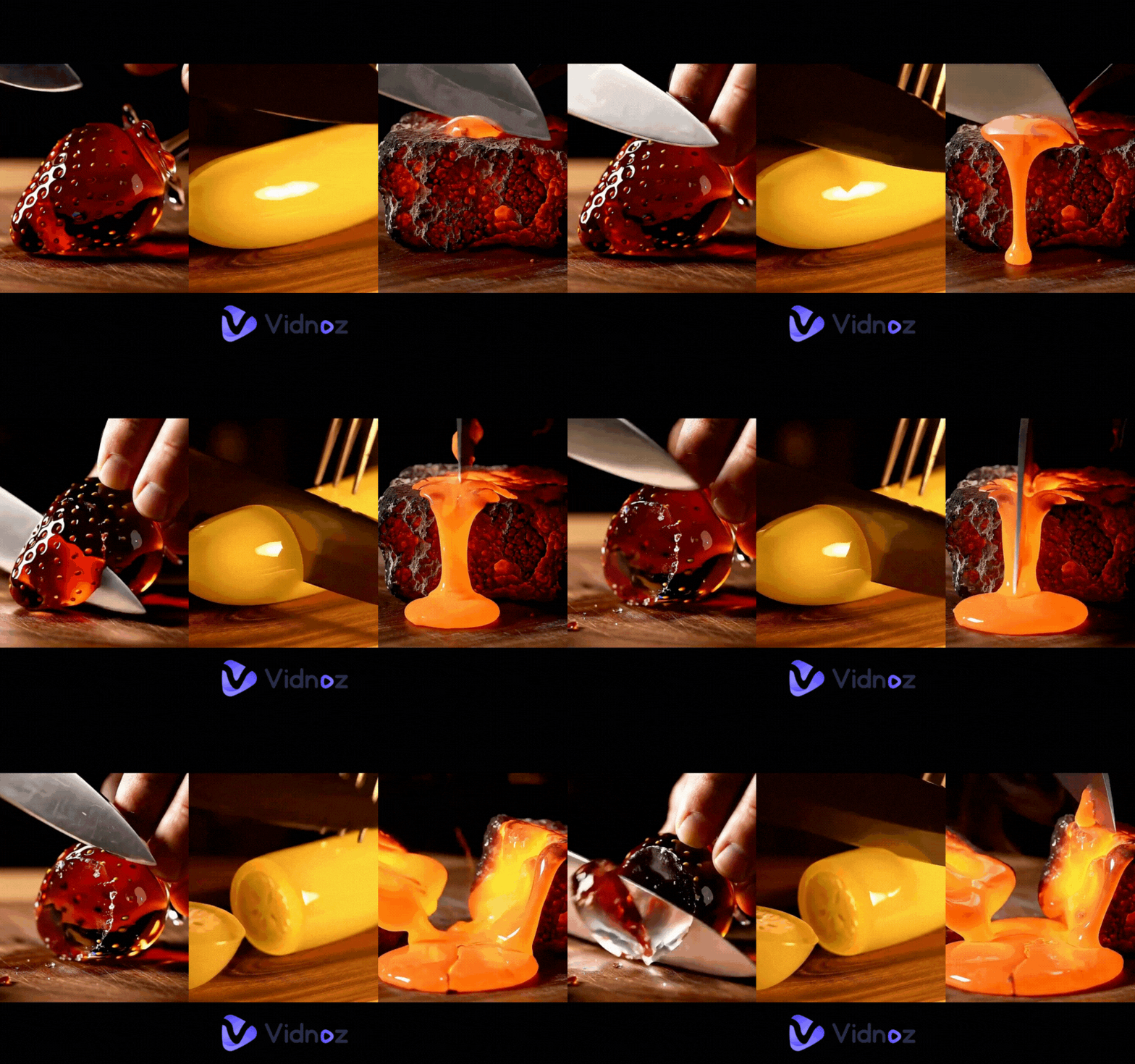
Here are some AI ASMR video examples:
AI ASMR Glass Fruit Eating & Cutting
AI ASMR Lava Eating
How to Create ASMR Videos with AI: A Step-by-Step Guide
Ready to dive into the fascinating world of AI ASMR? This section will guide you through the complete process of creating ASMR videos with AI. You will learn to craft the perfect prompt, assemble your final ASMR video, and everything in between. With the right approach and AI tools, you can produce content that stands out. Whether you're a beginner or just curious about how to make ASMR videos with AI, you’re in the right place.
Step 1: Prepare Prompts for AI ASMR Videos
The foundation of any successful AI-generated video, especially for ASMR, lies in the quality of your prompts. Think of prompts as the instructions you give to the AI. The more detailed and descriptive your input, the better the AI can understand your vision and generate the desired output. This is crucial when you want to create ASMR videos with AI that are truly immersive.
If you are skilled at creative writing or already have a clear idea of the specific ASMR experience you want to evoke, you can write your prompts independently. Focus on sensory details: what do you want to see, hear, and even "feel" in the video?
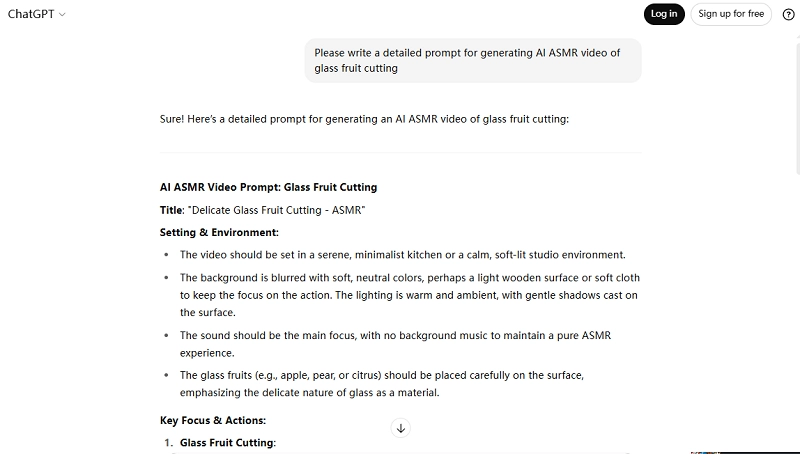
However, if you're new to prompt engineering or need some inspiration, AI tools like ChatGPT or other AI prompt generators can be incredibly helpful. You can tell ChatGPT, for example, "I want an AI ASMR video prompt for a hyper-realistic glass cutting scene with specific sounds." The chatbot can then help you brainstorm and refine your ideas into a comprehensive prompt.
Here’s an example of a detailed prompt that covers visuals, specific actions, and desired sounds, allowing you to create ASMR videos with AI that are rich in detail:
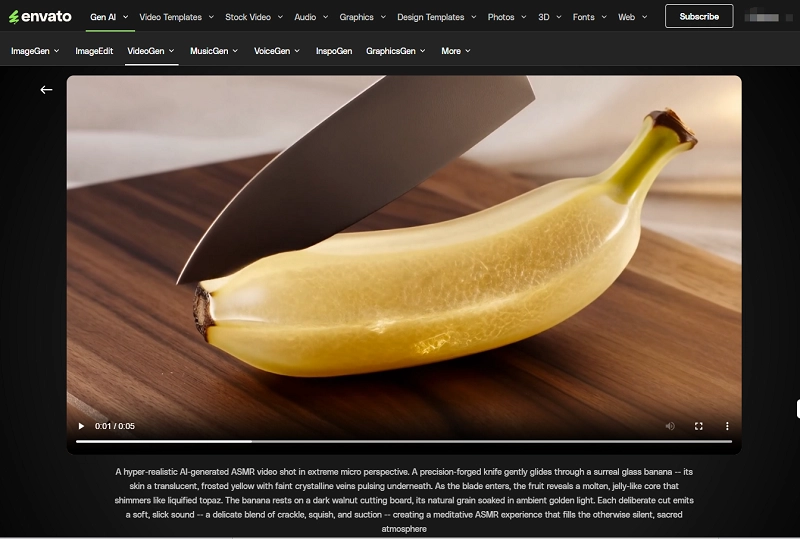
“A hyper-realistic AI-generated ASMR video shot in extreme micro perspective. A precision-forged knife gently glides through a surreal glass banana - its skin a translucent, frosted yellow with faint crystalline veins pulsing underneath. As the blade enters, the fruit reveals a molten, jelly-like core that shimmers like liquified topaz. The banana rests on a dark walnut cutting board, its natural grain soaked in ambient golden light. Each deliberate cut emits a soft, slick sound -- a delicate blend of crackle, squish, and suction - creating a meditative ASMR experience that fills the otherwise silent, sacred atmosphere.”
This kind of detailed prompt helps the AI ASMR video generator understand exactly what you want: the look, the vibe, and most importantly, the sounds.
Step 2: Create AI ASMR Video Clips
Once you have your meticulously crafted prompts, the next step is to use an AI ASMR video generator to bring your ideas to life. It's important to note that not all text-to-video generators are equally adept at creating ASMR content, especially when it comes to generating nuanced and satisfying ASMR sounds. Some models might not be optimized for the subtle audio cues essential for a true ASMR experience.
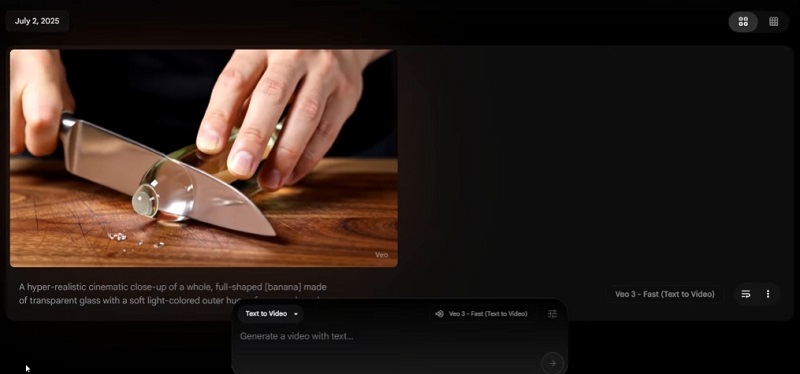
For generating high-quality ASMR video clips, the Google Veo 3 model is highly recommended due to its advanced capabilities in producing cinematic visuals and integrated sound. Several platforms offer access to the Veo 3 model, though they are generally not free. You can choose a tool that aligns with your budget and needs.
A few platforms support Veo 3, such as:
Tool
Pricing/Credits
Credits needed per generation
Google AI Veo 3
$75/18000 credits
20 credits for fast video; 100 credits for standard video
AIVideo
$74/22000 credits
20 credits for fast video; 100 credits for standard video
After selecting your preferred tool, simply enter your prepared AI-generated prompt to generate your AI ASMR clips. Once the generation is complete, download these videos.
You can experiment by changing specific items or details within your prompt to generate several different AI ASMR video clips, allowing for more variety in your final compilation. This iterative process is key to refining your AI-generated ASMR videos.
Step 3: Put AI ASMR Video Clips Together
Once you have several clips, it’s time to combine them into one complete ASMR video.
You can use any video editor, but one of the easiest and smartest options is the free AI video generator powered by Vidnoz. This tool is perfect for people who don’t know video editing or just want to save time.
Vidnoz AI - Create Free Engaging AI Video with Talking Avatar
Easily create professional AI videos with realistic avatars.
Text-to-speech lip sync voices of different languages.
2800+ video templates for multiple scenarios.
Here’s how you do it:
Upload the AI-generated video clips.
Arrange them in the order you want.
Add transitions or effects if you like.
Export your final video.
Vidnoz AI also offers a range of features that can further enhance your workflow to create ASMR videos with AI. Here are some of its best features:
Video Templates: Choose from hundreds of templates to make your ASMR videos look amazing, even if you have zero design skills.
AI Voice and Avatar: Want to add a whispering voice or a calming narration? Use the AI voice generator. You can also create an AI avatar to introduce your video.
AI Image and Video Generator: If you want to add other visuals (like background animations or dreamlike objects), you can generate them directly inside Vidnoz.
Text-to-Speech and Subtitles: Add soft-spoken lines or subtitles in multiple languages to enhance the sensory experience.
Free AI ASMR Video Generator [Sound Dubbing Required]
If you're just starting out and want to create ASMR videos with AI for free, Envato Labs is a great place to begin (or create AI ASMR cakeify videos without prompt inputting with AI video effects). This tool allows new users to generate up to 5 AI videos at no cost, making it perfect for testing ideas without any investment. With a simple interface, all you need to do is enter a detailed prompt, and Envato will generate stunning, hyper-realistic visuals in just a few minutes.
However, there's one major drawback: Envato's videos come without sound. Since ASMR relies heavily on audio to trigger sensory responses, the lack of built-in sound means you'll need to add it manually.
PRO TIP: Once your silent video is ready, use Vidnoz AI Video Generator to add soothing sound effects or ASMR-style voiceovers. It’s quick, free to start, and helps turn a silent clip into a full ASMR experience.
Conclusion
Creating relaxing, viral-ready ASMR content has never been easier. With tools like Envato Labs, you can generate eye-catching visuals, and with Vidnoz, add the perfect ASMR sounds. From surreal fruit cutting to dreamy lava bites, now anyone can create ASMR videos with AI for free. Just write a great prompt, generate your visuals, add sound dubbing, and you're ready to share your creation with the world. Start exploring your creativity today with AI-powered ASMR video generators!
Griffin, a former software engineer and technology enthusiast, has over 5 years of writing experience about technology. He is always looking for and sharing tools that promote creativity, productivity, and teamwork.







![Viral Bigfoot AI: How to Make Hilarious Vlogs with AI? [Step-by-Step]](https://www.vidnoz.com/bimg/bigfoot-ai-videos.webp)