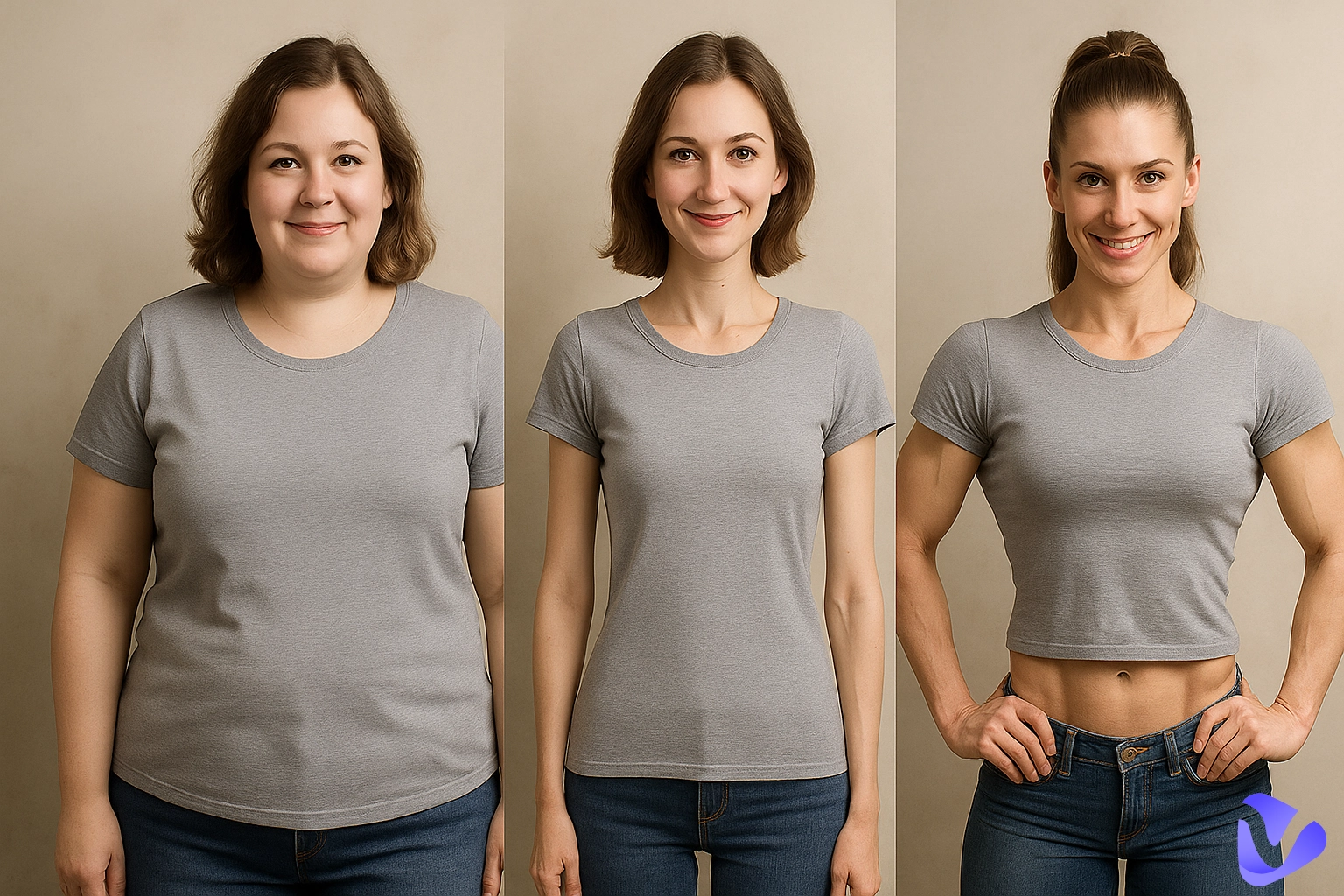
Turn still images or text into dynamic videos in any style, with leading AI models readily. Try the smart AI video generator now - stunning, free, and instant!
How to Remove Wrinkles from Clothes in Photos: 4 Best AI Tools in 2026
Andrew Garcia
Updated on
SHARE THIS POST
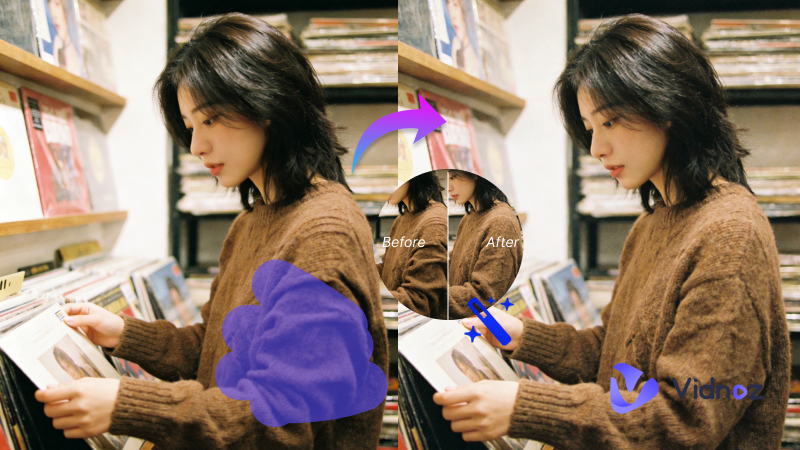
Remove wrinkles from clothes in photos instantly. Discover 4 best free AI clothes wrinkle remover tools — no ironing, no reshoot, no skills required.
You've just taken the perfect photo. The lighting is spot on, everyone's smiling, the composition is flawless — and then you zoom in and notice it. Wrinkled fabric across your shirt. A creased collar on your suit. A rumpled dress that makes the whole shot look careless.
Pros
point one - easy, effective and authentic
point two - cheap, quick and high quality
point three - large user base
point four - find sugar daddy near me
point five - boost your profile with spotlight
your profile with spotlight
Cons
point one - easy, effective and authentic
point two - cheap, quick and high quality
point three - large user base
point four - find sugar daddy near me
point five - boost your profile with spotlight
In the past, your only options were to re-iron everything and reshoot, or spend 20 minutes in Photoshop manually smoothing every fold. Neither is easy. The good news is, now, an AI-powered clothes wrinkle remover can fix this in seconds. In this guide, we’ll help you find the right tool for you and make clothes in any photo look neat and tidy—no ironing, no reshoots, and no editing skills required.
On This Page
How Does AI Clothes Wrinkle Removal Work?
Quick Overview: Which AI Clothes Wrinkle Remover Should You Choose?
4 Best AI Clothes Wrinkle Removers in 2026
1. Vidnoz AI Photo Editor - All-Around AI Wrinkle Remover for Free
2. Evoto AI - Friendly for Beginners and Professional Photographers
3. Photoroom - Best for E-Commerce Sellers
4. Airbrush - A Quick & Free Fix for Casual Users
FAQs About Clothes Wrinkle Remover AI
Conclusion
How Does AI Clothes Wrinkle Removal Work?
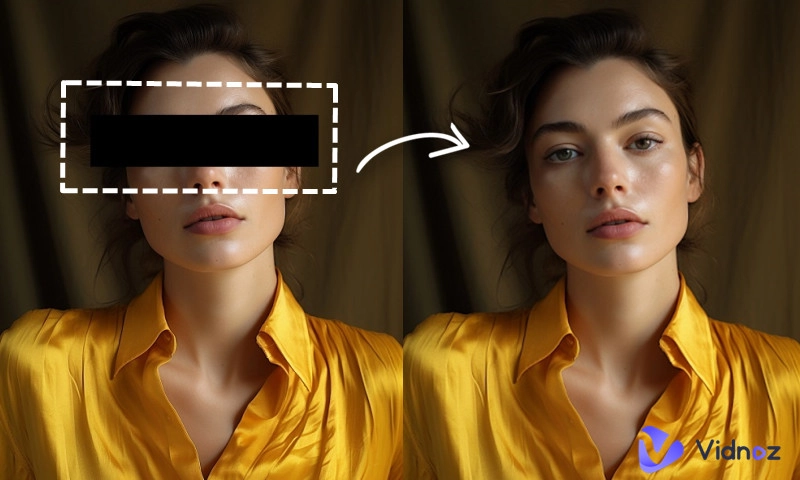
AI clothes wrinkle remover tools don't just blur out the creases — they use a technique called image inpainting to generate a smooth replacement that matches the original fabric's look and feel, preserving natural folds where appropriate.
Here's the basic process: The AI will identify the wrinkled fabric area in your photo, distinguishing it from skin, background, and other elements. Then, it studies the fabric texture, thread direction, lighting angle, shadow patterns, and color gradients. Finally, based on that analysis, the AI will remove wrinkles from clothes in photos to produce a smooth, natural look.
Quick Overview: Which AI Clothes Wrinkle Remover Should You Choose?
Here's a quick decision guide:
Vidnoz AI Photo Editor: Best free all-around option with auto and manual modes, ideal for e-commerce, social media, and personal photos.
Evoto AI: Best for professional photographers who need precision and batch processing for client shoots.
Photoroom: Best for e-commerce sellers who want direct platform integration and high-volume editing.
Airbrush: Best for casual users who want a quick, no-sign-up fix.
The table below provides a quick comparison of the four tools:
Best For
Price
Key Highlight
Vidnoz AI Photo Editor
All-around use
Free
One-click AI wrinkle removal with auto and manual modes
Evoto AI
Professional photographers
Starts at $0.05/photo
AI auto-detects wrinkled fabric regions with high precision
Photoroom
E-commerce sellers
Pro Plan starts at ~$7.50/month
Remove wrinkles while preserving texture, and integrated with Shopify
Airbrush
Casual users on a budget
Free
Simple upload-and-go workflow, zero learning curve
4 Best AI Clothes Wrinkle Removers in 2026
1. Vidnoz AI Photo Editor - All-Around AI Wrinkle Remover for Free
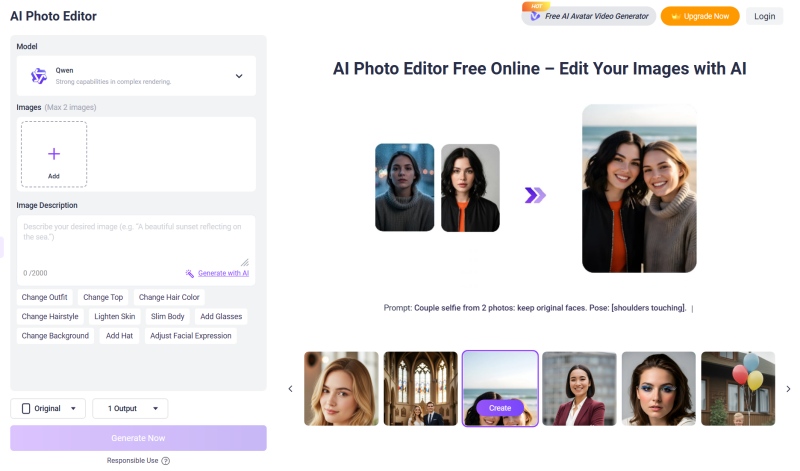
Vidnoz AI Photo Editor is a versatile online photo editing platform that includes a dedicated clothes wrinkle remover powered by AI. What makes it stand out is its balance of simplicity and control — it handles the job automatically but also gives you manual tools when you need precision.
Unlike many free tools that just offer a basic filter, Vidnoz's AI actually analyzes the fabric texture and lighting in your image before making changes. The result is smooth, neat clothing that still looks natural, not artificially flattened.
Key Feature
Completely Free to Use: No hidden fees. Vidnoz opens up all of its image editing features for free. You can start right in your browser without paying a cent.
Prompt-Driven Wrinkle Removal: Simply describe what you need in plain text, and the AI will automatically detect and identify wrinkled clothing areas in your photo, then remove them.
Magic Eraser for Fine-Tuning: When the auto mode misses a spot, brush over specific areas for more precise control.
Fast Processing & Quality Preservation: No long wait times or loading screens — Vidnoz delivers results in seconds. The output keeps the original thread pattern, seam lines, and natural shadows intact.
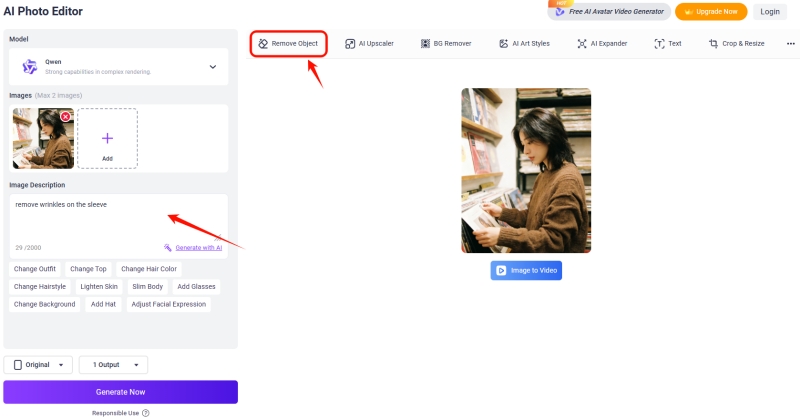
Step 2: Once uploaded, type your request directly into the text box on the left — for example, "remove wrinkles on the sleeve."
Step 3: You can also click "Remove Objects" for more fine-tuned adjustments.
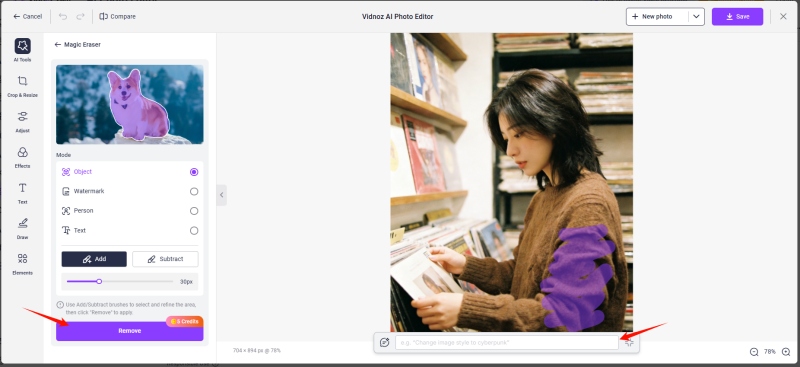
Use the brush to paint over the elements you want to remove, and use a prompt to further specify how the image should be processed.
If you're not sure how to write your prompts, you can upload an image to the AI image descriptor and use the description it generates as a reference.
Step 4: When you're ready, click the "Remove" button and let the AI auto-detect the wrinkled fabric and remove it.
Step 5: Preview the result, and download your clean, wrinkle-free photo.
Vidnoz's toolkit also includes AI Art Style Transfer, AI Watermark Remover, and innovative photo to avatar feature — covering all your image and video editing needs in one place.
2. Evoto AI - Friendly for Beginners and Professional Photographers
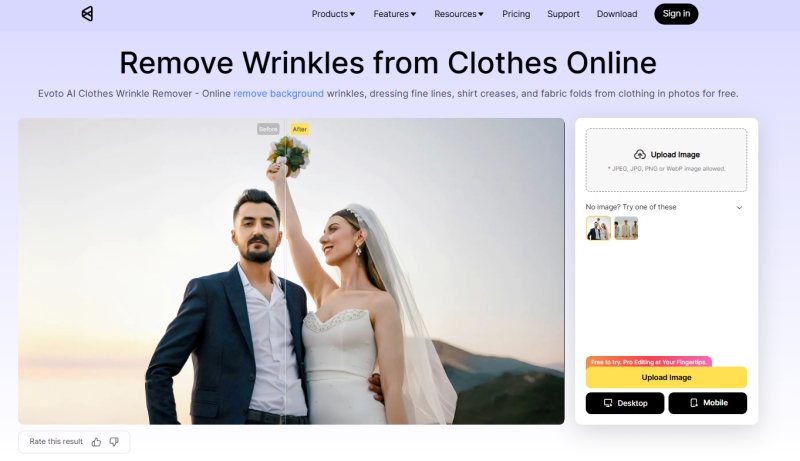
Evoto specializes in desktop-based AI photo editor. It has also launched a series of free online tools specifically designed for portrait and fashion retouching, including its AI Clothes Wrinkle Remover.
Its wrinkle removal feature is one of the most refined on the market — it uses AI to automatically detect wrinkled fabric regions and applies localized adjustments rather than smoothing the entire image.
Key Feature
Auto Wrinkle Detection and Removal: The AI scans the image, pinpoints wrinkled clothing areas with high accuracy, and automatically removes wrinkles from your clothes.
Background Fabric Support: It automatically identifies and distinguishes background elements from clothing, and can smooth wrinkled backdrops, curtains, and props.
High-Resolution and Clean Output: The processed image retains its original resolution with no quality loss. Users can download without watermarks.
How to Remove Wrinkles from Clothes with Evoto AI:
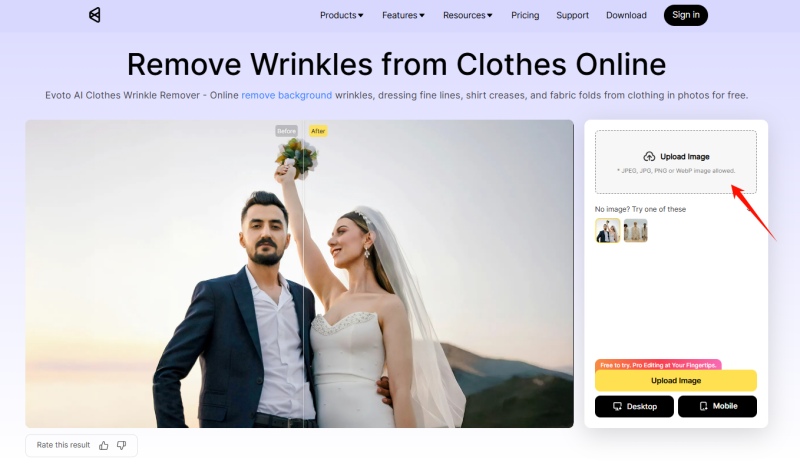
Step 1: Open Evoto's Remove Wrinkles from Clothes Online page in your browser. Click the upload area or button to upload the photo you want to edit.
Step 2: Once uploaded, Evoto's AI will automatically detect wrinkled fabric areas and begin processing.
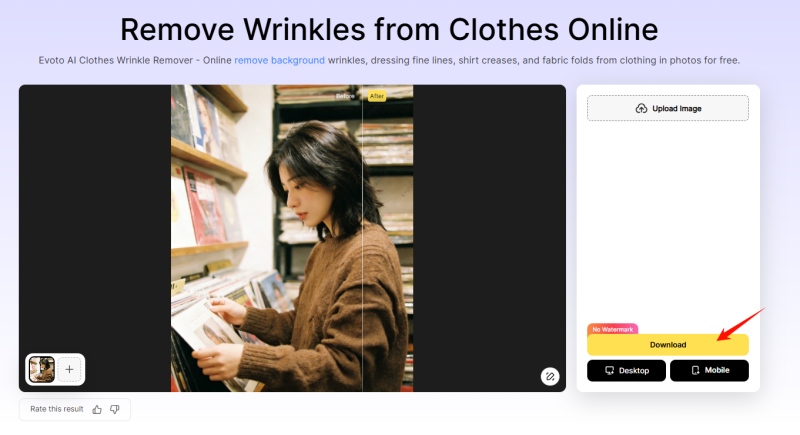
Step 3: Processing completes in seconds. You can preview the AI-edited photo, and if you're satisfied, download it watermark-free.
For more advanced editing, you can download Evoto's desktop app to use brush tools for adding or removing selections, and edit individual clothing items separately in group photos.
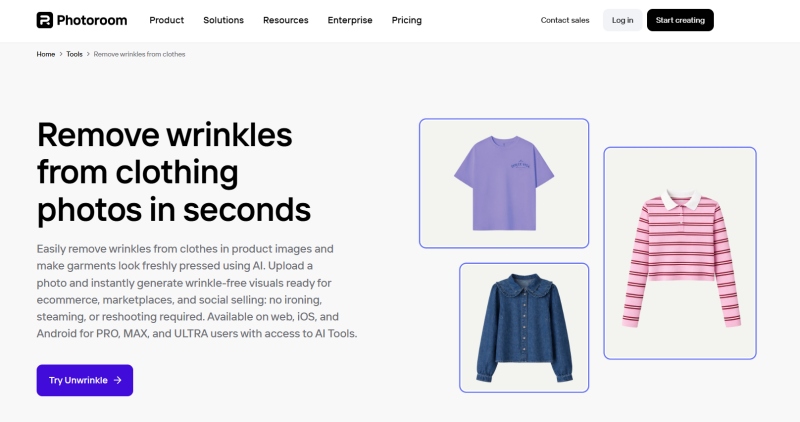
Photoroom is a well-known photo editing platform popular among e-commerce sellers, and its AI wrinkle removal is designed specifically for product photography.
The tool understands how fabric behaves in product shots: it preserves the natural drape, keeps seams visible, and maintains realistic shadows so the edited photo still looks like a real product photo, not an AI rendering.
Key Feature
AI Ironing smooths wrinkled fabric while preserving texture and lighting
Direct export to Shopify and other e-commerce platforms
Maintains fabric texture, seams, and natural shadows
Additional tools for background removal and product staging
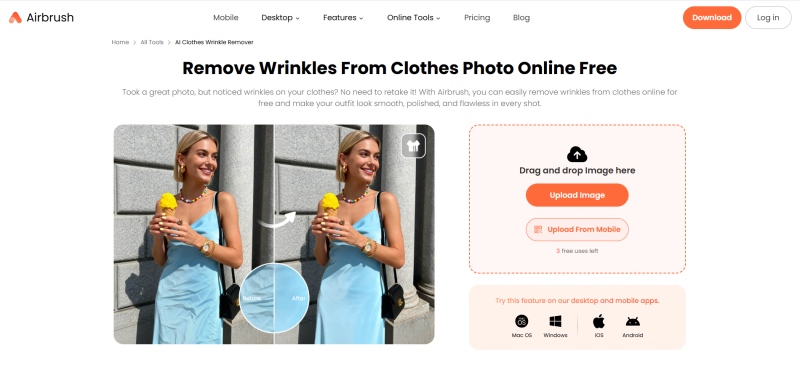
Airbrush is a lightweight online tool that focuses on removing unwanted elements from photos — and that includes wrinkled clothing. It offers both auto and manual modes: the auto mode detects and smooths wrinkles automatically, while the manual mode lets you brush over specific areas for more control.
It's completely free to use — no account required, no complex interface, no hidden charges. You upload your photo, click a few buttons, and download the result.
FAQs About Clothes Wrinkle Remover AI
Yes. AI wrinkle removal tools use image inpainting technology to analyze the wrinkled fabric area, study the surrounding texture and lighting, and generate a smooth replacement that blends naturally with the rest of the image.
Many tools offer free options. Vidnoz AI Photo Editor and Airbrush are completely free to use with no watermarks. If you're a casual user or working with a small number of images, the free tools will cover your needs without any compromise on quality.
It depends on two factors: the tool you use and the quality of your original photo. Good AI tools understand clothing structure and preserve fabric texture, seam lines, and natural shadows rather than simply blurring everything flat. For the best results, start with a photo that has even lighting and a clean background.
No. You can photograph wrinkled clothing as-is and let the AI clothes wrinkle remover handle the rest.
Conclusion
Removing wrinkles from clothes in photos used to mean hours of manual retouching or reshooting the entire set. However, with today's AI clothes wrinkle remover, you can get clean, professional-looking results in seconds — no editing skills required.
If you're not sure where to start, Vidnoz is the safest bet. It's free, it's easy, and the results speak for themselves. Try this free AI video generator platform now and see how quickly you can turn wrinkled fabric into neat clothing!
Convert Image to Video AI Online - Free
Create a video from an image quickly for free.
Use various AI models to turn photos into videos.
Download and share the AI-generated video at no cost.
Andrew Garcia is a writer who focuses on the field of technology. He is committed to producing high-quality articles to help users solve their problems. He is working hard to discover and introduce the latest AI tools so that users can experience the joys of emerging technologies. Hope his articles can give you some aid.