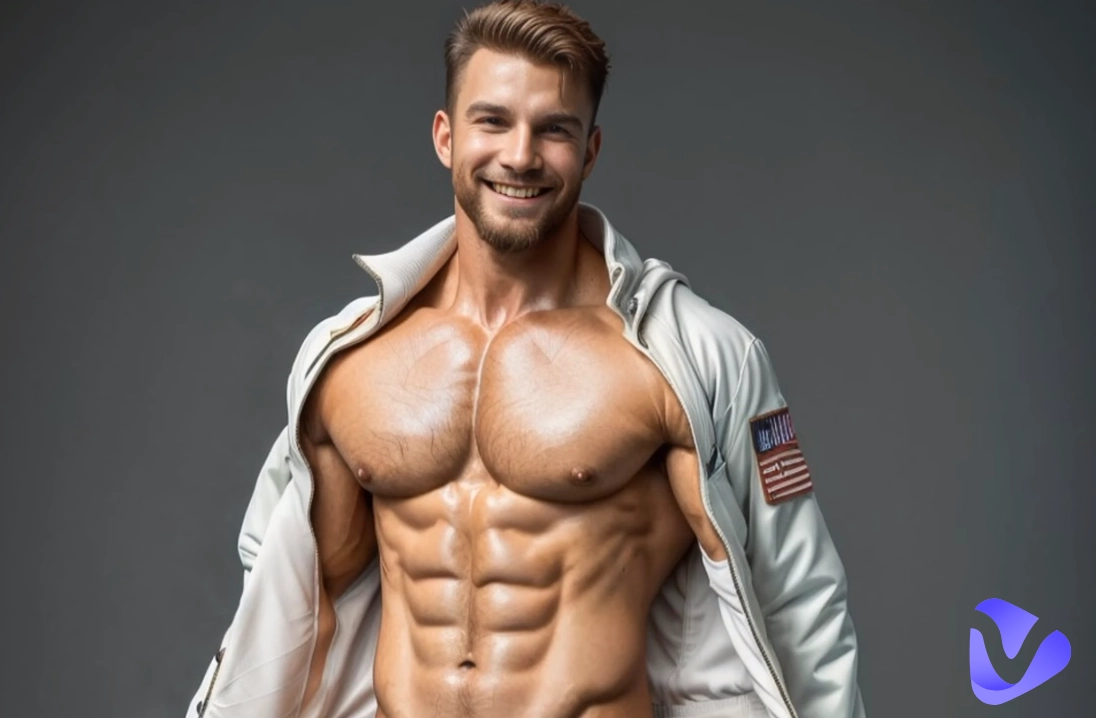
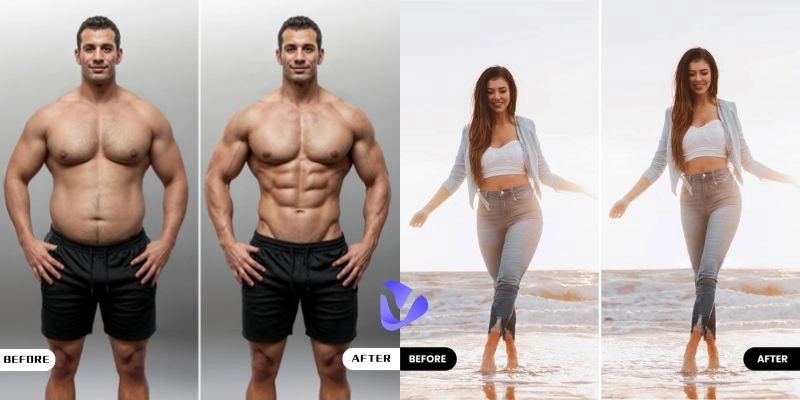
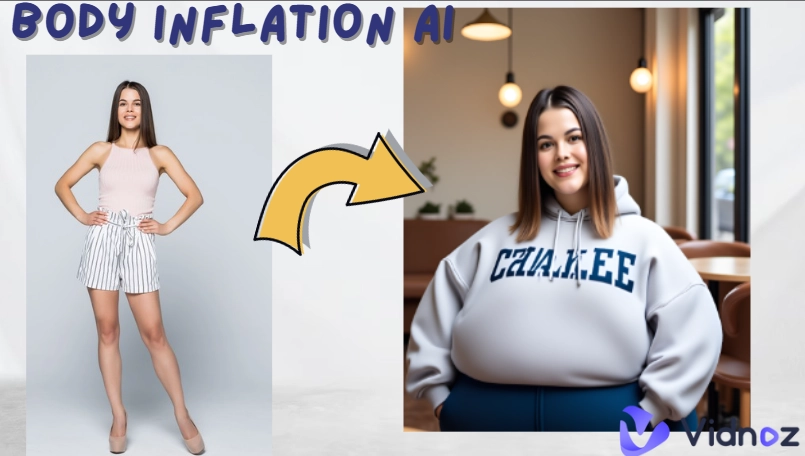
For many, learning how to change body shape used to be a matter of strict diets and long gym sessions. Today, it’s also possible to make subtle or creative digital adjustments in just a few clicks. With the advent of an AI body changer, this process has become faster, easier, and far more precise. The ease of getting professional-looking fitness results only adds to the reasons why an AI body changer is the most universal tool.
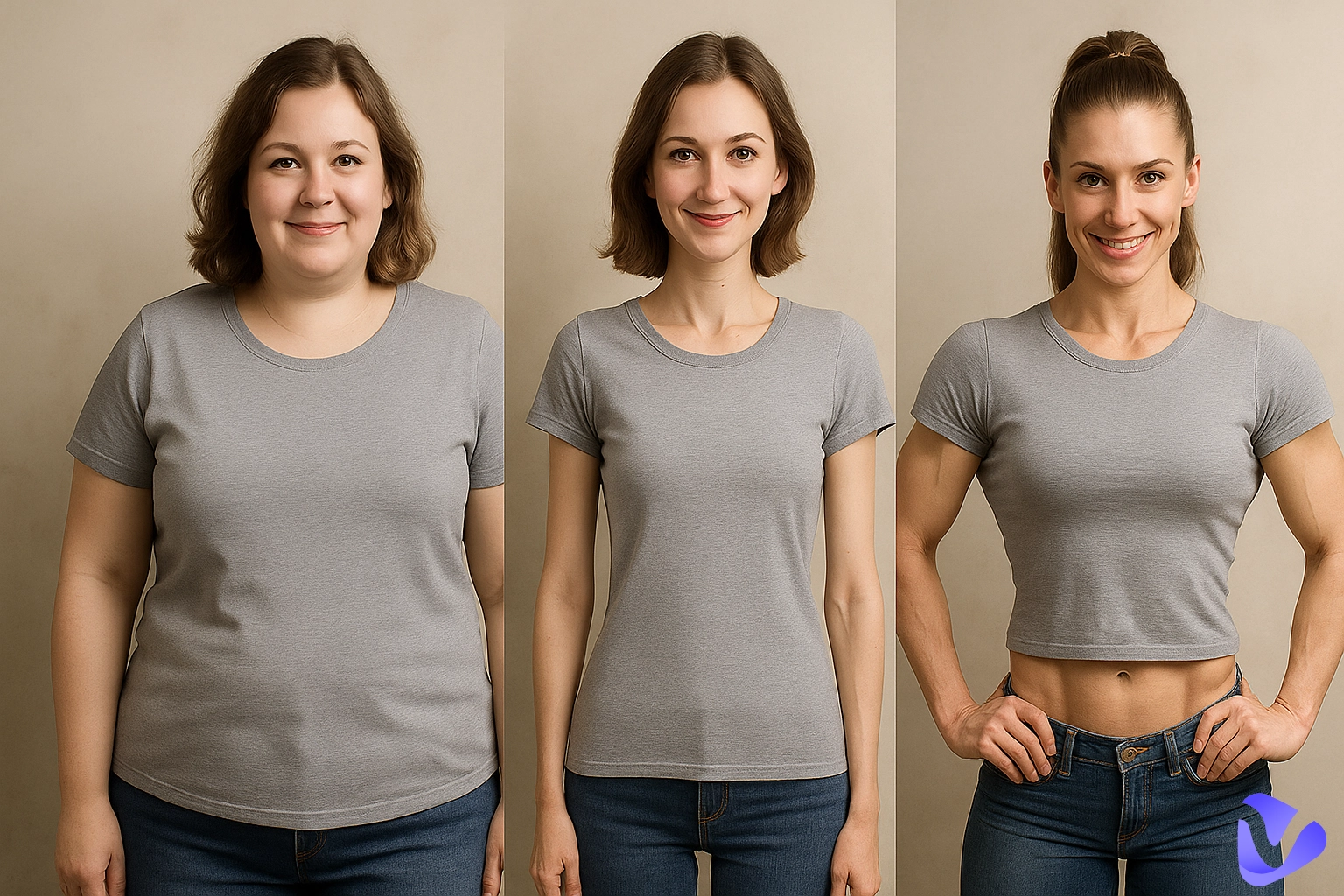
In this tutorial, we consider the best free ways to change body shape in your photos, internet-based services, and mobile applications. Also, learn how, with the power of modern AI, you will be able to transform a still shot photograph into a high-definition, realistic-looking video, with muscular body effects!
- On This Page
-
What an AI Body Changer Can Do for You
-
3 Best Free Online AI Body Changers to Reshape Your Body in Photos
MockoFun Body Changer – Change Body Shape with Text Prompt
Max Studio – AI Body Builder Free Online
Modelia – Online AI Body Editor App
-
2 Best AI Body Shape Editor Apps to Manually Adjust Body Shape
YouCam – Change Your Body Shape on Mobile Phones
Evoto – Powerful Photo Editor for Face and Body Reshape
-
Change Body Shape in Video with Online AI Muscle Filter
What an AI Body Changer Can Do for You
An AI body changer operates by analyzing key points on your body, shoulders, waist, hips, legs, and making calculated, pixel-perfect alterations. This technology is trained on countless image datasets to understand proportions and movements.
Benefits include:
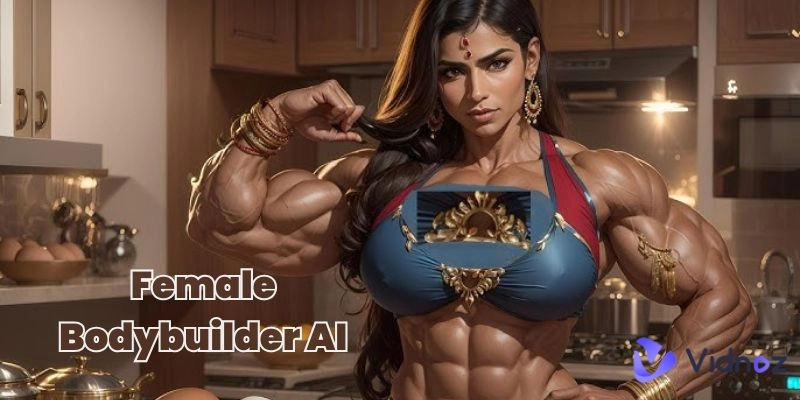
- Precision editing: Anatomically accurate adjustments keep proportions natural while enhancing targeted areas, whether refining curves or adding AI muscle for a defined look.
- Time efficiency: Create perfectly reshaped images in mere seconds instead of spending hours on manual edits.
- Ease of use: Designed for all skill levels, this AI body changer tool requires no professional editing background. Even complete beginners can quickly achieve impressive transformations with minimal effort and maximum creative freedom.
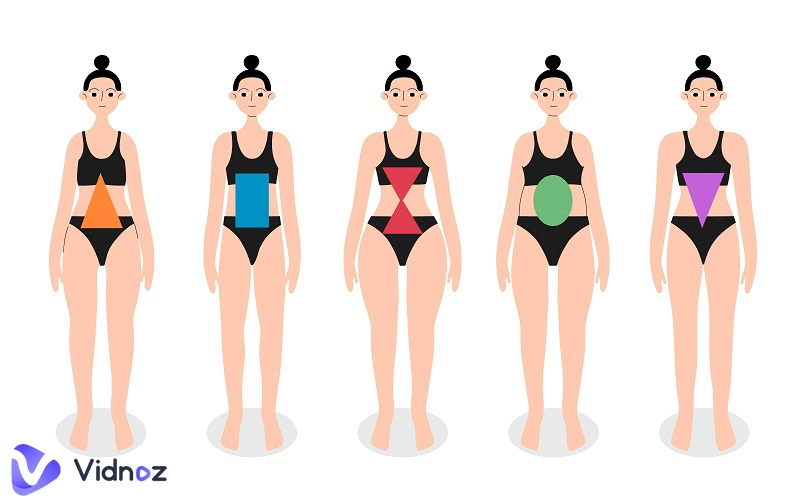
- Custom control: Fine-tune specific areas such as the waistline, chest, or limbs with precision. This flexibility allows you to sculpt your ideal look while keeping the rest of the image untouched and natural. For those seeking proportion guidance, some platforms even include a body shape calculator to help determine the most balanced adjustments.
If you are one of those who ask, “Can you change body types with these tools?”, the answer is ‘yes’ for you. Thanks to AI-driven precision, transformations can be subtle or dramatic, depending on your needs. Some even include playful AI body swap capabilities for experimenting with entirely different looks
3 Best Free Online AI Body Changers to Reshape Your Body in Photos
Let’s now explore the best AI body changer free online platforms that allow you to quickly and realistically reshape your figure.
MockoFun Body Changer – Change Body Shape with Text Prompt
MockoFun provides a simple yet powerful interface to change body shape through text-based prompts. During testing, entering “slimmer waist, toned arms” delivered a polished and believable transformation. Making it a great starting point for those learning how to use an AI body changer with minimal effort.
Pros
- Processes edits quickly, saving time.
- Offers good creative flexibility.
- Beginner-friendly with an easy interface.
Cons
- The free version has limited style options.
- May lag when working with large files.
- Precision is lower compared to advanced tools.
How to Change Body Shape with It
- Navigate to the MockoFun AI image generator, adjust the necessary settings, and upload the image.
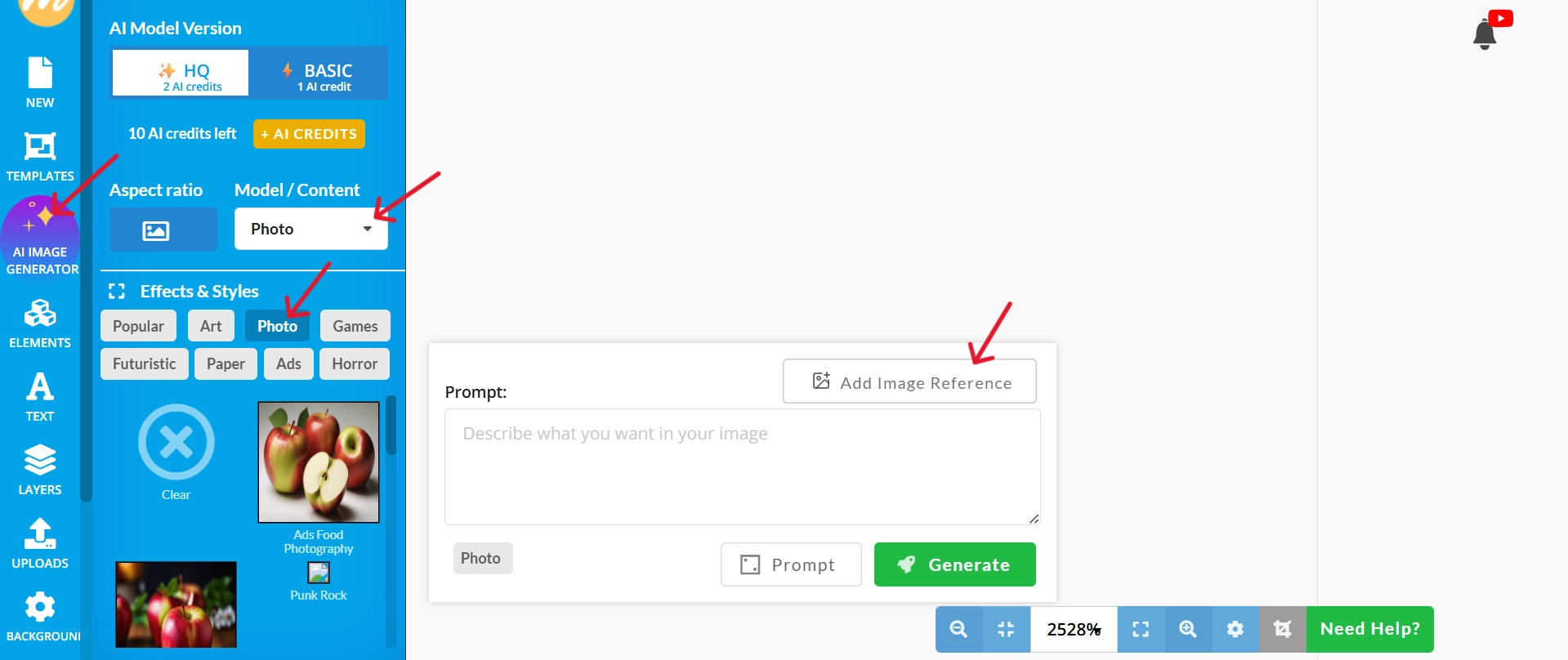
2. Type your desired body transformation prompt.
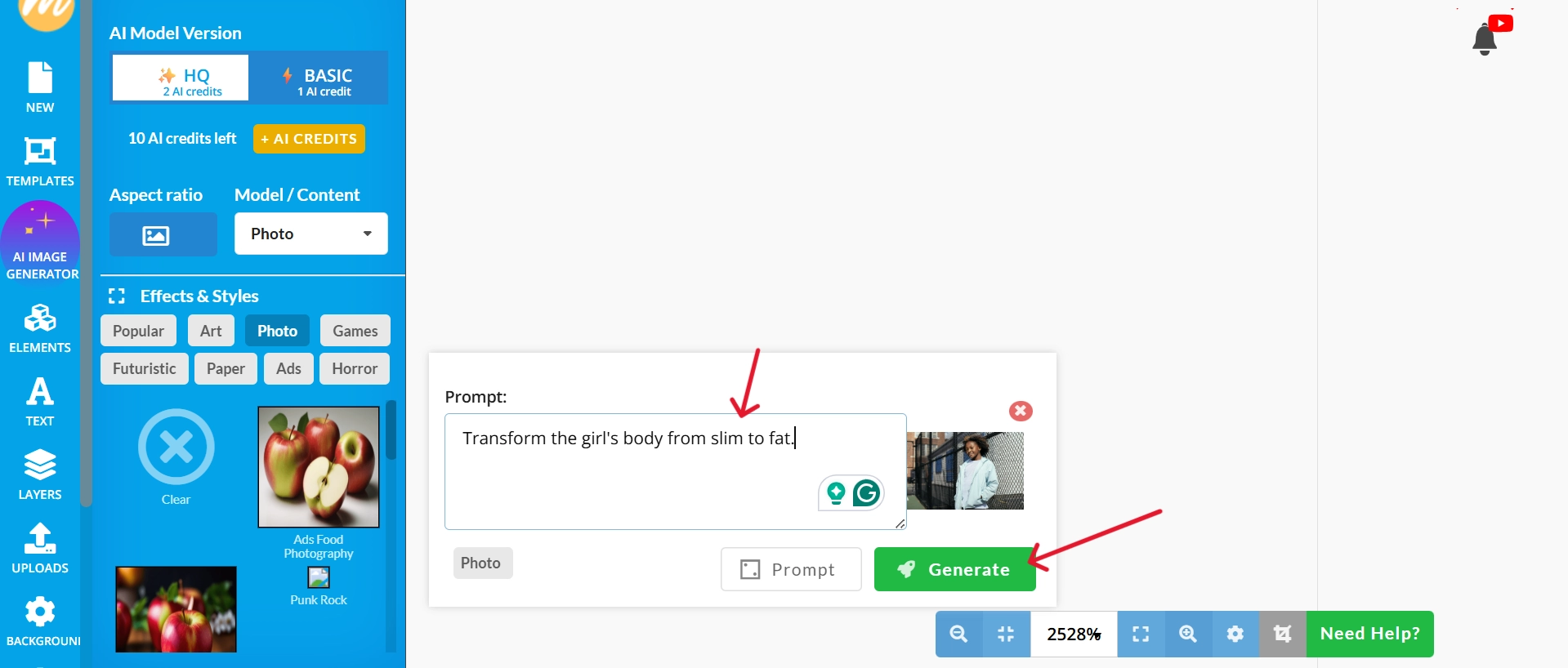
3. Generate and save the result.
Max Studio – AI Body Builder Free Online
Max Studio is ideal if you prefer manual slider adjustments over prompts. As an AI body changer platform, it offers waist and shoulder controls, along with an abs editor option for refining your midsection. In testing, reshaping was quick, and output was smooth.
Pros
- Allows highly customized adjustments.
- Produces edits quickly without lag.
- Smooth and natural-looking results.
Cons
- Interfaces can feel crowded for beginners.
- Limited automated features compared to AI-prompt tools.
- Requires more time to learn for new users.
How to change body shape with it
- Open the Max Studio body shaper tool and upload your image.
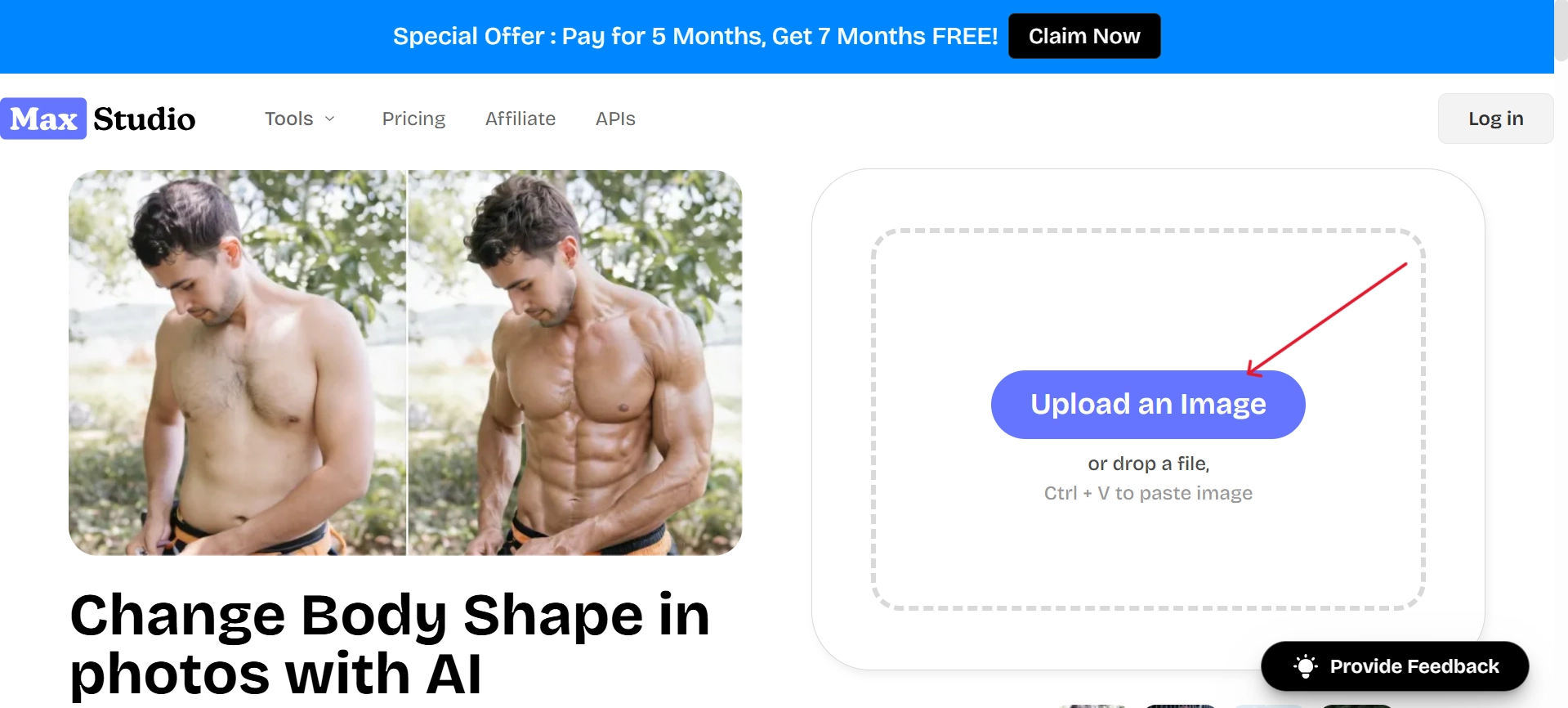
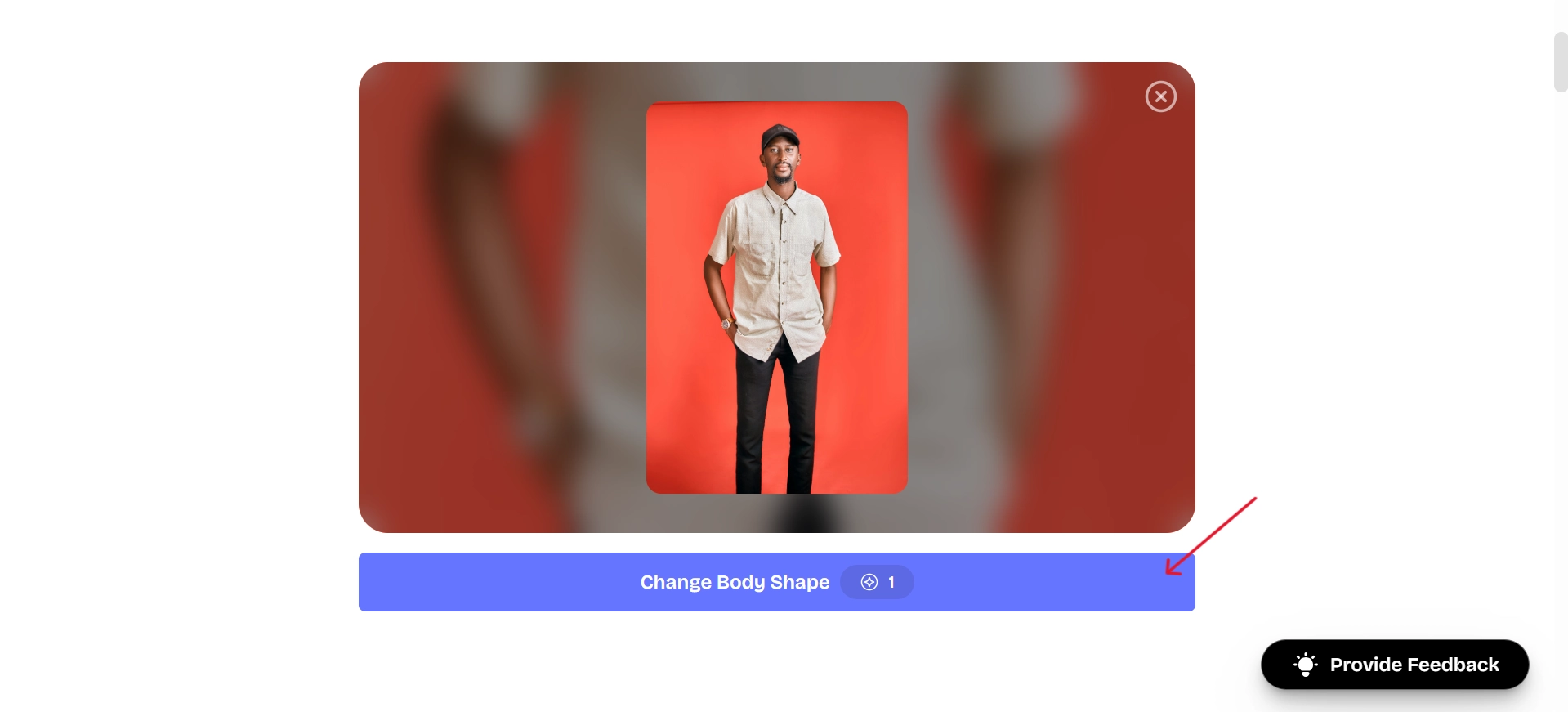
2. After uploading the image, click on the “Change Body Shape” button.
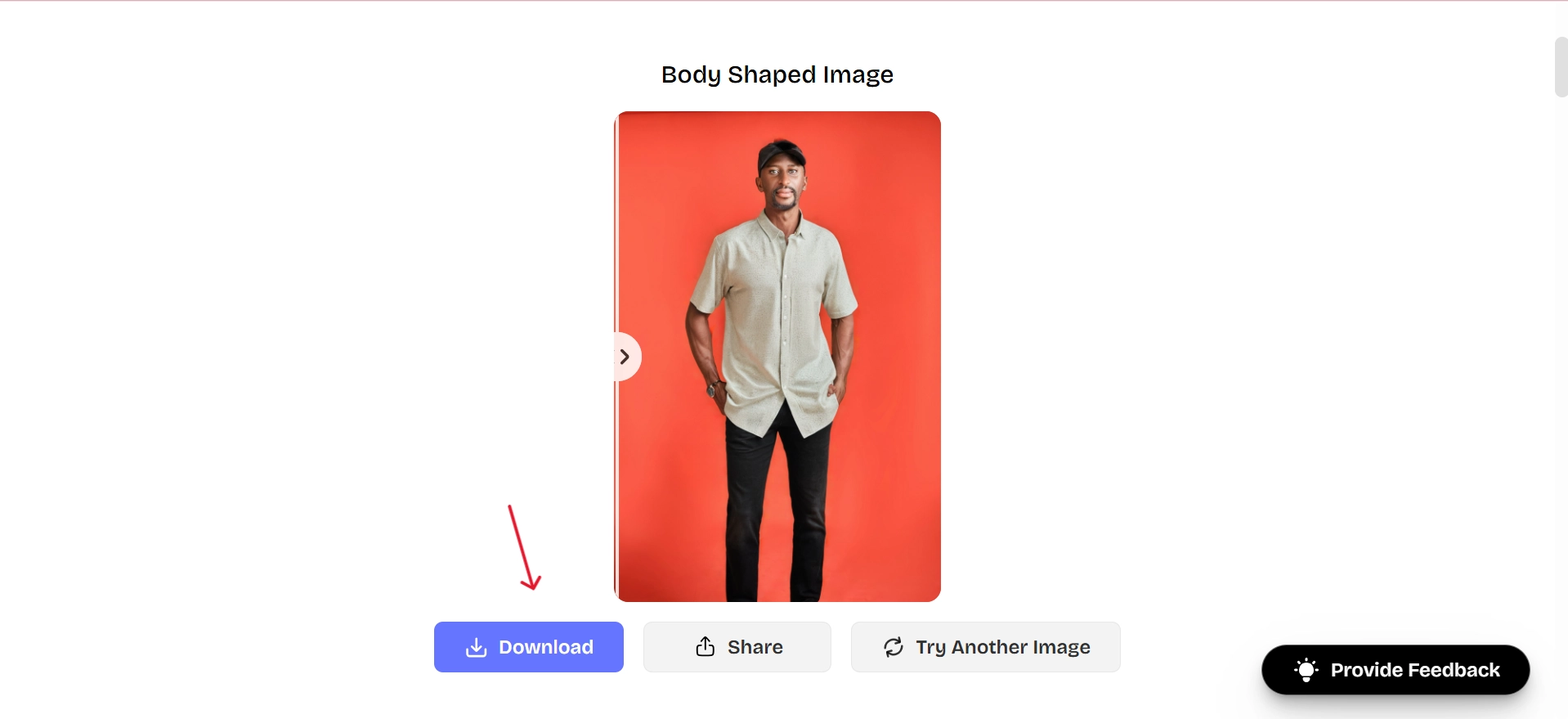
3. Download the final image to save it to your device.
Modelia – Online AI Body Editor App
Modelia offers both automatic reshaping and manual fine-tuning. Its balanced approach lets you choose between AI automation and personal adjustments. I also noticed options for an AI body swap effect, adding a creative twist for themed or fantasy images.
Pros
- Clean and easy-to-navigate design.
- Realistic and natural-looking edits.
- Flexible choice between auto and manual adjustments.
Cons
- Watermarked output in free mode.
- Limited export size in the free version.
- AI automation can sometimes over-adjust proportions.
How to change body shape with it
- Upload your image.
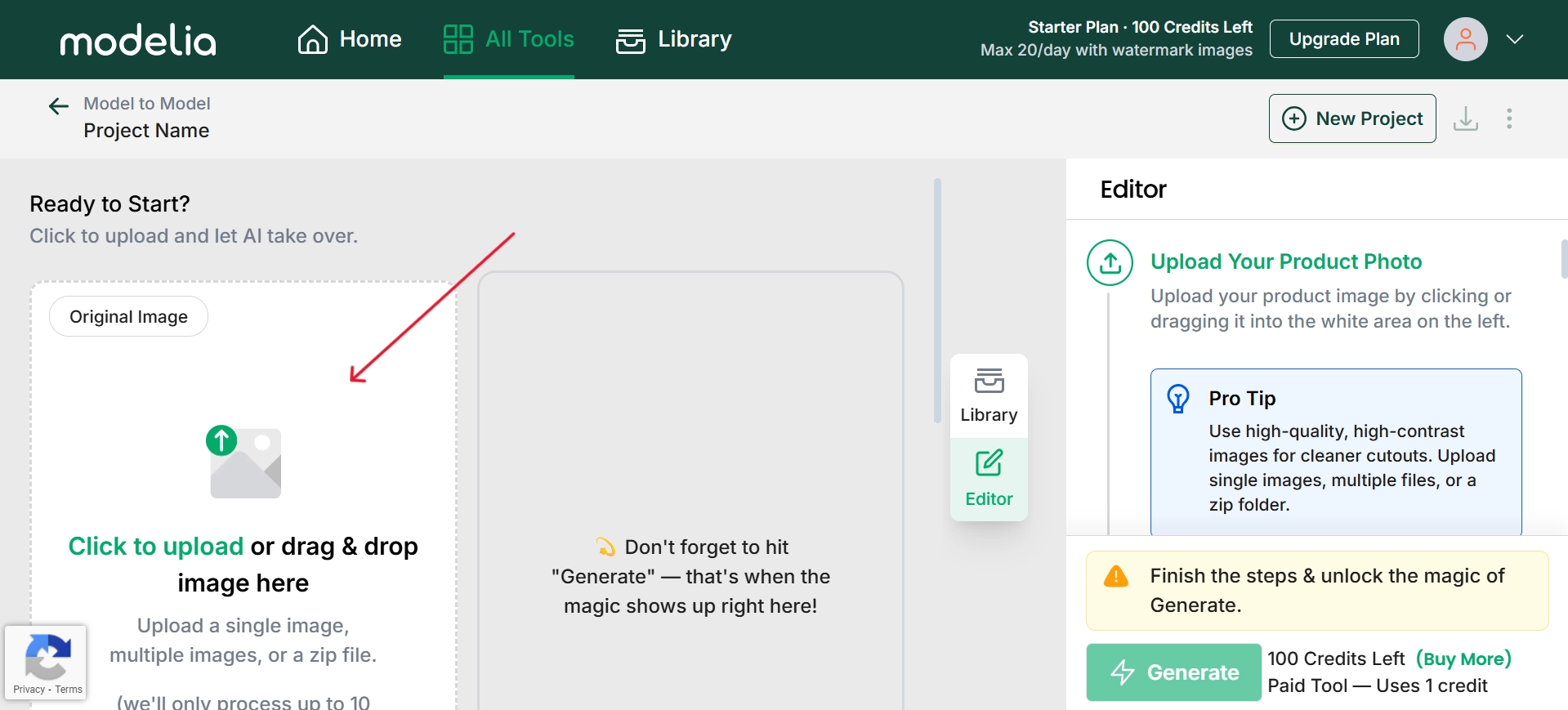
2. In the Editor’s menu, adjust the necessary settings to how you want the person in the image to look, and then click on the Generate button
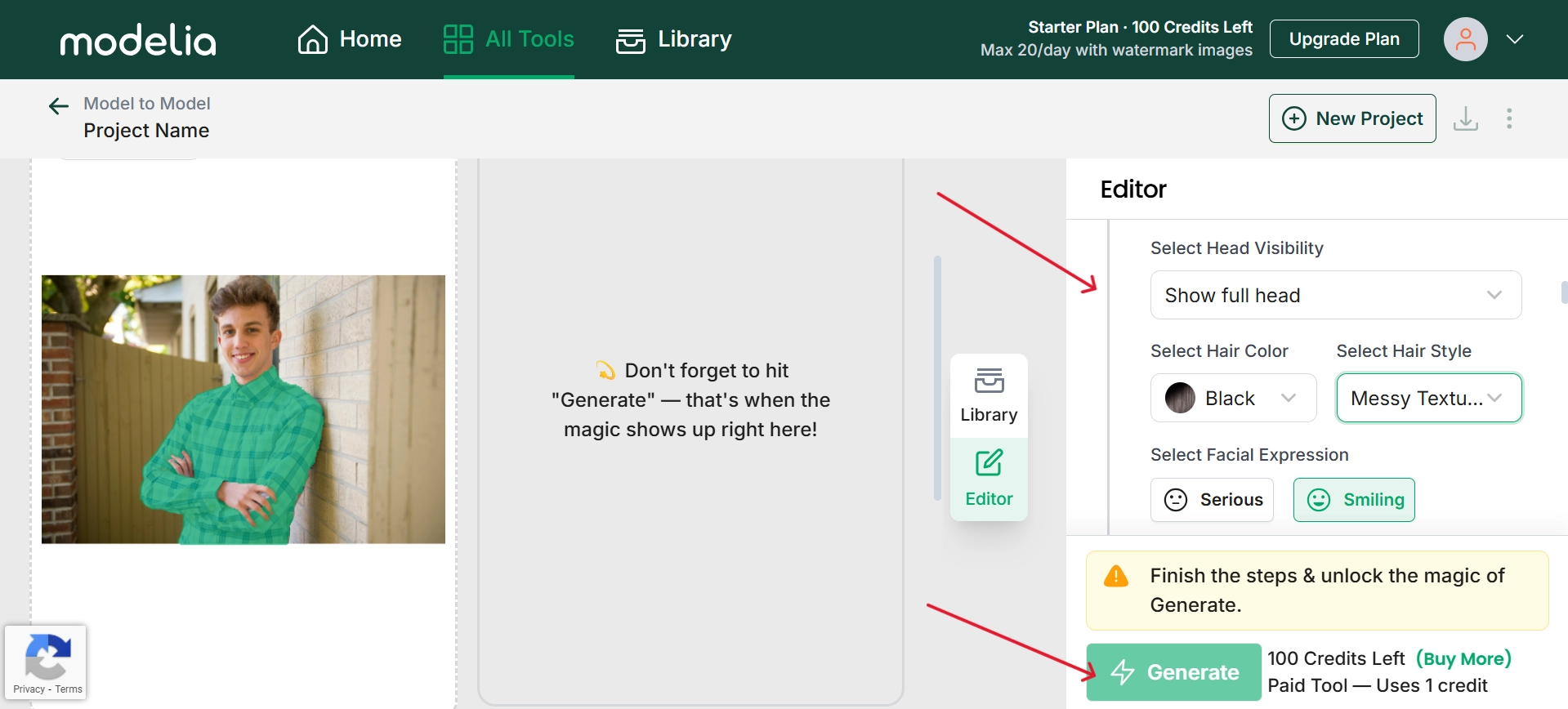
3. Save the finished photo.
2 Best AI Body Shape Editor Apps to Manually Adjust Body Shape
So far, we have checked the automated AI tools to quickly change body shapes. Looking for more precise editing? Here you go, the best mobile apps that give you better control over each individual body part.
YouCam – Change Your Body Shape on Mobile Phones
YouCam delivers mobile-friendly editing with accurate contour adjustments. In my trial, I used the waist-slimming tool and saw an immediate improvement in proportions, natural and smooth. This is one of the easiest ways to learn how to change your body shape using AI.
Pros
- Simple and intuitive navigation.
- Instant previews for quick edits.
- Accurate contour adjustments that look natural.
Cons
- Ads in the free version.
- Slightly reduced image quality in exports.
How to change body shape with it
- Install the YouCam app and click on the “Body Tuner” feature.

2. Upload the Image and do the necessary adjustments like arms, waist, legs etc to change the body shape.
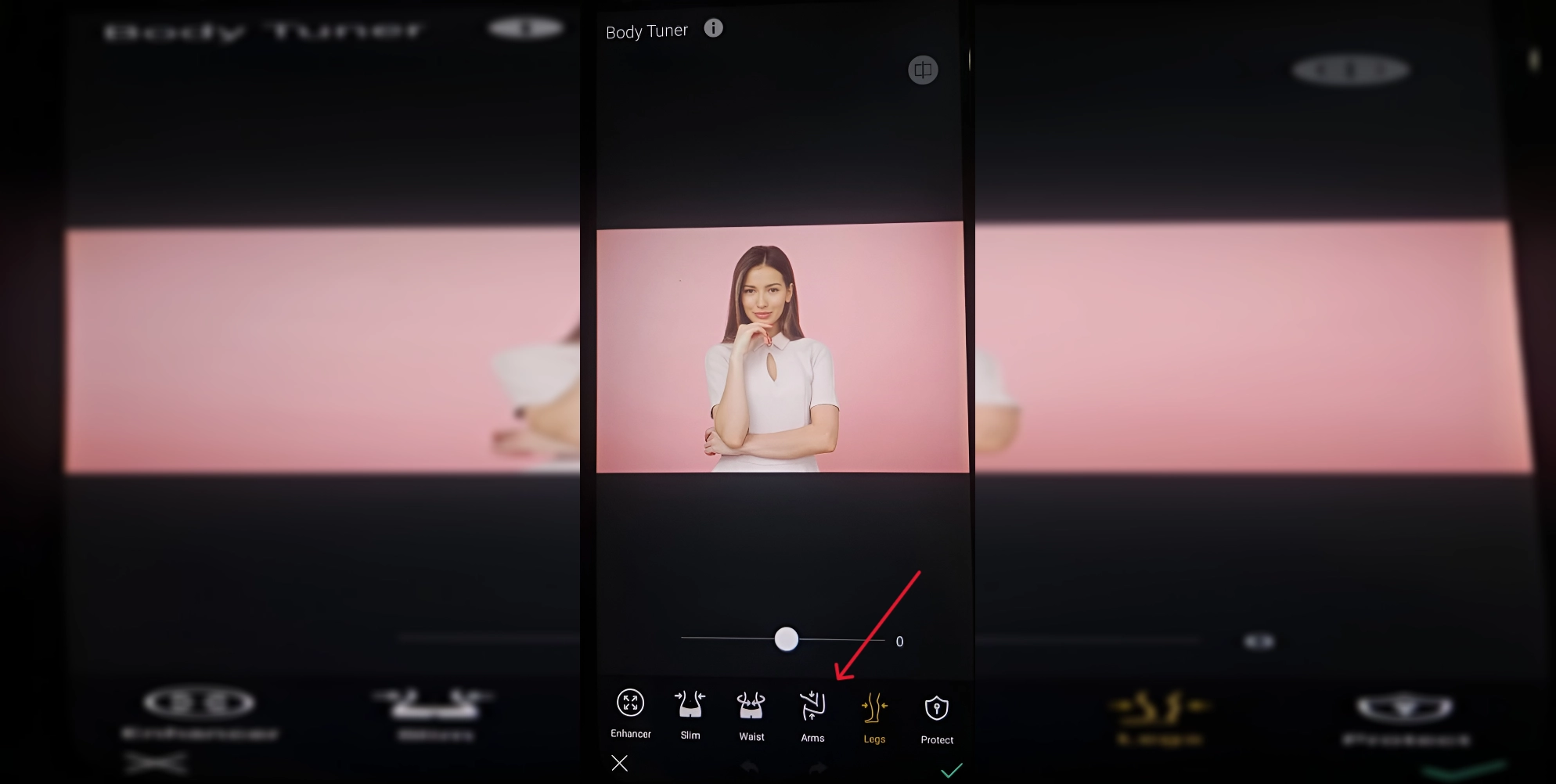
3. Save and share your updated image.
Evoto – Powerful Photo Editor for Face and Body Reshape
Evoto combines facial retouching with body adjustments for complete photo enhancement, allowing the reshaping of shoulders and waist. It’s also compatible with Body swap AI features, giving you more flexibility.
Pros
- Multiple enhancement tools in one platform.
- High-quality, realistic reshaping results.
- Works for both subtle edits and dramatic transformations.
Cons
- Slight learning curve for manual editing.
- Heavier app size compared to simpler editors.
How to change body shape with it
1. Upload your photo to Evoto.
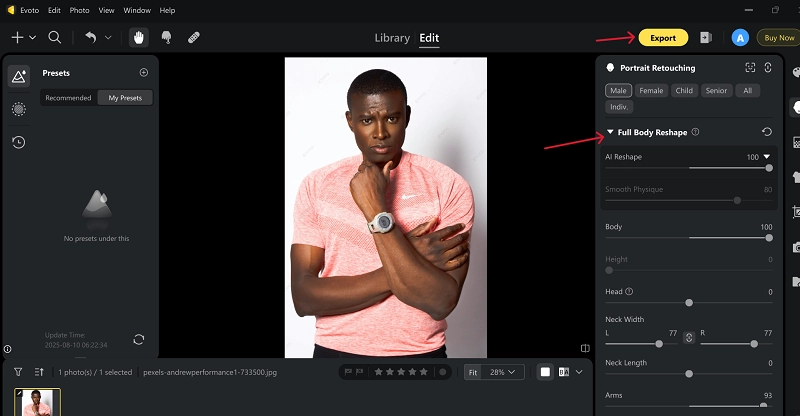
2. Search for the Full Body Reshape Feature.
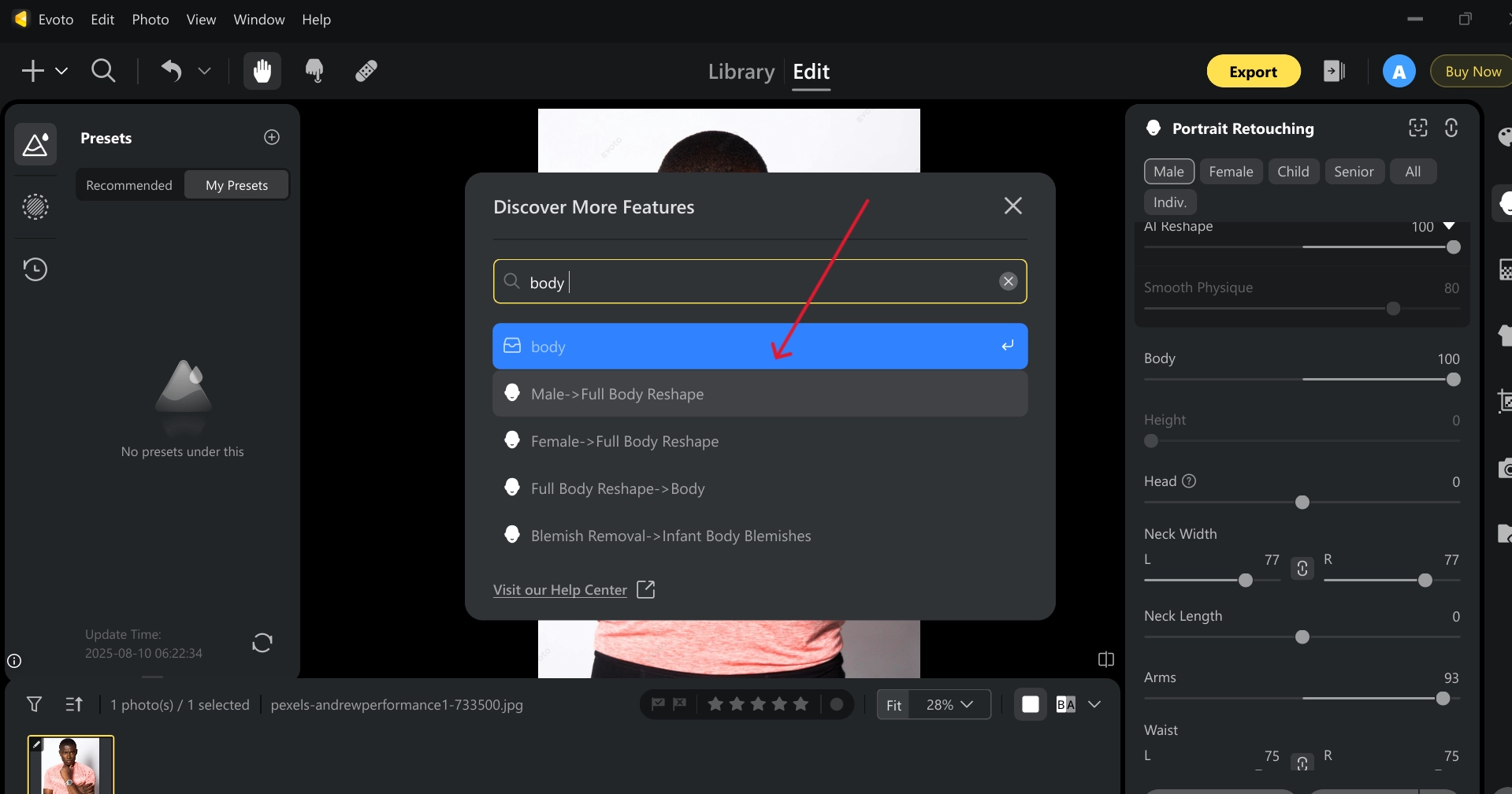
3. Use manual sculpting tools to refine your body under the “Full Body Reshape” menu and export the polished result.
Change Body Shape in Video with Online AI Muscle Filter
If you want to go beyond static images, Vidnoz is a powerhouse platform that integrates Image to video AI technology. It is capable of creating an animation (muscle-boosted video) from still photographs. By applying its AI muscle filter, your image can transform into a motion-ready version with striking definition.
Vidnoz isn’t just about static image reshaping. It also presents enjoyable transformations and the generation of talking photos, which makes inventive edits convenient and addictive. It’s one of the most versatile AI body changer solutions for people who want both static and dynamic effects.
Convert Image to Video AI Online - Free
- Create a video from an image quickly for free.
- Use various AI models to turn photos into videos.
- Download and share the AI-generated video at no cost.
Convert Image to Video
Key Features of Vidnoz Image to Video:
- Effortless AI muscle videos: Instantly upload any image and transform it into a powerful, muscular version of yourself.
- High-level algorithms: Powered by advanced machine learning, the system ensures smooth, natural video flow. These algorithms preserve detail for lifelike transitions, whether for general transformations, paired with an AI body builder tool, or integrated with talking photo online free features for extra creativity.
- Speedy creation: No more long waits, this platform produces complete transformations within seconds. The optimized processing engine works efficiently in the background, allowing you to generate and download your finished video almost instantly.
- High-resolution output: As a key feature of a free AI video generator, you can share results confidently with crisp, detailed quality. The exported videos are professional-grade, ensuring your reshaped physique stands out beautifully on social media, presentations, or any high-visibility platform.
- Creative versatility: Beyond the AI to change body shape function, this tool supports motion graphics, face editing, and stylistic effects.
How to Create an AI Muscle Video with Vidnoz
Step 1. Go to Vidnoz by clicking the following button. Choose AI Tool > Image to Video feature, and upload your chosen image.
Step 2. Go to Video Effects and select Muscle effect.
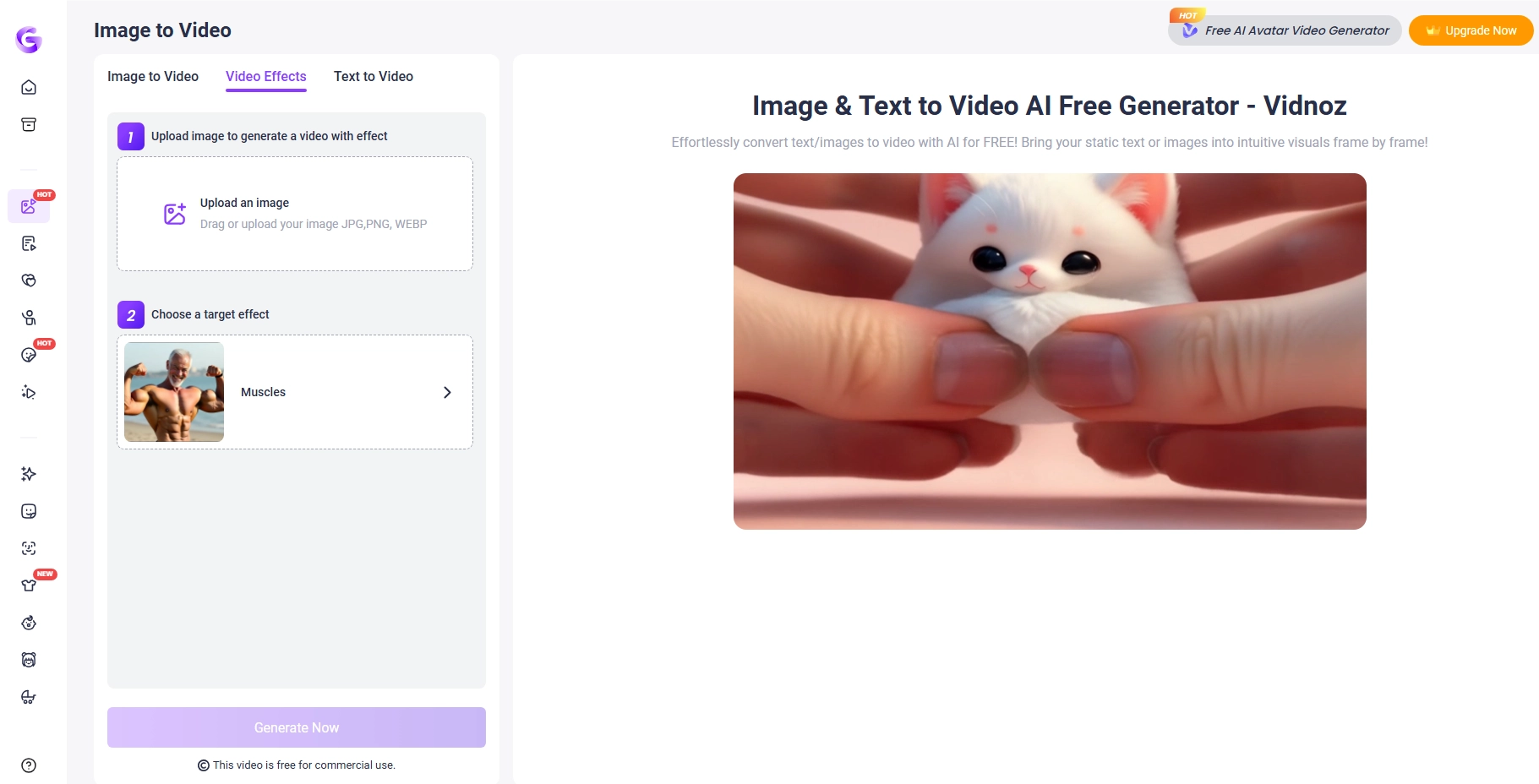
Step 3. Upload your image, generate your video, and download the high-quality result.

The Bottom Line
The digital era has made realistic body reshaping accessible to everyone. From quick online tools to in-depth mobile apps, there’s an AI body changer for every style and need. If you want the ultimate mix of precision and creativity, Vidnoz stands out, offering powerful static edits, animated transformations, and even an AI body swap app feature in one platform. Try it today to see how effortlessly you can transform your visuals.
Convert Image to Video AI Online - Free
- Create a video from an image quickly for free.
- Use various AI models to turn photos into videos.
- Download and share the AI-generated video at no cost.
Convert Image to Video