Image censorship is common and mainly protects data security and privacy in personally shared or public photos. But sometimes, you may want to undo censorship to see the original version. Removing censor from photos doesn't always require hours of careful editing. This article will show you how to do it easily with Uncensor Image AI tools.
These useful tools can effortlessly deal with different types of censorship, from blurred faces and pixelated objects to blocked-out areas. Choose the right censor remover AI tool for your needs and get accurate results in a snap. Learn how to remove censor from image with AI step by step.
- On This Page
-
Common Ways to Censor an Image with AI
-
Remove Censor from Image Online Free: Vidnoz AI Image Censor Remover
How to Uncensor Image Online Free on Vidnoz?
-
Uncensor Image AI Online by Removing Watermarks or Logos
How to Uncensor Photo with the AI Tool?
-
Edit and Restore Censored Photos with Vidmud AI Photo Editor
How to Edit a Photo with Vidmud AI Photo Editor?
-
Uncensor Image AI by Removing the Blur or Pixelated Effects
How to Unpixelate a Censored Image with this AI Tool?
-
Uncensor Image AI by Removing Face Censors
How to Remove Face Censors with this AI Tool?
-
Uncensor Images AI by Adding Missing Elements
How to Extend a Censored Image with this AI Tool?
-
Uncensor Photos with AI to Fulfill These Demands At Your Disposal
-
FAQs About AI Uncensor Image Online for Free
Is there any good uncensored AI image generator?
What is the ultimate AI tool to uncensor photos?
Can I unblur private data accurately with an AI censor remover online?
Could uncensoring images with AI lead to legal issues?
Common Ways to Censor an Image with AI
Before exploring the guides, let’s look at the common types of censorship that an AI image uncensor tool can handle.
- Blur or pixelation: Blurring creates a soft out-of-focus effect, while pixelation covers an area with a grid of squares. Both methods make the censored objects or information unrecognizable.
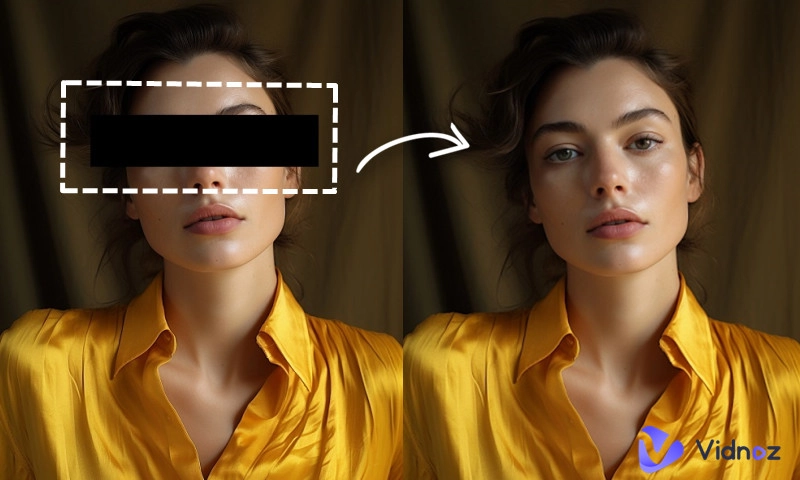
- Black bars: A solid rectangle, usually black, placed over an area of the image to hide sensitive parts and prevent recognition.
- Logos or watermarks: Overlays in the form of patterns, text, or icons that obscure or distract from the original image.
- Missing elements: Sometimes, certain objects or parts of an image are deliberately removed before being shared publicly.
Different AI censor removal tools often specialize in handling specific types of censorship -reconstruct missing details, predict obscured content, or restore a natural appearance. In the following sections, we’ll introduce free AI photo editor tools to help you deal with these common kinds of censored images.
Remove Censor from Image Online Free: Vidnoz AI Image Censor Remover
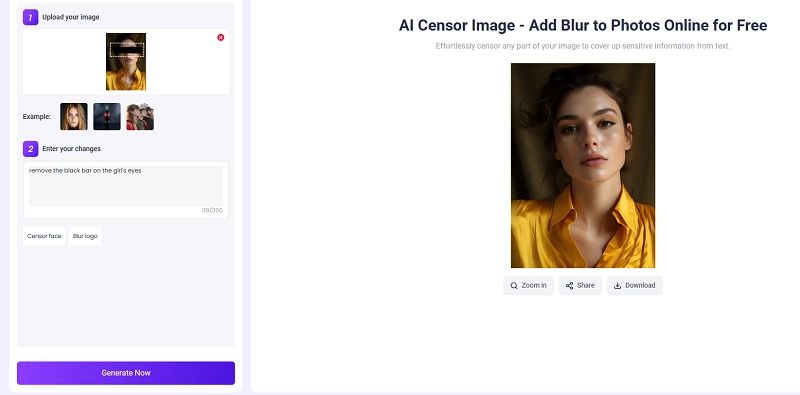
Looking for an AI tool that can intelligently restore images obscured by various visual blocks? Vidnoz AI Censor Image offers a powerful solution. Powered by advanced models like Google Nano Banana, this AI editor can reinterpret blurred or masked areas based on your prompts. Just describe what you want restore, and the tool will generate a clean, visually consistent result
Highlights:
- Remove censor from image online from text descriptions.
- Advanced photo restoration technology.
- One-size-fits-all image uncensor choice.
- Accurate and realistic rendering.
- Creative customization support.
How to Uncensor Image Online Free on Vidnoz?
Step 1. Visit Vidnoz AI Censor Image.
Step 2. Upload the image.
Step 3. Tell Vidnoz how you want to uncensor the image, such as Remove the black bar over the person.
Step 4. Download the complete image generated by AI.
Convert Image to Video AI Online - Free
- Create a video from an image quickly for free.
- Use various AI models to turn photos into videos.
- Download and share the AI-generated video at no cost.
Convert Image to Video
Uncensor Image AI Online by Removing Watermarks or Logos
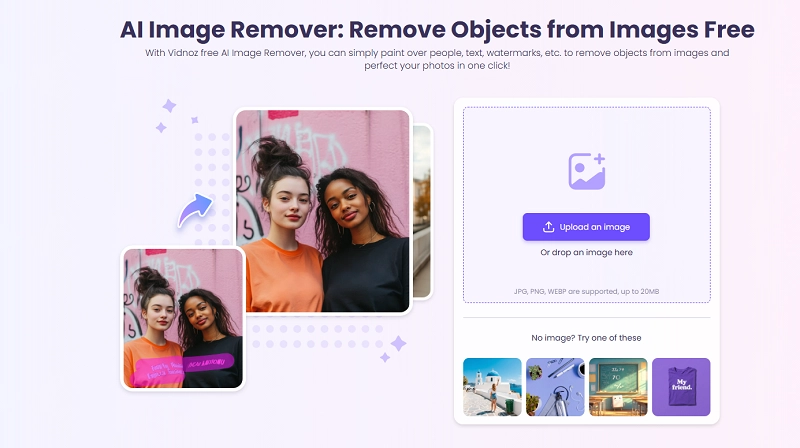
Censored images with embedded watermarks or other symbols may distract your audience's attention from the actual visuals. Now Vidnoz AI Image Remover comes to erase the disturbance right away. This censor remover AI free tool is an expert in removing objects while keeping other elements without flaws. Being loaded with a magic eraser tool, it lets you freely select and remove the undesired content. Its smart AI algorithms will accurately recognize the undesired elements, extract them from the scene, and remedy the image with content awareness.
Highlights:
- Remove watermark, text, icons, and person from an image
- Auto text detection and removal
- Quick brushing tool for selection
- High-quality background rendering
- Free to use every day
How to Uncensor Photo with the AI Tool?
Step 1. Open Vidnoz AI Image Remover on your browser and upload an image.
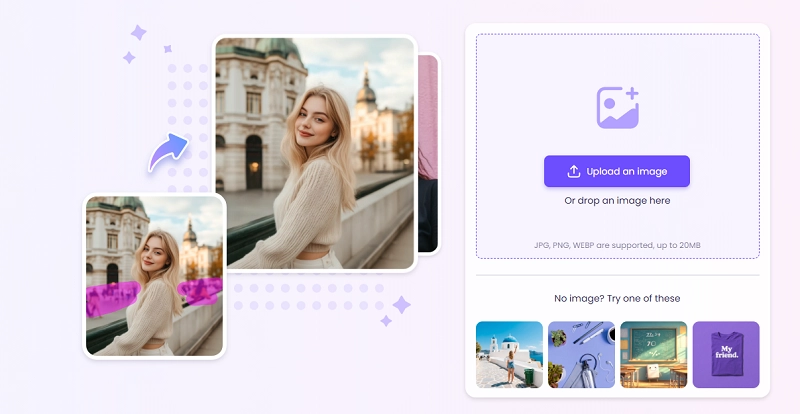
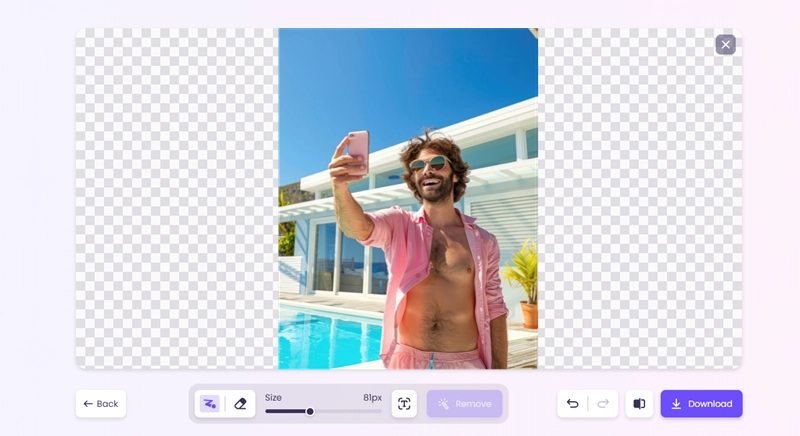
Step 2. Hold the left mouse button and move it to brush the area you want to uncesor. You can adjust the brush size and undo the selection via the ready options.
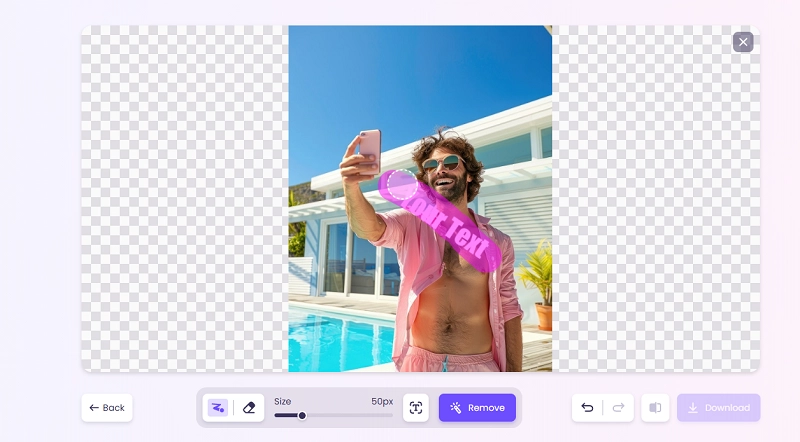
Step 3. When you’re ready, click Remove. This AI tool will quickly analyze the selected area, delete the distractions, and export a high-quality image.
Step 4. Click Download and save the new uncensored image to your device.
Edit and Restore Censored Photos with Vidmud AI Photo Editor
If you want a more flexible way to handle censored or imperfect photos, Vidmud AI Photo Editor Online is another practical option to try. Instead of using separate tools for every small edit, Vidmud lets you upload an image and describe the change you want with a text prompt. You can use it to remove unwanted objects, replace backgrounds, retouch portraits, correct lighting, upscale images, or create a cleaner version of a flawed photo.
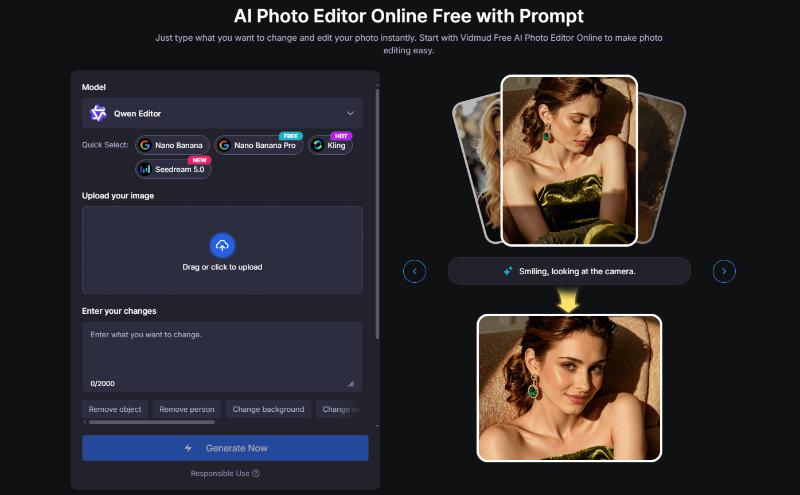
Other than the online version, Vidmud also provides AI photo editing software for Windows users. It runs on your desktop, never stores your materials, and, most importantly, offers many editing features that can be used freely without repeated limits.
Highlights:
- Edit photos with simple text prompts
- Remove unwanted objects, distractions, or visual blocks
- Change backgrounds, improve lighting, retouch portraits, and upscale images
- Use the online version for quick browser-based editing
- Try the Windows version for local photo editing and endless free use of certain features
How to Edit a Photo with Vidmud AI Photo Editor?
Step 1. Open Vidmud AI Photo Editor online or launch the Windows version.
Step 2. Upload the photo you want to edit.
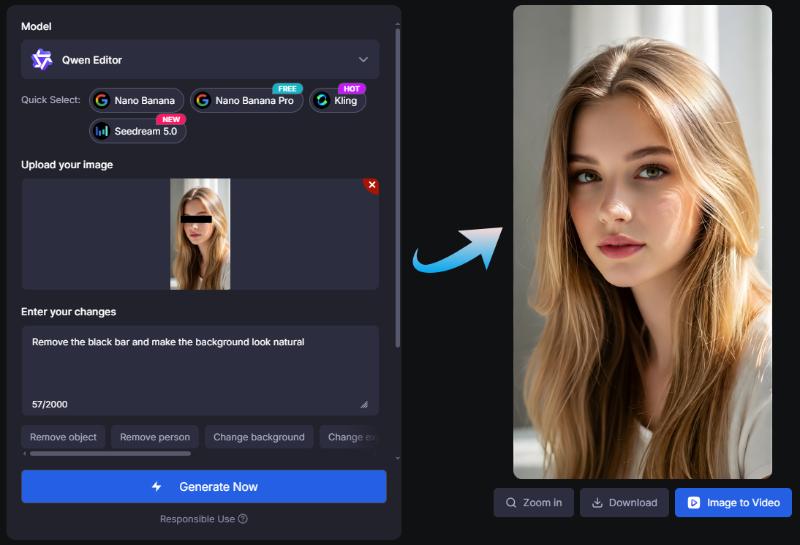
Step 3. Enter a clear prompt, such as “remove the black bar and make the background look natural” or “erase the watermark from the corner.”
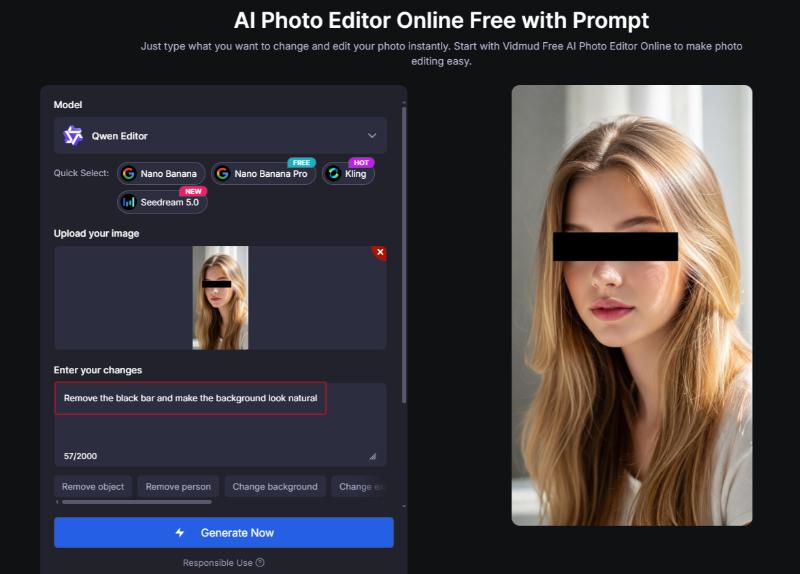
Step 4. Generate the edited image and download the result.
Uncensor Image AI by Removing the Blur or Pixelated Effects
If you are going to deal with blurs or pixelation in an image, you may consider using an AI image enhancer in the first place. Most AI enhancers can improve the clarity and enrich the details of obscure areas. However, if your image is censored with visible blocks or mosaic effects, the options are quite limited. One of the competent options is Bylo AI. Our tests have shown that these tools have strong performance in AI unblurring and AI unpixelation.
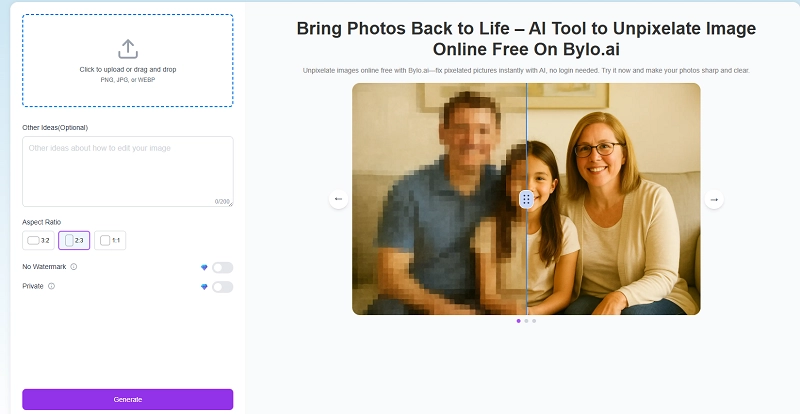
Highlights:
- Support AI decensor and unpixelating image
- Convert an image to landscape, vertical, and square
- Natural-looking HD results
- No sign-up AI image uncersorship
How to Unpixelate a Censored Image with this AI Tool?
Step 1. Go to the Unpixelate Image feature page on Bylo AI.
Step 2. Click the Upload area to import your censored image.
Step 3. Type other changes you want to achieve in the image. Set an output aspect ratio.
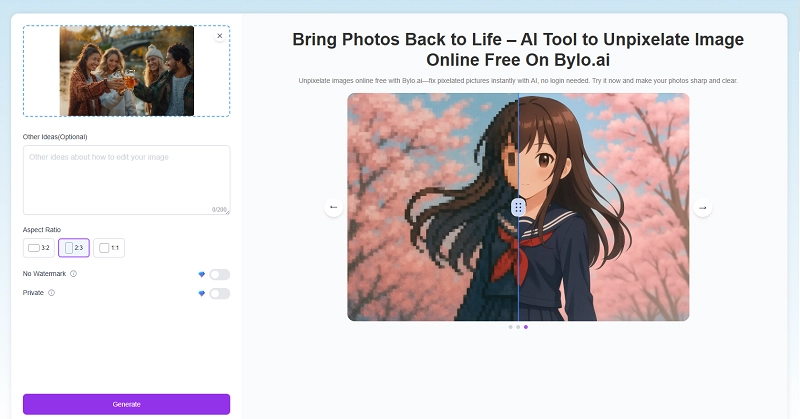
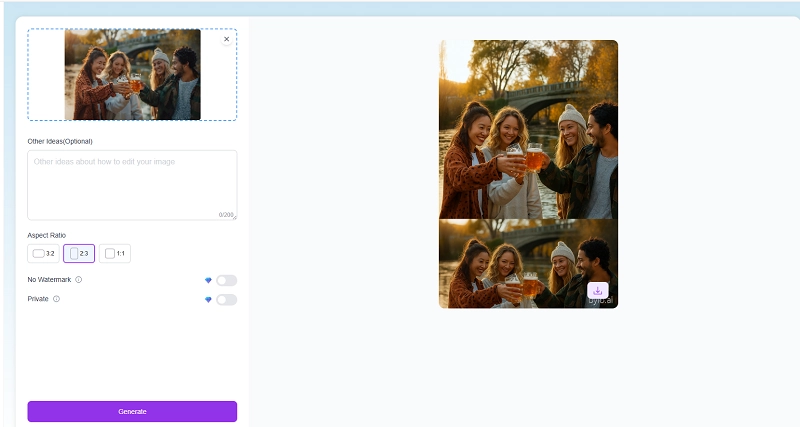
Step 4. It will take a few minutes for Bylo AI to finish the task. The improved image will finally be displayed on the right side. Click Download to get it.
Uncensor Image AI by Removing Face Censors
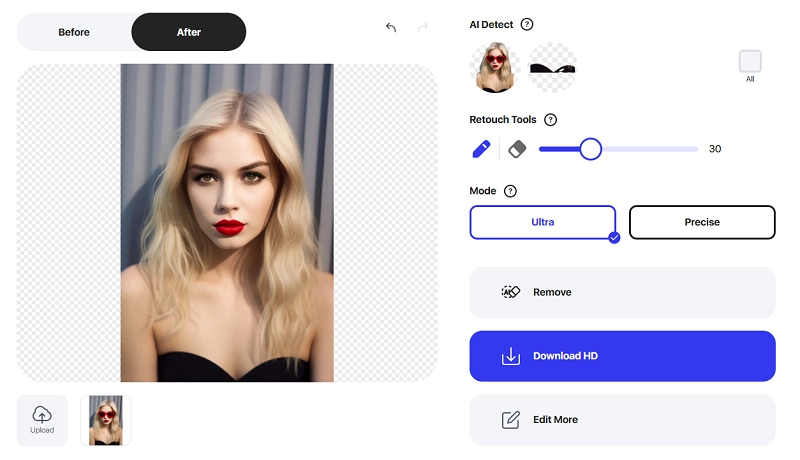
Face occlusions are a common photo censor for hiding individual identity. To undo this type of censorship from a photo, Pokecut AI Censor Remover shows an shortcut. It does well in face replacement. When deleting a censor from a photo, it will fill in the face with accuracy. This online tool is loaded with a smart object removal feature that automatically finds the items that the user may want to delete. Users can also define the uncensored area using its brush tool.
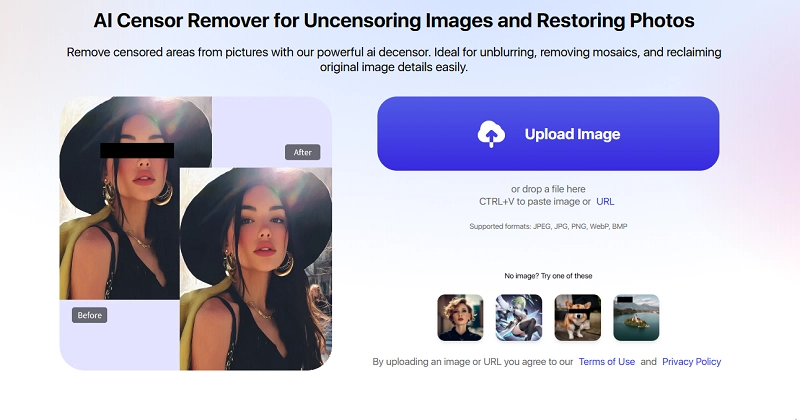
Highlights:
- Remove censors from a face online for free
- Instant AI detection feature that automatically selects censored objects
- Ultra mode that ensures flawless removal and recreates new elements
How to Remove Face Censors with this AI Tool?
Step 1. Upload a local image file or enter an image URL.
Step 2. Move the brush tool to highlight the area you hope to uncensor.

Step 3. Click Remove. You should see the uncensored photo soon.
Uncensor Images AI by Adding Missing Elements
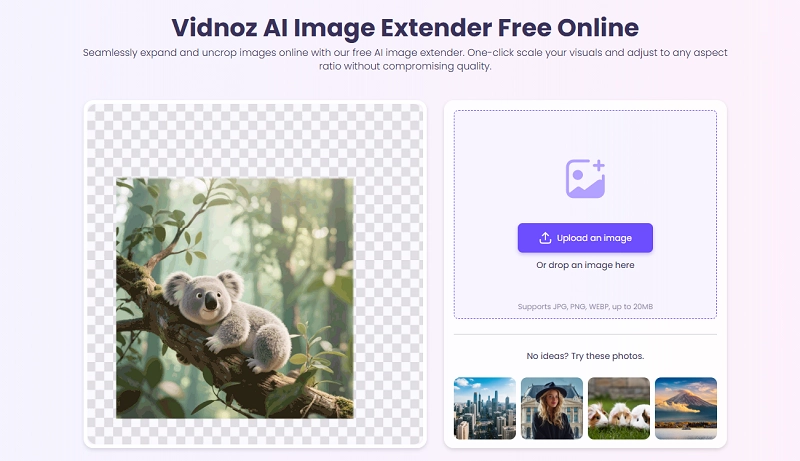
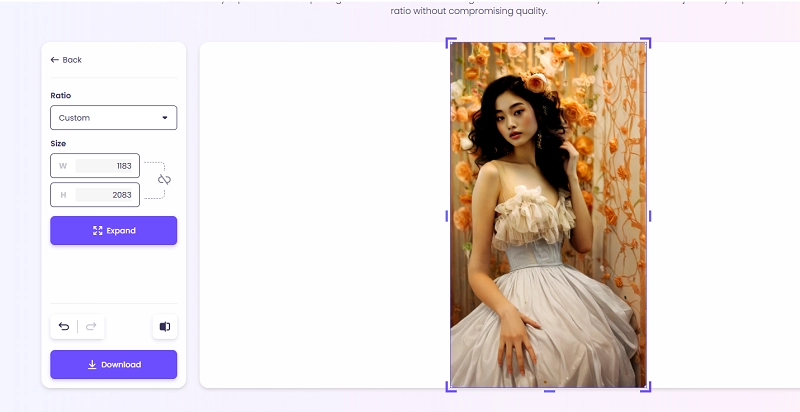
If you come across an incomplete image due to censorship, AI image extension is a smart way to restore missing parts, enhance visuals, and repurpose images for multiple uses. And Vidnoz AI Image Extender is a simple yet powerful online tool for this purpose. Just upload your image, and the AI will expand the canvas and naturally fill in missing details with content-aware technology in seconds.
Highlights
- Extend landscapes, portraits, backgrounds, and more in seconds
- Intuitive, user-friendly layout
- Flexible ways to extend the canvas
- Unlimited free use
- No log-in requirements
- Aesthetic output at superb quality
How to Extend a Censored Image with this AI Tool?
Step 1. Go to Vidnoz AI Image Extender on any browser.
Step 2. Click Upload an image to add your censored content. You will be directed to the editing page. Here, you can drag to define the extension area, select from preset aspect ratios, or input custom width and height values.
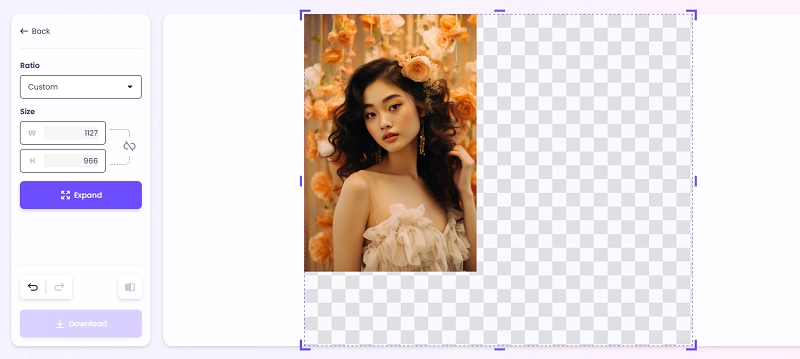
Step 3. When you’re all set, click Extend to initiate AI expansion.
Step 4. Wait a few seconds for the tool to process. Once complete, select Download to save your image. If you wish to extend the image further or add additional elements, repeat the steps above.
Visual content creation becomes more easily on Vidnoz. Go to Vidnoz AI to try AI video generation, human video avatars, AI voice cloning, and more free features quickly.

Vidnoz AI - Create Free Engaging AI Video with Talking Avatar
- Easily create professional AI videos with realistic avatars.
- Text-to-speech lip sync voices of different languages.
- 2800+ video templates for multiple scenarios.
Uncensor Photos with AI to Fulfill These Demands At Your Disposal
AI censor removers work far beyond bypassing content restrictions. They serve as convenient methods for kinds of image editing needs. Explore some practical examples:
- Restore Flawed Photos: You can use AI uncensoring tools to correct accidental blurs, odd spots, and other unnatural obstructions in photos. Such tools are especially efficient when you need to restore an old photo.
- Fill in Missing Elements: Image censors often break the continuity of a story. With an AI censor removal tool, you can effortlessly uncover hidden areas and recreate natural details, making the image feel whole again.
- Aesthetic Exploration: Frustrated by annoying occlusions that reduce the appeal of your visuals? An AI remove censor tool offers an easy solution. It replaces censors with natural elements consistent with the original image so that you can unlock more creative potential.
- Unblock Restricted Content: If you hope to unblock censored images with sensitive body parts or controversial content, using an AI uncensor tool free is an ideal way to get closer to the complete view.
- Experimental Tests: Feed your full curiosity with AI image censor tools! Experience the power of new technology for creative video editing. With free online access, you can easily generate uncensored versions of any input image.
FAQs About AI Uncensor Image Online for Free
Have more questions about uncensoring images with AI? Look through this part to get inspirations.
Is there any good uncensored AI image generator?
You can use Perchance AI Image Generator or Vidqu AI for unrestricted content creation. Vidqu AI additionally offers AI chatbots that will seamlessly interact with you boldly.
What is the ultimate AI tool to uncensor photos?
While some AI image uncensors claim to provide a one-size-fits-all solution, they often fail to deliver consistent quality across all types of censored images. It’s recommended to choose the right tool for each specific type of censor.
Can I unblur private data accurately with an AI censor remover online?
It depends on how blurred the image is. For lightly blurred images, AI can predict the hidden content with higher accuracy. However, if the image is covered with opaque colors, data restoration through AI becomes impossible.
Could uncensoring images with AI lead to legal issues?
Whenever you restore or modify an image, ensure you own the copyright or have permission from the original owner. If you plan to share it online, make sure to follow the platform’s content guidelines. By following these practices, you should be able to uncesor images without any potential risks.
The Bottom Line
Uncensor Image AI is a creative way to make your content adapt for more projects and platforms. No matter which type of censored image you are going to enhance, this article has shown good censor remover tools and tricks that keep the process going smoothly. Pick the right tool for your images, and show the complete view magically!
Vidnoz AI - Create Free Engaging AI Video with Talking Avatar
- Easily create professional AI videos with realistic avatars.
- Text-to-speech lip sync voices of different languages.
- 2800+ video templates for multiple scenarios.