When taking your podcasting seriously, identifying the best podcast editing software is one of the most essential aspects of your time level-up of your podcast. The correct tool will assist you to cut errors and balance audio, even effects, and even remix your content into a video clip. There are numerous platforms, and it might be too timid to decide the best.
Here, we present you with a list of the best editing software for podcasts dependent on various factors in the section, followed by an honest explanation in which some software strengths are included, and it is up to you to make sure that the recommended features align with what you need to accomplish in podcasting. Hang around, as by the conclusion, you will find out about what is the best audio editing software for podcasts in 2026.
- On This Page
-
TL;DR - Quick Summary of Best Podcast Editing Softwares
-
Best 6 Podcast Editing Software Comparison
Alitu: All-in-One Podcasting Tool
GarageBand: macOS & iOS Podcast Editing Software
Zencastr: AI-Powered Podcast Editing
Descript: Text-Based Podcast Editing Software
VEED Podcast Editor: Best for Audio-to-Video Workflows
Podcastle: Best for Long-Form Podcast Creation
-
Bring Your Audio to Video – Create Podcast Clips With AI
How to Create Podcast Clips With Vidnoz AI:
-
FAQ about Best Podcast Editing Software
Q: What is the easiest way to edit a podcast?
Q: What editing software do podcasts use?
Q: What is the best software for making podcasts?
Q: How can I edit a podcast for free?
TL;DR - Quick Summary of Best Podcast Editing Softwares
Best Overall: Final Cut Pro
Best for Long-form Podcast Editing: Podcastle
Best for Audio-to-Video Generation: VEED Podcast Editor
Best for Apple Users: GarageBand
Best for Beginners: Alitu
Best for Text-Based Podcast Editing: Descript
Best 6 Podcast Editing Software Comparison
To choose the best software for podcast editing, the simplest method is to make an overview of platforms, programs, and prices. Compared below are six well-known tools that continue to be listed among the best software for editing video podcasts and audio-only productions.
|
|
Key Features
|
Platform
|
Best For
|
Pricing Structure
|
|
Alitu
|
Automatic editing, publishing tools, templates
|
Web-based
|
Beginners needing all-in-one tool
|
Subscription-based
|
|
GarageBand
|
Multi-track editing, Apple integration
|
macOS/iOS
|
Apple users
|
Free
|
|
Zencastr
|
AI editing, remote recording
|
Web-based
|
Collaborative recording
|
Free & Paid Plans
|
|
Descript
|
Text-based editing, overdub, transcription
|
Cross-platform
|
Podcasters who love simplicity
|
Subscription-based
|
|
VEED Podcast Editor
|
Audio-to-video workflow, subtitles, templates
|
Web-based
|
Video podcasters & repurposing
|
Free & Paid Plans
|
|
Podcastle
|
Long-form editing, AI noise removal, transcription
|
Web-based
|
Narrative podcasts & storytelling
|
Free & Paid Plans
|
As you may notice, the tools have their individual advantages. As we go further and deeper into what would make them unique and distinctive, you can make a decision about what kind of best podcast editing software suits your needs.
-
Alitu: All-in-One Podcasting Tool
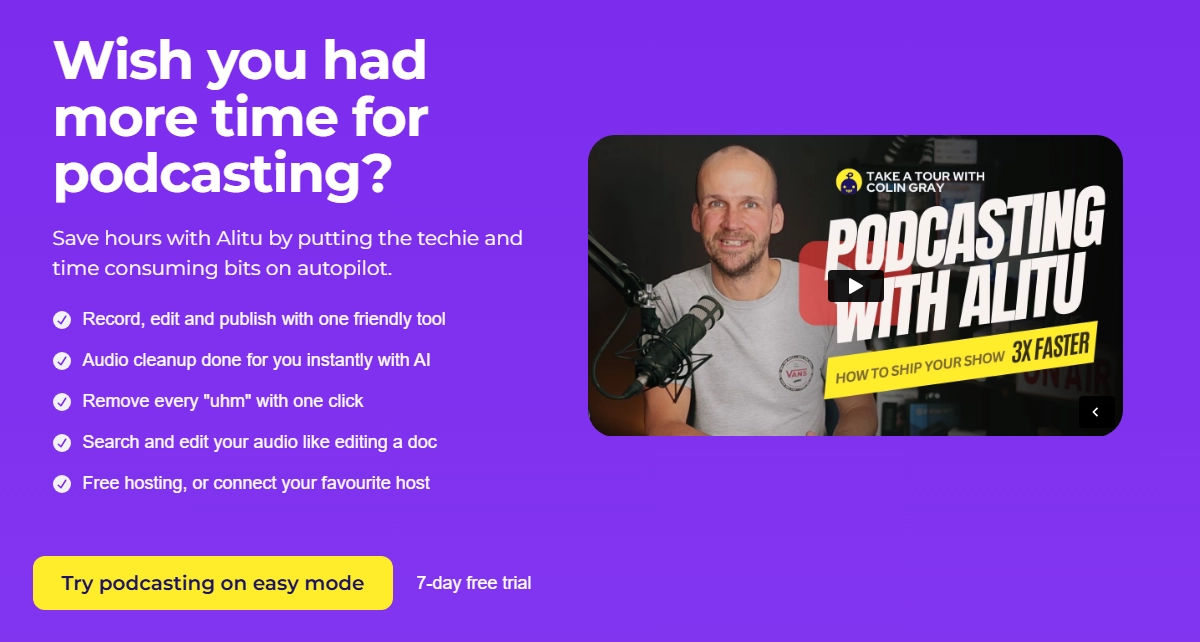
Alitu is intended to simplify the editing among podcasters. Background noise can be removed, and it also provides talking baby podcast, the audio can be balanced, and it can be uploaded straight to hosting sites without any serious technical knowledge (with built-in automation).
Pros
- Automates most of the editing process.
- User-friendly, ideal for beginners.
- Publishing integration saves time.
Cons
- Limited manual control for advanced users.
- Requires subscription, no free option.
Alitu can be a good alternative in case you tend to be in technical stress and need to be given the best editing software for podcasts option.
-
GarageBand: macOS & iOS Podcast Editing Software
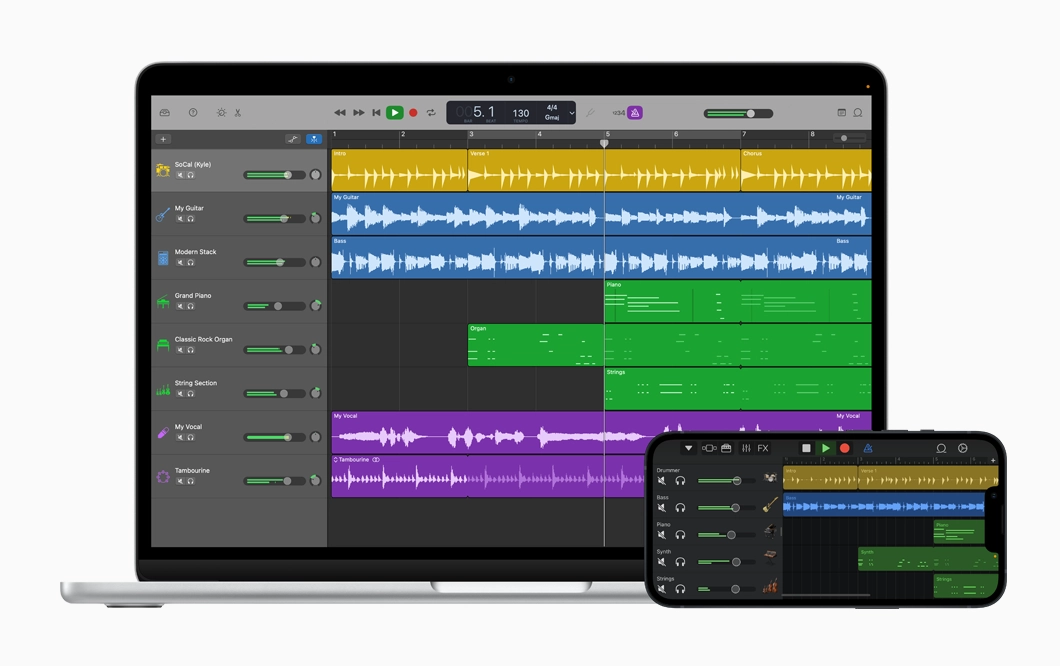
GarageBand is the free music and audio workstation of Apple, and it is even one of the best software for podcast editing on a Mac and iOS device. It also allows multi-track editing, effects and a direct connection with other Apple products.
Pros
- 100% free for Mac users.
- Multi-track capability with pro-level tools.
- Easy Apple ecosystem integration.
Cons
- Not available for Windows or Android.
- Lacks advanced podcast-specific features.
Among Apple users GarageBand is officially still among the best podcast editing software, particularly in case you are only beginning.

Vidnoz AI - Create Free Engaging AI Video with Talking Avatar
- Easily create professional AI videos with realistic avatars.
- Text-to-speech lip sync voices of different languages.
- 2800+ video templates for multiple scenarios.
-
Zencastr: AI-Powered Podcast Editing
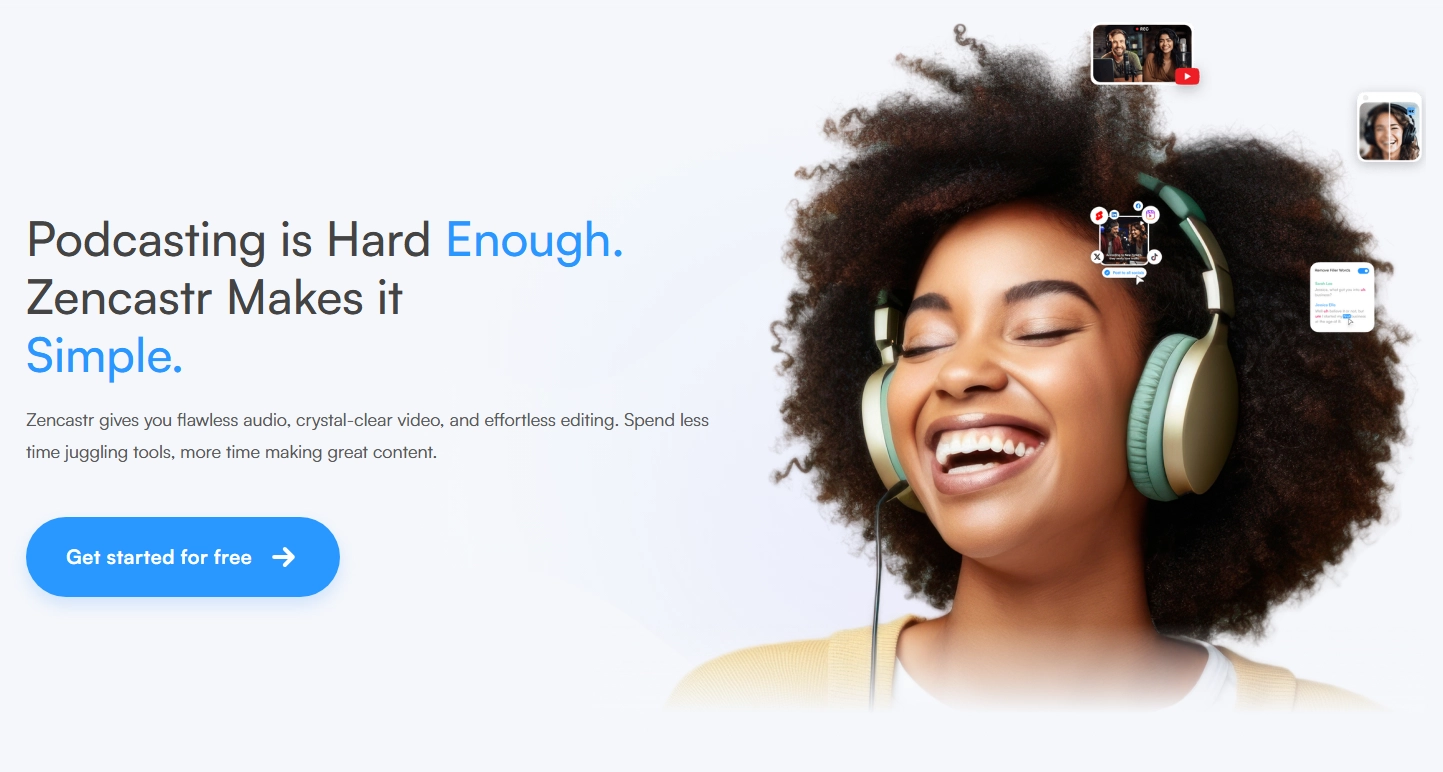
Zencastr is a recording application, initially for remote recording and currently with AI editing like podcast translator. It records locally so that it has high-quality audios, and it syncs and edits automatically.
Pros
- Excellent for remote podcast collaboration.
- AI post-production improves audio automatically.
- Offers both free and premium versions.
Cons
- Best features are locked behind paid plans.
- Learning curve for complete beginners.
Zencastr can be a great fit should you put more emphasis on collaboration and less on podcast editing.
-
Descript: Text-Based Podcast Editing Software
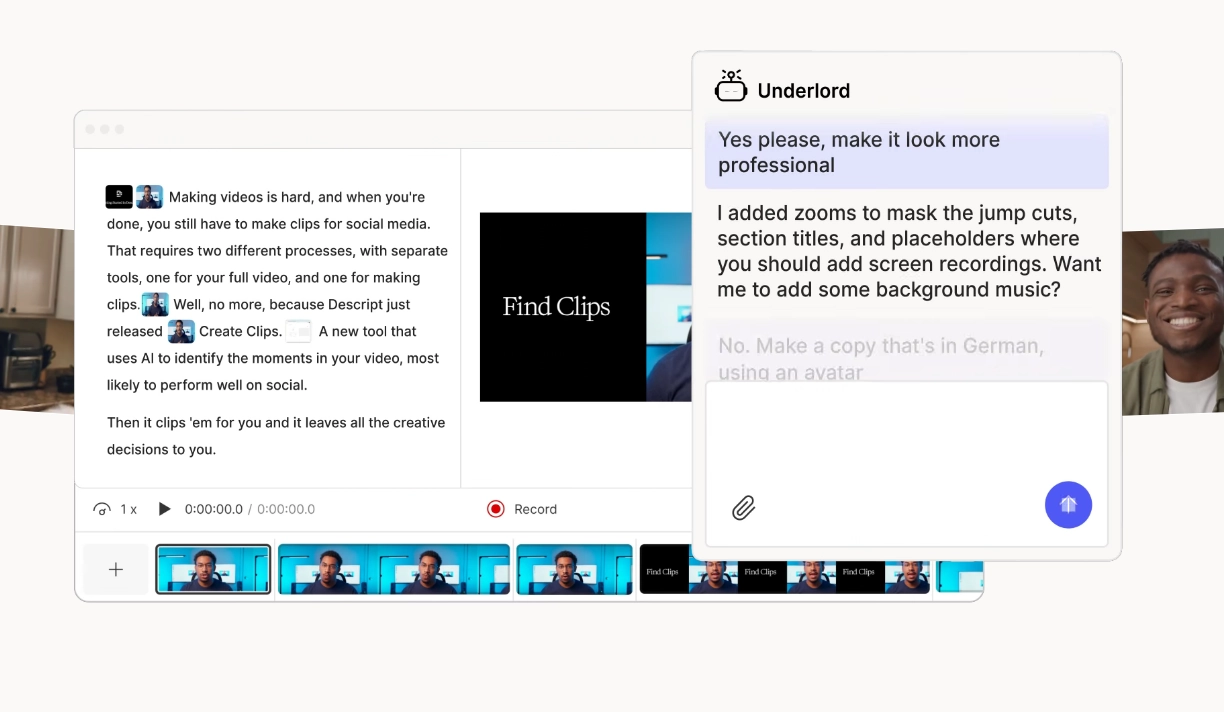
Descript is special in the fact that it allows you to edit an AI podcast channel as you would text. Erase a word in the transcript, and the audio is deleted. It even has an overdub function where you can restart your voice.
Pros
- Extremely intuitive for text-focused users.
- Built-in transcription saves time.
- Overdub feature allows quick fixes.
Cons
- Processing large files can be slow.
- Voice cloning requires careful ethical use.
Descript is the best video podcast software with editing, assuming you operate with both images and audio.
-
VEED Podcast Editor: Best for Audio-to-Video Workflows
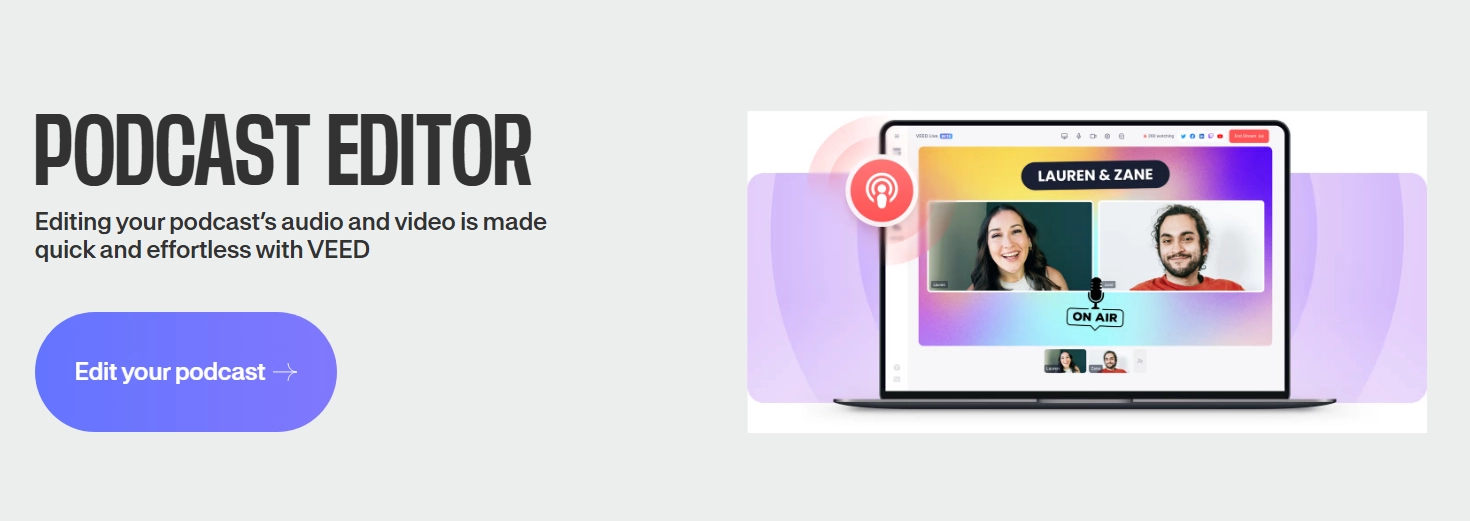
VEED is brilliant in case you want to convert audio podcasts into video. Its podcast templates, subtitles, and branding options make using the tool best suited to content creators sharing podcasts on YouTube, TikTok, and Instagram.
Pros
- Converts audio to video with ease.
- Subtitles and captions are included.
- Intuitive online interface.
Cons
- Some editing functions are limited.
- Internet connection required.
VEED provides both audio and video in case you are trying to consider what is the best audio editing software for podcasts, and at the same time it supports the video component.
-
Podcastle: Best for Long-Form Podcast Creation
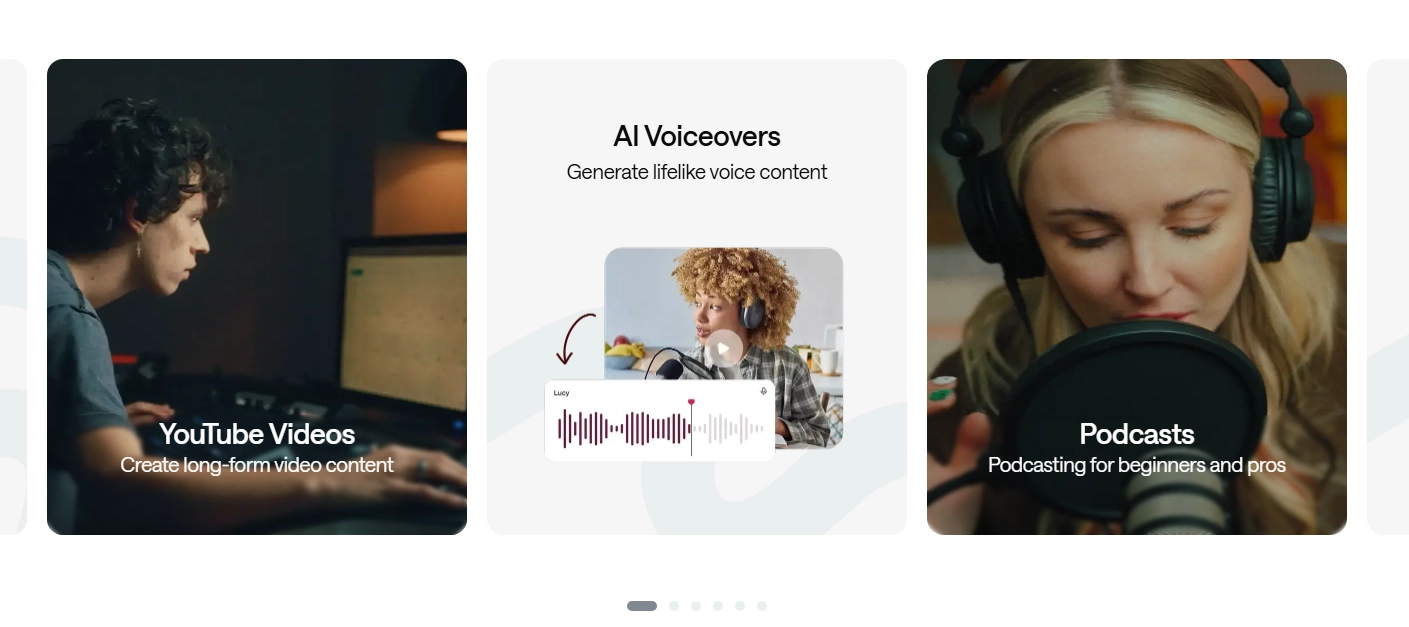
Podcastle is created to cater to professional podcasters in the production of long-form content. It makes complex productions easier with its AI noise removals, multi-track recording, and studio effects of the editing.
Pros
- Excellent for narrative podcasts.
- Offers AI-driven audio enhancements.
- Works directly in your browser.
Cons
- Can feel overkill for simple shows.
- Free version has limitations.
Podcastle is easily one of the best software for editing video podcasts when you’re targeting broadcast-level storytelling.
Bring Your Audio to Video – Create Podcast Clips With AI
When you record podcasts, you understand that recycling content is the most appropriate way of building your following. Podcast clips that are powered by AI enable you to extract the most interesting parts of your audio-based content and convert them into thrilling video content to post on social media. Such tools identify, caption and format the clips automatically saving hundreds of hours of editing.
Create Your AI Talking Avatar - FREE
- 1900+ realistic AI avatars of different races
- Vivid lip-syncing AI voices & gestures
- Support 140+ languages with multiple accents
This free AI video generator, Vidnoz AI, is probably one of the most useful tools in this regard an online service that allows you to make podcast clips in real time. It is an ideal option when you are willing to move past audio and get into video content without having to learn complex editing.
How to Create Podcast Clips With Vidnoz AI:
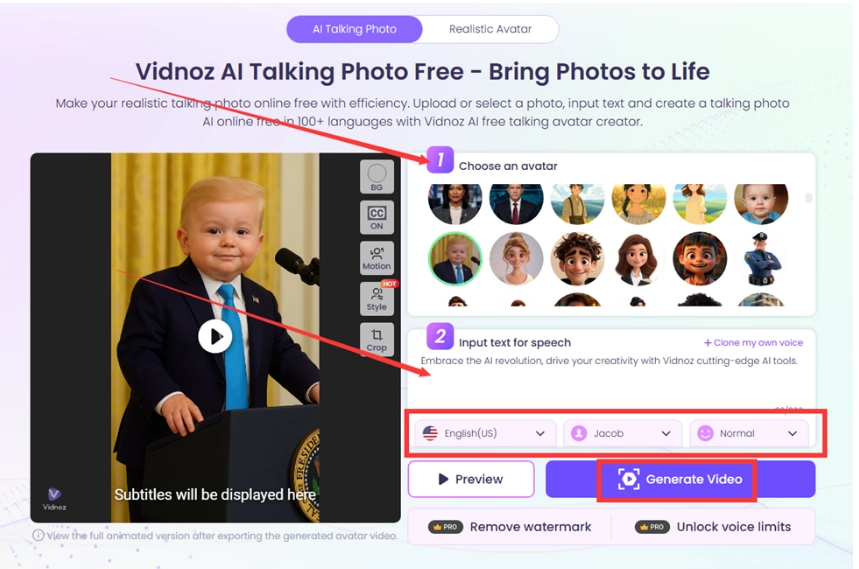
Step 1. Visit the free AI video generator, then navigate to the AI Talking Photo page and upload your audio or video podcast.
Step 2. Let the AI detect highlights and generate clips.
Step 3. Export and share your clips across platforms.
FAQ about Best Podcast Editing Software
These questions may still be unanswered before selecting the appropriate tool. These are brief solutions to the most commonly asked ones:
Q: What is the easiest way to edit a podcast?
A: Tools such as Descript and Alitu make editing easy, which is why they are the simplest to use when starting out.
Q: What editing software do podcasts use?
A: GarageBand, Audacity, or Descript is used by a lot of podcasters, depending on the platform.
Q: What is the best software for making podcasts?
A: Podcastle and Alitu are used in all-in-one production and VEED is used in video workflow.
Q: How can I edit a podcast for free?
A: GarageBand and Audacity can be used as free alternatives with which to edit high quality.
The Bottom Line
The best podcast editing software depends upon your objectives. Alitu is an easygoing person in pursuit. GarageBand cannot be beaten by the Apple users. In case teamwork counts, then Zencastr is a good solution, and the best choice when it comes to textual workflows is Descript. VEED and Podcastle produce excellent results in the case of video integration. You may be looking to find the best editing software for podcasts, the best software for editing video podcasts, or what is the best audio editing software for podcasts is, but you are sure to find what you need. And don't overlook the opportunity of going the next step and reusing content with the help of Vidnoz AI.