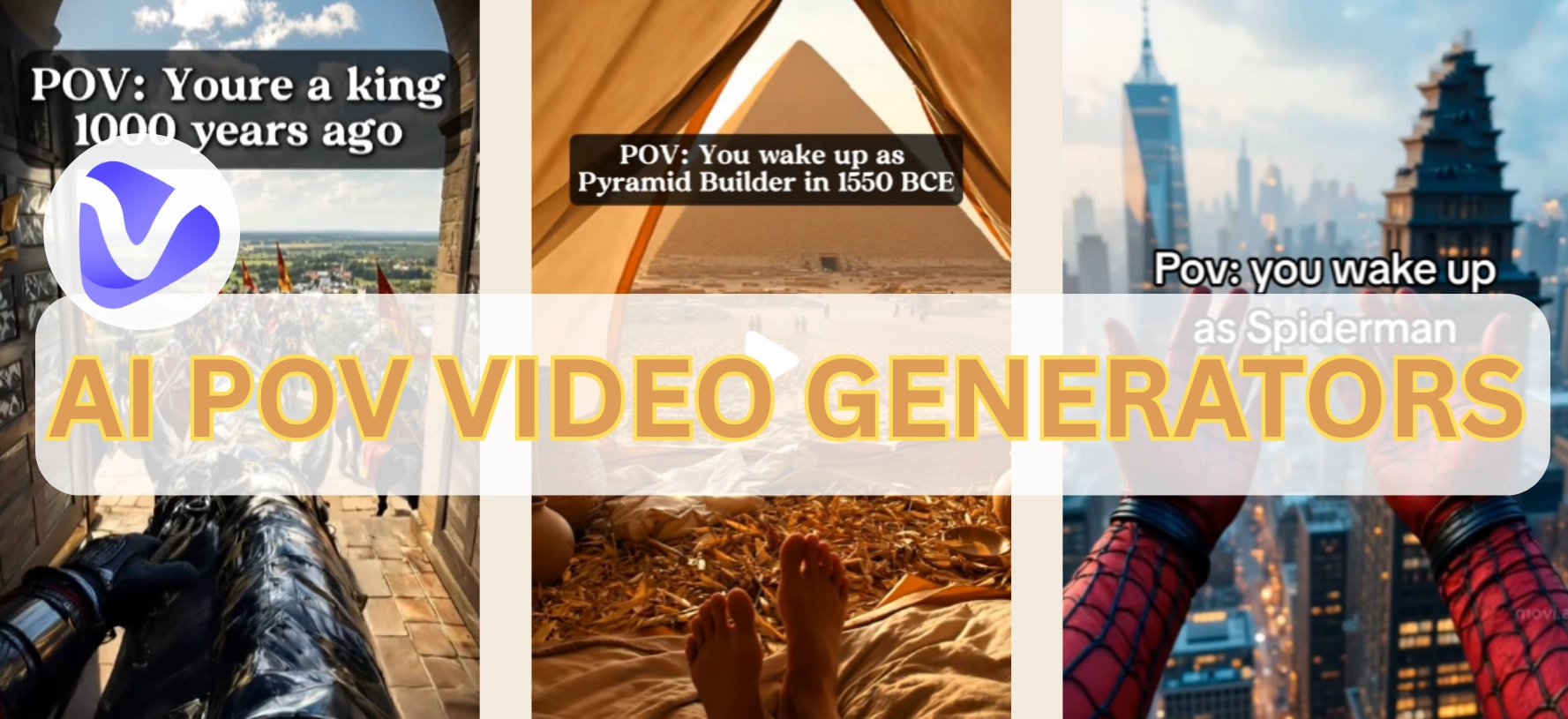
You must stop by such a POV video: a pair of hands placing a single piece of bread on a cracked plate, with a faint sound of a leaky tap in your back. Then, your view slowly moves to reveal a dimly lit room with peeling walls. All scenes appear in your eyes, just like you are really there!
AI POV video generators create engaging first-vision frames to give you an immersive experience. In this article, let's find out how to craft an interesting POV story on your own!
- On This Page
-
What is an AI POV Video Generator?
-
Why Use an AI POV Video Generator?
Popular AI POV Video Examples
-
5 AI POV Video Generators to Make Immersive POV Stories
1. Revid AI: Produce POV AI Videos from Text
2. Kling AI: Generate Coherent AI POV Videos From Images
3. Vidnoz AI: Make Engaging AI POV Videos With Voiceover
4. Hailuo AI: Create Fantastic AI POV Videos in Anime-Style
5. Flexclip: Design AI POV Videos with Impressive Effects
-
How to Make an AI POV Video? [2 Methods]
Solution 1: Directly Create AI POV Videos from Text
Solution 2: Create Smooth AI POV Videos from Image
What is an AI POV Video Generator?
What is a POV video? It refers to “point of view,” a kind of clips in first-person visions that can make viewers feel in a real world. At the beginning, AI POV video creators used many AI tools (from image generators to AI dubbing editors.) So AI POV video generators come in for more smooth POV story making.
What these AI generators do is to streamline from the character building to post-effect rendering (like the animated effects, fitting voiceovers, etc.)
Why Use an AI POV Video Generator?
Like we said before, an AI POV video generator lets you create stories without needing elaborate sets. Beside, it benefits:
- Makes Creative Dreamlike Scenes: AI POV video generators visualize your imaginations as an amazing reality;
- Grabs Attention in a Peep: It pulls viewers into your stories instantly with personal and engaging perspectives;
- Saves Time and Cost: With AI tools, you can skip expensive frame shooting and troublesome editing, while still keeping every clip in high-quality.
Popular AI POV Video Examples
Here are 3 viral POV TikTok examples that win millions of views:
#1. AI POV Video That Records Unique Experience
An elderly woman looks like enjoying her air swim trip in space:
#2. POV AI Video as a Historical Character
What if you lived in Egypt in 1550 BCE and became a pyramid builder:

picture descriptionImage from TikTok @timeportals
#3. AI POV Video about Surreal Concept
Your daily routine in heaven when you’re an angel:

Image from TikTok @flux.forge
5 AI POV Video Generators to Make Immersive POV Stories
There are two ways to create AI POV clips:
- By directly generating POV reels from textual descriptions;
- By transforming still fantasy images into animated POV experiences.
In this part, we will introduce 5 different AI tools deeply:
1. Revid AI: Produce POV AI Videos from Text
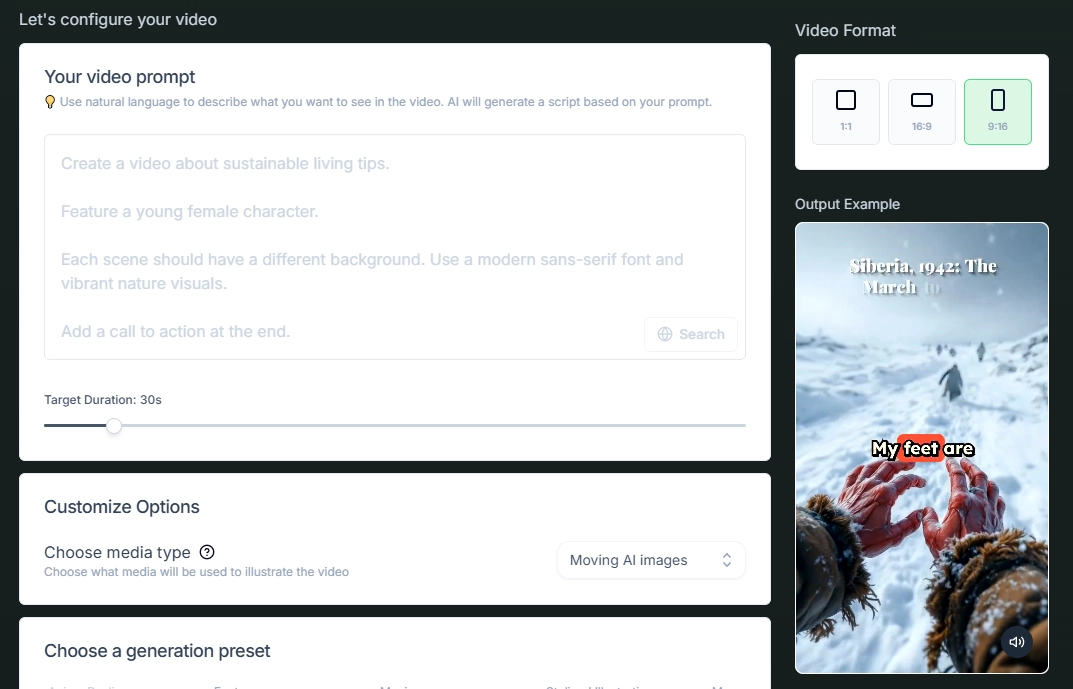
Revid AI is a popular POV video generator for turning scripts into vivid clips. You can choose media types, like moving AI images or AI video, to create captivating AI POV videos. To fully match your needs, it offers diverse models (like anime and photography) to define your videos. So this tool is best for action, fantasy, or historical AI video creations.
However, it requires subscriptions even for POV video downloading and limits long project making.
Cost: (12 credits for a 15-second AI pov video generation)
- Hobby plan: $39/mo;
- Growth plan: $39/mo with 2,000 AI credits.
- Ultra plan: $199/mo with 12,000 AI credits
Key Feature
- Converts into complete AI POV scenes;
- Auto captioning in 30+ languages (Advanced option);
- Smooth content and animation settings;
- Multiple first-person camera perspectives.
2. Kling AI: Generate Coherent AI POV Videos From Images
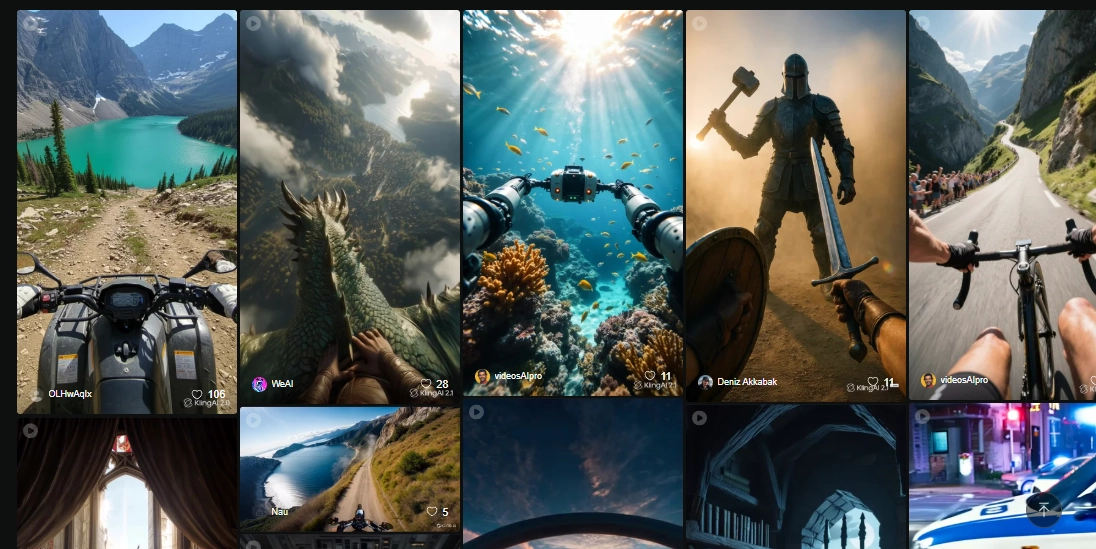
Kling AI is an AI video generator that transforms still images into smooth clips. It will cost more credits for longer clips with sounds, but its proper visual/sound effects make Kling AI a great tool to make realistic AI POV videos.
Generally, it’s great for bringing static shots to interesting AI POV videos, especially for fantasy stories and creative TikTok POV reels.
Cost: (about 35 credits for a 5-second AI pov video generation)
- Basic plan: $0 (limited features)
- Standard plan: $10/mo with 660 credits;
- Pro plan: $37/mo with 3,000 credits;
- Premier plan: $92.99/mo with 8,000 credits.
Key Feature
- Continuous AI POV clip generations;
- Smooth transitions in your AI POV videos;
- Add background music and ambient sound;
- Free to export your AI POV videos.
3. Vidnoz AI: Make Engaging AI POV Videos With Voiceover
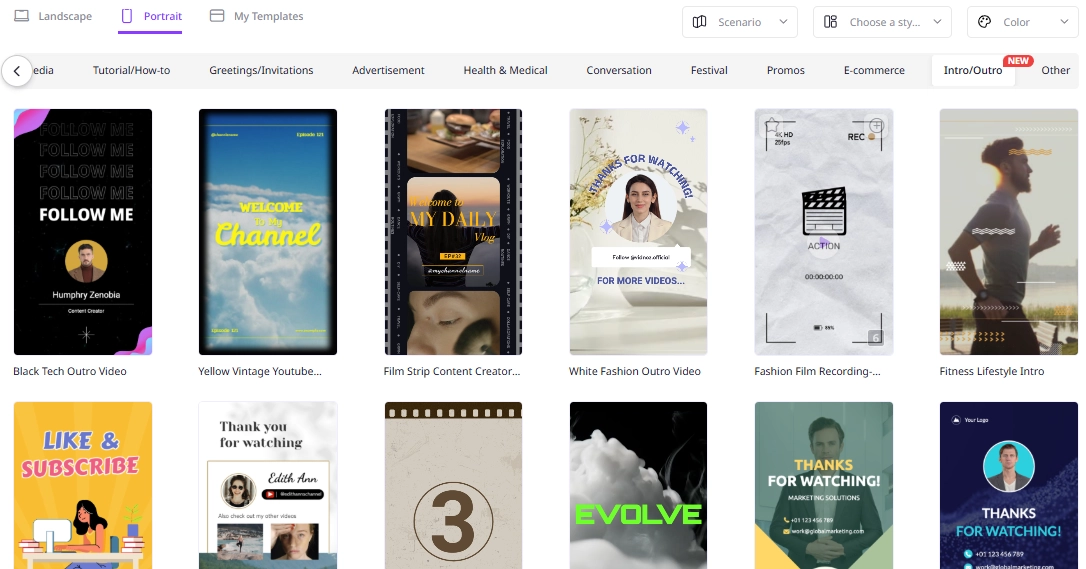
Vidnoz is an free AI video generator that offers sell-structured video templates for diverse purposes. Built for creators who want narration in their creation, you can quickly create POV storytelling videos in minutes with simple operations. Besides vast video templates, this tool also carries an easy dubbing feature, advanced TTS technique, and free automatic captioning/subtitling.
To sum-up, it is best for quick AI POV video edits with easy and practical features.
Cost: (it depends on your video length)
- Free basic plan: $0 (create 3-min videos free per day)
- Starter: $13.50/mo (10-min AI POV video)
- Business: $56.99/mo (30-min AI POV video)
Key Feature
- Built-in AI dubbing for your AI POV videos;
- Thousands of pre-made templates for quick AI POV video edit;
- Multiple AI voices in different styles and tones;
- Edit your AI POV clips frame by frame;
- HD export for free.

Vidnoz AI - Create Free Engaging AI Video with Talking Avatar
- Easily create professional AI videos with realistic avatars.
- Text-to-speech lip sync voices of different languages.
- 2800+ video templates for multiple scenarios.
4. Hailuo AI: Create Fantastic AI POV Videos in Anime-Style
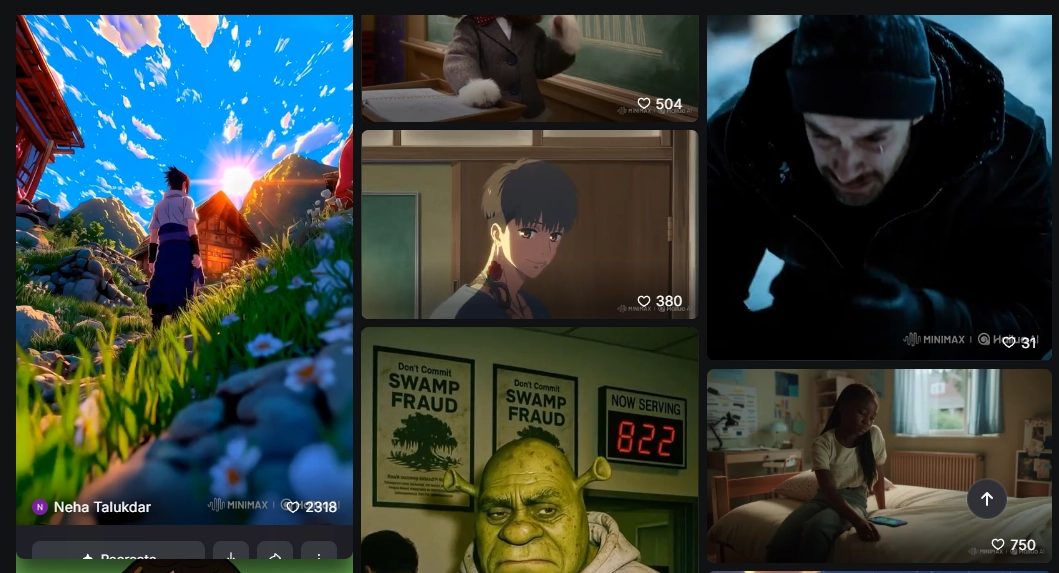
Hailuo AI can generate AI POV videos for anime fans. You can start from scratch with prompts or upload anime art to turn them into POV animations.
The main limitation is that realistic or live-action POV styles don’t look convincing. But it is ideal for creators aiming to produce anime-style POV AI videos.
Cost: (It depends on your POV video length)
- Standard: $19.9/mo with 1,000 credits;
- Pro: $54.9/mo with 4,500 credits;
- Max: $199.99/mo with 20,000 credits.
Key Feature
- Descriptive prompts for AI POV video generations;
- Story-driven scene sequencing;
- Control camera movements in your POV stories;
- Export videos for free.
5. Flexclip: Design AI POV Videos with Impressive Effects
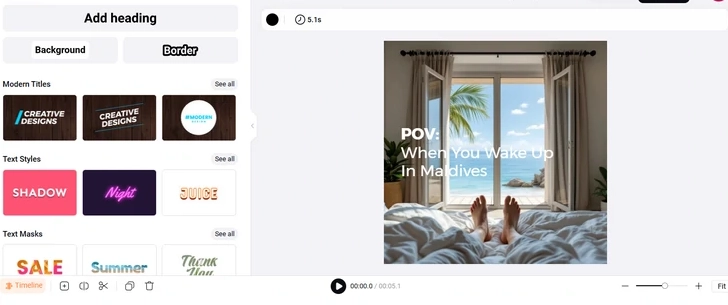
Image source Flexclip.com
FlexClip is an all-in-one AI POV video generator that takes you from image creation to final editing without switching tools. You can start from creating images from prompts and animate them into POV videos.
On the downside, occasional color inaccuracies may require your manual editing. Generally, this tool is perfect for creating AI POV clips quickly with stunning visual effects.
Cost:
- Plus: $19.99/mo with 300 credits;
- Business: $29.99/mo with 800 credits.
Key Feature
- Large library of visual effects and filters;
- Drag-and-drop editing on your AI POV videos;
- Music and audio integration to your POV generations.
How to Make an AI POV Video? [2 Methods]
Below, we will show you how to make an AI POV video using 2 AI POV video generators:
Solution 1: Directly Create AI POV Videos from Text

We will be using Revid AI for the example.
Step 1.Write Prompts
You should describe the scene and action clearly. Here is a sample:
“The freezing wind whips past my face while I peer over the railing, seeing torrents of water cascade onto the deck and into the lower levels. Every sound-the clatter of broken wood, the cries of frightened souls-cements the feeling of impending doom. Angle: First-person POV, capturing every detail from my perspective.”
Step 2.Set Up Preferences
You can choose from video style, duration, and sound effects to match the mood of your story;
Step 3.Click to Generate
Hit the generate button to let the AI bring your ideas to a dynamic video;
Step 4.Make Custom Edits
To tweak your AI POV video, you can adjust colors, add extra voiceovers, or other details;
Step 5.Export the final result
You can preview before exporting:
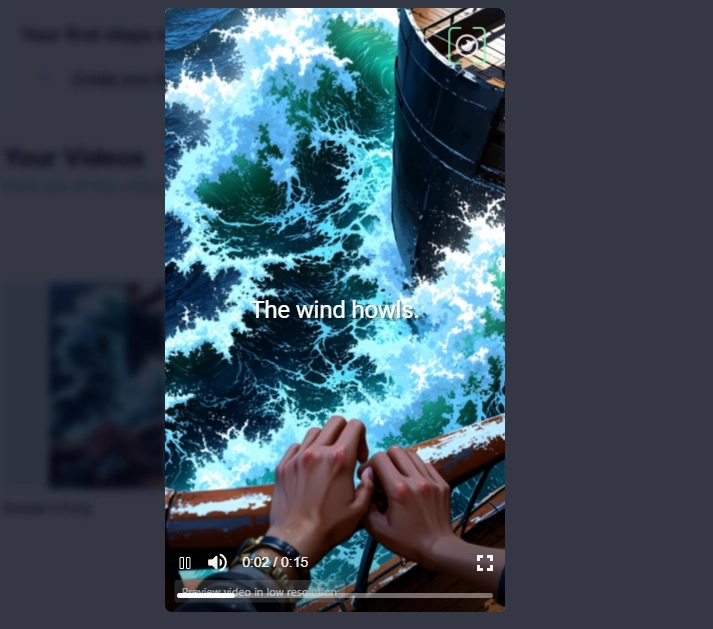
You have to subscribe to export your video.
Solution 2: Create Smooth AI POV Videos from Image
For the second example, we will be using Kling AI.
Step 1.Generate Some Images for Your POV Story
You can use an AI Image generator to create detailed visuals that match your story scenes.
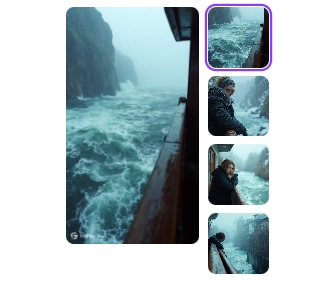
Step 2.Upload Images to Kling AI “Frames to Video” Feature
Import your images into Kling AI to start transforming them into a video:
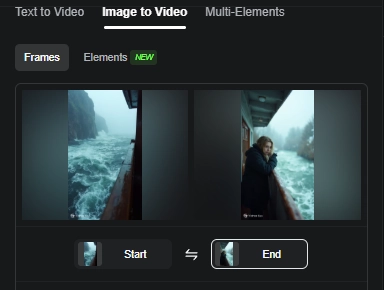
Step 3.Set-Up Generation Preferences
Customize settings like frame rate, transitions, and effects to craft a smooth video. You can write prompt to guide Kling AI:
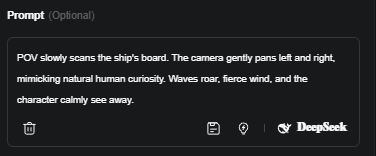
Step 4.Click to Generate
Start the video creation process, which typically takes 3 to 5 minutes to complete.
Finally, you can save your AI POV videos for free!
Conclusion
AI POV video generators enable the flawless creation of POV stories. You can get high-quality results in various styles with affordable costs. Once you use the right AI tool, the process of making captivating POV storytelling videos is simple.
Now, show your imaginations and make fun POV AI stories with Vidnoz!
Vidnoz AI - Create Free Engaging AI Video with Talking Avatar
- Easily create professional AI videos with realistic avatars.
- Text-to-speech lip sync voices of different languages.
- 2800+ video templates for multiple scenarios.