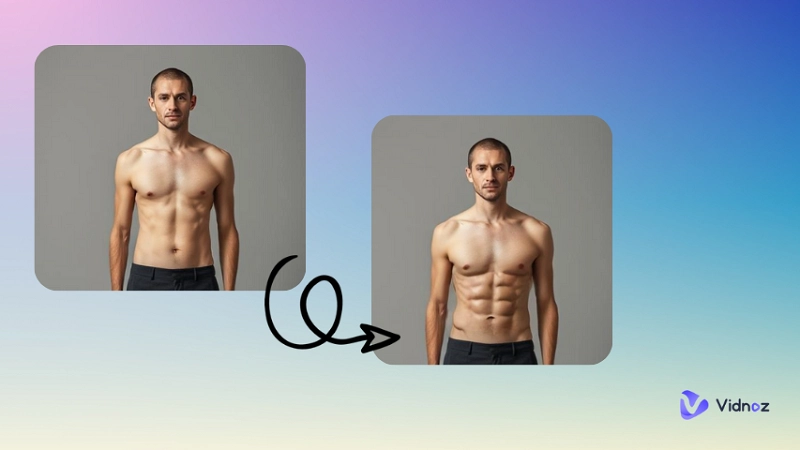
A jiggle video is a short clip where parts of a photo or video move with a fun bouncy motion. It changes a still picture into something energetic and interesting. To make an AI jiggle video, there are many tools you can use online. These tools use advanced artificial intelligence to add natural-looking AI jiggle physics effects to your photos in seconds.
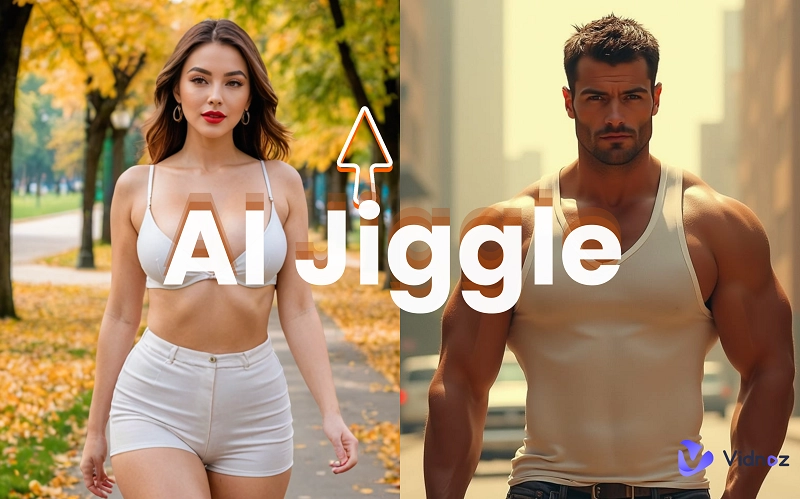
Most AI jiggle tools are free, easy to use, and work in your browser without any downloads. You can pick different jiggle styles, from small moves to big ones, funny bounces, and save your video instantly to share with friends or on social media. In this post, you will learn about 4 good options for this creation.
- On This Page
-
Create a Boob Jiggle AI Video from a Photo Using Text Prompts
How to Create an AI Jiggle Video with Vidnoz Image to Video?
-
Turn Image to AI Boob Jiggle-Up Video Online
How to Create an AI Boob Shaking Video from a Photo?
-
Convert Image to AI Jiggle Dance for Free
How to Create an AI Jiggle Dance?
-
My Money Don’t Jiggle Jiggle AI Dance Generator
How to Apply the Viral Jiggle Jiggle AI Dance Effect?
-
What Can You Create with an AI Jiggle Generator
Create a Boob Jiggle AI Video from a Photo Using Text Prompts
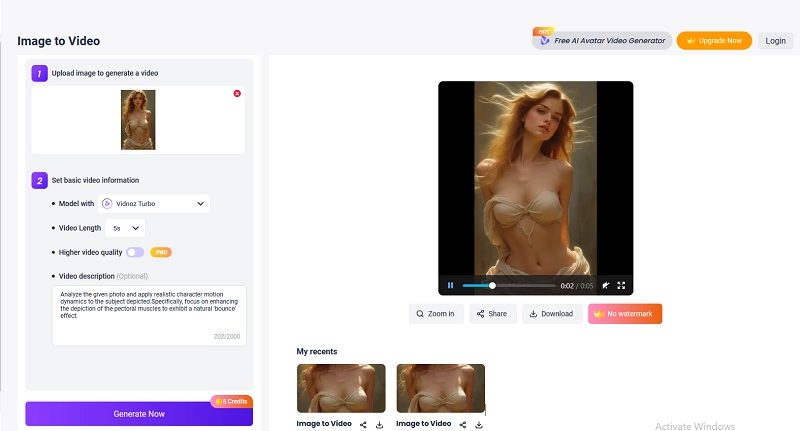
You can convert a photo into a jiggle video using text prompts. Vidnoz Image to Video offers you an easy way to achieve it for free. The AI jiggle generator can transform a still photo into high-quality videos in minutes. Simply add your photo, describe the desired AI jiggle physics effect, set the preferred video settings, and Vidnoz Image to Video will produce a high-quality video of the defined topic.
Convert Image to Video AI Online - Free
- Create a video from an image quickly for free.
- Use various AI models to turn photos into videos.
- Download and share the AI-generated video at no cost.
Convert Image to Video
Features of Vidnoz Image to Video:
- Instant Jiggle Video Creation: You can create fun jiggle AI videos from your photos in seconds, making animation easy and fast without technical skills.
- Hassle-free content adjustments: Vidnoz allows you to personalize the animation effects with simple scripts. It will accurately comprehend the inputs and export the perfect content.
- Smart AI Image to Video Generation: Armed with the latest AI models, Vidnoz promises an automatic process and realistic AI jiggle animations.
- High-Quality Video Export: You can export your finished text-to-video creations in HD quality to ensure professional, sharp, and clear visuals every time.
How to Create an AI Jiggle Video with Vidnoz Image to Video?
Step 1: First, select the “Image to Video” tool.
Step 2: Upload a photo and type the AI jiggle effect you hope to achieve.
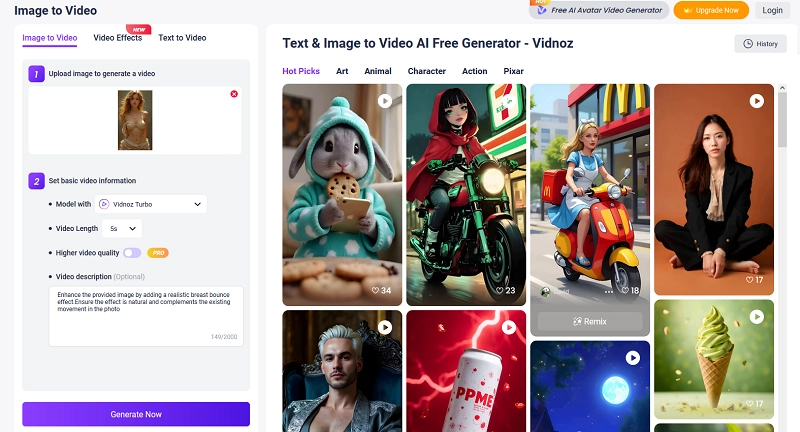
Step 3: Pick a generative AI model and an output video duration.
Step 4: After all the settings, click the “Generate Now” button to complete the process and download your AI jiggle video.
Turn Image to AI Boob Jiggle-Up Video Online
Another fantastic way to create Jiggle videos is to utilize a dedicated AI image to video generator. In this case, ImageMover is the go-to tool to make boob jiggle animations from photos. It is especially for users to add a natural and smooth bounce to boobs in photos. This AI boob jiggle generator makes your pictures move in a fun and sexy way.
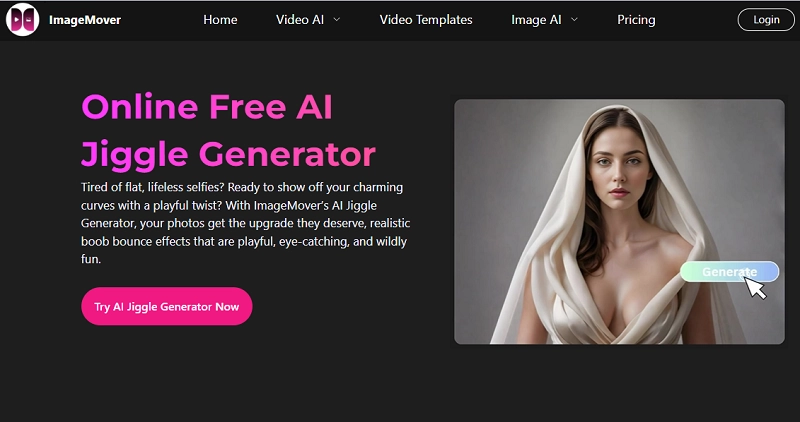
Features of ImageMover
- Natural Boob Bounce Animation: This AI tool creates smooth and real jiggle boobs videos that make photos look natural.
- Perfect for Social Media Sharing: You can make fun and eye-catching clips for TikTok, Instagram, and other platforms. These videos help you get more likes and attention.
- Easy to Use: You only need to upload a photo. The tool quickly creates jiggle animations. No special skills or software are required.
- Fast Video Creation: The AI works quickly and gives you your boob jiggle videos in seconds. It is great for sharing right away and having instant fun.
How to Create an AI Boob Shaking Video from a Photo?
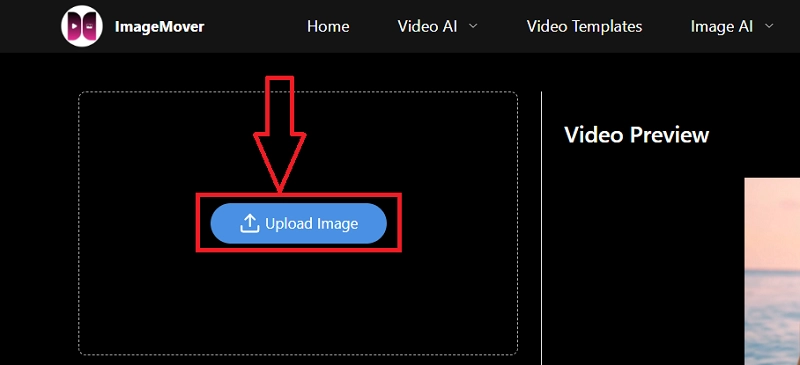
Step 1: Go to ImageMover and select “AI jiggle generator” from the “Video AI” tab.
Step 2: Now, upload your image with a visible face and body.
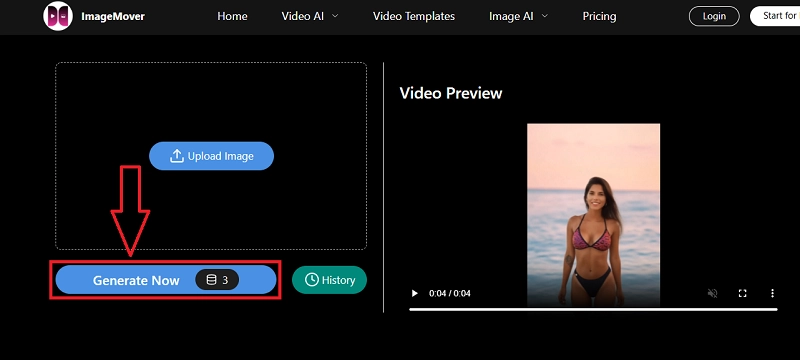
Step 3: After uploading your image, simply click on “Generate Now.”
Convert Image to AI Jiggle Dance for Free
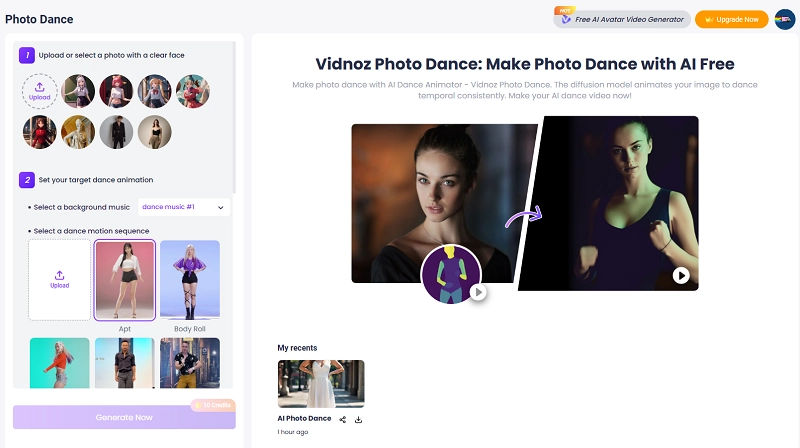
If you want to make your photos dance with smooth and sexy jiggle effects, Vidnoz Photo Dance is a great option. It can turn static images of anyone into fun dance videos, adding a natural bounce to their curves and boobs to make each move in a more eye-catching way.
Vidnoz Photo Dance - AI Make a Photo Dance FREE
- Create a smooth AI dance video from a photo.
- Animate a photo with diverse dance moves.
- Generate and download the video for free in seconds.
Make a Photo Dance Now
Vidnoz Photo Dance has many dance styles, along with different jiggle movements. You can pick soft jiggles for a quick look or upload a custom dance motion style for more creative possibilities. It is best to create entertaining and intriguing videos for social media.
Features of Vidnoz AI
- Batches of dance styles with jiggle animations: You can choose from many dance styles, along with unique jiggle effects, to make your photo move.
- Custom Dance Style Support: If you feel like using a different dance style, Vidnoz gives you full support. Simply upload a new dance and apply the animations to your photo effortlessly.
- Make realistic and anime characters in photos move: This tool enables you to convert still photos of any real people and anime characters into dancing animations with smooth and natural movements.
- Support background music for the AI jiggle dance: You can add your favorite music to match the dance and jiggle effects, to infuse the right vibe.
- Easy-to-use online interface: The process is quick and easy. You can make AI jiggle videos just in your browser without downloading any software.
- Quick processing and downloads: Feel at ease generating an AI jiggle dance in just a few seconds and downloading it instantly for sharing.
How to Create an AI Jiggle Dance?
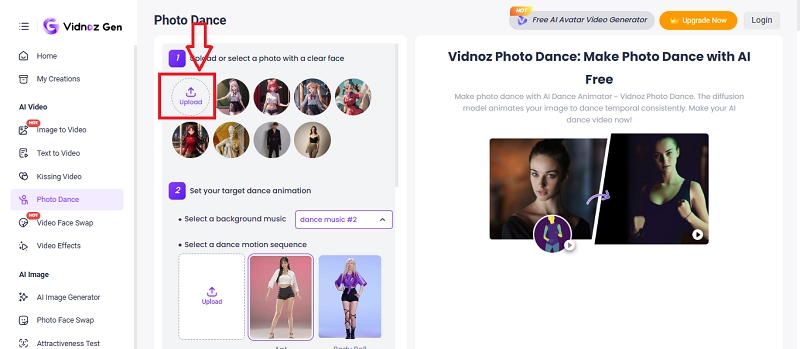
Step 1: Go to your browser and visit Vidnoz Photo Dance. You can also open this tool page from the Vidnoz Gen center. It can be found on the left-side dashboard.
Step 2: Now upload a photo with a clear face visible or select the models appropriate for your jiggle video from the template provided.
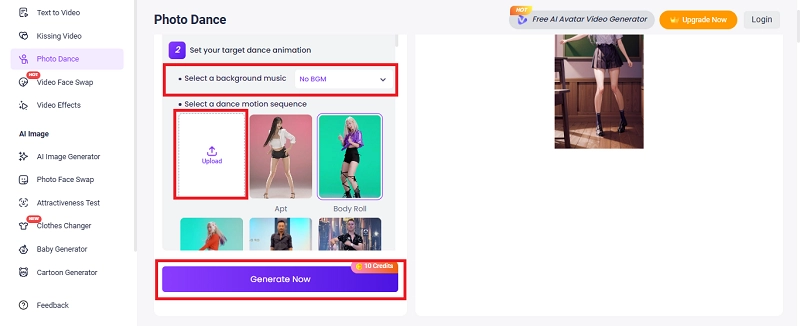
Step 3: Select a dance style and add your wanted background music. You can also upload a new Jiggle dance motion video. After doing all the settings, click the “Generate Now” button.
My Money Don’t Jiggle Jiggle AI Dance Generator
You all must have listened to the song “Jiggle Jiggle” and wondered how to create the perfect jiggle dance video. If it is what you want, now, with PixVerse AI, you can easily make fun AI dance videos using this viral song. The tool adds the special Jiggle Jiggle dance effect quickly and simply.
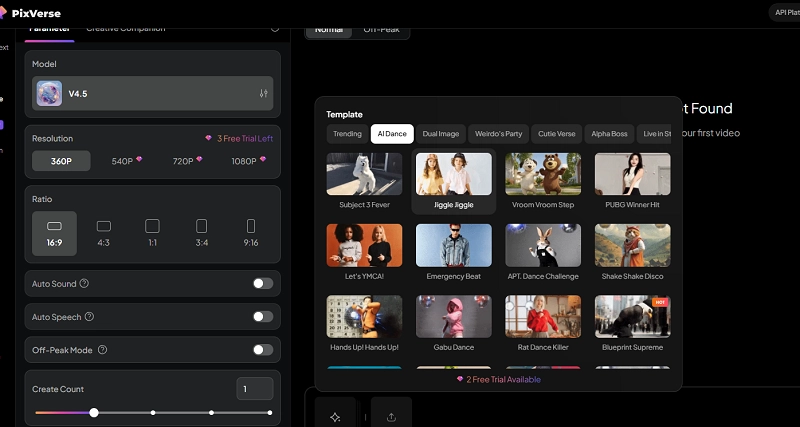
Features of PixVerse AI
- AI-Driven Jiggle Dance Effects: PixVerse AI offers a ready Jiggle Jiggle effect that adds realistic AI jiggle movements to your photos, turning them into viral dance videos with smooth, natural motion.
- Syncs with Viral "Jiggle Jiggle" Song: The tool aligns your dance animations with the popular "Jiggle Jiggle" track, enhancing the video's appeal and engagement.
- Customizable Dance Styles: Choose from various dance styles, including hip-hop, K-pop, and twerking, to match your desired jiggle dance theme.
- Advanced Jiggle Physics Animation: PixVerse AI applies jiggle physics to simulate natural body and face movements, giving your videos a realistic and playful bounce.
How to Apply the Viral Jiggle Jiggle AI Dance Effect?
Step 1: PixVerse is a versatile tool and offers many options. Head to its creation dashboard and search for Jiggle Jiggle effect under Template.
Step 2: Upload your photo and enter a text description to define what you hope to generate in the text box at the lower section of the interface.
Step 3: Select the parameters of your Jiggle video, like duration, resolution, style, etc.
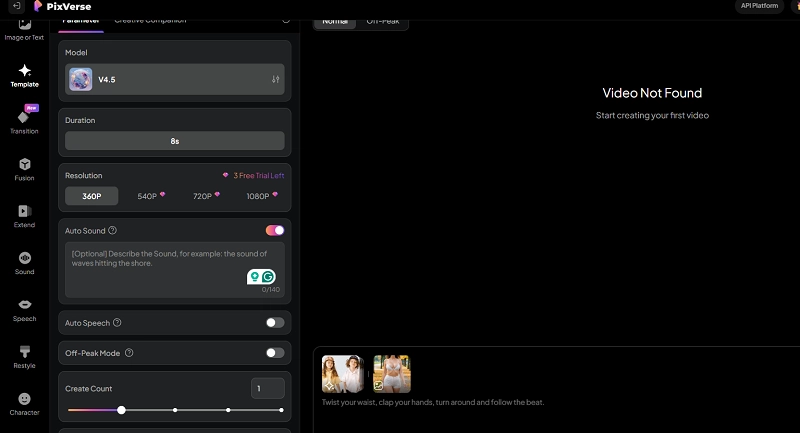
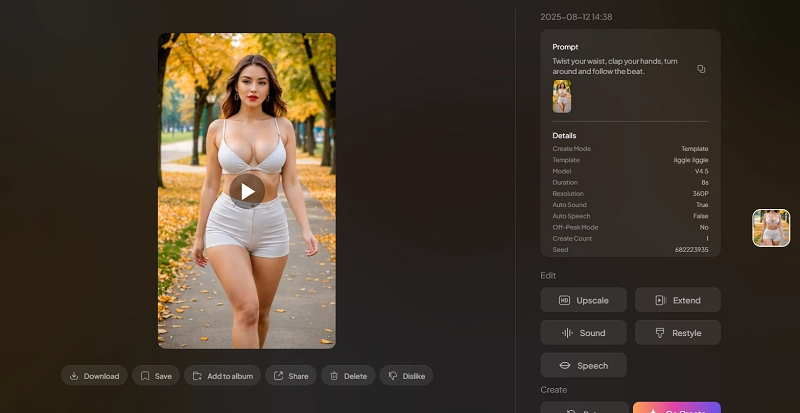
Step 4: Once everything is ready, click on the “Create” button, and it will barely take a minute to create your AI jiggle video.
What Can You Create with an AI Jiggle Generator
Now that you know what an AI jiggle generator is and how it works, let’s explore what you can create using it. Below are some simple examples to get started.
Image to Video AI Boob Jiggle: This instance is particularly for people who want to add jiggles to their images and create a jiggle effect to shake their boobs and evaluate charms.
Photo to Video AI Jiggle Dance: You can turn a still photo into a dancing clip and add smooth jiggles to each step for fun and attraction. It’s a simple way to make any picture come alive.
Text to Video AI Jiggle Video: You can turn simple text prompts into jiggle videos, bringing your ideas to life with lively and playful motion, and adding a fun twist to your creative concepts.
The Bottom Line
It’s easy to create AI jiggle videos using powerful tools. You may explore different AI jiggle generators to make dance clips, jiggle animations, or viral dance videos, which are up to your demands. Start with Vidnoz Photo Dance and create your own jiggle videos today!
Vidnoz Photo Dance - AI Make a Photo Dance FREE
- Create a smooth AI dance video from a photo.
- Animate a photo with diverse dance moves.
- Generate and download the video for free in seconds.
Make a Photo Dance Now