Turn still images or text into dynamic videos in any style, with leading AI models readily. Try the smart AI video generator now - stunning, free, and instant!
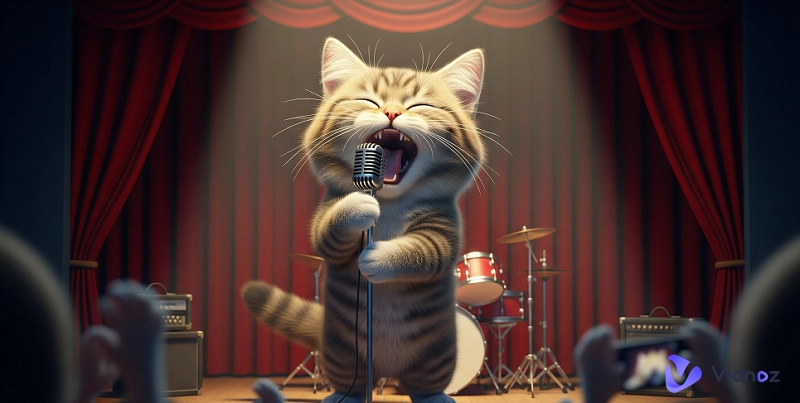
Get your singing cat ready for social media! No skills needed — just upload a photo and enjoy the magic.
Want to make a viral AI singing cat video without paying a dime or using complex software? You’re not alone. Many creators and cat lovers struggle to find a simple, free way to bring their furry friends to life with music and AI.
This guide shows you the easiest way to create an AI singing cat video for free — no skills or pricey tools needed. From choosing the right app to syncing your cat’s "singing" perfectly, we’ll walk you through every step. In just minutes, you’ll have a hilarious, share-worthy video ready to wow your friends or followers. Let’s get started!
On This Page
From Meow to Mic: How Singing Cats Took Over TikTok
Short Viral Singing Cat Video Example
Create a Singing Cat Video with TalkingPets.ai
Why People Love AI Singing Cats?
Bring Your Cat Photos to Life with Vidnoz AI
Conclusion
From Meow to Mic: How Singing Cats Took Over TikTok
Where did the singing cat start? While it’s tough to pinpoint one origin, the trend picked up steam in late 2023 on TikTok and YouTube Shorts. Creators started uploading videos of cats "singing" with AI-generated vocals, and the internet ran with it.
And who created the first AI cat singing? No one knows for sure, but early viral clips often featured common tools like Voicemod or AI voice changer applied to cat avatars. Some were parodies, while others were surprisingly heartfelt performances.
Platforms That Fueled the Trend
TikTok: The algorithm loves short, funny, shareable content.
YouTube Shorts: A hotspot for music-focused AI cat content.
Instagram Reels: Where polished versions of AI cats go viral.
Include trending sounds like “Let It Go,” “Peaches,” or “Bohemian Rhapsody” for maximum laughs.
Short Viral Singing Cat Video Example
Want instant inspiration before hearing your cat singing a song? See if the singing cat videos below, which are popular on all major social media, can give you some inspiration.
#1. I Go Meow (Singing Cat Ballad)
2. Singing Cat Compilation on TikTok
3. Lovely Cat Singing Video
Create a Singing Cat Video with TalkingPets.ai
If you're looking for an easy, beginner-friendly way to create your own cat singing video, TalkingPets.ai is a fantastic place to start. Imagine your pet chatting away or even singing! This online program brings your animal photos to life, making their mouths move perfectly with any sound you add.
This quick system is so simple, anyone can use it without video editing smarts or software installs. Whether you're making stuff for kicks, sharing your pet's latest antics, or building a brand online, this is exactly what you've been looking for.
Here’s how to make your own AI singing cat video using TalkingPets.ai:
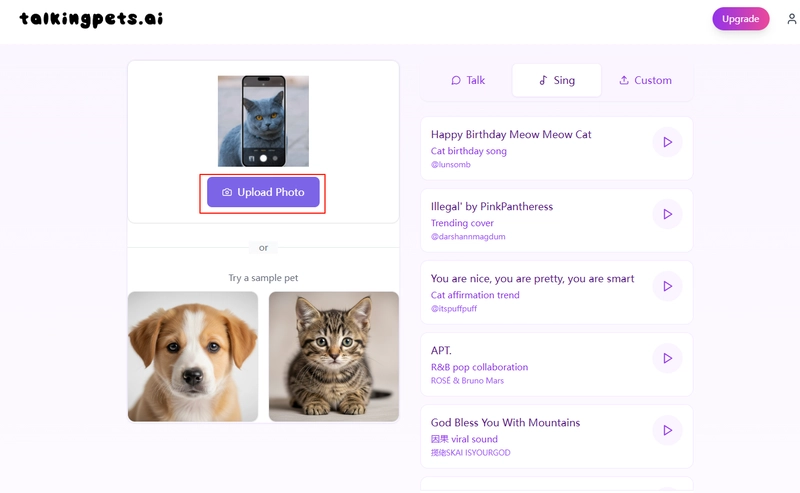
Step 1. Go to https://talkingpets.ai/create.
Step 2. Upload a clear photo of your cat (or any pet). Ideally, choose one where the face is centered and well-lit.
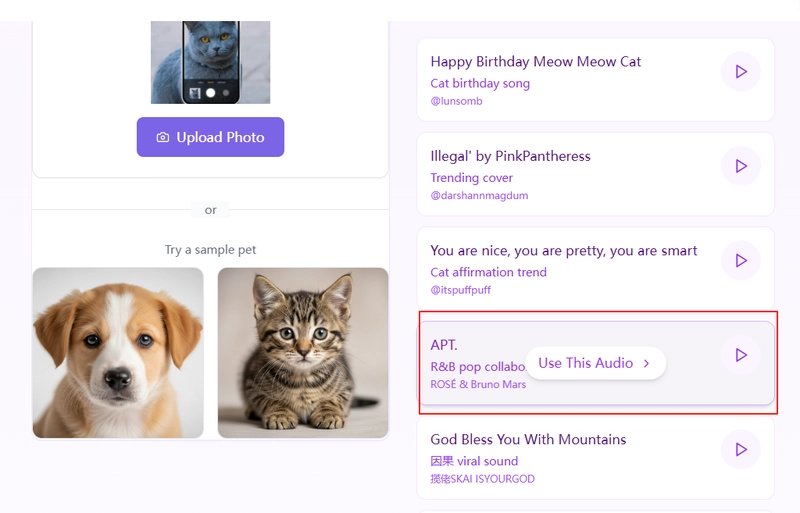
Step 3. Choose a voice or upload your own audio. You can select from pre-made voices or upload your own song or dialogue to make your cat sing.
Step 4. Download the final video or share it directly to social media platforms like TikTok or Instagram.
That’s it—no fancy software or deepfake knowledge needed. TalkingPets.ai takes the technical headache out of the process and lets you focus on being creative and having fun.
Try using one of these songs:“Eye of the Tiger”, “I Will Survive”, “Baby Shark”, “All Star” by Smash Mouth.
Why People Love AI Singing Cats?
Now that you know how these hilarious videos are made, you might be wondering: Why are people so obsessed with singing cats in the first place? Let’s dive into what makes these furry performers such a hit online.
Emotional Connection and Humor
Cats + music = serotonin. People are wired to love animals, and when you mix that with catchy music and funny visuals, it’s a recipe for viral success.
The Role of Memes and Internet Culture
From "Nyan Cat" to "Keyboard Cat," felines have always ruled the meme world. Singing cat video AI is just the latest evolution of this cultural obsession.
Family-Friendly, Shareable Fun
Unlike some edgy AI trends, this one is safe for all ages. Imagine a show where silly antics meet heartwarming moments; it truly delights every family member, no matter their age.
Bring Your Cat Photos to Life with Vidnoz AI
If you want to add a creative touch to your cat photos without necessarily making them sing, Vidnoz AI Image to Video is a great choice. This AI-powered tool transforms static images into animated videos by adding natural facial movements and expressions. While it doesn’t create singing animations, it can turn your cat’s photo into a lively video perfect for social media sharing or enhancing your AI singing cat projects.
Convert Image to Video AI Online - Free
Create a video from an image quickly for free.
Use various AI models to turn photos into videos.
Download and share the AI-generated video at no cost.
AI-Powered Animation: It allows you to animate a photo. Automatically adds subtle motion effects (like blinking eyes, moving ears, or tail wagging) to make the cat photo come alive.
Multiple Animation Styles: Offers different motion presets to match the cat’s personality. Can generate a "talking cat" effect with synchronized mouth movements if combined with Vidnoz Talking Photo.
Customizable Video Length & High-Resolution Output: Adjusts animation duration to short GIF-like clips or longer videos. Renders videos in HD/4K, ensuring the cat’s fur and details stay sharp.
AI-Generated Cat Videos from Text: Vidnoz also has a tool called “Text to Video” that helps users automatically generate cat videos. Want to make funny cat videos fast? This handy tool lets you skip the cameras and tricky edits.
How to Use Vidnoz to Animate Your Cat Photo:
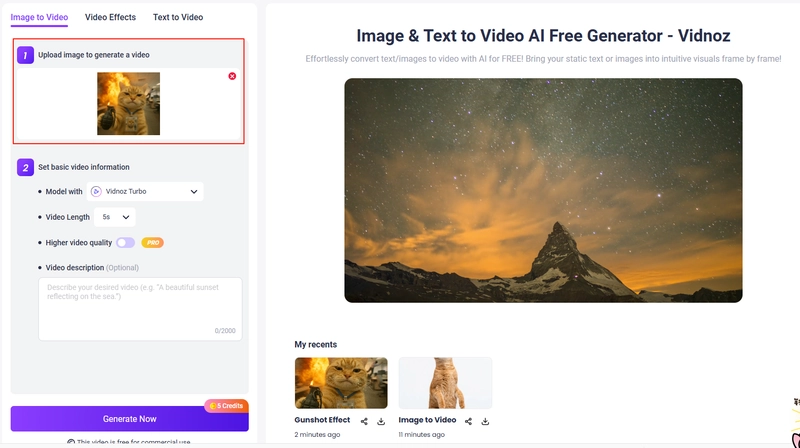
Step 1. Go to https://www.vidnoz.com/image-to-video-ai.html.
Step 2. Upload a clear cat photo—front-facing images work best.
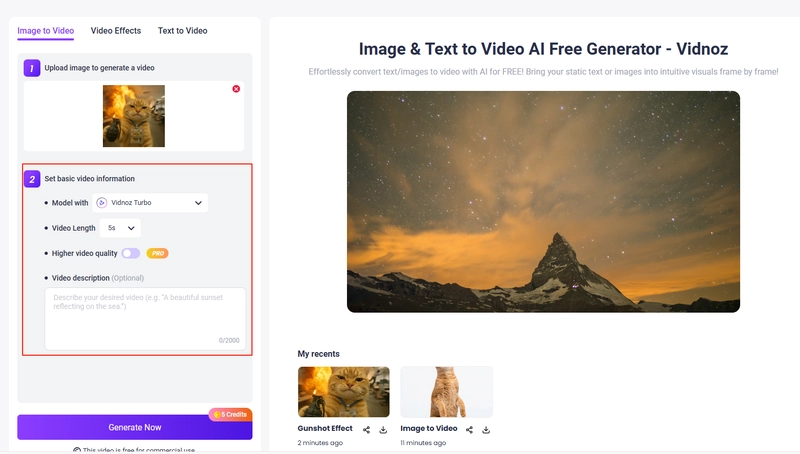
Step 3. Set basic video information to control how lively the video will be.
Step 4. Preview the animation and adjust if needed. Then download your animated cat video in high resolution.
Vidnoz is ideal for anyone who wants to add life to pet photos quickly and easily, making your cat feel a little more real and expressive—just not quite singing (yet!).
Conclusion
That’s all how to create a singing cat video. With the tool provided in this article, you can easily make videos that can explode all over the internet. Whether you want to watch, create, or cash in on the trend, now’s the perfect time to join the chorus of AI singing cats taking over our screens.
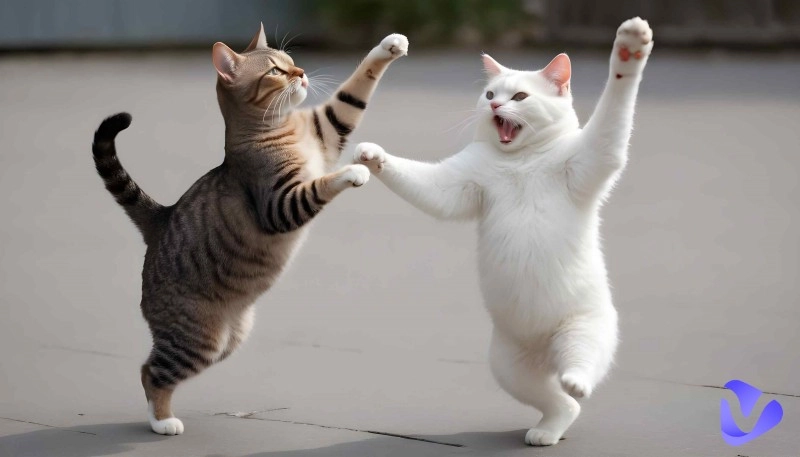
In addition to that, you can find another powerful tool in this article - Vidnoz Image to Video. This tool can bring your cat pictures to life using high-end AI technology. You won't be able to imagine what kind of videos they will generate. Also, you can use its photo dance tool to make a picture dance.
Vidnoz Photo Dance - AI Make a Photo Dance FREE
Create a smooth AI dance video from a photo.
Animate a photo with diverse dance moves.
Generate and download the video for free in seconds.
Yuka Gee is an experienced SEO writer focused on solving users' needs, problems and pain points. After thorough research, she provides valuable, informative, accurate and authoritative content to users. She writes content that is easy to read, visually appealing, and well-structured.