Brainrot videos has been overwhelmed on TikTok and other short-video sharing platforms. Its unique style leaves a deep impression on viewers. The fastest way to make a brainrot video is to use an AI that can turn your words into brainrot in seconds. This kind of tool is regarded as text to brainrot AI. How does it work? What are useful text to brainrot video generator tools online? Are they free or not? Read on to learn more.
- On This Page
-
What is the Text to Brainrot Tool?
-
Best Text to Brainrot Video Generator
Revid AI: High Customizable Text to Brainrot Video Generator
Story Short AI: Text to Brainrot Video Generator
Brainrot AI: Text to Brainrot Video Generator with Templates
-
FAQs about Brainrot Video Generator
-
Vidnoz AI: Free Text to Brainrot Video Generator
-
Professional AI Video Generator: Edit Videos Frame by Frame
Conclusion of Text to Brainrot Topic
What is the Text to Brainrot Tool?
Text to brainrot is a kind of AI tool that converts plain text into engaging and interesting videos, which are very popular on short video platforms like TikTok.
The particular points of text to brainrot video generator:
AI generated video from text: Use AI technology to turn text into video content with voice
Gameplay footage: The majority of text to brainrot video generator uses gameplay footage such as Minecraft, and Subway Surfers.
Best Text to Brainrot Video Generator
Revid AI: High Customizable Text to Brainrot Video Generator
Text to Brainrot from Revid AI is one of the best brainrot video generators. This tool can provide users with a variety of options and finally generate the brainrot video that users expect. A variety of background videos are available: UGC, Subway, Temple Run, Minecraft, Fortnite, Trackmania, Space and more. there are a voice library that can speak any language, male, female, young or old, all included. You can decide the video aspect ratio: landscape, portrait, or square. You can even show captions in your video with a preset style. Add watermark or not, its up to you.
For free version, you only have the option to preview the generated video in a low resolution. To download it on your device, you have to make a subscription. It costs $39/mo for the Growth plan and $199 for the Ultra plan.
How to generate viral brainrot video from text with Revid AI?
Step 1. Sign up and log in. Then enter your text for the video script.
Step 2. Select a background video from multiple options, choose language and voice. Click on Advanced options to customize the video aspect ratio, caption or watermark.
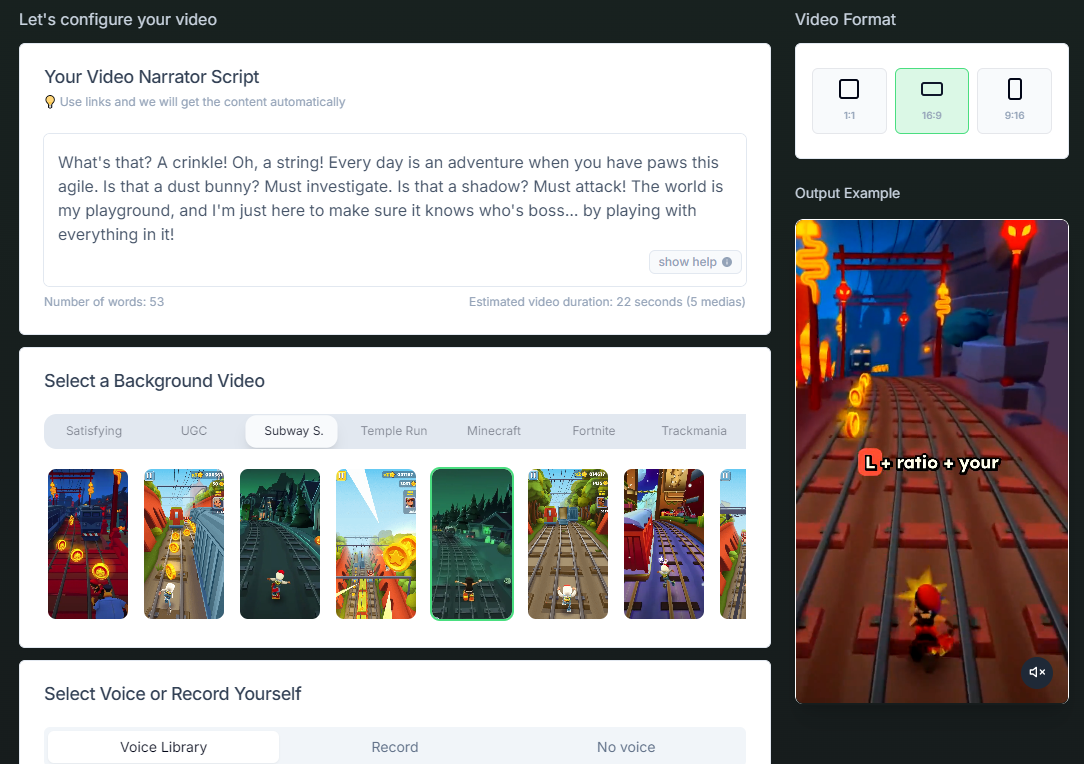
Step 3.Click the “Generate Video” button.
Also Read: AI Brainrot Video Generator Guide >>
Story Short AI: Text to Brainrot Video Generator
Story Short AI helps you to transform plain text into engaging brainrot-style videos for different purposes: faceless videos, UGC videos, gameplay videos and UGC ad videos. When entering video script, you could also use an AI script writer to assist you, up to 1200 characters. There are 10 language options for your video: English, Spanish, French, German, and more. A vast of background music library is offered, and a majority of it is AI-generated music.
After login, you’ll get 10 free credits that can be used to generate a brainrot video only. After generation, you have to upgrade to export the generated video and share it. The starter plan needs $39/mo, the Growth plan $69/mo, and the Influencer $129/mo.
How to transform text to brainrot video using gameplay style?
Step 1. Configure your video type first: UGC video, faceless video or gameplay video.
Step 2. Enter your a video script within 1200 characters, or use AI script writer to create one.
Step 3. Choose a background video, voice, background music, and aspect ratio.
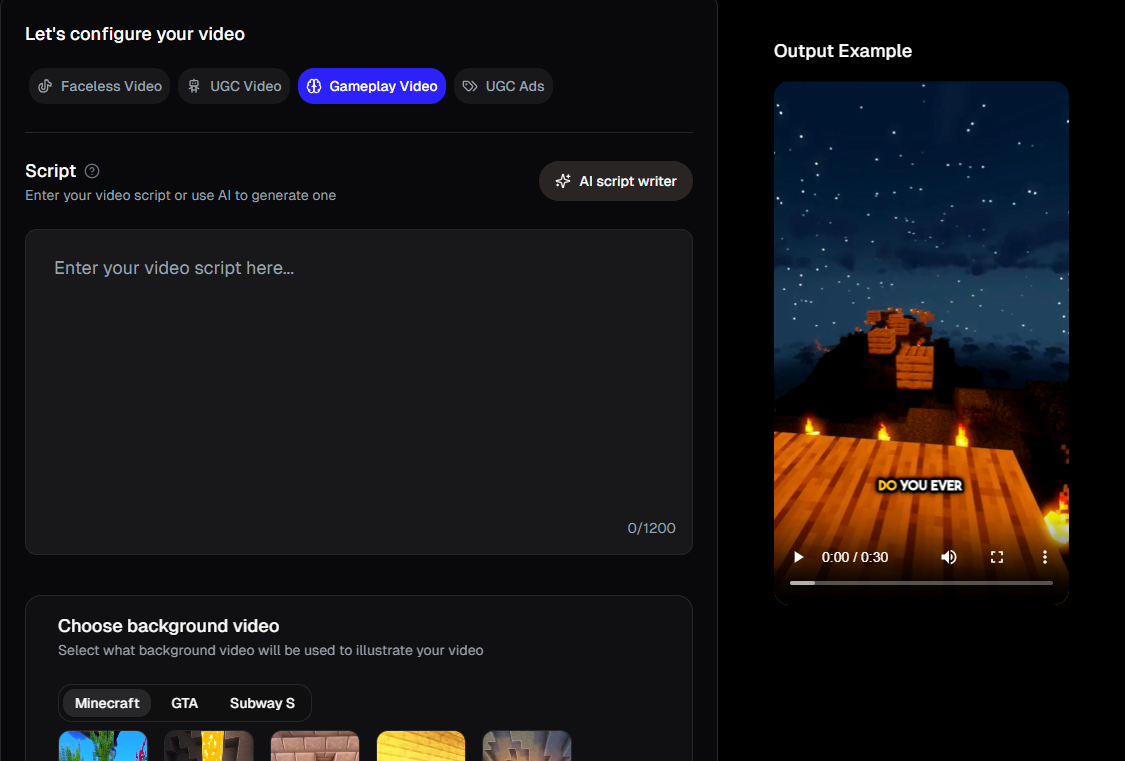
Step 4. Click the Generate Video button for a unique style brainrot video.
Brainrot AI: Text to Brainrot Video Generator with Templates
Fewer options are available on Brainrot AI text to brainrot generator. Only six background videos are offered: Minecraft Forest, Subway Surfer, Minecraft Parkour, Game, Minecraft Night and Rainy. Pick from fewer than ten voice models and background audio selections. Except for inputting text, you can upload a PDF file and turn it into a brainrot video.
Four free credits will be given to your account for the first login. Previewing the generated video takes 1 credit, while exporting it takes 10 credits. It means you have to make a subscription, $15/mo for the Pro version and $30/mo for the Premium version.
How to convert text to brainrot video with templates?
Step 1. Input text and select brainrot type.
Step 2. Choose text settings, text size, text line height, and so on.
Step 3. Choose a video background from the six options, and the last step is to select an AI voice you like.
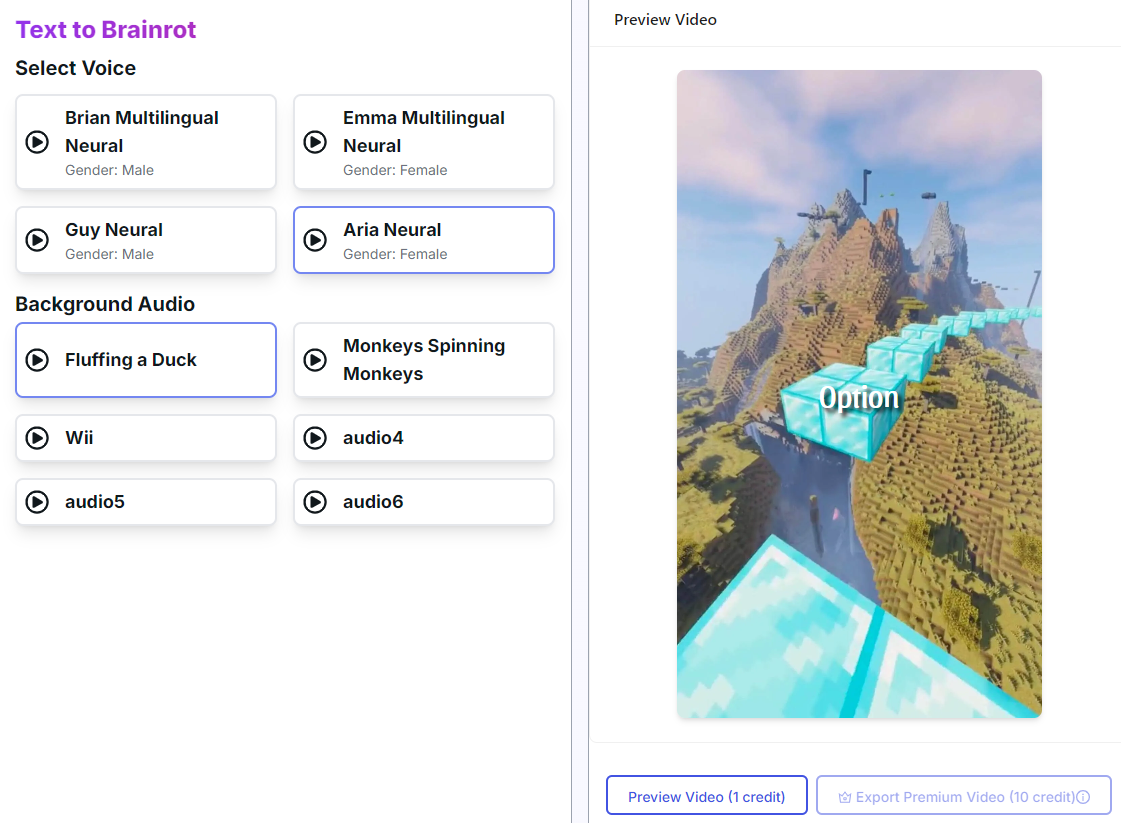
Step 4. After generation, preview the video with 1 credit or export it with 10 credits.
FAQs about Brainrot Video Generator
Are there any other ways to generate brainrot videos fast?
Yes. Except for generating brainrot videos from text, you can generate such videos from images or PDF.
What's the difference between brainrot video generator and Italian brainrot generator?
Brainrot video generator is a general tool that is used to make short, nonsensical and appealing videos for TikTok, Instagram Reels and YouTube Shorts. Italian brainrot generator is a specific category, and it is used to generate content with an Italian brainrot aesthetic. It features AI-generated characters with Italian themes (animals, names, cultural markers).
Vidnoz AI: Free Text to Brainrot Video Generator
Except for turning text into brainrot videos with templates which are paid, you have another option to make such videos free: using text to video AI such as Vidnoz.
This free AI text to video tool can convert simple text into videos. Not only that, there are also many options to make your video more fascinating. You can choose background music, add subtitles to the video, and choose a voice with native accent. A generated video can be as long as about 38 seconds.
How to use brainrot video generator free?
Step 1. Go to the text to video AI page.
Turn Text into Video with AI - FREE
Generate high-quality videos from PDFs, PPTs, and URLs in one step!
Step 2. Input prompt to describe your video content, as detailed as possible, including the background game.
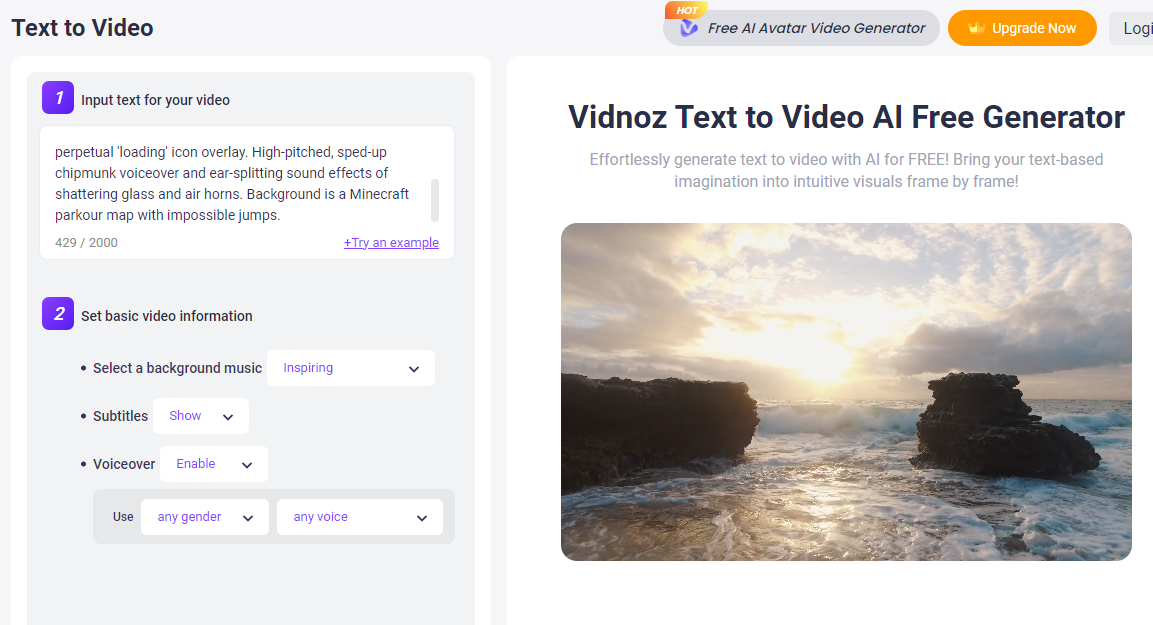
Step 3. Click the Generate button to create free text to brainrot videos, and download and share it after generation.
Professional AI Video Generator: Edit Videos Frame by Frame
Vidnoz also offers a professional and free AI video generator. It allows you to edit videos frame by frame to make an amazing video with ease. Advanced AI features simplify the whole video generation process.
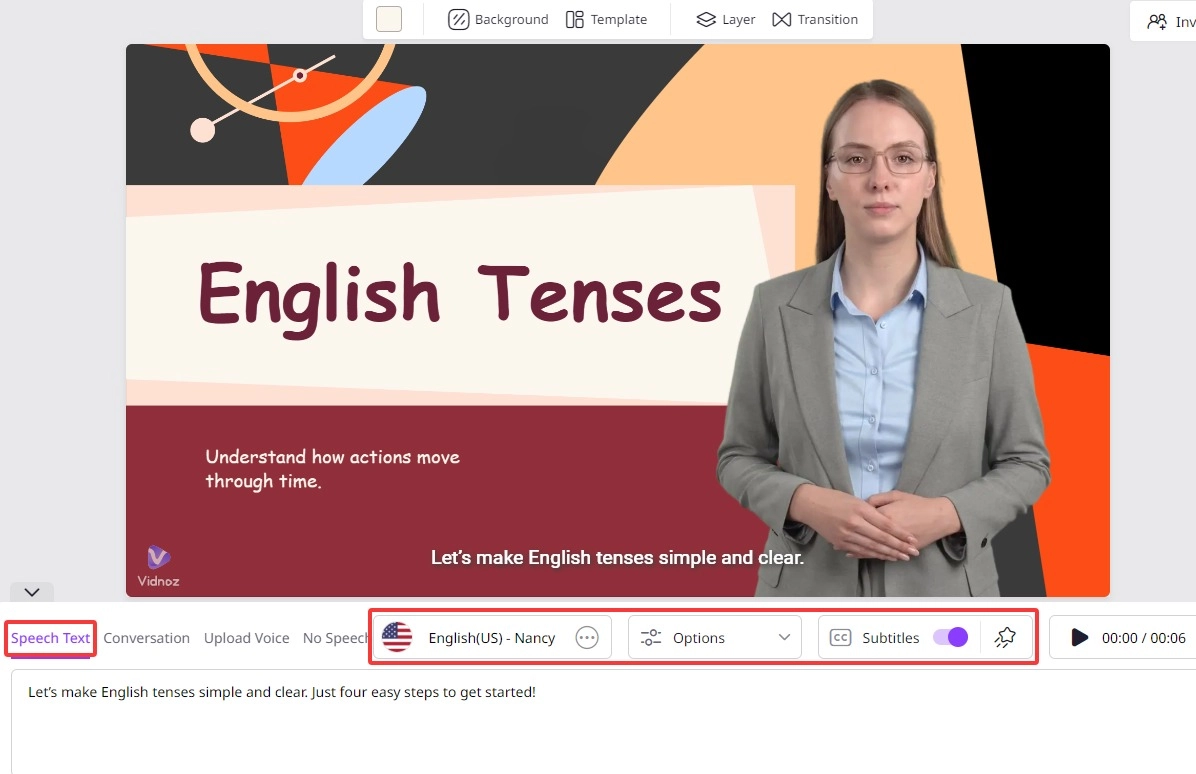
AI text to speech to replace speaking in front of a camera
Input or paste your words in the box, choose the voice language, and they can be turned into voice with the AI text to speech technology.
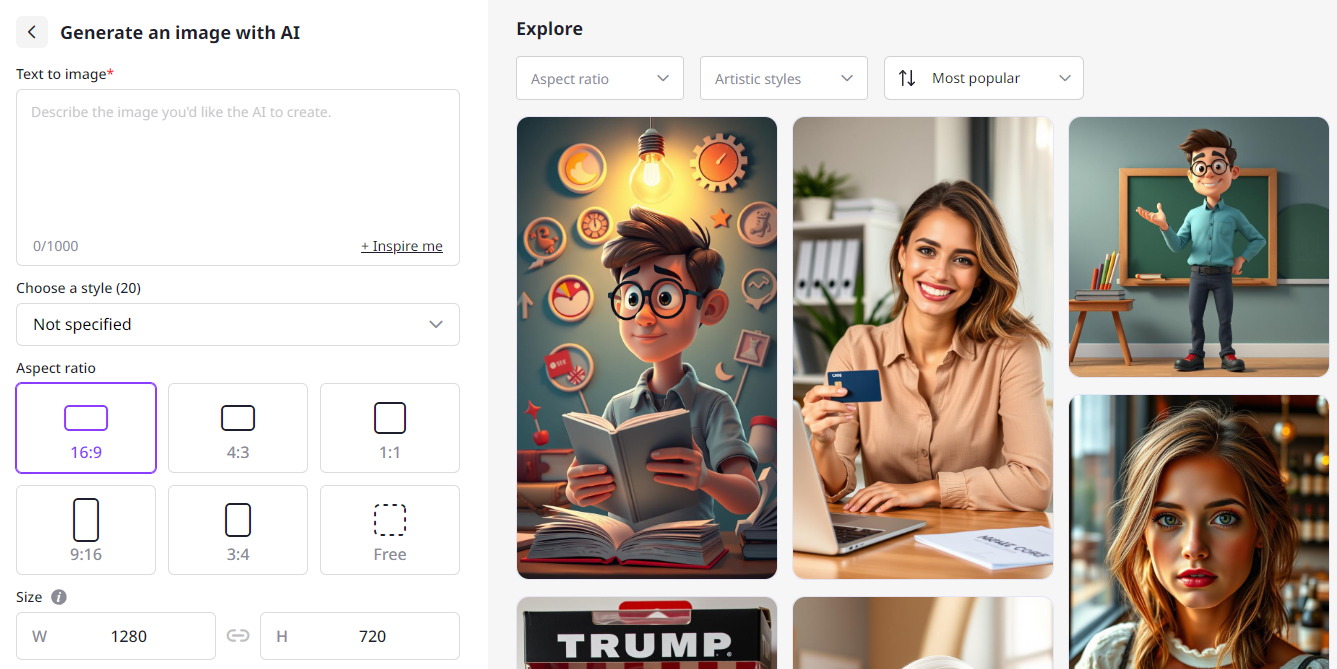
AI image generator to create royalty-free images
AI image generator helps create images you want in seconds. The more detailed your description is, the better the image is generated.
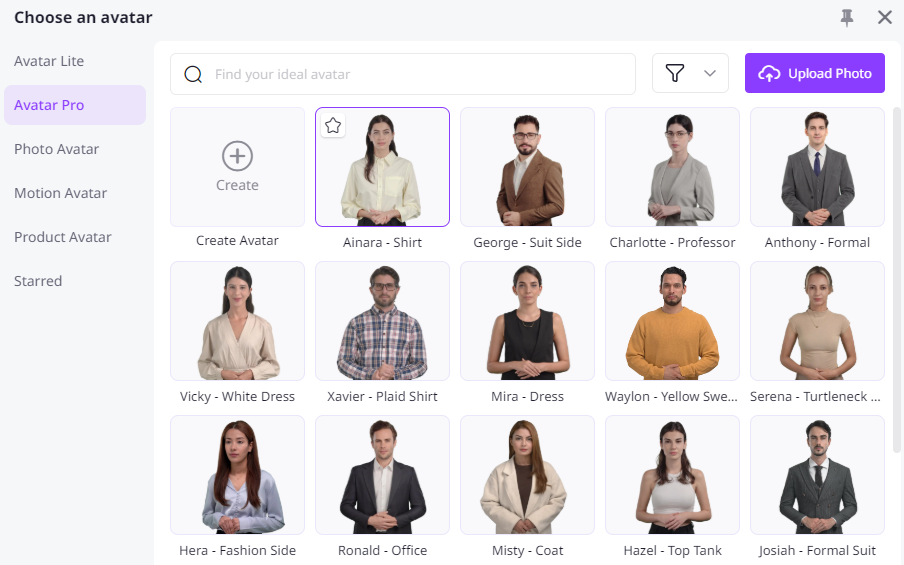
Kinds of AI avatars to perform well in different scenarios
Photo avatars, product avatars, professional avatars, all kinds of AI avatars can be found in the Vidnoz AI app and applied in different videos. These AI avatars are realistic, expressive, and lip-sync, which is the most important.
Auto subtitles to create engaging and accessible videos
Toggle on subtitles and auto subtitles can be generated according to your words. Besides, subtitle effects are optional. Of course, you can remove subtitles at any time with one click.
Explore more features about video creation in the Vidnoz AI app.
Conclusion of Text to Brainrot Topic
You can create text to brainrot videos easily with templates offered by such tools, which require credits. For those users who want to create this kind of videos for free, you could try AI text to video tools such as Vidnoz AI, which offers more AI tools online free, like AI video generator, AI attractiveness test, and AI image to video.