Playful and tilt-shift clips that make real scenes look like toy sets are quickly becoming a viral trend, which is the so-called “tiny world miniature videos”. Just imagine an ordinary scene and use AI to make the transformation, then you will create a visually stunning story like in a real miniature world. The best part? You don’t need a professional camera or hours of editing, just guide AI to finish everything.
So to help you generate amazing tiny world videos, we’ll introduce two methods step-by-step in this guide. Let’s create a fun world now!
- On This Page
-
3 Viral Tiny World Miniature Videos
-
How to Create a Tiny World Miniature AI Video?
-
Solution 1: Create Original AI Tiny World Miniature Videos from Image
Step 1.Create AI Miniature Images as the Base
Step 2.Animate Miniature AI Images
Step 3.Finish a Tiny World Miniature Video
-
Solution 2: Make Tiny World AI Miniature Videos from Text
Step 1.Prepare Scroll-Stopping Miniature Video Ideas [Free to Use]
Step 2.Access a Text-to-Video AI Generator
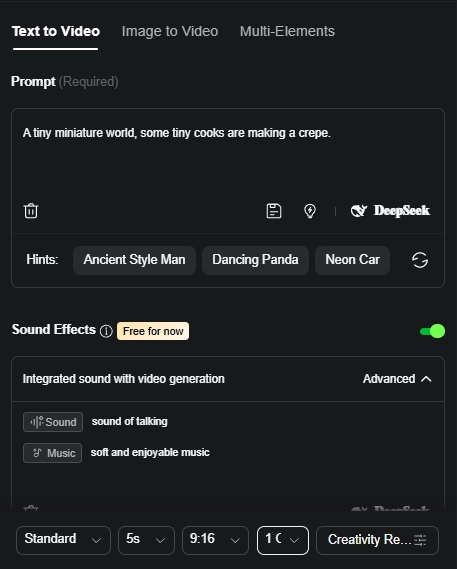
Step 3.Input Prompt and Set Up Preferences
Step 4.Your Miniature AI Video is Ready!
3 Viral Tiny World Miniature Videos
The appeal of miniature AI videos comes from the way they shrink reality into playful stories. Here are three viral examples that catch up the trend perfectly:
>>Hot Dog Construction Site: A classic street food is transformed into a job site, with cranes pouring mustard and ketchup as miniature workers supervise.
>>Pizza Build Zone: Instead of being baked, a pizza is “constructed,” complete with cranes lowering pepperoni slices and tiny builders guiding the process.
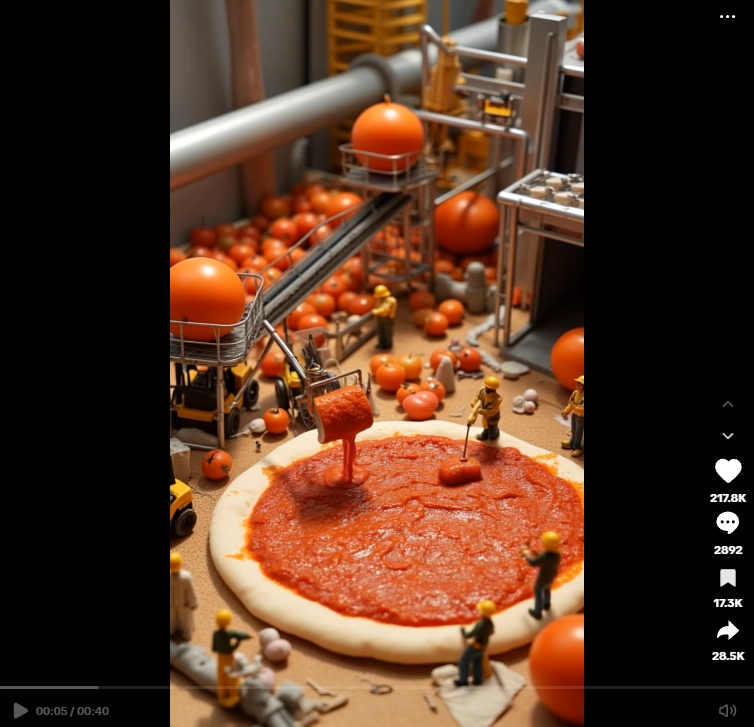
Screenshot from TikTok @shapeshifter841
>>Instant Ramen Factory: A humble ramen cup becomes a buzzing workplace, as small figures carefully stack noodles and toppings like an assembly line.
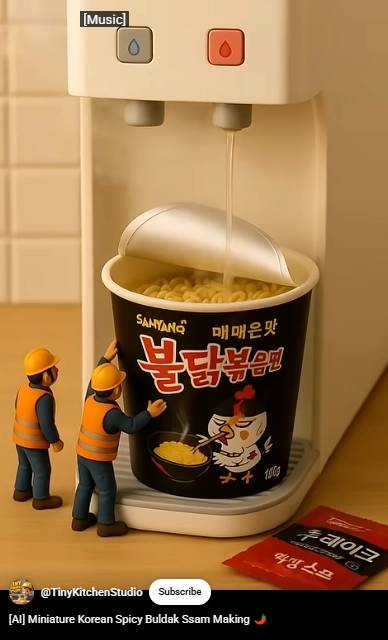
Screenshot from YouTube @TinyKitchenStudio
How to Create a Tiny World Miniature AI Video?
So how can you make these eye-catching tiny world miniature videos without a professional setup? There are two simple approaches you can try:
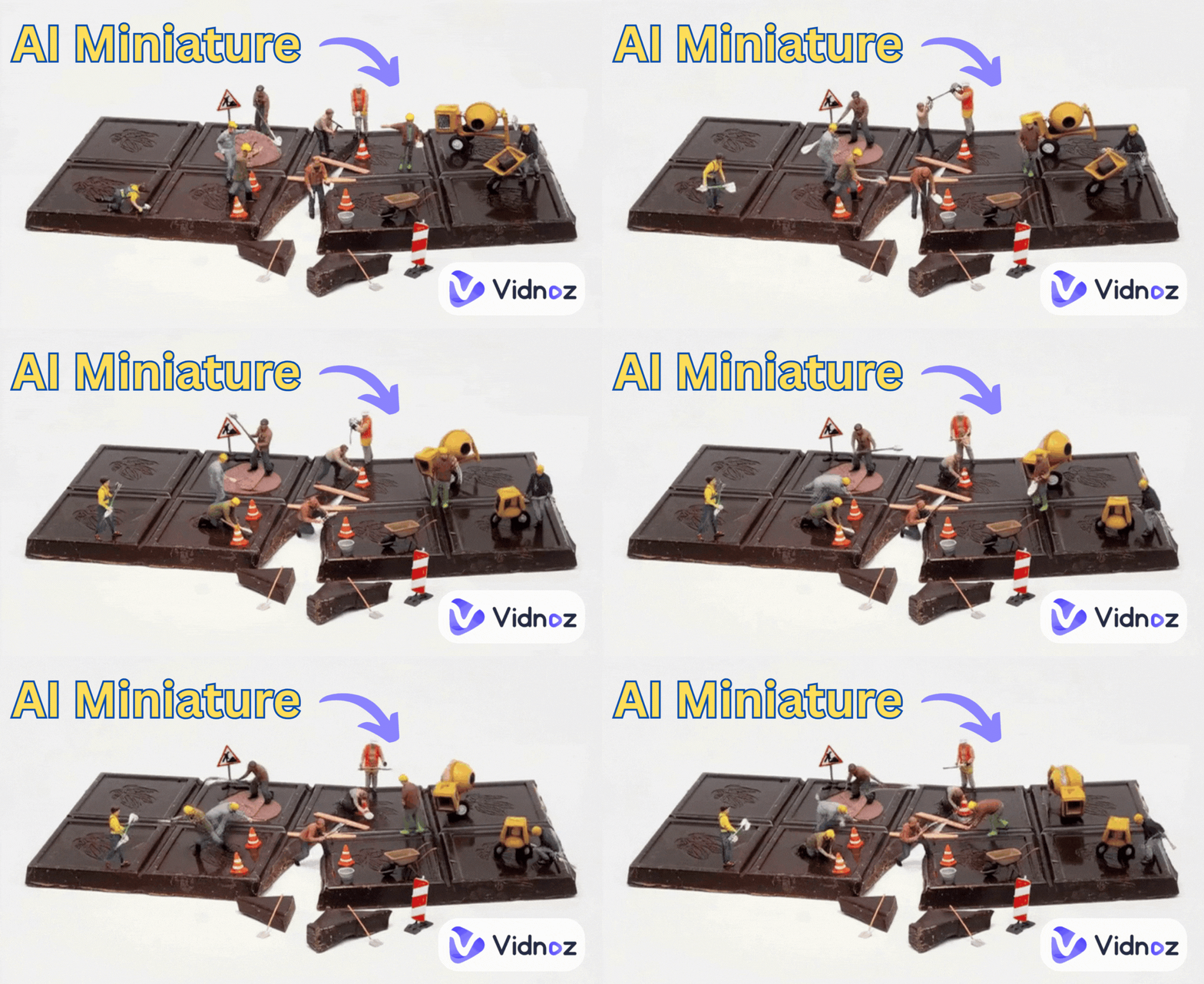
>>Tiny World Images to AI Miniature Videos
This method starts with still images — either generated by AI or captured manually — which are then animated into moving clips.
The advantage is clear: you have more control over framing, style, and consistency across scenes. However, it takes time to create and refine the miniature images before turning them into videos.
>>Make Miniature AI Videos from Text
The second way skips the AI image generation. Here, you need to write a detailed prompt and guide the AI to generate an animated miniature scene instantly.
The workflow dashes smoothly and efficiently, so you can visualize your ideas without hassle. But since the AI decides much of the look and layout, the final results can sometimes be unpredictable.
Now, we will dive into the full guide:
Solution 1: Create Original AI Tiny World Miniature Videos from Image
Using a proper tool is the key to successful creations. If you want to make an AI miniature world flawlessly, Vidnoz AI is a good choice.
This free AI video generator is an all-in-one creative platform that lets you design an AI miniature image and instantly animate it into a tiny world video. With daily free trials and an easy-to-use interface, it simplifies the workflow and helps you to transform basic scenes into professional-looking miniature clips.
Key Feature
- Generate Tiny World Miniature Images: Produce realistic tilt-shift miniature visuals in any styles using the AI image generator;
- Turn AI Miniature Pictures to Clips: Add smooth animations to static miniature scenes;
- Combine Clips into a Full Miniature AI Video: Merge multiple tiny world clips into a full story seamlessly;
- Add Subtitles Automatically: Enhance the accessibility of your miniature AI videos with one click;
- Engaging Voiceovers: Create narrations to make your AI miniature world engaging.
Step 1.Create AI Miniature Images as the Base
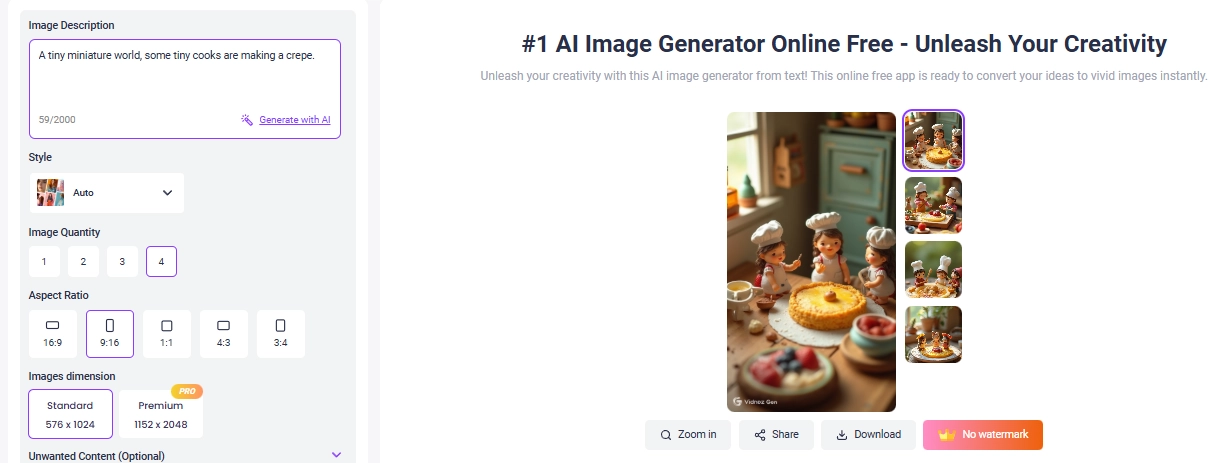
Start by generating miniature-style images that will serve as the foundation for your video. Vidnoz AI Image Generator makes this easy with batch image creation, daily free trials, and a wide range of art styles to explore.
Prompt Example:
“A tiny miniature world, some tiny cooks are making a crepe.”
>> Tips for Writing Miniature Prompts:
- Focus on scale: Use keywords like miniature, tiny, dollhouse, macro to emphasize the small-world effect;
- Add action: Describe what the miniature figures are doing (e.g., “tiny builders stacking bricks,” “miniature chefs flipping pancakes”);
- Set the mood & style: Include lighting (golden hour, cinematic, neon) and camera effects (shallow depth of field, bokeh) for a polished, realistic look.
Step 2.Animate Miniature AI Images
Now, navigate to the AI image-to-video feature to turn still miniature images into animated clips. You can guide the transformation with prompts like “camera pan across the miniature world” or let the AI handle it automatically:
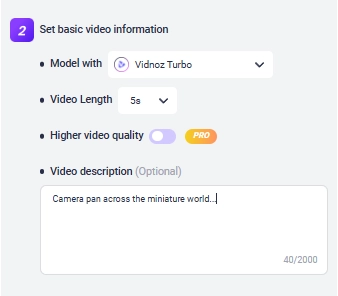
Step 3.Finish a Tiny World Miniature Video
After seconds, you will get a cute moving tiny world moving clip:
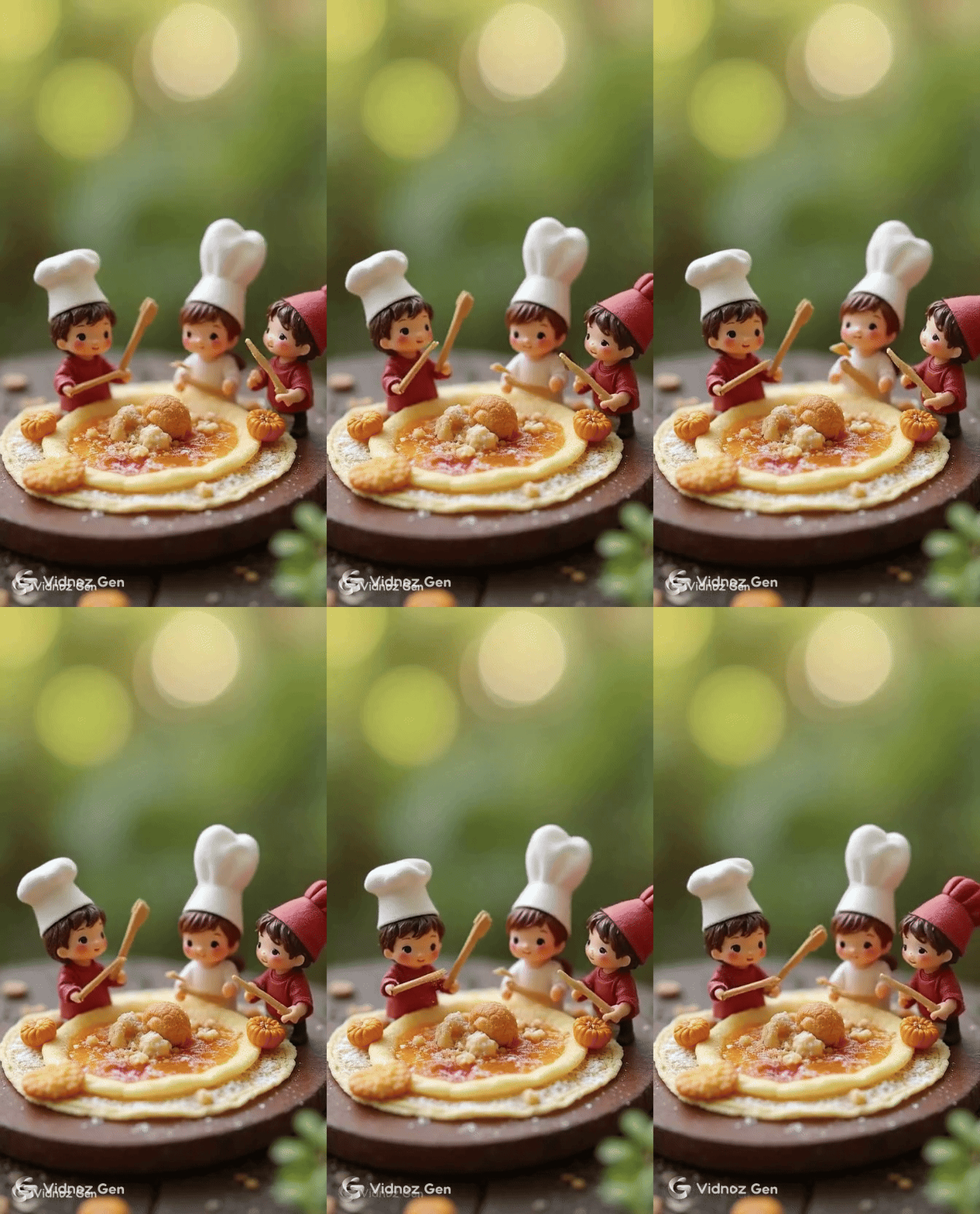
If you prefer to tell a full story about the tiny world, you can put all your animated clips together using an AI video generator!
Simply drag and drop to combine scenes, then enhance with transitions, text, or effects as you wish:
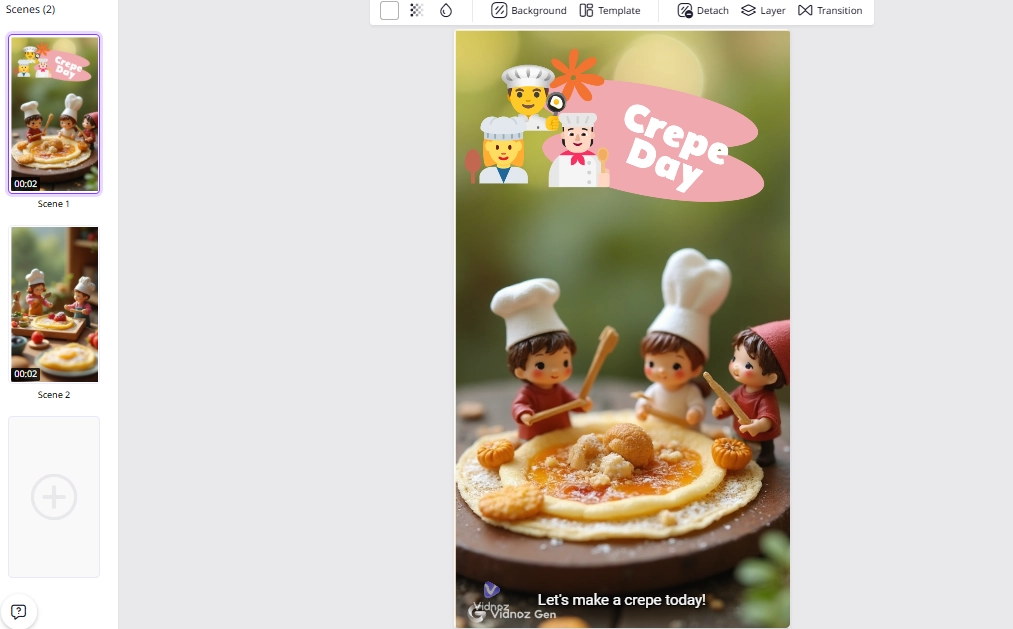
You can also dub the miniature AI video with lifelike voiceovers or add background music, then you will easily edit a polished miniature story!
Solution 2: Make Tiny World AI Miniature Videos from Text
Creating tiny world miniature videos directly from text is the fastest way to bring miniature imagination to life. Here’s how you can do step by step:
Step 1.Prepare Scroll-Stopping Miniature Video Ideas [Free to Use]
Strong prompts are the foundation of engaging tiny world miniature videos. You can try these three examples:
- “A miniature train weaving through a tiny neon city at night, cinematic tilt-shift, glowing reflections.”
- “Tiny gardeners planting giant strawberries in a dollhouse-style garden, macro lens, whimsical mood.”
- “Miniature chefs preparing sushi rolls inside a toy kitchen, cinematic lighting, shallow depth of field.”
Step 2.Access a Text-to-Video AI Generator
Kling AI is one of the most advanced platforms for turning text directly into video. You can be drawn to the miniature AI video trend and generate any realistic tiny world animations.
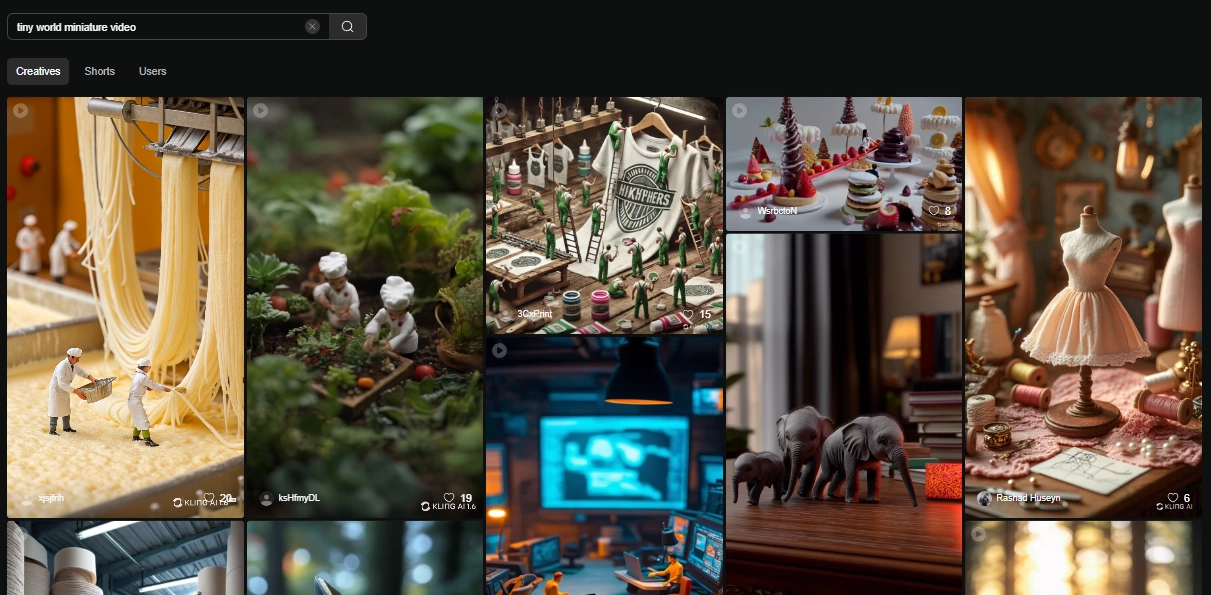
However, subscriptions can be expensive, results may vary, and one tiny world miniature video costs about 20 credits. It’s best for users who want speed and don’t mind investing in premium tools.
Step 3.Input Prompt and Set Up Preferences
Paste your prompt, choose duration, aspect ratio, turn-on Sound Effects or background audio, and give camera motion guides, you can create enhanced tiny world videos.
Step 4.Your Miniature AI Video is Ready!
Hit generate and wait for the result. Often, the first looks may not be so “polished”, but you can always refine your prompt or adjust other settings until the miniature video hits your feel.
Conclusion
Tiny world miniature videos prove that combining creativity and AI together can turn basic ideas into share-worthy content. Whether you start miniature video making from images or directly from text, both Vidnoz AI and Kling AI make the process flow to create tiny worlds that captivate audiences. Now it’s your turn — explore the 2 useful video generators, input your tiny world imaginations, and create your own scroll-stopping AI miniature stories!






![Viral Bigfoot AI: How to Make Hilarious Vlogs with AI? [Step-by-Step]](https://www.vidnoz.com/bimg/bigfoot-ai-videos.webp)