A panorama seamlessly outpaces standard photography that captures almost every detail, which bridges your memory and photos. But if you don’t have DSLRs, how can you shoot panoramas? Well, using a panorama photo maker online could be the easiest solution.
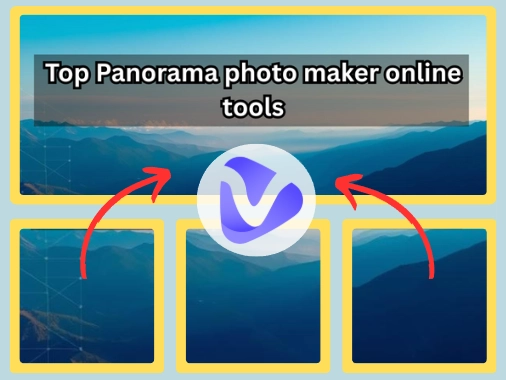
With the help of such tools, you stitch separated photos together and make them into panoramas. Which tool is the best? And how to apply one? Let's break down 6 tools and tips that really fulfill your photography needs.
- On This Page
-
What is a Panorama Photo Maker Online?
Common Panorama Photo Types
-
4 Easy Panorama Photo Makers Online to Generate Impressive Panoramas
1. Sisik: Make General Panoramas from Photos Online
2. Render Stuff: Turn Photos into 360-Degree Panoramic Images
3. A.Tools: Customize Panorama from Multiple Photos Stitching Online
4. Pano Painter: Turn Artistic Paintings to Immersive 3D Panorama Images
-
2 AI Panorama Photo Makers Online to Craft 360° Panoramas from Tests
5. Skybox AI: Fantasy Panorama Maker for Game World Building
6. PanoPulse: AI Realistic Panorama Maker for VR Experiences
-
How to Shoot Panorama Photos Successfully?
-
How Panorama Photo Makers Benefit?
What is a Panorama Photo Maker Online?
A panorama photo maker online can help to stitch your scene pictures together until they look like a wide-angle(or any) panorama. No professional filming equipment required, and no tedious post-processing is required. You can easily have an immersive visual experience. Even if the photos overlap, they can be perfectly integrated to present a seamless picture effect.
Common Panorama Photo Types
By stitching 2 to 10 photos, wide-angle panoramas not just stretch the scene, but minimize the fisheye curve. No distortion—just a clean, cinematic 360° view:

360-Degree Panoramas ensure a tech-powered glance from every angle. It's like a loop that not just wraps but shows the whole scene in one go:

Spherical panoramas(or equirectangular panoramas) show the full scene, ensuring nothing is limited in a horizontal circle - top, bottom, and all sides—covered:

From virtual tours to Google Street View, VR experiences, and little images, they wrap the sky, ground, and soul in one single frame, giving us the whole world in a single spin.
Not only these 3 panoramas, there are more types, such as:
- Vertical panoramas;
- Multi-row panoramas;
- HDR panoramas;
- Brenizer method;
- Fisheye panorama.
4 Easy Panorama Photo Makers Online to Generate Impressive Panoramas
So based on your needs for a panorama, we filtered 4 kinds of panorama makers to turn photo into panoramic arts:
1. Sisik: Make General Panoramas from Photos Online

Sisik Panorama tool, being a top panorama maker, is a serious alternative to bulky editing software. Will it compromise quality? Not at all.
From natural landscapes, city skylines to architectural shots, it ensures precision and purpose. It gives flawless and high-quality panorama results by merging overlapping frames together like a pro, with pixel-perfect accuracy promises.
Pros
- No sign-up needed: One click is all it takes to start stitching high-res panoramas;
- Keeps panorama generations clear from your shots: It’s perfect for those who aim for crisp, sharp results;
- It allows manually adjusting: You can do alignment, crop size, and choose output types.
Cons
- No clear guide in the page;
- Doesn't fix lighting or correct colors in your images: So you have to do some pre-process before stitching a panorama;
- More compatible on big screens: You can use it on laptops or desktops for perfect panorama photo making.
2. Render Stuff: Turn Photos into 360-Degree Panoramic Images

Render Stuff can make 360° panorama from photos online that ensures clean-cut, immersive editing. Working on making general views of locations, interior showcases and virtual tours, this panorama maker ties every detail together, such as it covers all directions, in a single interactive frame.
Pros
- Supports AR Panorama transformation: Your panorama will become 3D and more lifelike. You can zoom, tilt, and explore as you wish;
- Preview the generated panoramas online: You can spin and check your 360° panorama instantly;
- No sign-up: Just open the tool and start panorama editing.
Cons
- Limited control over the photo quality: You need other photo editors for further corrections, like lighting, and sharpness;
- Only stitches left to right: It won't handle immersive formats, including spherical or vertical panoramas.
3. A.Tools: Customize Panorama from Multiple Photos Stitching Online

A.Tools offers a browser-based panorama stitcher that puts your photos together and creates wide or 360° panoramas. Not only the basic photo stitching, this tool gives more customization options, like adjusting photos and previewing the panorama in real time.
Drag, drop, and define, this panorama maker online delivers pro-level panoramas for landscapes, city tours, and simple panoramic showcases for blogs or projects.
Pros
- Customize a panorama from multiple photos: You can shape the panorama exactly the way you imagine it;
- Handles wide and 360° panoramas efficiently without sacrificing quality;
- Create panoramas from multiple photos easily and quickly, even for beginners.
Cons
- Limited onboarding resources;
- May delays with high-volume uploads.
4. Pano Painter: Turn Artistic Paintings to Immersive 3D Panorama Images

It's hard to turn 2D paintings into immersive 3D panorama images, but with this panorama maker, the task can be solved in clicks. Pano Painter can do pixel-perfect stitching and can make 2D to 3D photo conversions. Besides, it integrates AR/VR-compatible formatting so that you can invite others to step inside your creativity.
Pros
- Turn flat art to a 3D panorama: You can become a part of your favorite paintings;
- Super easy to use: Import and make simple edits, an immersive panorama can be created;
- Supports VR and 360° interaction: You can look around in the paintings, like you're actually standing in it.
Cons
- Few basic options in free plan;
- Beginners might struggle initially with the controls.
Manually stitching photos to make a panorama is not always easy even with those panorama makers’ help. You may find yourself stuck aligning frames, managing lighting mismatches, or adjusting angles…Then you may need a smarter solution, like using AI panorama makers. Now, let's explore advanced tools!
2 AI Panorama Photo Makers Online to Craft 360° Panoramas from Tests
5. Skybox AI: Fantasy Panorama Maker for Game World Building

Skybox AI by Blockade Lab isn't just another panorama generator, but is a creative engine that uses AI to convert descriptive text into 360° scenes with cinematic depth. What's more impressive is the way it delivers studio-quality 360° scenes without you ever needing to open a complicated 3D modeling app, all within the free basic plan.
Pros
- Turn ideas into a full 360° panorama: It can understand your words even if they are simple;
- Provides various fantasy styles for panorama making: It adapts instantly, ensuring your panoramic world feels alive, layered, and ready for action.
Cons
- Doesn't promise a full 3D experience: you can only view your surrendering in the panorama;
- No customization option.
6. PanoPulse: AI Realistic Panorama Maker for VR Experiences

PanoPulse doesn’t just make panoramas from photos online, it also builds immersive virtual panorama spaces in photorealistic style. No matter for building a training simulation, a digital showroom, or a scenic environment, this tool generates realistic panoramas with lifelike details, such as lighting and even textures.
Developers, educators, and VR content creators can craft interactive scenes that satisfy both visual fidelity and usability.
Pros
- PanoPulse brings photos to life with detail: All views in the panorama are natural;
- Accessible on multiple VR devices: It is built for virtual reality experiences, runs perfectly well on all Oculus, Steam VR, and web-based VR setups;
- Quick blending for panorama making: You can add your own images and turn them into realistic panoramas.
Cons
- Can’t do further edits on the AI-generated panoramas: It will directly show the final output;
- Doesn't support high-res downloads: You have to upgrade to get HD panorama exports;
- Need clear instructions for ideal panorama creations: The weak prompts will lead to basic outputs.
How to Shoot Panorama Photos Successfully?
Actually, you can shoot a panorama directly on your mobile. Okay, stop. If you simply switch to pano mode and move your phone, the final result will just be a simple “panorama” with distorted details.
So to shoot a successful panorama photo, you can follow our guide:
Step 1.Choose the “Pano Mode” on your camera on mobiles:


You should ensure a coherent exposure, stable focus, shutter speed, and white balance change between frames, or you'll get noticeable brightness or color shifts in your final panorama.
Step 2.Move your phone to shoot a wide-angle panorama:

Keep your phone as levelled as you can. Your movement should match the arrow, and avoid tilting the phone upward or downward.
Just ensure a consistent, smooth horizontal motion and allow 20-50% overlap between frames.
Tips:
- You can frame your perfect panoramic shot by holding your phone vertically and by making sure you have good lighting.
- You need to lock in your exposure, keep the focus consistent, and white balance steady to avoid any harsh transitions or auto-adjustments mid-pan.
How Panorama Photo Makers Benefit?
AI panorama stitching is more about smart automation and doing the hard work for you, than just pretty pictures. No matter the scale or purpose, it brings projects to life:
- For Real-Estate Introduction
Entire rentals, Airbnb spots, and listings are presented in a way that potential renters can explore virtually before even booking a visit. This interactive experience increases the buyer's interest, builds trust, and drives more bookings.
>> Create walk-through videos for real-estate easily with well-designed video templates.

Vidnoz AI - Create Free Engaging AI Video with Talking Avatar
- Easily create professional AI videos with realistic avatars.
- Text-to-speech lip sync voices of different languages.
- 2800+ video templates for multiple scenarios.
- Remember the Splendid Scenes
Panorama photo makers help you hold on to the moment by preserving expansive views just as your eyes saw them. You can relive skies, cities, and summits in vivid 360°.
- Synthesize Creative Artworks
Panorama tools let artists mix photos and turn scattered ideas into immersive art that tells a STORY.

Image from X @@pinakotheca
AI panorama makers let game developers bring depth and dimension to their game designs by transforming simple scenes into cinematic playgrounds.
- Blend Rendering Images Quickly
Designers and architects need a way to show entire spaces in one seamless frame. And interior designers can combine the AI render and panorama maker to show the previews for their clients.
Wrap-Up
But you need With a right panorama photo maker online, you can create panorama from photos or even build an immersive panoramic world. Whether you are a hobbyist or a seasoned professional, normal editors or AI panorama makers equip you with everything to transform ordinary photos into captivating world effortlessly.
And you can even level up your videos by inserting the panorama views into real-estate videos (you can do it easily on Vidnoz free AI video generator) and highlight your creativity via panoramic arts.