Emojis and stickers are widely used in videos on social platforms like TikTok, Instagram, and Snapchat. While they add fun and personality, they can also become a problem when you want to reuse the footage for professional content, presentations, or editing projects.
If you are one of those who are searching for how to remove emoji from video after realizing that an emoji blocks an important detail, covers a face, or distracts from the main subject. Fortunately, modern editing tools and AI technologies now make it possible to remove emoji from video without damaging the original content. In this guide, you’ll learn several practical ways to remove emoji from video.

- On This Page
-
Can You Remove Emoji from a Video?
-
Remove Emoji from Video Online Effortlessly with AI
Fotor Video Object Remover
Media.io Video Object Remover
Vmake Video Object Remover
-
Other Remove Emoji from Video Methods You Can Give a Try
Quick Fix - Cropping and Trimming Emoji from Video
Remove Emoji from Video Using Editing Software
Remove Emoji from Video with Mobile Apps
-
Common Q&A When Removing Emojis from Video
-
From Video to Image: Removing Emojis from Photos Naturally
Method 1: Manual Selection with AI Image Remover
Method 2: Text Prompt Removal with AI Photo Editor
Can You Remove Emoji from a Video?
Yes, in many cases you can successfully remove emoji from video. You don't need to spend time getting bogged down in professional video editing software. Thanks to modern AI technology, removing unwanted objects from video is faster and easier than ever. These intelligent methods are commonly used to remove objects from video, as well as watermarks, tattoos, and stickers. Let's dive in.
Remove Emoji from Video Online Effortlessly with AI
If you want a no-download, hassle-free solution without skill requirement, remove emoji from video online free with AI tools is the top choice. These browser-based platforms use AI object recognition and content-aware fill to erase emojis seamlessly, no installation required.
The process is universally straightforward: upload your video to the platform, use the eraser to select the emoji area, let the AI analyze and fill the background with matching pixels, delivering natural-looking results in minutes. Here are 3 recommended options to remove emoji from video AI online.
Fotor Video Object Remover
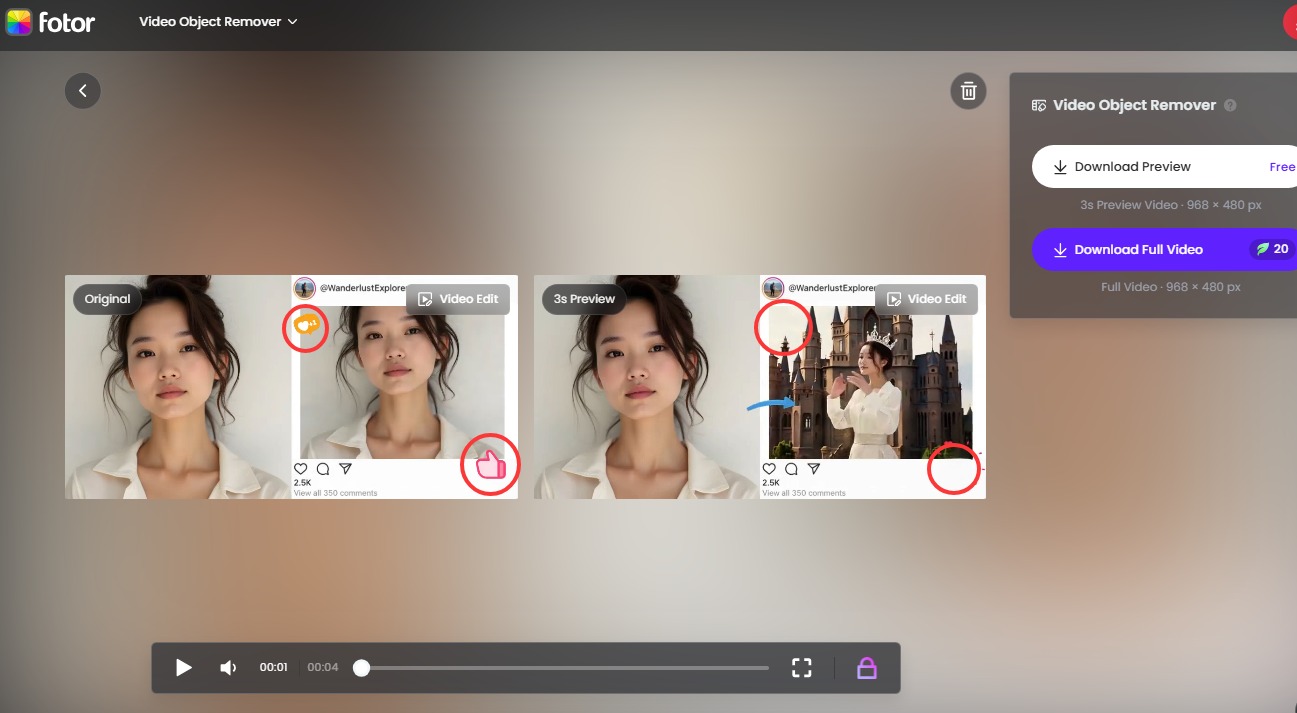
Fotor's AI Video Object Remover is a standout option. It supports MP4, MOV, and WebM formats up to 60 seconds and 1GB. Simply upload, brush over the emoji, click remove, and download your clean video. The tool uses AI-powered object detection to erase emojis, stickers, text overlays, and other elements from video frames while preserving quality with a clean background.
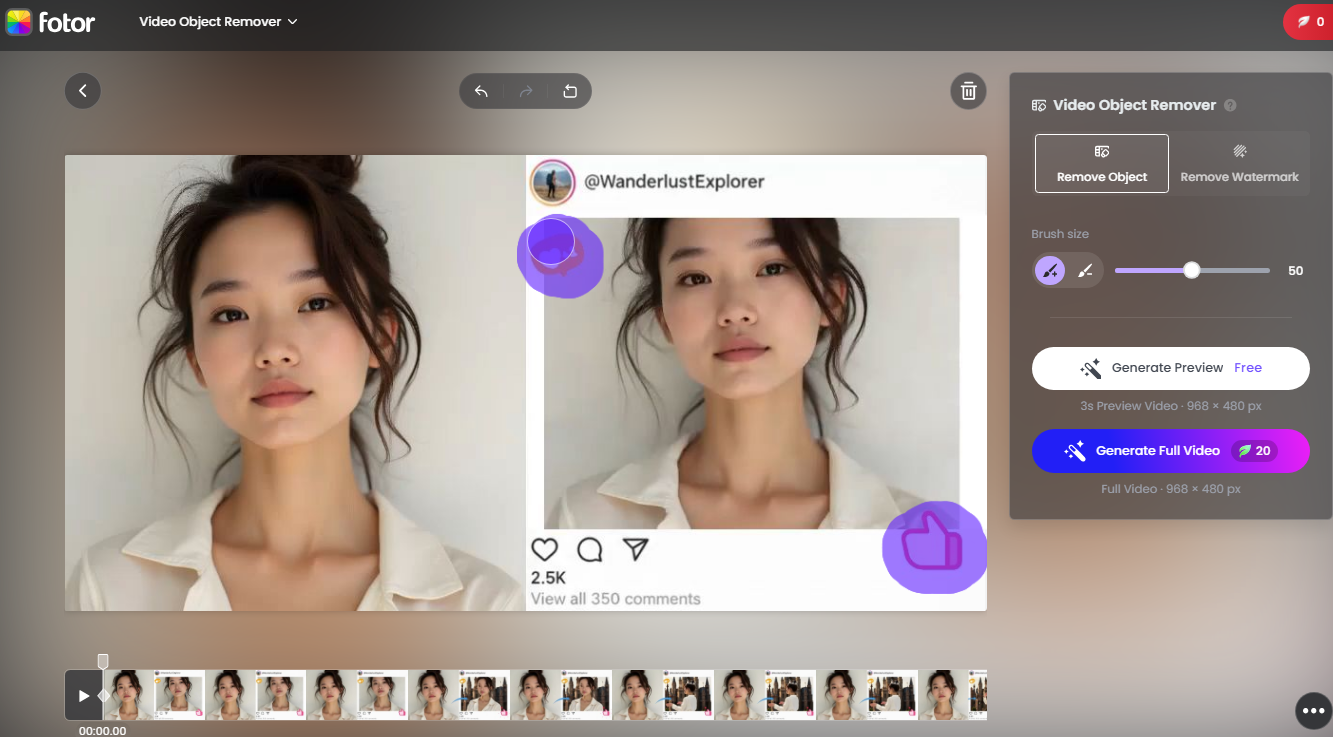
You can then download the non-emoji video preview for free. To download the whole video, you need to subscribe for $2.66/mo.
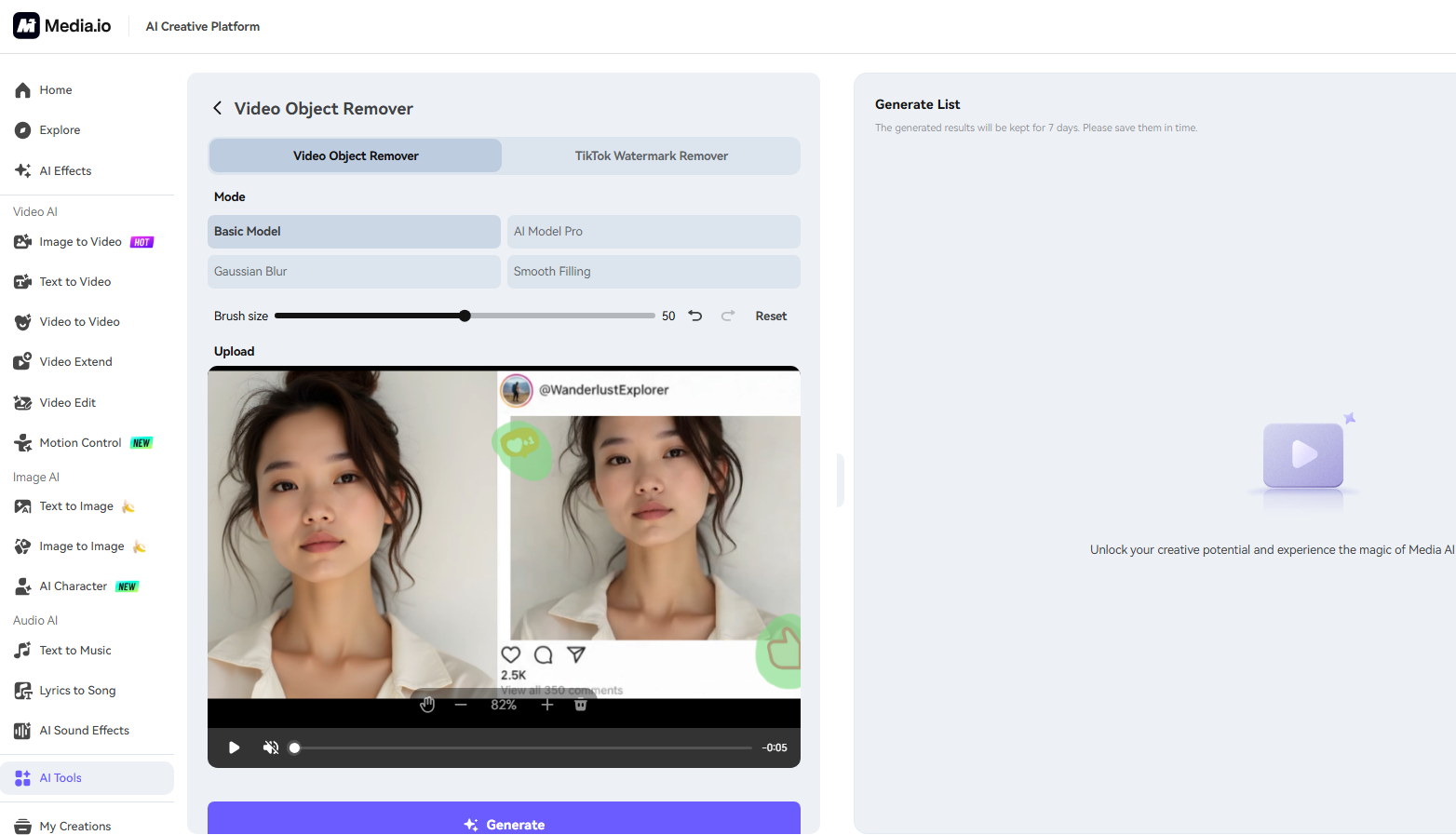
Media.io Video Object Remover
Another helpful option is Media.io AI Video Eraser, which can remove unwanted elements from video clips. Users simply brush over the emoji and the AI removes it across the video frames. It supports: mp4, .mov and the video length up to 15min. The tool also provides multiple fill methods such as blur, smooth fill, and color fill.
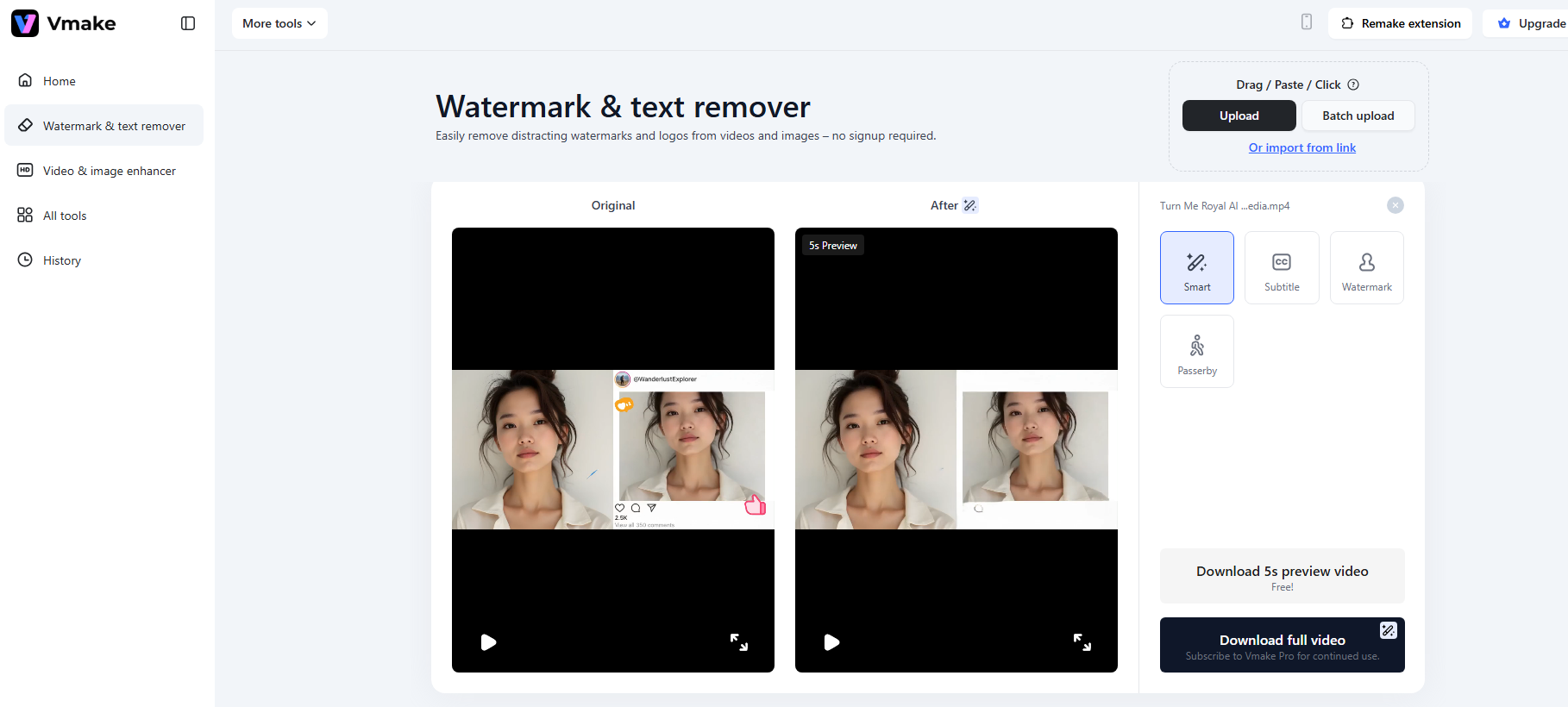
Vmake Video Object Remover
You can also try Vmake to quickly remove emoji from video without damage video quality. Upload video and it will auto-recognize and remove watermark from video, emojis, subtitles, captions, or overlays from your videos. It supports MP4, MOV, AVI, and more. Advanced video processing technology ensures no blur, no quality loss.
Other Remove Emoji from Video Methods You Can Give a Try
Using AI tools to remove memes from videos is convenient, right? But they're not always free. Depending on your preferences and skill level, here are other methods you can try.
Quick Fix - Cropping and Trimming Emoji from Video
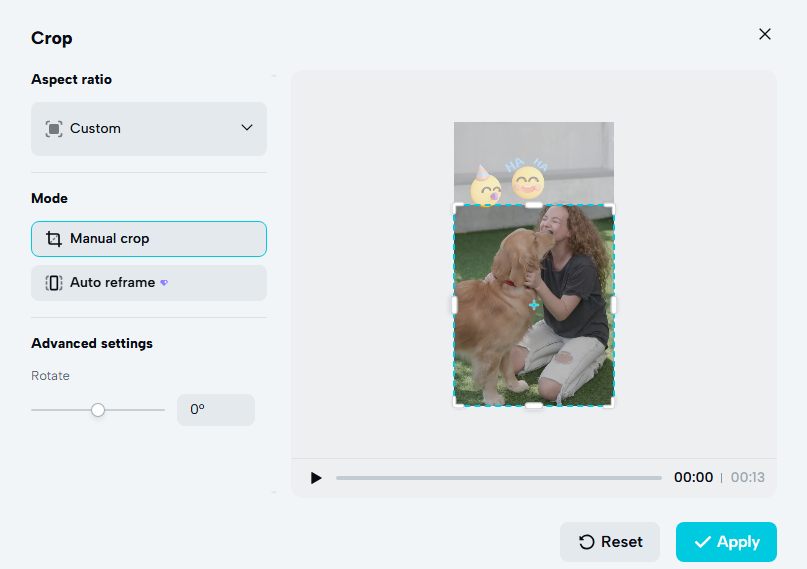
Sometimes the simplest solution is the best. If the emoji only appears in the first or last few seconds, or if that pesky emoji is hanging out near the edge of your frame, why not just crop it out? This method works for every device and requires zero advanced tools — even basic built-in editors can pull it off. This method works for every device and requires zero advanced tools — even basic built-in editors can pull it off.
Remove Emoji from Video Using Editing Software
For maximum control and professional results, desktop editing software is the way to go. Professional video editing software offers more advanced methods to remove emoji from video. Programs such as Adobe Premiere Pro and Final Cut Pro include tools like masking, cloning, and motion tracking that can help reconstruct areas hidden by emojis.
The editor replaces the emoji area with textures from nearby regions. These methods require more editing experience but offer greater control over the final result, especially in complex scenes.

If your video has lost quality after extensive editing, you can use an AI video enhancer to improve its quality.
Remove Emoji from Video with Mobile Apps
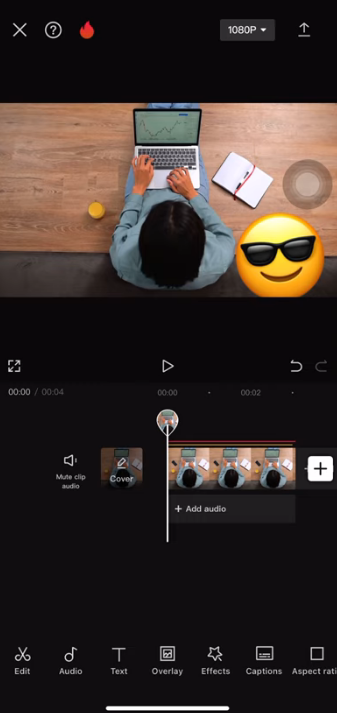
Many creators now edit videos directly on their smartphones. Mobile editing apps provide convenient ways to remove emoji from video without using a computer. Apps like CapCut include tools for cropping, masking, or covering objects. You just need to import the video into the app, use masking or overlay tools, cover or erase the emoji area, and then you can export the edited clip.
While mobile apps are convenient, they may have limitations such as processing speed, watermark restrictions, or limited AI removal capabilities. Still, they are useful for quick edits when working with social media content.
Common Q&A When Removing Emojis from Video
Q: Will removing an emoji lower my video quality?
A: High-quality AI tools reconstruct the area without reducing resolution. However, excessive cropping can degrade quality, so stick to AI removal when possible.
Q: What video formats are supported?
A: Most tools support MP4, MOV, and WebM. Some accept additional formats like AVI or MKV.
Q: How can I get a better result?
Remove emoji from video results tend to be best when:
- The emoji is relatively small
- The background behind the emoji is simple
- The video resolution is high
From Video to Image: Removing Emojis from Photos Naturally
Sometimes it’s easier to extract a frame from the video and edit it as an image. After exporting a screenshot, you can remove emojis using AI photo editors.
Good news—AI can handle images too, often with even more precision. For example, tools like Vidnoz AI provide two effective methods.
Method 1: Manual Selection with AI Image Remover
Tools like Vidnoz AI Image Remover let you take control by manually selecting exactly what to erase. Simply upload your photo, use the brush tool to highlight the emoji, and let AI reconstruct the background. This method gives you precision when dealing with complex images.
How to use manual removal emoji:
Step 1. Open this AI image remover tool, and upload your image to the tool.
Step 2. Adjust the brush size and carefully trace the emoji. Click "Remove" and watch AI fill the area.
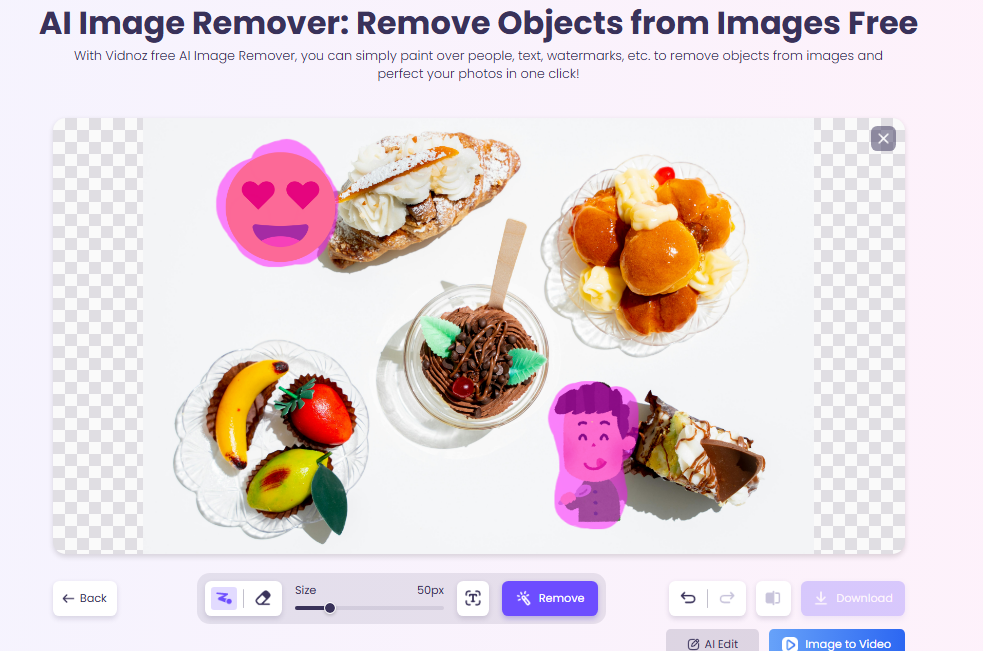
Step 3. Download your clean photo.
This approach works brilliantly for photos with detailed backgrounds, like group shots or outdoor scenes.
Method 2: Text Prompt Removal with AI Photo Editor
For an even easier approach, Vidnoz AI Photo Editor lets you remove emoji from video-adjacent content using simple text commands. Just describe what you want gone—for example, "remove the smiley face in the corner"—and the AI identifies and erases it automatically.
Step 1. Open the AI photo editor, and upload your image.
Step 2. Type your instruction (e.g., "erase the emoji on the left"). Let AI process and generate the result.
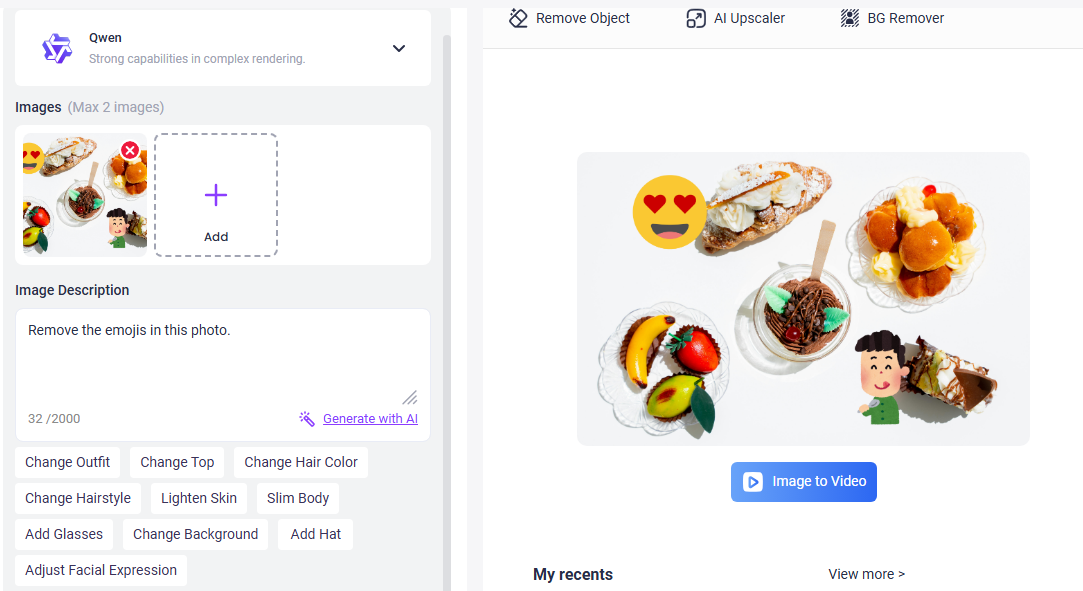
This doodle-and-remove method gives users more control when the emoji overlaps complex areas.
What's even better? After removing emojis from the video, you can use Vidnoz's image to video AI tool to inject dynamic energy into static images, turning them into engaging videos that are smooth and ultra-high definition.
Convert Image to Video AI Online - Free
- Create a video from an image quickly for free.
- Use various AI models to turn photos into videos.
- Download and share the AI-generated video at no cost.
Convert Image to Video
Final Words
Distracting emojis don't have to ruin your videos—or your photos. With today's AI technology, you can remove emoji from video faster and more easily than ever before. The best method depends on your specific situation—how complex the background is, where the emoji is located, and what device you're using. But with the options above, you're covered no matter what. Also, don't forget to try the free AI video generator to create high-quality, amazing videos for free.







![Best 5 Tools for How to Remove Backgrounds from GIFs - [Detailed Steps Included]](https://www.vidnoz.com/bimg/remove-backgrounds-from-gifs.webp)

![How to Remove Filter from Video Online | AI Video Filter Remover Online Free [Lossless]](https://www.vidnoz.com/bimg/remove-filter-from-video.webp)
