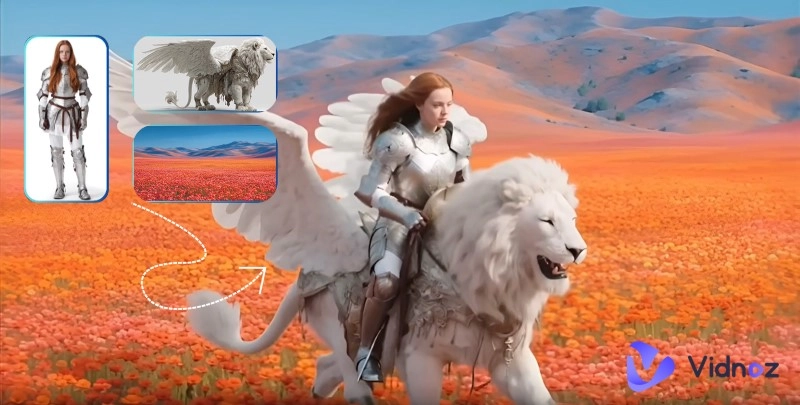
Open TikTok or YouTube, and you'll instantly come across countless AI-generated videos—from dancing animals and singing clips to AI face-swap movie scenes. They look fun and fascinating, but there's still one big problem: lack of consistency. You might notice sudden facial changes, distorted clothing, or unnatural expressions across frames.
That's where Reference to Video AI comes in—this technology ensures every generated frame stays stable, natural, and visually coherent by referencing an image or video. In this guide, you'll discover the 5 best Reference to Video AI tools that help you eliminate flickering or unstable visuals once and for all. Let's dive in!
- On This Page
-
Further Details on Reference to Video AI
-
Critical Pain Points Solved by Reference to Video AI
-
Vidu Reference to Video - Maintain Consistency Across Various Situations
How to Use Vidu Reference to Video AI Online:
-
Vidnoz Image to Video - Control Your Video with Image & Prompt Reference
Here is how to use Vidnoz AI Image to Video to convert reference to video:
-
More Excellent Options: 3 Advanced Reference to Video AI Tools
VideoPlus.AI - Free Reference to Video AI Generator
Supawork AI - AI Subject Reference to Video Generator
EaseMate AI - Veo 3 AI Video Generator
-
How Reference to Video AI Transforms Content Creation
Further Details on Reference to Video AI
Let's start with a quick look at what Reference to Video AI actually means—it's a more advanced form of AI video generation.
When using this technology, users upload a set of images or short video clips as reference materials. The AI then continuously compares these references during the generation process to ensure that characters, movements, clothing, and lighting remain consistent throughout the entire video.
Although it may sound similar, Reference to Video is fundamentally different from Image to Video. The latter usually relies only on the first frame as a reference, which often leads to noticeable changes in character details or style when generating longer clips. Reference to Video, on the other hand, uses multiple reference frames to create smooth and coherent visuals.
From a technical perspective, Reference to Video AI applies temporal consistency modeling and multimodal feature alignment techniques. It compares key features between frames during generation, maintaining both smooth motion and consistent character appearance.
Convert Image to Video AI Online - Free
- Create a video from an image quickly for free.
- Use various AI models to turn photos into videos.
- Download and share the AI-generated video at no cost.
Convert Image to Video
Critical Pain Points Solved by Reference to Video AI
Traditional Text-to-Video and Image-to-Video technologies may seem to use reference materials to generate videos, but they come with some obvious issues. These flaws often make the final results look rigid, unnatural, and overly AI-made. Let's break down these issues one by one:
- Character consistency issues: In traditional AI-generated videos, character faces often change between frames, clothing styles and colors may vary, and even facial features or body parts can become misaligned. The Reference to Video AI generator, however, uses multi-frame referencing to compare each generated frame with the reference materials, ensuring details remain consistent throughout the video.
- Unnatural scene transitions: Text-to-Video AI models typically struggle with controlling scene transitions, leading to sudden jumps. Reference to Video AI maintains temporal consistency, allowing smooth transitions and continuous movements.
- Scene element omissions: Traditional AI models sometimes miss important background elements, props, or lighting details, resulting in incomplete scenes. With Reference to Video AI, the model continually aligns features with the reference materials, preserving every essential scene element.
- Inaccurate details: Standard AI-generated footage can suffer from distorted movements, unclear textures, or inaccurate shadows. By aligning multimodal details frame by frame, Reference to Video AI captures richer expressions, fabric textures, and lighting effects.
Vidu Reference to Video - Maintain Consistency Across Various Situations
Seeing this, are you ready to try Reference Image to Video AI? Here is a tool for you—Vidu Reference to Video. It allows users to upload reference images and generates videos based on them, ensuring that characters, scenes, and props remain consistent across every shot.
Its biggest strength lies in consistency. The generated videos stay true to the reference materials while featuring high-quality details such as natural movements, realistic lighting, and crisp visuals. If you're a creator looking for novel visual effects, Vidu Reference to Video is the best fit.
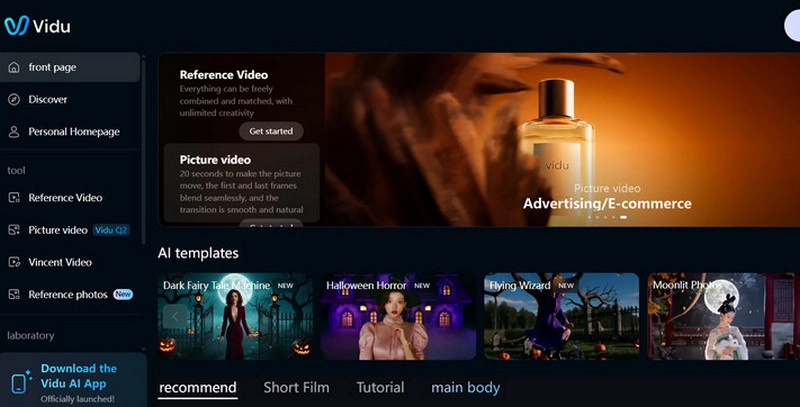
Key Feature
- Multiple Image Uploads: Allows uploading up to seven images as references, enabling the AI to merge visual elements into a coherent multi-shot video.
- Consistency Maintenance: Keeps characters, objects, and scenes consistent throughout the video. Even if props change midway, transitions remain smooth and natural.
- Flexible Settings: Users can customize resolution, aspect ratio, and style. Once parameters are ready, you can create videos suited for any platform.
- Multi-Scenario Adaptability: Generate videos for ads, e-commerce, storytelling, anime, film, or social media—giving creators freedom to explore across industries.
How to Use Vidu Reference to Video AI Online:
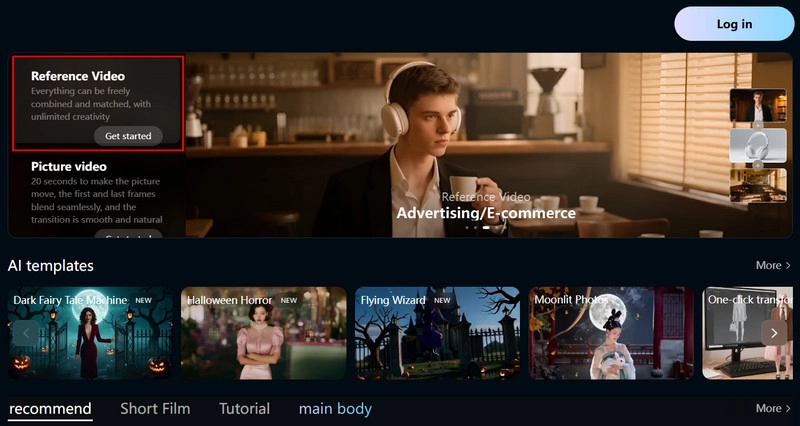
Step 1: Launch Vidu Reference to Video AI in your browser. You may need to register and log in with your E-mail or Google account.
On the homepage, select Reference Video and click Get Started.
Step 2: Click the +Image icon to upload your reference images.
You can also use community-sourced materials by navigating to the Reference icon > RefHub.
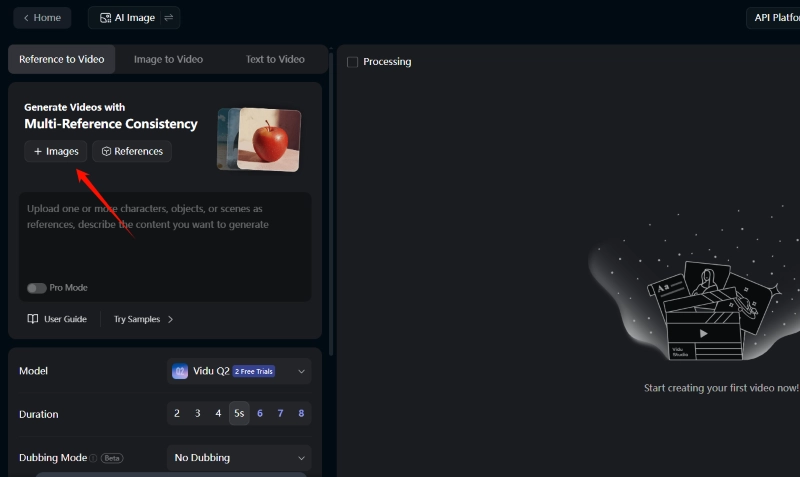
Vidu’s Reference to Video feature allows you to upload multiple images as reference, so you can upload different images to further refine your video.
Then, enter your video description in the Prompt box to guide the direction of your video. Then, enter your video description in the text box to guide the direction of your video. You can describe how the characters in the reference image move, how the various reference elements interact with each other, and any storyline you desire.
Step 3: Scroll down to adjust settings such as model, duration, resolution, and aspect ratio.
Finally, click Creation to generate your video.
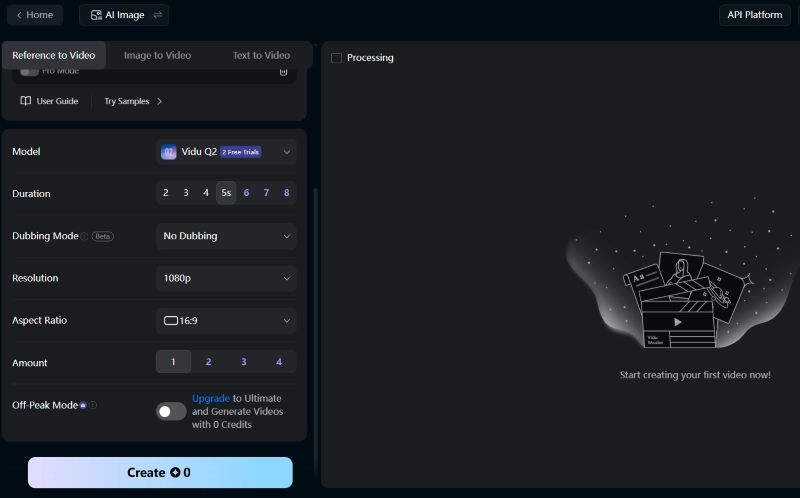
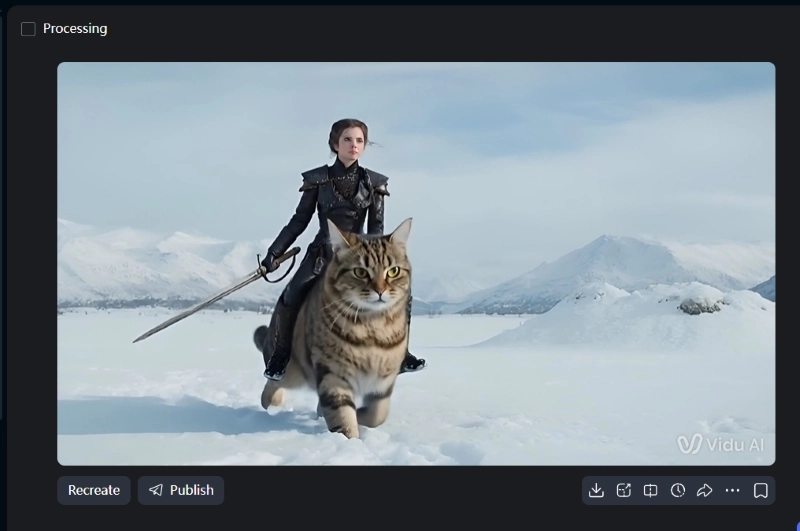
After a few seconds, the final video will be presented. You can preview, share and download your work instantly.
Vidnoz Image to Video - Control Your Video with Image & Prompt Reference
If generating AI characters' actions or speech from scratch feels too unpredictable, you can try another option: the Vidnoz Image to Video tool.
Convert Image to Video AI Online - Free
- Create a video from an image quickly for free.
- Use various AI models to turn photos into videos.
- Download and share the AI-generated video at no cost.
Convert Image to Video
This free AI image to video tool lets users create videos in different styles and formats using images to assist text prompts. One standout feature is its library of preset videos, allowing users to remix or repurpose content quickly and generate high-quality results.
Key Feature
- Dual Reference (Image + Text): Upload images while using text prompts to control AI-generated actions, scenes, and styles.
- Multiple Generation Models: Vidnoz offers various advanced video generation models for different styles and industries, suitable for short videos, story clips, demos, and animations. You can even make picture dance using these models to bring static images to life.
- Rich Video Presets and Templates: Includes multiple video clips ready for remixing, saving time while producing polished content.
- Flexible Output Options: Customize video length and quality, then generate videos instantly with smooth transitions and natural visuals.
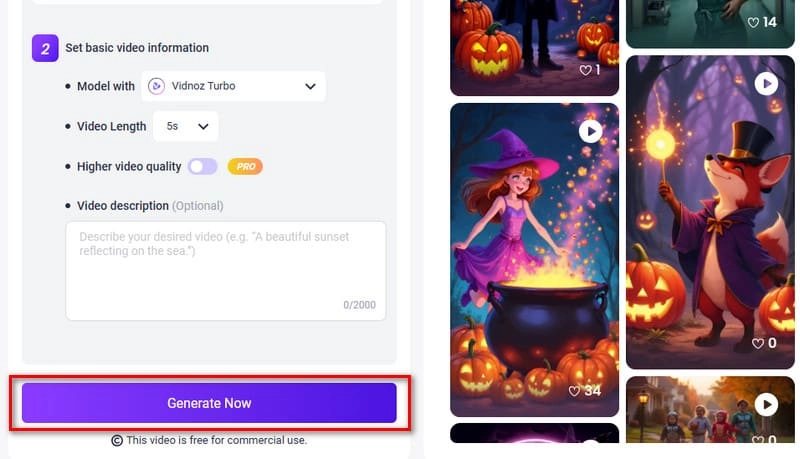
Here is how to use Vidnoz AI Image to Video to convert reference to video:
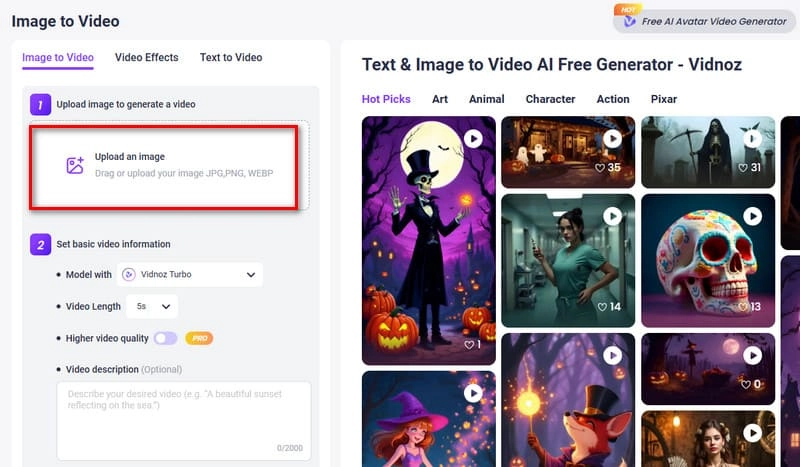
Step 1: Open your browser and launch Vidnoz Image to Video. On the generation page, click Upload an image to add your reference photo. Choose clear, focused, and stylistically consistent images for better video consistency.
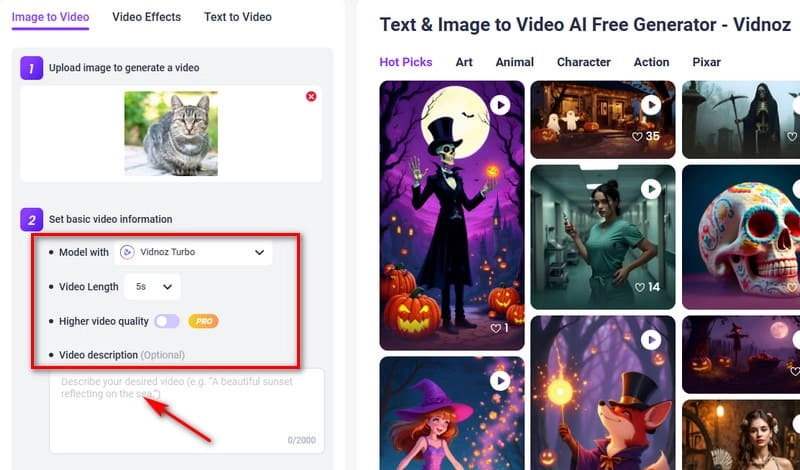
Step 2: Adjust the video generation model as needed, then set video length and quality. In the Video description text box, describe the scene, actions, and emotions. Use detailed descriptors, action verbs, adjectives, and adverbs for richer results.
Step 3: Once all settings are ready, click Generate Now to create your video.
More Excellent Options: 3 Advanced Reference to Video AI Tools
There are actually other reference image to video AI tools worth exploring. Here are three top options:
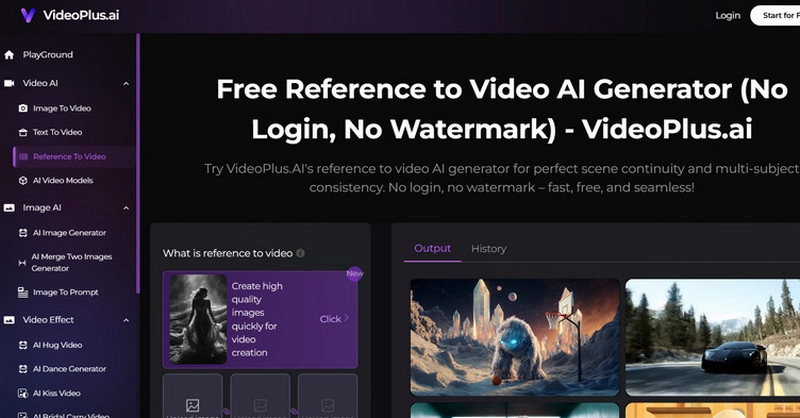
VideoPlus.AI - Free Reference to Video AI Generator
VideoPlus.AI's biggest advantage is that it can be used directly without login or registration, and it's free. Users can upload multiple reference images at once or enable built-in video effect presets. It can even simulate various camera angles for more dynamic shots.
Supawork AI - AI Subject Reference to Video Generator
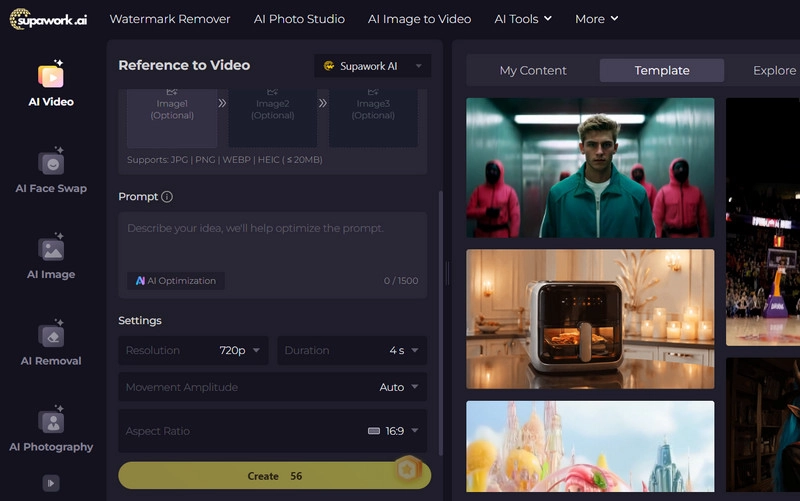
If you care about character actions and interaction consistency in AI videos, Supawork AI is your best choice.
This consistent character AI allows uploading three reference images and combining them with text prompts to control movements. It also offers AI face swapping, watermark removal, and background editing features for better result.
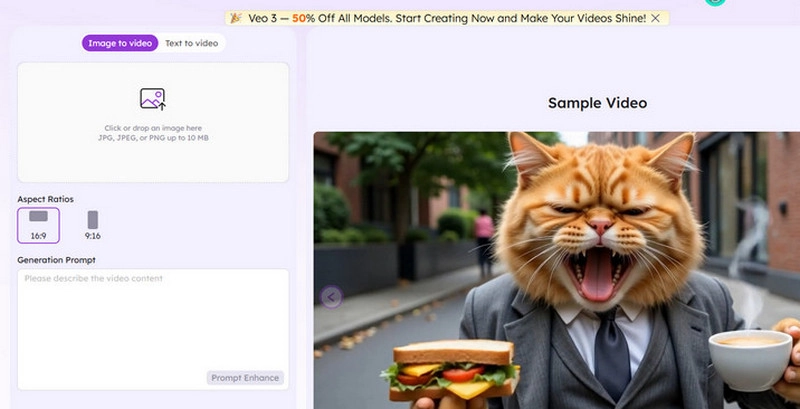
EaseMate AI - Veo 3 AI Video Generator
If you want an easy and fast answer to how to animate a picture, EaseMate AI is recommended. This reference image to video AI uses Google's Veo 3 model to add animations and movements to static images based on your input, which excels at the consistency of video and the realistic sound effect. It also supports downloading watermark-free videos once satisfied.
How Reference to Video AI Transforms Content Creation
Finally, let’s wrap up and take a look at how Reference to Video AI is shaking up the way AI generates videos.
- Better visual consistency: It keeps characters, scenes, and props consistent across all frames, avoiding sudden jumps or missing details.
- Higher creative freedom: You can combine multiple reference images with text prompts to freely design actions, expressions, and scene styles, giving your videos a unique, personal touch.
- Faster generation speed: It dramatically boosts video production efficiency, letting creators produce high-quality content quickly and stay ahead with fast updates.
Conclusion
Reference to Video AI represents a major improvement over traditional Text/Image to Video tools: character movements are more stable, scene transitions smoother, and details are better preserved.
Top performers in this category is Vidnoz. This free AI video generator not only allows generating new videos using images and text prompts but also offers thousands of templates, AI digital avatars, and voice options for instant remixing, saving a lot of time and effort. If you already have a video script ready, open Vidnoz now and start creating!
Convert Image to Video AI Online - Free
- Create a video from an image quickly for free.
- Use various AI models to turn photos into videos.
- Download and share the AI-generated video at no cost.
Convert Image to Video