Minecraft parkour is now a big hit, where players jump across obstacle courses with perfect timing. More and more people want to share their parkour skills on YouTube, TikTok, and Instagram. But making good videos is hard if you don't have the right tools.
That's where the Minecraft parkour video generator comes in. These AI tools help turn your gameplay into awesome videos without much work. They look at your footage and make professional videos showing your best parkour jumps. In this article, we'll see why Minecraft parkour videos are so popular and show you the best Minecraft parkour AI maker tools in 2026.
- On This Page
-
What Is Minecraft Parkour Video
-
Why Is Minecraft Parkour Video So Popular
-
Best 3 Minecraft Parkour Video Generator to Craft Captivating Videos
1. revid.ai Minecraft Parkour Video Generator - Minecraft Video Creation Master
2. quso.ai Minecraft Parkour Video Generator - Excellent Visuals with Specialized Templates
3. Autopilot Shorts - Minecraft Style Brainrot Videos Generator
-
Follow Along Tutorial for Minecraft Parkour Video Generator
-
Further Enhance Minecraft Parkour Video, Vidnoz Assists You
What Is Minecraft Parkour Video
A Minecraft parkour video shows players running through tough obstacle courses in Minecraft. In these videos, players jump carefully from block to block, avoid dangers, and try to finish the course quickly. The most popular Minecraft parkour videos include fast-paced action, perfectly timed jumps, and creative course designs that push the limits of what's possible in the game.
What makes these videos special is how they capture the thrill and excitement of successfully completing difficult jumps and maneuvers. Many creators add music, effects, and edits to make their parkour skills look even more amazing.
Also Read: Make Photo Move AI: How to Animate Your Pictures >>
Why Is Minecraft Parkour Video So Popular
The popularity of Minecraft parkour videos has exploded in recent years for several compelling reasons. First, they showcase genuine skill and practice, as mastering difficult parkour courses requires significant dedication. Viewers enjoy watching players overcome challenging obstacles that seem nearly impossible at first glance.
Additionally, Minecraft parkour background video content creates a perfect backdrop for relaxing music, commentary, or even educational content. Many content creators use parkour footage as engaging visual content while discussing various topics, making their videos more captivating.
The satisfaction of watching a perfectly executed parkour run is undeniable, creating a sense of accomplishment even for viewers. This widespread appeal has inspired countless players to create their own Minecraft parkour videos, driving demand for effective tools that can help transform raw gameplay into engaging content.
Best 3 Minecraft Parkour Video Generator to Craft Captivating Videos
Now that we understand the appeal of Minecraft parkour videos, let's explore the top tools that can help you create professional-quality content with minimal effort. These Minecraft Parkour video generators use advanced AI technology to transform your gameplay into shareable content that stands out on social media platforms.
1. revid.ai Minecraft Parkour Video Generator - Minecraft Video Creation Master
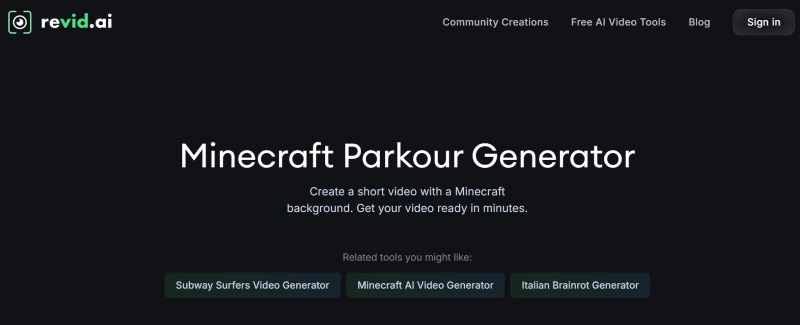
revid.ai Minecraft Parkour Video Generator stands out as the most sophisticated AI tool specifically designed for Minecraft content creators. This powerful platform uses advanced algorithms that can actually understand Minecraft terminology in your scripts and match appropriate gameplay footage accordingly. This means when you mention specific parkour techniques like "neo jumps" or "head-hitters," the AI knows exactly what visual content to display.
What makes revid.ai particularly impressive is its rich customization options. Users can adjust every aspect of their Minecraft Parkour video from transition effects and timing to music synchronization and text overlays. The platform offers specialized templates designed specifically for different parkour styles whether you're creating videos of speed runs, trick compilations, or tutorial content.
Key Feature
- Deep understanding of Minecraft-specific terminology and automatic matching with appropriate visual content
- Extensive customization options including effects, transitions, and timing adjustments
- High-quality rendering that maintains the visual clarity of your parkour movements
- Smart editing that automatically highlights the most impressive jumps and maneuvers
- Voiceover integration that synchronizes perfectly with gameplay footage
2. quso.ai Minecraft Parkour Video Generator - Excellent Visuals with Specialized Templates
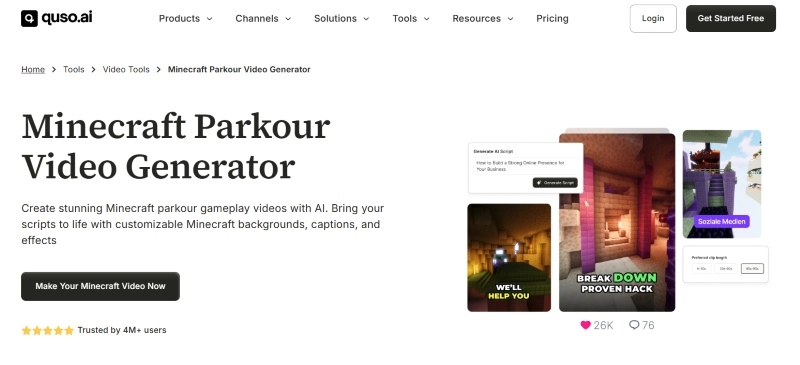
quso.ai Minecraft Parkour Video Generator offers a streamlined approach for creating engaging parkour content. This platform is optimized specifically for Minecraft Parkour background video creation, delivering professional results quickly without hours of editing.
What makes quso.ai special is its extensive library of templates designed exclusively for Minecraft Parkour. These include perfectly timed transitions for highlighting successful jumps, specialized effects for difficult maneuvers, and complementary music tracks. Users can share their creations directly to YouTube, TikTok, and Instagram with just one click.
Key Feature
- Ready-to-use templates for different parkour styles
- Quick processing from raw footage to engaging content
- Direct social media sharing with platform-specific optimization
- Automated music synchronization with parkour movements
- Batch processing for multiple videos simultaneously
3. Autopilot Shorts - Minecraft Style Brainrot Videos Generator
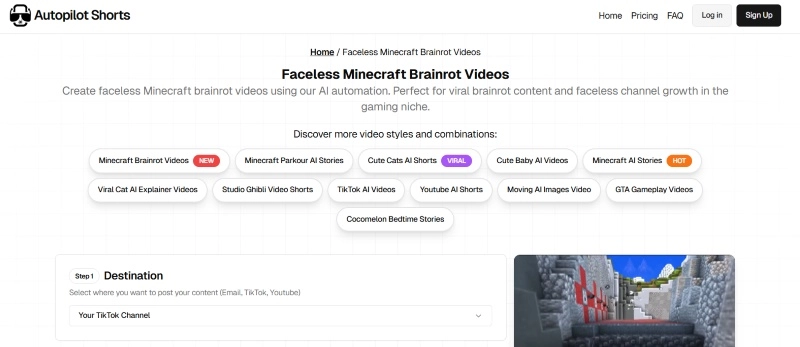
Autopilot Shorts specializes in creating attention-grabbing short videos perfect for TikTok and YouTube. It excels at generating what fans call "brainrot" videos—addictive, fast-paced content that keeps viewers coming back.
What makes it unique is its automated script generation that builds narratives around your parkour footage. While basic features are useful, premium options unlock the full potential of this Minecraft parkour brainrot generator.
Key Feature
- Optimized for vertical short-form content
- AI-powered script generation
- Trend analysis for algorithm optimization
- Automated captions and text overlays
Also Read: Top 6 Roblox Voice Changers You Must Try as a Gamer
Follow Along Tutorial for Minecraft Parkour Video Generator
Let's walk through a simple process of creating your first parkour video using revid.ai as an example:
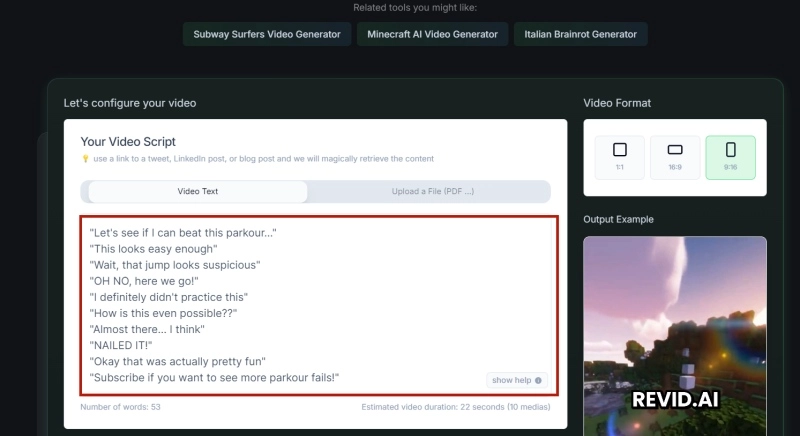
Step 1: Write down your script for the video, or upload a file in the text box.
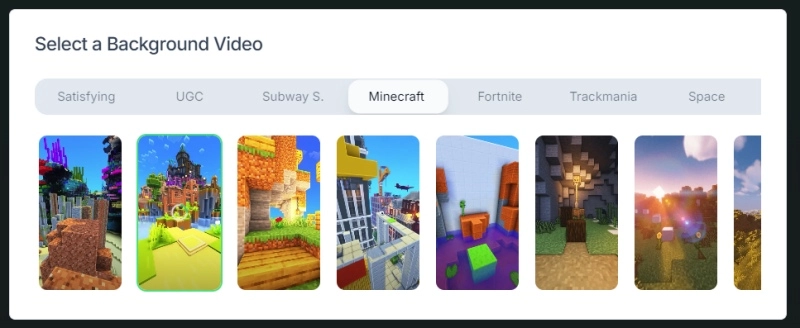
Step 2: Select your favorite video from the video list. You can hover the mouse to preview the video.
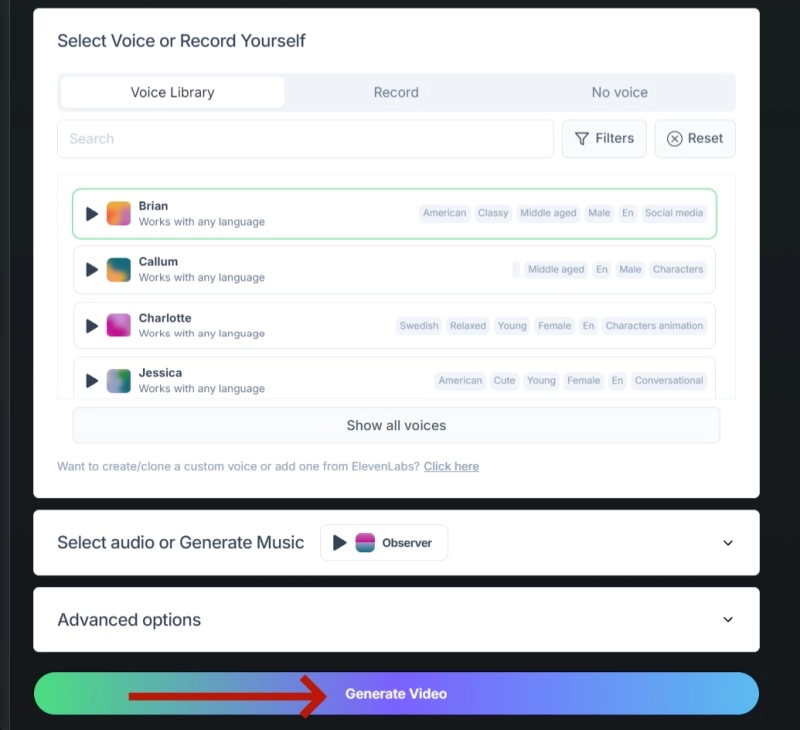
Step 3: Choose voice and style for the video, you can also upload a voice record on your own. Moreover, you can select audio and set other advanced options for the video. Finally, click “Generate Video”.
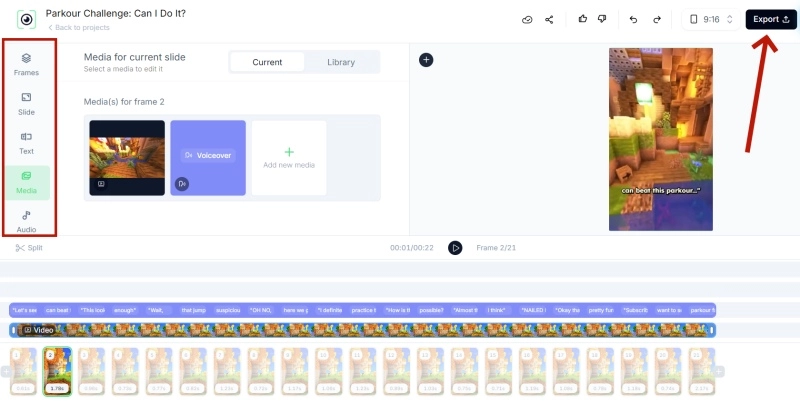
Step 4: Wait for few seconds, you can preview the video. You can make some final edit in the tool bar, and click “Export” to download the video.

During the video creation process, remember to set keyframes at your most impressive jumps to ensure they get proper emphasis in the final video.
Further Enhance Minecraft Parkour Video, Vidnoz Assists You
While specialized Minecraft video generators are excellent for creating gameplay content, Vidnoz AI offers a comprehensive suite of tools that can take your videos to the next level. As a complete AI-powered content creation platform, Vidnoz provides multiple tools that can enhance various aspects of your Minecraft parkour videos.

Vidnoz AI - Create Free Engaging AI Video with Talking Avatar
- Easily create professional AI videos with realistic avatars.
- Text-to-speech lip sync voices of different languages.
- 2800+ video templates for multiple scenarios.
Online Video Editor
The Vidnoz Online Video Editor provides powerful yet easy-to-use editing capabilities that can refine your parkour videos after initial generation. This free AI video generator allows you to make precision adjustments to timing, add additional visual effects, and incorporate professional transitions between scenes. This simple interface makes it super easy to access, even for the new starters with zero experience. Users seeking ambitious product results will find plenty of advanced features. They're all there to help you achieve success.
AI Voice Changer
Add personality to your parkour videos with the Vidnoz AI voice changer. This powerful tool can transform your voice into various characters or create a signature sound for your content. You can even generate a Minecraft villager AI voice to narrate your parkour videos, adding an authentic Minecraft feel to your content. The voice changer works seamlessly with video content, allowing you to add high-quality audio commentary without expensive microphone equipment.
Clone Anyone’s Voice with AI - Free
Make realistic voices of famous people and characters.
Clone anyone's voice to create personalized voiceovers.
Support 2000+ languages and accents.
Change Voice Now
AI Video Enhancer
The Vidnoz AI Video Enhancer automatically improves video quality by enhancing resolution, stabilizing shaky footage, and optimizing colors. This is particularly useful for Minecraft content captured on lower-end devices or in challenging lighting conditions. You can also use the text to video AI feature to create custom introductions or explanatory segments for your parkour videos. For creators looking to establish a brand identity, the Minecraft avatar maker can create custom character representations for your channel.
Conclusion
Creating engaging Minecraft Parkour video content has never been easier thanks to specialized AI generators and comprehensive tools like Vidnoz. These tools will simply help you make professional videos, tutorials or just fun memories with friends. Start exploring these Minecraft Parkour video generator options today and transform your gameplay into content that stands out on social media. With the right tools at your disposal, you might just become the next big Minecraft content creator!