After the Polaroid AI trend took off across major social media platforms, many have rediscovered their love for this unique retro photo style. AI-processed Polaroid photos typically feature iconic white borders, soft-focus effects, and nostalgic color tones, transporting viewers back to the film era. This style is especially popular on Instagram, TikTok, and Facebook because it instantly elevates the visual quality while evoking fond memories of simpler times.
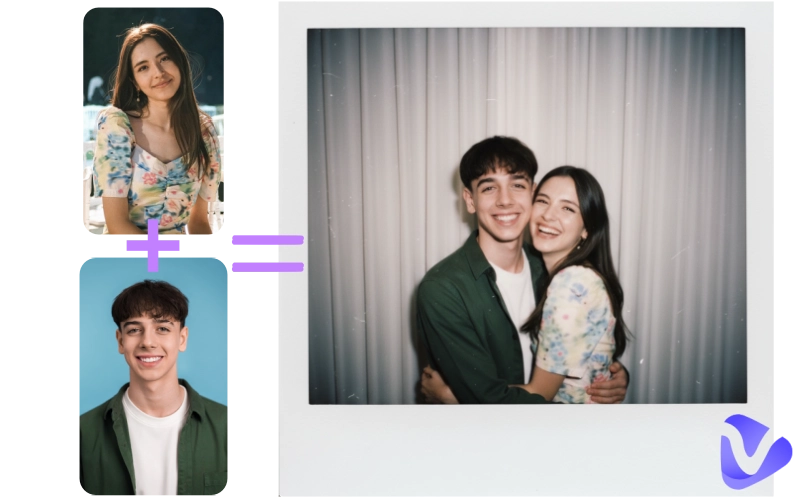
Next, this guide will take you through how to do the Polaroid AI trend photos. Follow along with this article, and you too can easily create your own vintage Polaroid-style works.
- On This Page
-
What Is the Polaroid AI Trend & Its Examples?
Example 1: Polaroid Photo with My Younger Self
Example 2: Polaroid AI Photo with My Loved Person
Example 3: Polaroid Photo with My Favorite Celebrity
-
5 Best AI Polaroid Generator Tools Worthy of Trying
1. Gemini Polaroid AI: How Does Gemini Create Polaroid-Style Images?
2. Polaroid AI Trend: How to Create Polaroid Photos with Vidnoz AI Effects?
3. Krea Polaroid AI: How to Do the Polaroid AI Trend Step by Step
4. AI Polaroid Hug Trend: Create Emotional AI Moments on Fotor?
5. Polaroid with My Younger Self: How AI Recreates Time-Travel Photos with Kapwing?
-
Tips for Creating Realistic Polaroid AI Photos
What Is the Polaroid AI Trend & Its Examples?
Before you start creating, let's first understand what Polaroid photo style really means and the key elements that define its unique look.
- White frame borders: A Polaroid photo usually has thick white edges around the image to mimic the classic instant film format.
- Soft, faded tones: Instead of sharp and vibrant colors, a Polaroid photo features warm, slightly yellowed or grayish nostalgic tones.
- Film grain: Subtle grain and a bit of blur are added to make the image look like it was developed on traditional film.
Now let's feel the Polaroid style through descriptions and real examples:
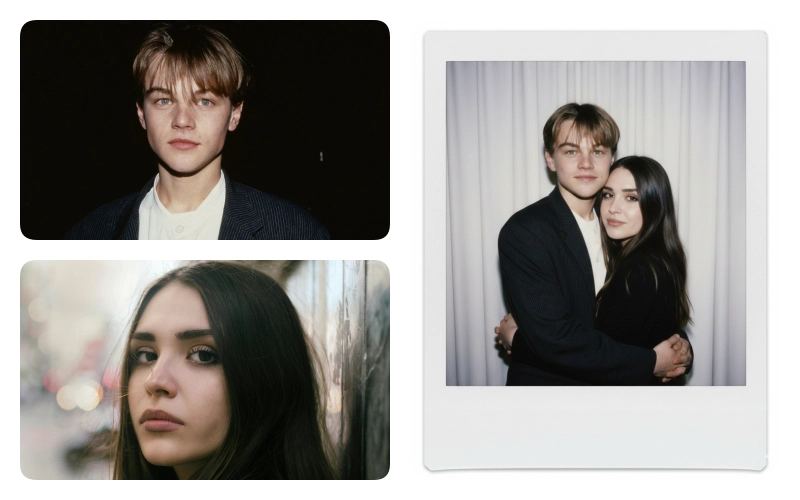
Example 1: Polaroid Photo with My Younger Self
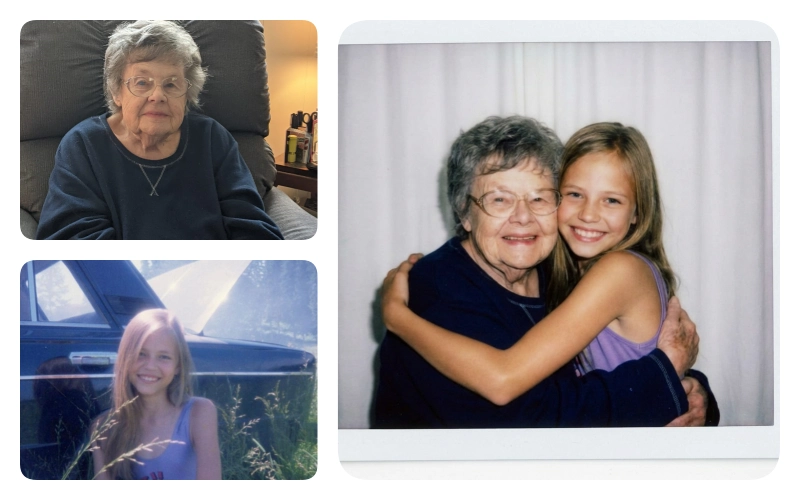
After AI processing, a modern personal portrait turns into a Polaroid with my younger self.
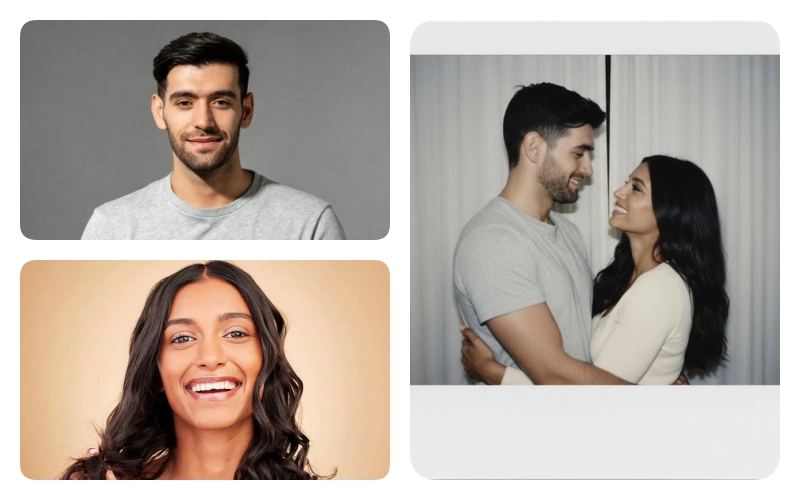
Example 2: Polaroid AI Photo with My Loved Person
A seaside couple photo becomes more emotional and lively once transformed into a Polaroid style image.
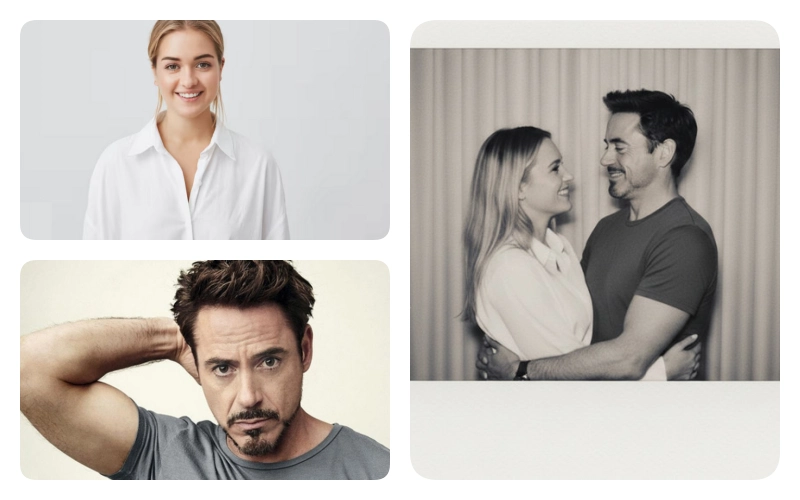
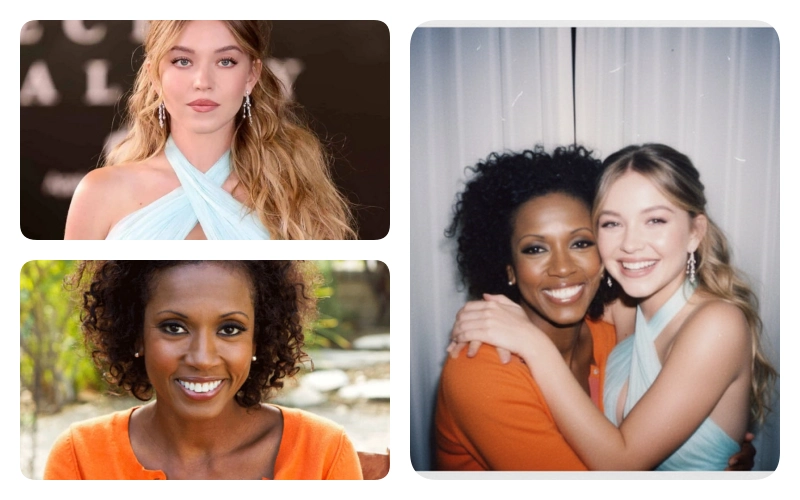
Example 3: Polaroid Photo with My Favorite Celebrity
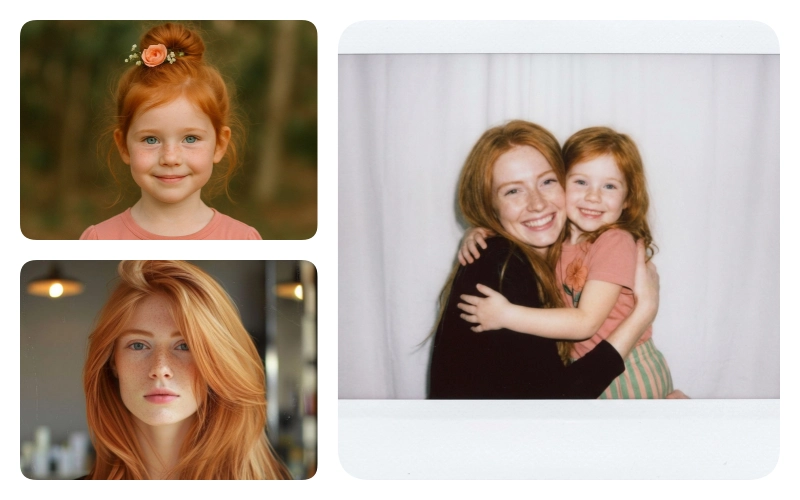
A fan who create an AI Polaroid hug with her idol.
5 Best AI Polaroid Generator Tools Worthy of Trying
After hands-on testing and research, five of the most worthwhile and user-friendly AI Polaroid generator tools have been selected, each paired with clear step-by-step instructions.
1. Gemini Polaroid AI: How Does Gemini Create Polaroid-Style Images?
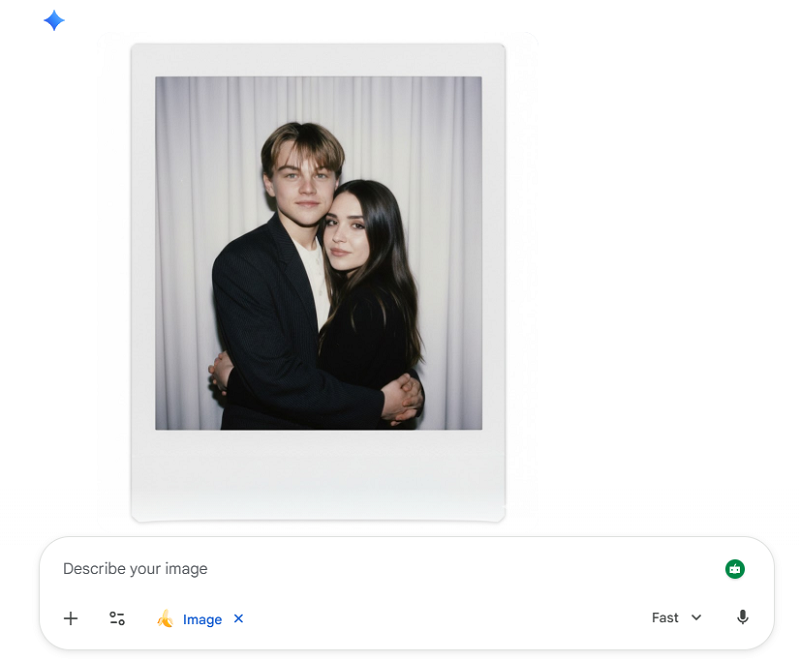
Google has a powerful, free AI polaroid generator as smart and fast as ChatGPT — Gemini. With detailed prompts, you can ask it to create almost any kind of image you want. What if the AI doesn 't fully understand all your requests? No problem. Just give feedback ,and Gemini Polaroid AI will instantly generate a new version until you 're satisfied.
Pricing: Free
Key Advantages:
- Free.
- You can refine prompts based on results for more accuracy.
- Very flexible, supporting single portraits or even merging two people into one Polaroid-style photo.
- No watermarks.
How to get a Polaroid filter for your photo with Gemini?
Step 1. Visit Gemini's official website. You can also download its app from Google Play or the Apple App Store for mobile use.
Step 2. Log in with your Google account. Click the + icon to upload your photo, then type your prompt.
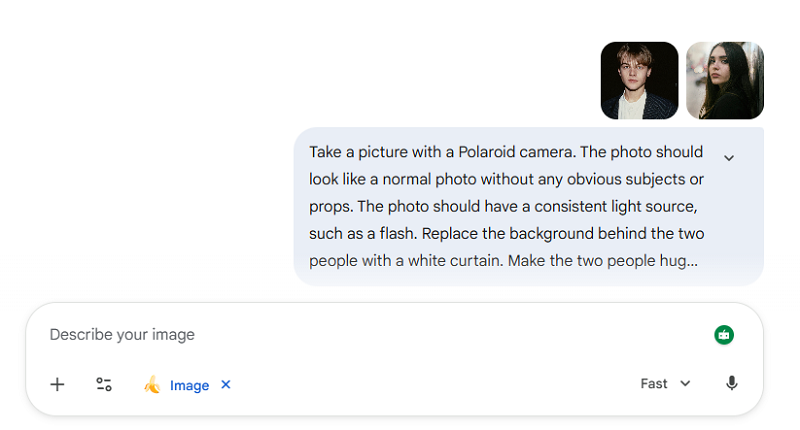
Example prompt:
Please take a realistic, high-quality candid Polaroid photograph of the subjects in the image. The photo should have a consistent light source, such as a flash. Replace the background behind the two people with a white curtain. Make the two people hug and smile and look at the camera. Do not change or edit faces.
Step 4. Click Submit in the lower-right corner. After a short wait, you'll receive your result from Gemini Polaroid AI.
Also Read: Easily to Describe Images in Words >>
2. Polaroid AI Trend: How to Create Polaroid Photos with Vidnoz AI Effects?
Compared to Gemini that can not adjust settings like image count, size, or aspect ratio directly, Vidnoz Polaroid AI trend image generator offers a simpler and a more intuitive way to create realistic Polaroid-style photos and refine results with text prompts.
It supports multiple high-quality image models like Nano Banana Pro (also used by Gemini), Qwen, Kling, etc., batch generations, choicable aspect ratios and resolution presets. This enables users more flexibility in style, realism, and creative control..
Pricing: 3 daily free trials; 2-8 credits per generation
Key Advantages:
- Free to use.
- Extremely comprehensive customization options.
- Exceptionally fast generation speed; supports batch generation.
- Provides prompt optimization tools.
- Very clear interface and simple operation methods.
How to use Vidnoz Polaroid AI Trend tool?
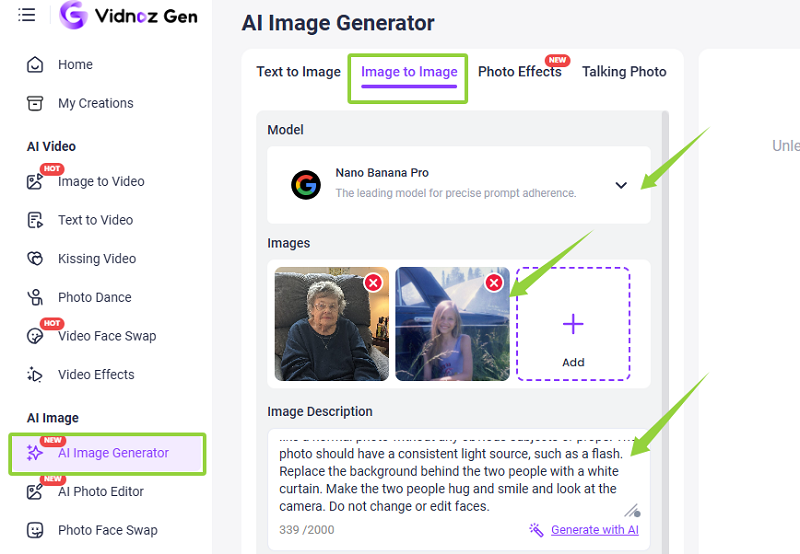
Step 1. Open Vidnoz AI Image Generator and switch to Image to Image section.
Step 2. Select AI model, Nano Banana Pro, Kling, or others. Click + to upload your original photos.
Enter your desired effect description under Image Description.
Example:
Take a picture with a Polaroid camera with a nostalgic and retro style. The photo should have a consistent light source, such as a flash. Replace the background behind the two people with a white curtain. do not change or edit faces.
Step 3. Scroll down to confirm the number of outputs, aspect ratio, and resolution.
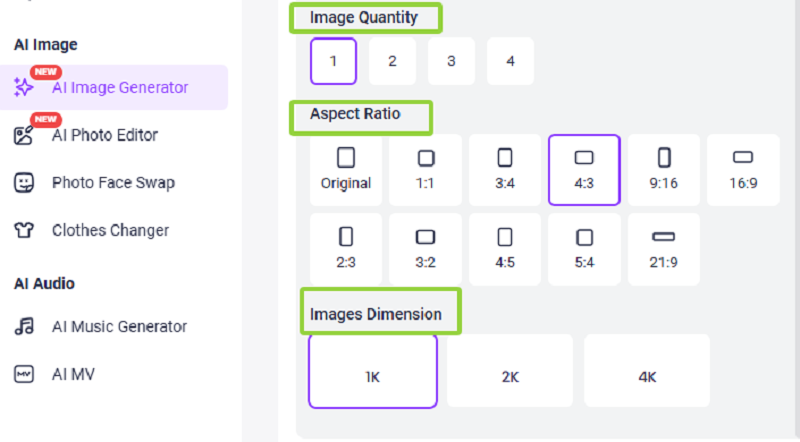
Step 4. Finally, click Generate Now. Wait, preview, and download the result of high clarity free to the local storage.
Bonus: Try feeding your generated Polaroid photos to Vidnoz talking photo AI! The platform will make the people in your pictures speak—and you get to decide what they say!
3. Krea Polaroid AI: How to Do the Polaroid AI Trend Step by Step
Krea Polaroid AI is one of the most satisfying options available. It is designed specifically for creating nostalgic and retro Polaroid-style images in a simple and automatic method. Want to create a photo with two people? Just upload a second image after the first one. Krea Polaroid AI will act as an image combiner and automatically merge the two people into a Polaroid-style moment.

The platform supports PNG, JPEG, WEBP, HEIC, and HEIF formats. Make sure the uploaded photos are well-lit and the faces are clearly visible.
Pricing: $7/Month
Key Advantages:
- No extra prompts needed.
- Offers free generations.
- Automatically combines two photose.
- Produces very authentic Polaroid-style results.
Also Read: Create Your Expressive Avatar From Photo Free with AI >>
How to create the Polaroid AI trend using Krea Polaroid AI
Step 1. Launch Krea Polaroid AI.
Step 2. Click the blue Upload First Photo button to upload the original image.
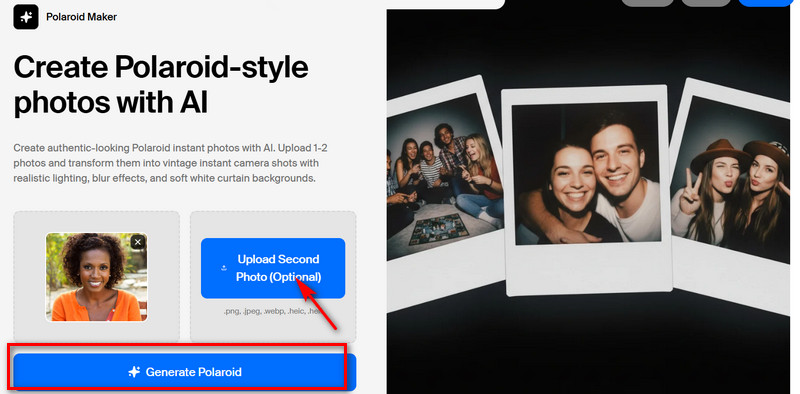
Step 3. If creating a single-person Polaroid AI trend image, click Generate Polaroid directly.
If creating a group photo, click Upload Second Photo on the right to add another image, then click Generate Polaroid.
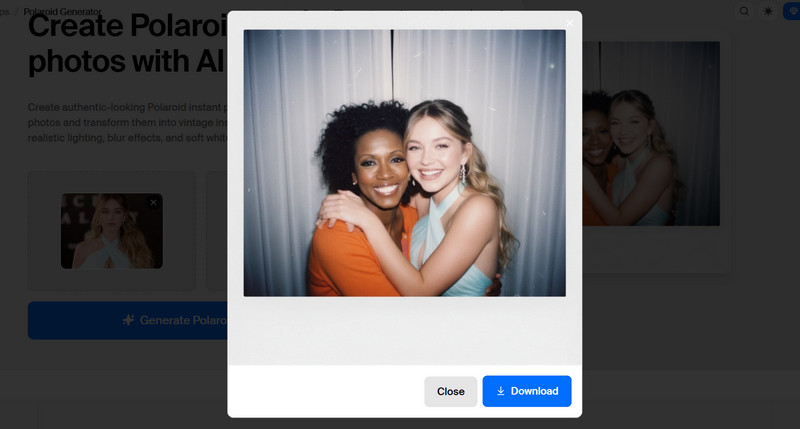
Bonus: In addition to button controls, Krea also features a free AI video generator and image generator that run through the chat box, along with more editing functions.
4. AI Polaroid Hug Trend: Create Emotional AI Moments on Fotor?
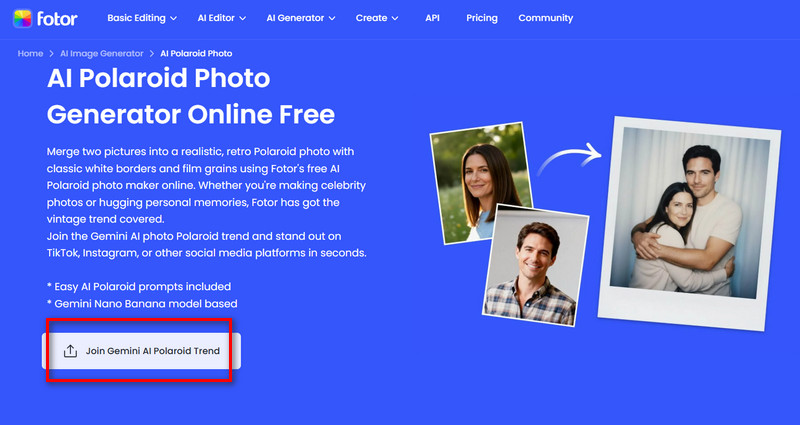
You'll be pleased to know that the popular platform Fotor now also offers the ability to generate Polaroid-style images. It comes with a wide variety of two-person action templates, including hugging, kissing, back hug, cheek kiss, princess carry, or cheek pinch. Good for your instant Polaroid photo generation without tedious prompting.
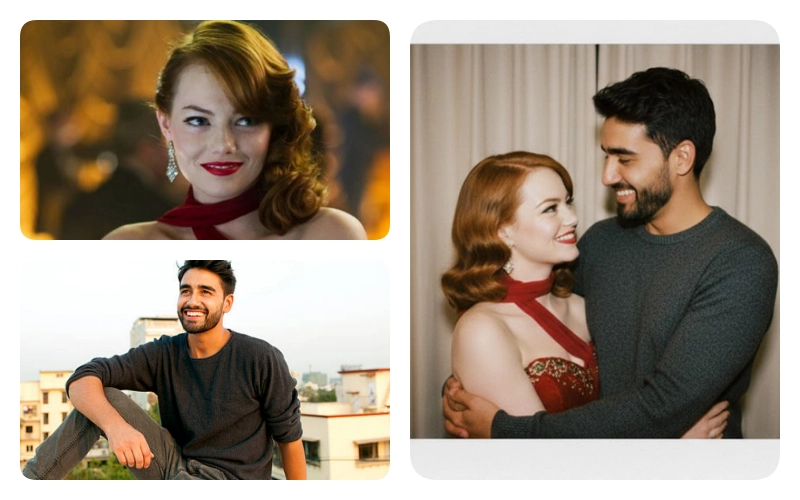
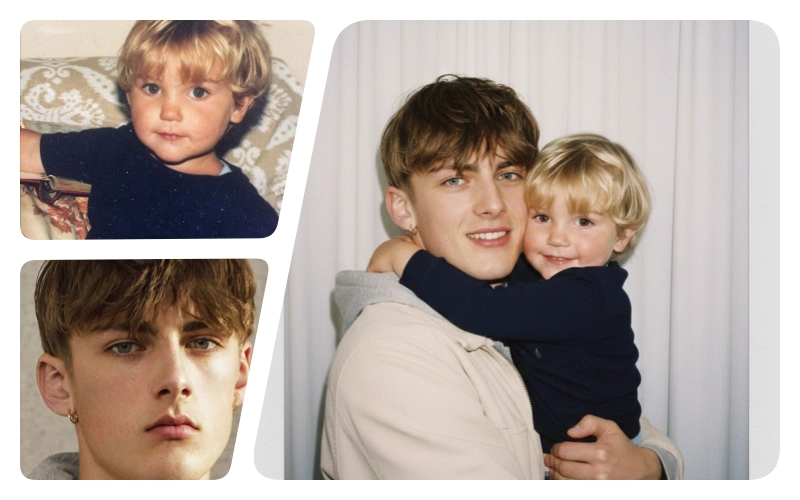
Plus, Its funny hug your younger self feature allows you combine childhood self and current self, giving the feeling of truly revisiting your past memories.
Pricing: $3.19/Month/100 Credits (10 Credits per generation)
Key Advantages:
- Offers a wide variety of Polaroid two-person action templates.
- No watermarks.
- Simple to use and fast generation.
- Supports AI-enhanced prompt refinement.
How to generate Polaroid two-person photos with Fotor:
Step 1. Wait Fotor AI Polaroid Photo Generator and click Join Gemini AI Polaroid Trend to upload the images.
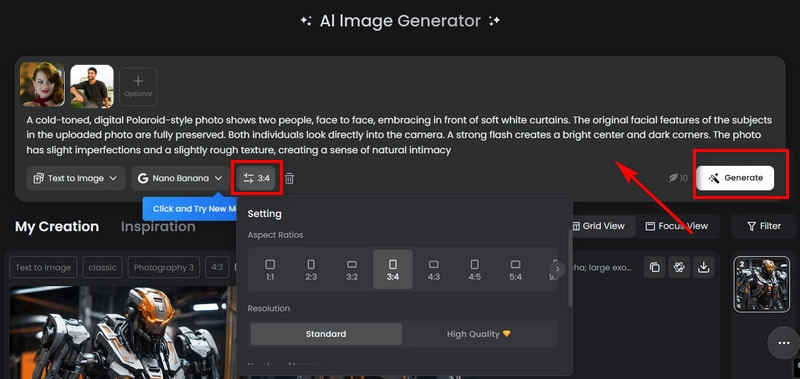
Step 2. Enter your text prompt. Select Nano Banana as the generation model. Under Settings, adjust the image's aspect ratio, resolution, quantity, and visibility.
Step 3. Finally, click Generate.
Also Read: How to Make an AI Lip Sync Video >>
5. Polaroid with My Younger Self: How AI Recreates Time-Travel Photos with Kapwing?
After much searching, this guide has found another Polaroid AI effect tool similar to Gemini: Kapwing AI.
It also works as a chatbot, but compared to previous tools, it expands the types of media you can generate. You can use prompts to create Polaroid-style photos with a partner or your younger self (like having two versions of you in one frame), or even animate photos to produce a fully coherent video.
Pricing: $16/Month
Key Advantages:
- Supports generating both images and videos.
- Provides audio AI models.
- Offers script-to-video functionality.
How to add Polaroid AI effect on an image with Kapwing:
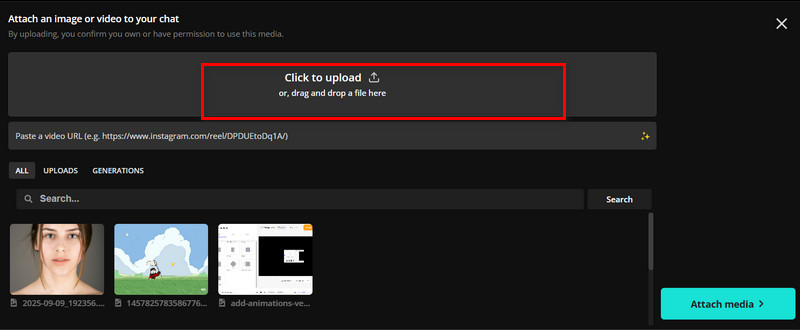
Step 1. Open the Kapwing AI generation page. Click Attach Media > Click to upload to upload your original photo.
Step 2. Enter your prompt in the chat box. Then expand the Settings menu and select Google Nano Banana as the generation model.
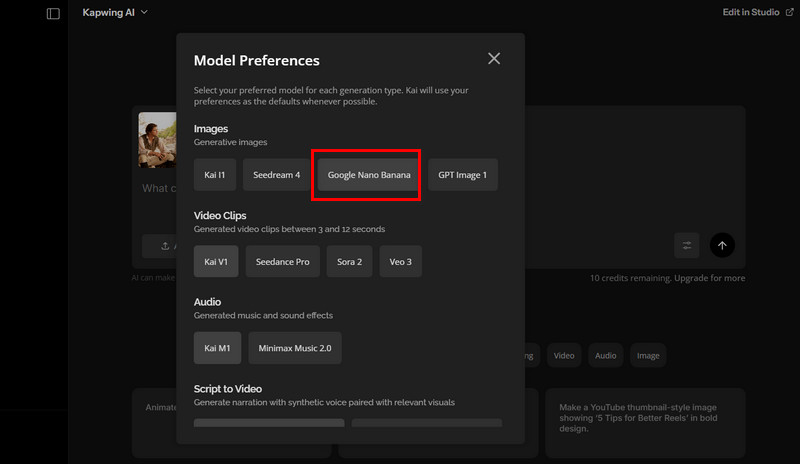
Step 3. Click Submit message to start generation.
Tips for Creating Realistic Polaroid AI Photos
If you have a vision for the Polaroid AI trend but struggle with writing prompts, setting parameters, or worrying that the result won't be perfect, check out these practical tips summarized from repeated testing in this guide:
1. Choose the right lighting
When giving instructions, emphasize grayish tones, soft and even lighting, and avoid high contrast, overly vivid colors, harsh shadows, or overexposure.
2. Provide clear facial images
A simple background creates a clean, refreshing effect. The most stable choice is a plain white curtain (remember to specify no curtain rod).
3. Select a simple background
A simple background creates a clean, refreshing effect, more in line with the classic Polaroid look. The most stable choice is a plain white curtain (remember to specify no curtain rod).
Conclusion
The Polaroid AI trend stands out for its nostalgic feel and signature texture, and today it’s easy to recreate that look using AI, no camera or editing skills required. This guide highlights five easy-to-use AI Polaroid generators, covering pricing, clear steps, example results, and key benefits, so anyone can start creating right away and rediscover the charm of timeless memories.

Vidnoz AI - Create Free Engaging AI Video with Talking Avatar
- Easily create professional AI videos with realistic avatars.
- Text-to-speech lip sync voices of different languages.
- 2800+ video templates for multiple scenarios.