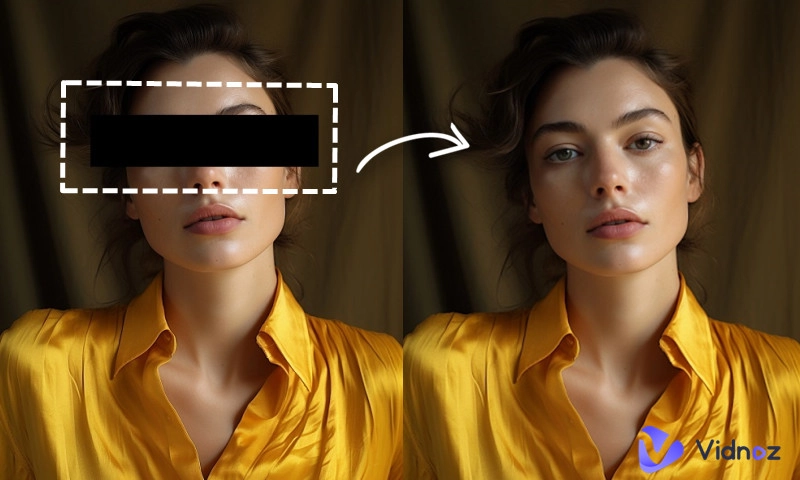
Have you ever faced a perfect image and found yourself completely blank, unable to utter a single word of description? Or perhaps you're traveling abroad and desperately need to know the meaning of a foreign language image? If so, then it's time to meet your future creative partner—image to text AI.
This isn't just another buzzword; it's a technology that can truly free up your time and spark your inspiration. Let's unveil its mysteries together.
- On This Page
-
Part 1. What is an AI Image to Text Converter?
-
Part 2. Who Needs an Image to Text Description AI Tool?
-
Part 3. 3 Free and Easy Image to Text AI Converters in 2026
1. Vidnoz AI Image Describer
-
Part 4. Visual Delight: Transform Images into Stunning Videos with AI
Part 1. What is an AI Image to Text Converter?
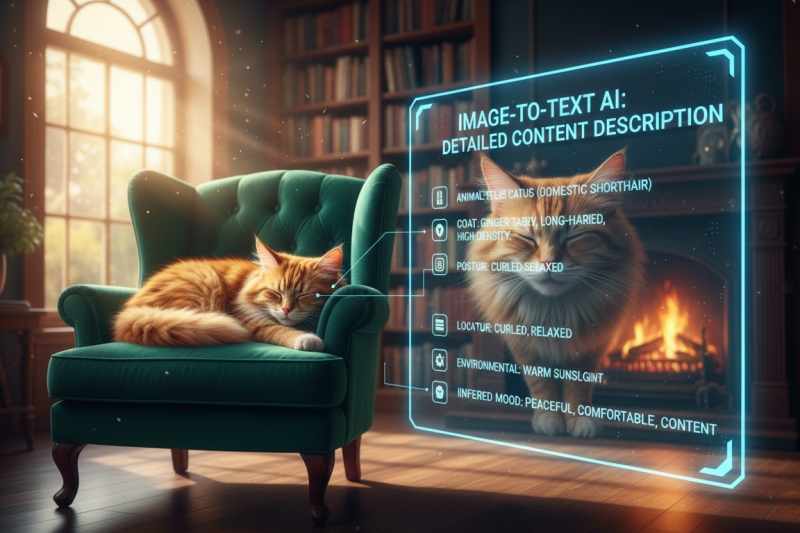
AI image to text focuses on generating fluent, natural, and even eloquent paragraph descriptions, not just cold lists of tags. In simple terms, image to text AI converter is like a super-intelligent "image translator." It not only "sees" images but also "understands" the content and describes it for you in human language.
An AI image to text generator recognizes objects and relationships, accurately describing phrases like "A golden cat lay asleep on the sofa beside the warm fireplace, basking in the warm sunlight." It can accurately locate the subject, action, and environment.
Part 2. Who Needs an Image to Text Description AI Tool?
Image to text description AI is becoming a powerful assistant for professionals across various industries and even everyday users:
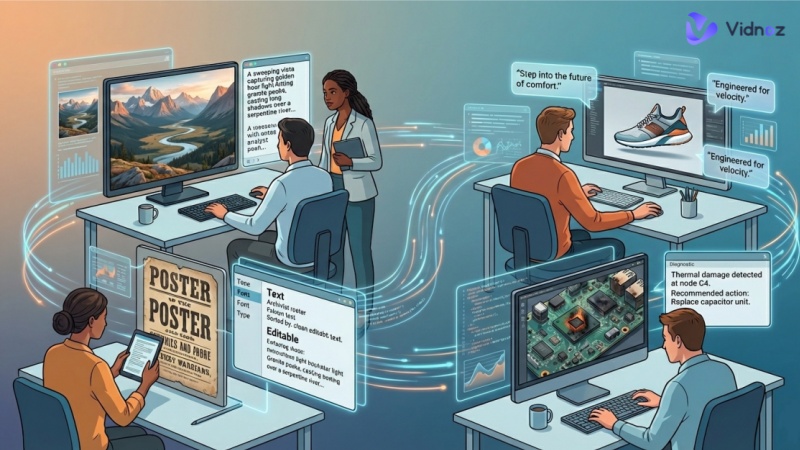
Content creators: An image to text converter can generate eye-catching text for each post's accompanying images in seconds.
E-commerce: AI can process images in batches, writing detailed product descriptions for each main product image, ensuring that every item has an accurate and compelling textual description.
Educators: Using AI image to text generators makes learning materials more accessible or adds captions to numerous charts and historical images in academic papers.
Ordinary users: Need to quickly translate foreign language menus while traveling? Need to extract text from a screenshot containing important information? Image to text AI tools really help you a lot.
Part 3. 3 Free and Easy Image to Text AI Converters in 2026
With the continuous advancement of AI technology, several free and easy-to-use image to text AI converters emerged in 2026. Here are 3 worth trying immediately.
1. Vidnoz AI Image Describer
Vidnoz image to text AI is a comprehensive image processing tool that can generate accurate text descriptions based on the context of an image, including the subject, environment, and emotions. This AI image describer is very easy to use: simply upload an image, and it will convert the image into text accurately. Furthermore, it integrates various practical functions, such as a free AI video generator, talking avatars, and AI music video generation.
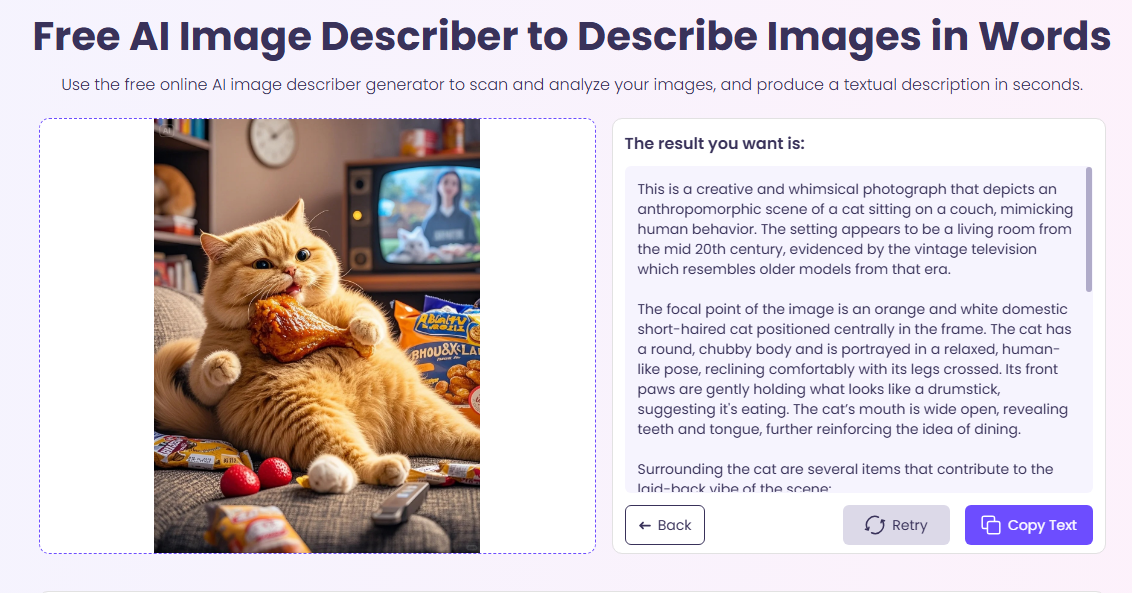
Core Advantages of Vidnoz AI Image to Text Converter
- Comprehensive descriptions: Vidnoz analyzes entire scenes to generate context-rich, natural language summaries.
- Free & Easy to Access: Accessible directly in a browser — no registration, no limits, and fast output in seconds.
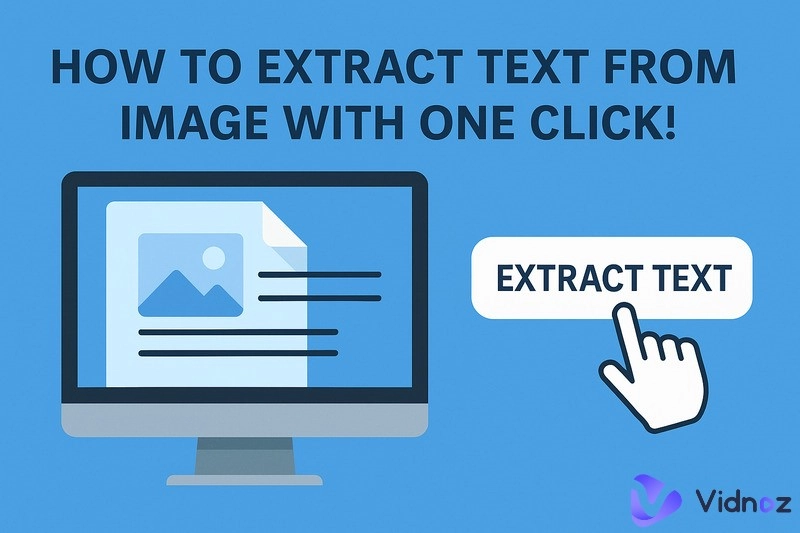
- Extract Text from Image: Built-in optical character recognition pulls text from images like screenshots, signs, and documents.
- Product Context: This image analyzer can identify product features (color, materials, usage) and write professional product descriptions.
- Problem Solving: If you upload diagrams, screenshots of questions, or visual problems, it can analyze and offer solutions or explanations.
- Custom Prompts: You can tailor the tone or focus of the description by providing specific prompt instructions to make image to text.
2. Image Describer
Image Describer is another easy-to-use AI image to text generator for generating text from images with broad language support and flexible output types. As you can see, the interface is very simple and easy for beginners to use. This image analyzer provides you with several image to text AI prompt templates; simply select one, and the result will be generated in multiple languages.
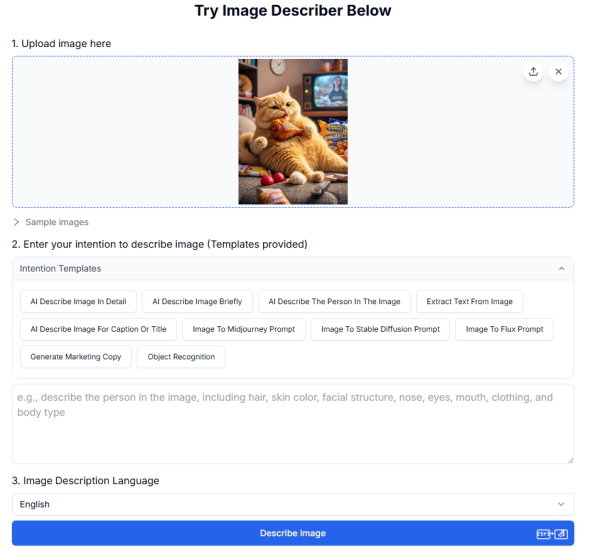
Core Features:
- Ease of use: You simply upload an image and get instant descriptions.
- Wide language options: It supports multiple languages for output, making it useful for global audiences or multilingual workflows.
- Multiple description styles: You can choose from brief captions, detailed descriptions, or a title, etc.
- Fast and practical: Designed to work quickly with a simple interface, you can get a description instantly.
- Optional custom prompts: Some versions allow you to tune tone, length, or format for different publication needs.
3. Pics.io
If you need a more customizable image to text AI tool, Pics.io is a good choice. It also offers a clean and fast interface, so you won't have to wait long for your image description. You can choose the tone and length of the description, and add any other content you want. The generated results can be copied with one click or exported as a JSON or CSV file.
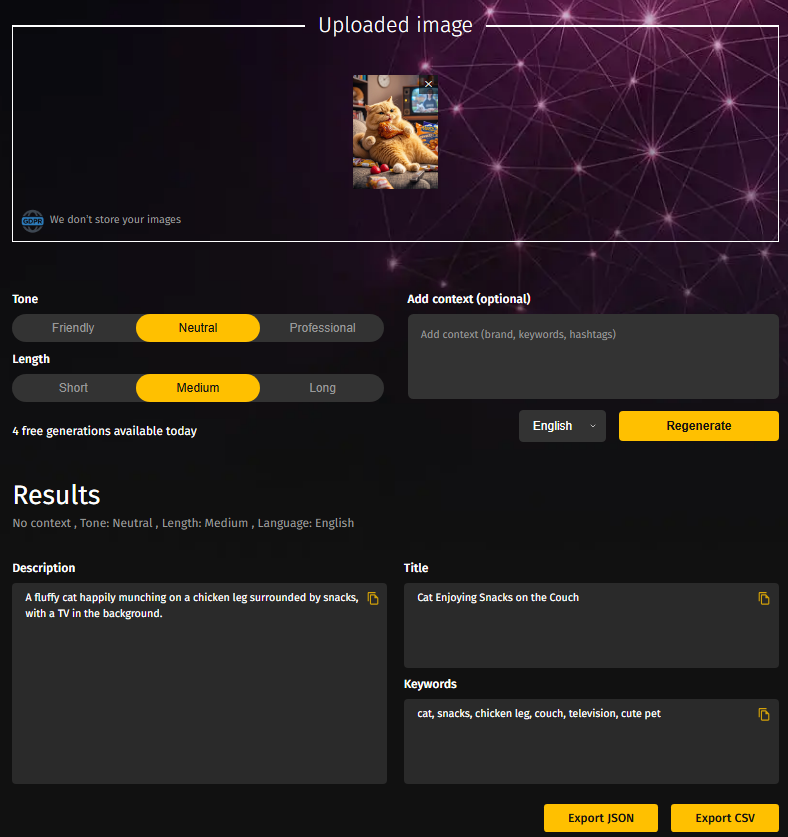
Core Features:
- Customize for image description tone, length, and anything you want to add.
- Image to text result including description, title, and keywords.
- Several choices for output format: one click copy, export to JSON, CSV.
- Free to use and fast AI image to text generation.
Also Read: How to Make Cat Dance with AI Generator Free >>
Part 4. Visual Delight: Transform Images into Stunning Videos with AI
Since AI can understand the content of images, is it possible for it to imagine and generate a dynamic video based on an image? The answer is absolutely. This is one of the most exciting trends of 2026. Using image to video AI tool offered by Vidnoz, you can transform a static image into a stunning, continuous, short video. Or convert photo to avatar to speak any words for you.
Convert Image to Video AI Online - Free
- Create a video from an image quickly for free.
- Use various AI models to turn photos into videos.
- Download and share the AI-generated video at no cost.
Convert Image to Video
And this can be combined with image to text AI tools:
- Use image to text AI to analyze your image and generate a rich, detailed description.
- Input this description as a key prompt into the image to AI video generation tool.
- Based on its understanding of the text description, AI will breathe life into your static image—making water flow, flags flutter, and people make subtle movements.
For example, a description of a sunset over a snow-capped mountain can be transformed into a short video of flowing clouds and shimmering gold; a still life image of a product can be transformed into a cool, dynamic showcase of the product's details. This opens up unprecedented possibilities for content creation.
How to transform an image to video from text description:
Step 1. Go to Vidnoz, and open the image to video AI tool to start your journey.
Step 2. On this page, upload the image you wish to animate. And also add the description you want it to move in the video, refer to the image to text description generated earlier.
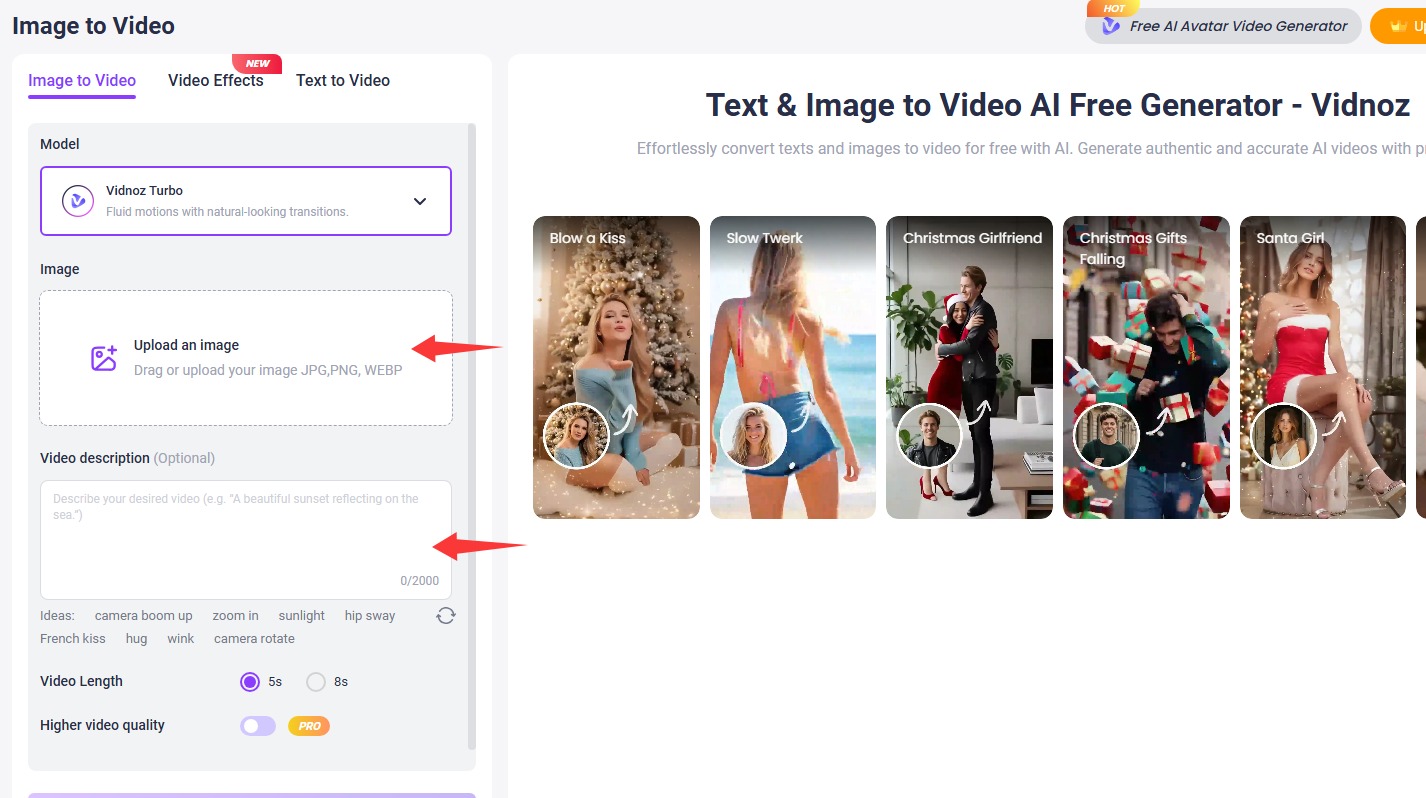
Step 3. Click the button and start converting your image into a vivid video with ease.
In addition to image to video, Vidnoz allows you to create random free AI videos from plenty of templates with talking photo AI. Now shine your channel.
Final Words
From seeing to understanding, to narrating, and even creating, image to text AI tools have brought tremendous convenience to our lives and the creation of visual content. Using AI image to text solutions can save our time, improve accuracy, and unlock new creative possibilities. Now, choose a photo and see what story it tells you.