Want to analyze images and describe in text for better understanding? Is it possible to analyze product image features and generate engaging descriptions to increase sales? What if you can extract detailed insights from a picture in seconds with AI? Image Analyzer came into being.
This AI-driven tool can instantly break down visual content and describe what is happening in the photo in detailed and natural language. Now, try the following listed free and easy-to-use AI image analyzers to get instant descriptions easily. Let’s dive in.
- On This Page
-
What is an Image Analyzer?
-
What Can Image Analysis Software Do for You
-
Vidnoz AI - Best Free AI Image Analyzer to Describe Photo in Words
-
ScreenApp - AI Photo Analyzer with Prompt
-
Class Ace – Ask Any Question with AI Image Analysis Free
-
How to Analyze Photos with Accuracy in Detail
-
What’s More: Turn Image into Video with Prompt
What is an Image Analyzer?
To put it simple, image analysis software is designed to provide you with comprehensive and accurate descriptions of uploaded images. It will carefully analyze key elements, including objects, people, geographic locations, or categories. It can also understand the emotions, context, and deeper meaning conveyed in the image. Whether you want to introduce product, solve problems in images, or identify objects or categories in images, etc.
What Can Image Analysis Software Do for You
How an AI image analyzer can fit into your day-to-day work or creative process? Here are some practical use cases:
1. Instant Visual Description
Upload a photo and instantly get a detailed, natural-language caption that summarizes what's happening in the image.
2. Educational Support
Students and teachers can utilize AI photo analyzers to ask questions about historical photos, artworks, or scientific diagrams, thereby transforming static visuals into interactive learning tools.
3. Boost E-Commerce & Marketing
Analyze product images to suggest better tags & categories. Or add attractive description to boost product sales.
4. Analysis Photography
How do you judge whether your photography is excellent? AI image analysis free can help you analyze composition, color tone, light and other elements, and give you some improvements to level up your skills.

5. Assist in Research & Data Analysis
Process satellite images for environmental studies. Analyze medical imaging for faster diagnostics (in specialized tools).
With these capabilities, AI image analyzers are becoming essential across industries. Following are some of the top AI photo analyzer online tools you can try.
Vidnoz AI - Best Free AI Image Analyzer to Describe Photo in Words
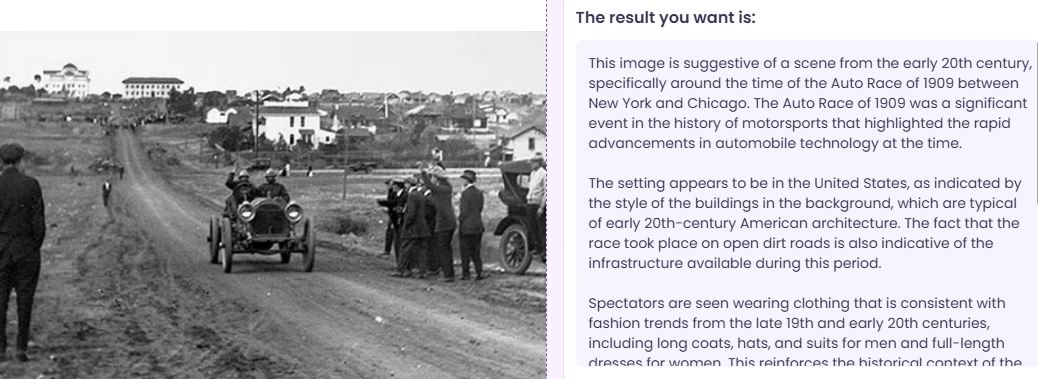
If you’re looking for a fast, free, and beginner-friendly image analyzer, look no further than Vidnoz AI. Vidnoz AI is an all-in-one AI platform known for tools like free video generator, talking photo, and AI voice, etc. Its AI image analyzer feature is particularly impressive for those who need detailed image to text descriptions. It can detect people, emotions, objects, and the overall scene in one go.
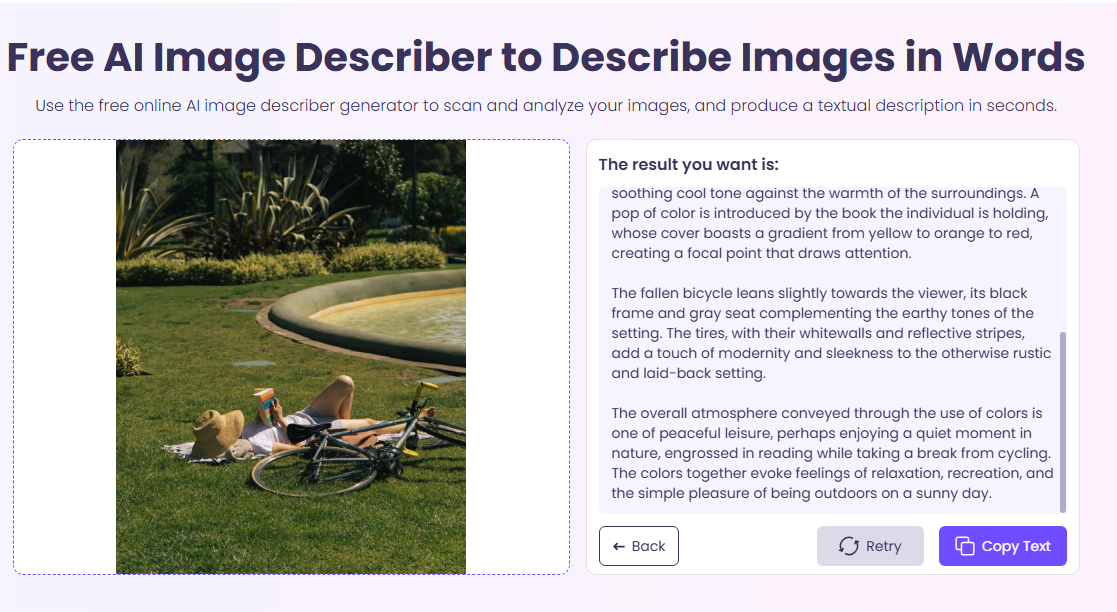
What Makes Vidnoz Stand Out?
- 100% free to use: No hidden fees, you can analyze any images for free.
- Supports various image formats: Supports all the mainstream image formats, including .jpg, .png, .bmp, and .webp.
- Analyze many types of images: You can analyze product images, historical scenes, photographs, or solve problems in photos.
- Fast and detailed analysis results: You can choose 4 AI image describe types, or add your personal prompt to let AI analyze for you.
- One-click copy text and share: The analyzed images text can be copied quickly and shared in one click.
Cons:
- Limited customization of responses
- Only online image analysis software, no video/audio support
ScreenApp - AI Photo Analyzer with Prompt
ScreenApp is another innovative image analyzer that goes a step further by combining image upload with prompt-based analysis. This allows you to ask specific questions about the image, giving you much more tailored results. Try asking it “What’s the mood of this picture?” or “Describe this photo in detail.” Then left AI create unique insights for you.
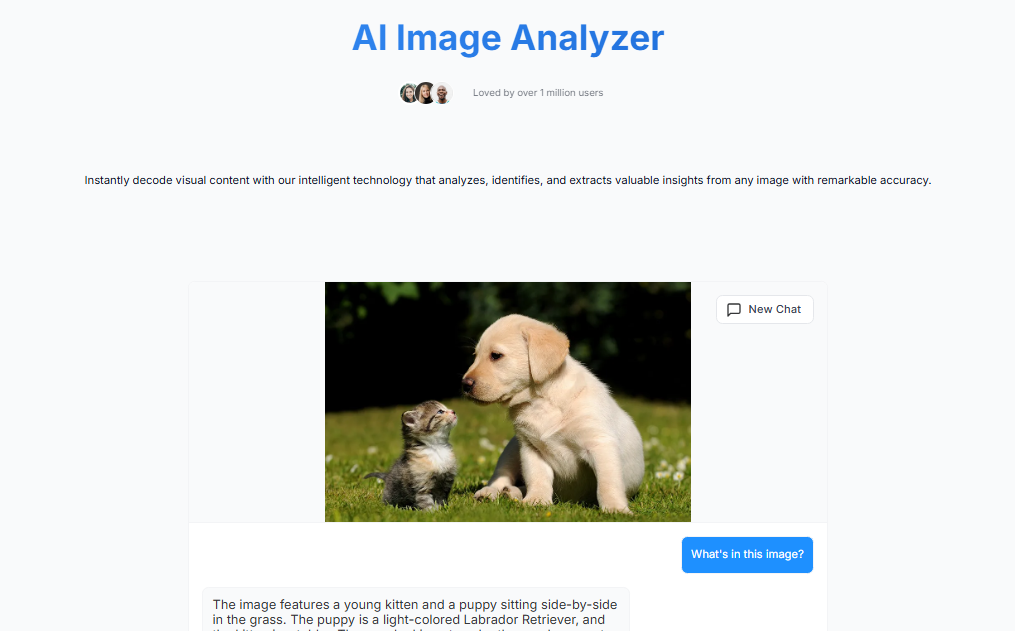
What Makes ScreenApp Special?
- Prompt-based interaction for custom analysis
- Generates insightful, descriptive text
- Great for deeper context interpretation
- Analyze images, screenshots, audio/video
- Fast analysis of images
Cons:
- May require login for advanced use
- Analysis accuracy may vary
Also Read: 3 Best Voice Gender Analyzers Online Free | Accurate Voice Gender Detection >>
Class Ace – Ask Any Question with AI Image Analysis Free
Class Ace takes visual learning to the next level. While designed primarily for students, it offers powerful free AI image analysis features that anyone can use. You can upload an image (e.g., a map, diagram, or photo), then ask any question related to it such as “What year might this photo have been taken?”. The tool answers in a clear, educational format.
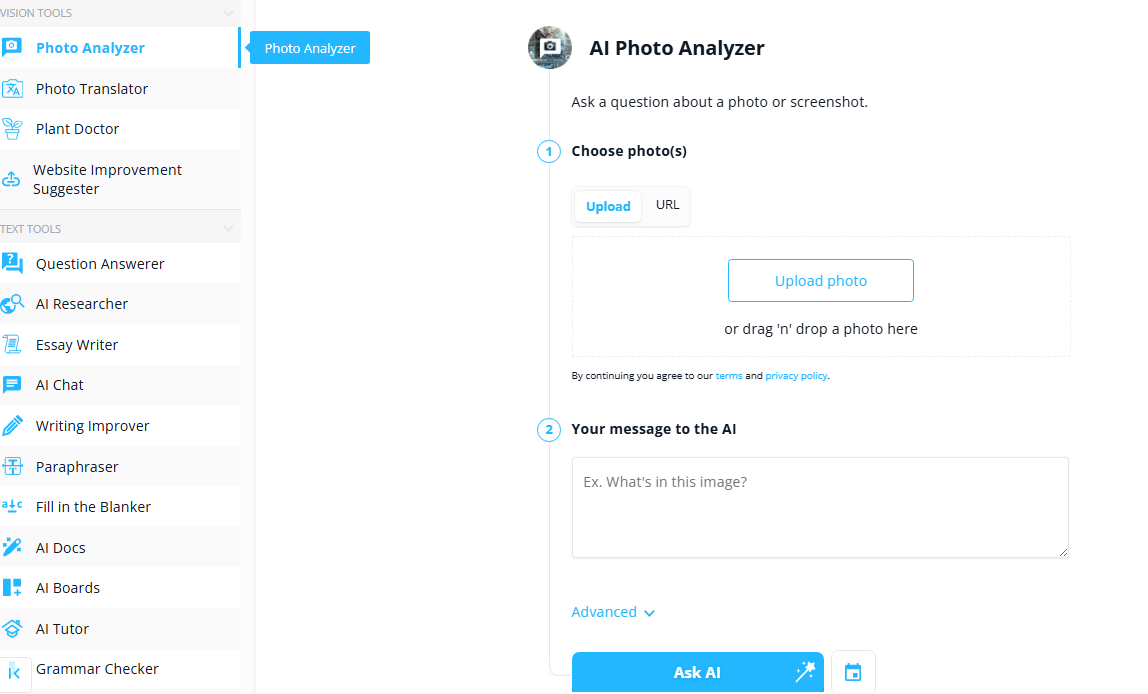
What Makes It Unique?
- Geared for educational use
- Easy for kids and non-tech users
- Free to try with optional upgrade
- Very conversational, ChatGPT-style output
Cons:
- May not offer deep technical image analysis
- Not as fast as other image analyzers
Also Read: What Color Are My Eyes Photo Test Free Online | Eye Color Analyzer >>
How to Analyze Photos with Accuracy in Detail
It makes it easy for AI image analyzer to analyze and describe the elements in the image or solve the problem. Here we choose Vidnoz AI Image Describer as an example to easily get accurate text analysis in just a dozen seconds.
Step 1. Go to Vidnoz AI and find AI Image Describer tool. Create an account following the on-screen instructions.
Step 2. Upload or drag an image, and Vidnoz instantly generates a natural-sounding description.
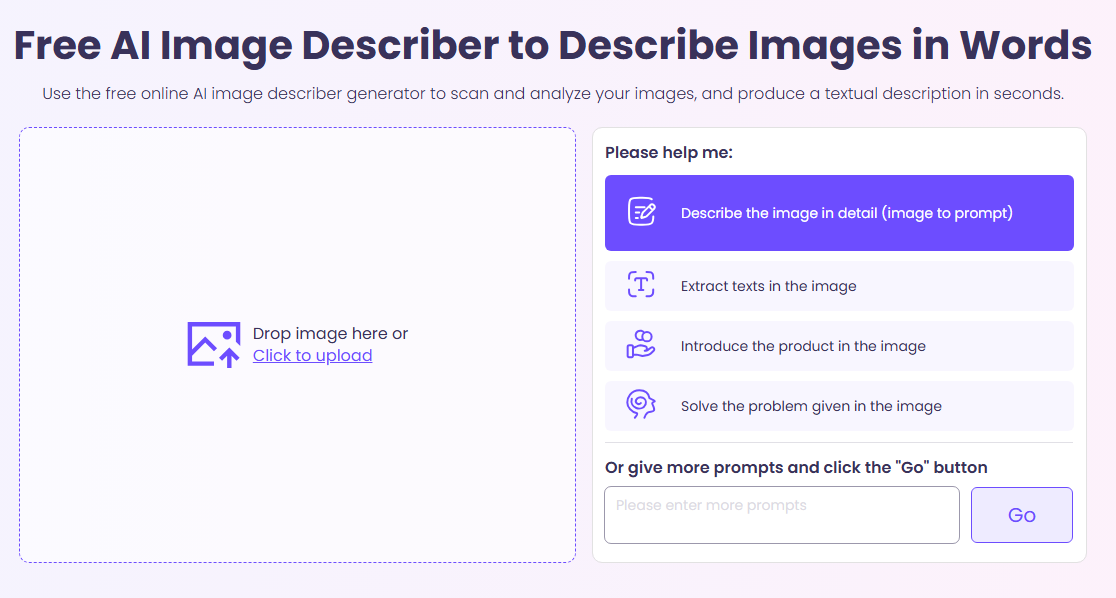
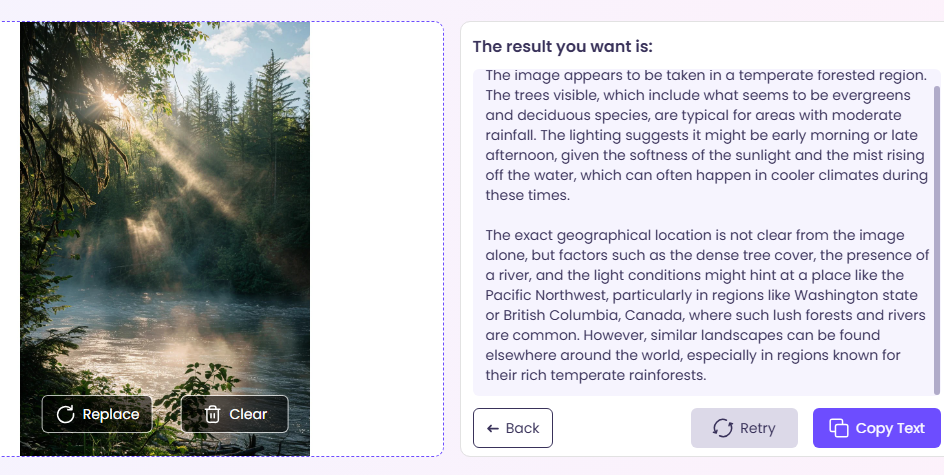
Step 3. Choose the image analysis type that you wish Vidnoz to generate, or give your personal prompt you wish it to analyze. Click Go to start.
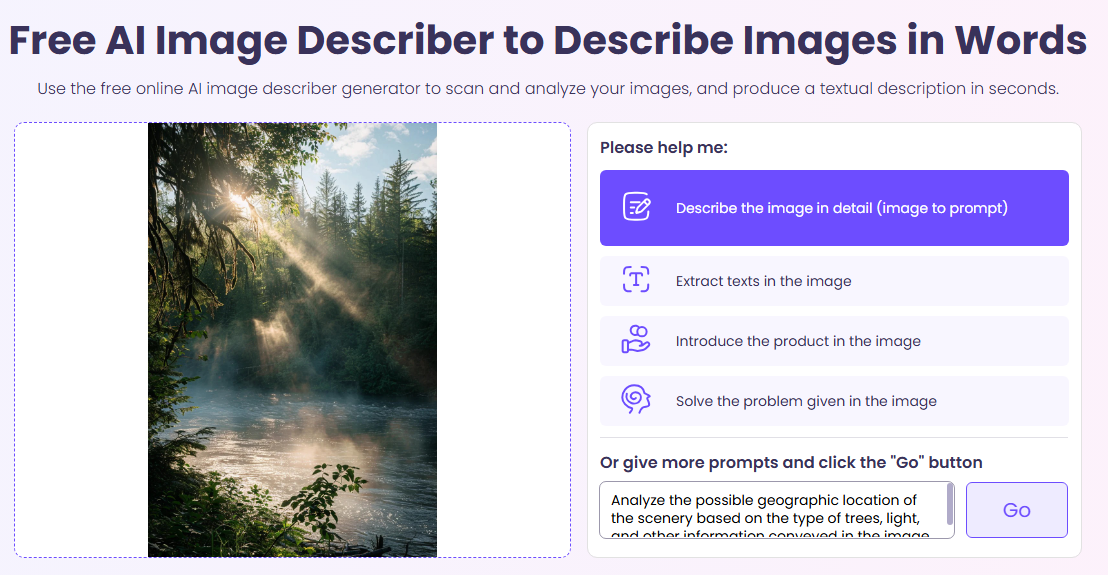
Wait within one minute, and you can get an accurate analysis of your uploaded images.
What’s More: Turn Image into Video with Prompt
Now, you have the clearest and most accurate description of the uploaded image. Imagine what it feels like to turn the atmospheric landscape, product image, or portrait you want to analyze into a vivid video in one minute? Vidnoz image to video AI tool makes everything simple and fun. Just upload the image you want to animate, describe the dynamic method you want, and you can get a vivid video. Let's take a look.
Step 1. Go to Vidnoz AI and find the image to video tool.
Step 2. Upload the image you want to animate, choose the related settings, and input the video description. Click Generate and wait a second.
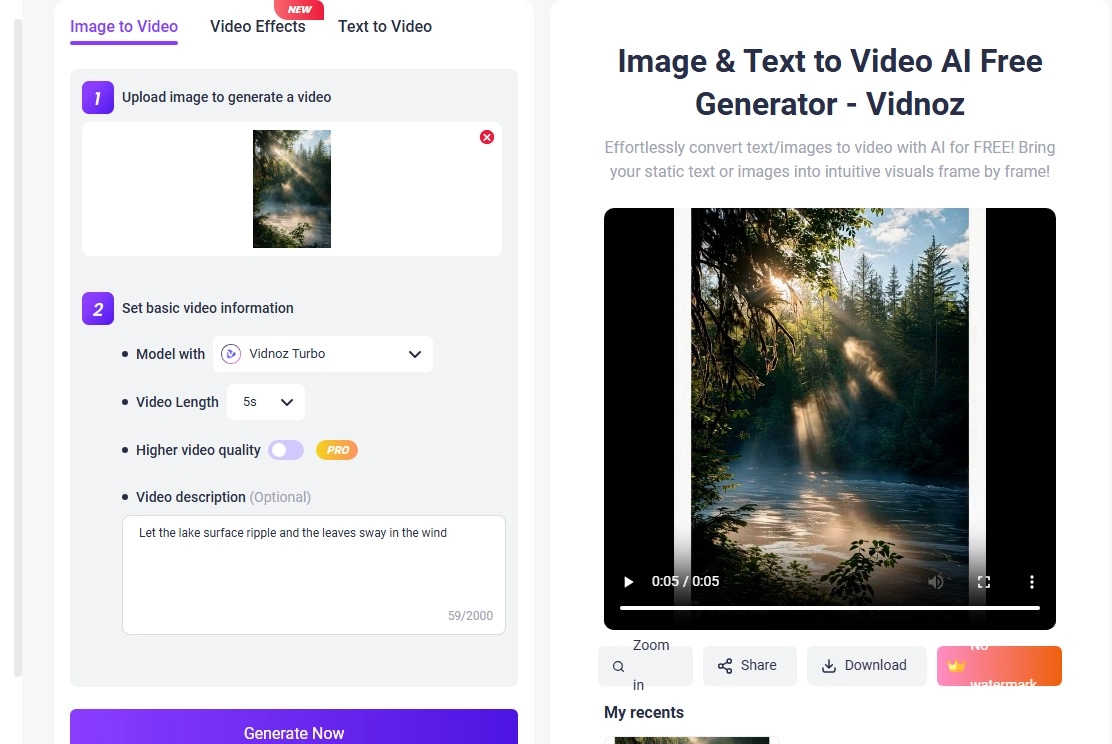
Here’s this free AI video generator generated image to vivid video you can refer to.
Final Words
Whether you are describing products for your online store, teaching with images, or just want to better understand a scene, image analyzers like Vidnoz AI, ScreenApp, and Class Ace make it fun and easy. Try one of these tools today to see what your images really say! And what unique insights AI can provide!

Vidnoz AI - Create Free Engaging AI Video with Talking Avatar
- Easily create professional AI videos with realistic avatars.
- Text-to-speech lip sync voices of different languages.
- 2800+ video templates for multiple scenarios.