Turn still images or text into dynamic videos in any style, with leading AI models readily. Try the smart AI video generator now - stunning, free, and instant!
Create Eyes Zoom In Videos with AI: Deep Into the Window of the Soul
Lora Lopez
Updated on
SHARE THIS POST
Master the eyes zoom in trend with the best AI tools! Learn how to use eyes zoom AI to create viral cinematic videos for free with Vidnoz. Try it now and go viral!
Social media trends move fast, but some visual effects capture attention instantly. One of the most viral techniques today is the eyes zoom in effect, where a camera dramatically dives into someone’s eyes to reveal emotion, mystery, or humor.
Whether you want to capture raw emotion or create a viral loop, mastering the eyes zoom AI effect is your ticket to the "For You" page. With the right tools, you can dive deep into the window of the soul and keep your audience mesmerized.
On This Page
What Is an Eyes Zoom In Effect?
Funny Eyes Zoom In Video for Appreciation & Fun
Top Eyes Zoom AI Video Generators You Can’t Miss
1. Vidnoz - Create Eyes Zoom In Video in Full Possibilities for Free
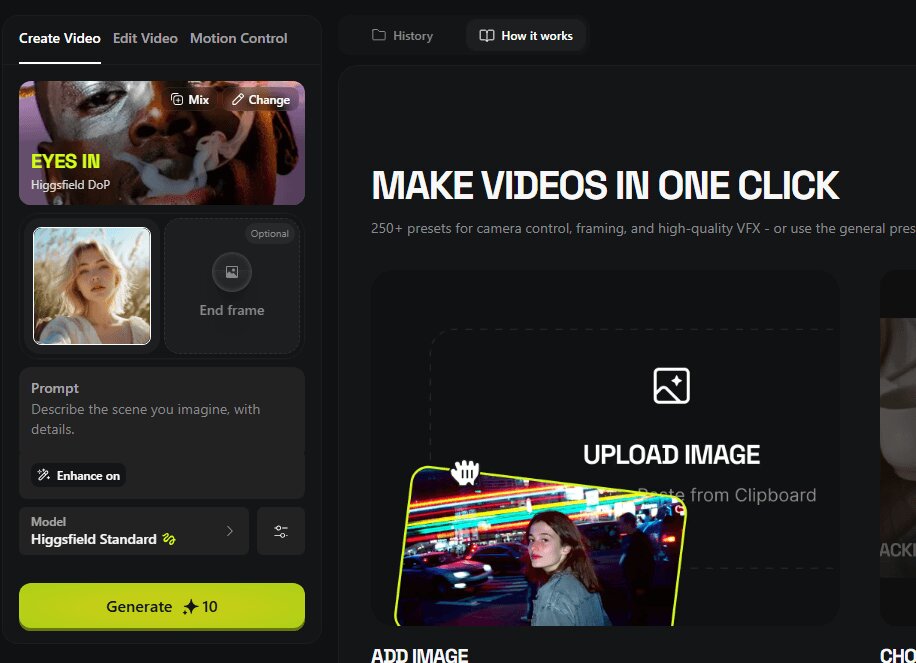
2. Higgsfield - Create Eyes Zoom Video with Exclusive Models
3. Deevid AI - Create 1080p Eyes Zoom AI Video
4. Media AI - Create Anime Eyes Zoom Video from Image
3 Methods: How to Make Eyes Zoom In AI Video?
Explore More Fun Beyond Just Eyes Zoom In - Vidnoz Effect Library
The Bottom Line
What Is an Eyes Zoom In Effect?
Before jumping into tools and tutorials, it helps to understand what the eyes zoom in effect actually is and why it has become such a popular visual trend.
In simple terms, an eyes zoom in effect refers to a video animation where the camera slowly or rapidly zooms into a person’s eyes, creating a cinematic focus on expression or emotion. This technique has long been used in movies and anime scenes to highlight dramatic moments, but AI tools now allow creators to generate it instantly.
The charm behind the trend lies in several factors.
Dramatic Tension: It mimics classic "Vertigo" or thriller shots used in movies to hook viewers instantly.
Emotion Focus: Stripping away environmental distractions, it forces the audience to connect with the subject's internal state.
Creative Transitions: It serves as a perfect bridge to "teleport" the viewer into a new scene or a dream sequence.
Funny Eyes Zoom In Video for Appreciation & Fun
Before you start creating, let’s look at how the pros do it. The eyes zoom in and out motion can be used for everything from high-fashion edits to surrealist art. These videos often exaggerate the zoom to create humorous or suspenseful moments that capture viewers’ attention.
Showcase 1: Eyes Zoom In + Earth Zoom In
Description: A loop-perfect TikTok clip that fuses the viral eye zoom-in with a dramatic Earth zoom-in. Double the tension, double the impact.
Description: This YouTube Short features a series of stunning eye zooms that highlight the beauty and complexity of the human eye and how these AI eyes zoom trends make them look more stunning.
Top Eyes Zoom AI Video Generators You Can’t Miss
Ready to make your own? You don’t need a film degree or a $5,000 camera. Whether you want cinematic results, anime-style animation, or quick social media edits, these tools offer different approaches to generating eye zoom videos.
1. Vidnoz - Create Eyes Zoom In Video in Full Possibilities for Free
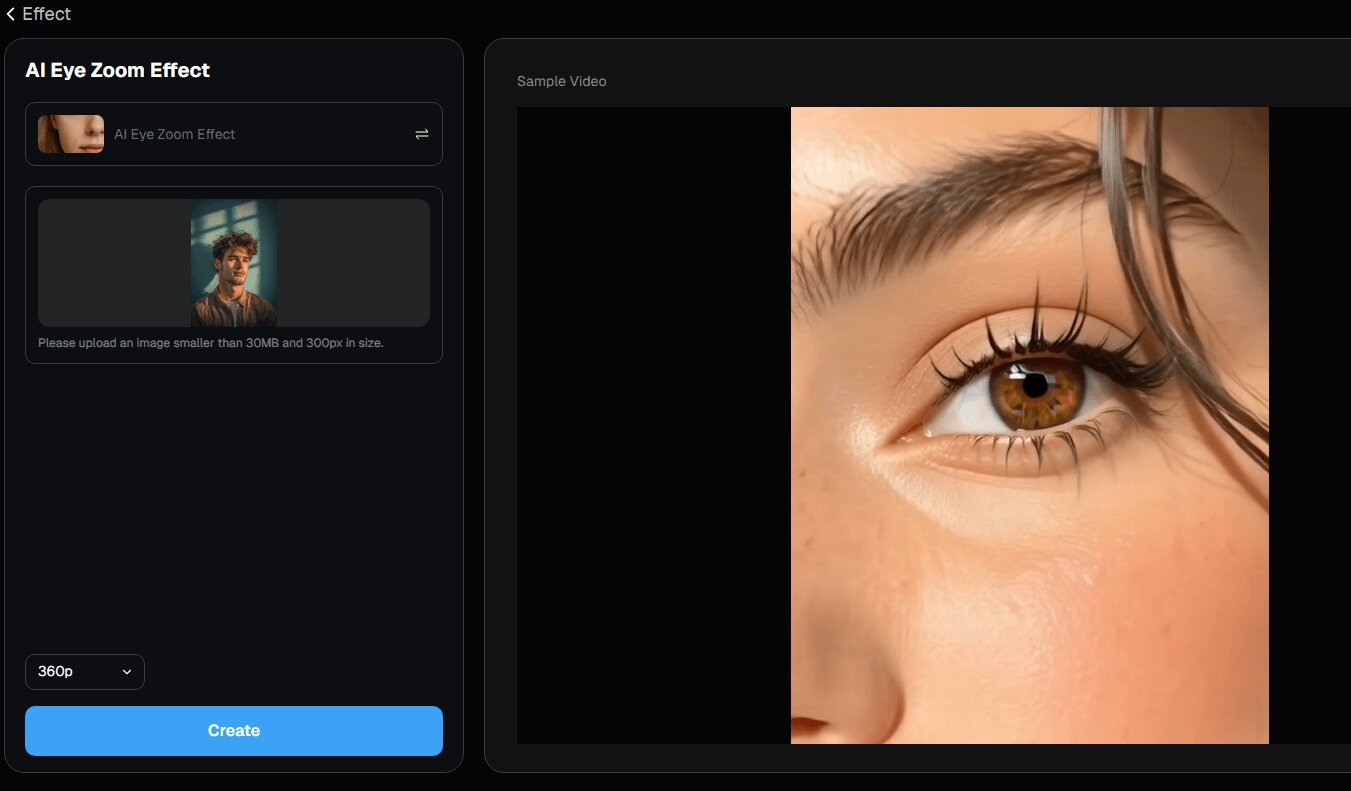
Vidnoz stands out because it supports multiple creative methods for generating eyes zoom AI content. Users can animate portraits, create cinematic camera movements, or even design short storytelling videos directly in the browser.
Convert Image to Video AI Online - Free
Create a video from an image quickly for free.
Use various AI models to turn photos into videos.
Download and share the AI-generated video at no cost.
Create Eyes Zoom AI Videos in Various Ways: Vidnoz allows users to generate zoom animations through image-to-video, text-to-video prompts, or start-end frame settings, giving creators flexibility when designing scenes.
Realistic & Consistent Zoom-in Animations: The AI system analyzes facial features and image textures to produce smooth camera motion, consistent lighting, and realistic detail during the zoom effect.
1-Click Free Eyes Zoom In Video Generator Online: Since the tool is web-based, users can generate videos instantly without installing software, making it beginner-friendly and convenient to animate a picture or create other visuals.
Drawbacks:
Watermarks on free trial.
High-quality video output is only available in the paid version.
2. Higgsfield - Create Eyes Zoom Video with Exclusive Models
Higgsfield is a specialized platform that focuses on high-fidelity motion. It outshines others since it provides creative presets and model-based video generation that helps creators design stylized zoom animations and storytelling clips.
Key Feature
Exclusive AI Video Models: Higgsfield provides specialized generative models designed to create high-quality cinematic effects such as camera zooms and dramatic motion. E.g., it also works as a vivid face animator to make you smile, laugh, cry, or do any other expressions.
High-Resolution Output: Videos can be rendered in higher resolution compared with many lightweight AI tools.
Preset Templates for Visual Effects: The platform includes preset templates that simplify the creation process for beginners.
Drawbacks:
The interface may feel complex for first-time users.
Deevid AI is another platform focused on producing high-quality AI-generated videos, especially useful for creators who want clean and professional zoom effects.
This tool emphasizes high-definition output and smooth camera transitions, making it a reliable option for generating eyes zoom in videos suitable for social media or digital storytelling.
Key Feature
1080p Video Output: Deevid supports HD video generation, ensuring that zoom animations remain sharp and detailed.
Smooth Camera Movement: The AI engine creates consistent zoom motion that mimics real camera movement.
Simple Workflow: Users can upload an image and quickly generate animated effects with minimal editing.
Drawbacks:
Fewer creative templates compared with larger AI video platforms.
Some features may require subscription access.
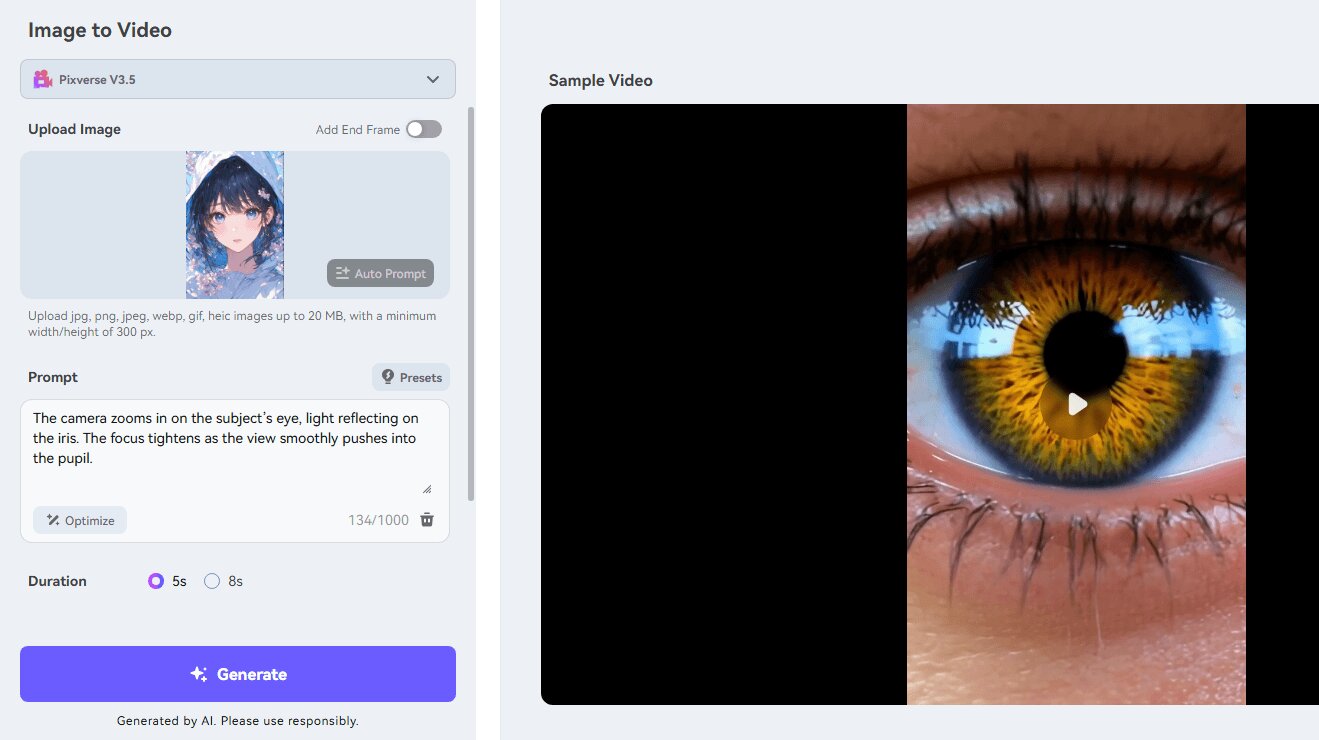
4. Media AI - Create Anime Eyes Zoom Video from Image
Media AI is a great option for creators who enjoy stylized or anime-inspired visual effects, particularly those who want to create anime eyes zoom scenes.
Key Feature
Preset AI Prompts: Media AI offers automatic prompt suggestions to help users generate creative animations.
Anime-Style Effects: The platform excels at stylized zoom animations suitable for anime or artistic edits.
Creative Community Library: Users can explore and remix templates created by other creators.
Drawbacks:
Video generation speed may vary depending on server traffic.
The stylistic "anime" focus might not suit users looking for 100% photorealism.
3 Methods: How to Make Eyes Zoom In AI Video?
Since Vidnoz is a comprehensive tool that meets almost every creator's needs, we recommend it for its flexibility. Here are three ways to use their AI to achieve the perfect eyes zoom in effect.
How to Generate AI Eyes Zoom in Videos from Images?
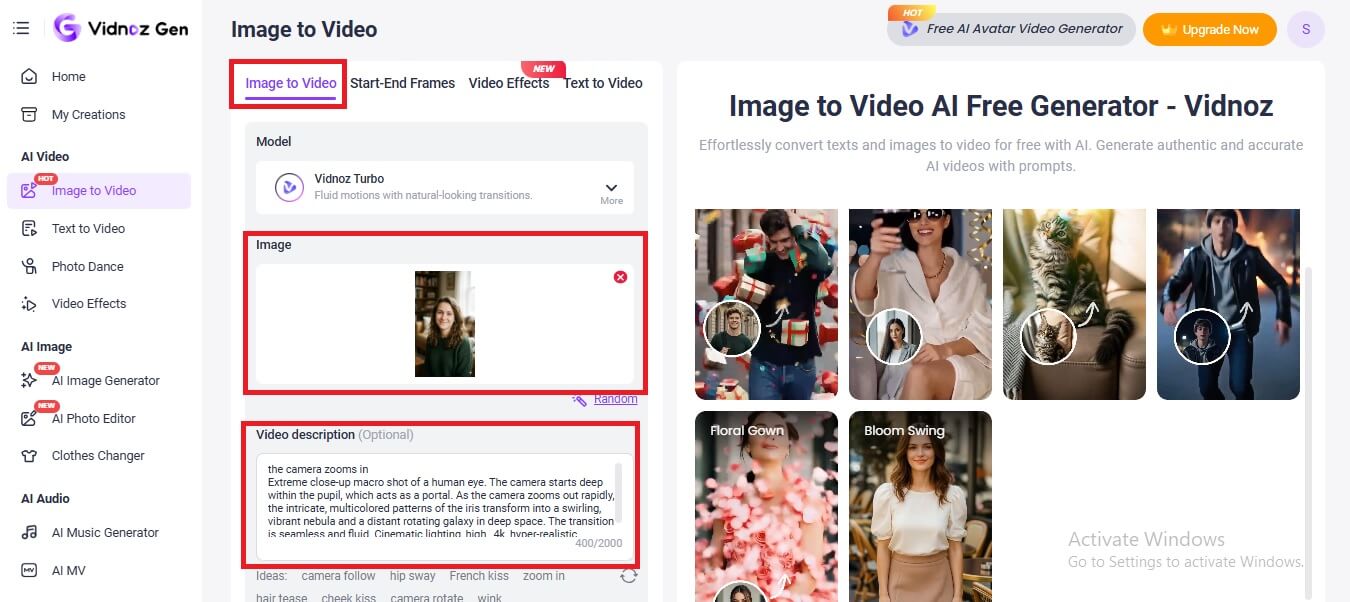
Step 1. Visit Vidnoz Image to Video generator. Make sure you’re on the Image to Video option.
Step 2. Upload your image.
Step 3. Write a video description to let the tool know what you want. Moreover, you can also choose the zoom in option from the Ideas tab.
Step 4. Once done, click on Generate Now.
How to Generate Eyes Zoom AI Videos from Text?
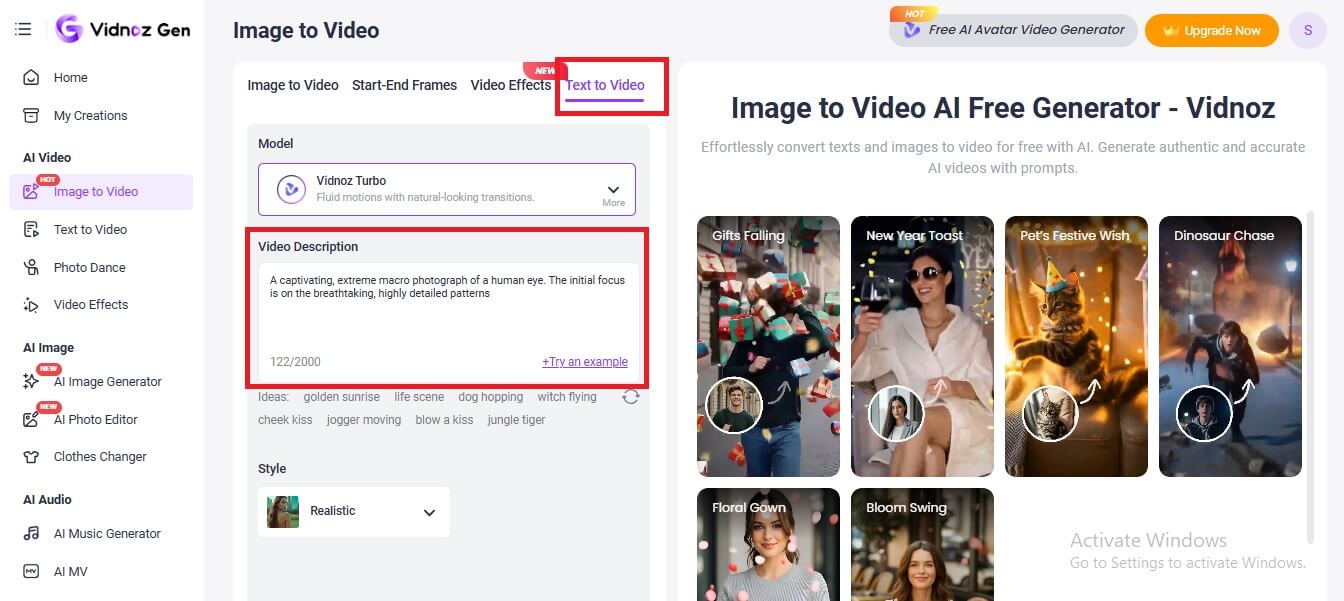
Step 1. Visit Vidnoz Text to Video generator. Make sure you’re on the right tab from within the tools bar.
Step 2. Write a video description and explain what kind of video you want to have. You can also select your preferred style as well.
Step 3. Once done, click on Generate Now.
All the magic relies on your text description. For example, you may make eyes blink in a picture by describing it in the prompt.
How to Make Eyes Zoom AI Videos with Start-End Frames?
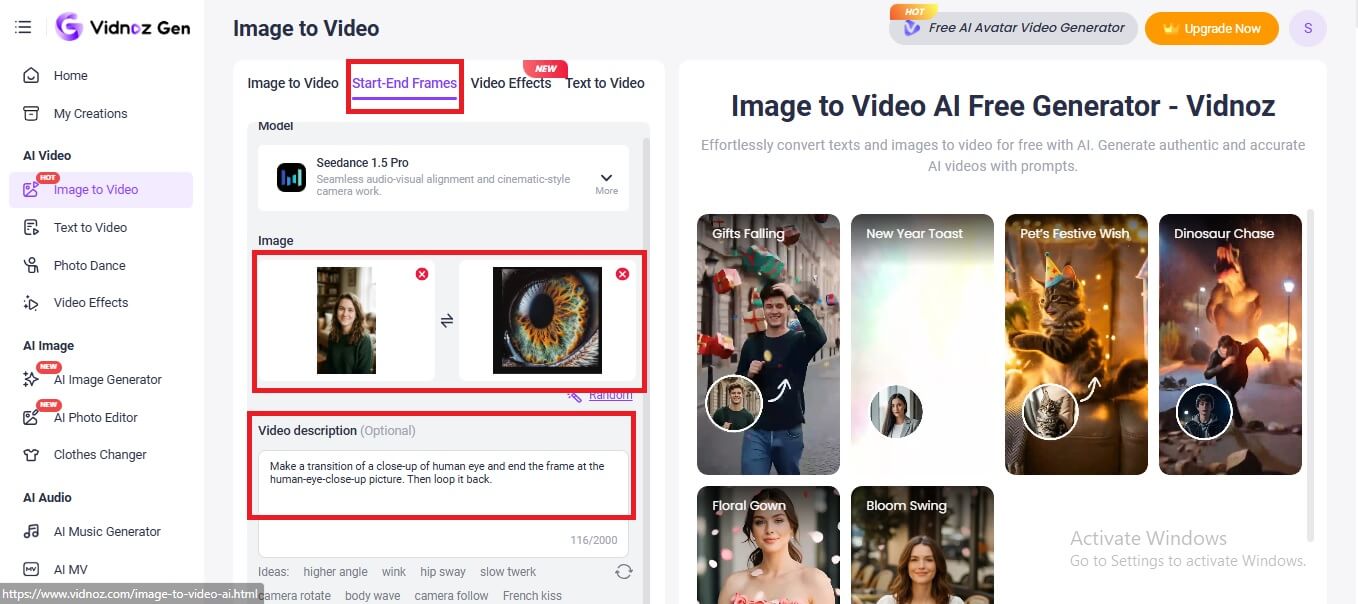
Step 1. Click on the Start-End Frames option.
Step 2. Set Start Frame. Upload a photo of the full face.
Step 3. Set End Frame. Upload a macro shot of just the eye.
Step 4. Add video description to give more context to the tool.
Step 5. Morph: Let the AI interpolate the movement between the two frames for a perfectly controlled zoom.
Convert Image to Video AI Online - Free
Create a video from an image quickly for free.
Use various AI models to turn photos into videos.
Download and share the AI-generated video at no cost.
Explore More Fun Beyond Just Eyes Zoom In - Vidnoz Effect Library
The fun doesn't stop at the eyes. Once you’ve mastered the AI eyes zoom, check out other viral effects to spice up your content.
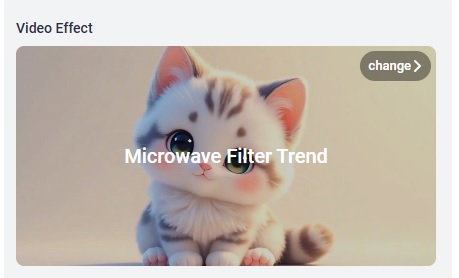
● Microwave Effect
A funny effect where characters appear to spin inside a microwave-style animation, making it perfect for comedic edits.
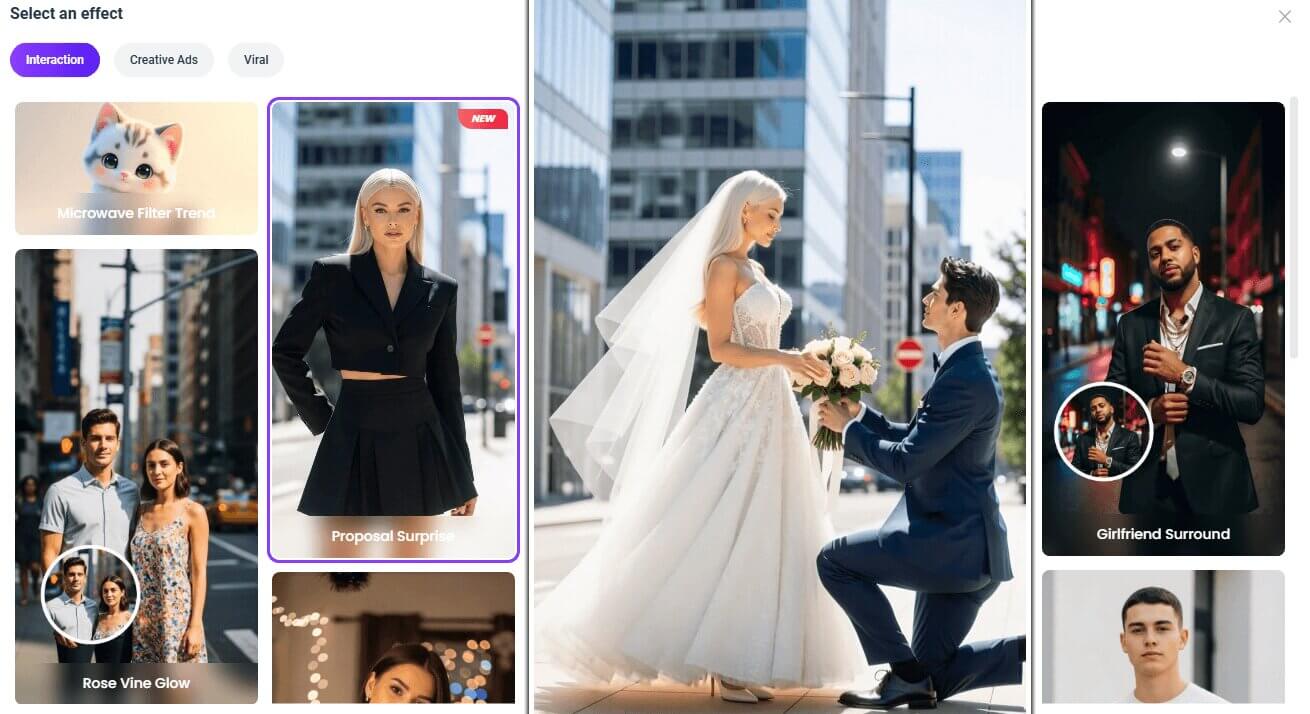
● Proposal Surprise Effect
Proposal Surprise Effect: This effect helps turn any photo, like selfies or portraits, into a romantic proposal video with smooth and hyper-real transitions, ideal for newlywed couples.
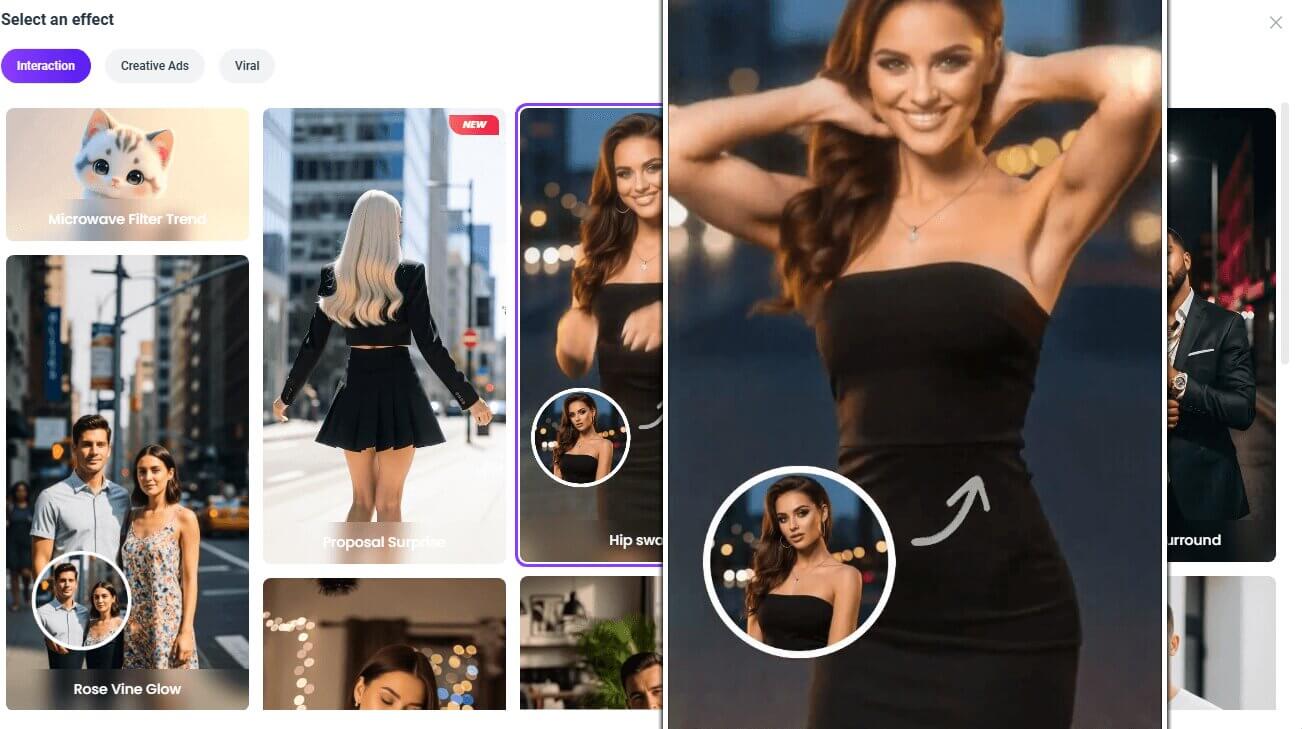
● Hip Sway Effect
This playful effect can transform almost any image into a romantic hip sway dance animation.
Besides these funny effects, Vidnoz comes with much more powerful tools for vibrant visuals. For instance, you can make your picture speak with realistic voices using the AI lip sync tech in AI talking photo/video translator/video creating features.
The Bottom Line
The eyes zoom in effect has quickly become a popular visual style for social media creators, filmmakers, and meme makers alike. With AI tools such as Vidnoz, anyone can produce cinematic eye zoom videos from images or text prompts in minutes. Try these tools today and start creating viral eyes zoom in clips effortlessly.
Lora Lopez, an IT- centric SEO writer, delivers concise tutorials and software reviews to solve common IT challenges. With a focus on user-friendly content about AI tools, she offers practical solutions and insights to help readers effortlessly navigate the dynamic world of information technology.