Ever wondered how to bring your still images to life? Try this subtle magic trick of a blinking eye. Whether you're personalizing a profile, memorializing a beloved pet, or crafting compelling marketing materials, transforming a photo into an eye blinking GIF lets you create content that stops the scroll and further brings a memorable, conversational experience.
This simple animation captures more than just a glance—it captures attention. Wondering how to animate eyes blinking, or how to create your own blinking GIFs? It's simpler than you imagine, powered by modern AI.
Keep reading to explore the best sources for ready-made eye blinking animations and learn the step-by-step process to bring any photo to life in just a few steps.
- On This Page
-
Various Eye Blinking Animations You May Like
-
3 Best Free Eye Blinking GIF Download Sites
-
How to Make Eye Blinking Animations Free - Vidnoz
How to Animate Eyes Blinking with Vidnoz?
-
How to Animate Eyes Blinking with Ease - Vivago
How to Animate Eyes Blinking with Vivago AI?
-
How to Make Eye Blinking GIF from Text - Picsart
How to Generate Eyes Blinking GIFs with Picsart?
-
How to Make Funny Eye Blinking Meme - Imgflip
How to Create an Eye Blinking Meme with Imgflip?
Various Eye Blinking Animations You May Like
Before we hit the ground running, let's explore the power of the blinking eye in action. From classic portraits and beloved pets to digital art and anime characters, peep into how this subtle effect transforms any image into an unforgettable digital presence.
Anime Eye Blinking GIF

Pet Eye Blinking GIF
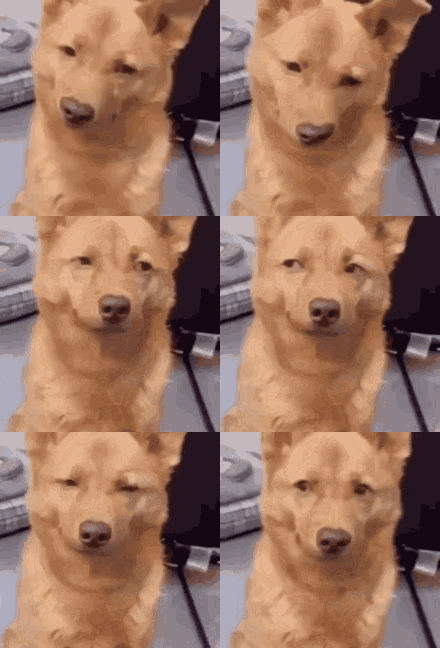
Funny Eye Blinking Meme

3 Best Free Eye Blinking GIF Download Sites
A hater of animating GIF manually? Scroll down to find your favorite eye blinking GIF downloads.
GIPHY
Speaking of eye blinking GIF downloading, then GIPHY is the ultimate destination. It serves as both an immense, searchable archive and an accessible studio, complete with a built-in GIF maker that lets you animate static images into seamless loops. The specific tags—like slow blinking or blinking guys—make it easy to find the perfect animation for your needs.
Site: https://giphy.com/explore/blinking-eyes
Tenor
Featuring a clean UI and an acutely meme-literate library, Tenor is the go-to choice for eye blinking animation downloads. You can access various trending GIFs, whether it is a skeptical blink or a flirtatious wink. Best of all, its smooth integration across social media turns every GIF into a one-tap emotional amplifier for your messages.
Site: https://tenor.com/search/blinking-eyes-gifs
LottieFiles
Forget pixelated loops. LottieFiles elevates the eye-blink into a precise, scalable design element, using lightweight JSON-based Lottie animations. Perfectly tailored for developers and designers seeking performance and polish.
Site: https://lottiefiles.com/free-animations/eye-blink
How to Make Eye Blinking Animations Free - Vidnoz
Beyond downloading eye blink GIFs, you can craft your own unique creations. How? Harness AI technology and unfold the blink magic.
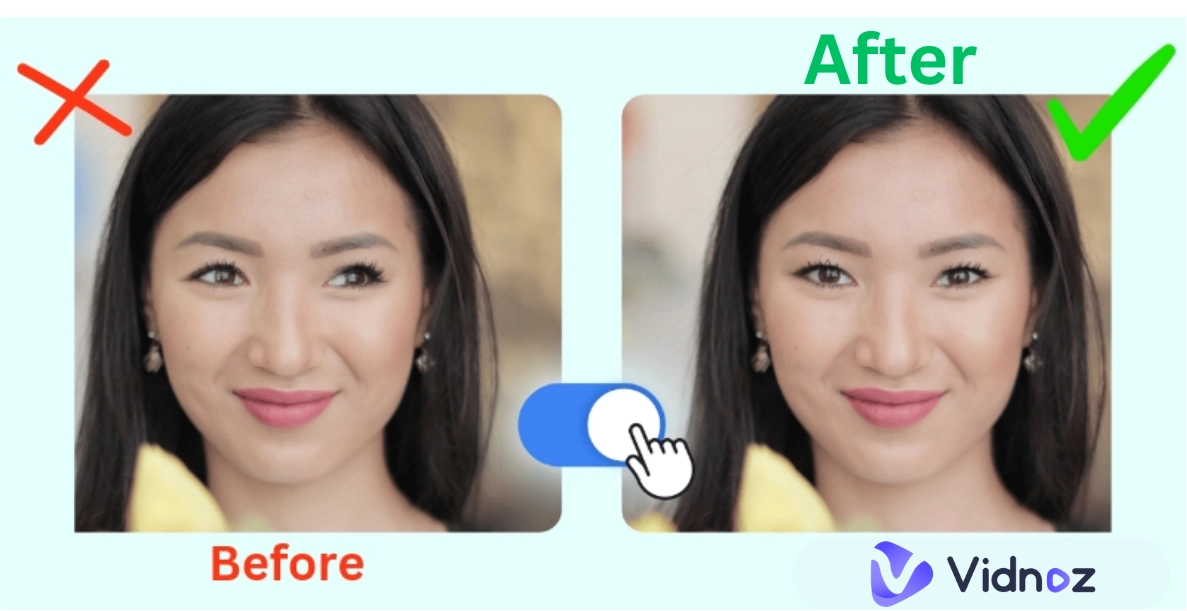
Vidnoz Image to Video is an exceptional free tool that adds realistic blinking effects to photos, breaking conventions by transforming familiar images into captivating, mesmerizing looping animations. By analyzing photo structures, its advanced AI algorithms predict and animate the subtle muscle movements of realistic blinking, delivering highly personalized and lifelike animations from a single image.
Convert Image to Video AI Online - Free
- Create a video from an image quickly for free.
- Use various AI models to turn photos into videos.
- Download and share the AI-generated video at no cost.
Convert Image to Video
- Create eye blinking animations free: Designed to offer free yet high-quality service, this eye blinking GIF maker supports you to transform a static image into a blinking animation - 100% free.
- Smooth and natural eyelid blinking: Leveraging advanced AI technology, it precisely handles complex occlusions between eyelids and irises, infusing your cherished photos with vivid, lifelike motion.
- Easy blinking conversion in one click: No complicated editing technique required, Vidnoz AI supports seamless video clip generation with natural eye blinking after image upload, guided by simple prompts.
- Text to eye blink animations support: No picture? Your blinking idea is enough. Input your vision as text into Vidnoz's text-to-video tool and watch it transform into captivating blink visuals.
How to Animate Eyes Blinking with Vidnoz?
Step 1. Head to Vidnoz Image to Video.
Step 2. Upload an image, describe your requirements, and click the “Generate Now” button to let Vidnoz AI work for you.
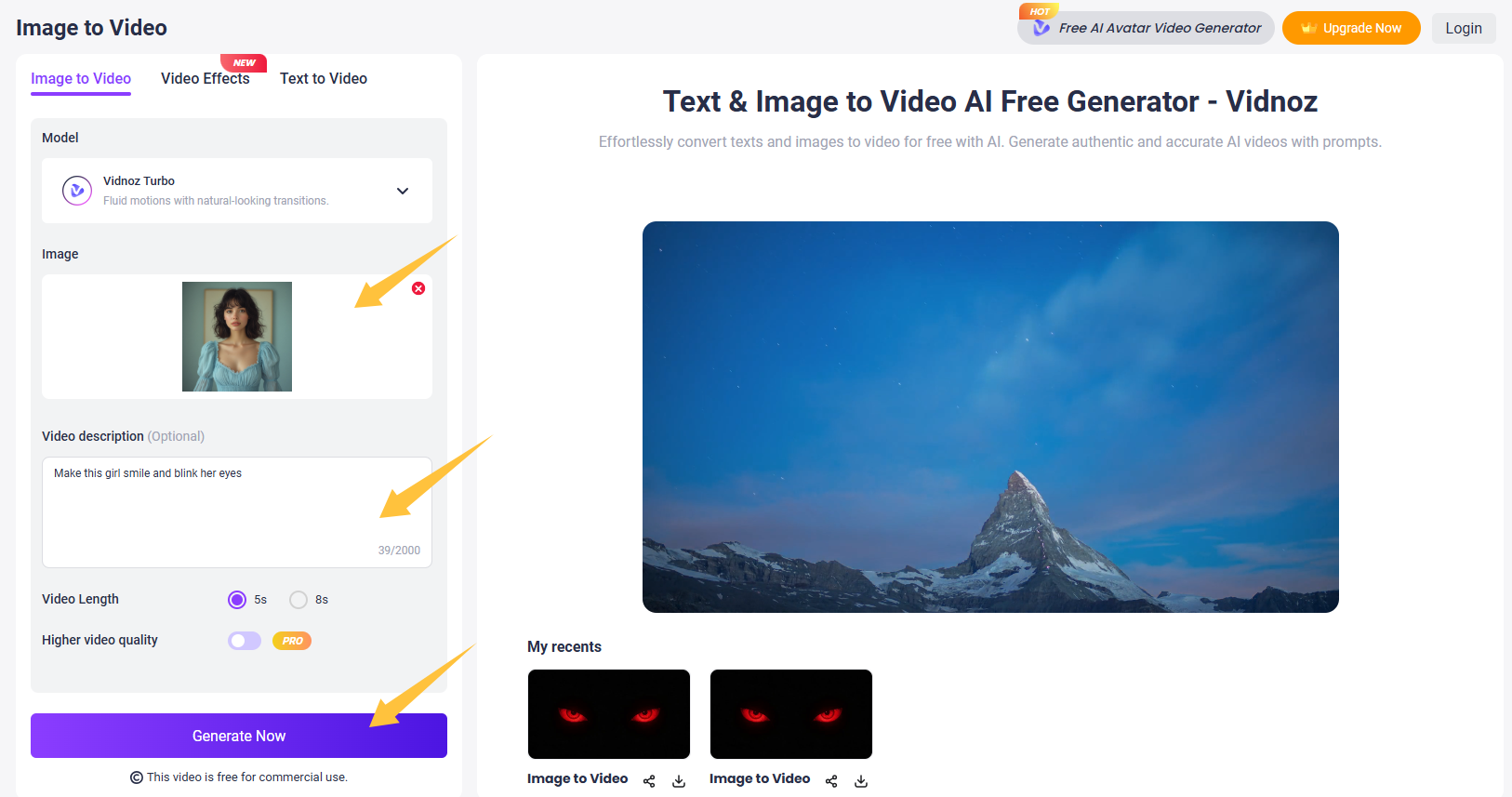
Step 3. Click Download or Share, the choice is yours. Lastly, if you need the GIF format, remember to convert the MP4 to GIF.
How to Animate Eyes Blinking with Ease - Vivago
Next up is Vivago AI. This professional yet user-friendly web tool creates captivating AI-powered blink effects for videos and images. Upload a start frame and end frame to generate natural blink animations, or upload a single frontal photo—Vivago's algorithms will handle the rest.
Its primary appeal lies in its singular focus and user-friendly interface. By intelligently mapping facial features, Vivago precisely captures the subtle dynamics of eyelid movement, generating loopable blink video clips—all without requiring any expertise in animation or editing software. However, an account login is required to access the generated results.
How to Animate Eyes Blinking with Vivago AI?
Step 1. Access Vivago AI Blink Template, click Recreate, and sign in with a new account.
Step 2. Upload your photo and adjust other settings as needed (such as duration, negative prompts, etc.). Click the Generate button to add an eye blinking effect to your photo.
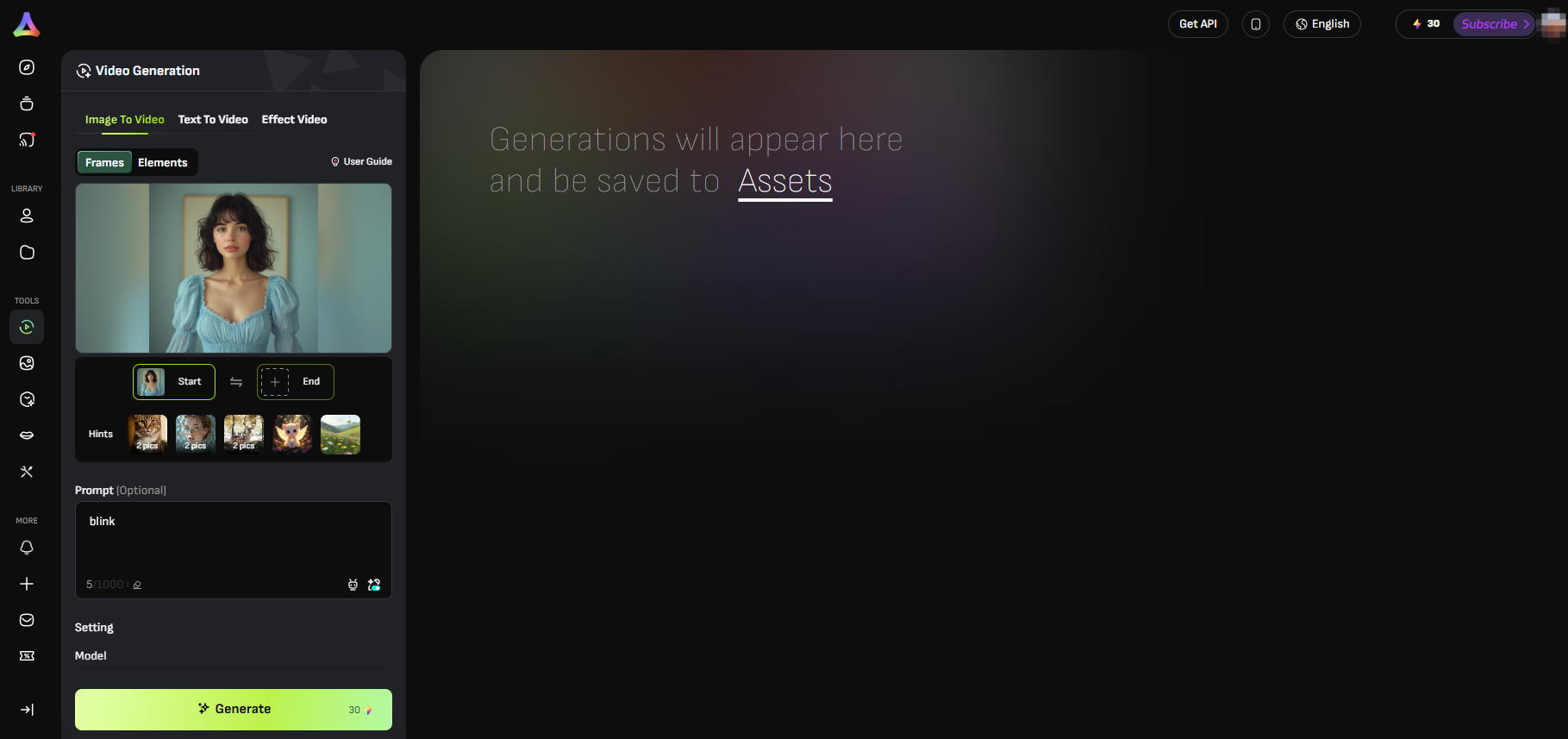
Step 3. After generating, click the Download icon. Or, if necessary, perform additional editing such as lip-syncing or background removal.
How to Make Eye Blinking GIF from Text - Picsart
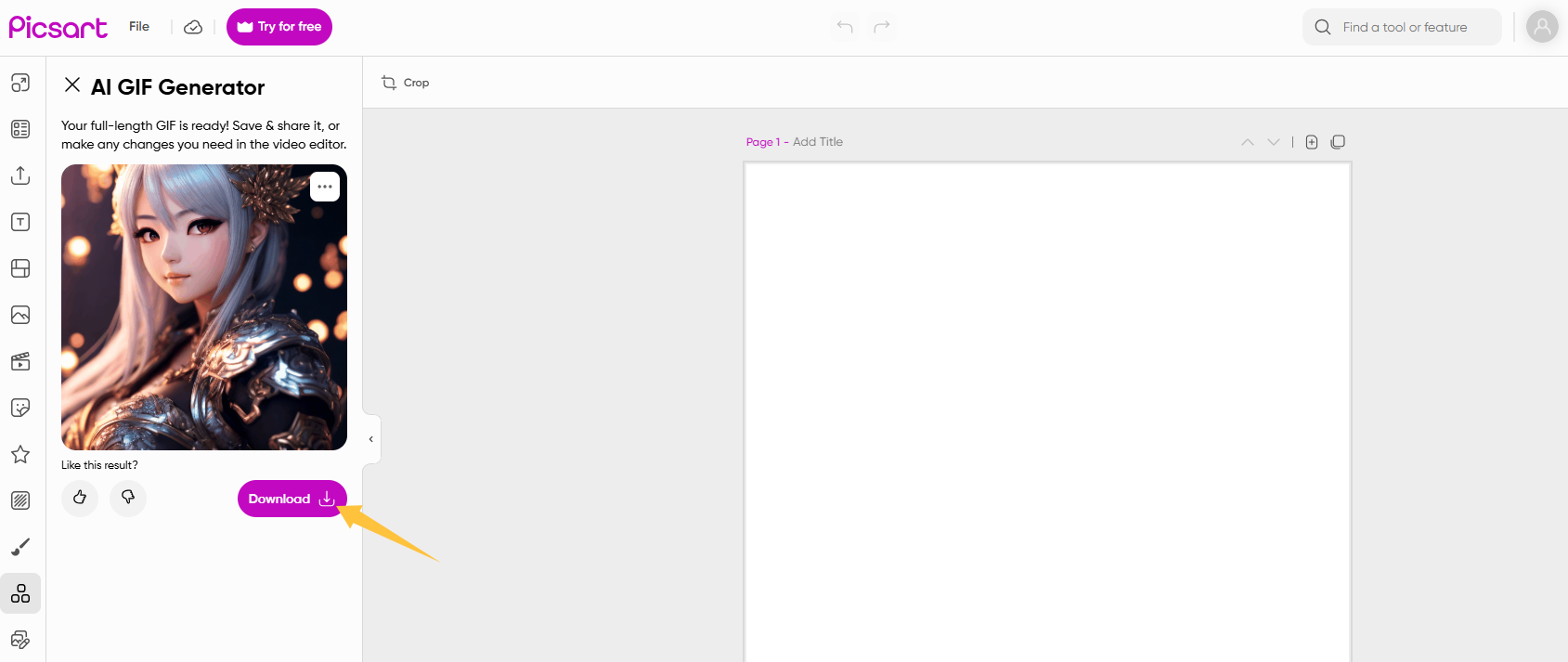
Picsart launches a text-driven AI GIF generator that helps you effortlessly create eye blink GIFs without manual editing. Simply describe your vision in words—like “a beautiful girl blinking eyes slowly”, and Picsart AI will generate a unique animated clip from scratch. While it may not achieve the photorealistic precision from a specific photo, it does offer a convenient way to create blink GIFs on the fly, producing stylized fantasy pieces ready for social media.
How to Generate Eyes Blinking GIFs with Picsart?
Step 1. Head to Picsart AI GIF Generator.
Step 2. Describe your GIF with a prompt, select your preferred style, and click the Generate GIF button.
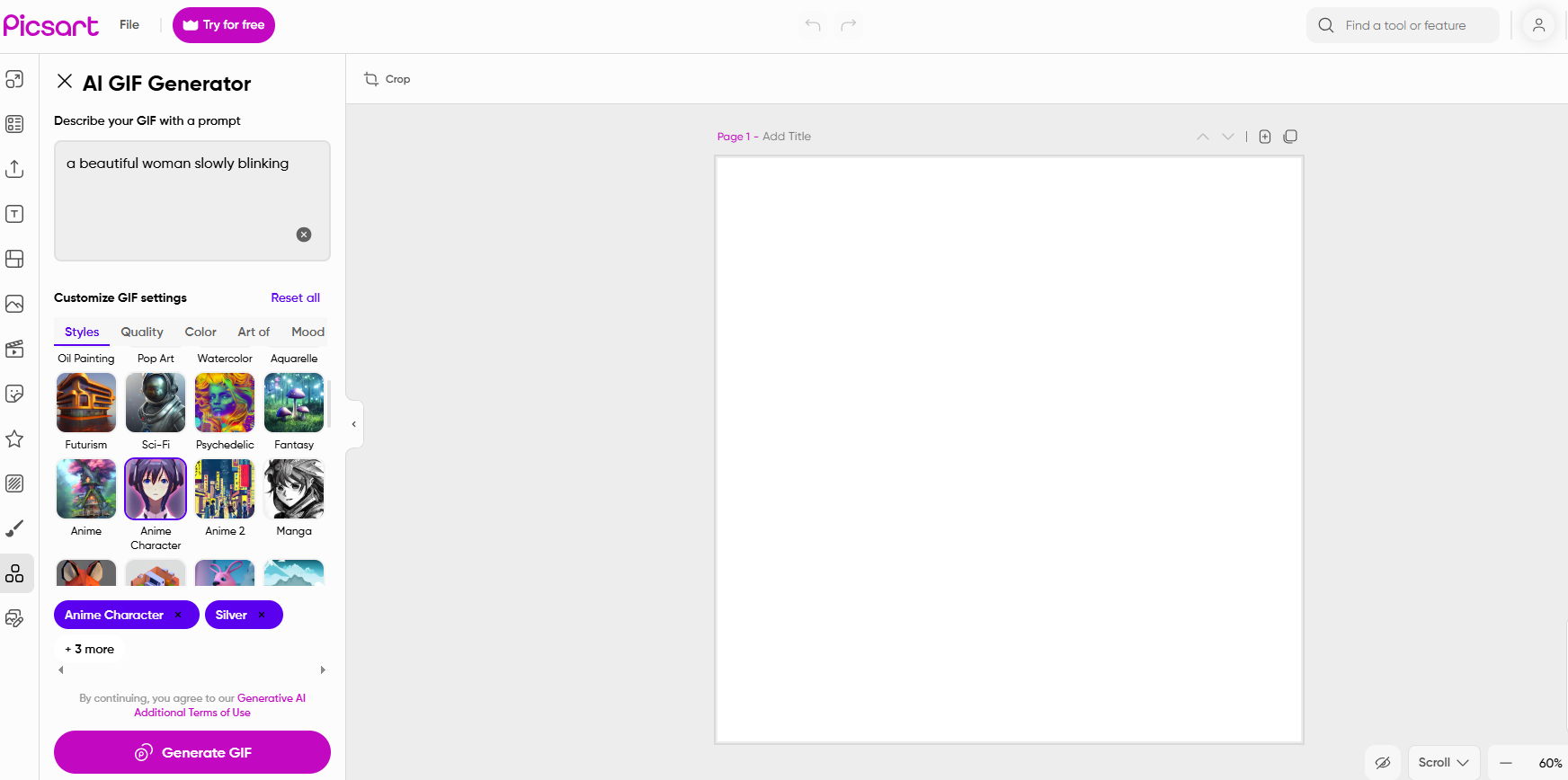
Step 3. It will generate images based on your selected style. Pick one you like and click “Next” to proceed.
Step 4. Once satisfied, click Download to save it to your local device.
How to Make Funny Eye Blinking Meme - Imgflip
Looking for a straightforward eye blink meme generator? Imgflip is a perfect solution. Unlike the AI-driven tools provided above, it focuses on instant, funny meme viral content rather than blinking animations, prioritizing speed and humor over hyper-realism. Simply select a template from its library of popular blink meme templates, overlay custom text or captions, and you're done. Best for crafting quick, humorous reaction GIFs intended for social media commentary.
How to Create an Eye Blinking Meme with Imgflip?
Step 1. Access Imgflip’s eye blink meme generator. (https://imgflip.com/memegenerator/265201634/Eye-blink-meme)
Step 2. Use one of the preset templates, or click “Upload New Template” to upload a custom template from your device or a URL.
Step 3. Add text, images, stickers, and hand-drawn elements with the buttons next to your meme canvas.
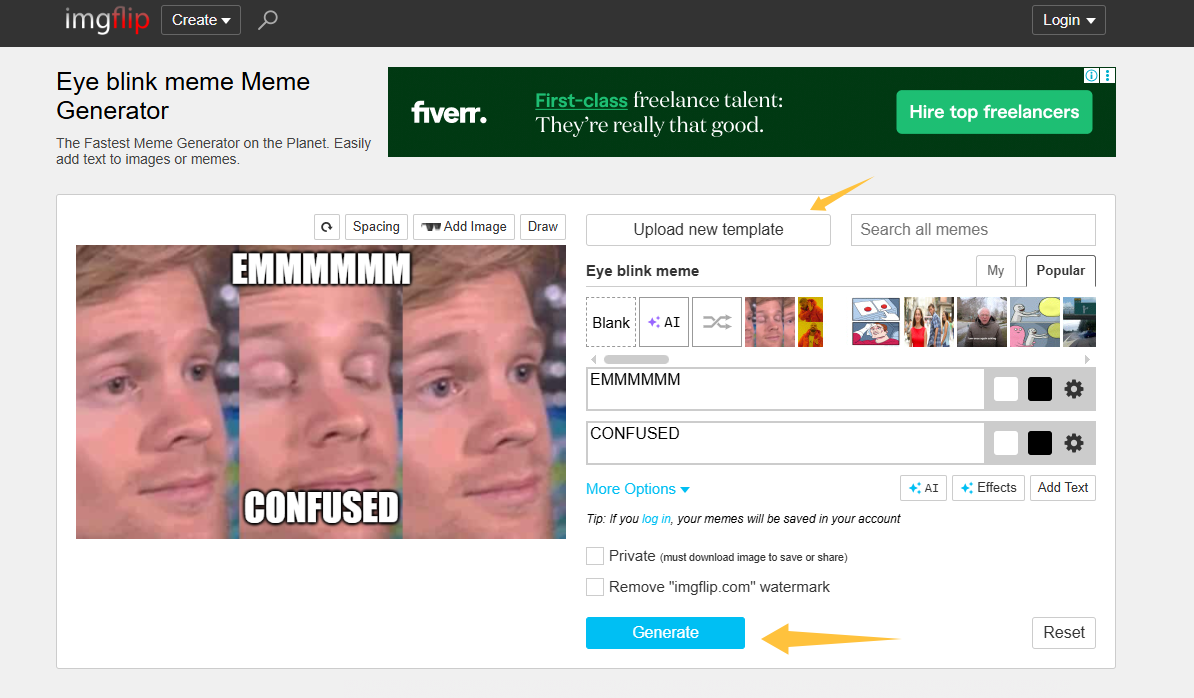
Step 4. Hit "Generate" and then share your eye blinking meme with others.
Conclusion
Congrats, you're all set! With resources for downloading eye blinking GIFs and free tools to make your own, adding this engaging effect is straightforward. Among these options, Vidnoz AI stands out with its versatile toolkit, offering a powerful, all-in-one platform for generating blinking images, animations, and dynamic talking portraits. Start crafting your own eye-blinking masterpieces today and create a more profound, emotional impact with every viewer.
Convert Image to Video AI Online - Free
- Create a video from an image quickly for free.
- Use various AI models to turn photos into videos.
- Download and share the AI-generated video at no cost.
Convert Image to Video